The poster design is done, the files are exported, and you are on the printer’s order page when one last option appears: matte or glossy? Both look fine on screen, the price gap is usually small, and the deadline is close, so many people just click one and hope.
Quick answer: For most conference posters, matte is the better default. Hall lighting, especially overhead fluorescent strips and spotlights, bounces off glossy surfaces and leaves glare bands over your text, while matte scatters the light and stays readable from any angle. Choose glossy only when photos matter more than reading and you know the lighting is controlled. Fabric posters are already close to matte.
Matte or Glossy: Which Should You Choose?
Choose matte unless you have a specific reason not to. Academic poster sessions, research halls and most exhibition spaces use fluorescent or mixed artificial light, and a glossy print reflects it straight back at anyone reading. Glossy is not a bad choice, it just suits different conditions.

| Factor | Matte | Glossy |
| Glare under hall lights | Low: light is scattered | High: light reflects back at the reader |
| Colors | Slightly softer, more even in midtones | More saturated, higher contrast |
| Small text and thin lines | Clean from most angles | Can be hard to read at an angle |
| Fingerprints and handling marks | Usually less visible | Show up quickly |
| Best for | Text and data heavy posters, bright or unknown venues | Photo heavy posters in dim or controlled lighting |
The Short Version
Go matte if the poster will hang under fluorescent lighting, carries detailed text or data, or needs to survive handling. Go glossy if visual impact and image quality come first and you are confident about the venue’s lighting. If the conference poster instructions name a finish, follow them. When in doubt, ask the printer for a sample or a small test print in both finishes and hold them under similar light. The difference is obvious in person and cheap to check.
What Are Matte and Glossy Finishes? The Real Difference
The finish is the surface coating or treatment on the print. It controls how light bounces off the poster, how the colors look, and how the surface handles being touched and rolled.
Glossy Finish
A glossy finish has a smooth, reflective surface. Contrast goes up and colors look saturated: reds pop, blues look deep, photographs look sharp.
The trade-off is reflection. In a bright hall with overhead fluorescents, a glossy surface picks up glare from many angles, and readers end up shifting position just to see the content. That is a real problem when you want people to stand still and read. Glossy is also smooth enough that fingerprints and smudges show easily.
Matte Finish
A matte finish is non-reflective and diffuses light. Colors look slightly softer than on glossy, but text and fine detail stay readable from several angles. For a research poster or any display where people read dense content, matte is easier on the eyes. Fabric posters, printed on polyester, are almost always matte in feel, which comes from the material rather than from a design choice.
What About Semi-Gloss or Satin?
Many printers sell a finish between the two. The Fourwaves guide to conference poster paper (updated September 2026) describes semi-gloss as the best balance of color vibrancy and readability for posters that mix text and images, with moderate glare. A 4over4 print guide, also read in October 2026, suggests semi-gloss when the artwork is a photo and the room is unknown. Names such as satin or semi-gloss vary between printers, so ask for a sample before you rely on one.
Where the Practical Difference Shows Up
The finish does not change how you build the file, but it changes how the result looks.
Color. Glossy amplifies contrast, so bold photography and graphics translate well. Colors on matte can look a touch flatter than on your screen. The 4over4 guide explains that the ink and the file are the same on both finishes: gloss keeps the ink near the surface, which makes blacks look denser and colors look stronger, but that is apparent strength rather than greater accuracy. Allow for the flatter look when you choose colors.
Fine detail. Thin lines and small text can look crisper on matte because there is no reflective layer creating visual noise around them. Glossy can make photos look sharper, but low-resolution sources show up on either finish.
Bleed. Finish does not change bleed or resolution requirements. The coating is applied after printing, so file setup is the same for both, as covered in the file preparation section below.
A test print is worth doing for either finish, especially if the design has photos or gradient backgrounds, where the finish shows most.
How Conference Hall Lighting Changes Your Decision
Lighting is easy to overlook. A well-designed poster can be nearly unreadable on the exhibition floor purely because of how the venue lights interact with its finish.
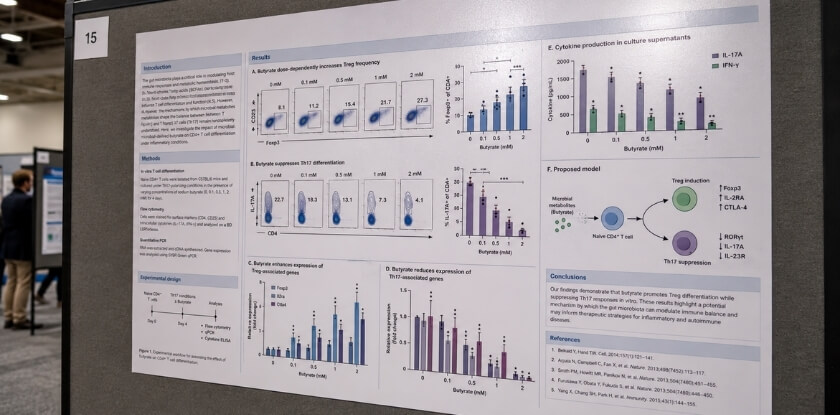
The Glare Problem Under Fluorescent and Spotlight Lighting
Many conference halls use overhead fluorescent strips or spotlights aimed at the display area. Both are hard on glossy finishes.
Fluorescent strips run in long rows, so their reflection can make a wide, washed-out band across the poster face. Spotlights create a concentrated hot spot that can hide a whole section of your design, however good the print resolution is underneath. A matte surface scatters light in all directions, so text and graphics stay readable from almost any angle.
Not every venue is lit the same way. Some modern centers use warmer, diffused LED panels, and glossy copes better there because the light is less harsh and less directional. Backlit panels or stands with their own built-in lights change the picture again. If you can, find out how your venue is lit before you pick a finish. For a standard poster pinned to a board under ceiling lights, matte is the more reliable choice.
How Viewing Distance Affects Finish Visibility
Up close, within about a meter, glossy can look very sharp, with saturated colors and crisp chart details. That is a real advantage for photographic content.
Much poster viewing happens farther away, though, at roughly one to two meters, while a person is still reading your title and deciding whether to stop. At that distance glare on a glossy surface makes the poster harder to assess quickly, and viewers tilt their heads or shift position to get past it. Matte stays consistent whether someone is scanning titles from two meters or reading your methods section up close, and the surface does not change character with the angle.
Fabric behaves a little differently here. It has a naturally soft, low-sheen surface that acts like matte paper, so the directional glare problem largely does not apply. For a standard paper poster, though, the finish you pick changes how your work comes across in a lit hall, and matte leaves you fewer variables to worry about on the day.
When to Choose Matte Finish
Matte earns its place as the default for concrete reasons, and understanding them can save you from a costly reprint. It is most useful when you have little control over the lighting: under overhead fluorescents, a glossy surface can put a wash of reflected light right over your data tables or methods diagram, while matte scatters it.
Best Use Cases for Matte Conference Posters
- Text-heavy posters. Research posters carry small print: abstracts, axis labels, citation blocks, figure captions. With no surface glare competing with the text, extended reading is more comfortable.
- Many viewing angles. When a poster hangs at standing height in a busy room, people read it from different positions at once. Glare on glossy shifts with every step, while matte removes that variable.
- Accurate colors in charts and scientific images. Matte stock tends to show midtones more predictably. Glossy boosts contrast and saturation, which can look punchy but may distort data graphics, so matte stays closer to the proof you approved on screen.
- Fabric posters. If you order fabric for easy transport, the finish decision is largely made for you, as the paper versus fabric section below explains. Fabric also resists wrinkles, which helps when you pull it out of a carry-on before a morning session.
Example: Matte at an Academic Poster Session
Picture a mid-sized scientific or humanities symposium. Posters go up in a session room or corridor under recessed fluorescent tubes. Attendees stand close, read carefully, and ask questions while pointing at specific sections. If the print is glossy, a hot spot of reflected light can sit right over your results, and you may find yourself tilting the board to help someone see. With matte, you can stand beside your poster and explain your methods without managing reflections.
At a large trade show, where booth lighting is more varied and often includes spotlights or track lighting, the balance can shift. For a standard academic poster session, the environment favors matte.
Resolution also matters here. Matte can soften fine detail slightly compared with glossy, so if your poster includes microscopy images or detailed technical diagrams, start from sharp source files at the resolution your printer asks for. A low-resolution image shows more on matte than on glossy, which hides some softness with extra contrast.
When to Consider Glossy Finish
Glossy suits predictable conditions: if you can control or predict the lighting, glare becomes manageable and the vivid color is a real benefit. Assuming it is always wrong is an overstatement, and defaulting to matte only because it feels safe can cost you impact when the setting suits gloss.
Best Use Cases for Glossy Conference Posters
- Photography-heavy designs. Product images, vivid photographs and color-rich graphics get more depth and saturation on glossy. A poster built around data charts gains little, but one with professional photography gains a lot.
- Controlled or dim lighting. Trade show floors, product launches and some commercial expos use accent or directional lighting instead of overhead fluorescents. Glare is less of a problem there, and the reflective quality helps a poster stand out from a distance.
- Short, single-use displays. A poster shown once and not rolled and unrolled repeatedly worries less about surface wear, which is where glossy is weaker (see the durability section).
Glossy stock often renders colors more intensely than the screen preview suggests, so run a test print before the full order to avoid surprises on the day.
Example: Glossy at a Product Display
Imagine a consumer electronics company with a large-format poster of product renders, sharp device photography on clean backgrounds with bold color contrast. The booth is lit by recessed spotlights aimed at the stand, and attendees approach from the front. Here glossy makes sense: the controlled lighting limits glare, the imagery pops, and the poster is used for one event.
Put the same glossy poster on a board under bright fluorescent lights, with readers approaching from different angles, and the glare becomes immediate. The environment decides the answer: glossy does not fail everywhere, only in the wrong conditions. If you are uncertain about the lighting, test both finishes under similar light before committing to the full print.
Cost Comparison: Matte vs Glossy Printing
The finish affects your bill, which matters if you are paying out of pocket or from a departmental budget. Printers disagree. The 4over4 guide says matte and gloss usually cost the same on standard products because both coatings are applied the same way, while a Vistaprint article (January 2025) says matte generally costs more. University print pages read in October 2026 show how much it varies.
| Print service (page read October 2026) | Price as listed on the page |
| University of Waterloo print service, 48 x 36 inch | Matte $72 plus tax, glossy $114 plus tax |
| University of Iowa design center, per square foot | Matte $6, semi-gloss $7, fabric $9 |
| University of Illinois technology services, 36 x 48 inch | $36 for glossy or matte |
Prices change, so use these only to see that the finish can cost the same or noticeably more.

Price Difference Between Matte and Glossy Paper Prints
Compare a few quotes at your exact poster size before you commit, and read the finish line on each. No rule of thumb holds across printers, as the table shows.
Fabric is priced by material and size rather than by a coating. Fourwaves lists higher printing cost as one downside of fabric, and the Iowa price list above puts it above paper. If portability and durability matter, price fabric separately from paper.
Which Finish Gives Better Value for One-Time Conference Use
For a single conference or poster session, matte is a sensible value choice: it copes with fluorescent lighting, and where a printer charges more for glossy, you avoid that extra cost. Glossy can justify a premium if the poster is reused across events, or if it works as a trade show display where visual impact at a distance is part of the goal.
On a tight budget, put your money into a correctly prepared file and a test print before you pay extra for a finish. A file with the right color settings and sharp images on standard matte paper will outperform a glossy print made from a rushed, low-resolution design.
Paper vs Fabric Poster: How Does Finish Change?
Finish behaves differently on paper and on fabric, and that changes what you should expect at the conference.
| Option | Suits | Watch out for |
| Fabric, standard dye-sub output | Travelling to several events, rolled and unrolled often, variable lighting | Not a hard glossy look; text can be less sharp and cost can be higher than paper |
| Matte paper | Single events, text-heavy posters, dense figures and tables | Needs careful rolling and a tube |
| Glossy paper | Controlled lighting where color impact matters more than reading | Glare, fingerprints, visible scratches |
Matte and Glossy Options on Fabric Poster Material
Fabric is an option for both academic conferences and trade shows because it is light, folds small and resists creasing. The Iowa design center page (read October 2026) recommends foldable fabric if you travel with a poster, especially by air. Fabric posters are commonly printed by dye-sublimation, which one vendor describes as infusing ink into polyester fibers. The surface is soft and low in sheen, so glare is reduced without any added lamination.
Fabric has trade-offs too. Fourwaves lists less sharp text, less vibrant colors and higher printing costs among them. Some suppliers may offer a glossier or coated fabric, which can feel and wear differently from standard output, so ask for a sample before you order. For a poster that travels between conferences, standard fabric output is usually the simpler choice.
Which Combination Works Best for Conference Settings
For most academic and trade show uses, fabric with standard dye-sub output is the practical choice if you will reuse the poster. For a single-use paper poster, matte-coated or satin paper balances color fidelity and readability better than high gloss, which is harder to read at an angle under fluorescents and shows fingerprints when people lean in. Glossy paper is worth considering only when the venue has controlled lighting and you prioritize visual impact over text legibility, such as a product launch panel.
Durability and Longevity Comparison
The finish affects how well a poster survives travel and how it looks if you reuse it, so think about how it will be handled before you choose.

How Each Finish Holds Up Over Time and Repeated Use
Matte is generally the more forgiving finish for a poster that is rolled, transported and mounted several times in a season. It tends to hide fingerprints and light handling marks better than glossy. Glossy looks sharper out of the box, but surface scratches catch the light and become visible, especially across large areas of solid color. A single careless roll can leave a crease that reflects light differently from the rest of the surface. How a specific paper behaves depends on its coating and any laminate, so check your printer’s sample if wear matters to you.
Fabric holds up well to folding and compression, which is why it is a strong option when you reuse a poster at many events.
Scratch Resistance, Moisture, and Handling Differences
Neither finish makes a paper poster waterproof. A laminated glossy finish gives slightly better short-term moisture resistance than uncoated matte. Lamination is a trade-off. Fourwaves says it adds durability but also weight and can cause glare, and the University of Illinois library poster printing page (read October 2026) tells students not to laminate unless they want to keep the poster, because skipping it saves money. If you do laminate, a matte laminate keeps glare lower than a gloss one. If the poster will be handled by many people, pinned and unpinned repeatedly, or shipped in a tube more than once, matte paper, laminated matte or fabric holds up more reliably. Glossy works best when handled carefully and used for one event.
Poster Design and File Preparation Tips
Choosing the right finish is only half the job. If the file is not prepared correctly, neither finish can save a blurry or color-shifted poster.
How to Design with Your Chosen Finish in Mind
Designing for matte. Colors will look slightly softer than on screen, so choose colors a touch richer than you think you need. Dark backgrounds work well on matte because they do not show handling marks, and fine text stays sharp without glare.
Designing for glossy. Bold photography and vivid infographics benefit most. Be careful with large areas of solid dark color, because fingerprints and scratches show easily, especially if people will handle the poster.
Text and readability. Whatever the finish, make body text large enough to read from a couple of meters. Check the conference’s poster guidelines for minimum sizes, as many events publish them. Matte is more forgiving for small text under fluorescents, because a slight sheen across a block of small text on glossy makes it hard to read from an angle.
Color Profiles, Resolution, and Bleed Settings for Print
Screens and printers work in different color spaces, and ignoring that produces dull, muddy colors or unexpected hue shifts.
Color profile. Printers generally want CMYK, so set the document to CMYK from the start rather than converting at the end, which can shift bright blues and purples. Ask which CMYK profile your printer uses, since matching it reduces surprises. University print shops will often tell you their preferred profile if you ask.
Resolution. Requirements differ, so confirm them with your printer. A quick check from the University of Iowa design center page (read October 2026): zoom your file to 150 to 200 percent on screen, and if images, text or logos look fuzzy or pixelated, they will print that way. Do not place small web images in your layout, because no upscaling fixes a low-resolution source.
Bleed. Extend backgrounds and images past the trim edge by the amount your printer specifies, or you may end up with a white edge. Most design software has a bleed setting in the document setup dialog.
Test print. Request a small proof before the full print, especially for glossy with rich color. What looks right on a calibrated monitor can still shift once ink meets coated or uncoated stock.
Recommended Poster Design Software and Tools
Several options work, depending on your background and budget.
Adobe Illustrator and InDesign are widely used for poster work. Illustrator handles vector-heavy layouts cleanly, while InDesign suits text-heavy research posters with structured grids. Both support CMYK, bleed and print-ready PDF export with crop marks.
Affinity Publisher is a capable alternative, with CMYK, bleed and high-resolution export.
Canva is quick but has limits for professional print. Check whether your plan exports CMYK and what resolution control it gives before relying on it for a glossy or color-critical job.
PowerPoint and Google Slides are widely used for research posters. They are not built for print, but they can give acceptable results if you set the canvas to the real poster size from the start and export at the highest quality. Color control is limited, as you work in RGB throughout, so expect some shift.
Whatever you use, export a print-ready PDF rather than a JPEG, because PDFs preserve vector elements and embed fonts properly.
Tips for Choosing the Right Printing Service
Your finish is only as good as the printer’s ability to deliver it, and shops differ in how consistently they handle large-format work.
What to Ask Your Printer Before Placing an Order
A few direct questions prevent expensive surprises.
- Which paper stocks do you carry for each finish? Matte on a lighter coated paper behaves very differently from matte on a heavier satin stock. If there is only one matte option, find out its weight and coating.
- What resolution, color profile and bleed do you require for large format? Printers differ: some expect CMYK, others accept RGB and convert in-house, and mismatched color profiles can lead to washed-out or oversaturated prints. Confirm the bleed before you export from your design software, because trimming a poster with too little bleed can clip border elements or background color.
- What is the turnaround for my finish? Turnaround can differ by finish at some shops, so if you are printing close to the conference date, ask before you choose.
How to Request a Test Print or Finish Sample
It is tempting to skip the test print to save money, and then the poster arrives looking nothing like the screen.
Request a finish sample. Many printers keep swatch packs of matte, satin and gloss stocks, usually free or cheap. Holding the material tells you more about how hall lighting will interact with it than any product description.
Print a letter-size proof first. The University of Illinois library page (read October 2026) suggests printing a copy on an 8.5 x 11 inch sheet to check that everything is proportional, and having someone proofread it, because errors are more noticeable at full size. A proof like this checks layout, not finish.
Order a scaled test print for a complex design. A quarter-scale print on the stock you chose costs a fraction of the full price and checks color translation, legibility and photo sharpness.
Check scratch resistance. Run a thumbnail lightly across the surface. Finishes differ by paper and coating, so judge the sample rather than assuming. Pay attention if the poster will be handled during setup and teardown.
Check glare in realistic light. If you can, hold the print under fluorescent light, at the angle a viewer would see it from about two meters away. This is the most honest test of whether matte is doing its job or glossy would read more clearly.
If a printer is reluctant to provide samples or dismisses the idea of a test print, consider looking elsewhere.
From our experience at MS International: Our conferences are held in person in the Greater Toronto Area, and we do not publish poster sizes, board types or lighting details on our pages. Our speaker pages ask presenters to arrive at the check-in time stated in the confirmation email, to confirm their room and technical setup, and to keep a backup copy of their presentation on a USB drive. For details of a printed poster, contact the organizers through the conference website.
FAQ: Matte vs Glossy Conference Posters
Settling on a poster finish means weighing glare under venue lights, price, scratch resistance and whether lamination or a satin middle option is worth it.
Does matte finish make colors look dull?
Slightly, yes. Matte absorbs more light, so colors do not pop the way they do on glossy. For most academic and research posters that is fine, because readability matters more than vibrancy, and matte colors stay closer to your proof.
Will glossy posters cause glare problems indoors?
Often, yes. Under fluorescent or overhead lighting, a glossy poster can reflect glare at certain angles, so readers must shift position. Matte handles those conditions much better.
Is glossy more expensive than matte?
It depends on the printer. Some charge the same for both, while one university print service lists a 48 x 36 inch glossy poster at $114 and matte at $72. Check the quote at your poster size.
Which finish works better for a fabric poster?
Standard fabric output, which usually has a soft, low-sheen surface close to matte. Some suppliers may offer glossier fabric, so ask for a sample. If you want a true gloss surface, choose paper.
Can I use the same design file for both finishes?
Yes. Color profile (typically CMYK), resolution and bleed stay the same for either finish. Only the finish option you select with the printer changes.
Does matte scratch more easily than glossy?
Not usually. Matte tends to hide light scratches and fingerprints better because the surface texture diffuses the damage, while glossy shows them more. Some glossy papers have a protective laminate, so judge your printer’s sample.
Should I order a test print before the final run?
Yes, especially for large-format posters. Colors shift between screen and print, and seeing the finish in real lighting saves you from a costly last-minute reprint.
Which finish is standard for academic conferences?
There is no single standard, and the conference’s own instructions override any general rule. When they are silent, matte is the safer pick for text-heavy research posters, and semi-gloss suits mixed text and photos.
Is semi-gloss or satin a good middle option?
Often, yes. Fourwaves describes semi-gloss as the best balance of color vibrancy and readability, with moderate glare. Names and quality vary by printer, so ask for a sample.
Should I laminate a conference poster?
Only if you need it. Lamination adds durability but also weight and cost, and a gloss laminate adds glare. Skip it for a one-time poster; if you travel or reuse the poster, choose a matte laminate or fabric.
Final Thoughts
Matte is the safer pick for most conference halls, and glossy earns its place only where lighting is controlled and photos lead. Run a test print and check the file against your printer’s specs, and most surprises on the day will disappear.