You’re in a busy conference hall, someone hands you their card, and you reach into your jacket pocket. Nothing. The cards are still at the hotel. So you pull out your phone to share a digital card instead, and the screen goes dark at 4% battery. Two backup plans, two failures, and a forgettable first impression.
Quick answer: Neither format wins outright, and for most people a hybrid is the safest choice. Carry well-made paper cards as your default and keep a digital card ready on your phone, shared by QR code or NFC. Lean digital at tech and startup events, and lean on paper at finance, corporate and formal international events. Print a QR code on the back of the card so one object covers both.
This guide covers how to choose between paper and digital for different conference types, how to use each format well in the room, what to pack, and how to follow up so a handed-over card turns into a real contact.
Which Is Better: Digital or Paper?
Neither is better everywhere. The right choice depends on where you are networking, who you are meeting, and what you want to happen after the conversation ends.
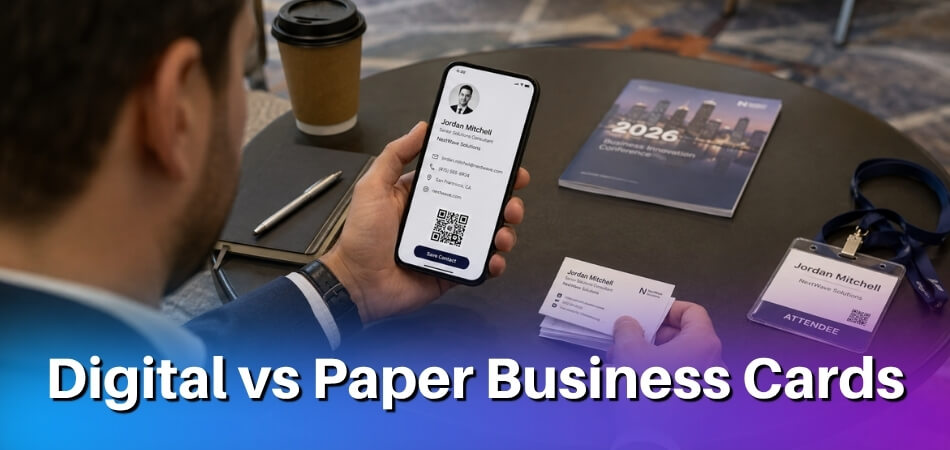
Digital business cards work well at tech conferences, startup events and any setting where people expect quick contact sharing. If someone pulls out a phone to connect, a QR code or NFC tap fits the moment. A digital card can also carry links to a portfolio, LinkedIn or a product demo, which a paper card cannot, and you never run out of them.
Paper business cards still carry weight at finance conferences, corporate events and international conferences where the culture leans formal. A printed card needs no battery, signal or working camera, so there is nothing to troubleshoot mid-conversation.
A hybrid approach covers both: a small stack of print cards for moments when handing something over feels right, and a digital card (QR code on your phone, or an NFC-enabled card) for everyone else.
The table below shows which format fits which situation.
| Situation | Better Choice |
| Tech or startup conference | Digital card |
| Finance or corporate conference | Paper card |
| Creative, design, or media conference | Either (hybrid recommended) |
| International conference | Paper card (plus digital as backup) |
| Large conference, high volume of contacts | Digital card |
| Formal first impression with a senior executive | Paper card |
| Following up with links or portfolio | Digital card |
The format also shapes your follow-up. A digital card that records who opened it gives you a ready contact list at the end of the day. With a paper card you receive, you have to remember to photograph it or type the details in yourself.
If you are a solo consultant or a small team attending one conference a year, a well-designed print card with a QR code on the back is entirely enough. Larger organisations have a different problem, covered in the global teams section below.
Choosing the Right Card Based on Conference Type
Each conference has its own culture, and a format that works in one room can feel out of place in another. Let the type of event shape your decision before you pack.
Tech and Startup Conferences
At tech and startup events, digital cards are generally expected. Many attendees already use one, so an NFC tap or QR scan feels normal. Handing over paper is not a social disaster, but it leaves the other person to work out what to do with it.
A digital card lets you share a link to your portfolio, product demo or GitHub on the spot, which matters when your work is the conversation. A small run of premium paper cards still helps for one-on-one investor meetings and introductions to speakers, where something tactile reinforces the moment. Many founders use digital for general networking on the floor and paper for high-stakes conversations.
Corporate and Finance Conferences
Corporate and finance conferences tend to be conservative, and a clean paper card signals that you planned for the meeting. Larger firms often issue branded print cards as standard, so turning up without one can read as unprepared.
Digital still has a place. A QR code printed on the paper card lets recipients save your details without downloading anything. For senior-level introductions, make paper your primary and keep digital-only for follow-up, such as connecting on LinkedIn after a panel or sharing a report you mentioned.
Creative, Design, and Media Conferences
At creative events your card can become part of your pitch. Designers, art directors and media professionals notice stock, finish and typography, so a well-made physical card can start a conversation by itself.
Digital cards work here too. A custom-branded digital card that links straight to your work shows your sensibility just as well. Most people do best with both: a QR tap for a quick hallway introduction, a printed card handed over deliberately at a portfolio review.
Academic and Research Conferences
At an academic conference the card mainly helps someone find your research after the session. Name, institution, email and one QR code are enough, and a job title is optional. If your institution does not supply cards, a simple self-made card or a digital card with your university name and email does the same job.
ORCID gives each researcher a personal QR code for their ORCID iD. Scanning it opens your public ORCID record, and ORCID’s own help pages describe printing the code on posters and presentation materials. Before you print it, check what your record shows publicly, because an email address appears only if you have made it visible to trusted parties. If you are presenting, a QR code on your poster or on the final slide lets people save your details after the talk without queueing to ask.
International and Cross-Cultural Conferences
Card customs vary a great deal between countries. In Japan and South Korea, for example, it is standard etiquette to receive a card with both hands and take a moment to read it before putting it away. Pulling out a phone to tap NFC in that setting may feel like skipping the ritual.
Paper is the safer default for first formal introductions at international events. It needs no app, no battery and no particular phone, which matters when attendees come from many countries. At a mixed event, offer paper where the exchange feels formal and offer the digital option when the other person starts tech-first. A printed card with a QR code on the back lets the recipient choose how to save your details.
Conference-Specific Advantages of Digital Business Cards
Digital cards have a few practical advantages that paper cannot match. Knowing when they matter helps you decide how much weight to give them.
You Don’t Run Out
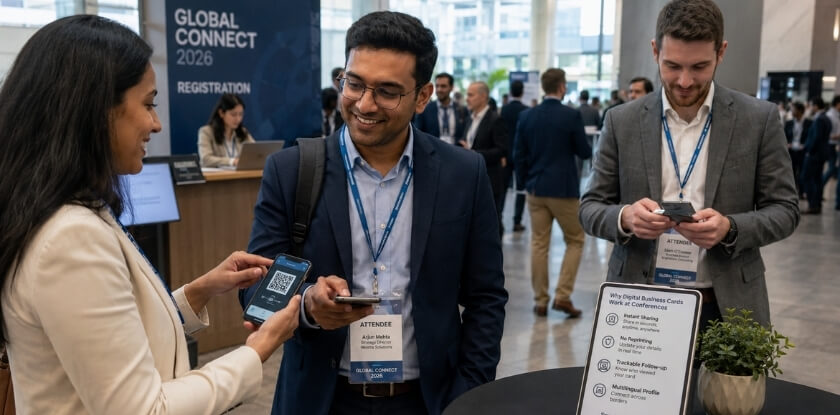
At a large conference with hundreds of attendees, running out of paper cards by mid-afternoon is a real problem. A digital card is always available: show a QR code, tap via NFC or send a link. Missing a conversation because you have no cards left is an awkward first impression that is hard to recover from.
Real-Time Updates
If your job title changed last month, your paper cards are already wrong. A digital card updates instantly, so someone who scanned your code six months ago sees your current role, phone number and links when they visit your profile today. No reprint is needed.
You Can Share More Than a Name and Number
A paper card holds what fits on roughly 3.5 × 2 inches. A digital card can link to a portfolio, a calendar booking page, a LinkedIn profile, a product demo or a page built for one conference.
Link sharing can be contextual. You can make a version for a specific event, for example a whitepaper link for a finance event and a GitHub profile or product page for a tech event.
Analytics and Follow-Up Data
Many digital card platforms show when someone viewed your card and what they clicked, though the details depend on the platform and plan. Paper gives you none of that. Be careful with the large figures in vendor guides: one digital card vendor’s blog (HiHello, 2025) says recipients are 14 times more likely to follow up, and it presents that as the vendor’s own finding, not independent research.
If a prospect opened your card twice and clicked your pricing page, you can time a follow-up with context instead of guessing whether they remember you.
Faster Contact Saving
Asking someone to type your email address by hand is friction. With NFC or a QR code they tap or scan and your details save to their phone in seconds, with no typos and no “I’ll add you later” that never happens. When attendees are juggling dozens of conversations, that small saving can decide whether a contact sticks.
Cost, Environment, and Privacy
A digital card has no print cost and creates no paper waste per share, which appeals at events that care about sustainability and to startups watching budgets. Many platforms have a free tier, and paid plans add things like analytics and team branding, so check current pricing before you commit. Paper costs depend on stock, finish and quantity, so get a quote rather than assuming a figure.
Two cautions apply. First, a digital card depends on your phone being charged, so a portable charger is part of the kit if you go fully digital. Second, think about what you put on it. A digital card shows only what you choose, so leave off a home address or a personal number you do not want strangers to have. Some attendees at formal events also prefer not to tap devices or grant app permissions in a crowded room, so be ready to hand over paper when you sense that.
What Paper Cards Still Do Best: Psychology and First Impressions
Paper cards have outlasted every prediction that technology would kill them. Handing someone a physical card feels different from tapping phones, and at some conferences that difference matters more than convenience.
The Tactile Effect
When you hand someone a card they hold it. They feel the weight of the stock, notice the finish, maybe run a thumb over embossed type. That brief physical moment gives them something to hold during the conversation, set on the table or slip into a pocket, which extends your interaction beyond the handshake.
First Impressions in Specific Contexts
The first impression shifts with the room.
- At senior-level corporate events, a quality card signals that you took the meeting seriously. A thick, matte-coated card with clean typography reads as considered. Tapping a phone can feel casual to an executive who does not associate that gesture with a formal business relationship.
- At creative and design conferences, a beautifully crafted card is itself a portfolio piece. A designer, photographer or art director shows what they can do before anyone visits a single link.
- At finance and compliance-minded events, where discretion and formality define the culture, a physical exchange still signals credibility.
- At startup events, a card with one strong visual identity or a memorable die-cut shape can become a talking point that does not compete with phone notifications.
A well-made card also says you spent money and time to be here and want this person to have it. That signal travels better in some rooms than any NFC tap.
The Memory and Retrieval Advantage
After a full day of networking, people go home with a blur of names and faces. A card on a hotel desk that night is a passive reminder. It does not require the recipient to open an app, remember your name or scroll through a camera roll of QR codes they scanned and forgot.
A digital share can go unvisited if the recipient never opens the right app at the right moment. A paper card asks nothing of them except that they do not throw it away.
Practical Methods for Carrying and Using Cards at a Conference
How you carry and share your cards matters as much as which type you bring. A crumpled card from a jacket pocket sends a different message from one presented cleanly, and fumbling through a phone for your digital card wastes the moment you are trying to make.
The Right Way to Carry Paper Cards
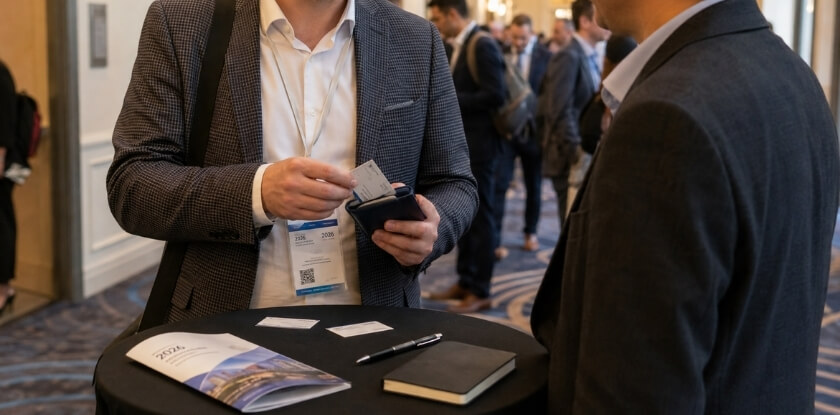
Keep paper cards in a dedicated case, not loose in a bag or stuffed into a wallet. A slim metal or leather case protects the stock and makes the handover feel intentional.
- Separate your cards from theirs. Use two pockets or two compartments, one for cards you give and one for cards you receive. Handing out someone else’s card by mistake is easy to do.
- Carry more than you think you need. As a rough guide, 50 to 100 cards suits a two-day conference. One printing company’s advice is to bring about twice as many cards as the people you expect to meet, so expecting 25 to 50 people gives 50 to 100 cards. Treat it as a rule of thumb and work from your own expected number. Running out mid-event is awkward and reprinting on site is rarely practical.
- Protect them from the environment. Outdoor receptions, humid venues and heavy foot traffic can damage card stock. A case with a lid keeps them clean and flat.
When you receive a card, take a moment to look at it before putting it away. It costs nothing and shows you pay attention, whichever country you are in.
Fast Ways to Share a Digital Card (NFC, QR Code, Link)
The three main options each suit different situations.
NFC (Near Field Communication) is the fastest option when it works. You tap an NFC card, wristband or phone case against someone’s phone and your contact page opens, with no app needed on their side if it opens a web address. It needs close contact, and older phones or some phone cases may not read it reliably. How a phone handles NFC tags depends on the model and software version, so test with a few different phones and always keep a backup. If a tap fails, Huawei’s support guidance for NFC reading is to line up the phone’s NFC area with the card and adjust the position or height, with 1 to 2 cm recommended.
QR code sharing is the most universally reliable. Show the code on your phone, print it on the back of a card, or put it on a badge insert or lanyard card. The other person scans it with their default camera app and lands on your digital card page. Keep the image pinned to your lock screen or home screen so you are not hunting through apps mid-conversation.
Link sharing by text or email is slower in person but works well when you will not meet again soon, for example with someone across time zones. Drop your card link into a message while you are still talking and they will have it before you walk away, with no dependence on either phone’s battery at that moment.
What to Bring: A Short Checklist
- Paper cards in a case, with a QR code on the back.
- Your digital card, tested on both iPhone and Android before you leave.
- The QR code image saved as a favourite or lock screen shortcut.
- A portable charger and a short charging cable.
- A pen, for a quick note about the conversation, written after you have put the card away rather than on the card in front of them.
Pre-Conference and Post-Conference Follow-Up Strategy
The card you hand out is only half the equation. What you do before you arrive and in the two days after you leave decides whether those connections go anywhere.
Before the Conference: Set Up for Clean Contact Sharing
Arriving prepared means more than printing cards or charging your phone.
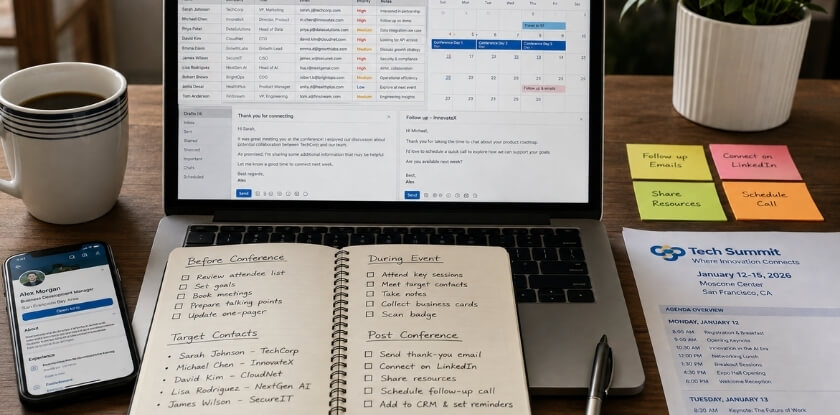
- Update your digital card before you leave. Check that it shows your current role, correct email and the links you want to share. Stale details on a digital card are worse than a crossed-out printed one, because people expect it to be live.
- Order print cards at least a week out. Rushed orders produce colour mismatches, wrong paper weight and sometimes wrong files. Leave time to proof a physical copy. If you carry a card with an NFC chip, test the tap on at least two different phones before you pack it.
- Create a conference-specific link. Some tools give each event its own URL, so you can see how many people engaged after that conference. This helps if you report on event results for a team.
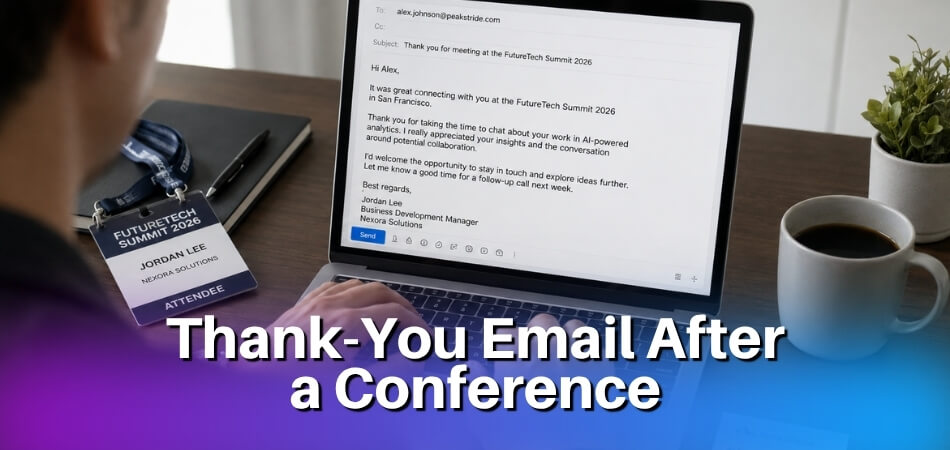
- Prepare a follow-up template. Write a short email with the fixed parts filled in, such as your name, your company and the conference, and leave one blank for the detail from the conversation. Then you are not staring at an empty draft at midnight after a long day of sessions.
The 48-Hour Window After the Conference
This is where networking can quietly fade. People get home, clear their inbox, and the cards sit in a jacket pocket for weeks.
Send follow-ups within 24 to 48 hours. After that, recall fades fast. If you shared a digital card you may already have the contact’s email from their scan or tap. If you collected paper cards, photograph them straight away and log the details before you travel home. Your phone’s camera or a card-scanning app can often pull a name and email into your contacts.
Mention something specific. Not “great to meet you at the conference” but “you mentioned your team is expanding into Southeast Asia, and I kept thinking about the logistics issue we talked about.” One concrete detail shows the message was written for them and not sent to 200 people.
Sort contacts by intent. Before you write anything, put new contacts into a few groups: potential clients, potential collaborators, people to keep in touch with, and people you could introduce to someone else. The same message to all of them wastes the chance.
Use card analytics where you have them. If someone viewed your card three times in the day after the event, they are worth a message that day. If a card was never opened, a brief “just checking this reached you” is reasonable.
Managing Cards When You’re Part of a Global Team
For several people, locations or brands, the post-event workflow needs structure before anyone travels. Teams on a shared digital card platform can standardise contact sharing, and some platforms can send scanned contacts into the same CRM without manual entry.
If you use a card that carries an NFC chip or QR code, the linked digital profile must stay up to date. A broken link two weeks after the event is a credibility problem.
What a Good Follow-Up Actually Looks Like
Here is a format that works in most professional settings. Change the wording so it sounds like you.
Subject: [Conference name]: following up on our chat
Hi [Name], it was good talking with you at [conference name] last week. You mentioned [specific thing they said or shared], and I would like to carry on that conversation. Would a 20-minute call next week suit you?
[Your name]
[Title, company]
[Link to your digital card or LinkedIn]
For a shorter note on LinkedIn, something like this is enough:
Hi [Name], we spoke after the [session or topic] at [conference name]. I’d like to stay in touch. Thanks again for the tip about [detail].
Keep it short, specific and with one clear action. There is no need to re-introduce your whole company or attach a brochure unless they asked for one. If your phone died and you could not share a digital card on the day, the follow-up is where you set up the digital record anyway.
Business Card Design Best Practices for Conferences
At a conference your card has about three seconds to say who you are and make someone want to keep it. Digital and printed cards have different design needs, and treating them the same is where many people go wrong.
Digital Card Design (Conference-Ready)
Your digital card needs to work fast, in any light, on any phone. The person receiving it has just met you and will not hunt for your details.
- Lead with one clear action. Most platforms let you set a main button such as “Save Contact”, “Book a Call” or “Connect on LinkedIn”. Pick one. A card that opens with five equal links slows people down.
- Design for the phone screen first. Tiny text, cluttered layouts and a large header image that pushes your contact details below the fold are the common mistakes. Name, title and company should be readable without zooming.
- Make the QR code easy to find. Not every phone reads NFC, and the QR code is the backup that works with any camera app, even in a noisy hall.
- Use links selectively. A card can carry twenty links, but two or three are enough: LinkedIn, your site or portfolio, and maybe a calendar link. A finance crowd will want LinkedIn and your firm site, while a creative audience may prefer a portfolio and Instagram.
- Test the tap before the event. NFC cards need correct set-up, and links can break after a platform update. Check that everything opens on both iOS and Android the day before.
Print Card Design (Conference-Ready)
Printed cards punish bad design more visibly. A pixelated logo or hard-to-read font is obvious in hand.
- Get the technical basics right first. Print files are usually prepared at 300 DPI or higher in CMYK colour mode, because RGB colours can shift at the printer. Most printers also ask for about 3mm of bleed so background colours do not leave a white edge. Requirements differ, so check your printer’s guide.
- Choose a sturdy stock. Heavier card, often 350gsm or more, usually feels more substantial than thin stock, and a soft-touch laminate or spot UV finish adds to the feel without costing much more. A flimsy card printed at a budget shop undermines the points above.
- Use no more than two fonts. One for your name and headings, one for contact details. A condensed sans-serif stays legible at small sizes. Avoid decorative or script fonts for small text, because at 8 to 10pt they become hard to read.
- Stick to a standard size. Common sizes are about 3.5 × 2 inches in North America and 85 × 55mm in much of Europe. Creative events may welcome unusual sizes, but oversized or odd-shaped cards do not fit wallets or cardholders and often get left behind.
- Put the QR code on the back. A code on the back lets someone reach your digital presence without typing, which helps when you do not share a first language. Link it to a page you keep updated. Leave white space on the front so your name and title are readable in a second.
- Do not cram on every credential. A printed card is not a CV. Name, title, company, email, phone and website are enough for most people. If your job title needs two lines, shorten it.
- Proof before bulk printing. Colours look different on a monitor than on coated or matte stock. Order a small sample run of 10 to 20 before committing to hundreds, so a wrong phone number or a muddy logo does not surface while you are handing them out.
What Are the Alternatives to Business Cards in 2026?
Cards are not the only way to share contact details at a conference. A few other methods work well alongside your card strategy, depending on the audience.
LinkedIn QR Code and Profile Sharing
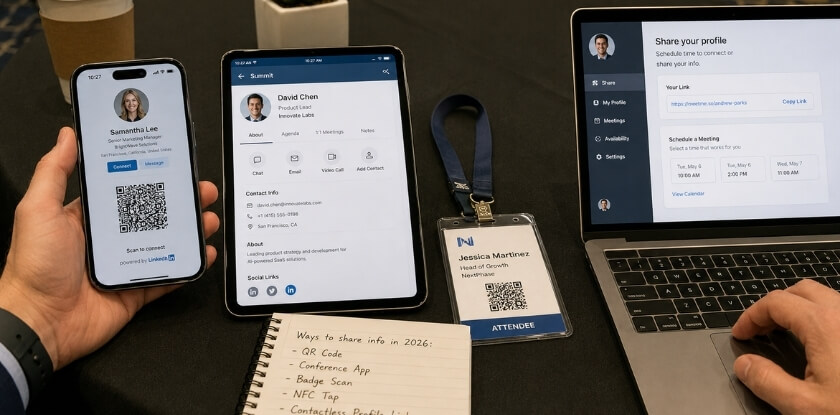
Most attendees already have LinkedIn on their phones, so its built-in QR code is one of the quickest ways to connect. In the mobile app, the QR icon sits in the search bar, and you can show your own code from there. LinkedIn’s help page describes this in its iOS and Android apps and says you can save your own code to your photos, which makes it easy to keep on hand. Menu labels change from time to time, so check the app before the event.
It only works if the other person uses LinkedIn and keeps their profile current. At tech and startup events that is usually safe. At creative or media events, many people barely maintain their profiles.
Smartphone Contact Sharing (AirDrop and Quick Share)
AirDrop on iPhone and Quick Share on Android (the service Google called Nearby Share until it was renamed) let you send a contact from your phone. The other person does not need to install anything, and the contact lands in their address book.
Between two iPhones, NameDrop is quicker. Apple’s guide says you hold your iPhone a few centimeters from the top of the other person’s iPhone or Apple Watch, and you choose which fields of your contact card to share. It works only for sending new contact information, not updating an existing contact, and it can be switched off in Settings.
Sending to someone who is not in your contacts takes an extra step. Apple says that when both devices run iOS 26.2 or later, the sender is prompted to use an AirDrop code that the recipient reads out. Between an iPhone and an Android phone, Google’s help page says the Android phone must support AirDrop and the iPhone user must set AirDrop to Everyone for 10 minutes. Other phones fall back to a QR code. All of this suits a one-on-one conversation with time to spare and is slower in a crowd.
NFC-Enabled Wearables and Objects
An NFC chip can be put in a ring, wristband, keychain fob or even a pen. Tap it to someone’s phone and your profile opens. It works the same way as an NFC card in a different shape, and it is memorable precisely because it is unexpected.
The limits are the same as for any NFC product. Support depends on the phone and its software, and some corporate devices lock NFC entirely.
Personal Landing Pages and Link-in-Bio Tools
Some professionals skip cards and point people to a short URL with their photo, bio, contact form and work samples. This is common in creative and media work, where you want people to see your work at once.
The problem is getting someone to the URL quickly. You need a QR code (which brings you back to a card format), a URL short enough to remember, or a spoken address they may mistype later. It usually works better as the destination of a digital card than as a stand-alone method.
Email or Message in the Moment
Simply asking for someone’s email and sending a quick message right there is underrated. They have your address, you both have a record of the exchange, and it needs no app or special technology.
It does not scale when you meet many people quickly. In a meaningful one-on-one conversation, though, especially where the relationship matters more than the volume, a message sent on the spot can be the most dependable start to a follow-up.
How These Alternatives Fit Into a Card Strategy
None of these replaces a card. Lead with a paper or digital card for speed and first impression, then use LinkedIn, an NFC object or a landing page as a second option when the conversation calls for it. Pick one main method that suits the conference, keep a backup ready, and do not turn contact sharing into a demonstration.
Card Strategy for Global Teams and Enterprise Organizations
When a company sends many people to conferences in several countries, grabbing a few cards before the flight stops working. The choice between digital and paper becomes a policy question.

Standardization Is the Real Challenge
Large organisations have brand guidelines for print, but business cards often get treated as an afterthought. One regional team prints the old logo, another uses a different font, and a card from the Singapore office looks nothing like the London one at the same event.
Digital cards solve much of this. Platforms such as HiHello, Popl and Blinq let an administrator push one branded template to every employee, though features differ by plan. When the legal team changes a disclaimer or marketing changes the brand colour, every card updates centrally and nobody is left with a box of outdated print cards. Paper needs a print run and a shipping address for each location, which often means local printers and some variation.
Regional Behavior Differences Matter
Meeting partners from Japan, South Korea or China is a good case for keeping some paper cards, because the physical exchange still carries professional meaning there. At a tech event in San Francisco or Berlin, attendees more often expect a scan or tap.
For a global team the practical answer is a hybrid: a small run of high-quality print cards for markets where the ritual matters, and digital everywhere else.
What Enterprise Card Management Tools Actually Offer
Several platforms are built for teams rather than individuals. Features to look for, which vary by vendor and plan:
- Central admin control. One admin updates contact details for the whole team when someone changes roles or the company rebrands.
- Engagement analytics. Views and shares can feed into post-conference follow-up.
- CRM integration. Some plans can send contacts captured by a scan into systems such as Salesforce or HubSpot, which cuts the manual data entry that kills follow-up momentum.
- Bulk NFC deployment. Companies can order branded NFC cards or tags in bulk and issue them to staff instead of relying on personal phone set-ups.
For a solo founder or a small startup these features are overkill.
Print Cards in an Enterprise Context
Even organisations that have moved to digital usually keep a print option. Executive meetings, board-level introductions and formal corporate or finance conferences still call for a physical card, and a well-produced one on heavy stock with spot UV or foil says something a phone screen cannot.
The print card then becomes a premium item. Instead of 500 standard cards per person, some companies print a smaller run of high-quality cards for senior staff who work in those formal settings, while field sales and marketing teams go fully digital.
A Practical Policy Framework
If you are setting card policy before conference season, these questions get you to a structure quickly:
- Which conference types do your people attend? Media, design and creative events lean digital, while finance and formal corporate events still expect print.
- Do any of your target markets give weight to a physical exchange? If so, print cards for those regions are not optional.
- How many people need cards, and how often do details change? Frequent changes make digital the obvious operational choice.
- Does your CRM need to capture leads from conference conversations? If so, a platform with native CRM sync will save your team time after the event.
No single answer fits every organisation. Teams that manage this well treat digital and paper as complementary tools for different contexts.
Digital vs Paper Business Cards: Side-by-Side Comparison (Table)
This table pulls together the practical differences that matter at a conference. Use it as a quick reference before deciding what to carry.
| Factor | Digital Business Card | Paper Business Card |
| Contact sharing method | NFC tap, QR code scan, link sharing | Hand to hand |
| Recipient needs an app | Sometimes, depending on platform | No |
| Works without phone battery | No | Yes |
| Updatable after printing | Yes, instantly | No |
| Cost per card | Low to free (platform subscription may apply) | Per-print cost, rises with design quality |
| First impression feel | Modern, tech-forward | Tactile, personal |
| Best conference fit | Tech, startup, large high-volume events | Finance, corporate, formal international events |
| Cross-cultural networking | Varies by region | Widely understood |
| Multiple links / portfolio | Yes | No |
| Analytics / follow-up tracking | Yes, on many platforms | No |
| Risk of running out | None | Real risk at large events |
| Design flexibility | High (update anytime) | Fixed at print |
| Enterprise card management | Centralised, easy to update across global teams | Requires reprint and redistribution |
| Environmental impact | Lower | Higher (paper, ink, shipping) |
| Works as part of a hybrid strategy | Yes, as the digital layer | Yes, as the physical layer |
Two rows deserve a note. “Recipient needs an app” depends on the platform, because some digital cards open in a browser from a QR code while others push the recipient to download something. “Best conference fit” reflects general tendencies, not rules: a finance attendee can use a digital card, but paper tends to carry more weight in those rooms.
From our experience at MS International: Our conferences are held in person in the Greater Toronto Area, and you can register as a listener without presenting. The moderator introduces each speaker, and we do not set a card format for attendees.
FAQ: Digital vs Paper Business Cards at Conferences
Choosing between a tap-to-share card and a printed stack depends on NFC support, battery life and cost, plus how many paper cards to pack.
Do digital business cards actually work at conferences?
Yes, though how well depends on the venue and crowd. At tech and startup events most attendees expect digital sharing. At finance or executive-level corporate events, paper still carries more weight. A QR code or NFC tap works when the other person has their phone out and is receptive, and feels awkward when they are not.
Can you use both digital and paper cards at the same conference?
Yes, and many regular attendees do. Use paper cards for quick introductions and formal meetings, and a digital card for follow-up or when you want to share links, a portfolio or other content with your contact details.
What if someone’s phone can’t read NFC?
Use a QR code, which any camera app can scan. Many recent smartphones support NFC, but not all, and results vary by model and settings. Try moving the card slowly across the back of the phone, since the reader sits in a different spot on each model. Carry a printed backup at international events where phones differ.
Does battery life affect how you use digital cards?
Yes. If your phone is nearly empty late on day two, tapping or scanning to share your card becomes a problem, and paper cards do not have that issue. Bring a portable charger and a few paper cards as backup on long conference days.
Are digital business cards appropriate for international or cross-cultural networking?
Use them with care. In some business cultures, Japan being the most often cited, card exchange follows specific etiquette, and offering a phone instead can look dismissive. For first formal introductions at international conferences, paper is the safer choice, with a QR code on the back as an option.
What’s a reasonable number of cards to bring to a conference?
About 50 to 100 paper cards suits a two-day event. That assumes you expect to meet 25 to 50 people. Running out on day one is worse than having extras left over.
Are paper business cards going away?
Not for professional conference settings in 2026. Fewer people carry them than before, but paper keeps real advantages in first impressions, cultural contexts and situations where phones are not practical. The sensible direction is better design and smarter hybrid use, not the end of print.
Do people follow up more after receiving a digital card?
Not automatically. A digital card usually lands in someone’s contacts, email or a card-management app, and what matters is whether your details are easy to act on and whether you send a message soon after the event. The format alone does not raise the follow-up rate.
What should a digital business card include versus a paper card?
A paper card needs your name, title, company, phone and email, clean and readable. A digital card can add links such as LinkedIn, a portfolio, a booking page or a company website. That extra room for links is a main reason people use digital cards at creative, design and media events.
Is there a cost difference between digital and paper cards?
Yes, but prices vary a lot. Paper cards cost more as stock and finish improve and are charged per print run. Many digital platforms offer a free tier, with paid plans for analytics, branding and team management. For large teams, a platform subscription can offset repeated print and reprint costs.
Final Thoughts
Conferences are still one of the few places where how you show up in person shapes how people remember you. Paper and digital cards both earn their place, and the choice depends on the room, the relationship and what happens after you walk away.
If you attend one type of event regularly, pick the format that fits it and do it well. If you move between a finance event on Thursday and a design event on Friday, a clean print card with a QR code or NFC tap covers both. Whichever you use, make contact within 48 hours while the conversation is still fresh.