It is easy to come home from a conference with a stack of business cards and good intentions, and never write the follow-up email. The people who do sit down to write one often stall on what to actually say.
Quick answer: Send a conference thank you email within 24 to 48 hours, with the conference name in the subject line, one specific detail from your conversation or their session, and one clear next step, such as a short call or a LinkedIn connection. Keep it under about 150 words and write to each person separately so it reads as personal, not as a mail blast.
How to Write a Thank You Email After a Conference
A post-conference email has four parts: a specific subject line, a personal reference to your actual interaction, one clear reason you are writing, and a low-pressure next step. Everything else is detail.
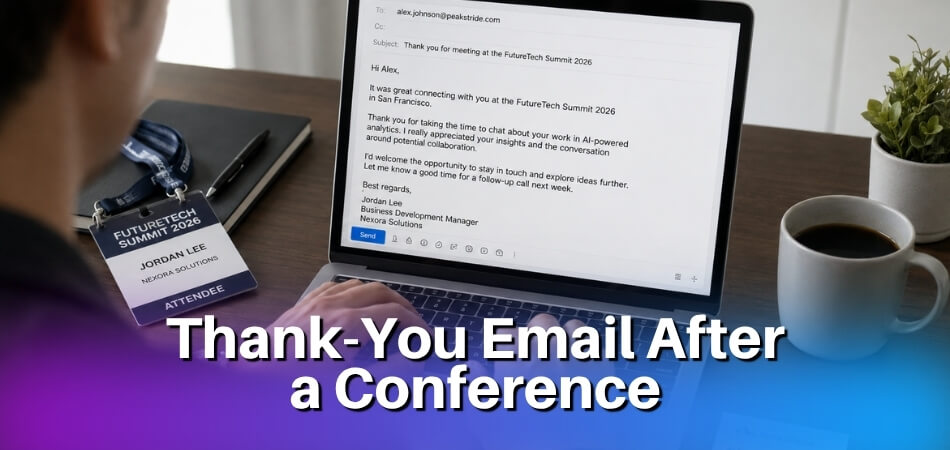
Waiting too long, staying generic, and cramming too much into one message are the three habits that make an email easy to ignore.
The Basic Structure
Send within 24 to 48 hours of the conference ending. After that, the connection starts to fade and your email has to work much harder.
The body needs just three things:
- A specific reference to your conversation or their talk (not a generic “I really enjoyed chatting with you”)
- One sentence on why you are following up: sharing a resource, continuing a discussion, or exploring a collaboration
- A clear, easy next step: a coffee meeting, a LinkedIn connection, a reply to one question
Keep the whole email under 150 words. People return to a full inbox after an event, and a brief, personal message is easier to answer. If you promised to send something, such as a link or a document, put it in this email or say when it will follow.
By Recipient Type
The tone and purpose shift depending on who you are writing to.
| Recipient | What to say | Length and ask |
|---|---|---|
| Fellow attendee or new contact | Something specific you talked about, anything you promised to share | Short; one next step such as a call or LinkedIn |
| Speaker or panelist | One precise point from the session, and why it mattered to your work | Short; often no ask, or one question |
| Event organizer | A specific detail that worked well, and your interest in future editions | Shortest; thanks plus an open door |
| Manager or sponsor | Thanks for the support, plus two or three takeaways you will use | Short summary; offer to share more |
A few notes on each:
- Fellow attendee or new contact. This is a standard networking follow-up. If you connected on LinkedIn at the event, mention it so they recognize your name in their inbox.
- Speaker or panelist. Vague praise is easy to ignore. A data point, a framework they used, or a question you wished you had time to ask stands out and gives them something to answer. If others in the room reacted well to the talk, you can mention that too.
- Event organizer. Thank them for a specific detail they handled well, not just “for putting on a great event.” If you want to speak or attend again, say so directly.
- Manager or sponsor. If someone paid for or approved your trip, a short thank you with what you learned shows the money was well spent and makes the next request easier.
What to Include in Your Thank You Email (Core Elements)
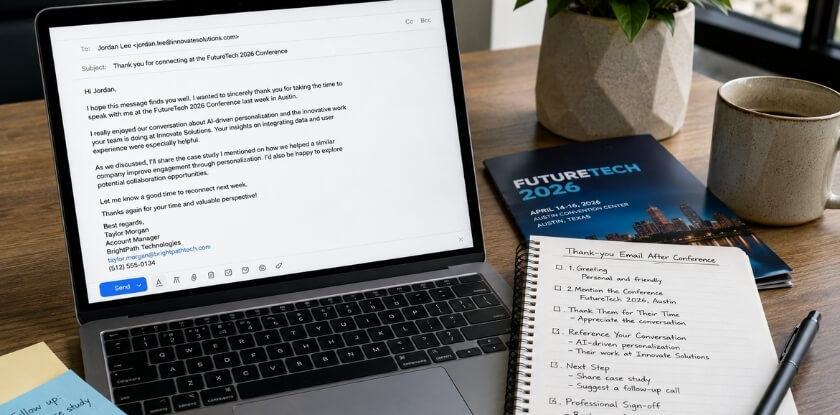
A conference thank you email works or fails on five things: the subject line, the opening, a specific reference, a clear next step, and a clean close. Miss one and the email either gets ignored or feels hollow.
Subject Line
The subject line decides whether the email gets opened, and a vague one such as “Great meeting you!” looks identical to every other message in the inbox. Tie it to something concrete: the event name, a topic you discussed, or the person’s role.
A few formats that work:
- “Following up from [Conference Name]: [Your Name]”
- “Re: our conversation about [specific topic] at [Event]”
- “Thank you for your session on [Topic]” (for a speaker or organizer)
- “Quick follow-up from the [Session Name] breakout” (for a virtual event)
Keep it short enough to show in full on a phone screen. Avoid “Checking in” or “Hello again”: they give no reason to open the message and no way to search for it later.
Opening Line
Skip “I hope this email finds you well.” It adds nothing and signals a template. Open with a direct reference to the context instead, for example “It was great talking with you at the networking session on Tuesday.”
The opening line has one job: trigger the recipient’s memory of you. That matters when someone met 40 people at an event and is clearing their inbox three days later.
Specific Reference to Your Conversation
This part is easy to skip, and skipping it is what makes a post-conference email feel generic. “I really enjoyed your talk” could be copied into any follow-up to any speaker. Reference a point they made on a panel, a problem you both said you were dealing with, or a resource they recommended. Even one sentence of real detail changes the tone.
If you never spoke directly, use the session itself: “Your point about community-led growth stuck with me, because we are in the middle of building exactly that.” Specificity is what separates a message that gets a reply from one that gets archived.
Next Step or Call to Action
Every professional email needs a clear next step, and the right size depends on the relationship. Common options:
- A LinkedIn connection request (“I sent you a request on LinkedIn, happy to stay in touch there”)
- A request to continue a specific conversation (“Would you be open to a 20-minute call next week to talk through what you said about your pricing model?”)
- Sharing a resource (“I mentioned that article on B2B retention, so here is the link in case it is useful”)
- No explicit ask, just an open door (“Feel free to reach out if I can ever be helpful”)
If you propose a call, offer two time windows so the other person can answer with a quick yes. Asking for a call from someone you spoke to for four minutes at a drinks event is probably too much. A LinkedIn request alone to someone you spent an hour with at a workshop is probably too little. For a speaker or organizer, the ask is usually smaller, and sometimes there is none at all.
Closing
Keep the close to one or two lines: a short sign-off such as “Looking forward to staying in touch,” then your name, title, and contact details. “Hope to see you at [next event]” works if there is a natural next gathering.
A professional tone does not mean stiff. It means clean: no lengthy disclaimers, no multi-line quotes in the signature, and no “chat soon!” if you have only just met. Match the register you used in the rest of the email.
If You Are Sending It Late
Late is better than silent. Acknowledge the delay in your first line, then give the same specific detail you would have used on time.
Hi [First Name],
I know this is a little late, but I wanted to thank you for our conversation about [specific topic] at [Conference Name]. Your point about [specific detail] has stayed with me.
[One clear next step]
[Your name]
Thank You Email Templates by Recipient Type
The person you are writing to changes how the email should read. A message to someone you had coffee with needs a different tone than one going to a keynote speaker or the person who spent months organizing the event. Adjust the templates below with your own details, and change the wording so it sounds like you. A line copied word for word is easy to spot.
To a Fellow Attendee You Networked With
You will probably write this email more often than any other, and it is easy to keep too generic. The point is to remind the person who you are and give them a reason to continue the conversation.
Subject line: Great meeting you at [Conference Name]
Hi [First Name],
It was good to meet you at [Conference Name]. I especially enjoyed our conversation about [specific topic you discussed, e.g., “the shift toward first-party data in B2B marketing”]. You made a point about [specific thing they said] that I have been thinking about since.
I would like to stay in touch. If you are open to it, I can connect on LinkedIn or set up a quick call in the next few weeks to pick up where we left off.
[Your name]
[Title, Company]
[LinkedIn URL or email]
To a Speaker or Presenter
A speaker email needs a little more care, because your message will only be read closely if it shows you paid attention to what they presented.
Subject line: Your session on [topic] at [Conference Name]: thank you
Hi [First Name / Dr. Last Name],
I attended your session on [presentation topic] on [day] and wanted to say thank you. The section on [specific point or framework] was useful. I work in [your field], and I have already started applying [specific takeaway] to [a project or challenge].
If you do not mind one question: [brief, relevant question, optional but effective].
Thanks again for the time you put into the presentation.
[Your name]
[Title, Company]
[LinkedIn or website]
To the Event Organizer
Organizers put in months of work, and a specific thank you is easy to appreciate. It also builds a lasting relationship, especially if you want to speak, sponsor, or attend again.
Subject line: Thank you for organizing [Conference Name]
Hi [Name],
Thank you for organizing [Conference Name]. I attended [day or specific sessions], and the [specific detail, e.g., “speaker lineup,” “venue layout,” “breakout session format”] made a real difference to my experience.
I will watch for next year’s event. If feedback would help, or if you are looking for speakers or contributors for future editions, I would be glad to be considered.
Thanks again for the work behind it.
[Your name]
[Title, Company]
[Contact info]
To the Organizer After You Presented
If you were a speaker, the thank you has a slightly different job. You are thanking the people who gave you the stage, and you may want to mention the session coordinator or moderator by name.
Subject line: Thank you for hosting my presentation at [Conference Name]
Hi [Name],
Thank you for hosting my presentation on [topic] at [Conference Name]. The session coordinator, [Name], made the setup easy, and the questions from the room after my talk gave me [one useful thing you learned].
I would be glad to hear any feedback on the session, and I would like to take part again in a future edition.
[Your name]
[Title, Company]
To a Committee or Team
When you cannot name each person’s contribution, one message to the whole team is fine (see the group email section below). Name one or two things that worked well and keep it short.
Subject line: Thank you to the [Conference Name] team
Hi everyone,
Thank you for the work behind [Conference Name]. The [registration process / session timing / venue] made it easy to focus on the content, and I came away with [one concrete takeaway].
Please pass my thanks to the volunteers and session chairs as well.
[Your name]
To Your Manager or Sponsor
If your employer, department, or a funder paid for the trip, send a short note that names two or three takeaways rather than a long report.
Subject line: Thank you for supporting my trip to [Conference Name]
Hi [Name],
Thank you for supporting my attendance at [Conference Name]. Three things I plan to use: [takeaway 1], [takeaway 2], and [takeaway 3]. I also met [role or organization, not a full name unless they agree] who may help with [project].
I can share the notes or give a short summary at our next team meeting if that would be useful.
[Your name]
From our experience at MS International: Our conferences are held in person at venues in the Greater Toronto Area, and attendees can join as speakers, authors, or listeners. Speakers meet the session coordinator or moderator before presenting, and the moderator introduces each speaker, so those are the people worth thanking by name and session. If you have a question about your registration or certificate after the event, write to the organizers through the contact details on the website.
Thank You Email After a Virtual or Online Conference
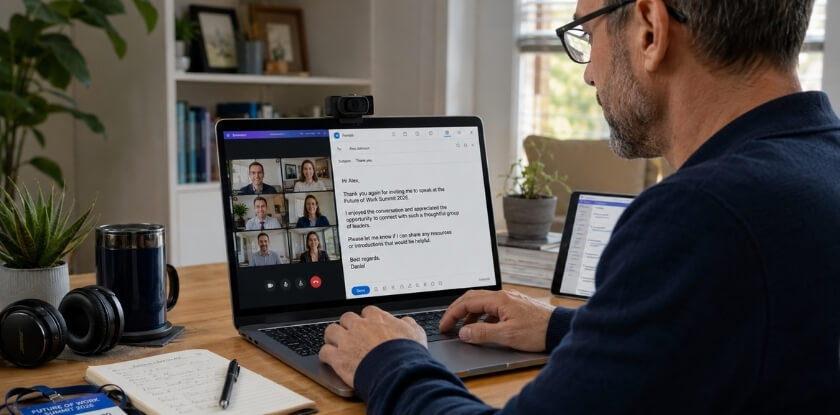
The core rules do not change after an online event, but you did not shake anyone’s hand and may have had your camera off, so people skip the email. The connection was still real, so follow up the same way you would after any professional event.
What Changes in a Virtual Context
- Name the format and the moment. “It was great to connect at the event” sounds hollow when you met on a video call. Say “I caught your session on Tuesday afternoon” or “we were in the same breakout room.” Nobody has a visual memory of you from a physical space, so the context has to do more work.
- Acknowledge the time-zone effort. If the other person joined at an awkward hour, a brief acknowledgment shows you noticed.
- Move a little faster. There is no travel buffer after an online event, so sending within 24 hours is reasonable, and often expected.
- Suggest a video call, not coffee. “I would love to schedule a 20-minute call” is concrete and easy to act on. Coffee does not translate to a relationship that started online.
Online attendees may join several events close together, so mention the event name or session title in the subject line. Keep it short: the goal is recognition, not cleverness.
Sample Virtual Conference Thank You Email
A template you can adapt for a speaker or new contact you met online:
Subject: Following up from [Conference Name]: [Your Name]
Hi [First Name],
I attended your session on [topic] at [Conference Name] last week. Your point about [specific detail] was something I had not considered before, and I have been thinking about how it applies to [your context].
I work in [brief description of your role], and there may be some overlap with what you are doing. Would you be open to a short call sometime in the next few weeks?
Thanks again for a useful session.
[Your Name]
[Title, Company]
[LinkedIn URL]
When You’re Emailing Multiple People (Group vs. Individual)
Write one message per person for anyone you really spoke with. A group email signals that you could not be bothered to write something specific, and recipients can tell when they are one of fifteen names in a CC field.
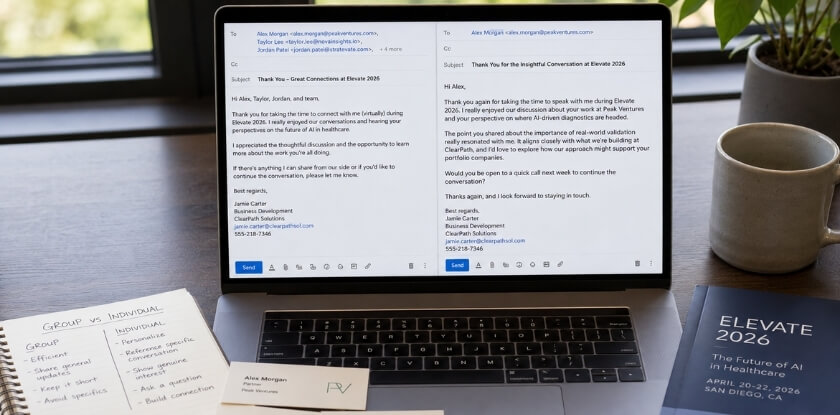
There are a few cases where one message to several people is right, and knowing which is which saves time without hurting the quality of your outreach.
When a Group Email Actually Makes Sense
- An organizing committee. If you want to thank the team as a whole, one email to the committee is fine. You do not know each person’s contribution, and they will take it in that spirit.
- A shared session or workshop. If four of you agreed to do something together, one group email keeps everyone aligned and avoids four slightly different versions of the same message.
- An internal recap. If you attended with colleagues and are summarizing takeaways for your team, a group email is the obvious format.
Subject Lines for Individual vs. Group Emails
For an individual email, include the person’s name or a specific reference to your conversation: “Great talking with you about SaaS pricing models, [Name]” will get opened, while “Following up from the conference” probably will not. For a group email, state the shared context so everyone knows at once what it is and who it is from: “Thanks from the Keynote Q&A panel: quick follow-up.”
How to Handle Individual Emails at Scale
Twenty separate thank you emails sounds daunting, but it is manageable.
Start with a base template for your opening, core message, and next step. Then add two or three sentences specific to each person: something they said, a topic you discussed, a resource they mentioned. That detail is what makes it feel like a real exchange rather than a mail merge.
Write first to the people you had the most meaningful conversations with, while the details are fresh. For briefer contacts, a shorter, simpler email is fine. You do not need to manufacture depth that was not there.
One practical tip: take notes on your phone right after each conversation. Even a few words (“talked about supply chain disruptions, she mentioned a report”) give you enough to write something personal two days later.
Keeping Track of Who You’ve Contacted
If you have met many people, keep a simple spreadsheet: name, organization, date of contact, channel used, and whether you need a second follow-up. Nothing complicated. A second follow-up is worth sending if you asked someone to do something (share a document, schedule a call, make an introduction) and have not heard back within a week.
Connecting on LinkedIn After the Conference
Send the thank you email first, then the LinkedIn request. The email is your immediate, personal follow-up; LinkedIn is how you keep the relationship alive over time. They do different jobs.
Send the Email First
Reach out by email within 24 to 48 hours, and send the LinkedIn request the same day or the day after. With the email already in their inbox, your name means something when the request lands. Do not paste the email into a LinkedIn message, and do not wait weeks: faces and conversations blur, and the sooner you connect, the more likely they remember the exchange.
Personalize the Connection Request
The default message (“I’d like to add you to my professional network”) tells the recipient nothing, and after an event they receive a wave of them. Write two sentences instead:
We met at [Conference Name] during the panel on [topic]. I enjoyed the conversation about [specific point] and would like to stay in touch.
You do not need to restate your background or repeat your email. The goal is to jog their memory and give them a reason to accept. For a virtual event, “We were in the same breakout session on [topic]” is enough to place you.
What LinkedIn Is For After a Conference
Your email handles the immediate exchange: sharing resources, proposing a call, moving a conversation forward. LinkedIn keeps you visible over months without needing a formal reason to write.
- Engage with their content. If a speaker or fellow attendee posts something relevant, leave a thoughtful comment.
- Share relevant content occasionally. An article tied to something you discussed, with a brief note, is a low-pressure way to re-engage.
- Do not pitch in the DMs. A sales message or a long ask within days of connecting undoes the goodwill you built in person.
When LinkedIn Is the Better Primary Channel
If you did not exchange business cards, LinkedIn may be your only way to reach someone. Treat that first message like a post-conference email: say where you met, mention something specific, and add a low-pressure next step. Connection notes have a length limit, so if you have more to say, send a message once they accept. After a virtual event, a short note works too:
Hi [Name], I caught your talk at [Conference Name] this week and appreciated your take on [topic]. I would be glad to stay connected here.
Brief, specific, and human is all it needs to be.
What to Do If You Don’t Get a Reply (Second Follow-Up)
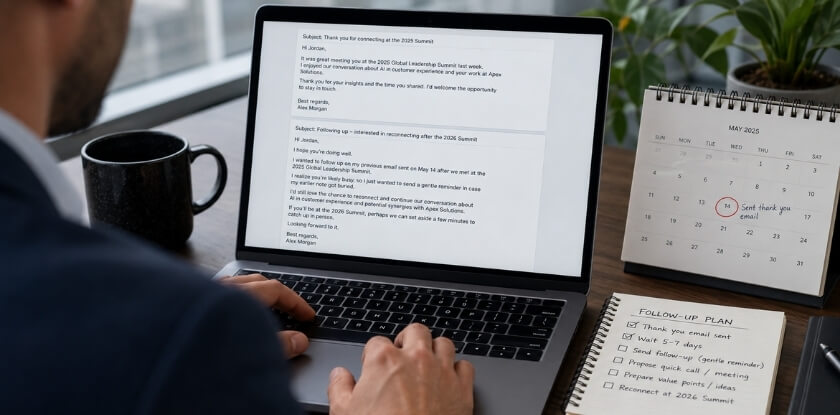
Wait about a week, roughly five to seven business days, then send one short second follow-up. Silence does not mean the person is uninterested: inboxes fill up after events, and your message may have landed at a bad moment.
When to Send It
| Situation | When to follow up |
|---|---|
| Fellow attendee or new contact | About a week after your first email (5 to 7 business days) |
| Speaker or organizer | Give it two weeks; they received many messages in the same window |
| A concrete next step was agreed (materials, a call) | A week is fine, and you can be direct about it: you asked them to share a document, book a call, or make an introduction |
| Accepted your LinkedIn request but no reply to your message | A short LinkedIn message about a week later |
Any sooner reads as impatient, especially while the other person is still catching up after travel.
How to Write It
Keep it short. This is not the place to re-pitch yourself. One or two sentences referencing your earlier email, a reminder of the context, and a clear ask are enough.
Subject: Following up: [Conference Name]
Hi [Name],
I wanted to follow up on my email from last week. We spoke briefly at [Conference Name] about [specific topic], and I was hoping to continue that conversation. Let me know if you would be open to a quick call.
[Your name]
It should take thirty seconds to read and act on.
- Keep the subject line useful. Replying on your own thread shows “Re: [Original Subject]” automatically, which is fine. In a new email, name the conference.
- Do not apologize for following up. “Sorry to bother you again” undermines the message. You have a legitimate reason to write.
- Reference something specific. A generic “just checking in” gives no reason to respond. A project they mentioned or a question that came up shows you are not sending the same template to fifty people.
- Keep the voice consistent. If your first email was warm and your second suddenly sounds stiff, it creates an odd impression.
When to Stop
If two emails get no response, let it go. A third message starts to read as pressure.
Common Mistakes to Avoid
Timing, vague subject lines, vague next steps, and group blasts are covered in the sections above. These are the remaining mistakes that undercut an otherwise good message.
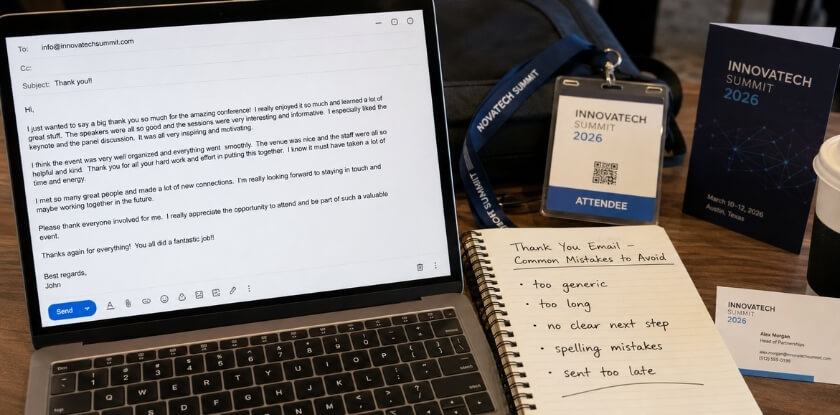
Being vague about where you met. Busy professionals meet many people at a conference. Name the event, the session, or the moment, for example “We spoke briefly after your keynote on supply chain resilience,” and the context clicks immediately.
Making the email entirely about yourself. A thank you should feel like a two-way exchange, not a pitch. If your first message is packed with your credentials, services, or a sales ask, it signals you were not interested in the connection. Reference something they said or shared before you talk about yourself.
Sending a copied template unchanged. If you send the exact same email to ten people and any of them compare notes, it is obvious. Swap in one or two details from your actual interaction and it reads as personal.
Skipping the proofread. Typos and sloppy formatting undercut the impression you made in person. A thank you email is a professional document, even a short one. Read it once before you send.
Using LinkedIn as a shortcut. A connection request with no message, or with the default text, does not replace a follow-up email. Send the email, then connect.
FAQ: Thank You Emails After a Conference
Once the event ends and the thank-you note is still a blank draft, the doubts are about timing, subject lines, group versus individual emails and how many follow-ups are reasonable.
How soon after a conference should I send a thank you email?
Within 24 to 48 hours. After that, the conversation you are referencing feels distant and your email is less likely to get a warm response. For a virtual event, within 24 hours is reasonable.
What’s the best subject line for a conference thank you email?
Include the conference name and a specific hook, such as “Following up from [Conference Name]: [your name].” It tells the recipient who you are and where you met, which “Following up” or “Hi from the conference” never does.
Is it okay to send a group email instead of individual ones?
For anyone you had a real conversation with, write individually. A group email is acceptable when thanking an organizing team collectively or recapping for colleagues, but it does not build one-to-one relationships.
What should I include in a speaker thank you email?
One specific thing from their talk that was useful to you. Generic praise (“great presentation!”) is easy to ignore, while a precise point shows you paid attention. A short, relevant question is optional but effective.
Should I mention a call to action in my thank you email?
Yes, but keep it light and to one ask. A LinkedIn connection or a short call is appropriate. Several asks in one email come across as pushy.
What if I don’t have the person’s email address?
Connect on LinkedIn first with a short note referencing the conference, then follow up by email once they accept. Sending a LinkedIn connection after a conference is a normal first step.
Do I need a different approach for a virtual conference follow-up?
The core elements stay the same. The main difference is naming the session or breakout room where you connected, since online events blur together, and suggesting a video call instead of coffee.
How formal should the tone be?
Match the tone of the conference itself. A large industry summit calls for a more formal email than a small creative meetup. When unsure, lean slightly formal and loosen up as the relationship develops.
Should I thank my manager or sponsor too?
Yes, if someone approved or paid for your trip. Send a short note with two or three takeaways and offer to share more. It shows the support paid off and makes the next request easier.
How many times should I follow up if I don’t hear back?
Send one second follow-up, about a week after the first email, then stop. A third message starts to read as pressure and can undo the impression you made at the event.
Is it too late to send a thank you email after a week?
No, a week late is still worth sending. Open with a short phrase acknowledging the delay, repeat one specific detail from your conversation, and skip the long apology.
Final Thoughts
A conference thank you email does not need to be elaborate. A few specific sentences sent within 48 hours will do more for a professional relationship than a long message sent a week later. Reference something real, include one clear next step if it makes sense, and keep the tone consistent with how you actually spoke to the person. The emails that get replies feel personal, and that comes from detail, not length.