You just got back from a conference. There is a stack of business cards on your desk, a phone full of LinkedIn notifications, and somewhere in your bag a crumpled napkin with an email address on it. The conversations felt promising, but now you are at your laptop two days later and you are not sure who to write to first, what to say, or whether it is already too late.
Quick answer: Follow up within 24 to 48 hours of meeting someone, while the conversation is still fresh. Mention one specific moment from your chat, say plainly why you are writing, and end with one clear next step, such as a 20-minute call. Warm contacts get a personal email. Brief contacts get a lighter note or a LinkedIn request first.
When and How to Send a Follow-Up Email After a Conference
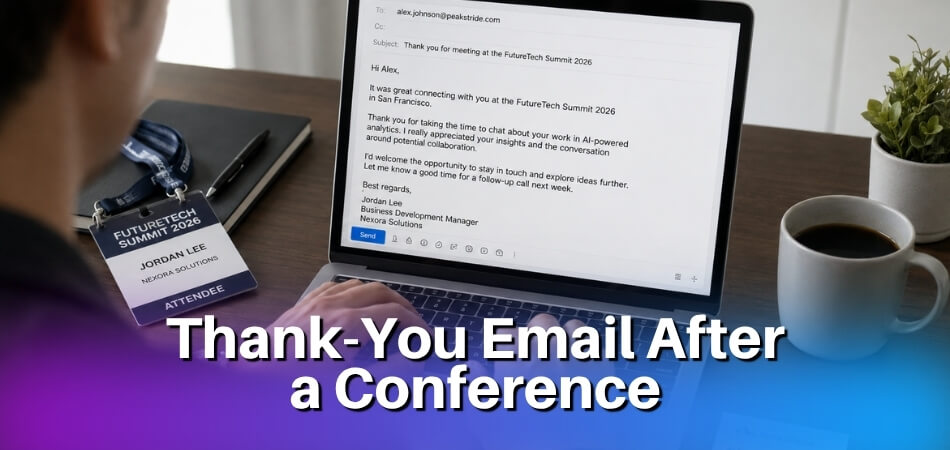
Send your follow-up email within 24 to 48 hours of meeting someone. In that window you are still easy to remember, and your message reads as a continuation of the conversation instead of cold outreach weeks later.
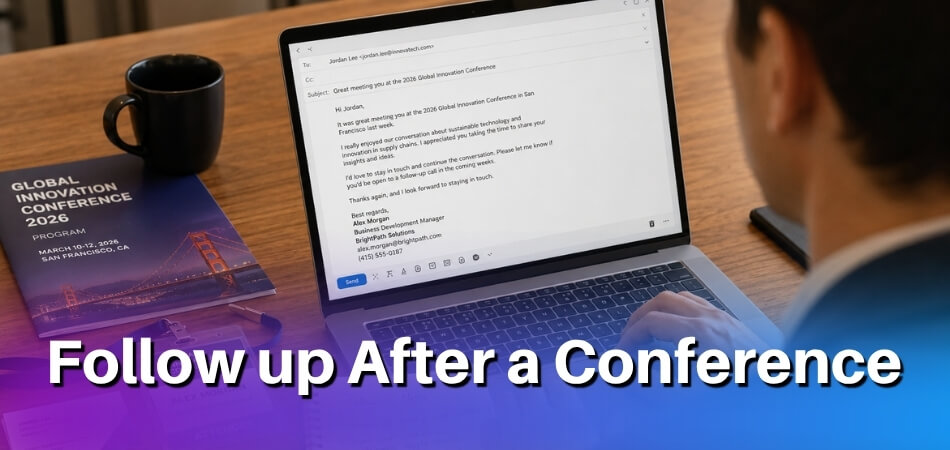
Waiting makes a reply harder to earn. A week on, you are easily filed under “someone I met at that event.”
The 24-Hour Follow-Up Rule
Treat 24 hours as a practical target, not a strict law. A good habit is to write the evening of the event or the next morning. Mention something specific, such as a comment the other person made, a problem they described, or a mutual contact who came up, and keep the message short.
If you missed that window, do not panic. An email three or four days later still works, especially after a large multi-day event. Acknowledge the gap in half a sentence (“I have been catching up since the conference”) and move on without a long apology.
What the Email Needs to Include
A good follow-up has three parts: a specific reference to how you met, a clear reason for writing, and a single call to action.
- The conversation reference. Mention something real, like the session you both attended, the panel topic you discussed, or the fact that you met at their booth. “It was great meeting you at the conference” looks like a mail-merge. A concrete detail shows you remember the exchange.
- Your reason for writing. Say what you want. You might be following up on a product demo, exploring a joint project, or simply keeping in touch after a handshake. Vague emails get vague results.
- One clear call to action. Ask for one thing: a 20-minute call, a reply confirming interest, a LinkedIn connection. Several asks in one email make it easy to put the whole thing off.
Timing by Contact Type
Match the speed and the length of the message to the depth of the conversation.
| Contact | When to write | Best channel | Length and tone |
|---|---|---|---|
| Asked for details or pricing at your booth | Within hours, or the same day | Answer what they asked first | |
| Deep conversation or possible partner | Within 24 hours | Email, plus a LinkedIn request | Personal, one specific reference |
| Potential investor or high-priority target | Within 24 hours, after some thought | More considered, with a short summary attached | |
| Quick handshake or booth scan | Within 48 hours | LinkedIn first, or a short email | Light and low pressure |
| Missed meeting or no-show | Within a few days | Friendly reset, no guilt |
Virtual and Online Conferences
The timing is the same, but your reference changes. Instead of where you bumped into someone, mention a breakout room discussion, a question they asked in the chat, or a point they made in a Q&A. Specific details matter even more online, because virtual events feel impersonal and a personal note stands out.
Write down names and details as they happen. It is very easy to close a browser tab and forget who you spoke with, so jot notes during the session or right after it ends.
Before You Send: The Minimum Checklist
- The subject line names the event or hints at what you discussed. Generic subject lines get skipped.
- You are sending from your own address, not a shared info@ mailbox, if this is a personal follow-up.
- The call to action is specific. “Are you free for 20 minutes this week or next?” beats “Let me know if you’d like to chat.”
- The contact is logged with notes, so you do not send the same person two messages.
Before You Follow Up: What to Do the Day You Return from the Conference
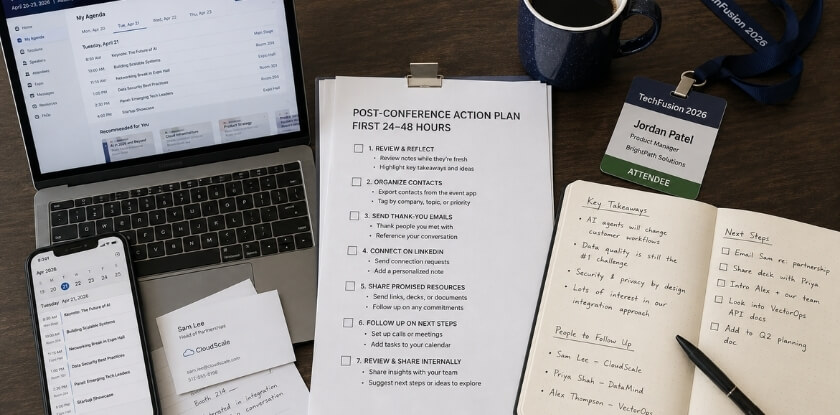
On your first day back, sort your contacts, write down what you remember, and log everything in one place before you send a single email. Twenty minutes of organizing makes every message more specific and easier to write.
Sort Your Contacts Into Tiers
You probably came home with business cards, booth scan exports, LinkedIn requests, and notes in a conference app or notebook. Pull them together, then group people by the conversation you actually had:
- People you had a substantive conversation with: a warm lead, a possible partner, or someone who asked for a specific follow-up
- People you met briefly, swapped cards with, or scanned at a booth, with no clear next step
- No-shows and meetings that never happened
- Investors or other high-priority targets who need more careful handling
A warm lead deserves a detailed, personal note, and a booth scan gets a shorter, softer one. Sending both the same message wastes the effort you put into the first conversation.
Write Down Conversation Notes While They Are Fresh
Memory fades quickly. Two days later, the detail that made a conversation memorable, such as the problem someone mentioned or the joke you both laughed at, starts to blur.
Add a line or two next to each name. What did you talk about? What did you promise? What would make your email feel personal? That note is the raw material for your conversation reference. Without it, your message reads like a mass email with a name dropped in.
Log Everything in a CRM or Spreadsheet
Enter every contact today instead of leaving cards in a pile. Tag each one with the event name, the tier you gave them, and any promised action. If you said you would send a resource, make a task for it. If someone asked you to follow up in two weeks, set a reminder.
For smaller-scale networking, a simple spreadsheet works: name, company, conversation notes, follow-up status, and send date. The tool matters less than logging while everything is still accurate.
Collect Virtual Conference Connections
After an online event there are no physical cards, but you may have pending LinkedIn requests, chat messages from the event platform, or a contact export from the organizer. Save them now, before the platform closes access.
If you connected with someone but have no email address, send a short LinkedIn note first, then move to email once they respond.
Coordinate With Your Team Before Anyone Sends
If several colleagues attended, decide who owns which contact before the first email goes out. Two people from one company writing to the same person independently looks disorganized and can quietly harm a warm lead. The team section below covers how to divide contacts and share a tracking sheet.
The Goal for Day One
Today you sort, document, log, and coordinate. You are not writing yet. If you are already two days out, do not stall further, because a slightly late follow-up still beats none.
Follow-Up Strategy by Lead Type
Not everyone you met deserves the same email, so let the depth of the connection decide your tone, timing, and how much context you give. A generic “great to meet you” sent to your whole list reads as a mass email.
Warm Chat (You Had a Real Conversation)
This is your best chance to turn a conference contact into a client, collaborator, or referral source. You talked for more than a few minutes and you each learned something specific about the other.
Write within 24 hours if you can. Use a subject line that points at the conversation, such as “Following up on our chat about B2B onboarding flows”, because the reader knows at once who you are. In the body, name the specific thing you discussed. If you promised a resource, lead with it, and keep the ask to one item.
Subject: Our conversation about [specific topic]
Hi [Name],
I enjoyed talking with you at [Conference] on [day]. You mentioned [the problem or detail they shared], and I have kept thinking about it since.
Would you be open to a 20-minute call next week? I can share a couple of things we have tried on our side that might help.
[Your name]
No long recap and no pleasantries that eat the first paragraph. Get to the point.
Booth Scan or Quick Handshake (Brief Introduction Only)
A booth scan or a 90-second handshake gives you very little shared context, so you are mostly introducing yourself again. Say that honestly, because pretending you had a rich conversation reads as awkward.
Aim to stay visible and make a low-pressure invitation. Skip the hard pitch and the long deck. Remind them who you are, mention where you met, and offer one small next step.
Subject: We met briefly at [Conference Name]
Hi [Name],
Our paths crossed at [Conference] when [you stopped by our booth / we shook hands near the keynote stage / we sat together at the networking lunch]. Those introductions go fast, so I wanted to say hello properly.
I work with [type of companies] on [what you do, in plain words]. If that overlaps with what you are doing, I would be glad to set up a short call. I have also sent you a LinkedIn request so we can stay in touch.
[Your name]
The LinkedIn request helps here. A brief meeting is too thin to carry an email relationship alone, but a connection keeps you within easy reach. If your badge scanner or CRM recorded what the person looked at or asked about, use that detail. It turns mass outreach into a real message.
No-Show or Missed Conference
Two different situations get this label, and they need different messages.
If they did not show up to a scheduled meeting: Do not assume the worst. Sessions run long, logistics break down, and phones die. Send a brief, polite note that does not make them feel guilty.
Subject: Missed you at [Conference]
Hi [Name],
I was looking forward to meeting at [Conference], but it sounds like the day got away from both of us. These events move quickly.
If you are still interested in talking, would [date and time] suit you for a short call?
[Your name]
No passive aggression and no “I waited 20 minutes.” Just a clean reset.
If you missed the conference yourself: A last-minute cancellation or travel problem should not stop you from contacting people you meant to meet. Acknowledge it briefly, do not over-explain, and make rescheduling easy. Many online sessions are recorded, which can give you something real to mention even though you were not there live.
Subject: Sorry I missed [Conference Name]
Hi [Name],
I had to miss [Conference] at the last minute, and I was sorry to lose the chance to talk. It is not the same as meeting in person, but I would still like to connect.
Could we find a short call in the coming weeks? I can work around your schedule.
[Your name]
A long explanation of why you could not attend helps neither of you.
Researcher or Fellow Attendee at an Academic Conference
At an academic event the person you met is often a speaker, a poster presenter, or someone who asked a question after a session. The rules stay the same, a specific reference and one ask, but the ask changes. Good choices are a view on one narrow question, a paper they mentioned, or the slides or preprint you promised. ASBMB Today (2015) suggests asking for feedback on your presentation by email and keeping track of leading researchers’ latest publications, so that you can refer to their work when you write.
Subject: Your talk on [topic] at [Conference Name]
Dear Dr. [Name],
Thank you for your talk on [topic] at [Conference Name]. Your point about [specific point] made me look again at [part of your own work].
As promised, [the slides / the paper] is attached. I would value your view on [one narrow question], and a short reply by email is plenty.
[Your name], [University]
Email Templates by Situation
Use these as starting points, not scripts to copy word for word. Each one needs a real detail dropped in, such as the conversation you had, the product they mentioned, or the panel you both attended. A template without that detail is a cold email with good formatting.
Standard Networking Follow-Up
For a plain “good to meet you” note, keep it under 150 words and aim to be remembered warmly, not to close anything. Name the topic you discussed, add one useful pointer (an article that fits what they said) if you have one, and offer to stay in touch. If you have nothing relevant to send, skip the pointer entirely. If you only need a short thank-you message, a dedicated thank-you email is the right tool, and this section is for emails that also move something forward.
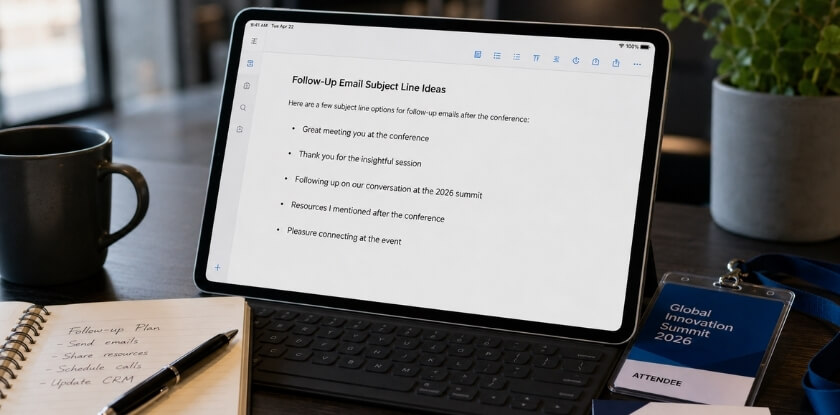
Subject line options:
- Good to meet you at [Conference Name]
- [Your name] from [your company], following up on yesterday
- Picking up our conversation from [Conference Name]
Template for a Potential Partner or Investor
When someone showed real interest in working together, or an investor asked follow-up questions, the email must move things forward while staying grounded. Reference what was discussed and offer a concrete next step.
Subject line options:
- Next steps on [topic discussed]
- [Conference Name]: following up on [topic]
- [First Name], a quick note after [Conference Name]
Hi [First Name],
Thank you for the time at [Conference Name]. Your questions about [our partnership structure / our revenue model / the specific topic] showed you had thought hard about this space.
To recap where we landed: [one or two sentences on what you discussed and the interest expressed]. I have attached [a one-pager, deck, or case study] in case it helps your evaluation.
I would like to set up a 20-minute call. I am free [Tuesday at 10am or Wednesday afternoon, with your time zone]. Does either work?
[Your name, title, company, calendar link]
The call to action here is a named time slot, not “let me know if you want to connect.” For an investor, attach something substantive, such as a one-page summary, so they do not have to ask for what you already have ready.
If you hear nothing in about five business days, send one short nudge: “Hi [First Name], circling back on my note below. Happy to find another time if those slots do not fit.” That is the whole sequence for this lead type: two emails, then move on unless they signalled a slower reply.
Template for a Virtual or Online Conference
You did not shake hands or swap cards, so the connection feels thinner and your message has to work harder. Point to something concrete, like a comment in the chat, a session they presented, or a question they asked in the Q&A.
Subject line options:
- Your question during [Session Name]
- Good to meet you virtually at [Conference Name]
- [Conference Name]: a thought on your point about [topic]
Hi [First Name],
I noticed your [comment / question / presentation] during [Session Name] at [Conference Name] and wanted to reach out. [One sentence on what caught your attention, for example: “Your point about retention in subscription models matched something we are working through too.”]
I am [your name], [title] at [Company]. We [one sentence on what you do, framed around why it is relevant to them].
I would be glad to connect on LinkedIn, and if our shared topic deserves a proper conversation, I can set something up.
[Your name]
For a LinkedIn-only version, skip the email and send a short, personalized connection note: “Hi [First Name], I appreciated your comment during [Session] at [Conference]. I work in [relevant space] and thought we should connect.” Send the request, then message them once they accept.
Following Up on LinkedIn: What to Do Alongside Your Email
Send a LinkedIn request with a short personal note within 24 to 48 hours, on the same day as your email. The two work as a pair, with the request acting as the handshake and the email carrying the conversation.
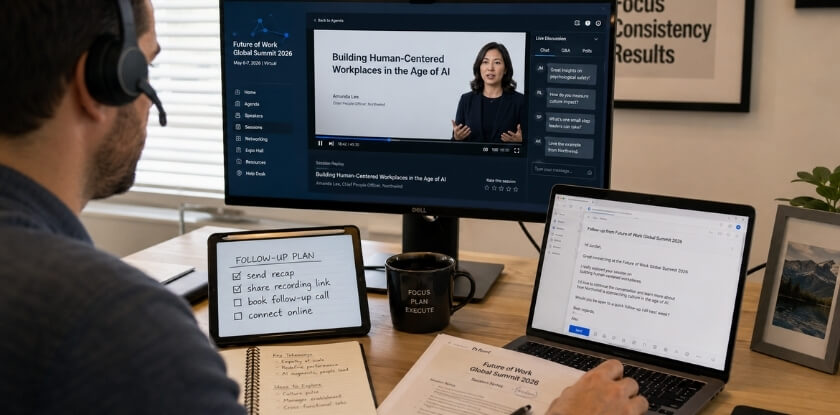
It is tempting to treat LinkedIn as a backup plan for when the email gets no answer. That is the wrong order. The request keeps your name in front of someone visually, and the email is where you make the ask.
When to Send the Request
Send it on the same day as your email. When your message arrives and they vaguely recognize your name, a LinkedIn notification from the same person creates a second touchpoint that feels natural, not pushy. Do not wait for a reply to your email, because by then several days have passed and your face is harder to place.
What to Write in the Request
Add a note whenever you can. The default “I’d like to connect” wastes the chance when you have actually met the person.
A line like this is enough: “Hi [Name], we chatted at the [Conference] registration desk on Tuesday about your onboarding process. Good to meet you, and I will send a short email as well.” It sets the context and flags the email so it does not land cold. Keep the note short, because short notes are read and long ones get skimmed. LinkedIn’s help centre (read in October 2026) gives a personalized note a limit of 200 characters on a free account and 300 on Premium, and it limits how many personalized invitations a free account can send, so save them for the people you most want to remember you.
LinkedIn Versus Email: What Each One Is For
The request says “I remember you and want to stay in touch.” The email proposes something specific: a call, a resource, or a next step. Do not paste your email into the LinkedIn message. Asking someone to read the same text twice adds nothing the first message did not.
LinkedIn First for Weak Connections
If someone was a quick handshake in a crowded session and may not place you from an email alone, connect on LinkedIn first. Once they accept, follow up with a brief message there.
For warmer connections, such as a possible partner you had lunch with or an investor from a scheduled meeting, email carries more weight and should be the main channel.
After a Virtual Conference
Online, connections happen in chats and breakout rooms, and people are harder to reach afterward because the experience is easier to forget. LinkedIn is usually the better first contact, since it is where people expect to be found professionally. Reference the session you were both in, then email if the conversation warrants it.
What Not to Do on LinkedIn After a Conference
- Pitching in the acceptance message. If the first thing they see after accepting is a sales message, you have turned a warm connection cold. Wait a day or two before anything promotional.
- Endorsing skills right away. It reads as a tactic and rarely earns goodwill from someone you just met.
- Posting a generic “great conference” update that tags everyone. It can feel performative and does not replace a personal message.
- Waiting two weeks to connect. By then most people will not recall who you are, and the note will not help much.
Track LinkedIn Status in Your CRM
Add a field for LinkedIn status: request sent, accepted, message sent. Your next move depends on it, since a second email lands differently when they have already accepted your request than when they have not engaged at all.
When Someone Does Not Reply: How to Follow Up After No Response
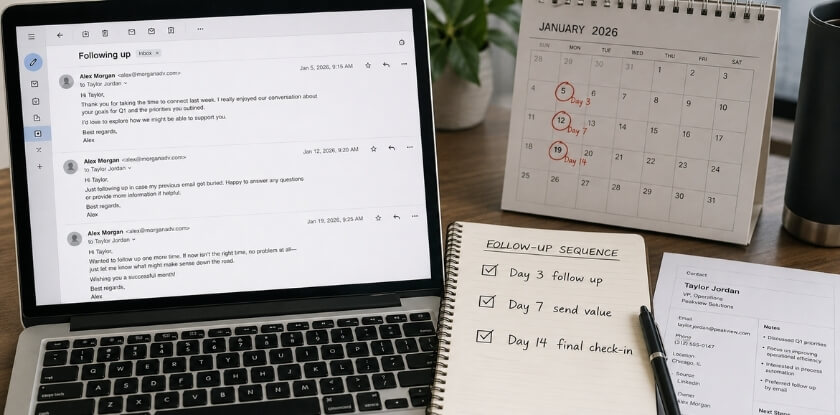
Wait five to seven business days, send one short and low-pressure second message, and stop after three touches in total. Silence is normal after a conference. People are catching up on work, and a missing reply can simply mean your email slipped, not that they are uninterested.
How Long to Wait Before Following Up Again
Give your first email at least five business days. For a warm lead with genuine interest, five is a fair threshold. For a quick handshake contact, a full week is better. Chasing too soon undercuts the patience that makes you look professional.
Your Second Follow-Up: Short and Low Pressure
The second message does not need to reintroduce everything. Refer to the first email, restate why you are writing, and give the person an easy way out. A short note tends to do better than a second long email that reads like a repeat.
Subject: Re: [original subject]
Moving this back to the top in case it got buried. I know the weeks after a conference are busy.
I would still like to talk about [specific topic from your conversation]. If the timing is wrong, or I have reached the wrong person, just say so and I will leave you be.
[Your name]
Keep the ask specific: a 20-minute call, an answer to one question, or a next step they can accept or decline quickly.
A Third Touch: Whether to Send One
Two emails is a sound default. A third is worth it only after a meaningful conversation, such as a warm lead, a partner discussion, or an investor who clearly showed interest.
If you send one, wait seven to ten days and change the approach. Do not resend the pitch. Share something useful, like an article related to what they mentioned or an update on a topic you discussed. That reframes the message as value instead of a reminder that they have not replied.
Subject: Something relevant to [topic]
I have been thinking about what you said regarding [specific topic]. This might be useful for what you are working on: [resource or short description].
If connecting does not make sense right now, no problem. I will leave it here.
[Your name]
The last line matters. It removes the awkwardness of being ignored and often prompts a reply because it does not demand one.
When to Stop
After three touchpoints without a response, stop. A fourth or fifth email moves from persistent to intrusive, and in a small industry that can damage your reputation faster than you would expect.
Log what you sent and when, and set a reminder to check back in three to six months. Budgets, priorities, and timing change, and someone who went quiet may re-engage later.
Mistakes That Hurt No-Response Follow-Ups
- Guilt or passive pressure. “I haven’t heard back from you” reads as mildly accusatory. Write as if the person is busy, not avoiding you.
- The same subject line every time. It looks like an automated sequence. A small change, even “Re: [original subject]”, feels more human.
- Several asks at once. A question, a call request, and a document link leave the reader unsure where to start. Use one call to action per email.
- No personal detail. A follow-up that could go to anyone on your list will not get a reply. One line about their challenge or the session you shared changes that.
After They Reply: Turning a Contact Into a Relationship
Once someone replies, do what you promised first, agree a next step, and then keep in touch lightly instead of only asking for things. Idealist (2015) lists forgotten promised resources, no clear purpose for a meeting and a skipped thank-you among the common networking mistakes after a conference.
- Send what you promised. An article, an introduction, or a file comes before any new request.
- Define the purpose before you meet. If you invite the person for a call or a coffee, decide what you want to learn or discuss, and prepare a few questions.
- Thank them afterwards. A short note after the call or meeting keeps the exchange friendly.
- Stay in touch with something useful. Share a relevant article, congratulate them on news you see, or mention a future event they might like, and log what you sent.
When You Forgot Their Name or Context: How to Handle It Gracefully
If you forgot who someone is, look them up first, then write a short and honest message instead of guessing. Forgetting is normal at a busy event, and a clumsy follow-up because of it is avoidable.
You Have a Business Card but No Memory of the Conversation
The card still gives you a name, company, and title, which is often enough to guess why you talked. Check their LinkedIn profile before writing. Their role, recent posts, and company focus will often show you the overlap.
- Be upfront without being self-deprecating. “We crossed paths at [conference name], I believe during the [session or evening event]” is honest and does not make you look disorganized.
- Lead with value, not the gap. “Given your focus on [X], I thought it was worth connecting properly” does more than an apology for forgetting.
- Do not invent specifics. If you write “you mentioned expanding into new markets” and they never said it, you have created an awkward correction before the relationship starts.
You Have a Name but No Card and No LinkedIn Match
Try the conference app first. Many events have an attendee directory, and a first name plus a company usually surfaces the right person. If a speaker or exhibitor list was published, check there too.
If you truly cannot find them, let it go. An email that opens with “I am not sure of your last name or company, but we spoke briefly” will not land well, and it suggests the connection was not strong enough to pursue.
You Remember the Person but Not What They Do
Spend two minutes on their LinkedIn profile and company website. Read their bio and check what they posted around the conference dates, since many people share content from events they attend. With that context, your email can refer to their actual work and read as attentive.
What to Write When You Are Missing Context
A short, honest email almost always beats a made-up one. Build it from three parts: acknowledge the event with whatever shared reference you do have (the date, a session, the venue), pivot to something useful to them based on their role or work, and close with a simple ask such as a short call or a LinkedIn connection.
Subject: Following up from [Conference Name]: [Your Name], [Your Company]
We met briefly at [conference name] last week, I believe near [best-guess location or session]. I wanted to follow up properly, because there seems to be a real overlap between what you are doing at [their company] and what we work on.
[One or two sentences on why the connection is worth continuing, tied to something specific about their work.]
Would you be open to a quick 20-minute call in the next few weeks? I can work around your schedule.
Post-Conference Follow-Up Coordination for Teams
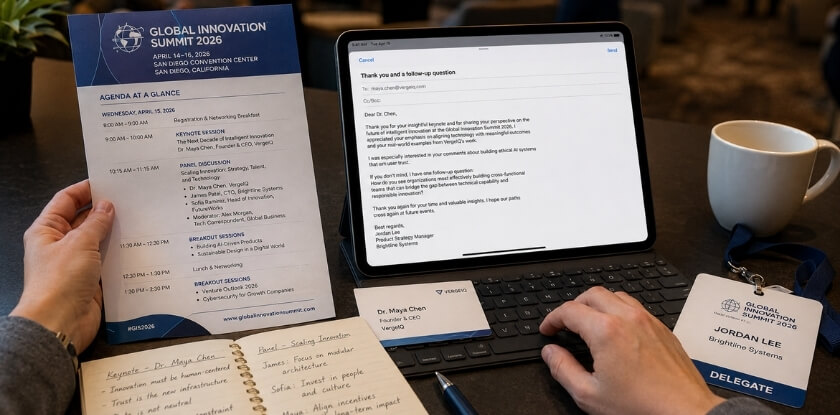
When several people from one company attend, assign each contact to one owner, share one tracking sheet, and agree on a send window before anyone emails. Without a system, two colleagues write to the same person on the same day, or a warm lead sits in a notebook because nobody knew whose job it was.
Divide Contacts Before You Split Up
Sort out ownership before everyone flies home, or at the latest in the debrief on the final day. Go through the cards, booth scans, and LinkedIn connections together and give each contact one owner. If two people met the same person at different moments, decide who sends the main email and whether the second adds a line about their own conversation. This prevents a partner or investor from receiving two separate emails from your company in one day, each written as if the other did not exist.
Use a Shared Tracking Sheet
A shared spreadsheet is often enough, or your CRM if you have one. Every team member’s contacts should be visible to everyone, so a colleague covering for someone who is sick does not have to dig through personal inboxes. A simple status column does the job: sent, replied, call booked, no response. If your CRM has no clear assignment feature, a shared spreadsheet or a quick team chat channel works fine.
Agree on One Timing Standard
If some colleagues write the morning after the event and others wait ten days, contacts from the same booth or panel get mixed signals about how your company works. Agree on a window, ideally 24 to 48 hours after the final conference day, and hold the debrief early enough that assignments are done before the timeline slips.
Standardize Templates Without Losing the Personal Detail
A shared template keeps subject lines, tone, and call-to-action placement consistent, which helps for booth scans and brief handshakes. The risk is that everyone sends near-identical emails with no conversation reference. Let the template handle structure (opening, context, ask, sign-off) and leave a clearly marked gap, like “[mention what you discussed]”, for each sender’s own detail.
Assign No-Show Follow-Ups Too
If your team spoke, ran a booth, or hosted a session, some people who planned to meet you will not have shown up. Give these contacts an owner on purpose. The message should acknowledge that you missed each other, restate what you had to offer, and include a clear way to reconnect.
Run a Short Post-Conference Debrief
Spend 30 minutes before the team disperses on who met whom. The debrief flags any investor or partner contact that needs a faster or more senior reply, and it gets the tracking sheet filled in while memories are fresh. This work is not glamorous, but it is where a lot of networking value quietly disappears.
How to Measure the Success of Your Follow-Up Efforts
Track four simple numbers for every batch of follow-ups: opens, replies, next steps booked, and how many days replies take. Without them you only guess whether your outreach worked.
The Metrics Worth Watching
| Metric | What it tells you | If it looks weak |
|---|---|---|
| Open rate | If your subject line and send time worked | Test a subject line that names the event or the topic you discussed |
| Reply rate | If the message itself was worth answering | Check the personal detail and the call to action |
| Conversion | How many replies became a booked call, deal, or introduction | Make the next step easier to say yes to |
| Days to reply | The best follow-up window for your audience | If replies come only after the second or third touch, shorten and change the angle |
Open rates from email tools are only rough guides, since some email apps load images automatically or block tracking. Judge replies, not opens alone. Pull your numbers after two or three conferences and adjust, and compare your own batches against each other instead of against numbers you read elsewhere.
Tracking Without Overcomplicating It
You need consistency, not an elaborate system. In a CRM, give every conference contact a status: Sent, Opened, Replied, Meeting Booked, or No Response, and update it as answers arrive. Many CRMs can also run a simple follow-up sequence once your email is connected.
Working solo with a small list, a spreadsheet with columns for name, company, how you met, send date, next follow-up date, and status does the job. Reviewing it a few weeks after the conference shows patterns you would never spot otherwise.
What the Numbers Should Make You Change
If opens are low, try a more specific subject line that names the conference or topic. “Following up from [Conference Name]” usually does better than a vague opener like “Great meeting you.”
If people open but do not reply, the call to action is the likely problem. “Let me know if you want to connect” asks the reader to do the work. “Would Tuesday or Wednesday suit you for 20 minutes?” is easier to answer.
If replies drop off on later touches, shorten the message and change the angle instead of resending a variation of the first email.
Over time these patterns add up. You may find that replies from virtual conference contacts are weaker than from in-person ones, which might lead you to pair email with a LinkedIn message more often. The data will not decide for you, but it makes the choice clearer.
Common Mistakes That Ruin Your Conference Follow-Up
Follow-up often fails because of habits, not bad writing. These are the ones not already covered in the sections above.
Attaching a Wall of Information
It is tempting to attach a deck, a pricing sheet, and a product overview straight away. Unless the person asked for them, hold off. It makes the email feel transactional and asks the reader to wade through material before any rapport exists.
Writing a Subject Line That Sounds Like a Pitch
Subject lines like “Exciting Opportunity to Partner” or “Following Up on Our Incredible Conversation” tend to be ignored or deleted. Keep it low pressure and specific: “Re: our chat about inventory management” or “Following up on the logistics question you raised.”
Treating Every Contact the Same
A warm lead who spent 20 minutes at your booth should not get the same template as a quick handshake. One may feel undervalued and the other pressured. Match the tone and the ask to the depth of the conversation.
Fake Personalization
A mail-merge field with their name and company is not personalization, and people can spot it. Real personalization refers to what they said, what problem they mentioned, or what you both agreed to look into.
Letting Contacts Slip Through
A good template does not help if cards sit in a drawer and you work from memory. Even a basic CRM entry or shared sheet prevents contacts from falling through the gaps, and it tells you whether a message was sent, opened, or answered.
From our experience at MS International: All of our conferences are held in person at venues in the Greater Toronto Area, and a moderator introduces each speaker before the presentation. You can attend as a listener without presenting, and approved speakers receive a certificate after they present.
FAQ: Following Up After a Conference
Following up well after an event means deciding on email length and subject line, LinkedIn timing, badge scans with no real conversation and how late is too late.
How long should a conference follow-up email be?
Three to five sentences, and under about 150 words, is enough. You are referencing a conversation, suggesting a next step, and leaving the door open. You do not need to write a pitch deck.
What is the best subject line for a conference follow-up email?
Name the event and the topic you discussed, such as “Good talking about [topic] at [Conference Name]”. That reminds the reader who you are. “Following up from [Conference Name]” is acceptable, and a vague line like “Connecting after [Conference Name]” is easy to skip.
Does the 24-hour follow-up rule actually matter?
Yes, most for warm leads and investors, less for general networking contacts. Writing within 24 hours keeps you in context while the chat is fresh. After about a week you are practically reintroducing yourself.
Should I email and connect on LinkedIn at the same time?
Yes, but keep them separate. Send a short LinkedIn request that mentions the same event, and send the email the same day. Do not copy your email into the LinkedIn message, because a brief note is enough there.
What if I only had a quick handshake and no real conversation?
Be honest about it. Say you did not get much time to talk and would like to connect properly. A short, direct message asking for 15 minutes works better than pretending you had a deeper exchange.
What should I do if someone scanned my badge at a booth but never spoke to me?
Treat them as a cold lead. Do not open with “great talking to you” if you never spoke. Mention the event, say briefly what your company does, and ask one simple question to start a dialogue.
How many follow-up emails should I send if I get no response?
Two to three in total, counting your first email. Wait five to seven business days before the second and seven to ten before a third. After that, stop chasing and, if you like, leave a friendly open door such as “happy to reconnect down the road.”
What should I write in a follow-up after an academic conference?
Thank the person for one specific point from their talk or your conversation, say in one sentence what you work on, and ask one small thing, such as a view on a narrow question. If you promised a paper or slides, attach them.
Should I use a CRM to manage all this?
It is worth it if you met more than about ten people. Even a basic setup lets you track timing, log whether someone replied, and spot who slipped through. A spreadsheet works for a small list.
Do email open rates tell me anything useful?
Only partly. Open rate hints at whether your subject line worked, and reply rate shows whether the message was worth answering. A high open rate with few replies usually points to a weak call to action or too little personalization.
Is it too late to follow up two weeks after a conference?
No, but it is late. Acknowledge the delay in a few words (“I know this is overdue”) and go straight to your reason for writing. A genuine message two weeks out still beats none.
Does a virtual conference follow-up work differently than an in-person one?
The structure is the same, but you lose the physical memory triggers: no face, no handshake, no card. Refer to something specific from the session or chat thread to replace that context, or your email reads like a cold approach.
What is the biggest mistake people make with conference follow-ups?
Sending a vague email that could have been written without attending the event. With no conversation reference and a generic ask, it looks like a mass email and gets treated like one.
Final Thoughts
Conference connections fade when nobody follows up, or when the follow-up arrives after the moment has passed. A specific email sent within 24 to 48 hours is the simplest way to avoid that.
Start with the basics: reference the conversation, make one clear ask, and send it before your memory goes cold. Your CRM workflow, sequences, and tracking can be refined after each event.