You presented at a conference, and now the resume question is where it goes and how to write it. Most people either leave the talk off or format three entries three different ways. A few consistent rules fix both problems.
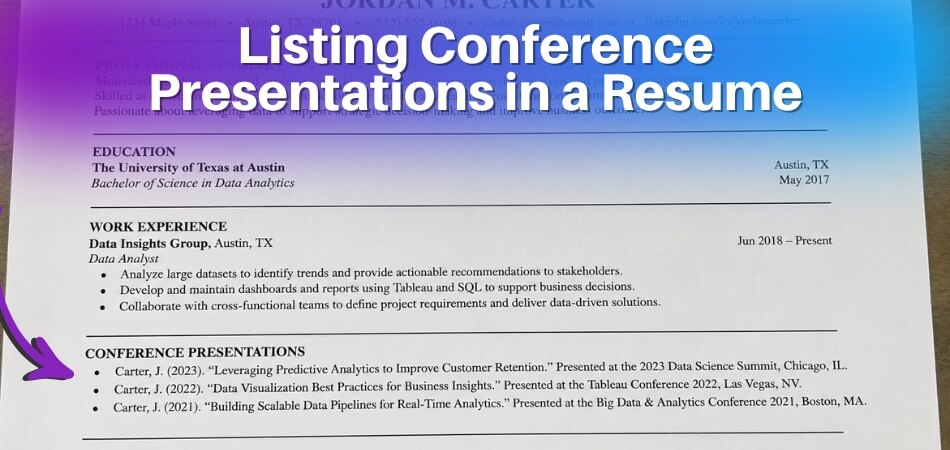
Quick answer: List conference presentations in their own “Presentations” or “Conference Presentations” section, usually after experience and education. Write each entry the same way: presenter names, date, title, a bracketed format label such as [Paper presentation] or [Poster presentation], then conference name and location. Mark talks that are accepted but not yet given as “Accepted” and keep the section in plain text so an ATS can read it.
Last verified against official sources: October 2026.
Where to Put Conference Presentations on a Resume
Give presentations their own section on an academic CV, and on an industry resume only when you have two or more. One talk fits as a single line under “Professional Development”. The section sits in the lower half of the page, after experience and education, unless speaking is the point of the job.
| Your situation | Where to list it |
|---|---|
| Academic CV | Own section: “Conference Presentations”, “Conference Papers” or “Invited Talks and Presentations” |
| Industry resume, two or more talks | Own section after experience and education |
| Industry resume, one talk | One line under “Professional Development” |
| Applying for a speaking, training or thought leadership role | Own section placed just below your summary |
| Senior professional with a long speaking history | Own section; show a short selection |
If You’re Writing an Academic CV
On a curriculum vitae, conference presentations get a dedicated section. The University of New Mexico’s 2020 CV guide describes the academic CV as the one that lists all publications and presentations, and it says to list them in the citation style of your field, as in a bibliography.
If you have both oral presentations and posters, you can split them into two sub-sections or list them together with a format label on each entry. Either works as long as it is consistent. Which style to use depends on your field. The same guide suggests looking up the CVs of faculty in your field and at the institutions you are applying to, because they show what is expected.
If You’re Writing a Standard Industry Resume
Two or more presentations justify their own section. A single presentation fits better as a line under “Professional Development”, because a section with one line looks thin. For an entry-level resume with limited space, one or two presentations can sit there without looking padded.
Career offices do not all agree here. The University of New Mexico’s 2020 guide shows a standard resume with no publications or presentations and a hybrid industry CV with selected ones. Oregon State’s career centre suggests a “Selected Presentations”, “Conference Presentations” or “Presentations” section for research talks, or Experience bullets instead. Choose by how relevant the talk is to the job.
If the talk came out of a job or research role, an Experience bullet works too. Say where you presented, and add the approximate audience size only if you know it, which is what Oregon State’s guide advises. Senior professionals with an extensive speaking history should keep the dedicated section. It reads as evidence of subject-matter authority.
Positioning on the Page
Conference presentations are not core qualifications like work experience, so they belong in the lower half of the resume, after experience and education and before optional sections like certifications or affiliations. The exception is when presentations are the point. For a speaking, training or thought leadership role, move them just below your summary.
How to Format Each Presentation Entry
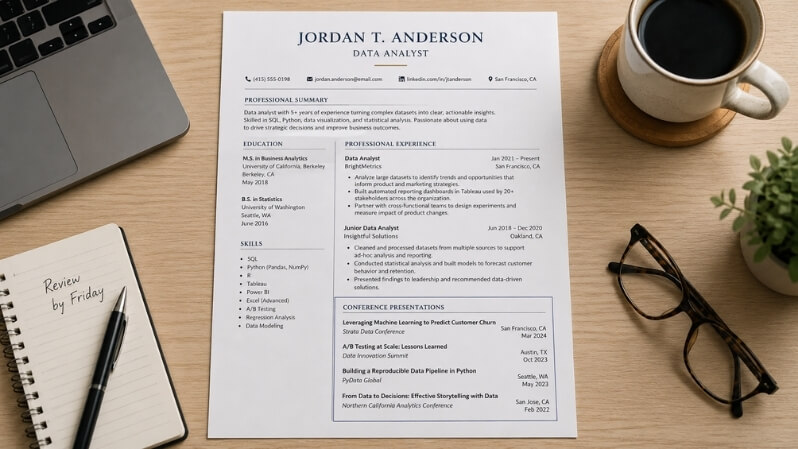
Every entry should show who presented, what, where and when, in the same order each time. Pick one pattern and use it for the whole section.
Required Fields (and What to Skip)
The fields you should always include:
- Your name (or names, if co-presented): list yourself first if you were the lead presenter
- Presentation title: in quotation marks for a talk or paper title, or italicized in APA style
- Conference name: spell it out fully at least once, because an acronym alone means little to a recruiter outside your field
- Location or format: city and country for in-person events; for an online event on a plain resume line, “Online” in place of the city (APA-style entries handle this differently, as the virtual section below explains)
- Month and year: year alone is acceptable for older entries, but month plus year is better
On an industry resume you can skip the sponsoring organization (unless it is a recognizable body), the session number or room, and the conference theme. That detail belongs on a CV.
The conference URL is one judgment call. On an academic CV, a link to the program page or abstract archive is fine. On an industry resume, leave it off unless the conference is obscure and the link would show it is real.
APA vs MLA Style: Which One to Use on a Resume
Resumes do not have to follow a citation style, but people from research backgrounds often borrow one, and that is fine if every entry matches. APA style is common in psychology, education, social sciences and medicine. MLA is common in the humanities.
APA 7 reference format for a conference presentation puts the title in italics, followed by a bracketed description, then the conference name and location. APA’s examples use bracketed descriptions such as [Conference session] and [Paper presentation]; describe a poster the same way, for example [Poster presentation].
APA: [Last, F. M.], & [Co-presenter, F. M.]. ([Year, Month Day-Day]). [Presentation title] [Paper presentation]. [Conference name], [City, Country].
MLA: [Last, First]. “[Presentation Title].” [Conference Name], [Day Month Year], [City, Country].
The date in an APA entry is the date of the whole conference, not only the day of your session; the University of Lethbridge library’s APA 7 guide shows a two-day event dated as a range.
For most industry resumes you need neither. A clean, readable line works well, and mixing styles inside one resume is the real mistake.
Listing Every Type of Presentation: Scenario by Scenario
The pattern stays the same for every type of talk; only the label, status or location changes. The samples below use placeholders in square brackets.
Standard (Oral) Conference Presentation
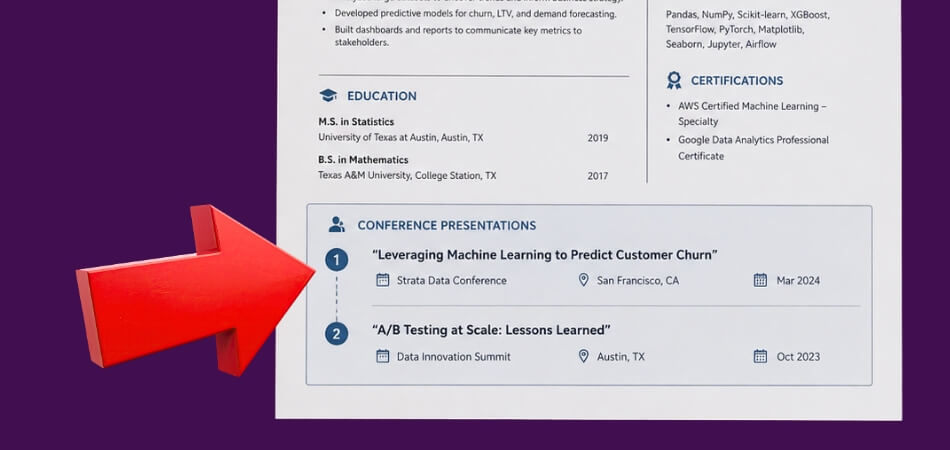
This is the most common entry: a prepared talk you delivered to an audience. Include your name, the title, the full conference name, the organizing body if it adds credibility, and the city and date.
[Last, F.] ([Year, Month]). [Presentation title] [Paper presentation]. [Conference name], [Organizing body], [City, Country].
On an industry resume you can drop the citation style and write a plain line:
“[Presentation title]” | [Conference name], [City, Country] | [Month Year]
The citation format carries more weight in academic settings; the plain format reads faster in industry.
Poster Session
A poster is a legitimate presentation credential and you should list it. Many conferences select posters by peer review or abstract review. Oregon State’s career centre includes a poster, marked “(poster)”, in its own example of a Presentations entry. Only the label changes, so the reader knows whether you spoke or stood at a board.
[Last, F.] ([Year, Month]). [Poster title] [Poster presentation]. [Conference name], [City, Country].
Co-Presented or Group Presentation
A co-presented talk still belongs on your resume. List all presenters in the order they appeared on the program, and put yourself first only if you were the lead. For a long author list, use “et al.” after your name.
[Last, F.], & [Co-presenter, F.] ([Year, Month]). [Title] [Paper presentation]. [Conference name], [City, Country].
[Last, F.], et al. ([Year, Month]). [Title] [Paper presentation]. [Conference name], [City, Country].
On a senior resume you can add “(Lead presenter)” if the distinction matters for the role. On an entry-level resume, a co-presented session still shows presentation skills, so list it without over-explaining.
Invited vs Contributed Talks
If you were invited to speak, say so, for example with the label [Invited talk] or an “Invited Talks” sub-heading. An invited talk is arranged by the organizers; a contributed talk is one you submitted and had accepted. Label each honestly, because they carry different weight.
Panels, Workshops and Other Roles
Not every session is a standard talk. If you sat on a panel, moderated or chaired a session or led a workshop, put that role in the bracket or beside the title, using the word the programme used. Do not upgrade a role: a panelist is not a keynote speaker.
[Last, F.] ([Year, Month]). [Panel title] [Panel session]. [Conference name], [City, Country].
“[Workshop title]” | [Conference name], [City, Country] | [Month Year] | Workshop leader
Accepted but Not Yet Given
This comes up for people who start a job search between the acceptance notice and the conference date. You can list the talk with clear language, and never imply you have already delivered it.
[Last, F.] ([Year, Month]). [Title] [Paper presentation, accepted]. [Conference name], [City, Country].
“Accepted” or “Forthcoming” shows your work cleared a selection process without misrepresenting the timeline. Once you have given the talk, remove the label. This works on both academic and industry resumes, and the entry still carries the conference name, topic and year a parser needs.
List a talk only once you hold the acceptance: a submission still under review, or one that was rejected, is not a presentation. Habits on upcoming talks differ between academic fields, so look at how faculty in your field list them. If a talk was accepted but never delivered, either label it honestly as “Accepted, not presented” or leave it out. An unlabelled entry would mislead.
Virtual or Online Conference Presentation
A peer-reviewed talk is a peer-reviewed talk whatever the delivery format, so list it in the same section as in-person ones. The location depends on the entry style. On a plain resume line, write “Online” where the city would go so the line has no gap. In an APA-style entry, a University of Maryland library FAQ quoting the APA Style Blog says there is no need to state that the conference was online only, and that the physical location is left out rather than replaced by “virtual” or “online”. Use one approach for the whole section.
APA style: [Last, F.] ([Year, Month Day-Day]). [Title] [Paper presentation]. [Conference name].
Plain line: “[Title]” | [Conference name], Online | [Month Year]
International Conference Presentation
An international conference shows that your work reached a wider professional community. The format stays the same; the location just includes the country. For English-language resumes, spell country names out in full.
[Last, F.] ([Year, Month]). [Title] [Paper presentation]. [Conference name], [City, Country].
If the conference name will not be recognizable to the reader, a short identifier such as the country or the organization’s scope helps. On a one-page resume, trust the conference name and skip any parenthetical. Do not add attendance numbers or “peer-reviewed” claims you cannot back up.
ATS Optimization for Conference Presentation Entries
Use a standard section header and plain, left-aligned text, and an ATS has the best chance of reading your presentations. This is cautious general guidance rather than a tested rule, because ATS products differ. Presentation entries are easy to format in ways that look fine to a person but confuse a parser.
Use a Section Name ATS Can Recognize
Creative headers like “Speaking Engagements & Thought Leadership” or “Conference Activity” may not be categorized correctly by some systems. Stick to plain headers:
- Conference Presentations
- Presentations
- Selected Presentations
- Professional Presentations
For CVs, “Conference Papers” is also standard. “Professional Development” works as a catch-all when presentations are one of several items, but it is a weaker signal than a dedicated header.
Write Each Entry as Plain Text
Tables, text boxes, columns and icons can look polished in a PDF preview and still scramble once the parser strips the formatting. Keep each entry as plain text with consistent punctuation between fields. A period or a pipe character between title, conference, location and date is readable by both people and machines. The same content inside a two-column table, behind a custom icon, or in a graphic callout box is more likely to scramble.
Include the Right Keywords Within the Entry
If the job description mentions public speaking or presentation skills, your entries can contribute matches, but only if the text contains recognizable terms. Do not stuff keywords. Just avoid stripping an entry down to “Conference talk, 2022”, which tells a parser nothing. Naming the topic, the conference and the format gives it something to work with.
For roles that value presentation skills, such as training, sales, consulting or teaching, you can add one short line of context under the entry, for example “Invited speaker; session on data communication for non-technical audiences”.
Spell Out Abbreviations
An ATS will not necessarily decode “AERA Annual Meeting” as “American Educational Research Association”, so write the full name at least on first reference. Do the same for formats: write “poster presentation” rather than “poster”, and “oral presentation” rather than “talk” or “pres.”
File Format Matters
Presentation entries often contain unusual characters such as quotation marks and italics, so file format matters. Some systems read .docx more reliably than PDF. If a posting does not specify a type, .docx is the safer choice, and you can keep a clean PDF for people who ask for it.
What ATS Cannot Evaluate
An ATS can confirm that the section exists and that relevant keywords appear. It cannot judge the quality or prestige of the conference. That happens when a recruiter reads your resume after it clears the first screen. Format for the machine, then write the content for the person.
Entry-Level vs Senior Professional: Tailoring Your Approach
If you are early in your career, a short, accurate presentations section is enough, and having none is not a red flag.
What to Do When You Have No Conference Presentations
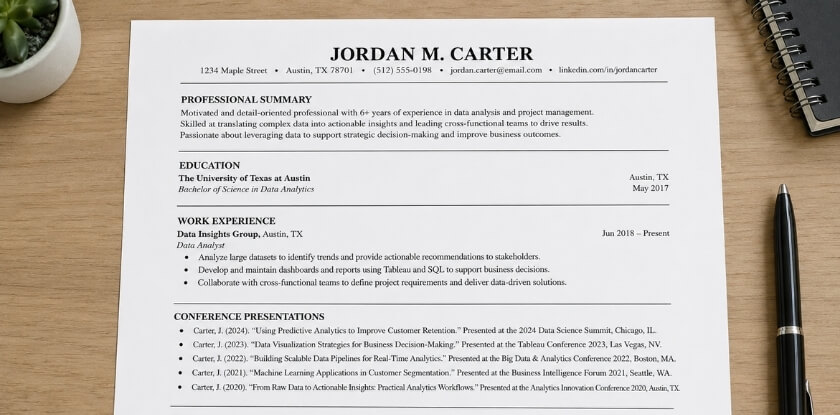
Do not fabricate or stretch anything. Instead you can:
- Substitute related speaking experience. A capstone presentation, a student-organization workshop or a departmental briefing counts. List it under “Presentations” or “Speaking Experience” with an accurate description, for example “Senior Thesis Presentation, [Department], [University], [Month Year]”.
- Highlight presentations inside a job or internship. Pitching to a client, briefing stakeholders or training new staff can go in your bullet points under that role, with no separate section.
- List accepted-but-not-yet-delivered talks. Mark them “Accepted” so the timeline is clear.
- Use a Professional Development section. Conferences attended, presentation skills training or a public speaking course (a Toastmasters program, for example) fit here without overstating what you did.
Even a first or only presentation counts. Give it its own line under a small “Presentations” heading or under “Relevant Experience” instead of hiding it.
A blank presentations section matters more on a CV, which is expected to be comprehensive. If you are heading toward academic or research roles and have nothing to list, aim for a local symposium, a departmental colloquium or a poster at a regional conference. Even a poster at a small venue shows you can translate your work for an audience.
How Many Presentations to List
For a senior resume, a selection of the three to five most relevant or prestigious talks usually reads better than a full list, and the rest can go on a full CV. A long, undifferentiated list adds length without adding impact. If your presentations are few, fold them into Professional Development instead of giving them a heading that highlights how few there are.
Conferences Attended Without Presenting: How to Include
Attendance is professional development, not a presentation, so it goes in a Professional Development section and never under “Conference Presentations”. Listing it there is a factual inaccuracy.
When Attendance Alone Is Worth Including
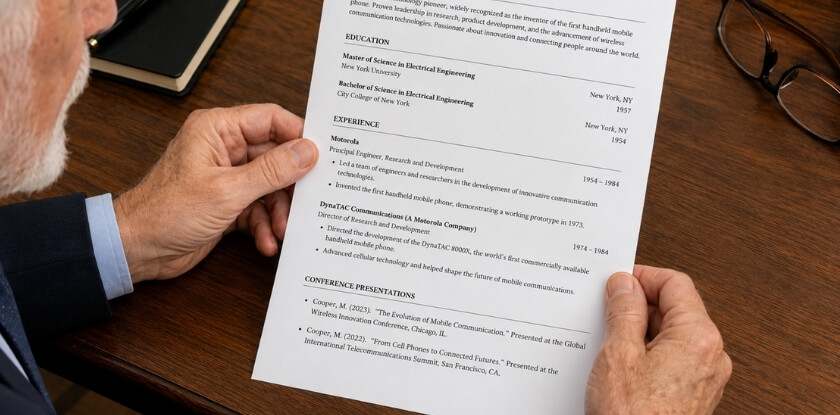
Not every conference you attended belongs on your resume. The ones that do usually share these traits:
- Relevance to the role. A major event directly connected to the job shows you are active in the field, which helps entry-level resumes especially.
- Selectivity. Invitation-only or limited-registration events carry weight.
- Recency. A conference you attended years ago as a student adds little unless you are writing a CV that documents a full timeline.
- Training focus. Workshops, intensives and credentialing sessions can work like a continuing education entry.
A generic local event or one-time expo with broad appeal probably does not strengthen your resume. Leave it off.
Where to Put It and How to Format It
On an academic CV you can list attended events separately under “Conferences Attended”, after your presentations section. Keep the entry short, because your role was attendee and there is no abstract or role description to add.
[Conference name], [City, Country] | [Month Year]
[Conference name], Virtual | [Month Year]
A note such as “Attended as professional development” is usually unnecessary because the heading says it. If context genuinely helps, a short parenthetical is fine, for example (Invitation-only).
Co-Authored Posters You Did Not Attend
If you were a co-author on a poster or talk but did not go to the conference, list it under presentations, note your co-authorship and say who presented it, for example “Presented by [Co-author]”. Do not imply you were present. A reviewer in your field may ask about it in an interview.
The Honesty Threshold
Attendance and participation mean different things, and your resume should show that clearly. Implying an oral presentation happened when it did not is misrepresentation. As you collect real presentations, attended-only events naturally drop off the document.
Presentation Skills vs Conference Presentations on a Resume
Conference presentations are documented achievements; presentation skills are a competency. They sit in different places, and mixing them wastes space on a tight resume.
| Item | What it is | Where it goes |
|---|---|---|
| Conference presentation | A specific talk, poster or panel at a named event | “Conference Presentations” section, or “Publications & Presentations” on a research resume |
| Presentation skills | Your ability to communicate to an audience | Skills section, core competencies block, or a bullet under a job |
What Goes Where
On an academic CV, presentations are often treated with the same weight as publications and formatted in a citation style, but a talk or poster counts as a publication only once a full written version is published. Skills phrases like “public speaking” or “oral presentation delivery” belong in the skills section, and you need evidence elsewhere on the resume to back them up.
Two errors to avoid. Listing “presentations” as a skill with no actual entries is a vague claim without support. Burying a strong speaking record as a one-line skill wastes a real credential.
When You Have Both
If your resume has real conference presentations, you do not need to separately claim “presentation skills”, since the entries show it. For an entry-level resume with one small regional talk, mentioning “public speaking” in skills while keeping the entry is reasonable. Senior professionals who have delivered keynotes or presented at international events may not need the skills line.
Virtual Presentation Skills
Virtual presentation skills are worth naming separately only when remote communication is central to the role, such as a distributed team lead, a sales engineer who demos over video, or an online trainer. For most other roles, a virtual conference entry already implies the skill.
The CV vs Resume Distinction
A CV is comprehensive, so you list every poster, accepted talk and co-presented session, and skills sections are less common. On an industry resume, space is limited, so a strong presentations section and a lean, accurate skills section should work together, with neither doing the other’s job.
From our experience at MS International: For most applicants, the route to our in-person conferences in the Greater Toronto Area is the presenting-author track: submit work for review and register after acceptance. Every submission goes through double-blind review, which normally takes approximately 10 working days; complex submissions or revisions may take longer. After the scheduled presentation, approved speakers receive a certificate recognizing their contribution as a conference speaker. It confirms participation and is not a publication certificate.
FAQ
Formatting presentations on a resume gets tricky with APA versus MLA style, a talk accepted but not yet given, co-presented work and whether ATS systems read the entries.
Do conference presentations go on a resume or only on a CV?
Both, in different amounts. An academic CV lists all of them in a dedicated section with full citation-style detail; an industry resume lists a selection, one or two lines each, limited to talks relevant to the role.
Should I use APA citation style or MLA citation style to format entries?
Use whichever your field expects, and apply it to every entry. APA is common in sciences and social sciences, MLA in the humanities. For most industry resumes a clean plain-text line is easier to read.
Can I list a presentation I gave at a virtual conference or online conference?
Yes, list it like any other talk; only the location differs. A plain line can say “Online”, while an APA-style entry omits the location for online-only conferences.
What if my presentation was accepted but I haven’t given it yet?
Yes, with a clear label. Add “Accepted” or “Forthcoming” plus the event name and month, and list it only once you hold the acceptance. On an industry resume, include it only if it helps for the role.
How do I handle a co-presented presentation where I was one of several speakers?
List all presenters in the order they appeared on the program, with yourself first only if you were the lead. For a long list, use “et al.” after your name.
How many conference presentations should I include on a resume?
For an entry-level resume, even one relevant presentation is worth including. For a senior resume, pick the three to five most relevant or prestigious and keep the full list for a CV.
How do I list a panel, a workshop or a session I chaired?
Name your role next to the title, using the word the programme used, such as panelist, moderator or workshop leader. Do not list a panel seat as a keynote or plenary.
Will ATS systems read my conference presentation entries correctly?
Usually, if you use plain text and a standard header such as “Conference Presentations”. Tables, symbols and deeply nested bullets are the main causes of parsing problems.
Should I include a poster session, or only oral presentations?
Yes, list posters in the same section and label them, for example [Poster presentation], so each entry reads accurately.
Does presenting at an international conference carry more weight?
It can, especially in academic and research hiring, if the conference is competitive or internationally recognized. Do not editorialize; let the conference name and the country do the work.
Is there a difference between listing presentations under “Professional Development” vs. a dedicated presentations section?
Yes. Professional Development suits conferences you attended, or a single talk on an industry resume. Once you have two or more presentations, a dedicated section with the title, conference and date makes the credential clearer.
Final Thoughts
Give conference presentations their own section when you have enough of them, keep every entry in one format, and label poster, accepted and virtual talks accurately. Be honest about what you delivered, and keep entries short enough to scan in a few seconds.