You tried a classroom idea and it worked. Students were engaged, the concept clicked, and then a colleague said, “You should present that at a conference.” Suddenly your lesson felt too small or too specific for a real education conference stage, and that feeling is common. It is not a good guide to whether your idea is worth sharing.
Quick answer: To present at an education and teaching conference, pick one specific idea from your own teaching, write a proposal that says what attendees will take away, and build a plain slide deck plus a one-page handout. Plan a short talk with one activity, practise it out loud against your exact time slot, protect your students’ privacy in every example, and leave time for questions.
Last verified against official sources: October 2026.
What You Need to Know Before Presenting at an Education Conference
A teaching conference is not a lecture hall, and your audience is made of peers: teachers, curriculum designers, administrators and researchers. They have sat through weak presentations before and they can tell when someone is reading from slides. They want something they can use on Monday morning, not a research paper read aloud.
Here is what to get clear on before anything else.
- You are there to share, not to impress. The best presenters bring something useful from real classroom experience and deliver it without pretense. You do not need a PhD or a polished research study.
- The session format matters more than you think. A short paper slot, a longer workshop and a panel need completely different planning. Slot lengths differ from one conference to the next, so check your acceptance email and the programme for the exact time, room size and equipment.
- Your audience will be tired. Many education conferences run sessions back to back all day. If you are in a mid-afternoon slot, people may already have sat through several talks, so your opening hook is not optional.
- A proposal and a presentation are two separate skills. A strong proposal does not automatically produce a strong session.
Practitioner Sessions vs Research Sessions
Many education conferences accept both kinds of session, sometimes in separate strands. Knowing which one you are offering changes how you write the proposal and how you spend your minutes.
| Practitioner session | Research session | |
|---|---|---|
| Core of the talk | A strategy, tool or routine you used with real students | A question, method and findings |
| Evidence | Your reflection, student work samples, informal data | Systematic data, analysis, literature |
| What attendees leave with | Something to try in their own room next week | A tested finding and the reasoning behind it |
| Typical format | Interactive workshop, demonstration, short talk | Paper presentation with discussion |
A short invented example shows the difference. A practitioner session might be “Using exit tickets to catch misconceptions in Grade 6 fractions”: you show the routine, a few anonymised student responses and what you changed afterwards. A research session on the same topic would state a research question, describe how you collected and analysed the responses, and report what the data showed. Both are valid. The mistake is submitting one and delivering the other.
Some calls split sessions further than two kinds. A TESOL International Association blog post by Laura Baecher (April 2022, written for the TESOL 2023 convention) describes four proposal foci: practice or pedagogy, research (including classroom-based action research), conceptual and policy. Use the label your call uses, because reviewers score the proposal against it.
If you are unsure which fits, read the call for proposals. Organisers usually say which kinds of work they want. A practitioner session that is honest about what worked and what failed often helps an audience more than a thin research study does.
Online Delivery and Presenter Nerves
Some education conferences run online or in hybrid form. A virtual room strips away much of the natural feedback you get in person: there is no eye contact and no body language to read. Technical setup and platform preparation are therefore part of the presentation itself, and there is a separate section on them below.
Presenter anxiety is real and it affects experienced educators as much as first-timers. Knowing your material cold does not remove nerves, but a clear structure reduces them a lot. The more you have thought through what happens at each stage, the less room anxiety has to take over. That is the baseline, so let us build the presentation.
Choosing the Right Topic and Submitting Your Proposal
How to Find a Presentation-Worthy Topic from Your Classroom Experience
The best topics come from what happened in your classroom last term, not from a journal. Think of a strategy that changed how students handled a difficult concept, or a problem you kept meeting until you finally solved it.
Ask yourself a few direct questions:
- What do your colleagues always ask you about?
- What challenge did you wrestle with for months before something worked?
- Is there a gap between what the research says and what actually happens in your teaching day?
The third question is particularly valuable, because audiences full of practitioners who know the theory want honest, practical takes.
A teaching conference is not a research symposium. A well-documented classroom experience, with honest reflection on what worked, what failed and what you would change, is often more useful to an audience than a polished study.
Specificity matters. “Improving student engagement” is too broad. “Using two-minute peer discussions to reduce off-task behaviour in a Year 9 science class” is a presentation. Narrow the topic until it feels almost too specific, which is usually the right level. If you have shared the idea informally at a staff meeting and people leaned in with questions, that is a strong sign it is worth developing.
Strategies for Writing a Strong Conference Proposal
A proposal can fail because it does not communicate the idea clearly, even when the idea is strong. The Association of California School Administrators (ACSA) notes in its April 2025 proposal advice that proposals often outnumber the available slots, so yours has to be easy to follow.
Start early and read the call for proposals before you write a word. Calls can open months ahead: ACSA says its calls usually go out 4 to 6 months before its smaller conferences and 6 to 8 months before its larger ones. Betsy Potash, writing for WeAreTeachers in 2018, suggests starting with regional or state conferences and watching teacher associations for calls. Guidelines usually set a word or character limit, a required format and sometimes specific strands or themes. If the theme is “inclusive assessment” and your talk is about differentiated feedback, say that connection outright instead of leaving reviewers to draw the line.
Structure your proposal around four things:
- The problem or question. Make it concrete enough that a reviewer can picture the classroom.
- What you did or found. Describe your approach and your evidence. Informal data counts, as long as you say what it is.
- What attendees will take away. A strategy, a framework, a resource sheet. Say which.
- Why this audience needs it. One sentence is enough.
Pick one key message and keep it in the title and the abstract. Victoria Thompson’s 2023 Edutopia guide for conference presenters advises tying the content and the question time back to that single message. Add one line on your relevant experience, with a measurable result if you have one, because ACSA lists limited field experience as a significant drawback in a proposal.
Here is a sample practitioner abstract to adapt. Replace everything in brackets with your own details:
Students in my [grade level] [subject] class often [specific problem]. Over [length of time] I tried [specific strategy], adjusting it after [what you noticed]. I will show the routine step by step, share anonymised examples of student work, and explain what did not work and what I changed. Attendees will try the routine themselves in a short activity and leave with a one-page planning template they can use in their own classrooms.
Keep the abstract tight. Vague phrases such as “this presentation will explore various aspects of…” use up word count without saying anything. Cut them.
If the limit is 250 words, aim for a well-chosen 230 rather than a padded 250. Your title does real work, because it is often the first thing a reviewer reads. Make it specific and active. “From Confusion to Confidence: How One Grading Change Reduced Student Anxiety in a High School Maths Classroom” works harder than “Rethinking Assessment.”
If you are applying to a conference for the first time, look at earlier programmes, which many conferences post publicly. See which sessions were accepted and how they were titled. Do not over-promise either. If the proposal says attendees will do a hands-on activity and leave with a planning template, you need to deliver both.
Check how the submission is reviewed. If it is blind or double-blind, leave your name, school and any identifying student details out of the abstract.
Building Your Slide Deck and Visual Aids
Core Slide Design Principles for an Educator Audience
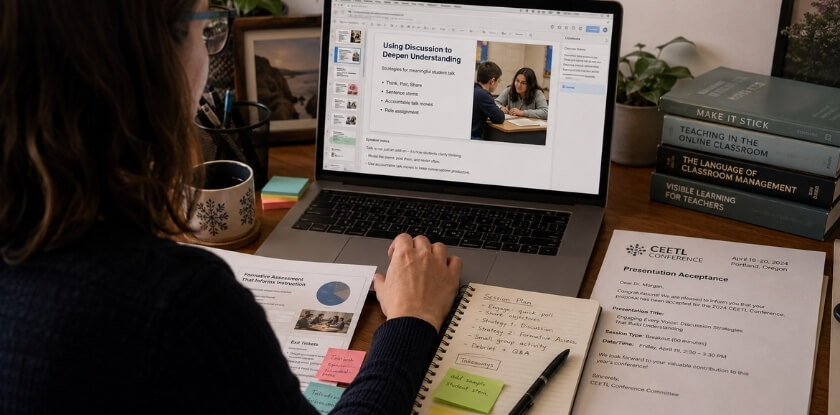
Keep slides simple: one idea per slide, large readable text, strong contrast and no wall of bullets. Your slides are not your script. Teachers spend their days among information-dense material, and a screen of small text loses them quickly.
If you find yourself shrinking the font to fit more words, split the slide instead. Victoria Thompson’s 2023 Edutopia guide uses 16-point as the smallest text size in a conference deck. Go larger for a big room and check the size from the back of the actual room if you can.
- Contrast: dark text on a light background, or light text on a dark one. Avoid grey on white, which reads poorly in uneven conference lighting.
- Fonts: two at most, one for headings and one for body text.
- Images: one strong photo or diagram can say what a paragraph cannot. Real classroom images make the deck feel grounded, but make sure no student can be identified (see the privacy section below). Generic stock photos add little.
- Charts: do not drop in a bar chart and hope. Call out the one number or trend you want people to notice, right on the slide.
- Animation: use it sparingly. A simple fade to reveal information step by step is enough.
Educators spend their days among textbooks, whiteboards, screenshares and curriculum guides, so a slide that looks like a wall of bullet points loses them faster than a restless class on a Friday afternoon. Remember that part of your audience teaches presentation skills for a living and will notice if your visual design contradicts good teaching practice. Your deck is itself a teaching tool, and it should model what you recommend.
There is no fixed slide count. The George Mason University Writing Center guide suggests around 1 to 2 minutes per slide, so a talk of about 24 minutes (how a 30-minute slot is planned in the timing section below) needs roughly 12 to 24 slides, and fewer if you run an activity. If you have 30 dense slides for that talk, each one is probably carrying too much weight. Tight, focused slides move quickly.
Run the deck on the device you will present from, ideally the conference setup. Fonts shift, embedded videos do not always play and images linked from cloud storage sometimes break. Find that out during setup, not mid-talk.
Making Your Session Easy for Everyone to Follow
Some people in the room will have low vision, hearing loss, dyslexia or English as an additional language, and you may not know who. A few habits help everyone.
- Do not rely on colour alone to carry meaning in a chart. Add labels or patterns as well.
- Describe important images aloud instead of saying “as you can see here.”
- Speak clearly and face the audience, not the screen. Repeat key terms and avoid unexplained abbreviations, since education systems use different ones.
- Bring a few copies of the handout in a larger print size, or offer the digital file so people can enlarge it on their own device.
- If you play audio or video, check whether captions are available, and ask the organiser what accessibility support the venue offers.
Creating Handouts, Resource Sheets, and Digital Links
A good handout extends your session well past the time you spend on stage. Decide early whether it will be paper, digital or both. Paper is easy to write on during an activity, while a PDF or shared document travels further and saves you carrying copies.
A useful resource sheet includes:
- A one-page summary of your framework or takeaways, in three to five points rather than an essay
- The full web addresses of any tools, articles or studies you cited, not shortened links that might expire
- A QR code linking to your slides or a resource folder
- Your contact details, and a link to your professional profile if you want to stay in touch
QR codes are worth adding even at in-person sessions, because people open a link on their phone in the moment more readily than they type one in later. A free generator such as qr-code-generator.com is enough; choose one that lets you see scan counts if you want a rough sense of interest.
Do not make the handout a transcript of your slides. It should complement the session with references, templates and frameworks. If your session includes a worksheet or activity, leave white space for notes, number the steps and test it yourself with the sheet in hand, because that is when unclear instructions show up.
When two or more people present, give one person ownership of the handout early. Shared responsibility tends to mean it gets finished at 11 pm the night before.
Hand out paper copies before you start. Passing papers around mid-talk creates noise and costs a few minutes of your time. Put them on seats or on a table by the door before anyone walks in.
Using Student Work, Data and Photos Responsibly
Never show anything that could identify a student without a clear basis for doing so. Classroom examples are what make an education talk useful, but real children and teenagers are behind them, so plan this before you build the deck.
- Remove identifiers. Take names, photos, faces, student numbers and unusual personal details off work samples, screenshots, grade books and survey results. Check the file name and the image metadata too. Indirect identifiers count as well: the US regulations that implement FERPA (34 CFR 99.3) list things such as a date of birth, and any detail that lets someone in the school community identify the student with reasonable certainty, so a sample without a name can still identify a child.
- Prefer anonymous or composite examples. You can describe a typical response in your own words, or recreate a sample in a form that belongs to no real student.
- Get permission when you do need to show real work. Written consent from parents or guardians is the norm for younger students, and for older students it is their own consent. Follow your school’s or district’s policy, and ask the school what it requires before you submit. Under the US regulations (34 CFR 99.30), a consent for disclosure has to specify the records, the purpose and who receives them, so check that a general photo release really covers a conference talk and slides you post online.
- Know whether your talk counts as research. If you collected data from students as part of a study, you may need approval from a research ethics board, and that approval comes before the conference, not after.
- Know your local rules. Privacy law differs by country and by region. In the United States, for example, the Family Educational Rights and Privacy Act (FERPA) gives parents rights over their children’s education records, and those rights pass to the student at age 18 or on entering a postsecondary school. Other countries and provinces have their own rules, and your employer’s policy may be stricter. If you are not sure, ask your school’s privacy officer or administrator before you present.
- Keep the audience out of it too. Do not photograph or record attendees, or screenshot a virtual room, without asking.
The US Department of Education’s guidance on photos and videos says whether an image is an education record depends on the case, and that schools often get parent or eligible-student consent before publishing photos. Treat that as a reason to ask your school first.
| Item | Safer approach |
|---|---|
| Student names on work samples | Black out or replace with “Student A” |
| Photos of faces | Use backs of heads, hands or work only, or have consent on file |
| Grade book or survey screenshots | Show totals or patterns, not individual rows |
| Quotes from students | Remove anything that could identify the student or the school |
| Class video clips | Do not play unless consent covers conference use |
This is general information, not legal advice. When your school or board has a media or data policy, that policy decides what you can show.
Ensuring Audience Engagement During Your Presentation
Engagement is the whole point at a teaching conference. Educators know good teaching when they see it, and they notice when it is missing.
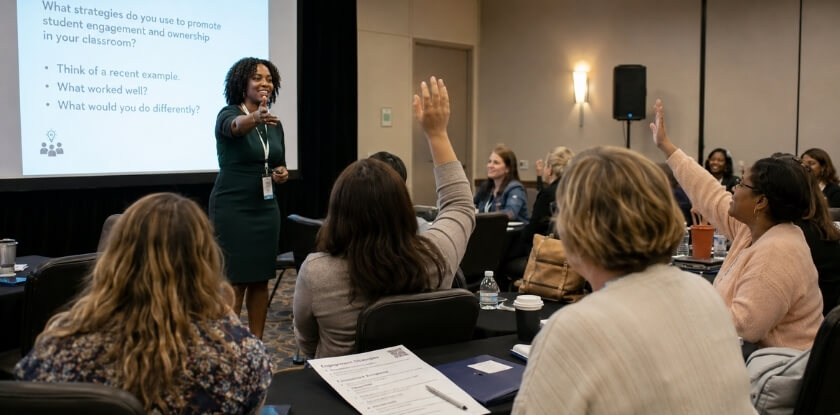
Opening Hook and Techniques to Capture Attention in the First 5 Minutes
The best slide deck in the room will not save you if you lose the audience in the first five minutes. Open with something that makes the room pay attention, not with your name and affiliation. Your badge already says who you are, so keep your greeting to the audience short and get to the hook. Three approaches work well:
Start with a provocative question. “How many of you have sat through a professional development session and thought, I could be grading papers right now?” gets an honest laugh and shows you understand the audience.
Use a real number you can source. If you quote a statistic, say where it comes from and check it first. A figure from your own classroom, such as how many students finished a task before and after a change, is often more convincing than a half-remembered national statistic.
Tell a 60-second classroom story. Give the grade level and the moment, without names. Here is an invented example: “Last October, a student in my 7th-grade English class refused to write a single word for three weeks, and what finally worked surprised both of us.” It creates a question the audience wants answered.
A sample opening for a practitioner session, with brackets for your own details:
“Raise your hand if you have ever handed back a test and watched half the class stuff it in a bag without reading it. [pause] For [length of time] I tried [strategy] with my [grade level] class, and today I will show you exactly what I did, what failed, and what I would change.”
Whatever you choose, cut everything non-essential from those first minutes: no long agenda slide and no “I’m so honored to be here.” If nerves affect your opening, rehearse it more than any other part. Confidence comes from repetition, so run your first five minutes several times before the day.
Presenting Classroom Examples So They Teach Something
A classroom example only helps if the audience can see what changed. Show the situation before, what you did, and what happened after. Use a real but anonymised piece of student work where you can, and tell the failure as well as the success. A story such as “I tried this in the first term and it fell flat, because the instructions assumed students already knew X” earns more trust than a perfect result. Finish each example with the part attendees can reuse in their own context: the prompt, the routine or the rubric line.
Keep examples close to your audience. A strategy from a Year 4 maths class may need a sentence on how it could be adapted for secondary or for adult learners, and a sentence on what resources it assumed. Say plainly when your results come from a single class, so people do not read them as proof that it works everywhere.
Using Polls, Discussions, and Hands-On Activities to Drive Active Participation
Interactive workshops and activities work because audiences remember what they do, and they leave with something they can use in their own classrooms on Monday morning. A passive audience forgets.
- Polls. In a room, a show of hands is enough. Online, Zoom and Google Meet have built-in polling, and tools such as Mentimeter or Poll Everywhere show live results. Ask something that reveals real variation, such as “How many of you have tried project-based learning in the last year?”
- Small group discussion. Two minutes with a neighbour on a specific prompt is productive, and ten minutes without a clear task is not. Set a timer, then take three or four responses. You do not need to hear from everyone.
- Hands-on activities. These need more planning and are the most memorable part of a session, because trying a strategy shifts the whole dynamic compared with just hearing about it. Let attendees try the strategy you are describing, for example by marking a sample paragraph with your rubric or sorting anonymised answers by misconception. Give them a printed sheet they can write on. With a co-presenter, one person facilitates while the other watches the room and the clock.
A sample workshop activity (10 minutes in a longer slot, 5 in a short one): give each pair a handout with three anonymised student answers to the same question, ask them to sort the answers by the misconception behind them, then take two or three answers from the room and show how you would respond. It teaches the strategy by using it, and the sheet goes home with them.
Active participation does not need an elaborate setup. It needs a session designed so the audience is doing something with the material, not just receiving it. If you run a workshop, plan the activity first and fit the talk around it.
How to Run an Effective Q&A Session
A poorly run Q&A can undermine a strong session, so treat it as a separate skill.
- Set expectations early. Say at the start whether you want questions throughout or at the end. Teaching conference slots are often tight, and holding questions until the end is safer because you will not lose your thread mid-presentation.
- Repeat each question before answering. People at the back often cannot hear, and online audio can drop words. It also gives you a few seconds to think.
- Admit what you do not know, and say how you will find out. “That is outside what I tested in my context, so I would look at X, or I can follow up with you afterward” is a perfectly good answer. Educators respect intellectual honesty and dislike bluffing.
- Watch the clock. If time is nearly up and hands are still raised, say “I have time for two more, then I will be here afterward.” That keeps you on schedule and opens the door to follow-up conversations, which is where good networking often starts.
- Have backup questions. If the room goes quiet, “Something I often get asked is…” bridges the silence.
- Do not discuss individual students. If a question asks about a specific child, answer in general terms and offer to talk about the pattern, not the person.
Time Management and Structuring Your Presentation
Running over time is an avoidable mistake. A tight presentation shows respect for your audience and makes your content land harder.
Know Your Slot Before You Build Your Session
Check the exact time you have been given and whether questions are inside it. Lengths differ between events: the George Mason University Writing Center guide gives 10 to 20 minutes as a typical conference presentation and suggests about 5 minutes of questions for a 20-minute talk, but your conference’s own instructions decide. If your slot is 45 minutes and 15 are reserved for Q&A, you are building a 30-minute talk. Plan for about 80% of the time available, so a 30-minute talk is planned as 24 minutes. The buffer absorbs slow starts, audience comments and the moment your activity runs longer than expected.
Use a Simple Three-Part Structure
A three-part structure suits almost every education conference format:
- Opening (10 to 15% of your time): your hook, the problem or question, and a quick overview of what attendees will take away
- Body (70 to 75%): two or three segments, each with one central idea
- Close (10 to 15%): key takeaways, a call to action, and how to reach your resource sheet
The usual trap is cramming too many ideas into the body, so pick fewer points and go deeper. Three ideas explained well stick far longer than eight rushed ones.
Time Each Segment During Practice
Run the whole presentation out loud at least twice before the event, standing up and clicking through your slides as you will on the day. Time each segment separately and keep the numbers on a sticky note. Here is one way to split the 24 minutes planned above, with the 15 minutes of Q&A on top:
| Segment | Minutes |
|---|---|
| Hook and introduction | 3 |
| Segment 1 | 7 |
| Segment 2 | 6 |
| Activity or poll | 5 |
| Takeaways and next steps | 3 |
| Total talk | 24 |
| Q&A (separate) | 15 |
If you present online, add a couple of minutes for slower interaction, since polls and chat answers take longer than raised hands.
Cut Ruthlessly
If rehearsal runs long, cut content instead of speeding up. Talking faster is one of the clearest signs of presenter anxiety and it hurts comprehension. Ask which segment you would drop if you had to lose one. That is usually the one that did not belong.
A slide you cover in under 60 seconds is probably not carrying its weight as a standalone visual aid, so combine it with a neighbour or remove it.
Build in Checkpoints
Know which slide you should be on at the halfway point and the three-quarter point. A countdown timer face-down on the table or a small clock on your laptop screen both work. Do not rely on a wall clock that makes you turn your back to the audience.
Managing a Team Presentation
With a co-presenter, assign segments in advance and decide in rehearsal who shortens their section if the other runs long. Keep handoffs to one sentence, such as “I will hand over to [name], who will walk you through the classroom side.” A 90-second chat between you eats into your question time.
Virtual Conference Timing Considerations
Online sessions have their own timing quirks. Platform preparation takes real time: logging in early, running audio and screen checks and waiting for attendees to arrive. Some organisers ask online speakers to join well before the session starts, so follow the organiser’s instruction and plan that into your day, not only into your session plan.
Your technical setup also affects how long the session feels. Sharing your screen slowly, losing your slides or fumbling between tabs makes a talk feel longer and less polished than it is. Run one full rehearsal on the same platform, ideally at the same time of day, to catch bandwidth problems.
What to Do If You Run Short
Running under time is less common, but it happens when an activity finishes faster than expected or when you cut too hard in preparation. Do not pad with filler. Open the floor early: “We have a few extra minutes, and I would love to hear how this looks in your own classroom.” That is more useful than an improvised extra slide.
Reducing Nervousness and Anxiety to Build Presenter Confidence
Presenter anxiety does not disappear because you are an experienced teacher. Facing a room of peers feels different from facing students, because the audience is judging your expertise, not just following your lead. Much of what you feel is anticipation, and there are practical ways to manage it.
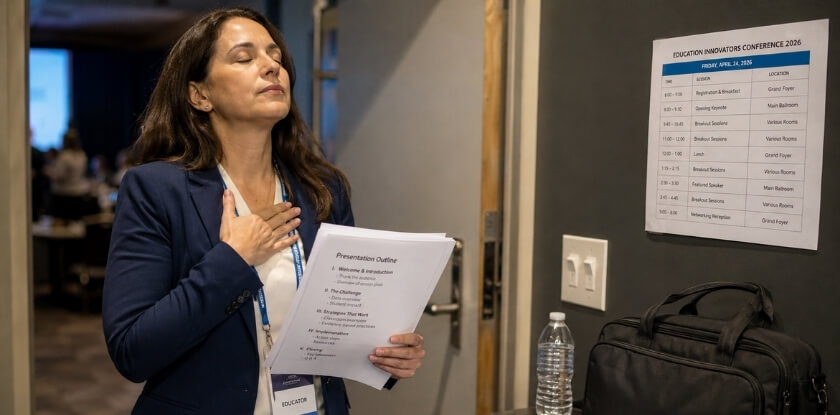
What to Do the Day Before and the Day of Your Presentation
The day before is not the time to rewrite slides. Run the whole talk out loud once, start to finish, not in your head. You will catch clunky phrasing, awkward transitions and places where your timing falls apart. Fix those specific things and stop there, because second-guessing yourself now only raises anxiety. Open the actual file on the actual device you are bringing, since fonts shift and videos fail. Count and pack your handouts and put them somewhere obvious. Arriving and finding them on your kitchen counter is a specific kind of awful. Know your room location, sort out your clothes and plan to eat something. These feel small, but they are not.
On the day, get to your room 20 to 30 minutes early, enough time to test the projector and microphone and fix problems before people walk in. AV setups vary a lot, and assuming it will work like yours at home is how presenters start late and flustered. Online, log in at least 15 minutes ahead (earlier if the organiser asks), test audio, screen share and camera, close every unneeded tab, mute your phone and turn off notifications.
Talk to a few people before you start. Brief human contact with someone in the front row genuinely reduces anxiety and moves you from performer to person having a conversation. When you begin, do not rush. Pause after your opening hook and breathe, and give the room a second to settle. A deliberate pause reads as confidence even when it does not feel that way.
Accept that something will go wrong. A slide will be out of order, the clicker will misbehave or you will lose your thread for a moment. Composed presenters are not the ones whose talk went perfectly. They expected a problem and kept going.
Benefits and Strategies of Presenting with a Co-Presenter or Team
A team presentation takes pressure off each person and brings natural variety in voice and perspective. It only works if you prepare together. Splitting the slides in half is two separate talks with a handoff in the middle.
- Divide content by expertise, not just length. If one of you teaches primary and the other secondary, let each speak to what they know best.
- Rehearse the transitions. Handoffs are where team talks fall apart. Decide who runs the activity and who handles questions.
- Assign one person to watch the room. While one presents, the other tracks the clock and the audience and signals if something needs to change.
- Online, decide who drives. One person shares the screen and the other monitors the chat. Two people trying to control the share at once creates confusion.
It also gives you someone to calibrate with: if your co-presenter looks relaxed, that really does help settle your own nerves. Having a colleague beside you also removes the feeling that every pause is entirely your fault. For newer presenters, a team presentation is often a better first experience than going alone.
Special Strategies for Presenting at Virtual and Online Conferences
Online delivery is a different format with different failure points, not an in-person talk moved to a screen. Some education conferences run online or hybrid, so check the format before you plan.
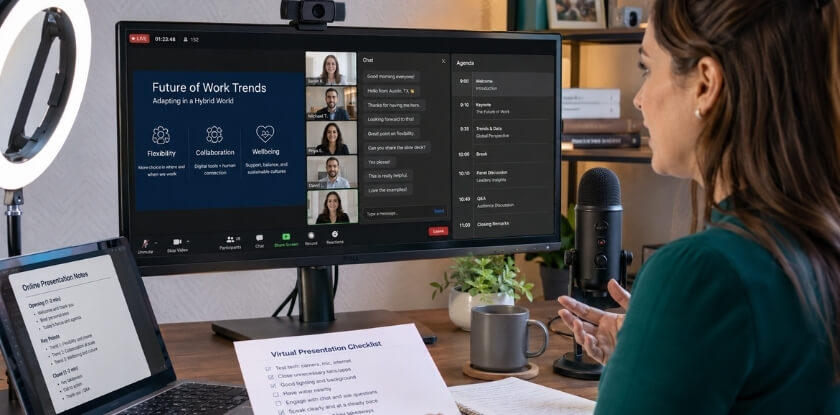
Technical Setup and Platform Preparation
Test everything and do not assume it will work on the day. Technical problems are a real risk at virtual conferences, and a backup plan is preparation, not pessimism.
- Connection: a wired ethernet connection is more reliable than Wi-Fi. If you cannot go wired, sit close to the router and close anything that uses bandwidth.
- Platform: find out at least a week ahead which one the conference uses, such as Zoom, Microsoft Teams or Google Meet, because they behave differently. Use the organiser’s test link, or ask for one.
- Audio: audio matters more than video. A USB microphone, a lapel mic or headphones with a built-in mic beat a laptop microphone, which picks up keyboard clicks and echo. Record a test the night before and listen to it.
- Lighting: face a window or put a lamp in front of you. A dark background or harsh backlight makes you hard to see.
- Screen share: know whether you are sharing the whole screen, a window or only the slides, and practise the exact sequence until it is routine. Check your desktop for anything you would not want a room of educators to see.
- Backup plan: keep a PDF of your slides in cloud storage, a phone hotspot ready and the organiser’s contact details saved where you can reach them quickly.
Specific Methods to Engage a Virtual Audience
Audience engagement is harder to see online, which makes it harder to feel.
You cannot read a virtual room the way you read a physical one. People are muted, cameras are sometimes off, and attention drifts quickly at a kitchen table. The opening hook matters even more online.
- Hook fast. Attention drifts fast online, so start with a question or a challenge, not a thank-you.
- Use polls early. Run one in the first five minutes on something tied directly to your topic, and refer back to the results later.
- Use the chat. Ask people to type an answer instead of raising a hand, give them 30 seconds and read out two or three. Wait longer for answers than you would in a room, because people need time to type.
- Use breakout rooms if the platform allows. A short activity in groups of three or four people can replace the hands-on part of a workshop. Give one question, bring everyone back and debrief, because the debrief is where the value lands.
- Pause every 10 to 12 minutes. “Take 20 seconds to think about how this connects to your classroom” lets people process and gives you a moment to check the chat.
- Share the resource link in the chat at the start, not only at the end, and pin the message if the platform allows it. Some platforms make attachments hard to open mid-session, so a link or a QR code on a dedicated slide works better.
- Get help with the chat. Ask a co-presenter or colleague to watch the chat for questions, because presenting, advancing slides, watching the chat and tracking time all at once is hard.
After the session, put your resource link in the chat before you close, invite people to connect with you, and ask the organiser whether attendees can get a recording.
Making the Most of Networking Opportunities at Conferences
Your presentation gets you into the room, and networking is what makes the trip worth it. It is easy to deliver your session and then disappear to check email in the hallway, which wastes the best chance the event gives you to meet peers.
Before the Conference Even Starts
Do a little homework first.
If the organiser publishes an attendee list or presenter lineup, pick five or six people you would like to meet: educators in your subject area, or researchers whose work you cite. Send a short message beforehand, such as “I will be presenting on X at the conference and would love to catch up if you have time.”
Bring something useful to give, such as a printed resource sheet or a QR code to your slides, rather than a card with only your name. A resource people can use on Monday morning gives them a reason to remember you.
During the Conference
Go to other people’s sessions. Obvious advice, but plenty of presenters skip it to rehearse or decompress. Attending another session gives you a natural opener: “I was in your talk this morning and had a question about how you handle…”. That is professional respect, not small talk, and it tends to go further than introducing yourself cold at a lunch buffet. When you introduce yourself, be specific about what you do, because people immediately think of whether they know someone in the same area or have met the same problems. “I am a secondary school history teacher” lands better than “I work in education.”
Right After Your Own Session
This is your best networking window, so stay 15 to 20 minutes after you finish even if the Q&A is over. People who did not want to ask in public will come to you then. Have your handout ready, ask what they are working on and let the conversation go both ways. The goal is three or four real conversations, not a pile of contacts.
If someone wants to collaborate or swap materials, be specific. “I will send you that article by Friday” is better than “let’s keep in touch.”
At Virtual and Online Conferences
Networking online takes more deliberate effort because there is no hallway, no coffee queue and no corridor chat. Use whatever the platform offers, such as chat, breakout rooms, discussion boards or community channels. Leave a genuine comment that refers to something a presenter said, which is the digital version of speaking to them after the session. Go to the informal meetups even if they feel awkward, since they are awkward for everyone. After you present, post your slides or a link to your resource sheet in the session chat or community forum with a way to reach you. This matters more online, because there is no physical reminder of the conversation.
How to Follow Up After Your Presentation
What happens in the 48 hours after your session decides whether the talk fades or leads somewhere, for you and for your attendees.
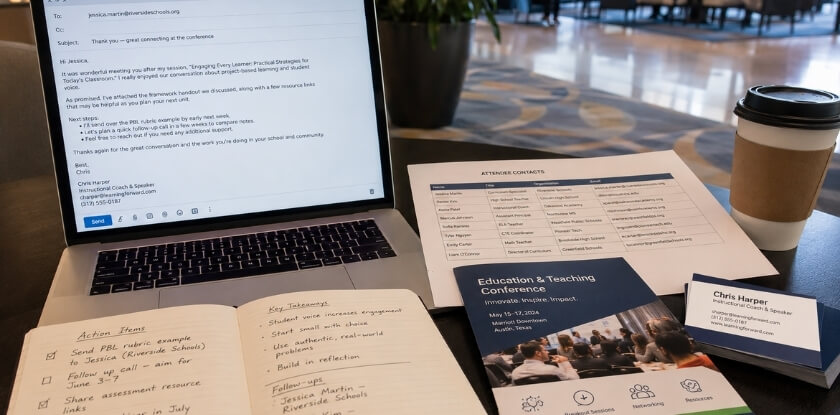
Send Your Materials Promptly
People ask for your slides and resource sheet during the Q&A and then life moves on. Aim to share them within 24 hours by uploading to Google Drive or your own site and sending the link to anyone who gave you contact details. Prepare the resource sheet before the conference so you are not formatting it afterward, and if you collected emails through a sign-up sheet or a poll tool during the session, use that list now, not three days later. If you share slides publicly, check them once more for student information.
Follow Up with Individual Connections
Send short, personal emails within 48 hours and refer to something specific. “You mentioned you had tried a similar approach with middle school students, and I would love to hear how it went” works far better than “great to meet you.” Keep it brief, since nobody wants a long email from someone they met once. Then suggest something concrete: a resource, a video call or a possible joint proposal. If you spoke with a possible co-presenter for a future conference, say so explicitly. “I think we would have a strong panel proposal if we combined our work on X” is a sentence most people are glad someone else said first.
Conferences are dense and fast. People forget conversations quickly, not because they did not value them, but because they have had dozens of them in two days. A brief, specific email is what makes you the person they remember.
Request Feedback
Conference organisers sometimes send evaluations, but you do not have to wait for them. Ask directly. A simple form with three or four questions works: what was most useful, what would you change, and would you recommend a session like this to a colleague? This feedback shapes your next proposal, and presenters who treat each session as a learning opportunity improve noticeably over time.
If you had a co-presenter, debrief together. What did you each notice from your different positions? Which Q&A questions surprised you?
Share Your Work More Broadly
If your classroom experience informed the strategies you presented, consider writing it up as a blog post, a short article for a subject association newsletter or a LinkedIn post. That extends your reach well beyond the room, and it is another reason to keep student information out of the materials you publish.
For online sessions, check whether the organisers recorded your talk. Many platforms archive sessions for registrants. If a recording exists, ask for the link, because you can reference it in future proposals and use it to review your own delivery.
From our experience at MS International: For most applicants, the route to our in-person conferences in the Greater Toronto Area is the presenting-author track: submit an abstract, full paper, case study, review paper or professional presentation, go through double-blind review (normally about 10 working days), and register as an author after acceptance. Work must not be published or under review elsewhere. Presentation lengths may vary, so your speaker confirmation and the final programme are the official sources for your slot. Speakers cover their own travel, accommodation, visa, transportation and personal expenses, and participation creates no entitlement to an honorarium, speaker fee or travel reimbursement unless MS International has agreed otherwise in writing. Keynote and invited roles are arranged separately, and buying an author registration does not create one. The moderator introduces each speaker, and approved speakers receive a certificate after presenting.
Frequently Asked Questions (FAQ)
Teachers preparing a session often wonder about handouts, co-presenting with a colleague, sharing students’ work or photos, and settling nerves right before going on.
How long should a conference presentation be?
It depends on the slot your conference gives you, so check your acceptance letter. One university writing centre guide puts conference presentations at 10 to 20 minutes. Confirm whether question time is inside the slot: 45 minutes with 15 for Q&A is a 30-minute talk.
How many slides should I use?
There is no fixed number. The George Mason University Writing Center guide suggests around 1 to 2 minutes per slide, so a 24-minute talk needs roughly 12 to 24 slides, and fewer if you run an activity. Your slides should support what you say, not script it word for word.
What if nobody asks questions during the Q&A?
Have two or three questions ready that colleagues asked or that came up while you developed the topic. Opening with “Something I often get asked is…” usually breaks the silence. A quick poll or show of hands before you open the floor can also loosen the room.
Do I need to bring handouts?
No, but a one-page resource sheet adds a lot of value. Include your key takeaways, a QR code to your slides and your contact details. It is usually more useful than a 10-page packet nobody reads. Online, put a link in the chat instead.
Can I present with someone else?
Yes. A co-presenter can share the workload and make the session more varied for the audience. Agree who covers which segment and rehearse the handoffs together, because awkward transitions are the main thing that derails co-presented talks. Check with the organiser that both names can be listed.
Can I still submit a proposal if I have little research behind my topic?
Yes, if the conference accepts practitioner sessions, and TESOL’s 2022 proposal advice lists practice-based work as one proposal focus. Read the call to see which session types are open. You need a clear problem, a tested approach and honest results, including what did not work.
How do I write a strong proposal for an education conference presentation?
State one specific problem, what you did, what attendees will take away and why this audience needs it, within the word limit. Add your relevant experience and match a strand in the call. Keep one key message in the title and abstract.
Can I show my students’ work or photos in my presentation?
Only if students cannot be identified, or you have written permission that fits your school’s policy. Remove names, faces and indirect identifiers such as a date of birth. Research data may need ethics approval first. Rules differ by country and employer, so ask your school’s privacy officer.
What is the best way to handle presenter anxiety right before I go on?
Move and breathe. Walk around instead of rehearsing your opening in a corner, which feeds the anxiety. A few slow exhales, longer out than in, calm your nervous system. Then remember that the audience chose your session and wants it to go well.
What should I do if my tech fails during a virtual conference?
Say so plainly, fix it quickly and keep going. Save your slides locally and in cloud storage, and learn how to share your screen on the platform before the session starts. Virtual audiences are used to occasional hiccups, and presenters who recover smoothly are the ones people remember.
How soon after my session should I follow up with attendees?
Within 48 hours, and share your slides or resource sheet within 24 hours if you can. Send a short, personal email that refers to your conversation. After a few days the conference buzz fades and people move on.
Conclusion: Your Next Steps After Your First (or Next) Conference Presentation
Presenting at an education conference is a real accomplishment, however smoothly it went. The question now is what you do with the experience.
Reflect Before You Move On
Do not wait a week. The day after your session, while it is fresh, write down three things that worked and two that did not. If your hook fell flat, note it. If the activity got people talking, record exactly what you did. That immediate reflection is worth more than anything you reconstruct later. Where did engagement drop, and did your timing hold, or did you rush the last ten minutes? If you had a co-presenter, compare notes, because you will each remember different moments.
Act on Your Follow-Up List
Send the promised emails within 48 hours and share any handouts you offered. If someone asked a great question that you did not answer well, follow up directly with a better answer. That kind of attention sticks with people. After an online session, check the chat log, because questions often sit there that you missed during the live talk.
Update Your Materials
Revise your slide deck and visual aids within about two weeks. Fix the cluttered slide, add the point you fumbled, and expand any topic attendees wanted more on. If the session went reasonably well, propose it again and you will have a noticeably stronger version ready.
Use This Experience to Build Credibility
A past presentation can strengthen a future proposal, because it shows you have delivered before. Your classroom experience grounds the content and your record shows you can deliver it to a room. Keep a simple log of the conference name, date, session title, rough attendance and one line on how it went.
Set a Specific Next Step Right Now
Treating a conference as a one-time event wastes what you learned. Audience engagement, time management and confidence all compound, and each session makes the next one less stressful. Did attendees ask questions that point to a gap you could cover in a future session? Did someone invite you to present at their school or district? Follow through on what you said you would do, and your next proposal starts from a better position.
Pick one concrete step before you close this page. It could be submitting a proposal to one conference in the next 90 days, finding a colleague to build a team presentation with, or practising a new opening hook before your next lesson.