The submission deadline is tomorrow and your paper is still a blank page. A hard cutoff, a half-formed idea and not enough time is a familiar spot for researchers and graduate students. Writing a complete conference paper in two days can work, provided you follow a fixed sequence instead of opening a blank document and hoping.
Quick answer: Yes, you can write a conference paper in two days, but only if your data and results already exist. Spend day one on the outline, literature review, methods, results and a rough introduction. Spend day two on the abstract, rewrite, formatting, references and a submission checklist. Two days cannot replace missing research, and you must still follow the call for papers.
Last verified against official sources: October 2026.
This guide gives an honest 48-hour plan: what to write in which order, how to keep the literature review from eating your schedule, which tools save time, and where a rushed paper usually goes wrong.
Can You Really Write a Conference Paper in 2 Days?
Yes, if you are writing up work you have already done. A deadline slips, a co-author drops out, or the research phase simply took longer than planned. Two days is tight, but it works as a focused sprint with a clear structure guiding every hour.
The key distinction is between writing from scratch and writing from existing material. With your data, your analysis and a rough sense of your argument in hand, two days is enough for a complete first submission. If you are still collecting data on day one, no amount of time-boxing will save you.
| Your situation | Is 2 days realistic? | What to do |
|---|---|---|
| Results and analysis finished, sources collected | Yes | Follow the schedule below |
| Preliminary results, rough argument | Probably, if the call accepts work in progress | Say clearly what is preliminary |
| Data still being collected | No | Request an extension or wait for the next call |
| Only an idea, no results | No | Consider an abstract-only or conceptual submission if the call allows it |
What “Two Days” Actually Looks Like
Forty-eight hours is less than it sounds once you count sleep, meals and the time your brain needs to engage with difficult material. Realistically you have somewhere between 14 and 18 focused hours. That can be enough: conference papers are short, and page limits are set by each venue (some IEEE-style calls set six pages and others allow more, so always check the call). In words, that usually lands somewhere in the low thousands, depending on the template.
Some guides advise leaving two full days before the deadline for formatting and reference cleanup. A two-day sprint has no such buffer, which is why the template goes in first and references are captured as you go.
A paper under time pressure falls apart when the writer spends the first six hours staring at a blank document, trying to write the introduction before knowing how the paper ends. A fixed research paper structure (abstract, introduction, literature review, methodology section, results and discussion, conclusion, references and citations) exists so you do not have to invent the architecture under pressure.
What You Need Before You Start
Before you open Overleaf or a Word document, three things need to be in place.
Your results. Even preliminary or partial findings give you something to build around. A conference paper is not a finished dissertation, and some calls accept work in progress, but that is the call’s decision, so read it.
Your sources. If your references are scattered across browser tabs and PDFs, spend 30 minutes getting them into Zotero or Mendeley before you write a sentence. Chasing citations mid-draft is a reliable way to blow your timeline.
The submission guidelines. Download the conference template, whether it is IEEE format, APA format or something else, and learn the page limit and figure requirements before your first writing session. Reformatting at hour 40 is a brutal way to spend your final hours.
Before You Start: 3 Questions to Ask Yourself
Three honest questions take about ten minutes to answer and save hours of false starts. Skipping them is how a two-day plan falls apart.
Do You Actually Have Enough Material?
A conference paper is not a think-piece. It needs real data, real results or a clearly defined conceptual contribution. If you are still waiting on experimental results, or your literature review has three sources instead of a dozen, two days will not be enough however well you manage your time. You would be writing scaffolding around a gap.
If you do have collected data, a working methodology and preliminary results, the paper is mostly an organization problem. That is solvable in 48 hours.
Do You Know the Target Conference’s Requirements?
IEEE format and APA format are not interchangeable. Some conferences cap papers at six pages and others allow twelve. Some require structured abstracts with labeled sections, others want a single paragraph. Some submission portals accept only PDF, others a .docx through a specific system.
Download the author guidelines first, and skim a few recent papers from the same conference to see how long they are and how they are laid out. Check the page limit, citation style, required sections and abstract type. If the conference provides an Overleaf template, clone it now and write directly into it, which removes a painful reformatting session at the end.
Do You Have a Clear, Single Contribution?
A structural trap in rushed papers is trying to say too many things at once, a sprawling argument that would need 30 pages crammed into eight. Before you outline anything, finish this sentence:
This paper shows that ___.
If that takes three attempts and still sounds vague, your contribution is not defined yet. Spend 20 minutes sharpening it, because your outline, your results framing and your conclusion all flow from that one sentence. If any of the three questions gives you pause, deal with it now instead of hoping it resolves itself mid-sprint.
The 2-Day Schedule (Hour-by-Hour Breakdown)
Two days sounds impossibly short until you break it into discrete blocks. Treat each hour as a fixed commitment with a single deliverable, not a vague stretch of “working on the paper.” The plan below assumes you start early in the morning and can put in roughly 8 to 9 focused hours each day.
| Time | Day 1 block | Deliverable |
|---|---|---|
| 8:00 to 9:00 | Outline | One sentence per section |
| 9:00 to 11:00 | Literature search | Sources saved in your reference manager |
| 11:00 to 12:00 | Literature review | Themed review draft |
| 1:00 to 3:00 | Methodology | Complete methods section |
| 3:00 to 5:00 | Results and discussion | Findings first, then interpretation |
| 5:00 to 6:00 | Introduction and rough conclusion | Structurally complete draft |
| Time | Day 2 block | Deliverable |
|---|---|---|
| 8:00 to 9:00 | Abstract | Final abstract |
| 9:00 to 10:30 | Rewrite and tighten | No placeholders left |
| 10:30 to 12:00 | Formatting | Paper in the venue’s template |
| 1:00 to 2:00 | References | Every citation matched |
| 2:00 to 3:30 | Grammar and clarity | Read-aloud pass done |
| 3:30 to 4:30 | Submission checklist | Every venue rule confirmed |
| 4:30 to 5:00 | Final read and submit | Uploaded |
Day 1: Outline, Literature Review and Rough Draft
Day 1 is about getting everything out of your head and onto the page in some usable form. You will not produce polished writing today, and you should not try to.
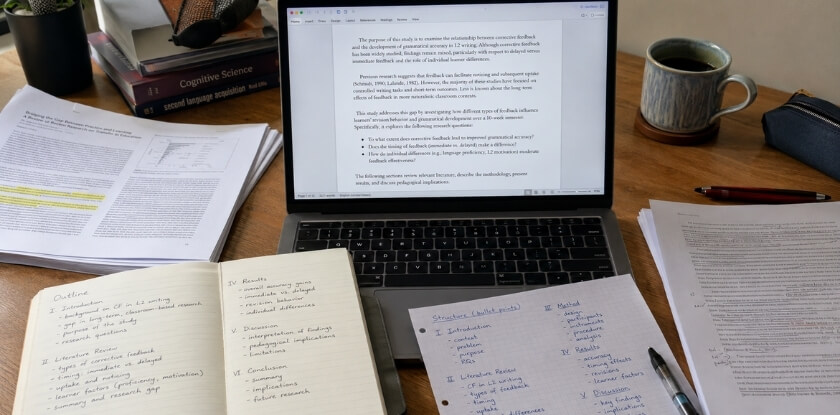
8:00 to 9:00 AM, build your outline. Before you open a single database, write your paper outline by hand or in a plain document. Sketch one sentence per section describing what yours will say specifically. The abstract is written last. This one hour saves you from wandering later.
9:00 to 11:00 AM, literature search sprint. Open Google Scholar or Semantic Scholar and find the most relevant papers on your topic. You are not reading them fully, only scanning abstracts, introductions and conclusions to pull out what each contributes to your argument. Import everything into Zotero or Mendeley as you go. Do not type citations by hand. Set a hard stop at 11:00 regardless of how many papers you have found; chasing one more source is how Day 1 disappears.
11:00 AM to 12:00 PM, write the literature review. Write it now while the papers are fresh. Aim for roughly 300 to 500 words, showing where your work fits. You are not summarizing each paper individually; group them by theme, with one paragraph per theme and two or three at most.
12:00 to 1:00 PM, lunch. An actual break. Step away from the screen.
1:00 to 3:00 PM, methodology. This is usually the easiest section to draft because you already did the work. Write in past tense and be specific about methods, dataset, tools or procedures. If you stall, use the Pomodoro technique: 25 minutes of writing, a 5-minute break, repeat.
3:00 to 5:00 PM, results and discussion. Describe your findings first, then interpret them. Keep these as two clear sub-sections even if the conference allows them to be merged. Pull in your actual data, tables and figures now so you can write around them. This section tends to be the longest, so protect the full two hours.
5:00 to 6:00 PM, introduction and a placeholder conclusion. You now know what you are arguing, so the introduction is possible. Keep it to three or four short paragraphs: the problem, why it matters and what your paper does. The conclusion can be rough, three or four sentences, and you will tighten it tomorrow.
By the end of Day 1 you should have a complete rough draft: ugly, uneven and full of [placeholder] notes, but structurally complete.
Day 2: Rewriting, Formatting and Final Check
Day 2 is where the paper becomes something you would actually submit. The goal is precision, not more content.
8:00 to 9:00 AM, write the abstract. With the full draft in front of you, the abstract nearly writes itself. Check whether the venue wants a structured abstract (Background, Methods, Results, Conclusion) or one unbroken paragraph. Abstracts commonly run 150 to 250 words, but follow the call if it gives a limit. Reviewers read it first, so spend the full hour.
9:00 to 10:30 AM, rewrite and tighten. Go section by section. Cut any sentence that does not support your argument, tighten transitions and resolve every [placeholder]. Check the flow between the literature review and methodology, because reviewers notice when those two do not connect.
10:30 AM to 12:00 PM, formatting. Apply the required format exactly as the venue states it. IEEE, APA and MLA are the most common, but always verify against the submission guidelines. If the conference provides a LaTeX template, Overleaf handles column layouts, reference formatting and figure placement far more reliably than Word. In Word, use the supplied template file as provided.
12:00 to 1:00 PM, lunch.
1:00 to 2:00 PM, references and citations. Export references from Zotero or Mendeley in the correct style. Cross-check that every in-text citation has a reference entry and the reverse. One missing reference is an easy reason to lose reviewer trust.
2:00 to 3:30 PM, grammar and clarity. Run the draft through Grammarly or a similar tool without accepting every suggestion; it can mangle technical language. Read the paper aloud, or at least mouth each paragraph. Passive voice, awkward phrasing and missing words surface immediately.
3:30 to 4:30 PM, submission checklist. Before you upload anything, check every item the conference lists: page limit, font size, figure resolution, anonymization for double-blind review and file format. Many conferences require a specific PDF export setting, and missing one can invalidate an otherwise strong submission. The full list is in the checklist section below.
4:30 to 5:00 PM, final read-through and submit. Read it once more as if you were a reviewer seeing it for the first time. If a co-author or colleague is free, ask them to read the abstract and introduction earlier in the day, since a fresh reader spots unclear passages you no longer see. Fix anything jarring, then submit and stop second-guessing.
How to Write Each Section Under Time Pressure
Start with the section that is easiest to write, not with page one. Each part of a conference paper carries a different mental load, and writing them in the wrong order will stall you. The schedule above is the default order; if your data is your strongest asset, swap results ahead of the literature review.
Results First: Why You Should Start Here
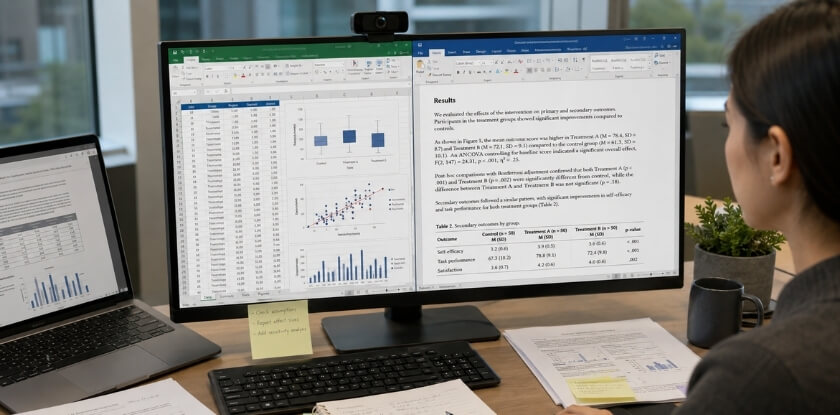
Most writers treat the results as something they will get to after the introduction is polished, and under time pressure that instinct costs hours. Your results are the fixed point around which everything else is built: the data exists and you know what it shows. Write out what you found plainly and in sequence. If your paper includes tables or figures, place them first and describe them, referring to specific numbers. Avoid interpreting too much at this stage.
Writing results first also forces clarity. If you cannot state what you found in clean, direct sentences, you need five more minutes with your data, not five more hours on the introduction.
The discussion then follows naturally: what the results mean, why they differ from or match prior work, and what limitations the reader should keep in mind. Keep it tightly scoped and anchored in your own findings.
Methodology: Completeness Over Elegance
This is usually the quickest section to draft, well inside its two-hour block. A reader needs enough detail to understand what you did and, in principle, to repeat it. Describe your data source or study population, your procedure and your analysis approach. If you used a well-documented standard method, a citation does most of the work and you do not need to re-explain established techniques from scratch.
Do not write this section from memory. Copy the relevant details from your lab records, research log or earlier drafts and edit them into prose, which can cut the time in half. In IEEE-style papers the section is often labeled “System Model” or “Proposed Approach”, but the principle is the same: be precise, be brief and cite where appropriate.
Introduction Done Fast
The introduction has one job: tell the reader what problem you address, why it matters and what your paper contributes. Three or four short paragraphs are usually enough. State the problem, acknowledge the gap in current work, state your contribution explicitly (“this paper proposes”, “presents” or “demonstrates”), and close with a sentence previewing the structure.
In a short conference paper the literature review is often folded into the introduction rather than given its own section, so check the venue’s guidelines first. Citation rules differ too: APA, IEEE and MLA each handle in-text citations differently, so set the right style in your reference manager from the start. Fixing citation format at 11 pm on day two is miserable.
Conclusion in One Focused Session
Give the conclusion no more than 30 to 40 minutes. A good one summarizes the core finding, states the practical or theoretical implication and points to future work, in two to four short paragraphs. Do not introduce new arguments or revisit the whole paper. Readers who reach your conclusion already know what you did; they want to know what to take away from it and where the work leads next. If you are stuck, read your key finding and ask what it actually means for the field; one honest answer is your conclusion.
Abstract Last, Always
Write the abstract after every other section is complete, even if the submission portal asks for it early. An abstract written before the paper is done is almost always vague, because it describes work you have not fully articulated. By then you can answer the four questions it needs to address: what the problem is, what you did, what you found and what it means.
One 25-minute Pomodoro is enough for a first draft of it, and the rest of the day 2 hour goes on refining. Use Grammarly or a similar tool for a final pass, not to rewrite but to catch awkward phrasing and basic errors. Then read it aloud once; if a sentence sounds unclear when spoken, it will read that way too.
Fast Literature Review Without Wasting Hours
Give the literature search and review a hard time limit, three hours in the schedule above (two for searching, one for writing), and a clear exit. When you write a conference paper in two days, this is where most people lose control of the schedule: you find one interesting paper, follow a citation, find three more, and two hours later you have written nothing. The fix is to treat the review as a bounded task with a hard exit, not an open-ended reading session.
Set a Time Box Before You Search
Set a timer, and when it goes off, stop searching and start writing. You are not producing a dissertation chapter. The number of sources a short paper needs varies by field and venue, so treat any figure you read, including the ones in this guide, as a rough guide and check recent papers from the same conference. A focused set of perhaps ten to fifteen well-chosen sources is a realistic target for a two-day sprint.
Use Two Tools, Not Five
Two well-used sources will give you more than enough material, so do not rabbit-hole into five different databases. Search with three or four targeted keyword phrases, skim titles and abstracts only, and skip any paper whose abstract does not connect to your argument within 30 seconds.
Organize as You Go
Open Zotero or Mendeley before you start searching. Saving each paper immediately with its full citation takes seconds; doing it retroactively when you are tired takes an hour and introduces errors. If you write in LaTeX, drop your exported .bib file into the Overleaf project early so citations link correctly from the start.
Write the Review From Notes
Do not try to read every saved paper in full. Read the abstract, introduction and conclusion, and write a single-line note on what each source contributes. Then write the review from those notes, grouped into three or four themes. That structure shows the reviewer you understand the conversation in your field.
Know When Enough Is Enough
The review does not need to be exhaustive. Its job is to show you know the key prior work, identify the gap your paper addresses and justify why your contribution matters. Once your sources do those three things, the section is done and it is time to write the methodology.
Tools That Speed Up the Whole Process
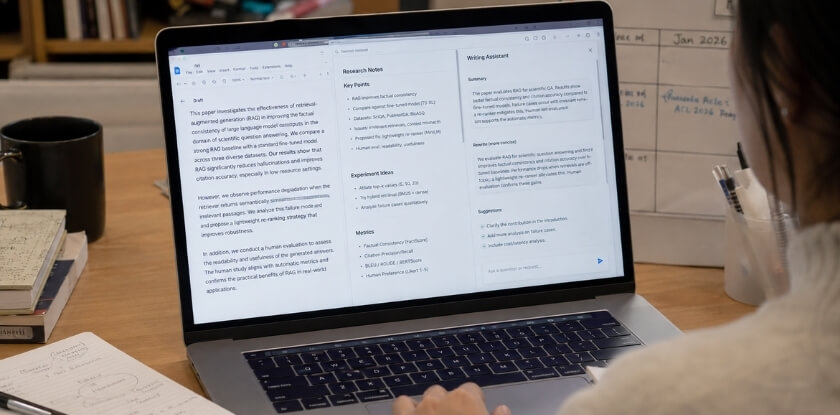
The right tools remove friction, and the wrong ones just add steps. Pick one tool per job and do not experiment during the sprint.
| Job | Tool | Use it for |
|---|---|---|
| References | Zotero or Mendeley (pick one) | One-click capture, exported bibliography in the required style |
| Writing and layout | Overleaf or Word | Overleaf if the venue wants LaTeX; Word if it accepts Word |
| Language | Grammarly (free version is enough) | Grammar slips from fast writing |
| Finding papers | Google Scholar and Semantic Scholar | Broad search, related work, “Cited by” |
| Focus | Pomodoro timer | 25 minutes of writing, 5 minutes of rest |
Reference Management: Zotero and Mendeley
Both solve the same problem: you do not want to type IEEE or APA citations by hand at midnight. Zotero’s browser extension captures a paper from Google Scholar or Semantic Scholar in one click, including title, authors and DOI. Mendeley does the same and adds a PDF reader with annotation, useful when skimming papers. Pick one. Do not use both.
Writing Environment: Overleaf or Word
If the conference requires LaTeX, which is common for IEEE-style proceedings, use Overleaf. It runs in the browser, compiles automatically and has conference templates pre-loaded, so you can search for the template and start writing without a local install. If the venue accepts Word, stay in Word. Switching to LaTeX under time pressure just to feel professional is a bad trade.
Grammar and Clarity: Grammarly
It catches the errors that appear when you write fast, such as subject-verb disagreement, missing articles and comma splices. The free version handles grammar and spelling, which is enough for a two-day sprint. Run it on each section after you finish it, not all at once at the end. Your methodology and results sections hold the most technical sentences, which is exactly where unclear phrasing causes reviewer problems.
Search Tools: Google Scholar and Semantic Scholar
Google Scholar is the default for finding papers, and Semantic Scholar is worth keeping open beside it. Its related-paper and citation-context features help you find adjacent work faster, which matters when your whole literature review has about three hours. In Google Scholar, the “Cited by” link is one of the fastest ways to find newer papers that reference a key source.
Staying Focused: The Pomodoro Technique
Time-boxed writing is a simple system that suits deadline pressure. Set a 25-minute timer, write one section or part of one, take a five-minute break, repeat. It forces you to commit words to the page, and it gives you a concrete measure of progress: if you planned four Pomodoros for methodology, you know when you are behind.
A Note on AI Writing Tools
AI tools can help unstick a sentence or tighten a clunky conclusion. They are a poor fit for your methodology or results, which depend on your actual data and analysis, and generic filler adds nothing. Policies differ by venue and change between years. The AAAI-27 author policy prohibits text generated by an LLM unless it is part of the paper’s experimental analysis, allows LLM help with editing or polishing text you wrote, and says AI systems cannot be authors. The NeurIPS 2025 LLM policy says only humans can be authors and asks authors to document LLM use that is central, novel or unusual in the method, while editing help needs no declaration. Read the target conference’s rules for its year, disclose where required, and verify every claim and citation yourself.
Conference Paper Submission Checklist
Slow down for ten minutes before you hit submit: a rushed final check misses the mistakes reviewers notice immediately, such as wrong format, missing sections or broken references. Conferences also reject papers on technical grounds that have nothing to do with research quality.
Formatting and Structure
Confirm your paper matches the call exactly: column layout, font size, margins and page limit.
Page count. Count pages in the final PDF, not in your editor, because Overleaf and LaTeX can shift pagination after final compilation. If you are over by half a page, tighten the results and discussion before cutting methodology.
Section order. The standard sequence is abstract, introduction, literature review, methodology, results and discussion, conclusion, references. Some venues want acknowledgments before references.
Figures and tables. Every figure needs a caption below it and every table a caption above it. Each one must be referenced by number in the text.
Abstract and Keywords
Your abstract must stand alone: someone reading only the abstract should understand what you did, how and what you found. If the venue requires labeled fields, confirm they are present. Keywords usually go directly below the abstract. Use the terms your audience actually searches for, and check a few relevant papers on Google Scholar to see the language used in your area.
References and Citations
This is where last-minute errors pile up. Match every in-text citation to a list entry, then check that every list entry is cited. Export the bibliography fresh from your reference manager instead of editing it by hand; manual edits introduce inconsistencies, especially in IEEE format with its strict author-name and journal-abbreviation rules. Keep one style throughout: mixing APA punctuation with IEEE numbering looks careless.
Language and Readability
Grammar tools flag passive voice aggressively, but academic writing uses it by convention in places, particularly methodology. Fix genuine errors and ignore style suggestions that conflict with your field’s norms. Read the abstract and conclusion aloud, and rewrite any sentence you stumble over.
File and Submission Details
File format. Most conferences want a PDF. If they collect source files for proceedings, check whether they want the LaTeX source, the .docx or both.
File name and metadata. Some systems require a naming convention. For double-blind review, remove your name from the text, the acknowledgments and the file metadata, and avoid citations that reveal who you are, such as “in our earlier work”.
Author information. Names, order, affiliations and country must match what the conference system expects. Errors here cause administrative headaches after acceptance.
Submission system. Log in before the deadline and check the upload renders correctly in any preview.
Extras. Individual conferences add their own requirements, such as ethics statements, conflict of interest disclosures, cover letters or supplementary materials.
Final Sanity Check
Read the checklist published by the conference itself, if one exists, since it overrides any general list. Submit with at least an hour to spare. Portals slow down or fail in the final hour before a deadline, and you will not be the only person racing to finish.
Common Mistakes When Writing Under Deadline
Pressure pushes writers toward a few predictable errors. Most are covered in the steps above, so the sections below add only what is new and the table at the end lists the rest.
Trying to Perfect the Introduction First
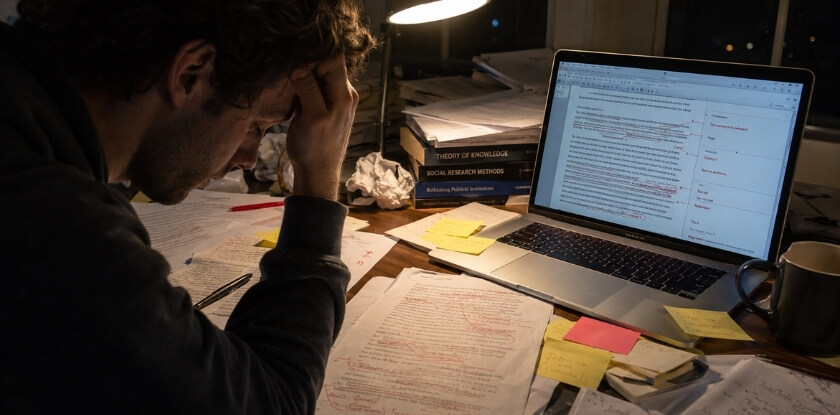
A lot of writers stall here for hours. The introduction depends on knowing what your paper actually argues, and you will not fully know that until the body is written. Write a rough placeholder of two or three sentences stating your topic and contribution, move on, and polish it once everything else is done.
Conflating Results with Discussion
These are separate intellectual tasks. Results describes what you found; discussion explains what it means, why it matters and how it connects to the existing literature. Many rushed papers mash them into one rambling section that does neither job well. Even if the conference allows a combined section, keep the two functions distinct: report first, interpret second.
Treating Grammarly as a Final Proofreader
Running a grammar tool at the very end is not a proofreading strategy. By then you are too close to the text to judge its suggestions, so you either accept changes automatically or dismiss them all. Use it during drafting, section by section, so errors do not accumulate.
Abandoning the Pomodoro Technique Under Panic
Time-boxed writing works because it prevents the open-ended, anxious sitting that feels like work but is not. When the deadline feels close, the temptation is to drop all structure and grind with no breaks, which wears focus down. Stick to 25 focused minutes and a 5-minute break even when it feels counterintuitive; it keeps the hours you have usable.
Skipping the Submission Checklist
Conferences can reject papers on technical grounds: wrong file format, missing author information, page limit exceeded, figures not embedded correctly. These have nothing to do with research quality, and a careful pass in the final hour catches what a tired writer misses after two days.
Other Mistakes at a Glance
| Mistake | Why it hurts | Fix |
|---|---|---|
| Skipping the outline | You repeat yourself, forget the research question, or find on day two that methods and results do not match | Spend the first hour mapping sections; it can save hours of restructuring |
| Over-citing without reading | Reviewers notice citations that do not support the claim they are attached to | Cite fewer sources you actually read |
| Ignoring formatting until the end | Leaving it all for the last hour is a reliable way to miss requirements | Check the style guide on day one and apply the basic structure as you write; a LaTeX template handles most of it |
| Treating the abstract as an afterthought | Reviewers read it first, so it shapes their first impression | Keep the full day 2 hour for it, after the body is complete |
Honest Limits: Integrity Rules and What Happens After You Submit
A fast paper still has to follow the same integrity rules as a slow one. Never fabricate data or citations, get every co-author’s approval before submitting, and do not recycle text you do not have the right to reuse. Do not send the same work to two venues: conferences, including ours, generally require that the work is not already published or under review elsewhere.
From our experience at MS International: We run a double-blind review and ask authors to follow APA format. Full papers normally run four to twelve pages including tables, figures, references and appendices, and decisions usually come in about 10 working days. The work must not be published or under review elsewhere. After acceptance, authors must complete author registration before presenting, and accepted papers presented in person may be considered for conference proceedings where applicable. Terms differ by event, so read the submission page of your conference.
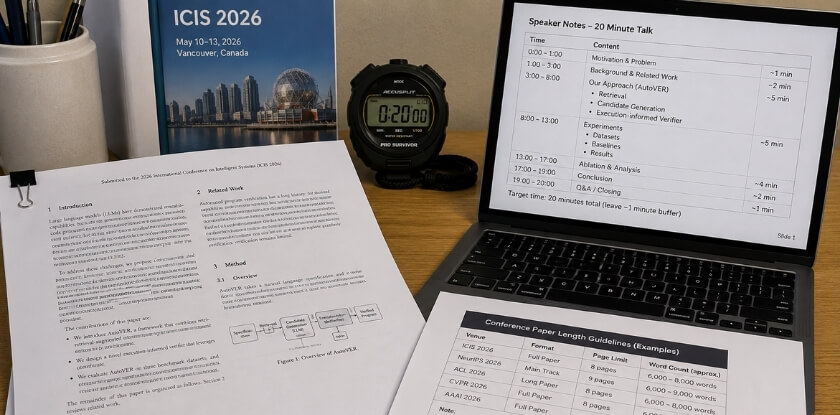
If your paper is accepted, plan the talk too. A rule of thumb often given for papers read aloud is about two minutes per double-spaced page, so a 20-minute slot fits roughly 9 to 10 pages. Slide-based fields work differently, so check the format your session uses. Many conferences charge presenters a registration fee, and some reduce or waive it. Check the call for the actual terms.
FAQ
Writing against a 2-day deadline forces quick calls on the literature review, finding sources fast, Overleaf or a word processor, AI writing tools and working without results.
Can I submit a paper I wrote in 2 days to a serious conference?
Yes, if the research itself is solid. Reviewers judge your methodology, findings and argument, not how long you spent writing. A focused sprint on well-prepared research can beat a month of scattered drafting.
How long should a conference paper be?
It depends on the venue. Page limits are set by each call, and about six pages is common for IEEE-style conferences, with others allowing up to twelve. Check the limit on day one.
Do I need a full literature review?
No. A conference paper needs enough context to justify your work and place it in the existing conversation. Roughly ten to fifteen well-chosen, actually read sources is a realistic target, but check recent papers from the same venue.
What is the fastest way to find sources?
Search Google Scholar and Semantic Scholar by keyword, filter by year, and favor recent, highly cited papers. Save each source straight into Zotero or Mendeley so formatting the references later takes minutes.
Should I use Overleaf or a word processor?
Use Overleaf if the conference requires LaTeX or provides an Overleaf template. If it accepts Word or PDF without a specific template, use whatever you are faster in.
Can I use AI writing tools?
It depends on the venue, so check its policy first. AAAI-27, for example, prohibits LLM-generated text outside experimental analysis but allows editing help, and neither AAAI nor NeurIPS allows AI as an author. Generating your methodology or results is outside academic integrity norms.
What if I don’t have results yet?
Then two days is not enough. You cannot write a results section without results. That is a research readiness issue, not a writing one. Ask for an extension or target the next deadline.
Which citation format should I use?
Use whatever the conference specifies. IEEE is common in engineering and computer science, APA in social sciences and education, and MLA is less common in technical venues. If the call is silent, check previous proceedings.
Can I send the same paper to two conferences at once?
No. Most conferences, including MS International, require that the work is not published or under review elsewhere. Wait for a decision, or submit different work.
What is the biggest mistake people make under deadline?
Starting with the parts that depend on the finished paper, the introduction and the abstract. Write the body first, then the introduction, and the abstract last, as in the day 2 schedule.
Final Thoughts
Two days is tight but workable if you treat the paper as a sequence of small tasks. The hour-by-hour structure, the time-boxed blocks and the capped literature review are not shortcuts. They are a more disciplined version of how good academic writing gets done under any deadline.
Once you have submitted, save your outline, your reference library and your Overleaf project. The next paper will go faster because the scaffolding is already in place.