EasyChair vs OpenReview vs CMT — Submission Systems Compared

Picking the wrong conference submission system can cost you weeks of setup time, frustrate your reviewers, and leave authors questioning the professionalism of your event before a single paper is even read. If you are trying to decide between EasyChair, OpenReview, and CMT — also known as the Conference Management Toolkit, backed by Microsoft — you are not alone. Thousands of program chairs face this exact choice every year, and the platforms look deceptively similar on the surface until you are deep into configuration and realize one of them does not support your workflow.

Quick answer: EasyChair is a solid starting point for smaller CS conferences thanks to its freemium model and familiar interface, though its UI shows its age. OpenReview was built specifically for open peer review and double-blind review transparency, making it the platform of choice for high-profile venues like NeurIPS, ICLR, and ICML. CMT is free, Microsoft-backed, and genuinely excels at managing large multi-track conferences with complex reviewer assignment needs — but it comes with a learning curve that catches organizers off guard.

This comparison covers every practical angle a researcher or program chair needs before committing to a platform. By the time you finish reading, you will have clear answers to these questions:

  • Which platform handles double-blind review and open-access publishing requirements better?
  • How does pricing and the freemium model compare across all three?
  • Which system integrates with DOI assignment, Scopus indexing workflows, or tools like Smart CFP?
  • How do AI-powered features stack up between EasyChair, OpenReview, and CMT?
  • What are the real data privacy risks with each platform?
  • Which one actually scales for a multi-track conference without breaking your committee’s sanity?
  • Which platform is best for ICLR-style or NeurIPS-style open peer review transparency?
  • What do authors and reviewers actually experience on each system — and does it affect submission rates?

EasyChair, OpenReview, and CMT — Key Differences at a Glance

Three platforms. One job: get your paper from submission to decision without losing your mind. But EasyChair, OpenReview, and CMT (Microsoft’s Conference Management Toolkit) handle that job in very different ways, and picking the wrong one can create real headaches for both organizers and authors.

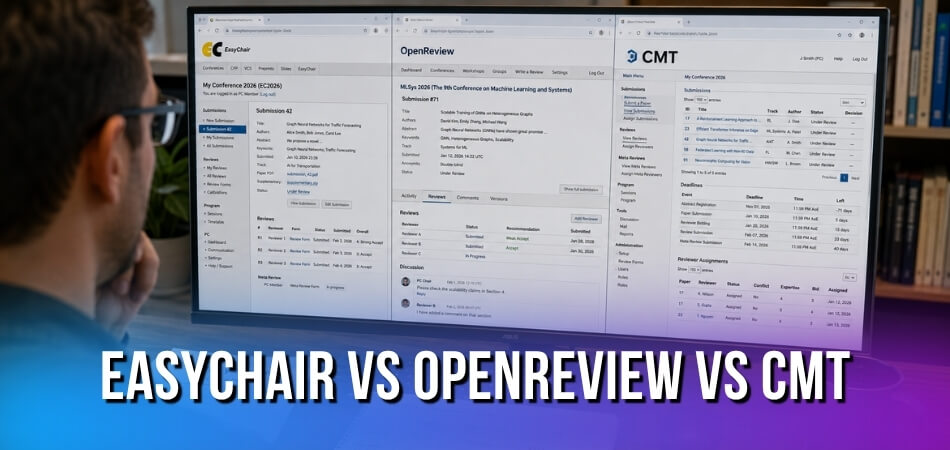
EasyChair vs OpenReview vs CMT

Here’s the short version before we go deeper.

Feature / QuestionEasyChairOpenReviewCMT (Microsoft)
Who runs it?Independent (Andrei Voronkov)MIT-backed nonprofitMicrosoft Research
Free to use?FreemiumFreeFree
Open peer review supported?NoYes (native)No
Double-blind reviewYesYesYes
Multi-track conference supportYes (Pro)YesYes
Used by NeurIPS / ICML / ICLR?Historically NeurIPSICLR, now NeurIPSICML, others
Data privacy / hostingEU-hosted optionUS-based serversMicrosoft Azure
Best forMid-size academic conferencesOpen-access, ML-focused venuesLarge-scale, enterprise-style events

A few things worth unpacking from that table.

EasyChair has been around since 2002. It’s the default choice for a huge chunk of academic conferences simply because it’s familiar. The freemium model means basic submission management is free, but anything serious — like Smart CFP, advanced analytics, or multi-track management at scale — sits behind the paid tier. Scopus integration and DOI assignment workflows are also part of the premium offering.

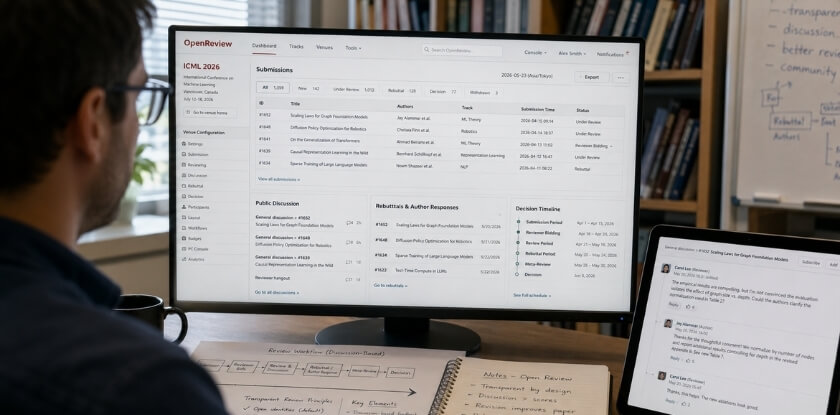
OpenReview is a different animal entirely. It was built specifically to support open peer review, which is why ICLR adopted it early and hasn’t looked back. Submissions, reviews, and author responses can all be publicly visible — by design. That transparency is either the whole point or a dealbreaker, depending on your community’s norms. For machine learning venues prioritizing open-access ideals, it fits naturally.

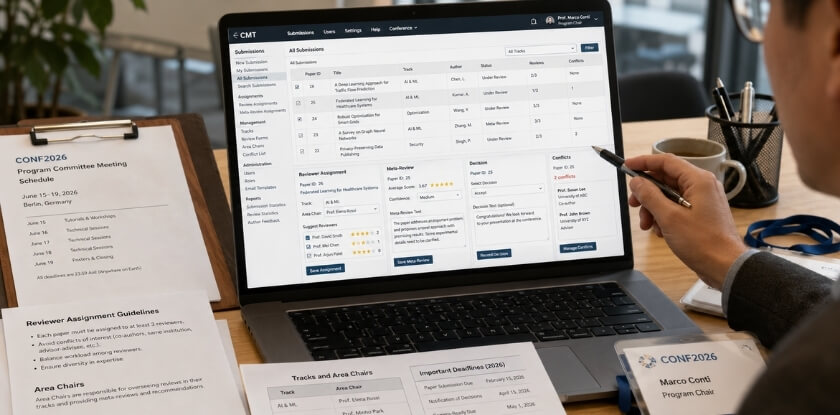
CMT is Microsoft’s entry. It’s free and handles genuinely large conferences without breaking a sweat, which is why ICML and similar high-volume events have used it. The interface is dated — nobody’s going to argue otherwise — but the feature depth is real. If you need granular reviewer assignment controls, conflict-of-interest management, and the ability to handle thousands of submissions across multiple tracks, CMT delivers that without a licensing cost.

The AI-powered features angle is worth a quick note too. OpenReview has been adding automated paper matching and reviewer recommendation tools. CMT has its own assignment algorithms. EasyChair’s Smart CFP does some automated call-for-papers matching. None of them are dramatically ahead of the others here yet, but OpenReview is moving fastest in this direction given its community base.

One thing that doesn’t show up cleanly in any feature table: culture fit. Your reviewers already have accounts somewhere. Your program committee chairs have preferences. The “best” system is often the one your community will actually use without complaining in the Slack channel for three weeks.

EasyChair — Detailed Overview and Core Features

EasyChair has been around long enough that most researchers encounter it before they encounter anything else. It’s the default. The one your supervisor probably used. The one listed in half the CFP announcements you’ve seen on mailing lists. But familiarity isn’t the same as being the right fit, so let’s look at what it actually offers.

History of EasyChair and Its User Base (2002 to Present)

EasyChair was built by Andrei Voronkov, a computer science professor at the University of Manchester, and launched around 2002. It started as a practical tool for managing the submission and review process for computer science conferences — not a commercial product, just something that solved a real problem.

It grew almost entirely by word of mouth. Conference organizers used it, told other organizers, and two decades later it’s handling submissions for tens of thousands of events per year across virtually every academic discipline. Not just CS anymore — you’ll find it used in linguistics, engineering, philosophy, and medical research.

The numbers are significant. As of recent years, EasyChair reports over 700,000 registered users and has processed submissions for more than 50,000 conferences and workshops. That’s not marketing copy — those figures come from their own platform stats page, and they explain why EasyChair became the reference point that other academic conference submission systems are measured against.

It supports double-blind review, multi-track conference management, discussion forums between reviewers, and delegation of area chair roles. The core workflow — author submits, program committee member reviews, chairs decide — is solid and well-understood by the research community.

What Is EasyChair’s Smart CFP Feature and How Does It Work?

Smart CFP is EasyChair’s call-for-papers tool, and it does something genuinely useful. Instead of organizers writing a CFP from scratch and posting it everywhere manually, Smart CFP generates a structured, machine-readable call for papers and distributes it through EasyChair’s own indexing system.

Here’s the practical side. When you create a conference on EasyChair and enable Smart CFP, the system produces a page for your event that’s formatted in a way that aggregation services can parse automatically. Researchers searching for relevant conferences can find it through EasyChair’s discovery interface. It also assigns a persistent URL to the CFP.

For conference organizers, this matters because visibility is a real problem. A CFP buried in a mailing list archive is easy to miss. A structured, indexed CFP that appears in search results is not. Smart CFP doesn’t guarantee discovery, but it improves the odds without requiring extra effort from the organizing committee.

What it doesn’t do: it won’t push your CFP to Scopus, DBLP, or any external academic database. The distribution stays within EasyChair’s own ecosystem and whatever sites scrape it. If you want your event listed elsewhere, you still have to do that manually.

Is EasyChair Scopus Indexed? — Clearing Up the Confusion

This question comes up constantly in researcher forums, and the short answer is: EasyChair itself is not Scopus indexed, and it never claims to be.

Scopus indexes journals and conference proceedings — actual publications — not the platforms used to manage submissions. EasyChair is submission management software. It handles the logistics of peer review. What happens to the accepted papers after that — whether they appear in a Scopus-indexed proceedings volume — depends entirely on the conference organizers and their publishing arrangements, not on EasyChair.

The confusion usually comes from two places. First, many Scopus-indexed conferences use EasyChair for submission management. So researchers see “submit via EasyChair” in a CFP and assume EasyChair indexing implies Scopus indexing. It doesn’t. Second, some predatory or low-quality conferences deliberately imply a connection that doesn’t exist, listing “EasyChair submissions” alongside vague claims about indexing.

If you’re submitting to a conference and want to know whether the proceedings will be Scopus indexed, check the publisher — IEEE, Springer, ACM, Elsevier — and verify directly on Scopus’s source list. EasyChair’s involvement tells you nothing about that. The platform managing your submission and the venue publishing your paper are completely separate things.

Papers submitted through EasyChair don’t automatically receive a DOI either. DOI assignment happens at the publication stage, handled by whoever publishes the proceedings.

EasyChair Pricing Model — From Freemium to Paid Plans

EasyChair runs on a freemium model. The free tier is genuinely functional — you can run a small conference, manage submissions, assign reviewers, and collect decisions without paying anything. That’s a big reason it became so widespread. In the early years, it was free for everyone, full stop.

Paid plans came later. EasyChair now offers several tiers — their terminology has changed over time, but the structure is roughly: a free tier with basic functionality, and paid plans that unlock higher submission limits, additional features like conference cloning, priority support, and access to more advanced program committee tools.

Pricing is not publicly listed in a fixed table on their site. You typically need to contact them or see pricing through the conference setup flow. Costs scale with the size of the event. A small workshop might cost very little even on a paid plan, while a large multi-track conference with thousands of submissions would be priced higher.

Plan TypeWhat You GetCost Model
FreeBasic submission management, small event support, limited tracksFree
Paid (mid-tier)Higher submission limits, more tracks, conference cloningPaid — contact for pricing
Paid (large event)Full feature access, priority support, large-scale conference toolsPaid — scales with event size

EasyChair has faced criticism for the transition away from fully free access. Organizers running annual community conferences with no budget found themselves needing to pay for features they previously had for free. That friction has pushed some communities toward CMT (Conference Management Toolkit) from Microsoft, which remains free for academic use, or toward OpenReview, which is free and open-access by design.

If you’re running a small, single-track workshop, the free tier is probably enough. If you’re managing something like a mid-sized conference with multiple tracks, parallel review workflows, and hundreds of submissions, expect to move to a paid plan.

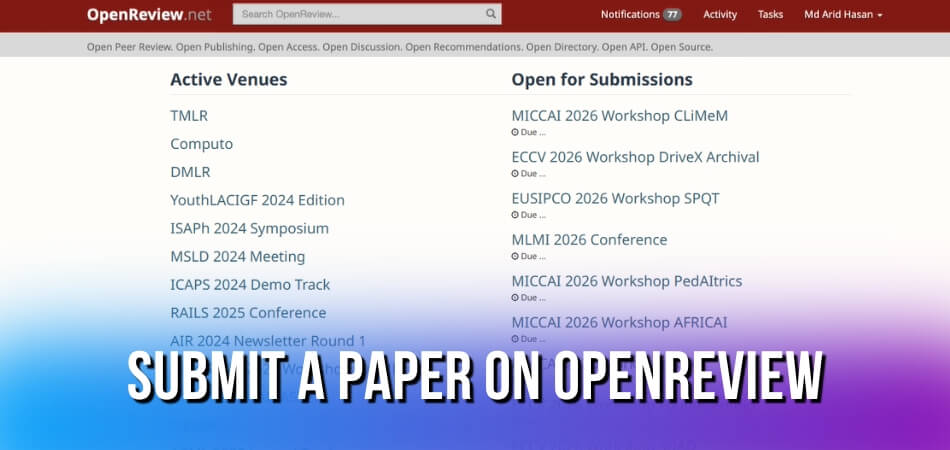
OpenReview — Detailed Overview and Core Features

OpenReview launched in 2013 out of MIT and UMass Amherst, originally as a research project exploring what happens when peer review stops being a black box. That origin story matters because it explains everything about how the platform behaves today. Transparency isn’t a feature bolt-on — it’s the founding principle.

OpenReview — Detailed Overview and Core Features

The platform is free to use. No licensing fees, no per-submission charges. It’s hosted at openreview.net, and the codebase is open-source, which means technically savvy organizers can self-host if they want full control. Most don’t bother, but the option exists.

OpenReview’s Open-Access and Transparency Policy

The default behavior on OpenReview is to make submissions, reviews, and author responses publicly visible. That’s a deliberate design choice, not an oversight. Anyone with internet access can read a paper submitted to an OpenReview-hosted conference, along with the reviewer comments and the authors’ replies — even before the paper is formally accepted anywhere.

This is unusual. Most academic conference submission systems treat peer review as a private negotiation between authors and reviewers. OpenReview treats it as a public record.

The practical implications are significant. Researchers can cite pre-review versions of papers. Other researchers can comment on submissions during the review period. Rejected papers don’t disappear — they stay in the public record unless the venue specifically configures otherwise. Some authors find that uncomfortable. Others see it as a feature, since even a rejected paper with strong reviewer comments signals quality work to the community.

Venues do have configuration options. You can restrict public visibility during the review period and only open the forum after decisions. Some conferences disable public commenting entirely. So “open by default” doesn’t mean “rigidly open regardless of what you want” — it means you actively choose how open you want to be rather than defaulting to total opacity.

OpenReview integrates with open-access publishing workflows better than the alternatives. A paper posted on OpenReview gets a persistent URL, which functions similarly to a DOI in practice, even if it isn’t technically registered with a DOI-issuing authority. Some venues issue proper DOIs through Scopus-indexed proceedings separately; OpenReview handles the discussion layer.

Why NeurIPS, ICML, and ICLR Choose OpenReview

The three flagship machine learning conferences — NeurIPS, ICML, and ICLR — all use OpenReview. That’s not a coincidence. The machine learning community has been unusually vocal about peer review reform, and OpenReview’s transparency model aligns with that culture.

ICLR was actually the conference that pushed OpenReview into mainstream visibility. Starting around 2013, ICLR used public peer review as a deliberate experiment, inviting community discussion on submissions. It worked well enough that other major venues followed.

NeurIPS moved to OpenReview more recently, bringing with it one of the largest submission volumes in computer science — often over ten thousand papers per cycle. That scale matters when you’re evaluating a platform. OpenReview has handled it without collapsing, which says something about the infrastructure.

ICML followed a similar path. The consistency across these three conferences means that if you’re a researcher in machine learning, you almost certainly already have an OpenReview account and understand the workflow. There’s genuine network value in that familiarity.

For organizers outside machine learning, the endorsement from these conferences carries weight but doesn’t automatically translate. OpenReview is well-suited for multi-track conferences with large reviewer pools and a culture of open discussion. It’s a heavier lift to configure than EasyChair for a small 100-paper venue that just needs basic submission management.

Blind Review and Double-Blind Review — How They Work on OpenReview

OpenReview supports both blind review and double-blind review, and the implementation is more nuanced than most platforms offer.

In a standard blind review setup, author identities are hidden from reviewers. OpenReview handles this by separating the author-visible submission from the reviewer-visible version — authors upload their paper, and the system strips identifying metadata before reviewers access it. Standard stuff.

Double-blind review goes further: authors don’t know who reviewed them, and reviewers don’t know who authored the paper. OpenReview supports this fully. The tricky part with any double-blind system is enforcement — you can’t technically prevent an author from posting their paper on arXiv before the review period and effectively de-anonymizing themselves. OpenReview doesn’t solve that problem; no platform does. But the system itself keeps the reviewer assignments confidential until the venue decides to release them.

Where OpenReview gets interesting is its concept of “anonymous identities.” During a live review period, reviewers often appear as “Reviewer 1” or “AnonReviewer3” rather than by name. Authors can reply to these anonymous reviewers in the forum thread. After the review period closes, some venues choose to de-anonymize reviewers — making the full conversation public with real names attached. Others keep reviewers permanently anonymous. The venue chair configures this.

Public commenting during the review period is a genuine differentiator. Outside researchers can post comments on submissions visible to everyone, including authors and reviewers. This doesn’t happen in EasyChair or CMT. Whether that’s useful or chaotic depends entirely on your community. For ICLR, it’s worked well. For a smaller niche conference, unsolicited public comments from outside reviewers can muddy the process.

The review forms on OpenReview are fully customizable through a JSON-based schema. Program chairs define the exact questions reviewers answer, the rating scales, the confidence scores, and the structure of meta-reviews. This level of customization is genuinely powerful, though it requires someone on the organizing team who’s comfortable with structured configuration files. There’s no drag-and-drop form builder.

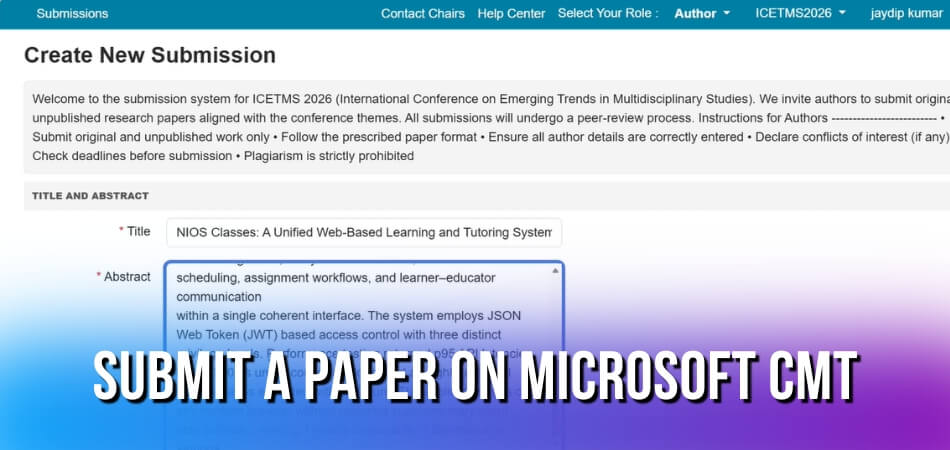
CMT (Conference Management Toolkit) — Detailed Overview and Core Features

CMT started life as an internal Microsoft Research tool. Over time it became one of the most widely adopted free conference management platforms in academic computing, particularly for large-scale events where the submission volume would make a commercial system expensive fast. It’s free to use, it runs on Microsoft infrastructure, and it handles conferences with thousands of submissions without breaking a sweat.

CMT (Conference Management Toolkit) — Detailed Overview and Core Features

If you’ve ever submitted to a top-tier machine learning or AI venue, you’ve almost certainly used it. NeurIPS ran on CMT for years. So did many affiliated workshops. That history matters — the platform has been stress-tested at a scale that most academic conference submission systems never approach.

Microsoft-Backed CMT: Infrastructure and Scalability

The Microsoft backing isn’t just a marketing footnote. CMT runs on Azure, which means the uptime and server capacity aren’t tied to a small academic team’s budget or a university’s IT department. During peak submission windows — the 48 hours before a major deadline — this actually matters. Systems built on lighter infrastructure can slow to a crawl. CMT generally doesn’t.

Accounts are tied to Microsoft accounts, which is either convenient or slightly annoying depending on your institution’s setup. Researchers who already use Outlook or Azure Active Directory have a smoother onboarding experience. Everyone else adapts quickly enough.

Storage and file handling are solid. CMT supports PDF uploads, supplementary materials, and author rebuttal documents without file-size headaches that plague smaller platforms. There’s no hard cap on the number of submissions per conference that would realistically affect an academic event.

Data privacy is a legitimate concern with any cloud-hosted academic system. CMT stores data on Microsoft servers, so if your institution or funding body has strict data residency requirements — particularly under GDPR — you’ll want to check the current data processing agreements before committing. Microsoft does maintain compliance certifications, but it’s worth running that by your institution’s data governance team, not just assuming it’s fine.

The admin interface is functional rather than beautiful. It’s dense. New chairs sometimes find the initial setup unintuitive, particularly around permission structures. But once you’ve configured a conference once, the logic clicks and subsequent events are faster to set up.

Why CMT Leads in Multi-Track Conference Management

This is genuinely where CMT pulls ahead. Multi-track conference management is complicated — you’re dealing with separate submission pools, different program committees per track, independent review assignments, and often different deadlines across tracks. Trying to run all of that through a system not designed for it creates administrative chaos.

CMT handles multi-track conferences natively. You can define tracks at the outset, assign separate area chairs and reviewers to each, and run independent bidding processes per track. Notifications, deadlines, and decision workflows can all be configured separately per track without them bleeding into each other. That’s not a given with every system.

Review assignment is one of the stronger features. CMT supports conflict-of-interest detection, reviewer bidding, and both automated and manual assignment. For double-blind review, the system handles author anonymization at the submission level — authors are hidden from reviewers during the review phase, which is standard practice at most major conferences now. It doesn’t support open peer review natively, which is a deliberate design choice reflecting the traditional conference model most of its users follow.

The reviewer scoring and discussion interface is straightforward. Reviewers see the paper, enter their scores across configurable criteria, and can participate in a discussion phase. Area chairs see aggregated scores and have a separate interface for making recommendations to program chairs. It’s a clean separation of roles.

One thing CMT does well that often gets overlooked: the author response (rebuttal) system. It’s configurable, it handles the timing precisely, and it’s been used at conferences where the rebuttal phase is genuinely high-stakes. Authors can respond within character limits set by the chairs, and those responses are visible to reviewers and area chairs in context.

CMT doesn’t integrate with Scopus or generate DOIs — that side of post-conference publishing is handled separately, usually through the publisher’s own systems (ACM, IEEE, Springer, etc.). The Conference Management Toolkit is focused on the submission-to-decision pipeline, not on what happens after acceptance. It doesn’t offer Smart CFP features or AI-powered features for reviewer matching in the way some newer platforms are starting to. What it offers is a proven, stable, free system that handles volume and complexity well.

For smaller single-track workshops or events that want open-access publishing integrated into the workflow, CMT isn’t the obvious first choice. For a large multi-track conference, particularly in computing or AI, it’s hard to argue against.

Side-by-Side Comparison — EasyChair vs OpenReview vs CMT

This is where the rubber meets the road. Below is a feature-by-feature breakdown across the three platforms. Use it to quickly see where each system wins, where it falls short, and where you’ll hit a paywall.

FeatureEasyChairOpenReviewCMT
Free to useFree tier (freemium)Fully freeFully free
Hosting modelCloud (EasyChair servers)Cloud (OpenReview servers)Cloud (Microsoft servers)
Open-source codeNoYesNo
Double-blind reviewYesYesYes
Open peer review supportLimitedYes (core feature)No
Multi-track conference supportYes (Pro)YesYes
Author rebuttal phaseYesYesYes
Public review visibilityNoYes (configurable)No
Custom submission formsYesYesYes
DOI assignmentNo (external)No (external)No (external)
Scopus indexing supportIndirectIndirectIndirect
AI-powered featuresNoLimitedNo
Smart CFP toolsNoNoNo
Data privacy / GDPR controlsBasicModerateMicrosoft policy
API / programmatic accessLimitedYes (REST API)Limited
Large-scale venue supportYesYes (NeurIPS, ICML, ICLR)Yes
Technical setup requiredLowLow-to-moderateLow
Vendor / institutional backingIndependentMIT / communityMicrosoft
Pricing modelFree + paid tiersFreeFree

A few things worth unpacking here.

  • DOI and Scopus — none of these platforms natively assign DOIs or handle Scopus indexing. That’s always handled separately through your proceedings publisher. Don’t expect any of the three to sort that for you.
  • Open peer review is really OpenReview’s defining territory. EasyChair and CMT both default to confidential review pipelines. If you’re running a venue where review transparency is part of the deal — like many machine learning workshops that follow the lead of ICLR — OpenReview is the only one of the three that genuinely supports that workflow out of the box.
  • Multi-track support matters a lot for larger events. All three handle it, but EasyChair locks some of the more granular track-level controls behind its paid tiers. CMT handles multi-track natively and for free, which is part of why larger technical conferences gravitate toward it.
  • Data privacy is a real consideration, not just a checkbox. OpenReview stores data on its own infrastructure with community oversight. CMT sits under Microsoft’s data handling policies, which matters if your institution or funding body has restrictions on where research data can live. EasyChair is an independent platform — you’re trusting a relatively small operation with your submissions data, which has been a point of debate in some academic communities.
  • AI-powered features are essentially absent across all three right now in any meaningful sense. OpenReview has experimented with some reviewer-matching tools, but nothing that would qualify as a mature AI-powered feature set. Smart CFP capabilities don’t exist natively in any of them — if you need call-for-papers automation, that’s a workflow you’re building around the platform, not inside it.

The freemium model on EasyChair is the one structural difference that stands out. OpenReview and CMT are both free without upsells. EasyChair is free up to a point — once you need features like increased submission limits, advanced program chair tools, or priority support, you’re looking at a paid plan. For a small workshop, the free tier is probably enough. For a full conference with hundreds of submissions, you’ll likely hit that ceiling.

Data Privacy, Security, and External Tool Integration

Data Privacy and Security Policies Across All Three Platforms

Privacy handling differs pretty significantly across these three platforms, and it matters more than most researchers realize until something goes wrong.

EasyChair is operated by a private company — EasyChair Ltd — and its data practices are governed by a standard privacy policy that has received criticism from the academic community for being somewhat opaque. Submission data, reviewer identities, and paper content are all stored on EasyChair’s servers. You don’t have a straightforward mechanism to export or delete your data on demand. For conferences handling sensitive research (defense, medical, etc.), that lack of granular data control is worth thinking about. EasyChair does use HTTPS and standard authentication, but it doesn’t publish detailed security audits or certifications. Essentially, you’re trusting the platform and hoping for the best.

OpenReview is run by a nonprofit out of the University of Massachusetts Amherst. That institutional backing doesn’t automatically mean better security, but it does mean the privacy stance is tied to academic values rather than commercial ones. Everything is open by design — submitted papers, reviews, and discussions are publicly visible once the forum opens, unless the organizers explicitly configure blind review or double-blind review settings. That openness is a feature for conferences like ICLR and NeurIPS that embrace open peer review, but it’s a real concern if your community isn’t ready for that level of transparency. Authors can be pseudonymous, but the system’s default behavior leans toward disclosure. The codebase is open-source, so technically savvy organizers can audit what’s happening with the data — that’s a genuine advantage.

CMT (Conference Management Toolkit) is a Microsoft product, full stop. That means your submission data sits inside Microsoft’s infrastructure. For many institutions, that’s actually a net positive — Microsoft’s enterprise security standards, compliance certifications (SOC 2, ISO 27001), and data residency controls are well-documented and auditable. Researchers at universities with existing Microsoft agreements may find the data handling story cleaner than with EasyChair. The downside is that you’re deep inside a corporate data ecosystem. Microsoft’s terms around how data can be used downstream aren’t always reassuring, though CMT itself is a research-focused tool with no advertising component.

If your conference is subject to GDPR — say, you’re based in Europe or accepting EU-based authors — all three platforms present challenges. None of them offers a purpose-built GDPR compliance workflow out of the box. EasyChair has been called out specifically for this. Your best move is to check each platform’s current data processing agreements and consult your institution’s legal team before you commit.

Integration with Scopus, DOI, and Other External Tools

This is where the differences really start to show, and where a lot of conference organizers hit unexpected walls.

EasyChair has been around since 2002, and its integration story reflects that age. It doesn’t natively connect to Scopus or offer automated DOI assignment. If you want to index your proceedings in Scopus, you’re doing that manually — exporting metadata, formatting it correctly, and going through Scopus’s own editorial evaluation process entirely outside EasyChair. DOI registration through CrossRef is similarly a manual workflow. The platform gives you paper metadata exports (typically CSV or XML), but it won’t push anything anywhere automatically. There are no official APIs for third-party integration, which means any connection to external tools is either manual or involves workarounds your tech team builds themselves. The freemium model doesn’t change this — even paid tiers don’t unlock native Scopus or DOI pipelines.

OpenReview is more API-friendly by nature, since it’s built on an open platform. The OpenReview API (currently v2) lets you pull submission data, paper metadata, and review information programmatically. That makes it feasible to build custom workflows — for instance, a script that formats accepted paper metadata and submits it to CrossRef for DOI minting. But this requires developer effort. Out of the box, there’s no point-and-click Scopus integration. For ICML and NeurIPS, proceedings go through external publishers or specialized academic publishing pipelines that handle DOI assignment independently. OpenReview doesn’t try to own that process, which is honest but leaves a gap you need to fill yourself.

CMT has some advantages here because Microsoft has invested in connecting it to broader academic infrastructure. There’s an export workflow that produces metadata in formats compatible with major indexing services. DOI assignment still isn’t automatic, but CMT’s metadata exports are cleaner and more standardized than EasyChair’s, which reduces the friction of submitting to CrossRef. It also integrates reasonably well with tools in the Microsoft ecosystem — Azure Active Directory for authentication, SharePoint for internal document sharing. Outside Microsoft’s world, though, integration options are limited.

A tool worth mentioning separately is Smart CFP, which some conference organizers use to manage call-for-papers distribution. It works independently of submission platforms, so it pairs with any of these three. It doesn’t solve the Scopus or DOI gap, but it reduces the overhead of getting the word out.

None of these three platforms handles Scopus or DOI natively in a way that removes manual work. If that matters to your conference — and it usually does for proceedings that want to be indexed — you’re looking at supplementary workflows regardless of which submission system you pick. CMT makes the export step least painful. OpenReview gives you the most flexibility if you have developer resources. EasyChair leaves you largely on your own.

AI-Powered Features — What Is Changing in Modern Submission Systems

Academic conference management has been slow to adopt AI compared to other fields, but that’s shifting. The three major platforms — EasyChair, OpenReview, and CMT — are each taking different approaches, and the gaps between them are widening.

AI-Powered Features — What Is Changing in Modern Submission Systems

EasyChair and Smart CFP

EasyChair introduced Smart CFP a few years back, and it’s the most visible AI feature the platform currently offers. The idea is straightforward: it uses historical submission data to suggest better call-for-papers text, timing, and topic framing. Whether it meaningfully improves submission quality in practice is debatable, but it’s there and it works without any extra setup.

Beyond Smart CFP, EasyChair’s AI story is thin. Reviewer assignment still relies heavily on manual chair input, and there’s no automated conflict-of-interest detection beyond what you configure yourself. For a platform used by thousands of conferences, that feels like a missed opportunity.

OpenReview — Where the AI Development Is Actually Happening

OpenReview is the most technically active of the three. Because it’s open-source and widely used by top ML conferences like NeurIPS, ICML, and ICLR, researchers and engineers who care about AI have actually built tools on top of it.

The platform supports automated reviewer matching through its expertise model, which analyses the text of submitted papers and compares it against reviewers’ publication histories. It’s not perfect — no matching system is — but it’s more transparent than what EasyChair offers, and you can inspect the scoring logic. That matters for conferences that take open peer review seriously.

OpenReview also has an API that external research teams use to run their own analysis tools on submission and review data. That’s something neither EasyChair nor CMT offers at the same level of openness.

CMT’s Position

CMT (Conference Management Toolkit), Microsoft’s offering, has the institutional backing to do more with AI than it currently does. Right now, its automated reviewer assignment is functional but conservative. It uses topic-area matching and bid data, similar to older EasyChair behaviour, without the kind of NLP-based expertise scoring OpenReview has.

What CMT does have is integration potential with the broader Microsoft ecosystem. If you’re already working in environments with Azure or Microsoft 365, there’s room for that to develop. But as of now, that potential hasn’t translated into published AI features that distinguish CMT from its competitors.

What Actually Matters for Your Conference

If you’re running a double-blind review or blind review process at a major AI or machine learning venue, OpenReview’s reviewer matching is genuinely more sophisticated. The transparency is a real benefit for open-access conferences that want to show their process is fair.

For most other multi-track conferences — the kind where you have 200 to 500 submissions across four or five tracks — the AI features of any of these platforms are unlikely to be the deciding factor. Reviewer assignment is still a chair job. AI assists; it doesn’t replace that judgment.

One practical thing worth watching: data privacy rules (GDPR in particular) affect what AI features these platforms can legally offer to European submitters. OpenReview’s open model has drawn scrutiny here. If your conference handles submissions with Scopus-indexed or DOI-linked work from European institutions, check the platform’s current data processing agreements before assuming an AI feature is available to you without restrictions.

OpenReview is ahead on AI tooling, EasyChair has Smart CFP and little else in this area, and CMT is in the middle — functional but not distinctive. That order could change, especially as Microsoft puts more development resources into CMT, but right now OpenReview is where the actual innovation in academic conference submission systems is happening.

Mobile Friendliness and Accessibility — How Usable Is Each Platform?

None of these three platforms were built mobile-first. That’s just the reality. They’re web-based tools designed primarily for desktop use, and it shows — but the degree varies quite a bit depending on which one you’re using and what you’re trying to do.

EasyChair on Mobile

EasyChair’s interface is functional on a phone, but barely. The layout doesn’t adapt well to small screens. If you’re a reviewer trying to read a PDF submission and fill in a review form on your phone, expect to do a lot of horizontal scrolling and pinching. It works — technically — but nobody’s doing it by choice.

For authors submitting a paper, the experience is better, mainly because submission is a one-time form-fill that doesn’t require navigating deep menu structures. Still, uploading a PDF from a mobile device adds an extra layer of friction depending on your browser and OS.

There’s no dedicated mobile app. The platform hasn’t published any WCAG compliance documentation that’s publicly accessible, and there’s no built-in screen reader optimization that’s obvious from the UI side.

OpenReview on Mobile

OpenReview handles mobile noticeably better than EasyChair. The interface is cleaner overall, and the responsive behavior on modern browsers is at least workable. You can read forum-style discussions, check review scores, and follow public threads on ICLR or NeurIPS papers from a phone without it feeling broken.

That said, submitting a paper or completing a detailed review form is still a desktop job. The note editor and form fields get cramped quickly. For venues using open peer review where public discussion is part of the process, mobile access to those threads matters — and OpenReview does that part reasonably well.

The platform’s codebase is open-source, which means accessibility improvements can come from the community, though actual WCAG conformance isn’t something OpenReview formally advertises.

CMT on Mobile

CMT (Conference Management Toolkit) is the weakest of the three here. Microsoft built it for enterprise workflows, not casual mobile browsing. The interface is dense, table-heavy, and largely unchanged in design approach for years. On a phone, the chair and reviewer dashboards are genuinely difficult to use.

Basic tasks like checking submission status are doable in a pinch. Anything involving configuration, assigning reviewers, or managing a multi-track conference setup — do that from a desktop. Don’t try it on a phone unless you have to.

Accessibility for Users with Disabilities

This is an area where all three platforms have room to improve. None of them prominently publish an accessibility statement or conformance report against WCAG 2.1 or 2.2.

OpenReview, being open-source, has the most potential for community-driven accessibility improvements. EasyChair’s freemium model and closed codebase means accessibility fixes happen on their timeline, not yours. CMT’s accessibility is tied to Microsoft’s broader enterprise update cycles — which can be slow for academic-facing tools that aren’t high on the internal priority list.

If accessibility compliance matters for your institution — say, you’re required to use tools that meet specific standards for participants with visual impairments or motor disabilities — you’ll need to evaluate each platform directly against your requirements rather than relying on any published guarantees. Contact each provider for current documentation before making a commitment.

The Bottom Line on Usability

For most researchers, mobile access is occasional and supplementary — checking review deadlines, reading a decision email, maybe browsing public discussion threads. For that level of use, OpenReview is the most comfortable option. EasyChair is usable but dated. CMT is a frustration on anything smaller than a laptop screen.

If your conference participants include people who rely on assistive technology, build that question into your evaluation process early. None of these platforms will give you a smooth answer off the shelf.

Which Platform Is Best for Which Conference? — Decision Guide

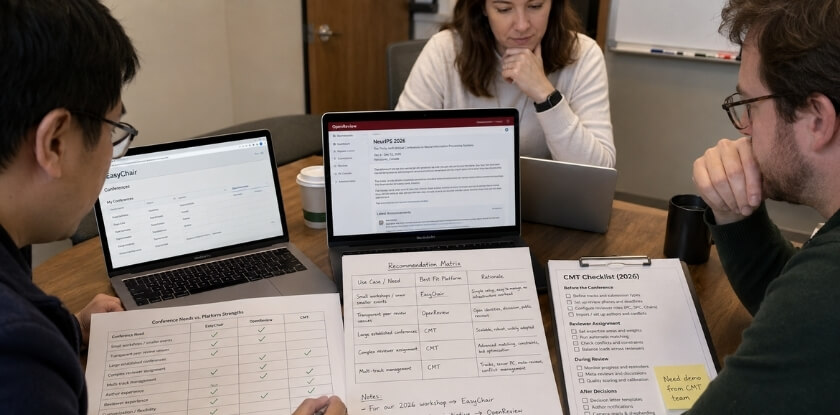
The honest answer is that no single platform wins across every scenario. EasyChair, OpenReview, and CMT each have a natural home, and the wrong choice creates real friction — for your organizing committee, your reviewers, and your authors.

Which Platform Is Best for Which Conference — Decision Guide

Here’s how to think through it.

Small to Mid-Size Workshops and Independent Conferences

If you’re running a small academic workshop, a regional symposium, or a single-track event with fewer than 200 submissions, EasyChair is probably the path of least resistance. The freemium tier handles basic submission, review assignment, and notification without any setup cost. Most of your authors will already have an account. Your program chairs won’t need training.

That said, the free tier comes with real limitations. No custom submission forms, limited storage, and EasyChair’s own branding on author-facing pages. If those things matter, you’re looking at a paid plan quickly.

CMT is also a reasonable choice here, and it’s free. But the interface takes longer to configure, and if your committee doesn’t have anyone with prior CMT experience, expect a steep first cycle.

Large Multi-Track Conferences

This is where CMT earns its reputation. The Conference Management Toolkit was designed for events with hundreds or thousands of submissions across multiple tracks, parallel reviewing pools, and complex bid-and-assign workflows. Top-tier CS conferences with 3,000+ submissions run on it. The scale is genuinely handled well.

EasyChair can manage multi-track conferences too, but the administrative overhead grows noticeably past a certain volume. Things like cross-track conflict checking and large reviewer pool management get clunky.

OpenReview isn’t really built for high-volume multi-track logistics in the traditional sense. It can handle it technically, but the platform’s strengths lie elsewhere.

Conferences Prioritizing Open Peer Review and Transparency

OpenReview is the obvious pick. It was built specifically around the idea that the review process itself should be visible — that readers should be able to see reviewer comments, author responses, and the back-and-forth that leads to a decision. ICLR moved to OpenReview largely for this reason, and NeurIPS and ICML have both used it for workshops and certain tracks.

If your community cares about open-access norms, public discussion of submitted work, or post-publication commentary, OpenReview is the only one of these three that makes that possible by design. EasyChair and CMT don’t support open peer review at a structural level.

Machine Learning, AI, and Interdisciplinary CS Conferences

OpenReview has become the de facto standard in this space. If you’re organizing an ML or AI conference and your target audience expects the OpenReview workflow, deviating from it creates unnecessary friction. Authors submitting to ICLR or NeurIPS satellite events know what to expect from the platform. Reviewers do too.

CMT is also used heavily in this space — ICML has used it — so it’s not out of place. But OpenReview’s momentum in ML/AI is hard to ignore.

Conferences Requiring Scopus Indexing or DOI Assignment

None of these three platforms provide Scopus indexing or DOI assignment natively. That’s handled downstream through your proceedings publisher, not the submission system. What the platform gives you is the paper collection and review management side. Your indexing and DOI pipeline is a separate workflow, and whichever platform you choose doesn’t change that.

Worth knowing because it’s a common point of confusion when committees evaluate these tools.

Conferences Needing Double-Blind or Anonymous Review

All three platforms support double-blind review. This isn’t a differentiator anymore. EasyChair, OpenReview, and CMT can all anonymize author information from reviewers during the review phase. OpenReview’s approach to blind review is more granular — you can configure partial anonymization, delayed deanonymization, and public anonymous posting — but if you just need standard double-blind review, any of the three will do it.

Quick Decision Reference

Your SituationBest Fit
Small workshop, low budgetEasyChair (free tier)
Large multi-track CS conferenceCMT
Open peer review or public discussionOpenReview
ML / AI / ICLR-adjacent eventsOpenReview
Budget is zero, complex workflows neededCMT
Authors new to submission systemsEasyChair
Need granular review transparency controlsOpenReview
Full committee already knows the toolStick with what you know

That last row is underrated. Institutional familiarity is a real factor. If your senior PC chairs have run five conferences on EasyChair, switching to CMT mid-cycle for marginal feature gains is rarely worth the transition cost.

The Smart CFP Question

One thing that doesn’t get enough attention in these comparisons: how you publicize your call for papers interacts with your submission system. Tools like Smart CFP aggregate conference announcements and link authors directly to submission portals. If your submission portal URL is clean, stable, and works without login walls for first-time visitors, you’ll get more submissions. CMT’s author-facing URLs can be opaque. OpenReview’s public venue pages are generally the most accessible for discovery. Something worth considering if outreach matters to your event.

If You’re Still Unsure

Start with EasyChair if you need something running fast and your team has no experience with the others. Move to CMT if volume and workflow complexity are your primary problems. Choose OpenReview if transparency, openness, or alignment with ML community norms are non-negotiable. Those three sentences cover the decision for most organizing committees.

Frequently Asked Questions (FAQ)

Is EasyChair free to use?

EasyChair operates on a freemium model. Basic use — submitting papers, running smaller conferences — costs nothing. But if you want features like Smart CFP, automated scheduling tools, or higher submission volumes, you’ll need a paid plan. The free tier is genuinely usable for modest conferences, but organizers running anything large will likely hit limits fast.

Does OpenReview support double-blind review?

Yes. OpenReview handles double-blind review, single-blind, and fully open peer review. You configure it when setting up your venue. ICLR runs on OpenReview and uses a public open review process — reviewer comments and author responses are visible to anyone. That level of transparency isn’t for everyone, but it’s exactly what OpenReview was built for.

Who owns CMT?

CMT — short for Conference Management Toolkit — is owned and maintained by Microsoft. It’s free to use, which is partly why it’s popular for large-scale conferences. Microsoft doesn’t charge organizers for access, though you’re trusting a corporate platform with your data. Worth keeping in mind if data privacy is a concern for your institution.

Can I get a DOI through these platforms?

None of the three — EasyChair, OpenReview, or CMT — assign DOIs directly. DOIs come from publishers or indexing services like Scopus, not from the submission system itself. If you need DOIs for accepted papers, you’ll arrange that separately through your proceedings publisher.

Which platform handles multi-track conferences best?

CMT is arguably the strongest here. It was built with large, multi-track conference structures in mind, and conferences like NeurIPS have used it at serious scale. EasyChair can manage multiple tracks too, but the setup is less intuitive at that scale. OpenReview is catching up, especially for flagship ML conferences, but its multi-track tooling is still maturing compared to CMT.

Is OpenReview only for machine learning conferences?

It started that way — ICLR and ICML put it on the map — but OpenReview has expanded well beyond ML. Any conference that values transparency in peer review can use it. That said, the platform’s culture and tooling still reflect its ML roots, so if you’re organizing something in a very different field, check whether the workflow actually fits before committing.

Are these platforms mobile-friendly?

Honestly, none of them are great on mobile. They’re designed for desktop use, and it shows. You can technically access all three from a phone, but submitting a paper or managing reviews through a small screen is frustrating. Don’t plan your workflow around mobile access.

What happens to submitted paper data — is it secure?

Each platform handles this differently. EasyChair is a private service, so your data sits on their servers under their terms. OpenReview is open-access by design, which means published reviews and sometimes papers themselves are publicly visible — intentional, but not always appropriate for sensitive research. CMT is hosted by Microsoft, which brings enterprise-grade infrastructure but also means your data is in Microsoft’s ecosystem. If your institution has strict data privacy requirements, check each platform’s data handling policy before you commit.

Can authors track their submission status in real time?

Yes, all three allow authors to log in and check submission status. OpenReview is the most transparent about this — you can often see reviewer assignments and scores as they’re posted, depending on how the organizers configure it. EasyChair and CMT keep more of that information internal until decisions are made.

Which system is easiest to set up for a first-time organizer?

EasyChair. It’s been around since 2002 and has the most documentation, tutorials, and community knowledge behind it. CMT has good support from Microsoft but has a steeper learning curve for initial configuration. OpenReview requires the most technical comfort — it’s powerful, but setting up a custom venue workflow isn’t beginner-friendly.

Conclusion — Choose the Right Submission System Based on Your Needs

There’s no single winner here. EasyChair, OpenReview, and CMT all solve the same core problem — managing academic conference submissions — but they solve it differently, and the right choice depends almost entirely on what your conference actually needs.

If you’re organizing a smaller or mid-size conference and need something that just works without a long setup process, EasyChair is the most practical starting point. It’s familiar to most reviewers, the freemium tier covers a lot of ground, and the learning curve is minimal. The trade-off is that you’re working within a closed, proprietary system — no open peer review, limited transparency, and some frustration around its dated interface. For many organizers, that’s a worthwhile compromise.

OpenReview is the right call when transparency is non-negotiable. If your conference values open peer review, wants reviews publicly visible, or is aligned with open-access principles, OpenReview is built for exactly that use case. It’s why ICLR, NeurIPS, and ICML have moved in that direction. Setup takes more effort, and you’ll want someone technically comfortable handling the configuration. But the platform gives you genuine flexibility — more than either of the other two — and the community around it is actively developing new features.

CMT, the Conference Management Toolkit from Microsoft, earns its place through sheer scale and zero cost. It’s completely free, handles multi-track conferences well, and has been battle-tested across thousands of events. The interface is old and sometimes clunky. Double-blind review workflows are supported, but you’ll need to work around some limitations. If budget is a constraint and you’re running a structured, larger conference, CMT is hard to argue against.

A few practical things to factor in before you decide:

Reviewer familiarity matters. EasyChair has the widest recognition among academics. If your reviewer pool skews toward senior researchers who’ve used the same system for 15 years, dropping them into an unfamiliar interface mid-cycle causes friction.

Think about your data. EasyChair’s data privacy policies are less transparent than CMT or OpenReview. If your institution has strict data governance requirements, that’s worth a conversation before you commit.

Consider downstream integrations. If you need Scopus indexing, DOI assignment, or integration with Smart CFP for call-for-paper discovery, check what each platform actually supports — don’t assume.

AI-powered features are coming fast. All three platforms are at different stages of adopting AI assistance for reviewer matching, spam detection, and workflow automation. OpenReview’s open architecture means it tends to adopt these features more quickly. CMT and EasyChair are more deliberate. If that matters to your conference roadmap, factor it in now.

Most conferences will land on EasyChair out of habit and be fine. Conferences that care about openness and are willing to invest in setup will benefit from OpenReview. Conferences that need scale and have no budget should look hard at CMT.

Pick based on your actual constraints — not which name sounds most credible in a committee meeting.

Leave a Comment

Your email address will not be published. Required fields are marked *

Shopping Cart
Scroll to Top