How Many Words Should a 20-minute Conference Paper Be?

You have exactly 20 minutes — but how long should your script actually be? It’s one of those questions that sounds simple until you’re staring at a half-finished conference paper at midnight, wondering whether 4,000 words is too much or 1,800 is dangerously thin. The short answer: a 20-minute conference paper typically runs between 2,500 and 3,000 words, based on a natural speaking pace of 120–150 words per minute (WPM). In practice, most experienced presenters aim closer to 2,500 words once you account for pauses, slide transitions, and the kind of real-time adjustments that happen in any live oral presentation.

But that number isn’t a universal rule you can paste into Google Docs and call it done. A clinical researcher presenting at a medical conference reads differently than a humanities scholar working through a close textual argument. A non-native English speaker presenting on Zoom through Microsoft Teams will pace themselves differently than a veteran academic who has delivered the same style of talk a dozen times. Add in whether you’re preparing for a poster presentation, managing a Q&A session, or working within a strict IEEE citation style format that front-loads dense technical content — and the “right” word count starts to shift considerably.

That’s exactly what this article works through. By the end, you’ll have a precise, personalized method for calculating your own ideal word count based on your speaking pace, your discipline, and the specific format of your presentation — whether you’re building slides in Microsoft PowerPoint, drafting in Scrivener, or running your script through Hemingway Editor before the big day.

How Many Words Should a 20-Minute Conference Paper Be? (Direct Answer)

The short answer: 2,500 to 3,000 words for most 20-minute conference papers.

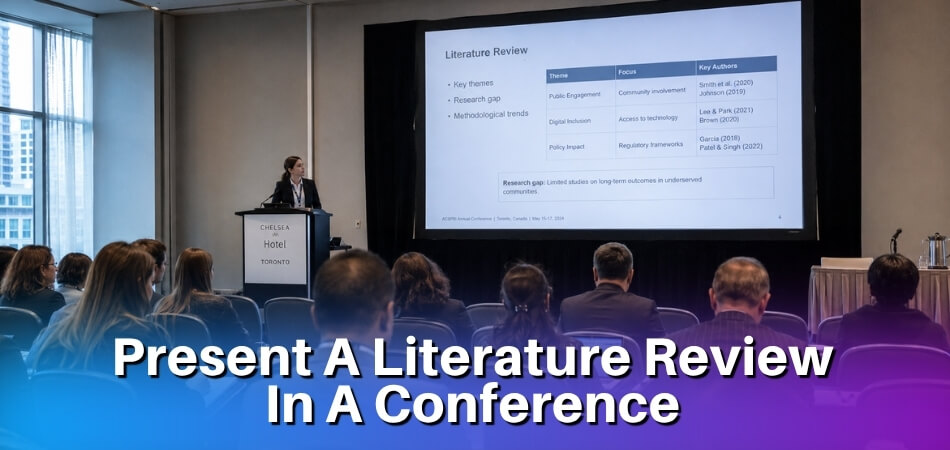
How Many Words Should a 20-minute Conference Paper Be

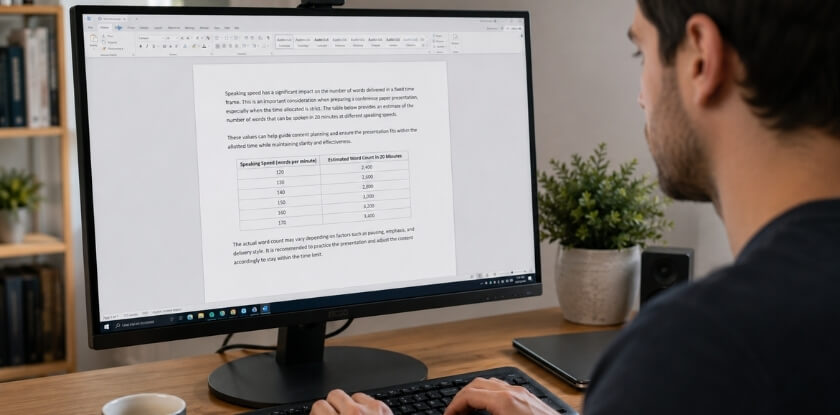
That range assumes a moderate speaking pace of around 125–150 words per minute (WPM), which is where most prepared academic speakers land when reading from a script or structured notes. At 125 WPM, 20 minutes gives you exactly 2,500 words. At 150 WPM, you’re at 3,000. Stay in that window and you’re in safe territory.

But that’s not the whole story.

The Pace Variable Changes Everything

Not everyone speaks at the same rate, and speaking pace is probably the single biggest factor people underestimate when preparing a conference paper. A nervous first-time presenter often rushes to 160–175 WPM. An experienced speaker who pauses for effect, lets a slide transition breathe, or takes a beat after a key finding might run closer to 110–120 WPM.

Here’s what that actually means for word count:

  • 110 WPM → ~2,200 words for 20 minutes
  • 125 WPM → ~2,500 words
  • 140 WPM → ~2,800 words
  • 160 WPM → ~3,200 words

Record yourself reading a passage aloud for one minute and count the words. Do it twice. That’s your real WPM, not a guess.

You Don’t Get the Full 20 Minutes

This is where people get caught out. A 20-minute slot at most academic conferences isn’t 20 minutes of pure speaking time. You lose 30–60 seconds to technical setup, another 30 seconds introducing yourself if the chair didn’t do it properly, and then there’s the matter of slide transitions — each one takes 2–4 seconds of silence while the audience reads the new screen.

If your oral presentation uses 15 slides with any real content on them, you’ve realistically lost 1–2 minutes to transitions and visual processing time alone.

A good working rule: write for 17–18 minutes of actual spoken content and treat the remaining time as your presentation buffer time. That puts your target closer to 2,100–2,700 words depending on pace.

The Q&A Session Factor

Check your conference schedule carefully. Some 20-minute slots include Q&A within that time — typically 15 minutes of paper plus 5 minutes of questions. Others schedule Q&A separately. If questions are baked into your 20-minute window, you’re actually writing a 15-minute paper, which means 1,800–2,250 words at standard pace.

Humanities conferences tend to fold Q&A into the session slot. STEM fields and medical conferences often run Q&A as a panel block after multiple presentations. Know which format you’re walking into before you finalize your word count.

Does Discipline Change the Target?

Yes, and more than people think.

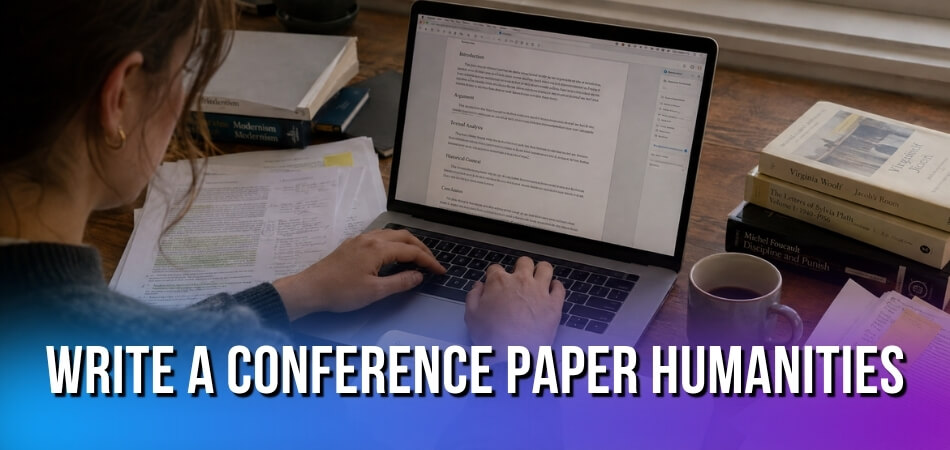
  • Humanities and social sciences papers tend to run denser — more interpretive prose, longer sentences, careful theoretical framing. Presenters in these fields often write a complete script and read it close to verbatim. 2,500–2,800 words is a realistic target, and APA citation style, MLA citation style, or Chicago citation style footnotes won’t eat into your spoken time since those are written, not read aloud.
  • STEM fields papers are usually leaner. You’re walking through methodology, data, and results, letting figures and tables on screen carry part of the cognitive load. A 2,200–2,500 word script is common because the slides do work that words don’t need to. IEEE citation style references are almost never read out at all.
  • Medical and clinical conferences often run fast. Presenters pack in dense data. If anything, the problem here is writing too many words and rushing through them — 2,200 words spoken cleanly beats 3,000 words mumbled at a sprint.
  • Virtual conferences on Zoom or Microsoft Teams add another wrinkle. Audience engagement drops faster online, and people process spoken information more slowly without physical presence cues. Trim 10–15% from whatever you’d write for an in-person version. A 2,500-word in-person paper might work better at 2,100–2,200 words virtually.

A Quick Calibration Method

Before you finalize anything, run a timed read-through. Write your full draft in Google Docs, Microsoft Word, or Scrivener, then time yourself reading it aloud — at the actual pace you’d use in front of an audience, not a rushed kitchen-table read. Use a Word Counter tool or the built-in word count to log where you land after each timed pass.

If you’re over, cut. If you’re under by more than 200 words, you either need more content or you’re rushing.

Non-native English speakers often need to target the lower end of the range — around 2,200–2,400 words — to maintain clarity and avoid the trap of pushing pace when under stress. That’s not a weakness; it’s smart pacing strategy.

How Speaking Pace Determines Your Word Count

Most presenters skip this calculation entirely, then wonder why they ran over time. Your speaking pace isn’t just a number — it’s the foundation of every word count target you set before writing a single sentence.

120 WPM vs 150 WPM — How Much Does the Difference Actually Matter?

The short answer: a lot. Over 20 minutes, the gap between 120 words per minute and 150 WPM is 600 words. That’s roughly two to three full manuscript pages.

At 120 WPM, your script should land around 2,400 words. At 150 WPM, you’re looking at 3,000 words. Both are legitimate targets — but for very different speakers presenting in very different contexts.

120 WPM is the right target if you’re presenting dense technical content, reading from a carefully prepared script, or speaking in a second language. Non-native English speakers especially benefit from writing toward the lower end. A slower pace gives your audience time to process terminology, and it gives you room to breathe without feeling rushed. Medical conferences and clinical conferences often skew toward this range precisely because precision matters more than speed.

150 WPM fits conversational presenters who talk through slides rather than read from a script. Humanities and social sciences presenters tend to hit this pace naturally, particularly when they know the material cold and aren’t dependent on written text.

Here’s a practical way to find your actual pace: open a Word Counter tool, grab 500 words of text you’ve written, read it aloud at your normal conference speed, and time it. Don’t perform slowly because you’re timing yourself. Read it the way you would in a room full of people. That number — your genuine speaking rate — is what you build your word count around.

One thing that trips people up: many presenters speak faster when nervous and slow down mid-presentation once they relax. If you know anxiety speeds you up, shade toward the lower WPM when calculating your target word count.

How Much Buffer to Allow for Pauses, Transitions, and Slide Changes

Here’s where most word count advice falls apart. People calculate 150 WPM × 20 minutes, get 3,000 words, and write exactly 3,000 words. Then they bomb the timing in the actual room.

Real presentations aren’t continuous speech. They’re full of stops.

A single slide transition in Microsoft PowerPoint or Google Slides takes roughly two to four seconds of dead air — you click, you glance, the audience looks, then you resume. If you have 15 slides, that’s a minimum of 30–60 seconds gone before you’ve paused once for effect. Over a full 20-minute oral presentation, slide transitions alone can eat 90 seconds or more.

Pauses for audience engagement — the beat after a key finding, the silence you hold after a surprising number — those matter too. Good presenters use them deliberately. Budget 30–45 seconds across your talk just for intentional silence.

Then there’s the Q&A session boundary. Most 20-minute conference slots actually run 15 minutes of presentation plus 5 minutes for questions, or sometimes 20 minutes flat with Q&A attached separately. Check your specific format. If your speaking time is actually 17–18 minutes, your word count ceiling drops by 300–400 words at 150 WPM.

A reasonable buffer is 10–15% of your total script length. If you’re targeting 2,500 words, aim to write 2,100–2,200 words of actual spoken content. That extra room absorbs slide transitions, a brief story that runs slightly long, a moment where you check your notes, or the simple reality that conference rooms have ambient noise that slows comprehension.

Virtual conferences add their own wrinkle. On Zoom or Microsoft Teams, screen-sharing lag is real. Animations that look crisp in Google Slides during rehearsal sometimes stutter during live delivery. Build in a slightly larger buffer — closer to 15% — if you’re presenting remotely.

The practical rule: write short, practice aloud, cut more. Your script almost always needs to lose words after the first timed read-through, not gain them.

Why Word Count Norms Vary Across Academic Disciplines

A 20-minute slot means different things depending on where you’re presenting. The expected word count, script density, and even how much you pause all shift based on disciplinary conventions. If you’re preparing a conference paper for a humanities symposium, you’ll write very differently than someone presenting at an IEEE technical session — even with the exact same time limit.

How to Calculate Your Own Word Count for a 20-minute Paper

Humanities and Social Sciences

Humanities presenters typically read from a prepared script. That’s the norm. You’re not winging it from bullet points; you’re delivering something close to a written essay out loud. Because of this, the word count tends to sit toward the higher end — around 3,000 to 3,500 words for a 20-minute oral presentation.

The reasoning is pacing. Humanities speakers often read at roughly 140–160 words per minute (WPM), sometimes slower when they’re building an argument or quoting a primary source. A close reading of a poem or a dense theoretical passage needs room to breathe. You’re not racing through data slides — you’re constructing meaning sentence by sentence.

Citation style matters here too. If you’re following MLA citation style or Chicago citation style, you may verbally acknowledge sources mid-speech, which adds words and slows your pace slightly.

Social sciences sit somewhere in the middle. Presenters in sociology, political science, or psychology often mix scripted prose with slides. If your conference paper leans more toward qualitative work — ethnography, discourse analysis — expect to write closer to 3,000 words. If it’s quantitative with heavy visuals, you’ll drop toward 2,500 because your slides are doing part of the talking.

One practical thing to watch: audience engagement in humanities presentations depends heavily on how your script sounds, not just what it says. Reading a flat, dense academic paper aloud for 20 minutes will lose people. Use Hemingway Editor to flag overly long sentences before you finalize your script. Short sentences land harder when you’re speaking.

STEM and Technical Fields

STEM presentations work differently. You’re almost never reading from a full script. The conference paper exists as a written document — often submitted for proceedings — but the actual oral presentation runs off slide notes and memory. Because of this, the word count for your spoken content drops significantly.

For a 20-minute STEM presentation, the realistic spoken word count is closer to 2,000–2,500 words. You’re moving faster, your slides carry the data, and you’re spending real time on figures, equations, and results. Slide transitions take time. A complex graph might need 45 seconds of explanation on its own. That’s time not spent speaking words from a script.

IEEE citation style is standard in many engineering and computer science conferences, and citations rarely get read aloud at all — they appear on the slide and the audience reads them. This keeps your spoken word count leaner.

If you’re building your presentation in Microsoft PowerPoint or Google Slides, a good rule of thumb for STEM is one slide per minute, maybe slightly under. For 20 minutes, that’s roughly 18–20 slides. If you’ve got 35 slides, you’re going to rush, your pacing strategy will collapse, and you’ll lose the audience on the technical details that actually matter.

Non-native English speakers presenting at STEM conferences often find this format more forgiving than humanities. The slides carry more of the content, so you’re not relying purely on fluency at 160 WPM. Speaking at 120–130 WPM with clear slides is completely workable.

Medical and Clinical Conferences

Medical and clinical conferences have their own rhythm, and it’s faster than you’d expect. Presenters at clinical conferences — cardiology, oncology, surgical specialties — tend to speak quickly, use heavy visual support, and prioritize data over narrative. The spoken word count often comes in around 1,800–2,400 words for 20 minutes, even though the pace is quick.

Why lower? Because the slides are dense. A survival curve, a table of adverse events, a forest plot — these take time to walk through even when you’re speaking efficiently. You’re not narrating prose; you’re guiding the audience through clinical evidence. That’s a different cognitive task.

There’s also the Q&A session to factor in. At many medical conferences, the Q&A is built directly into your 20-minute slot — often 5 minutes of that time is reserved for questions. That changes everything. You’re not writing for 20 minutes of content. You’re writing for 14–15 minutes, and you need a clean stopping point that doesn’t feel abrupt.

APA citation style is common across clinical and health sciences, and in oral presentations, it usually gets compressed or dropped entirely in favor of on-slide references. Don’t burn your speaking time reading out journal titles.

One thing that catches presenters off guard at medical conferences: the room expects precision. Hedging language, vague estimates, and soft conclusions feel out of place. Your script should be tight, your numbers exact, and your transitions between sections fast. If you’re using Grammarly or a similar tool to review your script, watch for passive constructions and unnecessarily long qualifications — they add words without adding clarity.

Special Advice for Non-Native English Speakers

Presenting in your second (or third) language at a conference is a real cognitive load. You’re not just managing content and nerves — you’re simultaneously processing language, pronunciation, and audience reactions. That’s a lot happening at once.

The most practical adjustment you can make is to write fewer words and rehearse more aggressively.

Aim for the Lower End of Your Discipline’s Range

Where a native English speaker in the humanities might comfortably deliver 2,400 words in 20 minutes, you should target closer to 1,800–2,000. That built-in buffer isn’t a sign of weakness — it’s just smart planning. Slowing down improves clarity for your audience too, especially in international conferences where many listeners are also non-native speakers.

A realistic pace for non-native speakers presenting academic content sits around 110–130 WPM, not the 150+ that native speakers sometimes hit. Work with that reality, not against it.

Write a Full Script — Then Simplify It

Don’t try to present from bullet points if you’re still building English fluency in high-pressure settings. Write out every sentence you plan to say. Then read it aloud and mark anything that feels awkward in your mouth. Long subordinate clauses are a trap. Break them up.

Tools like Grammarly and the Hemingway Editor are genuinely useful here — not just for grammar, but for sentence complexity. Hemingway will flag sentences that are hard to read. If they’re hard to read silently, they’re hard to say aloud under pressure.

Once you have a clean script, practice reading it out loud at least five times. Time yourself every single run. You’ll notice your pacing speeds up as you get more comfortable with the material.

Record Yourself

Seriously. Record one full rehearsal on your phone. Non-native speakers often don’t realize they’re rushing through technical terms or swallowing word endings. Listening back is uncomfortable but it’s the fastest way to catch timing problems before they happen in front of a room.

Pay special attention to how you handle slide transitions. Pausing briefly between slides — even two or three seconds — gives your audience time to absorb a new visual and gives you a natural moment to breathe and reset.

Build in Explicit Pauses in Your Script

Mark your script with pause indicators. Literally write “[PAUSE]” after a key definition or claim. These serve two purposes: they slow your delivery, and they give international audiences (and conference interpreters, if applicable) time to follow along.

If you’re presenting at a virtual conference via Zoom or Microsoft Teams, pacing matters even more. Audio lag and background noise make fast speech almost impossible to follow. Slower, deliberate pacing isn’t just courteous — it’s necessary.

Prepare Your Technical Vocabulary Separately

Write a short list of every domain-specific term, author name, or citation you’ll need to say aloud — especially if you’re using APA citation style, MLA citation style, or Chicago citation style, which require verbal attribution in different ways. Practice those names and terms in isolation before rehearsing the full script. Stumbling on a familiar author’s name in front of an audience is a confidence hit you don’t need.

On the Q&A Session

This is where non-native speakers often feel most exposed. You can’t script it. The best preparation is to anticipate the five most likely questions and draft short, clear answers in advance. Keep those answers written down in your notes — there’s no rule saying you can’t glance at a prepared response. Most audiences won’t notice, and the clarity of your answer matters more than whether it was fully improvised.

You can also buy yourself a few seconds by repeating or paraphrasing the question before you answer it. “So you’re asking about the sample size — yes, good question.” That’s not stalling. That’s professional communication, and native speakers do it too.

One more thing: Notion or Google Docs work well for keeping a running version of your script with embedded timing notes and revision history. If you’re managing multiple drafts across devices, that structure helps more than you’d expect.

Does Word Count and Pacing Change for Online and Virtual Conferences?

Yes — and more than most presenters expect.

Virtual conferences on Zoom or Microsoft Teams introduce friction that in-person rooms don’t have. Audio delays, muted microphones, participants multitasking, screen fatigue — all of it works against you. The practical consequence? You need fewer words, not more, and you need to pace differently.

Does Word Count and Pacing Change for Online and Virtual Conferences?

Why Virtual Presentations Run Longer Than You Think

The biggest trap is silence gaps. In a physical room, you pause and the audience stays with you. On a video call, a two-second pause feels like something broke. Speakers compensate by rushing, which compresses your content and tanks comprehension. Then you end up repeating yourself to compensate for that, and suddenly your 2,400-word script is eating into Q&A session time.

There’s also the slide transition problem. Switching between slides in Microsoft PowerPoint or Google Slides on a shared screen takes real seconds. If your 20-minute paper has 15 slides, you’ve probably lost 30–60 seconds just to transitions and the occasional “can everyone see my screen?” moment. Build that into your word count planning.

For virtual delivery, most experienced presenters drop their target to around 2,000–2,200 words for a 20-minute paper. That’s roughly a 10–15% reduction from what you’d write for an in-person conference.

Pace Slower, Pause More Deliberately

Your baseline speaking pace for virtual presentations should sit closer to 110–120 words per minute, even if you normally speak at 130–140 WPM comfortably in a room. Microphones compress dynamic range. Compression makes fast speech harder to parse. Non-native English speakers in your audience — and virtual conferences tend to attract more international attendees than local ones — need that extra processing time.

Deliberate pauses also do more work online. A three-second pause after a key claim signals “this matters” in a way that landing on a new slide doesn’t. If you’re writing a script in Google Docs or Scrivener, literally type [PAUSE] at those moments. It sounds excessive until the first time you actually use it during a high-pressure live session.

Shorter Sentences Work Harder in Virtual Settings

Academic writing defaults to long, clause-heavy sentences. That’s fine on paper. In a virtual oral presentation, those sentences dissolve before they land. Read this aloud and time it:

“The findings suggest that, notwithstanding the limitations of the sample size, the correlation between variable A and variable B remains statistically significant across three of the four subgroups examined.”

That’s one sentence. By the time a remote audience member has parsed the middle clause, they’ve missed the point at the end. Break it up. Two sentences. Three if needed.

Run your script through Hemingway Editor before finalizing it. It’ll flag sentences that are too dense for spoken delivery. Grammarly won’t catch this — it’s optimizing for written clarity, not spoken comprehension. Hemingway Editor is the right tool for this specific job.

Q&A Sessions Are Different Online Too

Most virtual conference formats either shorten the Q&A session or move it to a text chat format. If you’re presenting on Zoom and questions come in via chat rather than voice, the back-and-forth is slower. You’re not losing 8–10 minutes to real-time dialogue — you might spend 5 minutes answering two typed questions while the host reads them aloud.

Know this before you write. If your virtual conference has a live voice Q&A, plan the same buffer time as in-person — aim to finish your paper 2–3 minutes early. If it’s chat-based, that buffer matters less, and you can use your full allotted speaking time.

Slide Count Still Matters — Maybe More

One slide per minute is the old rule. For virtual presentations, lean toward one slide every 90 seconds. Fewer slide transitions mean fewer opportunities for technical hiccups, and it gives remote attendees more time to actually read what’s on screen before you move on. A 20-minute paper probably works best with 10–13 slides in a virtual format.

Use Word Counter tools or the built-in word count in Google Docs to check your script section by section. If a slide has more than 90 seconds of scripted content attached to it, either split the content or cut it. Simple math, but it’s easy to ignore when you’re deep in the writing.

Citation Style Doesn’t Change, But In-Text References Need Adjustment

Whether you’re using APA citation style, Chicago citation style, or IEEE citation style doesn’t change based on conference format. But how you handle in-text references verbally does. In-person, you can say “as Smith argues — and I’m citing the 2021 paper in your handout.” Online, there are no handouts. Either put citations visible on your slides or say them more explicitly in your script. Don’t assume participants have access to anything beyond what’s on their screen.

Virtual conferences have genuinely changed what a well-prepared 20-minute paper looks like. The core content can stay the same. The word count, pacing strategy, and sentence structure all need to shift to match the medium.

Oral Presentation vs Poster Presentation — How Different Are the Length and Structure?

Completely different animals. That’s the short answer.

A traditional oral presentation at a conference gives you a fixed time slot — usually 20 minutes — and you’re expected to fill it with a coherent, structured talk. A poster presentation gives you no stage time at all. Instead, you stand next to a physical or digital poster for an hour or two while attendees wander over, glance at your work, and either walk away or start a conversation.

The word count implications are massive.

Oral Presentation: Structure Drives Word Count

For a 20-minute oral presentation, you’re working with roughly 2,500–3,000 words if you speak at a moderate academic pace (around 130–140 words per minute). That word count needs to follow a recognizable structure: brief intro, context or literature background, methodology, findings, and a tight conclusion. Most experienced presenters allocate roughly 10% to setup, 60–65% to the core argument or data, and the remaining time to conclusions and any buffer before the Q&A session begins.

That buffer matters more than people think. Running a tight 3,000-word script with no breathing room is how you end up cutting off mid-sentence when the moderator signals time.

Script writing for an oral presentation also means thinking about slide transitions. Every time you move to a new slide in Microsoft PowerPoint or Google Slides, you’re naturally pausing. That pause eats time. A 25-slide deck with even 5 seconds per transition adds up to over two minutes — two minutes you didn’t account for if you built your word count assuming a clean, uninterrupted read.

Poster Presentation: No Script, But You Still Need One

Here’s what most early-career researchers get wrong about poster presentations: they think word count doesn’t matter. It does — just differently.

Your actual poster should contain 300–800 words of text maximum. Readers stop reading dense posters. They just do. But the spoken component — the 2–3 minute “elevator pitch” you deliver every time someone new walks up — should be scripted and rehearsed just as carefully as any oral presentation. That pitch is usually 250–400 words, spoken conversationally, not read aloud.

The structural difference is stark. An oral presentation is linear — you control the sequence entirely. A poster presentation is non-linear. Someone might ask about your methodology before you’ve explained your research question. Others skip straight to results. Your written poster layout and your spoken patter both need to handle that kind of jump.

How Citation Style Affects Both Formats

Worth flagging here: APA citation style, MLA citation style, Chicago citation style, and IEEE citation style all handle in-text references differently, and that affects word count in subtle ways. APA’s author-date system (Smith, 2021) is compact. MLA’s prose-integrated citations and Chicago footnotes can add 50–100 words to a 3,000-word script once you’ve cited a dozen sources. For IEEE, bracketed numerals are negligible. None of this is dramatic, but if you’re counting tightly, it’s real.

For poster text, citations are typically minimal — a short reference list at the bottom, usually 5–8 sources, formatted in whatever style your field expects.

Virtual Poster Sessions Change the Equation Again

At virtual conferences on Zoom or Microsoft Teams, poster presentations often become 5-minute pre-recorded video presentations instead. That changes everything. A 5-minute video is roughly 650–750 words of scripted content — closer to a very compressed oral presentation than a traditional poster pitch. You’re writing for the ear, not the eye, and you’re building it in a linear format again.

Tools like Grammarly and Hemingway Editor are genuinely useful here for tightening that script. Hemingway in particular will flag sentences that are too dense for spoken delivery — a readability issue that’s less obvious when you’re editing inside Google Docs or Scrivener.

The Practical Takeaway

If you’re doing a 20-minute oral presentation, write a full script of 2,500–3,000 words and rehearse with your slides running. If you’re doing a poster, write your pitch separately — it should be around 300 words, conversational, and flexible enough to start from any point. The formats demand different kinds of writing, and treating them the same is how you end up either rushing through a talk or rambling awkwardly next to your poster.

Conference Paper vs White Paper — Word Count and Format Differences

These two formats get confused more often than they should, especially by researchers who are newer to academic publishing. They look similar on the surface — both are text-heavy, both involve research — but they serve completely different purposes, and their word counts reflect that.

What a Conference Paper Actually Is

A conference paper is written to be read aloud. That’s the defining constraint. Everything about it — structure, length, sentence complexity — bends around the fact that a live audience is listening, not reading. For a 20-minute slot, you’re targeting roughly 2,500 to 3,200 words depending on your speaking pace and discipline.

The argument has to land in real time. No one can scroll back up.

That forces you toward shorter paragraphs, cleaner transitions, and a tight narrative arc. You’re not trying to cover every nuance. You’re making one or two claims well.

What a White Paper Actually Is

A white paper is a read-on-screen or read-on-paper document. Readers control the pace. They can pause, re-read a dense section, skip to the methodology, or jump straight to the conclusions. Because of that, white papers are significantly longer — typically 3,000 to 10,000 words, with technical white papers in STEM fields or policy documents often running even longer.

The average white paper in academic or industry contexts sits around 5,000 to 6,000 words. That’s nearly double what you’d write for a 20-minute conference paper.

White papers also carry a heavier citation load. You’ll see full APA citation style, MLA citation style, Chicago citation style, or IEEE citation style applied with more granularity than you’d typically bother with in a spoken conference paper. Footnotes, appendices, data tables — all fair game.

Why Word Count Alone Doesn’t Tell the Whole Story

Here’s where people make a mistake. They assume a longer white paper is simply a padded-out conference paper. It isn’t. The structure is different, not just the length.

A conference paper front-loads context fast, spends most of its time on findings, and ends cleanly — because you’re about to take questions in a Q&A session and you need mental space for that. A white paper can afford a longer literature review, more detailed methodology, and a richer discussion section. It’s built for depth, not delivery.

If you’re adapting your conference paper into a white paper after the event, you’re not just adding words. You’re rebuilding the architecture. Add the sections that got cut for time. Expand your data presentation. Bring in the citations you abbreviated during the oral presentation. Tools like Scrivener or Notion make this kind of structural expansion easier to manage than working in a linear document — though plenty of people just do it in Google Docs or Word with a good outline.

Format Differences That Affect the Word Count Calculation

One practical difference: conference papers, especially in formats built for Microsoft PowerPoint or Google Slides, split content between the script and the slides. What you say might be 2,800 words, but some of that content lives visually on slides rather than in your spoken script. Slide transitions carry argumentative weight that doesn’t appear in your word count.

White papers carry everything in the text. No slides. No speaker to fill in the gaps.

This means if you run your conference paper through Word Counter tools or Grammarly and get a number, that number only reflects what’s written. A significant chunk of your actual presentation argument might be in a diagram, a chart, or a bulleted list on a slide.

A Quick Comparison

Conference Paper (20 min)White Paper
Target word count2,500–3,200 words3,000–10,000 words
Primary formatSpoken / oral presentationRead silently
Citation depthLighter, selectiveFull, comprehensive
Audience controlSpeaker controls paceReader controls pace
Visual supportSlides (PowerPoint, Google Slides)Inline figures, appendices

If you’ve been handed a “20-minute white paper presentation” — which some conferences do ask for — clarify what they mean before you write a single word. Are they asking you to present a white paper orally? Or write a conference paper in white paper format? That distinction changes your word count target, your structure, and your entire pacing strategy.

Don’t assume. Ask the organizers directly.

How to Handle Citations and References in a Conference Paper

Citations in a spoken conference paper work differently than in a written one. That’s a distinction a lot of presenters miss, and it creates real problems at the podium.

When you’re reading from a script or working through slides, you can’t dump a full APA citation style reference in the middle of a sentence. It breaks your rhythm and loses your audience. Nobody wants to hear “…as noted by Johnson, comma, M, period, K, period, open parenthesis, 2019, close parenthesis…” mid-presentation. That’s a written convention. It doesn’t translate to speech.

How to Handle Citations and References in a Conference Paper

What to Say Out Loud

For oral presentations, verbal citations should be brief and conversational. Say the author’s last name and year, or just the author’s name if the year isn’t critical to your point. “According to Johnson’s 2019 study” or “as Mehta and colleagues found” is enough. You’re signaling scholarly grounding without grinding the sentence to a halt.

If you’re in a STEM field or presenting at medical conferences, audiences expect precise attribution — especially if you’re citing trial data or specific measurements. In those cases, adding the year matters. “The 2021 WHO data shows…” lands better than just “WHO data shows…”

Humanities and social sciences presenters often quote directly. Keep quotes short. If you’re reading a quoted passage aloud, it should be no longer than two or three sentences. Beyond that, the audience loses the thread of your argument.

What Goes on Your Slides

Your slide is not a bibliography page. A small citation at the bottom of a slide — author name, year, maybe the journal abbreviated — is fine and standard. Use a font size around 10-12pt, tucked at the bottom. Don’t put full references mid-slide. If you’re using Google Slides or Microsoft PowerPoint, add a dedicated “References” slide at the end.

That references slide is for people who want to follow up after your talk. You won’t read it aloud. You won’t spend time on it. You show it briefly during the Q&A session if someone asks where they can find a source.

Your Handout or Proceedings Paper

If your conference produces printed or digital proceedings, that’s where full citations belong. Whether you’re using APA citation style, MLA citation style, Chicago citation style, or IEEE citation style — follow the specific requirements of your conference submission guidelines. IEEE is common for engineering and computing conferences. Chicago is the default for many humanities conferences. APA dominates psychology and social sciences. Know which one applies before you write a single footnote.

When you submit your written paper alongside your presentation, your references section should be complete and formatted correctly. That written version and your spoken script are two separate documents with different jobs.

Managing Citations During Script Writing

When you’re drafting your script in Google Docs, Scrivener, or Notion, keep a running reference list in a separate section as you write. Don’t leave placeholders like “[CITE]” and think you’ll sort it later. You won’t. Or rather, you will, but at 11pm the night before your presentation.

If you’re working with Grammarly or the Hemingway Editor for readability passes, neither tool checks citation formatting — they’re not built for that. You’ll need to verify those manually or use a dedicated reference manager like Zotero or Mendeley.

A Note on Citation Count

A 20-minute conference paper doesn’t need twenty citations. Honestly, five to eight strong, relevant sources is often more credible than a list of thirty. It shows you’ve read carefully, not just broadly. Reviewers and audiences notice the difference.

If you’re citing heavily — which happens in systematic reviews or clinical conferences — make sure your verbal acknowledgment of sources doesn’t eat into your presentation buffer time. Every “as documented in the literature” moment costs seconds. Those add up.

Techniques for Keeping Audience Engagement While Writing Your Script

Most presenters spend all their prep time worrying about word count and almost none of it thinking about whether anyone will still be listening at minute fourteen. That’s a mistake. A well-paced script with zero engagement hooks is just a document being read aloud.

The good news: you can bake engagement directly into the writing itself, before you ever step up to a podium or log into Zoom.

Write for the Ear, Not the Eye

Academic writing and spoken script writing are genuinely different crafts. A sentence that reads cleanly on a page can sound convoluted at normal speaking pace. When you’re drafting in Google Docs, Microsoft Word, or Scrivener, read every paragraph out loud while you write it. If you run out of breath mid-sentence, break it up. If you stumble on a phrase twice, rewrite it.

Short declarative sentences land harder in oral presentation than long subordinate clause chains. That’s not a stylistic preference — it’s just how working memory processes spoken language.

Plant Signposts Frequently

Audiences can’t scroll back. They can’t re-read your third paragraph if they zoned out during the second one. This means your script needs verbal signposts every 60–90 seconds or so — phrases like “here’s the core finding” or “this is where it gets interesting” or even just “so, to put that plainly.”

These aren’t fluff. They’re cognitive anchors. Listeners use them to resync if they’ve drifted.

In humanities and social sciences papers, this is especially important because your argument tends to build across a longer arc. In STEM fields and medical conferences, data-heavy sections need similar cues — something as simple as “the second thing the data shows us” before your next point keeps people tracking.

Use the Rule of Three for Main Points

If your 20-minute conference paper has more than three or four core arguments, you’re either over-scoping or under-editing. Audiences remember things in clusters of three. Structure your script around that.

Name all three upfront. Return to them in order. Recap them near the end, well before the Q&A session starts. This isn’t dumbing things down — it’s respecting how spoken information actually sticks.

Control Pacing Deliberately Around Slides

If you’re using Microsoft PowerPoint or Google Slides, your slide transitions are pacing cues whether you treat them that way or not. Audiences glance at a new slide and their attention briefly resets. Use that.

Put your most important line after a transition, not before it. Write a brief pause into your script — literally type “[pause]” or “[wait for slide]” in your notes — so you don’t rush past that reset moment.

A common mistake is writing 2,800 words and building in no slide buffer time at all, then discovering on the day that transitions, audience reactions, and the inevitable tech hiccup have eaten four minutes.

Ask a Rhetorical Question Every Few Minutes

This sounds almost too simple. But a single well-placed question — “So why does that matter for clinical practice?” or “What does that actually mean for how we collect data?” — does three things at once: it gives you a half-second to breathe, it signals a transition to the audience, and it pulls passive listeners back in.

You don’t need many. Two or three across a 20-minute script is enough.

Write Your Ending Before You Write Your Middle

Seriously. The closing 90 seconds of a conference paper are disproportionately what people remember and what they ask about during the Q&A session. If you write your ending last, when you’re tired and already over word count, it’ll be weak.

Draft your final two paragraphs first. Make them specific. Concrete. Make them say something — not just “future research is needed” but what specifically you think that research should do.

Then write backwards into your argument.

Use Tools to Audit Tone and Readability

Once your draft is done, run it through Hemingway Editor. Not to chase a grade, but to find the sentences it flags as hard to read — those are usually the ones that will lose your audience. Grammarly can also catch passive voice overload, which is the enemy of spoken engagement.

Word Counter tools let you verify total length against your target words per minute (WPM) range one more time before you finalize. If you’re sitting at 3,400 words and your comfortable speaking pace is 130 WPM, you already know you’re going to run long. Fix it in the doc, not at the podium.

For non-native English speakers especially, this audit step is worth the twenty minutes it takes. Reading a flagged sentence is much easier than recovering from stumbling over it mid-presentation in front of a room.

Don’t Script Every Word If It Doesn’t Suit You

Some speakers are better with a full script, some with dense bullet notes. If you tend to sound robotic reading verbatim, write a hybrid — full sentences for the intro, transitions, and conclusion, bullet points for the middle sections where you’re explaining data or analysis you know cold.

The goal is a script that sounds like you talking, not a document you’re reading at people. That distinction is something the audience feels within about sixty seconds.

Tools to Use for Word Count Checking and Script Preparation

How to Rehearse a 20-minute Conference Paper

Tools for Checking Word Count

The simplest option is already open on your screen. Microsoft Word and Google Docs both show live word counts — Word displays it in the bottom status bar, and in Google Docs you hit Tools Word Count or just use Ctrl+Shift+C. That’s genuinely all most people need.

But if you want something faster or you’re working outside a full word processor, Word Counter tools like WordCounter.net let you paste in text and get an instant count, plus a rough reading time estimate. That reading time feature is actually useful for conference paper prep — paste your draft, check whether the estimated read time lands near 18–20 minutes, and adjust from there. Keep in mind those estimates assume an average speaking pace of around 130 words per minute (WPM), which may not match yours.

Grammarly is worth running on your final script, not for word count, but because it catches the kind of awkward phrasing that’s easy to miss when you’re writing for your own voice. Academic writing has a tendency to run long-winded, and Grammarly’s clarity suggestions will flag sentences that could trip you up mid-presentation. The Hemingway Editor does something similar but with a sharper focus on readability — it highlights dense, hard-to-read sentences in red and yellow. If you’re presenting to a mixed audience, or you’re a non-native English speaker worried about delivery, running your script through Hemingway Editor before you finalize it can clean things up significantly.

None of these tools tell you whether your pacing strategy is working, though. The only real check for that is reading aloud with a timer.

Software for Writing Scripts and Building Presentations

For script writing, Google Docs is hard to beat for conference paper work — it’s free, accessible anywhere, and easy to share with a co-author or supervisor for comments. If you’re managing a longer research project with multiple versions, Scrivener handles document structure better than Docs, letting you organize sections, notes, and drafts in one place. It’s overkill for a single 20-minute presentation, but if the paper is part of a larger manuscript you’re developing, it earns its place.

Notion works well if you like keeping your script, slide notes, and references in the same workspace. You can build a simple table linking each script paragraph to its corresponding slide, which helps you manage slide transitions without losing your place in the talk.

On the presentation side, Microsoft PowerPoint is still the standard at most in-person academic conferences — organizers often request .pptx files directly. Google Slides is the go-to for virtual conferences on Zoom or Microsoft Teams because it lives in the browser, requires no file transfer, and shares cleanly via screen share. If you’re presenting at a virtual conference, test your slide transitions in the actual meeting platform beforehand. Animations that work fine in PowerPoint sometimes behave oddly when screen-shared over Zoom.

One practical note: whatever software you use to build your slides, write your script in a separate document. Don’t write it inside the speaker notes panel of PowerPoint or Google Slides. It’s harder to check word count there, harder to edit fluidly, and if your presentation buffer time runs short, you want to be able to cut sections from a clean document — not hunt through 30 slides of notes fields.

Frequently Asked Questions (FAQ)

How many words is a 20-minute conference paper exactly?

Most speakers land somewhere between 2,500 and 3,500 words for a 20-minute slot. The middle ground — around 2,800 to 3,000 words — works for the majority of presenters speaking at a natural, clear pace. If you’re a fast talker, you might push toward 3,500. If you speak slowly or pause often for emphasis, stay closer to 2,500.

Is 3,000 words too long for 20 minutes?

Not necessarily. It depends on your speaking pace. At 150 words per minute (WPM), 3,000 words fills exactly 20 minutes. But that leaves zero buffer for a stumble, a pause, or a moment to let a key point land. Aim for 2,800 words and give yourself breathing room.

Should I write a full script or just notes?

Full scripts work better than most presenters expect — especially for high-stakes conferences or anyone who gets nervous. You don’t have to read it word for word. Having it written means you’ve already thought through every transition. Non-native English speakers in particular benefit from a complete script. Notes-only approaches work if you’ve given the paper before and know it cold.

Does the word count change if I’m presenting on Zoom or Microsoft Teams?

Slightly, yes. Virtual conferences tend to run tighter. Technical delays, awkward slide transitions, and the general cognitive drain of screen-based listening mean you should trim 5–10% off your target. A Zoom presentation that would be 3,000 words in person should probably be closer to 2,700.

How do I count words if my paper includes citations?

Count the full spoken text — but in-text citations like (Smith, 2021) take barely a second to say, so they’re negligible. What actually eats time is if you’re verbally explaining a reference or reading a long quotation aloud. If you’re following APA citation style or Chicago citation style and have several block quotes, factor those in. They add up faster than you’d think.

What if my discipline expects more content?

STEM fields and medical conferences often run faster and pack more in. IEEE-style presentations in technical engineering sessions can hit 3,200–3,500 words and still feel appropriately dense. Humanities papers typically run slower because the argument needs space to breathe — 2,400 to 2,800 is more realistic there. Know your room.

Can I go over 3,500 words if I speak quickly?

You can, but you probably shouldn’t. Speaking at 175+ WPM to fit everything in means your audience stops following you and starts watching the clock. Fast delivery kills comprehension. Better to cut the paper down than race through it.

How much time should I leave for Q&A?

That’s usually handled by the session chair, not you. But if your slot is labeled “20 minutes including Q&A,” then your actual presentation should be 14–15 minutes max — roughly 2,100 to 2,300 words. Clarify this before you finalize your script.

What’s the best tool for checking my word count against speaking time?

Any basic Word Counter tool gives you the raw count. To estimate speaking time, divide your word count by your comfortable speaking pace in WPM. If you want to test it live, read a 500-word section aloud while timing yourself — that gives you your real pace, not a theoretical one. Grammarly and Hemingway Editor are useful for trimming bloated sentences, but neither estimates speaking time. For full script drafts, Scrivener and Notion both handle long documents cleanly.

I’m presenting a poster, not a paper. Does any of this apply?

Your verbal pitch at a poster presentation runs 3–5 minutes, not 20. That’s roughly 450–750 words. The poster carries the visual weight; your job is to narrate it, not recite a paper. The structure and pacing strategy are completely different — shorter bursts, more conversation, less formal delivery.

Is it okay to rehearse from Google Slides speaker notes instead of a separate script?

Absolutely. Plenty of presenters write their full script directly into the speaker notes of each slide in Google Slides or Microsoft PowerPoint. It keeps your words anchored to the right visual. Just make sure you’re not cramming a 400-word block onto a single slide’s notes — that usually means the slide needs to be split.

Conclusion — What Matters More Than Getting the Word Count Right?

Word count is a useful starting point. That’s all it is.

You can hit 2,800 words exactly, pace yourself at a steady 140 WPM, and still lose the room by minute seven. A number on a page doesn’t guarantee a good conference paper. What actually makes the difference is whether your argument lands — and whether it lands within the time you’ve been given.

The word count targets covered throughout this article exist to stop you from making the most common mistake: writing a full journal article and then trying to speak it out loud. That almost never works. But once you’ve got a rough target in place — whether that’s 2,500 words for a fast-paced STEM talk or closer to 2,200 for a humanities paper with longer quotations — your job shifts away from counting and toward structure and delivery.

The Things That Actually Determine Whether Your Paper Works

Clarity of argument matters more than length. If a listener can summarize your core point after your first three minutes, you’ve done something right. If they can’t follow your thread even with a slide in front of them, no word count adjustment will fix that.

Pacing strategy matters more than average WPM. Knowing where to slow down — at a key finding, a surprising result, a difficult term — is a skill. The speakers who handle a 20-minute slot well aren’t just fast or slow. They’re variable in exactly the right places.

Your buffer matters more than your final paragraph. Build in 90 seconds minimum before the Q&A session begins. That time absorbs a slow start, a technical hiccup on Zoom or Microsoft Teams, a slide transition that stalls, or just the natural pause after you’ve made a big claim and the audience needs a moment. Most presenters don’t budget for this and then rush the ending.

Rehearsal time matters more than polish. A script written in Google Docs and read aloud three times with a timer beats a perfectly formatted document that you’ve only read silently. Grammarly and Hemingway Editor can clean up your sentences, but neither tool will tell you that your third section runs four minutes too long until you actually speak it.

What “Getting It Right” Really Looks Like

A 20-minute conference paper that works usually has a few things in common. The opening is tight — under two minutes, no long preamble. The core argument appears early and gets revisited at least once. Any citations, whether APA, MLA, Chicago, or IEEE style, are handled efficiently rather than read out in full. The ending doesn’t trail off; it closes on something concrete.

And the speaker sounds like they know where they’re going. That confidence almost always comes from having written to a realistic length and practiced enough times to stop reading and start talking.

So check your word count. Use a Word Counter tool, run a timed read-through, adjust for your speaking pace, and factor in your discipline. But then stop fussing over the number. A conference paper isn’t a writing exercise — it’s a live argument you’re making to a room of people. Get the structure solid, know your pacing, and trust that 20 minutes is genuinely enough time to say something worth saying.

Leave a Comment

Your email address will not be published. Required fields are marked *

Shopping Cart
Scroll to Top