Your research or project is conference-worthy, but how do you present it so that specialists stay engaged and non-specialists can still follow? The work is solid and the data is real, yet talks often fall apart between the lab and the lectern: slides crammed with equations, a run that goes three minutes over, and a Q&A nobody prepared for.
Quick answer: To present at an engineering and technology conference, submit a precise abstract, pass the review, build a short deck around Problem, Method, Result and Impact, rehearse against your exact time slot, and prepare for detailed technical questions. Then read the conference’s own presentation instructions for the template, slide limit and upload deadline.
Last verified against official sources: October 2026.
This guide follows the path in that order: the abstract, the slides, equations, demos and confidential data, the audience, timing, in-person and virtual delivery, Q&A, networking and follow-up. The same principles apply at an IEEE conference, an ACM conference, a regional event or a company-hosted technical forum, and whether this is your first research presentation or your fifth engineering project presentation.
What Makes an Engineering Conference Presentation Different from Other Talks?
It is a talk where you defend your method and data in front of people who know the field as well as you do, sometimes better. A general talk mainly has to communicate clearly. This one also has to hold up under technical scrutiny.
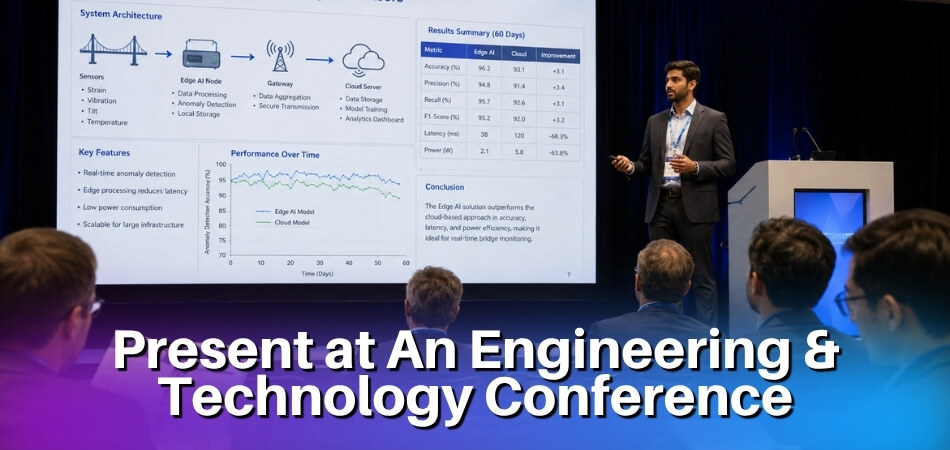
The person in the third row has probably published in your area. They will catch a weak assumption, and they will ask about it during the Q&A. That changes how you prepare everything: the abstract, the slides, the way you show data, and how you pace the talk.
Why the stakes feel different
A paper presentation is tied to a published or forthcoming paper, so your slides and delivery become part of how people remember the work. Conferences are also where you meet collaborators, future employers and the people who may cite you.
The two main formats you’ll run into
A paper presentation walks the audience through a submitted and accepted paper, while a talk presentation is built around a proposal. Check which one you are applying for before you write a word of your abstract. The call for papers (CFP) will say.
| Point | Paper presentation | Talk presentation |
|---|---|---|
| What it is based on | A paper that passed peer review | A speaker proposal, judged on the abstract and your background |
| Typical slot | Usually short, with the length and the split between talk and questions set by the event | Often longer, also set by the event |
| Slide flow | Mirrors the paper: problem, prior work, method, results, discussion | Freer: more context, a story, material that never made it into a paper |
| Audience has read | Often the abstract, sometimes the full paper | Probably only your abstract |
| Good first choice? | Yes, it gives you a clear structure | Better once you have presented before and have a strong applied case study |
In both cases your job is not to read the paper aloud or cover every section. Make the key contribution land, and leave time for questions. Do not pad the middle with background every engineer in the room already knows.
Read the Conference’s Own Presentation Instructions
Each event sets its own presentation rules, so look for the author or presenter instructions as soon as you are accepted. As one example, the OETIC 2025 guidelines, from an IEEE Region 10 conference, asked for:
- Template and file: the official conference PowerPoint template, saved as a .pptx file.
- Slide count: 10 to 20 slides.
- Time: 15 minutes per paper, split into 10 minutes of presentation and 5 minutes of Q&A.
- Presenter: one designated presenter per paper, attending from start to finish.
- Upload: the final presentation uploaded by a fixed deadline, or it may be left out of the schedule.
Another event will ask for different things, so treat this as a checklist of what to look for, not as a standard. Some IEEE-sponsored events also link publication to presenting. The IEEE SoutheastCon 2024 policy says an accepted paper in the final program is expected to have at least one author attend and present it, and that a paper not presented at the conference will not be published by IEEE. Read the policy for your own event before you accept a slot you may not be able to attend.
Technical audience vs. mixed audience
Not every engineering conference is purely researchers. Some mix industry engineers, graduate students, academics and product managers in one room. For a purely technical audience you can skip the fundamentals. For a mixed audience, add a short context-setting layer at the start, just enough that non-specialists do not get lost three minutes in. Problem-Method-Result-Impact suits both, since it gives reviewers rigor and everyone else a narrative thread.
How Do You Write a Strong Abstract and Speaker Proposal (CFP)?
Write one precise abstract that follows the CFP limits and uses the Problem, Method, Result and Impact order. The program committee reads it first, and a weak abstract gets rejected even when the work behind it is solid.
Engineering conferences normally publish a Call for Papers. You find it on the conference website, note the deadline, and send an abstract, sometimes with a full paper draft. The CFP often lists the scoring criteria, such as relevance, originality, clarity and contribution to the field. Treat the abstract as your pitch.
How to Structure a Conference Abstract
Stick exactly to the word limit in the CFP. Limits differ between events, so do not assume a number.
The Problem-Method-Result-Impact format works for both research and applied work:
- Problem: one or two sentences on the specific technical gap. Concrete, not “manufacturing is challenging”.
- Method: what you actually did. Name the technique, tool or system. “We used advanced methods” hurts your credibility with technical reviewers.
- Result: the outcome in numbers wherever you have them, with units and conditions.
- Impact: one or two sentences on who benefits and where else the work applies.
A sample sentence for the Problem part, with placeholders:
[Failure mode] in [component] operating above [limit] causes [consequence]. Existing [approach] does not capture [gap].
A few practical points before you submit:
- Match your keywords to the CFP. Committees can sort submissions by track, and mismatched terms can send your abstract to the wrong reviewers.
- Write the abstract last, after you have drafted the full paper or talk outline.
- Avoid acronyms in the opening sentence, because not every reviewer works in your exact subfield.
- Read it out loud. If you stumble, rewrite the sentence.
Clear, precise and direct beats impressive-sounding and vague every time.
How Should You Build Your Slide Deck for Technical Content?
Build the deck as a visual aid, not a document: one idea per slide, titles that state the conclusion, and a structure of Problem, Method, Result and Impact. Do not treat slides like a written report with bullets crammed edge to edge.
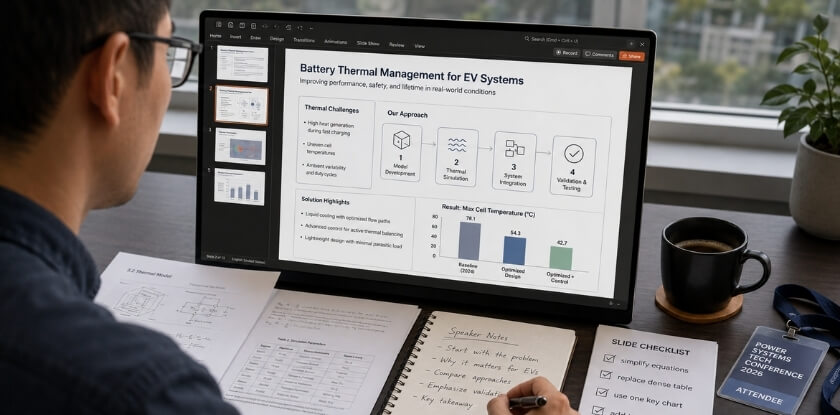
Slide Structure: Problem, Method, Result, Impact
This structure mirrors how engineers think about work, and it gives the audience a mental frame before you say much.
| Part | Roughly how many slides | What it must do |
|---|---|---|
| Problem | One or two | Say what is broken, missing or unknown, specifically. Vague problem statements lose technical audiences fast. |
| Method | Two to four | Give enough to trust your approach: key design decisions, the parameters that matter, why this method over the alternatives. Keep it to what the audience needs to trust the result. |
| Result | Your strongest visuals | Pick the three to five findings that answer the problem you stated. No table of 40 numbers. |
| Impact | One | Say why anyone should care, with numbers if you have them. This is the slide people cut when short on time. Do not. |
Some rules that matter:
- One idea per slide.
- Titles state the conclusion, not the topic: “Proposed model outperforms the baseline” beats “Results”.
- Plan no more than about one slide per minute of speaking time. A 15-minute talk means up to 12 to 15 slides, not 40, and equation-heavy talks need fewer.
- Do not use the slide as a teleprompter. If you read from it, the audience is already ahead of you.
- If your results are complex, show a summary on the slide and keep the rest in backup slides for the Q&A.
How to Show Diagrams, Charts and Technical Data on Slides
Redraw figures for the screen instead of lifting them from your paper. What reads fine in a two-column conference paper becomes unreadable when projected. Remove anything that does not serve the point of that slide, and make line weights and fonts larger than feels necessary on your laptop.
| What you are showing | Best choice | Tip |
|---|---|---|
| Comparing methods or conditions | Bar or grouped bar chart | Clearer than a table unless the audience needs individual values |
| Exact values that all matter | Small table | For example a compact performance matrix where every cell counts |
| Trends over time or a parameter range | Line chart | Three or four lines at most, and label them directly |
| Spatial data or parameter sweeps | Heatmap or contour plot | Legible colorbar with explicit minimum and maximum labels |
| System architecture or signal flow | Block diagram | Build it in steps, so you do not show the whole thing at once |
A few practical rules for technical figures:
- Label every axis with the quantity and its unit, and show error bars or sample size where they exist. A technical audience will check, and someone will call it out in the Q&A.
- Give every figure a one-sentence title that states the takeaway, not just “Figure 3”.
- Use colorblind-safe palettes, and do not rely on colour alone. Aim for strong contrast; the WCAG guideline for normal text is a 4.5:1 ratio.
- Font size: slide guides vary, with many suggesting about 24 pt for body text and treating 18 pt as the floor. Check the result on a screen at the back of the room if you can.
- Matplotlib, R (ggplot2) or Excel can produce decent charts, but you will usually need to enlarge fonts and line widths before exporting.
- Use one or two chart animations at most, such as bars building up. More than that feels gimmicky.
- For virtual delivery, simplify even more, since slides may appear in a small window.
How to Present Equations and Units Without Losing the Room
Show only the equations the audience needs to follow the argument, and define every symbol the first time it appears. ASPE’s oral presentation guidelines for its 39th annual meeting say the same: present only key equations and mathematical detail, and use graphics where possible. Put the full derivation in a backup slide. Keep notation identical between slides and paper, check that every number matches the paper because attendees may have read it, state units on every quantity, and say in words what the equation means before you move on. If your talk is equation-heavy, LaTeX Beamer is worth considering because it typesets mathematics well.
Tools and Software That Work Best for Engineering Conference Presentations
Pick the tool you know well enough that formatting does not eat your preparation time. First check whether the event requires its own template or file type, as in the example above, because that can decide the tool for you.
| Tool | Best for | Watch out for |
|---|---|---|
| Microsoft PowerPoint | The safe default; venue AV teams and co-authors can usually open it | Export a PDF backup anyway |
| Google Slides | Co-authoring across institutions | Complex charts can render inconsistently; download a local copy and do not rely on venue Wi-Fi |
| LaTeX Beamer | Equation-heavy talks and precise notation | Default templates are austere, which is fine for technical audiences |
| Apple Keynote | Clean slides with intuitive animation controls | Compatibility: export to PowerPoint format and check nothing broke |
| Canva | Industry-facing talks and product showcases | Frustrating for dense data or equations; links need internet access |
Whichever you use, check how it looks in the real presentation setting. Projector colours differ from your laptop screen, and fonts can swap on a venue machine. Leave time to test your setup if the venue allows it.
How Do You Handle Demos, Hardware and Confidential Industry Data?
Plan a live demo or hardware piece only with a recorded fallback, and get clearance before showing data that belongs to an employer or client. Engineering talks often involve prototypes, test rigs, source code or industry measurements, and each one brings its own risks.
- Live demos: they fail at the worst moment. Record a short video of the demo working, keep it on your laptop and on a USB drive, and switch to it without apologising if the live version misbehaves.
- Hardware: ask the organiser before the event whether you can bring equipment, how much table space and power you will have, and what the venue allows. Never leave a powered prototype unattended, and check airline and customs rules if you are carrying batteries or devices across a border.
- Safety: if your demo involves high voltage, lasers, chemicals or moving parts, tell the organiser in advance and follow the venue’s rules. A video is often the safer option in a shared room.
- Company or client data: get written approval from your employer, supervisor or client before you present, and strip anything you are not cleared to share. Replace real values with normalised or example numbers if that is what you are allowed to do.
- Patents and IP: public disclosure of an invention can affect patent rights. The Canadian Intellectual Property Office describes a 12-month grace period counted back from the Canadian filing date, but it also says grace periods work differently from one country to another and that Europe operates under a strict novelty requirement. If you may want to patent something, talk to your institution’s technology transfer or IP office before you submit the abstract.
- Commercial content: some technical societies limit company logos and product names in technical sessions. Read the author instructions before you add branding to your slides.
- Export controls: some technical data, especially in defence, space or dual-use fields, can be controlled. In Canada, export controls fall under the Export and Import Permits Act, administered by Global Affairs Canada, and the Controlled Goods Program is a separate domestic regime. Global Affairs Canada’s 2026 Export Control List guide covers technology needed for the development, production or use of listed items, and says controls do not apply to technology in the public domain or to basic scientific research. If your work could be sensitive, ask your institution’s research compliance office before presenting internationally.
This is general guidance, not legal advice. Your employer, institution or legal counsel decides what you can show.
How Do You Present to Technical and Mixed Audiences at the Same Time?
Open with the problem in plain language, then go into precise detail for the specialists. You rarely know who is in the room. Even a specialised event mixes domain experts, adjacent engineers, students, academics and industry observers, and you need to reach them all without boring the experts or losing the others.
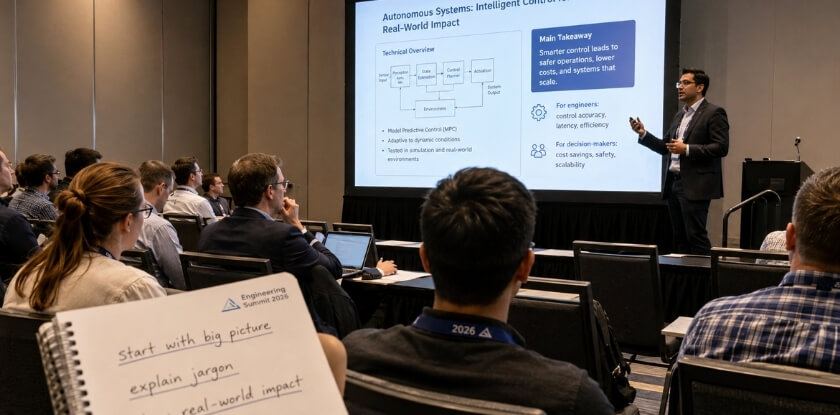
Tactics for Engaging a Technical Engineering Audience
Specialists tune out fast if you spend too long on background they know. Define your notation, state your assumptions and get to the method quickly.
- Assume they have skimmed the paper or read the abstract. Do not re-read it to them. Open with the gap, then your method and results.
- Use precise language. Instead of “performance improved significantly”, say what changed, from what value to what value, under which conditions.
- Make every figure defend itself without your narration: labelled axes, units, sample sizes, a fair time window.
- It is fine to go one layer deeper than the slides. Say that the slide simplifies a step and that you are happy to discuss the detail afterwards. That signals you know more than you show.
- Expect the Q&A to behave like a mini peer review, and do not get defensive when someone pushes back on an assumption.
How to Simplify Complex Content for a Mixed Audience
Simplifying is translation, not dumbing down. Start with why the problem matters before dropping into depth, because once the audience understands the stakes they will follow you further into the details.
- Analogies: useful, not condescending ones. They do not have to be perfect, just give people a foothold.
- Layered explanations: give the plain-language version first, then the precise one. Non-specialists get the gist, specialists get the number.
- A results summary slide: one clear chart in plain language before the detailed breakdown, so the whole room shares a reference point.
- Jargon: define anything not universally known the first time you use it, then use the acronym freely. A definition takes three seconds; leaving half the room behind costs you their attention for the rest of the talk.
- Complex slides: use the first part of the slide to orient everyone, then go deeper. Assume the specialists will keep up; your job is not to lose the rest of the room.
- Pacing: mixed audiences need slightly more time at each transition. A beat of silence after a key finding is processing time, not dead air.
- Project talks: if you are giving an engineering project presentation rather than a paper, anchor everything to the real-world outcome: what it cost, what it replaced, how much it improved things.
Here is a sample of a layered sentence, with placeholders:
The model flags a failure before it happens. Specifically, it uses [model type] trained on [amount and kind of data], with a recall of [value] at a [value] false positive rate.
How Do You Manage Time and Pace Your Talk?
Find your exact slot, build a time map around it, and rehearse with a stopwatch until you finish with a buffer. A technically strong talk can still fall apart here: the research is solid, and then you run out of time halfway through the results.
Get the exact slot length from the conference programme or your acceptance notification, and do not assume. Slots vary by event, some are as short as a lightning talk, and Q&A may be separate or included. The examples below use a 15-minute speaking slot with questions held separately.
The One Slide per Minute Rule, and When to Break It
One slide per minute is a rough upper limit, so a 15-minute talk has up to 12 to 15 slides. The rule breaks in both directions: a system architecture diagram can take three minutes to walk through, while a section divider takes ten seconds. Budget by content weight, not slide count.
Check Whether Questions Come Out of Your Slot
Subtract the question time first. In the OETIC 2025 example above, the 15-minute slot already included 5 minutes of Q&A, which left 10 minutes of talk. If your slot includes questions, scale the plan below down to your speaking minutes instead of planning for the full slot.
Build a Time Map Before You Practise
Assign a target to each section. For a 15-minute research talk using Problem-Method-Result-Impact, with questions held separately, it might look like this:
| Section | Minutes | Note |
|---|---|---|
| Problem and motivation | 2 | Say why it matters, fast |
| Related work | 1.5 | Keep it lean; the audience is not there for a literature survey |
| Method | 4 | Time slips here first |
| Results and data | 4 | Your strongest figures |
| Impact and conclusions | 2 | Do not skip it |
| Buffer | 1.5 | Rooms run late, questions come mid-talk, microphones fail |
Rehearse With a Stopwatch, Not a Vague Feeling
Reading slides in your head does not count as practice. Stand up, speak at your real pace and time each section. Do it at least three times: once to find where you are over, once to fix it, once to confirm the fix held. Watch the method section in particular, because that is where the interesting work lives and where time slips. Your job is to give enough to trust your results, not to teach the whole method.
Use Slide Notes as a Pacing Script
Use the presenter notes in PowerPoint, Google Slides or Keynote as a pacing script. Write one line per slide with the key point and a time checkpoint, such as:
[3:30] Introduce the test setup, mention the dataset size, move on.
Glance at the elapsed-time display after each major section, not every 30 seconds.
Handling the Session Chair’s Time Signals
Session chairs may use time cards, such as a warning card near the end and a final card at zero, but practice varies. When you get the warning, go straight to your conclusions and skip the slides you have not reached. Mark one slide as your emergency exit, usually the results summary or main conclusion, and navigate straight to it. Audiences respect a clean landing far more than a frantic summary.
The Virtual Conference Timing Problem
Screen-share lag, slow transitions and audio delay can eat into a short slot. Rehearse on the actual platform, not just alone at your desk, and find out in advance what happens if you run over, since some platforms cut your microphone automatically and others rely on a moderator.
Cutting Without Losing the Story
If rehearsal shows you are consistently two minutes over, cut content instead of talking faster. Faster speech does not save as much time as people think, and it hurts comprehension for listeners who are not native English speakers. Cut a figure, compress related work to a sentence, or fold two result slides into one. Ask of every slide whether it serves Problem, Method, Result or Impact. If not, it probably does not belong.
Virtual vs. In-Person Presentations: What Changes and What to Prepare For
The core of the talk stays the same either way, but the logistics change. Your acceptance notice says which format your event uses.
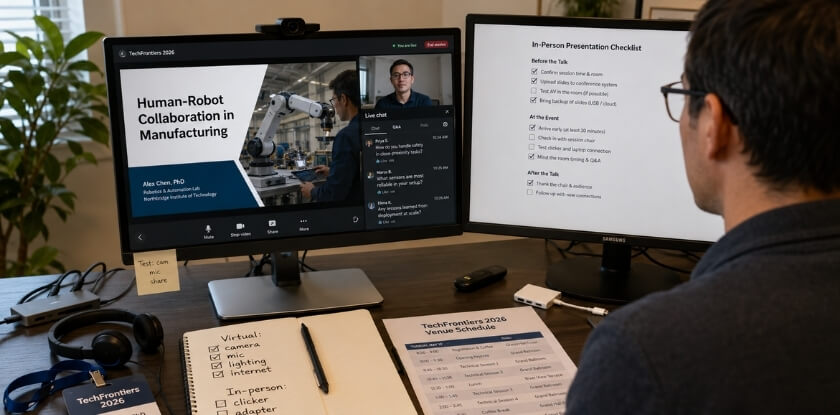
| Area | In person | Virtual |
|---|---|---|
| Main risk | Room setup, file format, projector | Audio quality, screen-share lag |
| Backup | PDF export plus a USB drive | Local copy of the deck; do not rely on browser access |
| Slides | Larger fonts for the back row | Simpler visuals, labels on the chart itself |
| Questions | Chair or moderator points to the questioner | Moderator usually runs the queue or chat |
| Test beforehand | Laptop connection, clicker, mic | Full rehearsal on the real platform |
In-Person Conferences
Check the room before your slot. Find out whether the projector is 16:9 or 4:3, whether your laptop connects by HDMI or DisplayPort, or whether you load slides onto a house computer. If it is a house computer, bring the slides in two formats, a PDF alongside the native file, plus a backup copy on a USB drive. Fonts break, animations disappear and linked content needs internet access. Test fonts, videos and links before your session whenever technical support is available.
- Clickers: venues often provide one. Bring your own anyway, so you do not fumble with an unfamiliar device in front of a technical audience.
- Voice: speak to the back row and slow down a little more than feels comfortable. With a clip-on microphone, remember it picks up every breath. With no mic, face the audience rather than your slides.
- Nerves: arrive early, stand at the front and look at the seats. Knowing the room helps more than breathing advice.
Virtual Conferences
- Audio first: a USB microphone or decent headset does more than any slide redesign. Built-in laptop microphones pick up keyboard noise and fan hum.
- Light: a window behind you turns you into a silhouette. Put a light source in front of your face.
- Camera: at eye level or slightly above. Prop the laptop on books if needed.
- Platform: log in the day before. Find out how Q&A works, whether there is a green room, and what happens at the time limit, since some platforms cut your microphone automatically.
- Slides and recording: sessions are often recorded, and some systems display organiser-controlled slides instead of your screen. If so, submit the final deck, whether a Beamer PDF, PowerPoint or Slides export, before the organiser’s deadline.
What Stays the Same Either Way
Time management and question handling follow the same rules in both formats. Running over is still rude and cuts into the Q&A, so practise with a clock either way. Listen to the full question, pause, answer directly, and do not bluff. In a virtual Q&A the moderator usually controls the queue, so let them.
How Do You Handle the Q&A Session on Technical Details?
Treat the Q&A as part of the presentation, not an ambush: pre-empt the likely objections, paraphrase each question, and say plainly when you do not know. Even experienced speakers go blank when someone asks something unexpected. The difference is having a method.
Prepare Before You Walk In
Try to break your own work. Which assumptions are weakest? Where did you make trade-offs? What would a skeptic push on? Your technical audience will spot those exact places because they have read papers in your area. Write down five or six tough questions and practise your answers out loud, not in your head. Keep backup slides ready for the likely ones: derivations, extra test cases, error analysis, limitations.
The First Few Seconds
Take one breath and paraphrase the question back before you answer, such as “So you are asking whether the method holds at scale beyond the training set?” This buys time, confirms you understood, and lets the whole room hear the question, which matters especially when audio drops in a virtual session.
If You Don’t Know, Say So
Say so cleanly: “That is outside what we tested, and I do not have data on that yet.” Or: “I would want to look more closely before giving you a confident answer.” A technical audience respects honesty more than a long hedge. Never guess and present the guess as fact. You can offer to follow up by email.
Handle the Challenging Questioner
Some questioners are making a statement about their own work or poking at yours. Stay neutral: “That is a fair challenge. Here is what led us to that choice.” If they press again, say you would like to take it offline to give it the time it deserves, and move on. You are there to communicate your work, not to win an argument.
When the Question Is Vague
If a question is vague (“Can you talk more about the implications?”), ask them to narrow it: “Are you thinking more about the deployment side or the theoretical side?” A clarifying question is good communication, not weakness.
Use Your Slides as a Reference
If someone asks about a specific result, go back to the slide or open the relevant backup slide, and point to the data: “Let me go back to slide 12.” Do not reconstruct a chart from memory.
Managing Time in the Q&A
The time for questions is usually short and the chair manages it, but not always cleanly. If an exchange becomes a conversation, give a brief answer and continue after the session, so one person does not use all the time.
Networking Starts Here
A smart question means that person is interested. If you gave a clear, honest answer, they will want to talk more, so watch for them when the session ends and connect on the spot instead of disappearing to your phone.
How Do You Network at an Engineering Conference?
Prepare before you arrive, use the gaps between sessions, and follow up within a week. The conversations around your talk, in hallways, at poster sessions and over lunch, can be worth as much as the talk itself. Collaborations, job offers and co-authorships can start with a five-minute chat, not a formal pitch.
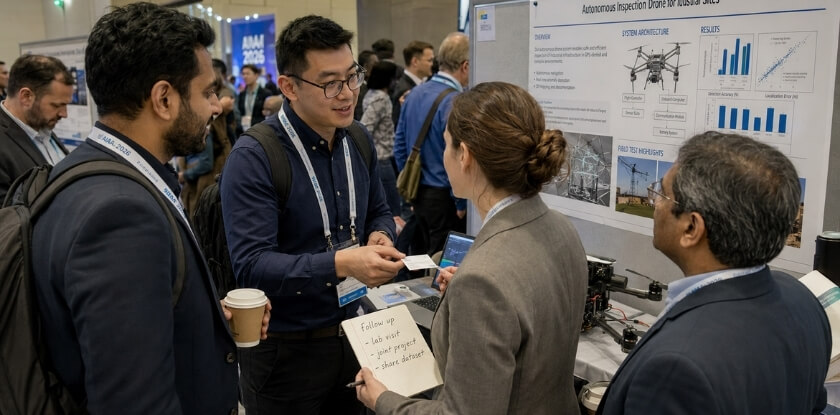
Before the Conference
Programmes usually publish the speaker list and schedule ahead of time. Pick three to five people whose work overlaps with yours and read at least one recent paper or project write-up from each. “I read your paper on X and had a question about the methodology” opens a conversation instantly; “I liked your talk” does not. If there is an attendee directory or app, send a short note: “I am presenting on [topic] on [day], and would like to compare notes on [shared problem].”
During the Conference
Coffee breaks, lunch and poster sessions are where networking happens, so do not spend every break reviewing your slides. After your talk, stay near the front for a few minutes, because people who had a question but did not want to use Q&A time will come to you. Walk the poster hall as well, even if you give a talk. Poster presenters want to talk, and you can get a deep-dive that would take an hour to extract from a paper.
How to Introduce Yourself
Keep it short:
I am [name], and I work on [specific problem area] at [institution or company].
Then ask about their work. People remember conversations where you were curious, not ones where they were pitched at. If you are early in your career, say so; senior researchers often like talking to engaged newcomers. Offer something small and specific when you can, such as experience with a dataset they are struggling with.
Following Up
Write a one-line note about each person you meet the same day. Within a week, send a short email that refers to something specific from your conversation, and include whatever you promised: a paper, a dataset reference or your slides. If the conference asks whether to share your contact details with attendees, say yes.
A Note on Virtual Conference Networking
It is harder online, and that is just true. Use breakout rooms, chat channels and networking sessions deliberately, and post something substantive after your talk, such as a resource you mentioned. A few well-placed messages beat lurking in a dozen channels.
The Longer Game
One conference rarely changes a career, but a handful attended with real engagement can. People who return to the same conference series build recognisable names. Show up, talk to people, follow up, and do it again next year.
What Should You Do After Your Talk to Improve Next Time?
Collect feedback while it is fresh, review the recording if there is one, and update your deck within days. The period right after your talk is one of the most useful learning windows you get, and it closes quickly.
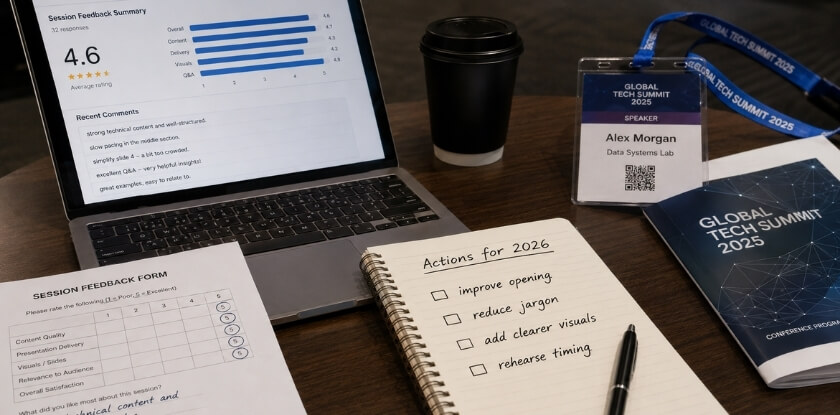
Ask for Feedback While It Is Fresh
Questions people raise in informal conversations after the session often show exactly where your explanation broke down or where a figure was unclear. If the conference sends attendee surveys or feedback forms, try to see the results. Otherwise ask a colleague who was in the room one specific question: “Was there a moment where you lost the thread?” That is more useful than “What did you think?”
Review Your Own Presentation
If the session was recorded, watch it within a day or two. It is uncomfortable, but do it. Look for:
- Pacing: did you rush the results because time ran out?
- Slides: were diagrams readable from the back, or too dense?
- Verbal habits: filler words, trailing sentences, pauses in the wrong places.
- Q&A: did you answer what was asked, or deflect?
Treat it like a code review. The goal is specific things to fix, not self-criticism.
Map Feedback Back to Your Structure
Ask which part of Problem-Method-Result-Impact the feedback points to. If several people asked what problem you were solving, the opening was too weak. If nobody engaged with the results, the data may have buried the punchline. If the Q&A went sideways, the method section probably left gaps.
Update Your Slide Deck Before You Archive It
Slides often get reused at other venues, so update the deck before you archive it. Set aside a short block of time for fixing the confusing slide, trimming the long section and adding the diagram you wish you had included. Whatever tool you built it in, your future self will thank you when the next CFP deadline arrives.
Keep a Simple Presentation Log
Keep a simple log: conference, date, what went well, what you would change and any feedback. Over time you see patterns, such as an opening that always lands but weak transitions, or a Q&A you always underestimate.
Use Each Talk as a Stepping Stone
Your first talk will not be your best, and neither will your fifth. People improve by treating each talk as a data point: they submit again, revise the abstract and try a different explanation for the method that confused people. Experienced presenters may share what works if you ask.
From our experience at MS International: For most applicants, the route to our in-person conferences in the Greater Toronto Area is the presenting-author track: submit an abstract, full paper, case study, review paper or professional presentation, pass double-blind review (typically about 10 working days), then register as an author after acceptance. There is no standard virtual speaker option. Full papers are 4 to 12 pages in APA format, and work already published or under review elsewhere should not be submitted. Keynote and invited roles are arranged separately with the organising team, and buying an author ticket does not create one. Speakers cover their own travel, accommodation, visa, transportation and personal expenses unless MS International has agreed otherwise in writing, so do not assume an honorarium, reimbursement or free registration. Your speaker confirmation and the final programme are the official sources for your room and speaking time, and you remain responsible for the images, research and data in your presentation. Bring your slides in the requested file format with a USB backup, and confirm your room, order and technical setup with the session coordinator or moderator before you speak. The speaker certificate is not a publication certificate, and accepted papers may be considered for conference proceedings where applicable.
Frequently Asked Questions (FAQ)
Engineers giving a first talk usually want to know whether a published paper is needed, how a Problem-Method-Result-Impact outline works and what happens after accepting a slot but not presenting.
How long should an engineering conference presentation be?
It depends on the event, so use the exact slot in your acceptance notice or programme. One IEEE regional conference (OETIC 2025) gave 15 minutes per paper, 10 to present and 5 for Q&A. Plan to finish a minute or two early.
Do I need a published paper to present at a conference?
Not always. Some conferences accept talk proposals or project presentations without a paper, while others require a peer-reviewed paper. The CFP states whether you submit an abstract only, a full paper or both. At MS International, an abstract, full paper, case study, review paper or professional presentation can be submitted for review.
What’s the best software for building my slide deck?
Use whichever tool the conference allows. PowerPoint is the safest choice when you load slides onto a shared venue machine, and some events require their own PowerPoint template. LaTeX Beamer suits equation-heavy talks, Google Slides suits collaboration, and Keynote suits Mac users. Export a PDF backup.
What is the Problem-Method-Result-Impact structure?
It is a four-part way to organise a technical talk: the problem you address, the method you used, the results you found and why they matter. It works for paper and project presentations, and it helps you cut any slide that serves none of the four.
How do I handle a question I genuinely can’t answer during Q&A?
Say so directly, for example “That is outside what we tested.” Do not guess, because technical audiences notice bluffing and it damages your credibility faster than admitting a gap. Offer to follow up by email after the session.
Should I prepare differently for a virtual and an in-person conference?
Yes. For virtual delivery, audio quality and a rehearsal on the real platform matter most. In person, check the room, the projector and your file format, and bring a PDF and USB backup. The content stays the same.
How many slides should I have?
Up to 12 to 15 slides for a 15-minute talk, at roughly one slide per speaking minute. If questions come out of your slot, count only your speaking minutes. Dense data slides need more time, so budget by content weight.
Is it worth attending networking events if I’m not a naturally social person?
Yes, because it is about finding people who care about the same technical problems, not small talk. Ask one specific question about someone’s work after your session, and leave with two or three useful contacts. You do not need to work the whole room.
What should I do if my time runs short during the presentation?
Skip supporting examples or secondary results, not your main findings, and jump to your conclusions slide. Know in advance which slides can go. Never rush the last slides at double speed, because that leaves the audience confused just before questions.
Can a student or early-career engineer present at an engineering conference?
Yes. Some conferences run student tracks, and the call for papers says who can submit. Submissions are normally judged on the quality and fit of the work, so check the CFP for any eligibility rule.
What happens if I accept a slot and then do not present?
It can cost you publication at some events. The IEEE SoutheastCon 2024 policy says a paper that is not presented at the conference will not be published by IEEE. Other events set their own rules, so read yours before you accept.
Conclusion: Ready for Your Next Engineering Talk?
A strong talk comes from structure and practice, not from being a born speaker. Structure the material around Problem, Method, Result and Impact, practise the timing out loud, and think about who will be in the room. Start with a precise abstract, build the deck around your data instead of bullets, prepare backups for every demo and file, and treat the Q&A as part of the talk. Then submit the proposal.