
After you give your fingerprints, there is usually silence. You want to know the appointment actually counted, but every country seems to use a different website, and none of them make the answer obvious.
Quick answer: You can check biometric status online in the official account where you applied: an IRCC secure account for Canada, USCIS Case Status Online for US immigration cases, and ImmiAccount for Australia. The UK and Schengen visas have no public biometric tracker, so rely on your visa center’s confirmation and tracker. Most systems show biometrics only as one part of overall progress. In Canada, IRCC’s Check status tool shows whether biometrics you gave earlier are still valid.
Fact-checked by the MS International Editorial Team. Last verified against official sources: October 2026.
Biometrics link your fingerprints and digital photo to your official file. A biometric update tells you whether that identity step is still needed, done, or expired. It does not tell you whether your visa is approved.
Every destination works differently. Canada uses IRCC tools, the US uses USCIS or CEAC depending on the case type, and the UK, Australia and Schengen countries use visa accounts, application centers or embassy-linked trackers. This guide covers where to look, what the messages mean, and what to do when nothing shows up.
What Biometric Status Means in a Visa Application
Biometric status shows whether your fingerprints and photo have been requested, collected, received, or accepted for your application. It tells you whether you still need to act.
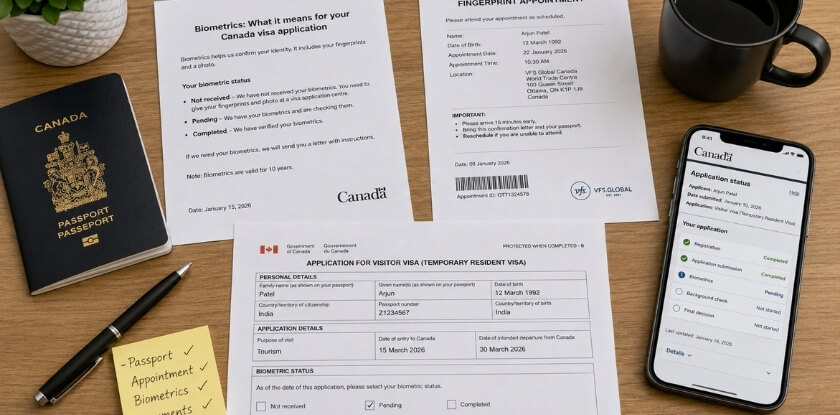
Immigration authorities match these details to your passport and application to confirm identity and avoid duplicate records. Because the match is exact, one small mistake in your name, date of birth, passport number or reference ID can stop a portal from finding your file.
Why biometric status matters
Many applications cannot move forward until biometrics are recorded. If your account still shows them as required, the authority may be waiting for you. An update can also show that your appointment was completed or that old biometrics are still valid.
Biometric status vs. visa application status
Biometric status tracks only the fingerprint and photo step. Visa status tracks the whole decision process. In Canada, going for biometrics does not mean approval; it only confirms your identity.
| Point | Biometric Status | Visa Application Status |
| What it tracks | Fingerprints, photo, identity record | Full visa file |
| Common messages | Required, received, completed, expired | Submitted, under review, approved, refused |
| What “done” means | The biometric step is complete | A final decision has been made |
What You Need Before Checking Your Biometric Status Online
Keep your application number, passport details, date of birth and biometric receipt ready. Most portals show results only when what you type matches the official record exactly.
Your application or case number is usually the main key. It may be called a receipt number, tracking ID, file number or case ID, and you can find it in your confirmation email, appointment letter, payment receipt, biometric instruction letter or online account. Many systems also ask for your passport number, full name, date of birth, nationality and the email used on the application. Type them exactly as printed on your passport, including middle names, hyphens and date format. Some countries use a special identifier. A number from one system will not work in another portal.
| Identifier | Used in | Purpose |
| UCI | Canada | Links client and immigration records |
| USCIS receipt number | United States | Tracks USCIS-filed cases (13 characters: 3 letters such as EAC, WAC, LIN, SRC, NBC, MSC or IOE, then 10 numbers) |
| CEAC case number | United States | Tracks embassy or consulate visa cases |
| GWF number | United Kingdom | Identifies your UK visa application |
| ImmiAccount reference | Australia | Tracks online visa applications |
| VAC tracking number | Visa centers | Tracks appointment or passport movement |
Also keep your biometric enrollment receipt. It is your proof that fingerprints and photo were collected, and it helps if your account does not update or the embassy asks you to confirm.
How to Check Biometric Status Online by Country
Use the official portal of the country where you applied and enter the reference details linked to that application. Some portals list biometrics separately, while others fold them into the general status page.
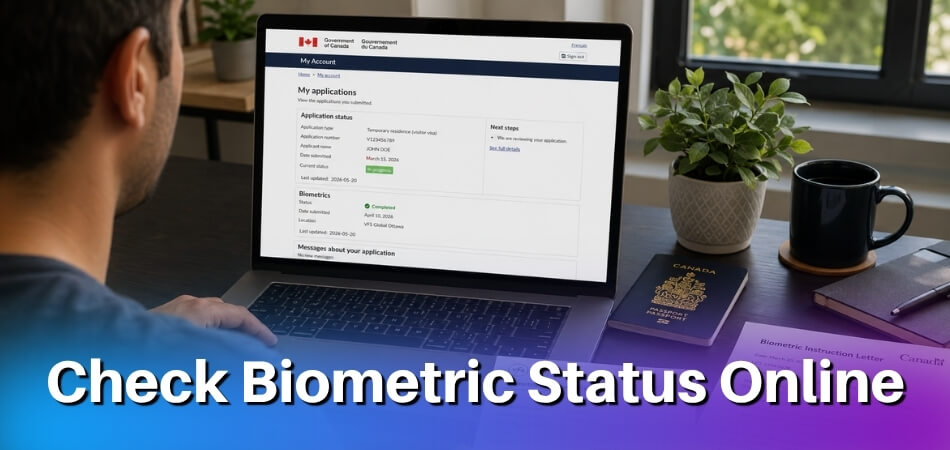
Canada
Sign in to your IRCC secure account, open your application and check its status and messages. IRCC sends alerts by email and online, and its Client Application Status tool updates daily. When you track your Canada visa in your IRCC account after biometrics, most status lines show that one step has started or finished, not a final decision. If IRCC needs your biometrics, you receive a biometric instruction letter (BIL) after you pay the biometrics fee, and you have 30 days from the date on the letter to give them. If you cannot book a visit before the letter expires, use IRCC’s web form to explain why you need more time and attach a screenshot of your appointment confirmation.
Current note for 2026: IRCC’s Ebola temporary measures run until 27 November 2026 unless extended. For residents of the affected countries, IRCC keeps processing applications but does not make final decisions, and visa application centers cannot process passport submissions. A file that looks stuck after biometrics may be this hold rather than a biometrics problem.
United States
There is no single US biometric status page. The right tool depends on who handles your case.
For USCIS cases (for example Form I-485), USCIS mails an appointment notice for an Application Support Center (ASC). To follow progress, use USCIS Case Status Online with your 13-character receipt number, without dashes. It shows the last action taken on your case and any next steps. USCIS does not say it lists biometrics appointments separately, so read your mailed notice for the date, and call the USCIS Contact Center on 1-800-375-5283 if the online status does not change. For embassy or consulate visa cases, some posts scan fingerprints at the visa interview, while others ask you to book a photo and fingerprint appointment at a Visa Application Center before the interview. Your post’s page on travel.state.gov says which applies. The CEAC Visa Status Check page shows only the overall case status, so do not expect a separate “biometrics received” line there.
United Kingdom
GOV.UK describes no separate biometric tracker. UK Visas and Immigration (UKVI) starts processing your application once you either verify your identity and submit your documents in the UK Immigration: ID Check app, or attend an appointment to give your fingerprints and photo. For applications made inside the UK, GOV.UK says UKVI cannot give status information while your application is within the published processing times. Keep your GWF number, appointment confirmation and enrollment receipt. If you attended a visa application center, its tracker may show appointment completion or passport movement.
Australia
Sign in to ImmiAccount, open the application, and check messages, document requests and attached letters. Look for a request to give biometrics or a note that they were received. The letter that asks for them shows a Visa Lodgement Number: if it starts with AUI, you can use the Australian Immi App with your passport and a live photo, and Home Affairs says ImmiAccount is updated within 24 hours of your submission. Otherwise you attend an Australian Biometrics Collection Centre, which VFS Global runs for the department. If you gave biometrics at a collection center, keep the appointment confirmation and receipt.
Schengen countries
Biometric records sit in the Visa Information System (VIS), and applicants cannot log in to VIS to see their fingerprints. Check through the visa application center, the embassy or consulate handling your file, or the service provider’s tracking page, using your reference number, tracking ID or passport number. These trackers often show application or passport movement rather than a detailed biometric status.
How to Confirm That Your Biometrics Were Received
Compare the status section of your official visa account with your biometric receipt. If nothing updates after the normal waiting period, contact the center where you gave them.
Open the same account you used to apply and look in status, messages, documents, case history or application details. Wording such as biometrics received, fingerprints received, enrollment completed or valid biometrics on file means the step has likely been recorded, although the visa itself may still be under review. Exact wording differs by system, and some systems never show these phrases.
Your receipt is your main proof of attendance. It may show your name, passport number, appointment date, collection center, tracking number and application reference. It does not prove the authority has finished reviewing your biometrics, but it does prove collection was done.
Common Biometric Status Messages and What They Mean
These messages tell you whether your fingerprints and photo are still needed, collected, accepted, missing or expired. Wording varies by country, and not every portal uses all of them, but the meanings are similar.
| Message | What it usually means | What to do |
| Biometrics required | The authority still needs your fingerprints and photo, or earlier ones expired, cannot be reused, or are not yet linked | Book an appointment or follow your instruction letter |
| Biometrics submitted | Collected and sent for processing, usually shown after your appointment | Wait for the system to update |
| Biometrics received | Accepted into your application file, which is a positive update | No action |
| Biometrics in progress | Being reviewed or matched with your application | Act only if asked |
| Biometrics completed | The biometric step is finished for this application. It is not a visa approval | None unless a new request appears |
| Biometrics not found | The system cannot find a record for the details you entered | Recheck spelling and numbers; if it persists after several working days, contact the center with your receipt |
| Biometrics expired | Old fingerprints and photo can no longer be reused | Give new biometrics if requested |
How to Check If Your Biometrics Are Still Valid
Look for a validity or “valid until” date in your official account, or work it out from your collection date and the country’s rule. In Canada, IRCC’s Check status tool shows whether your biometrics are still valid and when they expire. Biometric status shows what is happening in the current application. Biometric validity shows how long an earlier record may be reused.
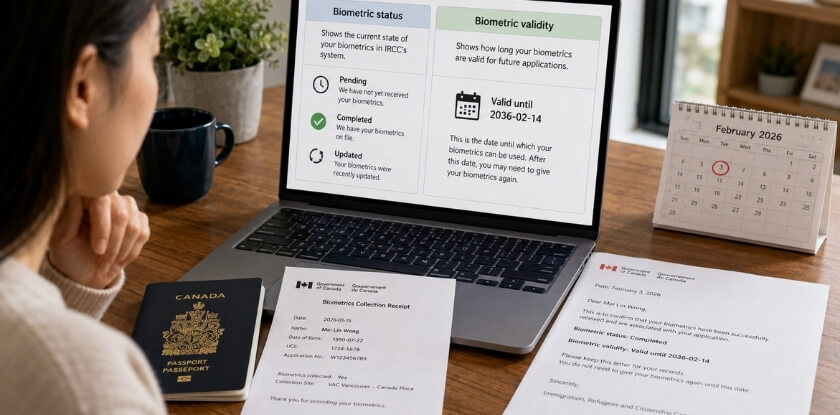
A validity date is not a visa date. If a system says your biometrics are valid until 2030, that does not mean your visa is valid until 2030. Reuse is also not automatic. It depends on the country, visa type, collection date and the latest instruction in your account.
Find the date your fingerprints were taken from your receipt, appointment confirmation, instruction letter, old decision letter or visa center emails. Do not guess from memory.
| Destination | Common validity approach |
| Canada | Valid for 10 years; a visa or permit cannot be issued past that expiry, and you can give biometrics again when you apply for a longer-lasting document |
| United States | Set by the specific USCIS or visa case |
| United Kingdom | Often linked to the current application or immigration process |
| Australia | Assessed according to the visa application and official request |
| Schengen countries | Fingerprints stored in VIS can generally be reused for about five years (embassies often quote 59 months); the consulate decides |
New biometrics may be needed if your record expired, cannot be reused, is not linked to the new application, or the authority asks for fresh data. If your account asks again, follow it.
How Long Biometric Status Usually Takes to Update
Updates usually appear within a few working days after the appointment, but timing depends on the country, center and system. No official universal time frame exists, so a short delay is not by itself a problem.
After your appointment the center records your fingerprints, photo and reference and gives you a receipt. For a short time your account may still say required, pending or no update available. The center then sends the record to the authority, which matches it to your application by name, passport number, date of birth and application number. If something does not match, the update can take longer or need manual review.
If the status has not changed after the normal period, the portal says biometrics not found, the account still says required, or your receipt details do not match your application, follow the steps in the next section.
Why Your Biometric Status May Not Be Showing Online
The usual causes are a typing error, a delayed update, a portal problem, or a record that is not linked to your file. Most are temporary.
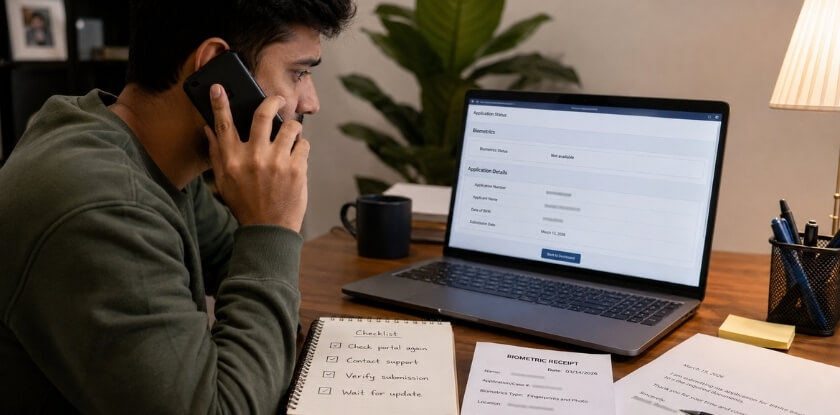
- Incorrect details: Check your application number, passport number, date of birth, full name and visa category against your passport and confirmation.
- Delayed update: Weekends, holidays, high volume, maintenance or manual checks can slow the transfer between the center and the immigration office.
- Portal problems: Refresh, try another browser or device, clear the cache, or come back outside peak hours. Do not use unknown tracking sites because the official one is down.
- No separate biometric section: Look in messages, documents, case history, appointment details or the timeline for wording like “identity information received” or “enrollment completed.”
- Canada, no letter yet: IRCC sends the biometric instruction letter after you pay the biometrics fee. If none has arrived, check that the fee was paid and, if you paid after applying, that the receipt was uploaded through your IRCC secure account or the IRCC web form.
- Receipt lost or not linked: Search your email and appointment account first. If you cannot find it, ask the center to confirm enrollment using your passport and application number.
What to do step by step
Recheck every section of your account, then compare your entries with your passport, confirmation and receipt. Next, contact the collection center with your full name, passport number, application number, appointment date, receipt number, visa category and center location, and ask whether your enrollment was recorded and sent. If the center says yes but the portal still does not update, contact the embassy, consulate or immigration authority. Escalate sooner if the system still says required, a new biometric request appears, or a deadline is close.
From our experience at MS International: Our invitation letter is issued within 3 to 5 business days after payment clears, and it supports a visa application but does not guarantee one. Biometrics are a separate government step, so the status lives in your own account, not with the conference organiser. A habit that helps: photograph your receipt before you leave the center, and save it with your application reference and your invitation letter.
Safety Tips for Checking Biometric Status Online
Use only official immigration websites, embassy pages, approved visa center portals, or the account where you applied. Biometric and passport details are sensitive.
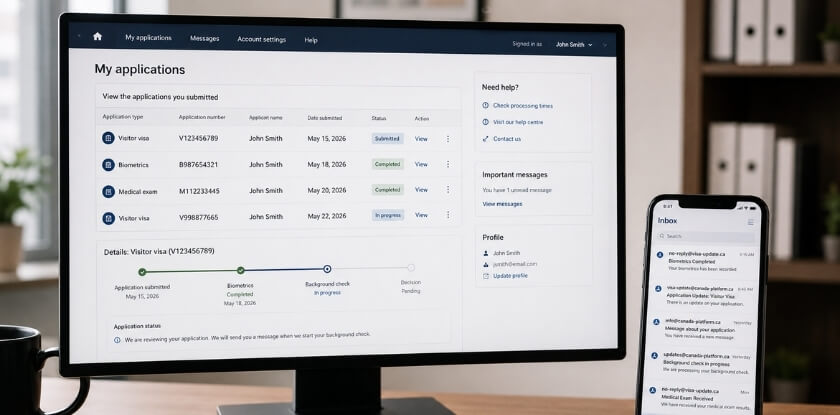
Government portals are the most reliable source. Visa center trackers help when a third-party center collected your biometrics. They show whether you attended, the application was forwarded or the passport was returned, but may not say “biometrics received” directly. Embassies and consulates may also offer status pages, case inquiry forms or email support.
- Avoid unofficial services that promise instant results or access to private databases, or that ask for unusual fees or unrelated logins.
- Keep data private. Do not post passport numbers, receipt numbers or screenshots. Avoid public Wi-Fi, use a strong password and log out afterwards.
- Save records. Keep your receipt, appointment confirmation, status screenshots, embassy replies and validity records in case your account changes or you apply again.
- If unsure a page is real, go through the official government or embassy website and follow its links.
FAQs About Checking Biometric Status Online
Without a receipt, or with a portal that still says biometrics are required, checking status gets harder; mistyped names or passport numbers, US cases and expired or overdue Canadian biometrics add more doubt.
Can I check biometric status without a receipt?
Often yes. Your application number, passport number, date of birth or account login is usually enough. Keep the receipt anyway, because it is the proof if the portal does not update.
Does “biometrics completed” mean my visa is approved?
No. IRCC says giving biometrics is a step before it can process your application, not an approval. “Completed” only means your fingerprints and photo were collected or accepted. Document review and background checks still come before a decision.
Can I check biometric status online for a US visa?
Not as a separate item. For embassy visas, CEAC shows the overall case status. For USCIS cases, Case Status Online with your receipt number shows the last action taken, so check your mailed notice for the biometrics date.
Can I reuse old biometrics for a new application?
Sometimes. Canadian biometrics are valid for 10 years, and Schengen fingerprints can generally be reused for about five years. If your letter or account asks for new biometrics, follow that.
Why does my account still say biometrics are required after my appointment?
Usually the record has not updated or linked yet. Keep your receipt and check again after several working days. If it still says required, contact the center that collected them.
Can the visa center confirm biometrics if the portal does not?
Often yes. Give your name, passport number, application reference, appointment date and receipt number. It can usually confirm collection but cannot decide your visa outcome.
What should I do if my name or passport number is entered incorrectly?
Contact the official visa center or immigration authority. First compare your entry with your passport, application form, appointment confirmation and biometric receipt. If the mistake is in the official record, ask support how to correct it.
How do I know when my biometrics have expired?
In Canada, use IRCC’s Check status tool. It shows whether your biometrics are still valid and when they expire. Elsewhere, look for a “valid until” date in your account, or use the collection date on your receipt and ask the visa center or embassy to confirm.
What if I cannot give my Canadian biometrics before the deadline?
Tell IRCC before the letter expires. Use the IRCC web form to explain why you need more time, and attach a screenshot of your appointment confirmation if you have one.
Final Checklist Before You Check Your Biometric Status
Use the correct official portal and have your identification details ready before you log in. This avoids errors and helps you read the result correctly.
Use the portal for the country where you applied, with the details listed earlier in this guide. If the status has not updated, recheck your details, wait through the normal period, keep your receipt, and contact the collection center or immigration authority if the issue remains.
Disclaimer: This article is general information, not legal or immigration advice. Visa rules, fees, and processing times change. Confirm the current requirements on the official immigration authority website (IRCC, USCIS, UKVI, Home Affairs or your Schengen embassy) before you apply.