
Biometrics are done, and now the waiting begins with very little to look at. It is easy to refresh the page again and again and wonder whether anything is happening. Here is where to look, and how to read what you see.
Quick answer: Yes, once you have your acknowledgement of receipt. Sign in to the IRCC account you applied with to follow your Canada visa after biometrics. It shows status lines, messages and document requests. Use VFS Global tracking only once you hand your passport or documents in for return. “Biometrics completed” does not mean approved, and a quiet account is normal while checks continue.
Fact-checked by the MS International Editorial Team. Last verified against official sources: October 2026.
Biometrics are one step in the Canada visa process. After your fingerprints and photo are taken, IRCC can still review your eligibility, background, medical results (if required) and supporting documents before it decides. If your account says “biometrics completed” and then nothing changes, that does not mean your file is delayed or refused.
What Happens After You Give Biometrics for a Canada Visa?
IRCC uses your fingerprints and photo to confirm your identity. IRCC says giving them is one of the steps needed before it can process your application, and it does not approve the visa. The rest of the application still has to be reviewed. Most status lines are not final decisions: they show that one part of the process has started, finished or is under review.
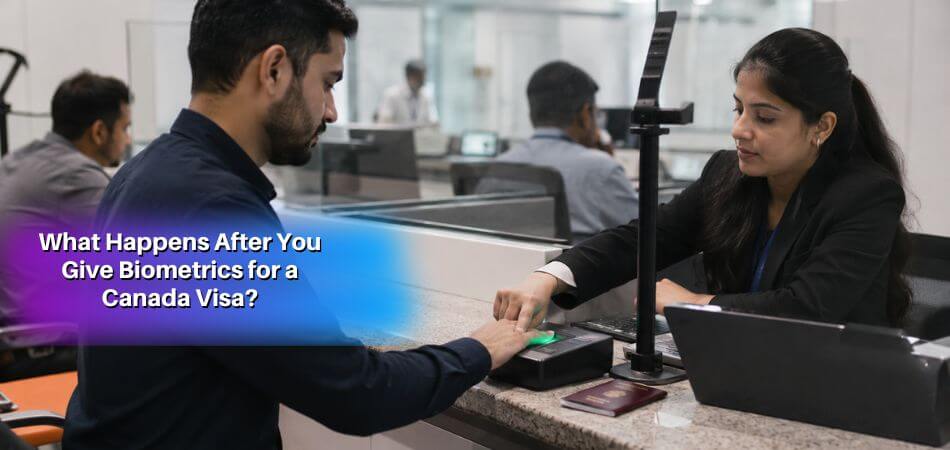
Biometrics Are Received and Linked to Your File
When IRCC receives your biometrics and connects them to your application, your account may show “Biometrics completed.” That only means they were received or accepted. It does not mean:
- Your visa is approved
- A passport request is coming soon
- Your background check is finished
- Your eligibility review is passed
If IRCC needs new biometrics, it will send instructions. If your biometrics are still valid from an earlier temporary residence application, they may be reused automatically.
IRCC Continues Eligibility and Background Review
IRCC still checks whether you qualify for what you applied for, including your documents and ties outside Canada. For a visitor visa, it looks at your reason for visiting, funds, travel history and whether your situation supports a temporary stay. For a study permit, it looks at your acceptance letter, funds and study plan. For a work permit, it may review employer documents, the job offer and LMIA details if required.
Background checks cover identity, criminality and security screening. IRCC compares your fingerprints with RCMP records, and any match is reviewed before the decision. This part can take time and often produces no visible update.
Medical Results May Be Reviewed
If your application needs a medical exam, the panel physician usually sends the results straight to IRCC. You may later see “Medical results passed.” Eligibility and background checks may still continue after that. If you see nothing, the exam may not be required, the clinic may not have submitted yet, or IRCC may not have reviewed it. Do not repeat the exam unless IRCC asks.
Application Updated With No Visible Change
Applicants often call this a “ghost update” (an informal term, not an IRCC one). It guarantees neither approval nor refusal, so keep checking your account and email instead of drawing conclusions.

Final Decision and Passport Request Come Later
After the reviews, IRCC issues a decision. If you are approved and need a visa in your passport, you may receive a passport request letter (depending on the application, you may instead receive an approval letter, port of entry letter, visa counterfoil or PR instructions). Only then does VFS tracking become useful, because it can show whether your passport was received, dispatched or ready for collection.
What You Need to Track Your Canada Visa Application
Different systems use different identifiers, and the wrong number in the wrong place gives errors or no result.
IRCC Secure Account Login
Visitor visa applicants can have one of two accounts. The IRCC Portal signs you in with your email. The IRCC secure account uses a GCKey or a Sign-In Partner. Use the one you applied with; if you are not sure, try both or check your email. A new account will not show your application automatically, and you may need to link it again.
Application Number
Your application number identifies one application. You find it in your acknowledgement of receipt (AOR), submission confirmation or IRCC letters. A new application gets a new number, even if you have applied before.
UCI Number
Your UCI (Unique Client Identifier) identifies you as a person. If you applied for a visitor visa, study permit, work permit or PR before, you already have one. It is used for tracking tools, web forms and biometrics validity checks.
VFS Tracking ID
Your VFS Tracking ID is printed on the receipt from the Visa Application Centre. It works only on the VFS tracking page and only shows passport or document movement.
Date of Birth and Passport Details
Enter personal details exactly as in your application. Common mistakes are names in the wrong order, a missing middle name, a wrong passport number, a different date format, a wrong family size or the wrong application type. If tracking fails, check these before assuming a problem with your file.
Application Number vs UCI vs VFS Tracking ID
These three numbers are different and each works in a different system.
| Identifier | Where to Use It | What It Tracks |
| Application number | IRCC account, status tool, web form | One specific application |
| UCI | IRCC tools, biometrics check, web form | Your personal IRCC client profile |
| VFS Tracking ID | VFS Global tracking page | Passport or document movement |
If a portal says “no result found”, you are probably using the right number in the wrong system. A VFS Tracking ID will not show IRCC progress, and a UCI alone usually cannot open a specific application.
Official Ways to Track a Canada Visa After Biometrics
The best option depends on your application type and stage. IRCC says you can check status only after you receive your AOR, so a brand-new file may show nothing yet. The email that confirms you submitted an online application is not an AOR.
Method 1: Track Through Your IRCC Secure Account
This is the main method for most applicants, and the next section walks through it step by step.
Method 2: Use the IRCC Client Application Status Tool
IRCC also offers a separate Client Application Status tool, updated daily, which it lists for programs such as Express Entry, PR cards and citizenship. For a visitor visa applied for online, IRCC points you to your account instead. If the tool cannot find your file, the type may not be supported, the file may be too new, or your details may not match IRCC records. Your account stays the main source, especially for official letters.
Method 3: Track Passport Movement Through VFS Global
If you hand in your passport or documents at a Visa Application Centre, VFS tracking can show that items were received, sent to the visa office, dispatched back, ready for collection or sent by courier. It does not show IRCC’s decision process, and the VFS section below explains how to use it.
Method 4: Link a Paper Application Online
Some paper applications can be linked to an IRCC secure account to get detailed status and messages. Enter the details exactly as on your forms. If the system cannot find your file, check name, passport number, birth date, family information and application category.
How to Track Your Canada Visa in Your IRCC Account
Your IRCC account is the best place to see real progress after biometrics.
Step 1: Sign In With the Correct Method
Use the same email, GCKey or Sign-In Partner login connected to your application.
Step 2: Open the Submitted Application
If you have more than one file, check the application number and submission date so you open the right one.
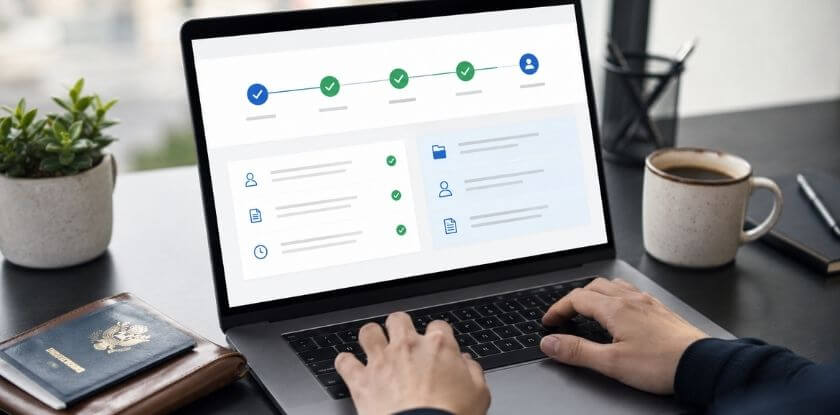
Step 3: Review the Status Lines
Look at the lines for biometrics, medical exam, eligibility review, background check and final decision. They do not update daily and can stay unchanged while IRCC works internally.
Step 4: Check Messages Carefully
IRCC sends requests for biometrics, medicals, extra documents, passports and decisions as messages. Open the full message. An email notification or dashboard summary does not contain the details.
Step 5: Act Only When IRCC Requests Something
You usually act only if IRCC asks for biometrics, a medical exam, documents, your passport, updated information or clarification. If there is no request and you are within normal processing time, waiting is often the correct step.
How to Use VFS Global Tracking After Passport or Document Submission
VFS tracking is useful only when your passport or documents are moving through a Visa Application Centre. VFS does not decide Canada visa applications. It handles services such as biometrics collection, document handling, passport transmission and courier return.
When VFS Tracking Becomes Useful
It helps after you submit your passport following a passport request, send documents through a VAC, want to confirm dispatch, or wait for pickup or courier return. If you have only given biometrics, VFS shows little, and the review continues with IRCC. For approval, refusal, eligibility or background status, rely on IRCC messages and your IRCC account.
How to Use Your VFS Tracking ID
Open the VFS tracking page for the country where you submitted your documents. Enter the Tracking ID exactly as printed on the receipt, plus your date of birth if asked. An ID from one country’s page may not work on another’s.
Canada Visa Timeline After Biometrics
No single timeline fits every application. Processing depends on application type, country, visa office workload, document completeness and whether extra review is needed. IRCC’s visitor visa guidance says most applications take a few weeks or less, but that is a general statement, so check IRCC’s posted processing time for your type and country. That estimate runs from the day IRCC receives your complete application to the decision, and it includes the time it takes you to give biometrics. It is not a maximum or a guarantee, and an incomplete application can be delayed or returned.
What Usually Appears First, and What Takes Longer
Biometrics often show as completed soon after your appointment, though timing varies. Eligibility and background checks take longer and may leave a status line unchanged for weeks. A passport request comes last, and only if a visa in your passport is needed.
Tracking Differences by Canada Application Type
Visitor Visa
Use your IRCC account for biometrics, eligibility, background, messages and the decision. Use VFS only after a passport request.
Study Permit
Your account may show medical exam, document review, eligibility and decision updates. Watch for messages about medicals, extra documents and the approval letter. If you applied from outside Canada and must submit your passport, VFS can track it afterwards.
Work Permit
Tracking depends on whether you applied from inside or outside Canada and on the permit type. IRCC may review employer documents, the job offer, LMIA details if applicable, qualifications and medicals. Your IRCC account remains the main source.
Permanent Residence
PR applicants may use an IRCC account, a status tool, the PR portal or other program-specific tools. Updates can cover medicals, eligibility, background checks, extra documents, confirmation of permanent residence or a passport request. People inside Canada may finish final steps in the PR portal. People outside Canada may need to submit a passport.
Why Your Canada Visa Status May Not Update After Biometrics
No update after biometrics is common and does not always mean delay or refusal. The usual reasons:
Your AOR Has Not Been Issued Yet
Detailed tracking is generally available only after the Acknowledgement of Receipt. If the tool cannot find you, the file may not be ready for tracking.
Your File Is Still Within Normal Processing Time
Checking more often will not speed anything up.
Background or Security Checks Are Ongoing
IRCC does not show detailed internal notes in your public account.
Medical Results Are Pending
The account may not change until the clinic submits and IRCC accepts the result.
Your Biometrics Are Being Reused
Biometrics for temporary residence applications are generally valid for 10 years, and valid ones can be attached automatically to a new visitor visa, work permit, study permit or extension. In that case you will not see a new appointment or a fresh completion update.
You Are Checking the Wrong Tool
VFS before passport submission shows nothing useful about visa progress.
There Is a Technical Issue
Old bookmarks, browser problems, account changes or sign-in trouble can block tracking.
How to Check If Your Biometrics Are Still Valid
IRCC’s Check status tool tells you whether your biometrics are still valid and when they expire. You may need your UCI, name, date of birth and details from your previous application. IRCC cannot issue a visa or permit beyond the expiry date of your biometrics, and you can give them again if you want a longer validity. Permanent residence applications are different: applicants aged 14 to 79 give biometrics for every PR application. If fresh biometrics are needed, IRCC sends a biometrics instruction letter.
What to Do If Your Canada Visa Application Is Not Updating
Start with the basics before contacting IRCC.
Check Your IRCC Account for Messages
Look for biometrics instructions, medical requests, document requests, passport requests, deadlines and decision letters. Update your contact details through your account or the web form, not by mail, because IRCC does not process changes sent by mail.
Confirm Your Application Is Linked Correctly
If the application is missing, link it again using details from the submitted forms.
Compare Your Case With Processing Times
If your file is still inside the posted range, waiting is normal. If it has passed that time, a web form is appropriate.
Submit an IRCC Web Form When Needed
Use the web form if you are outside processing time, cannot access your account, cannot link your application, face a technical problem uploading documents, or need to update important information. Keep it short and include your full name, date of birth, UCI, application number, application type, submission date, biometrics date and the reason for writing. For technical problems, attach screenshots and say what you already tried.
Contact IRCC by Phone
IRCC lists its phone service as available in Canada only, so from abroad use the web form. Inside Canada there is an automated line around the clock and live agents on weekdays during local business hours. Have your UCI and application number ready. Agents cannot give updates beyond what you can see online and cannot say how much longer your file will take, so check your account first.
Consider GCMS or ATIP Notes
If a file has been delayed for a long time, GCMS notes obtained through an ATIP request can show what happened on the file. They do not speed up the decision.
Quick Fixes for Common Tracking Problems

Linking errors, sign-in problems and name mismatches are fixed by entering details exactly as submitted and using the original GCKey or Sign-In Partner. For browser problems, try another browser, clear the cache, disable extensions or use a private window. If biometrics are completed, no request is pending and you are within processing time, there may be nothing to fix.
Web Form Template for Delayed Canada Visa Status Updates
Use this if your application has passed the posted processing time. For a technical issue, replace the middle paragraph with a short description of the error and add screenshots.
Subject: Application outside posted processing time
Hello,
I am contacting you about my [application type] application.
Full name: [Your full name]
Date of birth: [DD Month YYYY]
UCI: [Your UCI]
Application number: [Your application number]
Date submitted: [DD Month YYYY]
Biometrics completed: [DD Month YYYY]
Country of application: [Country]My application appears to be outside the current posted processing time for this category. I checked my IRCC account and see no pending request requiring action.
Could you please confirm whether any further information is needed from me?
Thank you.
From our experience at MS International: we issue invitation letters to attendees applying for Canadian visitor visas, and a status that has not moved for weeks after biometrics is a common worry. A quiet tracker is normal. Keep your IRCC account login, application number and UCI in one place, and read the messages in your account instead of waiting for an email.
FAQs About Tracking a Canada Visa After Biometrics
Tracking a Canada visitor visa after biometrics depends on which account you use, whether the UCI alone is enough, what a phantom update means, checking by phone and the steps once a passport request arrives.
Can I Track My Canada Visa With Only My UCI?
No, a UCI alone is usually not enough. It identifies you, while the application number identifies the file. Sign in to your IRCC account, and have both numbers ready for the web form or phone.
Does “Biometrics Completed” Mean My Visa Is Approved?
No. IRCC says giving biometrics is one step needed before it can process your application. It means IRCC received or accepted your fingerprints and photo. Eligibility, background, medical and final review may still be pending.
Which Account Do I Use to Track a Canada Visitor Visa?
Use the account you applied with: the IRCC Portal (email sign-in) or the IRCC secure account (GCKey or Sign-In Partner). If you are unsure, try both or search your email for the confirmation.
Why Did My Account Show an Update but Nothing Changed?
The system may have refreshed or an internal action occurred. Wait for a visible status change or a message before acting.
Does IRCC Email Applicants When the Status Changes?
IRCC may email you that there is a new message in your account. The email does not contain the details, so sign in to read it.
Can I Travel After Biometrics While My Application Is Processing?
Travel does not usually stop processing, but you must be able to read your email and IRCC account and answer requests for documents, medicals or your passport on time.
Can I Track My Canada Visa on a Phone?
Yes. A mobile browser works for your IRCC account and VFS tracking, but a computer is easier for uploads, forms and long letters.
Should I Check My Visa Status Every Day?
No. Once a day is plenty, and checking or calling more often does not speed up the decision. Focus on answering quickly if IRCC sends a request.
What Should I Do After Receiving a Passport Request?
Read the letter carefully and follow its instructions. Submit your passport before the deadline, then use VFS tracking to follow it.
Do I Need to Give Biometrics Again for a New Application?
Often not. Biometrics for temporary residence applications are generally valid for 10 years. IRCC will send instructions if new ones are needed.
How Long After Biometrics Will I Get a Decision?
There is no fixed time after biometrics. IRCC’s posted processing time already includes the time to give biometrics and counts from your complete application. Check it for your category and contact IRCC only if you are past it.
Conclusion
You can track a Canada visa after biometrics, but the right tool depends on the stage. Use your IRCC secure account for progress, messages and requests, and turn to VFS Global tracking only after IRCC asks you to submit your passport. If nothing changes right after biometrics, do not panic: check that the application is linked, compare your timeline with current processing times, and contact IRCC only for a clear delay or technical problem. If you are travelling for a conference, remember that an invitation letter supports your application but does not appear in any tracking tool.
Disclaimer: This article is general information, not legal or immigration advice. Visa rules, fees, and processing times change. Confirm the current requirements on the official IRCC (Immigration, Refugees and Citizenship Canada) website before you apply.