An agenda is the first thing attendees look for and the last thing organizers finish. A good template saves hours, because most of the work is changing names and times instead of designing a schedule from scratch.
Quick answer: The best conference agenda template depends on your event length and format. This guide gives six tables you can copy: one-day, multi-day, academic with parallel sessions, workshop, virtual or hybrid, and small meeting. Each lists time, session, and host, with breaks built in. Pick the closest one, replace the placeholders, and test the timing.
What Is a Conference Agenda Template?
A conference agenda template is a ready-made schedule format that shows what will happen during an event, when each session takes place, who leads it, and where attendees should go.
It usually includes the event title, date, time slots, session names, speaker details, breaks, networking periods, room names, platform links, and closing activities. Organizers add their own topics, speakers, timing, and tracks.
A good template does more than list sessions. It creates order. Attendees understand the flow of the day, speakers prepare for their slots, and organizers manage the day with fewer last-minute problems.
Why Conference Agenda Templates Matter for Event Planning
A template matters because it gives structure to the entire event. Without a clear agenda, sessions may overlap, speakers may run late, and attendees may not know where to be.

A strong template helps with:
- Planning time: You start from a ready structure and only adjust session times, speaker names, room details, breaks, and activities.
- Time management: Every session has a start and end time, which helps prevent long sessions, missed breaks, rushed Q&A, and delayed closing remarks.
- Speaker coordination: You can share session timing, topic names, presentation order, room assignments, and technical requirements in one place.
- Attendee experience: Participants can plan their day, choose sessions, find rooms, and join activities on time.
- Professional impression: A clean agenda shows guests, speakers, sponsors, and partners that the event was planned with care.
- Easy updates: A change to a time, room, or speaker means editing one row.
Agendas matter most when an event has several speakers, different rooms, virtual sessions, breakout tracks, sponsor segments, or networking activities.
6 Conference Agenda Template Examples You Can Use
The best template depends on the event format, length, and purpose. All times below are samples. Change them to fit your venue, your speakers, and the time zone of your audience.
1. One-Day Conference Agenda Template
A one-day conference agenda template suits seminars, training days, business conferences, local events, and professional networking programs. It has to deliver value in a limited time, so every block is short and the breaks are fixed.
| Time | Session | Details |
| 8:30 AM – 9:00 AM | Registration and Coffee | Check-in and welcome refreshments |
| 9:00 AM – 9:15 AM | Opening Remarks | Welcome, theme, and event goals |
| 9:15 AM – 10:00 AM | Keynote Address | Main speaker and core topic |
| 10:00 AM – 10:20 AM | Networking Break | Coffee and informal discussion |
| 10:20 AM – 11:30 AM | Panel Discussion | Moderator-led discussion with Q&A |
| 11:30 AM – 12:30 PM | Workshop or Training Session | Practical learning activity |
| 12:30 PM – 1:30 PM | Lunch Break | Meal and networking |
| 1:30 PM – 2:30 PM | Case Study or Breakout Session | Focused topic discussion |
| 2:30 PM – 2:50 PM | Refreshment Break | Short rest period |
| 2:50 PM – 3:45 PM | Interactive Session | Group activity or roundtable |
| 3:45 PM – 4:15 PM | Closing Keynote or Summary | Key lessons and final insights |
| 4:15 PM – 4:30 PM | Closing Remarks | Thanks, announcements, and next steps |
A one-day agenda should not feel overcrowded. Leave enough time for movement, questions, meals, and informal conversation.
2. Multi-Day Conference Agenda Template
A multi-day conference agenda template is for events that run two or more days, such as academic conferences, business summits, trade shows, and professional development programs. It helps you manage keynotes, panels, workshops, breakout sessions, networking events, sponsor sessions, and optional programs without a confusing schedule. The table shows one full day.
| Time | Session | Speaker/Host | Location |
| 8:00 AM – 9:00 AM | Registration and Coffee | Event Team | Lobby |
| 9:00 AM – 9:20 AM | Opening Remarks | Conference Chair | Main Hall |
| 9:20 AM – 10:10 AM | Keynote Session | Keynote Speaker | Main Hall |
| 10:10 AM – 10:30 AM | Networking Break | None | Lounge |
| 10:30 AM – 12:00 PM | Panel Discussion | Moderator and Panelists | Main Hall |
| 12:00 PM – 1:00 PM | Lunch Break | None | Dining Area |
| 1:00 PM – 2:30 PM | Workshop or Breakout Track | Session Leaders | Rooms A/B/C |
| 2:30 PM – 3:00 PM | Coffee Break | None | Lobby |
| 3:00 PM – 4:30 PM | Research Presentations or Case Studies | Presenters | Assigned Rooms |
| 4:30 PM – 5:00 PM | Daily Wrap-Up | Host | Main Hall |
For the next day, keep the same frame and change the session topics. Depending on the event, add poster presentations, a networking dinner, sponsor presentations, an award ceremony, or a closing keynote.
3. Academic Conference Agenda Template With Parallel Sessions
An academic agenda with parallel sessions runs several tracks at the same time, each in its own room, with a session chair keeping time. Label every track by topic so presenters and listeners know where to go.
| Time | Session | Room | Chair/Moderator |
| 8:30 AM – 9:15 AM | Registration and Badge Pick-Up | Lobby | Event Team |
| 9:15 AM – 9:30 AM | Welcome and Housekeeping | Main Hall | Conference Chair |
| 9:30 AM – 10:15 AM | Keynote Lecture | Main Hall | [Name] |
| 10:15 AM – 10:45 AM | Coffee Break and Poster Viewing | Foyer | None |
| 10:45 AM – 12:15 PM | Parallel Session 1A: [Track topic], paper presentations | Room A | Session Chair [Name] |
| 10:45 AM – 12:15 PM | Parallel Session 1B: [Track topic], paper presentations | Room B | Session Chair [Name] |
| 12:15 PM – 1:15 PM | Lunch | Dining Area | None |
| 1:15 PM – 2:45 PM | Parallel Session 2A: [Track topic] | Room A | Session Chair [Name] |
| 1:15 PM – 2:45 PM | Parallel Session 2B: [Track topic] | Room B | Session Chair [Name] |
| 2:45 PM – 3:15 PM | Break | Foyer | None |
| 3:15 PM – 4:15 PM | Poster Session or Roundtable | Main Hall | [Name] |
| 4:15 PM – 4:45 PM | Closing and Announcements | Main Hall | Conference Chair |
Give every paper in a parallel session the same slot length, with question time inside it, and end each session on time so people can move to the next room. For example, a 90-minute session with three 20-minute papers leaves 30 minutes for the chair and for discussion; change the numbers to fit your own slot.
4. Workshop Agenda Template
A workshop agenda template centres on hands-on work, so most of the time goes to activities, not talks. Times here are relative to the start, which makes the table easy to reuse for a half-day or a full day.
| Time | Activity | Purpose |
| 0:00 – 0:15 | Welcome and Introductions | Set goals and learn who is in the room |
| 0:15 – 0:45 | Short Talk or Demonstration | Explain the method or tool |
| 0:45 – 1:45 | Hands-On Exercise | Participants practise in pairs or small groups |
| 1:45 – 2:00 | Break | Rest and informal questions |
| 2:00 – 2:45 | Group Work or Case Study | Apply the method to a real problem |
| 2:45 – 3:15 | Report-Back and Discussion | Groups share results and feedback |
| 3:15 – 3:30 | Wrap-Up and Next Steps | Summarize and share materials |
Workshops need more time per activity than a talk-based day. A training workshop may need long hands-on blocks, while a networking-focused event needs more open discussion.
5. Virtual or Hybrid Conference Agenda Template
A virtual conference agenda template is for online events hosted on an online meeting or event platform. Online sessions are easier to drift away from, so use shorter sessions, clear breaks, and interactive moments.
| Time | Session | Speaker/Host | Format |
| 9:00 AM – 9:15 AM | Welcome and Platform Instructions | Host | Live |
| 9:15 AM – 10:00 AM | Opening Keynote | Keynote Speaker | Presentation |
| 10:00 AM – 10:15 AM | Live Q&A | Moderator | Interactive |
| 10:15 AM – 10:30 AM | Screen Break | None | Break |
| 10:30 AM – 11:15 AM | Panel Discussion | Panelists | Live Panel |
| 11:15 AM – 11:45 AM | Breakout Room Discussion | Facilitators | Small Groups |
| 11:45 AM – 12:00 PM | Group Recap | Host | Interactive |
| 12:00 PM – 1:00 PM | Lunch Break | None | Break |
| 1:00 PM – 2:00 PM | Workshop Session | Trainer | Workshop |
| 2:00 PM – 2:15 PM | Virtual Networking | Event Team | Networking |
| 2:15 PM – 3:00 PM | Final Session and Takeaways | Speaker | Presentation |
| 3:00 PM – 3:15 PM | Closing Remarks | Host | Live |
Always state the time zone on every time, not only at the top. Add short pauses, chat prompts, polls, and Q&A to keep attendees involved. For a hybrid event, use the same table and add a “Where” column that gives the room for people on site and the access link for people online. Also mark each session as shared (on site and online) or on site only, so remote attendees know which sessions they can join.
6. Small Meeting Agenda Template
A small meeting agenda template covers short team meetings around a conference, such as a daily stand-up for planning teams, volunteers, workshop teams, or event operations. The stand-up format comes from agile teams, and it works because it stays short.
| Agenda Item | Details |
| Date | [Insert date] |
| Time | [Insert time] |
| Duration | [Insert duration, kept short] |
| Facilitator | [Name] |
| Group | [Team or project name] |
| Purpose | Share progress, identify blockers, and confirm next steps |
Each participant answers three questions:
- What did you complete since the last update?
- What are you working on next?
- Is anything blocking your progress?
Then record the follow-ups in a small action table:
| Action Item | Owner | Due Date | Status |
| Confirm speaker arrival time | Event Coordinator | [Date] | Pending |
| Test presentation equipment | Technical Lead | [Date] | In Progress |
| Update check-in list | Registration Team | [Date] | Completed |
Move longer problems to a separate follow-up discussion. For a longer review meeting, such as a sprint wrap-up, the same frame stretches to include a summary, demonstrations, lessons learned, a strategy discussion, and action items with owners and deadlines. For a company-wide all-hands meeting, collect questions in advance so the Q&A stays manageable.
How to Choose the Right Conference Agenda Template
Choose a template by matching it to your event length, format, audience, and number of sessions. The right one makes the schedule easier to manage, not more complicated.

| Your event | Start with |
| Short event, focused topic, few speakers | One-day template |
| Large program with several tracks or special activities | Multi-day template |
| Research papers presented at the same time in different rooms | Academic parallel-session template |
| Hands-on learning | Workshop template |
| Online or mixed audience | Virtual or hybrid template |
| Team check-ins, project reviews, company-wide updates | Small meeting template |
Match the Template to the Event Format
An in-person agenda needs room names, venue directions, meal breaks, and transition time. A virtual agenda needs time zones, platform links, screen breaks, chat activities, and online Q&A. A hybrid event needs both sets of details.
Think About Audience Expectations
A professional audience may prefer expert panels, networking, and practical workshops. An academic audience looks for research presentations, poster sessions, and keynote lectures. Internal teams need updates, planning discussions, or performance reviews. Choose sessions that match what attendees want to learn, discuss, or achieve.
Review the Number of Sessions and Speakers
The more sessions and speakers you have, the more structure the agenda needs. A simple list may work for a small seminar, but a large conference needs tables, tracks, room assignments, and clear session categories. Each extra day and breakout room also adds to the venue line, one of the biggest costs of running a conference.
If several sessions happen at the same time, label them clearly, such as Leadership Track, Research Track, Technology Track, or Workshop Track.
The file format matters less than the structure. A simple table in a word processor is enough for one room and a few sessions, while several tracks and rooms are easier to manage in a spreadsheet, where you can sort by room, speaker, or time.
How to Create a Well-Structured Conference Agenda
To create a well-structured agenda, define the event goal, list the key sessions, put them in a logical order, add breaks, and review the final schedule before sharing it. What each row should show is covered in the next section.
Define the Main Conference Goal
Decide what the event should achieve before adding sessions. The goal may be to educate attendees, introduce research, connect professionals, train teams, or share organizational updates. A clear goal keeps unrelated sessions out.
List the Key Sessions and Activities
Write down every major activity, such as registration, opening remarks, keynote sessions, panels, workshops, lunch, networking, Q&A, and closing remarks. Once the list is complete, remove anything that does not support the main purpose of the event.
Arrange Sessions in a Logical Order
Begin with registration, welcome remarks, and a strong opening session. Place important sessions at times when attendees are alert, such as at the start of the day or after a major break. Use lighter or more interactive sessions later in the day to keep energy steady.
Include Breaks, Meals, and Networking Time
Breaks let attendees rest, move between rooms, check messages, meet others, and return to sessions with better focus. They also give organizers room to handle delays. Add time for coffee breaks, lunch, room transitions, technical setup, and audience questions. A packed agenda may look productive, but it often creates delays and fatigue.
Review the Agenda Before Sharing
Check every detail. Make sure session times do not overlap, speaker names are correct, breaks are included, and room assignments are accurate. Then read the agenda from an attendee’s point of view: someone seeing it for the first time should understand it quickly.
Key Elements Every Conference Agenda Should Include
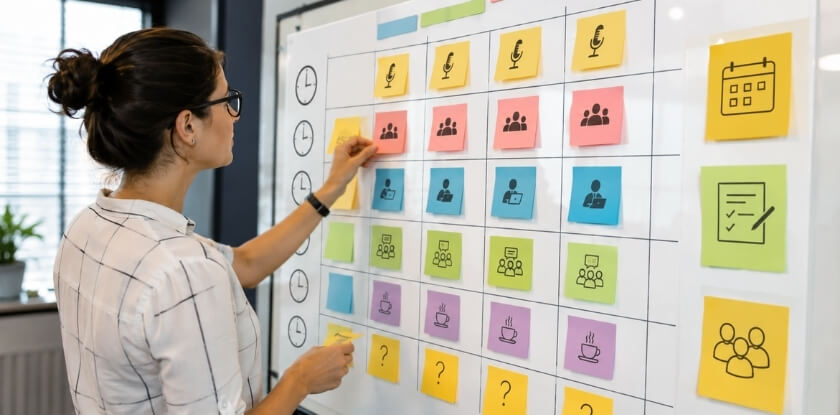
A complete agenda shows the event details, schedule, session titles, speaker information, venue or platform details, breaks, and closing activities.
| Element | What to show |
| Title, date, and location | Conference title, event date (the full range for multi-day events), venue, city, and platform details if the event is online or hybrid |
| Theme or purpose | One clear idea that connects all sessions and tells attendees what value to expect |
| Session times | A clear start time and end time for every session |
| Titles and short descriptions | A clear title for each session, plus a short description for workshops, panels, and breakouts that explains what attendees will learn or discuss |
| Speakers and facilitators | Names of speakers, moderators, facilitators, panelists, or hosts beside each session; for formal events, add title, organization, or field of expertise |
| Rooms or online access | Room names, hall numbers, floors, or building areas for in-person events; platform details and access instructions for online events |
| Breaks and networking | Coffee breaks, lunch, refreshment periods, networking sessions, and informal discussion time |
| Practical information | A contact person, registration desk location and opening hours, maps for larger venues, Wi-Fi details, and accessibility information such as step-free routes or quiet spaces |
| Special moments | Keynote speeches, award sessions, sponsor presentations, panel discussions, closing remarks, and feedback sessions, because they shape the overall experience |
Can You Convert a Full Conference Agenda Into a One-Day Schedule?
Yes. Keep only the most important sessions, shorten long presentations, merge similar topics, and protect time for breaks and a clear closing.
Keep Only the Most Important Sessions
Start with the sessions that directly support the main event goal. Prioritize the keynote, main panel, practical workshop, and closing summary. Smaller side sessions can move to a future event, a webinar, or an optional resource.
Shorten Long Presentations
Long presentations usually need to be reduced. In a one-day event, give the keynote the shortest length that still lets the speaker make the point, and set firm time limits for panels and workshops.
Combine Similar Topics
If several sessions cover related ideas, combine them into one stronger session. For example, separate talks on leadership, culture, and communication could become one panel on workplace leadership.
Keep the Breaks and End With a Clear Closing
Do not remove every break just to fit more sessions in. Keep coffee, lunch, and short transitions. Then close properly: a short final session that summarizes the main lessons, thanks speakers and attendees, and shares next steps keeps the event from feeling unfinished.
Common Mistakes to Avoid When Planning a Conference Agenda
Three mistakes make an agenda hard to follow: adding too many sessions, ignoring the audience, and leaving no buffer time.

- Adding too many sessions: A crowded agenda tires people out. A smaller number of strong sessions is usually better than many rushed topics.
- Ignoring the audience’s needs: If the topics, speakers, or formats do not match what attendees expect, engagement drops.
- Leaving no buffer time: Buffer time lets speakers prepare, people move between rooms, technical issues get solved, and short conversations finish without delaying the whole schedule.
Missing speaker or room details, a hard-to-read layout, and a weak ending also confuse readers. They are fixed by the key elements table above, the layout tip below, and a proper closing session.
Tips for Customizing Conference Agenda Templates
To customize a template, adjust the timing, session names, activities, highlights, layout, and updates to your event goals.
Adjust the Timing for Your Event Type
A training workshop may need longer hands-on sessions, while a networking event needs more open discussion time. Do not copy a template exactly if its timing does not match your audience or format.
Use Clear and Simple Session Names
Session names should be direct. Instead of “Future Ideas,” write “Future Trends in Digital Marketing” or “Future Skills for Business Leaders.”
Add Interactive Activities Where Useful
Depending on the event, you can include live polls, Q&A sessions, roundtable discussions, breakout groups, short exercises, or audience feedback moments.
Highlight Key Sessions and Speakers
Make important sessions easy to notice, such as keynotes, expert panels, workshops, sponsor sessions, award moments, or closing activities.
Keep the Layout Easy to Read
Use tables for schedules, short paragraphs for descriptions, and consistent formatting for time, speaker names, and locations. Label multiple tracks clearly, and avoid overloading the agenda with text. If the agenda is online, let people view it by day, room, or track, and add sessions to their own calendars.
Update the Agenda as Details Change
Speakers may shift, rooms may change, and times may need adjusting. Publish a working version as soon as the main sessions and speakers are confirmed, mark it as subject to change, and keep one current version as details settle. Show the date of the last update on it.
From our experience at MS International: our conferences are held in person at venues in the Greater Toronto Area. Presenting authors are told the check-in time in their confirmation email, collect their badge at check-in, and meet the session coordinator or moderator. They confirm their room, speaking time, presentation order, and technical setup before presenting. Presentation lengths can vary, so the speaker confirmation and the final conference programme are the official sources for each schedule.
FAQ: Conference Agenda Templates
For organizers building a program, the practical choices are session length, adapting one template for hybrid events, when to share the agenda and whether speaker bios belong in it.
What is the best conference agenda template?
The best template depends on the event format. A multi-day template suits large conferences, a one-day template suits compact events, and a virtual template suits online events. Academic conferences with several rooms need a parallel-session template, and internal teams may do better with a small meeting agenda.
What should a conference agenda include?
At minimum, every session needs a time, a title, a speaker or host, and a place, and the schedule needs visible breaks and a closing session. Larger events may add tracks, room numbers, sponsor sessions, maps, a contact person, and access instructions.
How long should each conference session be?
There is no fixed length; the format sets it. For paper sessions, reserve time for questions first, then divide the rest of the slot by the number of papers. Keynotes can run longer, while panels, workshops, and breakouts need time for discussion or participation.
Can one agenda template work for hybrid events?
Yes, if it includes both in-person and online details. Add room names for people at the venue, access links for virtual participants, a time zone on every time, and a mark showing which sessions are shared and which are on site only.
How early should organizers share the conference agenda?
Share a working version once the main sessions, speakers, and timings are confirmed, marked as subject to change, and update it as details settle. For larger events, sharing earlier helps attendees plan travel, choose sessions, and prepare questions.
Should a conference agenda include speaker bios?
It can, but bios should not crowd the schedule. In a simple agenda, show the speaker’s name, title, and organization. On a detailed event page, add a short bio under each featured speaker.
How do you make a conference agenda easier to read?
Use tables, clear time slots, short session names, consistent formatting, and visible section breaks. Avoid long paragraphs inside the schedule.
What is the difference between a conference agenda and a meeting agenda?
A conference agenda covers a larger event with multiple sessions, speakers, breaks, and networking. A meeting agenda is shorter and focuses on discussion points, decisions, updates, and action items for a smaller group.
Next Steps for Your Agenda
Pick the closest of the six templates, replace the placeholders with your sessions, speakers, and rooms, and check the timing once more. Review it as an attendee would before you publish it, then keep one updated version as details change.