The conference is over. You took pages of notes, collected a stack of event handouts, sat through a keynote session that genuinely excited you, and exchanged contact details with people you fully intend to follow up with. Now your boss, professor, or department head wants a conference report on their desk by Friday — and you’re staring at a blank Google Docs page wondering where to actually start. That feeling is more common than most people admit, and it has nothing to do with writing ability.
The frustrating part is that most guides on this topic hand you a generic template and call it done. They’ll tell you to “summarize your sessions” without explaining how to pull meaningful takeaways from a two-hour panel session you barely kept up with. They skip the networking notes section entirely, leave out any explanation of how to write action items that someone will actually act on, and say nothing about the difference between a scientific conference report, an academic conference report, and a corporate conference report. The structure is not the same across all three, and treating them like they are is exactly how you end up with a report that misses the point.
Quick Answer: How to Write a Conference Report
A well-written conference report should include the following, in this order:
- Event details — conference name, date, location, and your name as the author
- Introduction — a brief overview of the conference purpose and why you attended
- Session summaries — one section per major session (keynote session, panel session, poster session, workshops), with key takeaways and speaker insights
- Networking notes — names and roles of important people you met, conversations worth documenting, and any follow-up opportunities
- Decisions and action items — specific next steps, recommendations, and any commitments made during or after the event
- Closing reflection — your personal assessment and organizational relevance of the event
- Tone: professional and factual throughout
- Length: 500–1,000 words for most events; longer for multi-day scientific or academic conferences
- Formatting: use clear headings for readability; photos, charts, or slides from conference proceedings are optional but genuinely useful
- Tools: Microsoft Word, Google Docs, or Notion for drafting; Grammarly or Hemingway Editor for editing; Canva for visual formatting if needed; Otter.ai for transcribing recorded session notes; Google Drive, SharePoint, or PDF export for sharing
This guide goes further than most. Beyond the standard structure, it covers how to handle the differences between a scientific conference report and a general corporate or professional development report, how to write a proper conference abstract or executive summary when one is required, how to turn raw session notes into a readable conference summary that actually gets read, and how to share and distribute the final document so it reaches the right people — whether that means posting a version on LinkedIn, uploading to SharePoint, or attaching a formatted PDF to an internal email. If you’ve been handed this task and told to “just write up what happened,” this is the guide that shows you exactly how.
What Is a Conference Report? (And Why It Matters)
A conference report is a written document that captures what happened at a conference — what was presented, what was discussed, what you learned, and what needs to happen next. Simple concept. But the execution matters a lot.

It’s not just a summary of the agenda. A good conference report gives your organization something actionable — a clear picture of the event’s value, the key takeaways, and the follow-up steps that came out of it.
The Different Types You’ll Encounter
The term gets used loosely, and it can mean different things depending on context.
Trip report — Common in corporate settings. Your manager sent you to a two-day industry event. They want to know if it was worth the budget. This is usually 1–3 pages, focused on organizational relevance and action items.
Academic conference report — Written after attending a scientific conference. Covers keynote sessions, panel sessions, poster sessions, and often includes notes on the research presented. Might be submitted to a department, a funding body, or published as part of a professional development report.
Scientific conference report — Overlaps with academic, but often more technical. Researchers use these to document specific findings presented at the event and compare them to their own work.
Corporate conference report — Broader scope. Could cover an industry summit, a trade show, or an internal company event. Often structured around business implications.
The format shifts based on audience and purpose, but the core components stay roughly the same.
Why People Actually Bother Writing Them
Here’s the honest answer: most conference reports get written because someone requires it. A manager asks for one. A grant requires documentation. A department head wants proof of professional development.
But the ones that actually get read — and saved — serve a real purpose. They help colleagues who didn’t attend understand what they missed. They create a record for future planning. They translate a $1,500 conference ticket into something the organization can point to.
A well-written conference report also protects you. If you attended something expensive and came back with vague verbal updates, that’s hard to justify. A structured document with concrete session summaries, networking notes, and follow-up actions tells a much cleaner story.
There’s also a knowledge transfer angle that most people underestimate. You attended. You took notes. You had conversations. Without a written report, most of that stays in your head — or in scattered notes across Notion, Google Docs, and a few sticky tabs in a conference program. The report is what turns a personal experience into shared organizational knowledge.
What It’s Not
A conference report is not a conference abstract. The abstract is a pre-event document — usually written by presenters to describe what they’ll cover. You might reference or quote abstracts in your report, but they’re not the same thing.
It’s also not a transcript. You don’t need to document every slide or every word from every speaker. That’s what conference proceedings are for, and those are usually published separately by the organizers.
Your job is synthesis, not transcription.
Conference Report vs. Conference Summary — What Is the Difference?
People use these terms interchangeably, but they’re not the same thing. Mixing them up can create real problems — especially if your manager asks for one and you hand in the other.
The Conference Summary
A conference summary is a short overview. Think of it as the “what happened” document. It covers the event dates, location, main themes, and a few highlights from sessions you attended. Usually one to two pages. Sometimes it’s just a few bullet points in an email.
Summaries are informal by nature. They’re quick to write and quick to read. A colleague who couldn’t attend just wants the gist — the summary gives them that.
The Conference Report
A conference report is something else entirely. It’s structured, detailed, and written with a specific audience and purpose in mind. It includes an executive summary, session-by-session breakdowns, key takeaways, networking notes, and — critically — action items tied to your organization’s goals.
This is the document that actually justifies the cost of attending a conference. A good conference report answers: so what does this mean for us?
It might run five to fifteen pages depending on the event. It gets filed on SharePoint or Google Drive. It might be referenced months later.
Where the Confusion Comes From
Most online guides call everything a “conference summary” and stop there. They skip the structure that makes a report professionally useful. That’s partly why people write vague, forgettable documents that nobody reads twice.
Here’s a simple way to think about it:
- Conference summary = what you saw
- Conference report = what you saw + what it means + what happens next
A trip report (common in corporate settings) is closer to a conference report than a summary. It typically includes travel context, meeting outcomes, and follow-up actions — same logic applies here.
For a scientific conference report or academic conference report, the distinction gets even sharper. You’re expected to reference specific papers, poster sessions, and methodology discussions. A casual summary doesn’t cut it for that audience.
Which One Do You Actually Need?
Ask yourself two questions before you start writing.
First — who’s reading this? If it’s your direct manager needing a quick debrief, a summary might be enough. If it’s a department head, a funding body, or a committee reviewing professional development spending, you need a full report.
Second — will anyone act on this? If the answer is yes (new vendor contacts, process changes, training decisions), write the report. Action items have no place in a summary.
When in doubt, write the report. It takes more time upfront, but it’s the version that actually gets used.
Types of Conference Reports
Not all conference reports are the same. The format, depth, and audience shift depending on why you attended, who you’re reporting to, and what kind of event it was. Before you write a single word, figure out which type you’re dealing with — it changes everything from the structure to the tone.
General Attendance Report
This is the most common type. You went to a conference, attended sessions, maybe networked, and now someone needs to know what happened and whether it was worth the organization’s time and money.
A general attendance report covers the basics: which sessions you attended, key takeaways, and what the organization should do with that information. It’s not deeply technical. It’s not written for subject-matter experts. It’s written for a manager, a department head, or a team that didn’t attend and wants the short version.
Structure is usually simple — an executive summary at the top, a few session summaries, networking notes, and action items. Keep it under three pages if you can. Nobody wants a 12-page document about a two-day event unless something genuinely critical came up.
This type often doubles as a professional development report, especially if the organization funded your attendance as a learning opportunity. In that case, they want to see what you learned and how it applies to your role — not just a schedule recap.
Scientific and Academic Conference Report
This one’s a different animal. If you attended something like a research symposium, a medical conference, or an academic event where papers were presented, your report needs to reflect that level of rigor.
A scientific conference report typically includes a proper abstract, detailed session summaries that reference specific studies or methodologies discussed, and notes on poster sessions. Poster sessions matter more than most people give them credit for — that’s often where emerging research shows up before it makes it into journals.
You’ll also want to reference the conference proceedings if they were made available. Cite specific presentations by name and presenter where relevant. Your audience — fellow researchers, a department committee, a grant body — expects precision.
The language is more formal here. You’re not writing in casual shorthand. But you still don’t need to be unnecessarily dense. If a keynote session introduced a new analytical framework, explain what it is, why it matters to your field, and what implications it might have for your current work. That’s the value of a scientific conference report — connecting external research to internal priorities.
If you used Otter.ai or a similar tool to transcribe talks (where permitted), this is the type of report where those transcripts actually earn their place as reference material.
Corporate and Business Conference Report
Corporate conference reports are about outcomes. Your company sent you somewhere — a trade show, an industry summit, a business development event — and they want to know what came out of it.
The focus shifts from “what did I learn” to “what does this mean for the business.” Did you find a potential vendor? Did a competitor announce something worth flagging? Did a keynote session reveal a market shift that affects your team’s roadmap? That’s what goes in here.
Action items carry a lot more weight in a corporate conference report than in other types. You’re not just summarizing — you’re translating the event into decisions or next steps. Three concrete action items your team can act on are worth more than ten pages of session notes.
Keep the organizational relevance front and center. If you attended a panel session on supply chain strategy, don’t just describe what was said — connect it directly to how your company operates. That’s what makes this report useful rather than archival.
Format-wise, these often end up as polished documents built in Microsoft Word or Google Docs, sometimes with branding. Some teams use Notion to keep everything collaborative and linked to project boards. If it’s going to leadership, run it through Grammarly at minimum, and consider whether a clean one-page summary exported to PDF is more appropriate than a full document.
Trip Report (When Travel Is Involved)
If getting to the conference involved flights, hotels, or any significant travel spend, you might need a trip report on top of — or alongside — the conference report itself.
A trip report documents the logistics: where you went, what it cost, what you did, and whether the trip delivered value proportional to the expense. Some organizations require these for reimbursement purposes. Others want them to decide whether to send people to the same event next year.
Don’t confuse a trip report with a conference report. They overlap, but a trip report is broader. It might include notes about the venue, city, or off-schedule conversations that happened over dinner. It’s more of a first-person account.
In practice, many people combine both into a single document with clearly labeled sections — conference content in one part, travel and logistics in another. That works fine as long as the reader can find what they need quickly. Storing it somewhere accessible like Google Drive or SharePoint means the information doesn’t disappear when the receipts get filed away.
How Long Should a Conference Report Be?
There’s no universal page count. Length depends on who’s reading it, why they need it, and how complex the event was.
That said, here are realistic ranges based on report type:
- Trip report or internal memo: 1–2 pages. Your manager doesn’t need a transcript. They want highlights, takeaways, and what happens next.
- Corporate conference report: 3–5 pages for a single-day event. A multi-day event with breakout sessions, a keynote session, and panel sessions might run 6–10 pages without padding.
- Academic conference report or scientific conference report: 5–15 pages is common, especially if you’re summarizing a poster session, citing conference proceedings, or writing for a research committee.
- Professional development report: Usually 2–4 pages, focused on personal learning and organizational relevance.
The Real Test: Does Every Page Earn Its Place?
A 12-page report isn’t better than a 4-page one. It’s just longer. If you’re repeating yourself, or stretching session summaries to prove you were paying attention, cut it.
Readers — whether it’s a department head or a grant committee — will skim. They’ll go straight to the executive summary, glance at action items, and only dig into session detail if something catches their eye. Keep that in mind as you write.
What Actually Drives Length
A few things legitimately make a report longer:
- Number of sessions attended. Covering eight sessions means more content than covering three. But each session summary should still be tight — 100 to 200 words is usually enough per session.
- Audience expectations. Some organizations have templates in Microsoft Word or Google Docs that dictate structure and minimum sections. If your company posts reports to SharePoint or Google Drive for cross-team access, they may want more documentation.
- Level of technical detail. A scientific conference report might need method descriptions or references to a conference abstract. An internal trip report doesn’t.
- Action items volume. If you walked away with twelve follow-ups — contacts to reach, tools to evaluate, proposals to draft — that section will naturally be longer.
A Quick Benchmark
If you’re unsure, aim for this: one paragraph of executive summary, one paragraph per major session or theme, a short networking notes section, and a clear action items list. That structure tends to land between 2 and 5 pages for most events. It’s readable. It respects people’s time. And it forces you to actually prioritize what mattered.
Write the full version first in whatever tool you prefer — Notion, Google Docs, Microsoft Word — then cut 20%. You’ll almost always end up with a better report.
Conference Report Format — The Complete Structure
There’s no single universal template for a conference report, but there is a structure that works across almost every context — corporate, academic, scientific, or otherwise. What follows is that structure. Use all of it, skip what doesn’t apply to your situation, and adjust the depth based on your audience.

Title Page and Header
Keep this simple. You need:
- Report title (e.g., “Conference Report: SaaStr Annual 2024”)
- Your name and job title
- Department or team
- Date of the conference
- Date the report was submitted
- Name of the organization or event host
If you’re working in Microsoft Word or Google Docs, this takes five minutes to set up. Some organizations also want a document version number or a confidentiality label — check internal policy before distributing.
No need to get creative here. The title page exists so anyone picking up the document instantly knows what it is and who wrote it.
Executive Summary or Abstract
This is the section most people skip or bolt on at the end as an afterthought. Don’t. Write it last, but place it first.
The executive summary (in corporate reports) or abstract (in academic and scientific conference reports) is a 150–300 word overview of the entire document. Your busy manager or department head may only read this part. It should tell them:
- What conference you attended
- The main theme or focus of the event
- The two or three most significant things you learned or observed
- Any decisions or action items that came out of it
If you’re writing a scientific conference report for a journal or institution, the conference abstract should follow academic conventions — third person, no contractions, structured around purpose, methods, findings, and conclusions.
For a corporate or professional development report, write it in plain first person. Direct is better.
Introduction — Conference Overview
This section sets the scene. Three to five short paragraphs is usually enough.
Cover the basics:
- Full name of the conference and the organizing body
- Location and dates
- Approximate number of attendees (if known)
- The stated theme or purpose of the event
- Why you attended — what your organization hoped to gain
You don’t need to be exhaustive. If the conference had 4,000 attendees across 12 tracks, mention that — it gives context for why you only covered certain sessions. If you were sent specifically to evaluate a vendor or monitor a competitor’s presentation, say that here.
This is also where you note any event handouts or conference proceedings you collected, so readers know supplementary materials exist.
Session Summaries — Keynotes, Panels, and Poster Sessions
This is usually the longest section, and the one that does the most actual work.
Break it down by session type:
Keynote sessions get the most detail. A keynote summary should cover the speaker’s name and title, their central argument or announcement, any data or case studies they referenced, and what — if anything — they said that was new or surprising. Aim for 200–400 words per keynote.
Panel sessions are trickier because multiple speakers are involved. Identify the panelists, note the moderator, and focus on points of agreement and disagreement rather than trying to transcribe everyone. Two or three key moments from the panel is enough.
Poster sessions don’t always make it into reports, but they should — especially for academic conference reports and scientific conference reports. Note the research topic, the presenting author, and whether it’s relevant to your work. A sentence or two per poster is fine.
A few practical notes:
- Use Otter.ai or a similar transcription tool to record sessions (where allowed). It saves a lot of reconstruction later.
- Don’t try to summarize every session. Pick the ones with direct relevance to your organization.
- Use subheadings for each session to make the document scannable. Label them by session name, not just “Session 1.”
Networking and People You Met
Most conference report guides skip this entirely. That’s a mistake, because sometimes a conversation in the hallway is worth more than three hours of panel content.
Keep a running list throughout the event. For each person worth noting:
- Full name and organization
- Their role
- What you discussed
- Whether follow-up is needed (and who’s doing it)
You don’t need to write a paragraph about every business card you collected. Focus on conversations that produced something — a lead, a potential collaboration, a referral, useful intelligence about a competitor or trend.
These networking notes don’t have to be formal. A short table works well here. Three columns: Name/Organization, Context of Conversation, Follow-Up Required.
Key Takeaways and Insights
This is where your own analysis goes. Not a recap of what speakers said — your interpretation of what it means.
Good questions to answer here:
- What was the dominant theme across multiple sessions?
- Did anything contradict what you expected or what your organization currently believes?
- What’s changing in this field, and how fast?
- What are others doing that you aren’t?
Keep it tight. Five to eight bullet points, or three to four short paragraphs. The goal is synthesis, not repetition of earlier session summaries.
This section is what separates a useful report from a transcript.
Decisions Made, Action Items, and Recommendations
Be specific here. Vague is useless.
If your team decided something at the conference — a new vendor, a change in approach, a commitment to a partnership — document it with enough detail that someone reading the report six months from now understands what was agreed and why.
For action items, use a simple format:
| Action | Owner | Deadline |
|---|---|---|
| Request product demo from Vendor X | Sarah K. | March 15 |
| Share keynote slides with dev team | You | This week |
| Draft proposal based on panel discussion | You + Tom | April 1 |
Recommendations are different from action items. A recommendation is a suggestion for what the organization should do — it hasn’t been decided yet. Keep recommendations clearly labeled as such, and include your reasoning.
This section is what makes a trip report genuinely useful to leadership. Without it, you’ve written a diary.
Event Materials and Resources
List everything you brought back:
- Conference proceedings or published papers
- Speaker slide decks (note whether they’re available publicly or were shared privately)
- Product brochures or vendor materials
- Any datasets, tools, or templates shared during sessions
- Links to session recordings, if the conference posted them
If you’re storing these in Google Drive or SharePoint, drop the folder link directly in this section. If you’re using Notion, link the relevant database. Don’t make people hunt for attachments.
If you received materials in PDF format that others might need, say so explicitly and tell them where to find them.
Personal Reflections and Organizational Relevance
This section shows up most often in academic conference reports and professional development reports. Some corporate templates skip it. Include it anyway — it’s actually where the report gets useful for future planning.
Two things to address:
Personal reflections: What worked about attending this conference? What didn’t? Was it worth the cost and travel time? Would you recommend others from your team attend next year? Be honest. If the keynote was underwhelming but the workshops were excellent, say that.
Organizational relevance: Map what you learned directly back to your company’s current priorities. If your organization is mid-way through a platform migration and three sessions touched on exactly that challenge, connect those dots explicitly. Don’t assume the reader will make that connection themselves.
This is also the right place to note if you posted anything to LinkedIn during or after the conference, or if you plan to share insights internally through a presentation or team meeting.
Conclusion of the Report
Short. One paragraph, maybe two.
Restate the overall value of attending, reference the most significant outcome (whether that’s a new contact, a major insight, or a concrete decision), and note next steps at a high level. You’ve already covered the details — this is just a clean close.
If there’s a next conference in the series and you’re recommending attendance, say it here with a one-line rationale.
Run the full document through Grammarly for errors, then through Hemingway Editor to catch anything that’s gotten too dense. If you’re adding charts or visual summaries — session attendance breakdowns, a visual agenda — Canva handles that faster than most document tools. Export the final version as a PDF before distributing unless your organization expects an editable format.
How to Write a Conference Report — Step by Step

Step 1 — Gather Your Notes and Materials Right After the Event
Don’t wait three days. Memory fades fast, and the details that make a conference report actually useful — the offhand comment from a keynote speaker, the specific stat someone quoted during a panel session — disappear within 48 hours.
Right after the event ends, sit down and pull everything together:
- Your handwritten or digital notes
- Event handouts, printed agendas, and speaker bios
- Any conference proceedings or session PDFs you downloaded
- Photos of slides you took on your phone
- Business cards or contact details from networking conversations
- Your email inbox — registration confirmations often contain links to recordings or slide decks
If you used Otter.ai to record sessions (where permitted), export your transcripts now before you forget which recording belongs to which session. If you took notes in Notion or a Google Doc on your phone, sync them immediately.
Spend 15–20 minutes just organizing this raw material into folders — one per session works well. You’re not writing yet. You’re just making sure you have everything in one place before you start.
Step 2 — Identify Your Audience and Purpose
This single step determines almost every other decision you’ll make.
A corporate conference report written for your department head needs different language, a different level of detail, and a different emphasis than an academic conference report submitted to a university committee. A scientific conference report for a research grant body needs citations and methodology references. A trip report for HR just needs receipts and a summary paragraph.
Ask yourself:
- Who will read this? One person or a whole team?
- What do they need to do with the information?
- Do they care about sessions, or mostly about action items and ROI?
- Is this going into SharePoint, emailed as a PDF, or posted somewhere public like LinkedIn?
Your answers shape the tone, length, and structure of everything that follows. Don’t skip this step just because it feels obvious.
Step 3 — Write the Header and Introduction First
The header grounds the report in context. It should include:
- Conference name and official dates
- Location (city, venue)
- Your name, role, and organization
- Date the report was written
- Who it’s submitted to (if applicable)
Then write the introduction — two to four short paragraphs. State what conference you attended, why you (or your organization) attended, and what the report covers. If you’re writing a longer formal report, this is also where your executive summary lives: a tight, standalone paragraph that gives a busy reader the main findings and outcomes without requiring them to read the full document.
Keep the executive summary to 150–250 words. It’s not a table of contents. It should answer: What happened, and why does it matter to us?
Step 4 — Summarize Each Session Clearly
This is the core of most conference reports, and it’s where most people either write too much or too little.
For each session — whether it’s a keynote session, a panel session, or a poster session — write a structured session summary that covers:
- Session title, speaker name(s), and their affiliation
- The main argument or topic covered
- Two to four specific points, findings, or ideas that stood out
- Any data, examples, or case studies the speaker used
- Your own brief reaction or assessment (one sentence is enough)
You don’t need to transcribe the session. Nobody wants that. What they want is the extract — the stuff worth knowing.
A typical session summary runs 100–200 words. If a session was especially relevant to your work, go to 300. If it wasn’t relevant at all, a four-sentence note is fine.
Label sessions clearly. Use the exact session title from the official agenda. If you’re writing a scientific conference report, include the conference abstract reference number where available — it helps readers cross-reference the conference proceedings later.
One practical tip: write your session summaries in the same order they happened during the day. It’s easier to read and easier to write.
Step 5 — Document Networking and Key People You Met
Most conference report templates completely ignore this, which is a mistake. Networking outcomes are often more valuable than session content, especially in corporate and professional development contexts.
Your networking notes section should include:
- Name, title, and organization of each significant contact
- Where and how you met them (session, lunch, hallway conversation)
- What you discussed — be specific, not just “we talked about industry trends”
- Any commitments made (they offered to send a paper, you agreed to connect on LinkedIn, you discussed a potential collaboration)
- A clear next step with a name attached
Keep this section factual. You’re not writing a social diary. You’re documenting professional connections that might matter to your organization.
If you exchanged business cards, attach a scanned copy or type the contact details into the report directly. Cards get lost. Reports don’t.
Step 6 — List Resources, Handouts, and Event Materials
Every conference produces materials — slide decks, reading lists, sample frameworks, templates, product demos, published papers. These are easy to lose track of and surprisingly valuable to colleagues who didn’t attend.
Create a simple list or table. For each item, note:
- What it is (e.g., “Speaker slide deck — Dr. James Renner, Day 1 keynote”)
- Where it can be accessed (a URL, a file you’ve saved to Google Drive, or a note that it’s attached)
- A one-sentence note on why it’s relevant
If the organizers published official conference proceedings, link directly to them. If you collected physical handouts, scan them and attach them as a PDF or upload them to your shared folder.
Don’t just dump a list of links. Add enough context so a colleague can tell at a glance whether a resource is worth their time.
Step 7 — Write Action Items and Recommendations
This section is what separates a useful conference report from a document nobody opens again.
Action items should be specific and owned. Vague notes like “explore AI tools more” are useless. Write instead: “Research [specific tool] for potential use in Q3 project — assign to [name], due [date].”
Structure this section two ways:
Immediate actions — things that need to happen in the next two to four weeks. Following up with contacts, sharing a resource with a specific team member, registering for a follow-up webinar.
Strategic recommendations — broader observations about industry direction, competitor activity, or new approaches that your organization should consider over the next quarter or year. This is where your professional development report earns its value.
Be direct. “We should consider switching to X approach based on what three separate speakers mentioned” is useful. “There may be opportunities to potentially explore…” is not.
If you’re submitting this report to a manager or committee, put the action items near the top — not buried at the end. People read the beginning.
Step 8 — Add Personal Reflections
Not every conference report includes this, and in some formal contexts you’d leave it out entirely. But for internal reports, trip reports, and professional development documentation, a short reflections section adds real value.
This is where you answer: What did this conference mean for your work specifically?
Write two to four sentences about what surprised you, what confirmed your existing thinking, or what changed how you’re approaching something. If a particular session challenged an assumption you held, say so. If the overall conference felt behind the curve on a topic your team is already working on, that’s worth noting too.
Keep it honest and brief. This isn’t a reflection essay — it’s a professional observation. Three sentences that are genuine beat a paragraph of performative enthusiasm.
Step 9 — Review, Format, and Proofread
Once the content is written, step away for at least an hour before you edit. You’ll catch things you’d miss reading it straight through.
For formatting: Use a consistent structure throughout. Headers should match (don’t use bold text for some session titles and H3 headers for others). Tables work well for contacts and resources. In Microsoft Word or Google Docs, use styles — Heading 1, Heading 2, Normal — so the document looks clean when exported as a PDF.
If your organization has a branded template, use it. Canva has conference report templates that work well for visually formatted versions meant for wider distribution.
For proofreading: Run the document through Grammarly for basic errors, then paste key sections into Hemingway Editor to catch overly dense sentences. Neither tool is perfect, but together they catch most problems.
Check these specific things before you send:
- All speaker names are spelled correctly (verify against the official agenda)
- Session titles match
How to Write a Conference Report for Students (Academic Focus)
Academic conference reports work a little differently than corporate ones. You’re not reporting to a manager who wants ROI bullet points. You’re writing for a professor, a department committee, a funding body, or sometimes your own academic record — and those readers want intellectual engagement, not just a schedule recap.

Here’s how to approach it.
Know Who Asked for It and Why
Before you write a single word, find out what the report is actually for. A conference report submitted to your university’s travel grant office has a completely different purpose than one you’re posting as a reflection piece on your department’s blog. Some institutions have a specific professional development report template you must follow. Others give you no guidance at all.
If you received funding to attend — a travel grant, departmental stipend, or scholarship — your report is basically accountability documentation. Show them their money was well spent.
Structure for an Academic Conference Report
The structure is tighter than a corporate trip report. Here’s what works:
1. Header Block Include: your name, department, conference name, location, dates, and who funded the trip. Keep it factual. One paragraph or a simple table.
2. Conference Overview Two to three sentences maximum. Name the conference, the hosting organization, the general theme, and the scale (how many attendees, how many countries represented if that’s relevant). Don’t pad this.
3. Executive Summary or Abstract If your institution requires a formal abstract, write it last and keep it under 200 words. It should answer: why you went, what you learned, and how it connects to your research. Think of it as a compressed version of your whole report.
4. Session Summaries
This is the core. Cover:
- Keynote sessions — What was the central argument? Did it challenge or reinforce current thinking in your field?
- Panel sessions — Who were the panelists, what positions did they take, and was there productive disagreement?
- Poster sessions — If you attended or presented a poster, describe it specifically. What feedback did you get? What questions came up repeatedly?
- Paper presentations — Summarize two or three that were directly relevant to your own work. Cite them properly — author, title, conference name. You might want to reference them later.
Don’t try to summarize everything. Pick what actually mattered.
5. Relevance to Your Research
This section is what separates a good academic conference report from a mediocre one. Explain, concretely, how what you heard connects to your thesis, dissertation, or current project. Reference specific papers or ideas. If a keynote session introduced a methodology you hadn’t considered, say that. If a panel session revealed a gap in the literature your work could fill, say that too.
One or two focused paragraphs here will do more for you than three pages of dry session summaries.
6. Networking Notes
Yes, include this. Professors and grant committees know that conferences aren’t just about the sessions. Note who you met, in general terms. “Met three PhD researchers working on similar datasets at the University of Edinburgh — potential for future collaboration.” You don’t need to name-drop, but showing that you engaged professionally matters.
7. Action Items
List what you’re actually going to do as a result of attending. Read a specific paper. Reach out to a researcher. Revise a section of your thesis based on feedback you received. Apply a method you learned. Make these concrete — vague phrases like “explore new directions” mean nothing.
8. Appendices (If Needed)
Attach the conference program, your own presentation slides if you presented, event handouts, or any conference proceedings documents you received. If your institution uses Google Drive or SharePoint for submissions, upload these as supporting files.
Tools That Help
Take notes during sessions using Otter.ai if audio recording is allowed. It saves transcription time later. Draft the report in Google Docs or Notion while the details are still fresh. Run a quick pass through Grammarly and Hemingway Editor before submission — academic reports still need to be readable.
If you’re presenting findings visually (some departments ask for a short presentation alongside the written report), Canva handles simple infographic layouts well and exports cleanly to PDF.
One Common Mistake to Avoid
Students often write a conference report that reads like a Wikipedia summary of the event. They describe what happened but never say what they think. In an academic context, your critical response matters. Did you agree with the keynote’s conclusions? Did a panel session raise questions your research could address? Include your perspective. That’s not opinion padding — that’s showing intellectual engagement, which is exactly what your readers want to see.
If you presented at a scientific conference or academic conference, dedicate a full paragraph to your own session. Describe the questions you received, how you answered them, and what you’d do differently next time. That level of reflection is exactly what distinguishes a report that earns future funding from one that just checks a box.
How to Write a Scientific Conference Report
Scientific conference reports follow a different rhythm than corporate or student reports. The audience expects precision. They want methodology references, data points, and enough detail to evaluate whether a finding is worth following up on. Vague summaries don’t cut it here.
This applies whether you attended a medical symposium, a physics conference, or an environmental science summit. The expectations are similar across disciplines.
Know Your Audience Before You Write a Single Word
Are you writing for your research group? A department head? A funding body? Each one needs something slightly different. A PI reading your report wants to know whether the work presented affects your current project. A grant committee wants to see whether attending was worth the money.
Nail down who’s reading it first. That decision shapes everything else — the level of technical detail, the length, and which sessions you prioritize.
Structure for a Scientific Conference Report
The format is more rigid than a corporate trip report. Here’s what a scientific conference report typically includes:
1. Title block Conference name, dates, location, your name, your institution, date of submission.
2. Abstract or executive summary Keep it under 200 words. State which sessions you attended, the major themes that emerged, and the one or two findings most relevant to your work. This is what a busy supervisor will actually read.
3. Conference overview A short paragraph — three to five sentences — covering the conference’s scope, the organizing body, approximate number of attendees, and the central theme of this year’s event. Don’t pad it.
4. Session summaries This is the core of the report. Cover each session — keynote session, panel session, poster session — with consistent structure:
- Session title and presenter name(s)
- Institution affiliation (important in science — it tells readers the lab or group behind the work)
- Core research question or hypothesis being addressed
- Methods used, briefly
- Key results or findings presented
- Your own assessment: relevant, not relevant, contradicts current thinking, replicates existing work, etc.
Keep each session summary focused. Three to five sentences per session is usually enough unless it directly intersects with your research.
5. Emerging themes and field-level observations Step back from individual sessions and describe patterns. Did multiple presenters reference the same dataset? Is there a shift happening in how the field approaches a particular problem? This section is where your analytical thinking shows. It’s often what distinguishes a useful report from a list of summaries.
6. Organizational relevance How does what you heard connect to your lab’s current work, your institution’s research priorities, or your own project direction? Be specific. Don’t just write “this was relevant to our work.” Explain how.
7. Action items Who do you need to contact? Which papers do you need to read? Is there a method or tool presented that your group should trial? List these clearly. Use plain bullet points with ownership if you’re sharing the report with a team.
8. Appendix Include the conference program, any event handouts, links to conference proceedings if they’re publicly available, and your networking notes if they’re relevant.
Writing the Session Summaries Properly
This is where most scientific reports fall apart. People either write too little (“Dr. X presented interesting findings on protein folding”) or dump their raw notes in without any synthesis.
Neither is useful.
For each session, start by writing what the presenter was trying to solve or prove. Then describe what they found. Then say whether it holds up — at least from your vantage point. If there was a Q&A moment that changed your read on the data, include that. Those exchanges often reveal more than the presentation itself.
Tools like Otter.ai can transcribe sessions if recording was permitted. That gives you accurate quotes rather than paraphrased reconstructions. Just check the conference’s recording policy first.
Handling Poster Sessions
Poster sessions are easy to ignore in a report. Don’t. They often contain early-stage work that becomes significant later — and they’re where you can actually have a real conversation with a researcher about their data.
For each poster you stopped at, note the researcher’s name, institution, the hypothesis, and where the work currently stands. If they shared unpublished data, flag that clearly in your notes so you don’t inadvertently cite it as if it’s in print.
Scientific Language and Accuracy
Don’t simplify findings to the point of inaccuracy. If the study was a randomized controlled trial, say so — not just “a study.” If results reached statistical significance, include the p-value if you have it. If a finding was preliminary, call it preliminary.
That said, don’t copy-paste from the conference abstract into your report. Write it in your own words. You’re interpreting and contextualizing, not transcribing.
Run the final draft through Grammarly for errors and Hemingway Editor to catch any sentences that got away from you. Science writing doesn’t need to be dense to be accurate.
Formatting the Final Document
Most scientific conference reports are submitted as PDFs. Draft in Microsoft Word or Google Docs, keep the formatting clean, use consistent heading levels, and number your sections. If your institution has a template — common in academic and research settings — use it. Don’t invent your own structure if one already exists.
Store the final report and all related materials in Google Drive or SharePoint so others in your group can access the conference proceedings and notes without chasing you down.
One last thing: if a presenter shared a finding you plan to reference in future work, save the citation details now. That’s much harder to reconstruct six months later.
Tools You Can Use to Format Your Conference Report
You don’t need anything fancy. Most conference reports get written in whatever tool you already have open. But the right setup does save time — especially if you’re producing something that needs to look polished or get shared across a team.

Here’s what actually works.
Writing and Drafting Tools
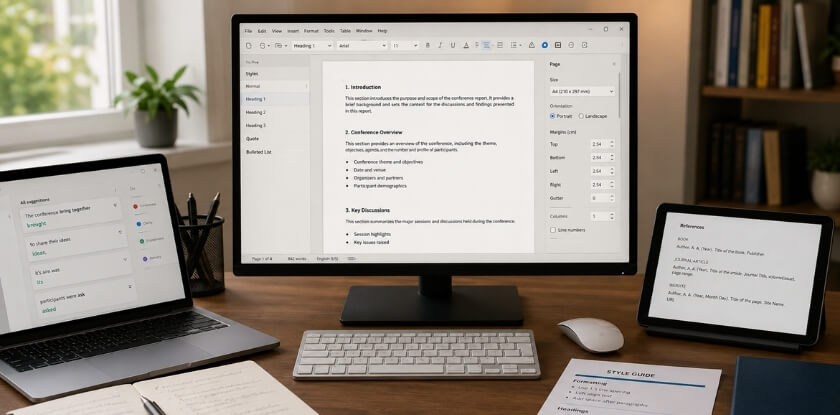
Microsoft Word is still the default in most corporate environments. If your organization expects a formatted document with headers, page numbers, and a table of contents, Word handles all of that without friction. Use the built-in Heading styles (Heading 1, Heading 2, etc.) so your document map stays clean and navigation is easy for anyone reading a 10-page report.
Google Docs is the better choice if multiple people need to review or comment on the same draft. The sharing link beats emailing attachments back and forth, and the suggestion mode is genuinely useful when a manager wants to edit without overwriting your original text. It also exports to PDF in two clicks.
Notion works well if you’re capturing notes during the conference itself and then organizing them into a report afterward. You can dump raw session notes, networking contacts, and action items into separate blocks, then restructure them once you’re back at your desk. It’s less ideal for producing a formatted final document, but great for the messy middle stage.
Transcription and Note-Taking
Otter.ai is worth using if you’re recording sessions (where permitted). It transcribes audio in real time and timestamps the transcript, so you can jump back to a specific moment from a keynote session without scrubbing through 90 minutes of recording. It’s not perfect — speaker names sometimes get mixed up — but it cuts your note cleanup time significantly.
If you don’t want to use a separate app, most smartphones have a built-in voice memo recorder. Even a rough audio recording of your own verbal debrief right after a panel session is more reliable than trying to reconstruct details three days later from sparse bullet points.
Editing and Proofreading
Grammarly catches the obvious stuff — typos, missing commas, awkward phrasing. Install the browser extension and it works inside Google Docs passively. Don’t over-rely on it for formal reports; it sometimes flags correctly structured sentences as problems.
Hemingway Editor is useful specifically when your executive summary is running long and dense. Paste in a paragraph, and it’ll show you exactly which sentences are hard to read. Conference summaries written for senior stakeholders need to be direct. Hemingway keeps you honest about that.
Design and Visual Formatting
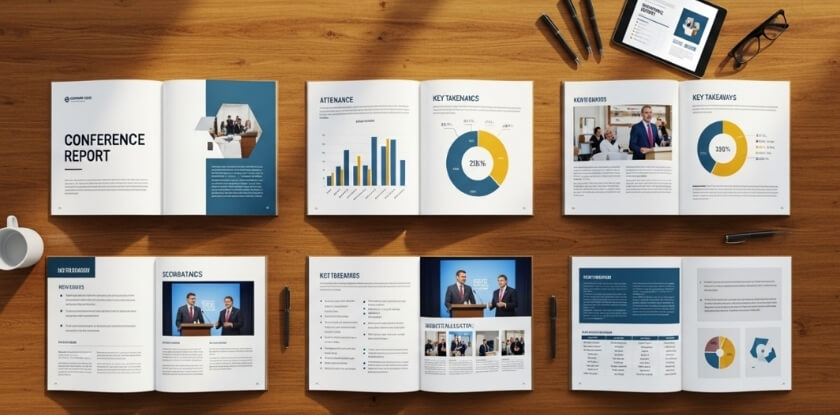
If your report needs visual elements — a program overview table, a bar chart showing session attendance, or a clean cover page — Canva gets you there faster than trying to format tables inside Word. Build the visual in Canva, export it as an image or PDF, and drop it into your document where needed.
That said, most conference reports don’t need design work. A clean Word or Google Docs layout with consistent heading levels and a readable font (11pt Calibri or Georgia, not 10pt Times New Roman) is completely professional.
Sharing and Storage
Google Drive is the easiest option for most teams. Share a folder, drop in the final PDF plus any event handouts or conference proceedings you collected, and send one link instead of a pile of attachments.
SharePoint is what you’ll use if your organization is Microsoft-heavy. Set the permissions correctly from the start — too many reports end up shared broadly when they were meant for a specific team, or locked down when they should be accessible to the whole department.
For anything you’re sharing publicly — say, a summary you’re posting on LinkedIn or attaching to a professional development report — export as PDF rather than sending a Word file. It keeps your formatting intact regardless of what device or operating system someone opens it on.
One last thing: don’t let tool selection become a procrastination trap. Pick what you know, start writing, and format at the end. A well-written report in a plain Google Doc beats a beautifully formatted empty template every time.
How to Write a Conference Abstract (Bonus Section)
A conference abstract is not the same as a conference report. But if you’re attending a scientific conference or academic conference, you may be asked to submit one before the event — or write one afterward as a standalone document summarizing your own presented work.
Here’s how to approach it properly.
What a Conference Abstract Actually Is
An abstract is a short, self-contained summary — typically 150 to 300 words — of a paper, study, or presentation. Think of it as the pitch before the full document. Journals, conference proceedings, and program committees use abstracts to decide whether your work belongs on the agenda.
It is not a teaser. It’s a compressed version of the real thing.
The Four Parts Every Abstract Needs
1. The problem or purpose One or two sentences. What gap are you addressing? What question are you answering? Don’t bury this — put it right at the top.
2. The method How did you study this? What approach, dataset, or framework did you use? Keep it brief but specific. “A survey of 240 mid-sized manufacturing firms” beats “a comprehensive research methodology.”
3. The results What did you find? Actual numbers help. “Response rates increased by 34%” is more useful than “significant improvement was observed.”
4. The conclusion or implication Why does this matter? One sentence. What should the field do with this information?
Format Tips
Most conference abstract submissions have strict word limits — sometimes 250 words, sometimes 500. Read the submission guidelines before you write a single sentence.
Structure matters too. Some conferences want structured abstracts with labeled headings like Background, Methods, Results, and Conclusions. Others want plain prose. Check the call for papers.
If you’re submitting to conference proceedings, your abstract will usually appear alongside the full paper. If it’s a poster session submission, the abstract might be all reviewers see — so make it count.
Writing the Abstract
Write the full paper or presentation first. Then write the abstract. Doing it the other way around almost always produces vague, unfocused copy.
Pull one sentence from each section of your paper. That’s your first draft. Then edit it down — cut hedging language, cut redundancy, cut anything that isn’t carrying weight.
Tools like Grammarly can catch passive voice issues and awkward phrasing. Hemingway Editor is useful for tightening sentences that run too long. But don’t let any tool rewrite your argument — the intellectual content has to be yours.
Abstract vs. Executive Summary — Quick Distinction
People mix these up constantly. An executive summary appears inside a corporate conference report and is aimed at decision-makers. It’s usually 1-2 pages. A conference abstract is a standalone academic or scientific document, strictly word-limited, submitted through a formal process. Different audience, different purpose, different format.
If you’re writing a trip report or professional development report for your manager, you want an executive summary — not an abstract.
Sharing and Distributing Your Conference Report
You wrote the report. Now it needs to actually reach the people who need it. This step gets skipped or done poorly more often than you’d think.

Know Your Audience Before You Send Anything
A report going to your direct manager is different from one going to a department-wide mailing list. Same event, different framing.
For a single manager or supervisor, keep it direct. Lead with the executive summary, flag the action items, and let them read deeper if they want to.
For a broader team or department, you might need a short email intro that explains why you attended and what they’ll find useful. Not everyone knows the context.
For external sharing — say, posting a summary on LinkedIn or contributing to a professional association’s newsletter — strip out anything internal. Budget figures, internal project names, organizational friction. None of that belongs in a public-facing version.
Choose the Right Format for the Platform
PDF is the safest format for sharing a finished report. It preserves your layout, doesn’t shift when someone opens it on a different device, and works as an email attachment without anyone needing special software. Export from Microsoft Word, Google Docs, or Notion with one click.
If your organization uses SharePoint or Google Drive, upload the source document there and share a link instead of attaching a file. That way people always access the current version, and you avoid the “which version is this” problem.
Notion works well if your team already lives there. You can embed the report as a page, link it from a project workspace, and keep your action items as trackable tasks in the same place.
When to Share It
Don’t wait two weeks. Send the report within three to five business days of returning from the conference. Your observations are sharper, the event is still fresh in people’s minds, and if there are action items with deadlines, earlier is obviously better.
For a longer scientific conference report or academic conference report that needs more polish, a week is reasonable. Beyond that, it starts to feel like homework you forgot to hand in.
Where to Distribute
A few common distribution paths:
- Email — most straightforward. Attach the PDF or link to Google Drive/SharePoint. Write a two-sentence summary in the email body so people know what they’re opening.
- Team meeting — a five-minute verbal walkthrough of key takeaways plus a link to the full report works better than just dropping a document into Slack and hoping.
- Internal wiki or intranet — if your organization tracks professional development report submissions or maintains a knowledge base, add the report there. Someone attending a similar conference next year will thank you.
- LinkedIn — for public-facing conference summaries or trip reports from industry events, a LinkedIn post pulling out two or three key insights (with a link to the full report if it’s publicly hosted) gets real engagement. Keep it short. Nobody reads a 600-word LinkedIn post.
- Conference proceedings or organizational newsletter — some organizations formally collect post-conference reports. Submit yours to that system, whatever it looks like.
Track Whether Anyone Actually Reads It
This sounds fussy but it’s practical. If you’re sharing via Google Drive, you can see who opened the file. If you’re emailing it, a brief follow-up a week later — “happy to walk through the action items if useful” — tells you whether the report landed or got buried.
The action items section especially needs a follow-up mechanism. List who owns what. If that lives only in the report PDF, it’ll probably die there.
Frequently Asked Questions (FAQ)
How soon after a conference should I write my report?
Within 48 to 72 hours. That’s the window where your notes still make sense and you can fill in the gaps from memory. Wait a week and you’ll spend half your time staring at abbreviations you no longer understand.
What if I missed some sessions or didn’t take great notes?
That happens. Check the conference proceedings, event handouts, or any recordings the organizers shared. Otter.ai transcripts from your own recordings can save you here too. If you genuinely missed a session, either skip it or note briefly that you didn’t attend but the topic was covered — don’t fabricate a summary.
Do I need to include every session I attended?
No. Focus on the ones directly relevant to your work, your team, or whatever your reader actually cares about. A corporate conference report that lists 14 sessions in equal depth loses people by page two. Pick the sessions with real organizational relevance and give those proper attention.
What’s the difference between a conference report and a trip report?
A trip report covers the logistics — where you went, what you did, costs, travel notes. A conference report focuses on the content: what was presented, what you learned, what should happen next. Some organizations combine them into one document. That’s fine, just keep the sections clearly separated.
Does a conference report need an executive summary?
If it’s going to someone senior who won’t read the whole thing, yes. An executive summary of half a page to one page is enough. Give them the key takeaways and the action items. They can read the full version if they want the details — most won’t.
How formal does the writing need to be?
That depends on who’s reading it. An academic conference report submitted to a university supervisor needs formal, structured writing. An internal report for your own team can be more direct and conversational. Match the tone to the audience.
Can I include my own opinions in a conference report?
Yes, and you should — within reason. Noting that a keynote session felt overly theoretical for your industry, or that a specific panel session offered genuinely practical tools, makes the report more useful. Just keep it professional. “This session was a waste of time” isn’t analysis; a brief sentence on why the content didn’t apply to your context is.
Is a PDF the best format to share a conference report?
For external sharing or anything formal, PDF is the safest choice. It preserves formatting and works across devices. For internal use — especially if people need to add comments or update action items — a Google Docs link or a Notion page is more practical than emailing a PDF back and forth.
What should I do if my report is too long?
Cut the session summaries first. Most session summaries can be trimmed to three to five bullet points without losing anything important. If you’re still over, move supplementary material — raw notes, full speaker bios, conference abstract pages — to an appendix.
Do I need to include networking notes?
Most guides skip this completely, but it’s one of the more valuable parts of the report for anyone building business relationships or following up on leads. Keep it brief — name, organization, what you discussed, and next step if there is one. That’s it. You don’t need to write a paragraph on every person you met.
Can I use the same report template for different types of conferences?
Mostly yes. The core structure — overview, session summaries, key takeaways, action items — works for a scientific conference report, a corporate event, and a professional development report. You’ll adjust the level of technical detail and the tone, but you don’t need to start from scratch each time. Build one solid template in Microsoft Word, Google Docs, or Notion and reuse it.
Is it okay to post a conference report on LinkedIn?
A condensed version, sure. Two to four key takeaways from the event, framed around what your professional community would find useful — that works well. Don’t post an internal report verbatim if it includes confidential business discussions or personal networking notes.
Final Thoughts — Turn Your Conference Experience Into a Useful Document
Most people come back from a conference with a bag full of event handouts, a head full of half-remembered conversations, and a stack of business cards they’ll never look at again. The report is what stops that from happening.
It doesn’t need to be a masterpiece. It needs to be useful.
If you attended a two-day corporate conference, your manager doesn’t need a 20-page breakdown — they need to know what matters for the team and what you’re planning to do about it. If you attended an academic or scientific conference, your department wants to know which ideas are worth following up on, who’s doing relevant work, and whether any of the conference proceedings are worth reading. The format changes. The goal doesn’t.
The Biggest Mistake People Make
Waiting too long. Seriously. If you sit down three weeks after the event and try to reconstruct your session summaries from memory, you’ll get a shallow document that helps no one. Write your rough notes within 48 hours. Clean them up within a week. That’s the whole system.
Your networking notes decay fast too. A name without context is useless in a month. Jot down one line about why each person mattered — what they said, what project they’re working on, why you should follow up. That detail is what makes a conference report actually actionable instead of just archival.
It’s a Professional Document, But Keep It Human
A conference report doesn’t need to sound like a legal filing. Write it clearly, keep the language direct, and structure it so someone can skim it in five minutes or read it in full if they want the detail. That balance — scannable but complete — is what separates a report people actually read from one that goes straight into a folder and never opens again.
If you’re sharing it on LinkedIn or submitting it as a professional development report, that’s a slightly different version of the same document. Trim the internal action items, lead with the executive summary, and focus on what’s broadly relevant rather than team-specific next steps.
A Few Final Practical Notes
Use whatever tool fits your workflow. Google Docs works fine. So does Notion or Microsoft Word. The tool doesn’t matter — structure does. Follow the format, include your action items, and make sure someone who wasn’t at the event can understand it without asking you five clarifying questions.
If you recorded sessions with Otter.ai or similar, use those transcripts as reference, not as copy-paste source material. Summaries should be your synthesis, not a transcript dump.
Save a PDF version before sharing. It preserves formatting across devices and keeps your document looking clean whether it lands in someone’s inbox, a SharePoint folder, or Google Drive.
That’s really it. The conference happened. You were there. Now make sure something useful comes out of it.