The conference is over, your notes are split between a notebook, a phone and a shared folder, and someone is waiting for a summary. Here is how to turn that pile into a recap your team, your manager or your readers will actually finish.
Quick answer: To write a conference recap, gather your notes and materials, pick one audience, choose only the strongest highlights, organize them under clear headings, add a few verified numbers, and end with next steps. Publish within 24 to 48 hours if you can. No standard length exists: keep a public post easy to scan and an internal recap to one or two pages.
What Is a Conference Recap?
A conference recap is a short, organized summary of what happened at a conference, what people learned, and what should happen next. It turns sessions, discussions, networking moments and event outcomes into a useful record for attendees, non-attendees, internal teams, sponsors and future participants, so readers do not have to go through every session, slide or note.
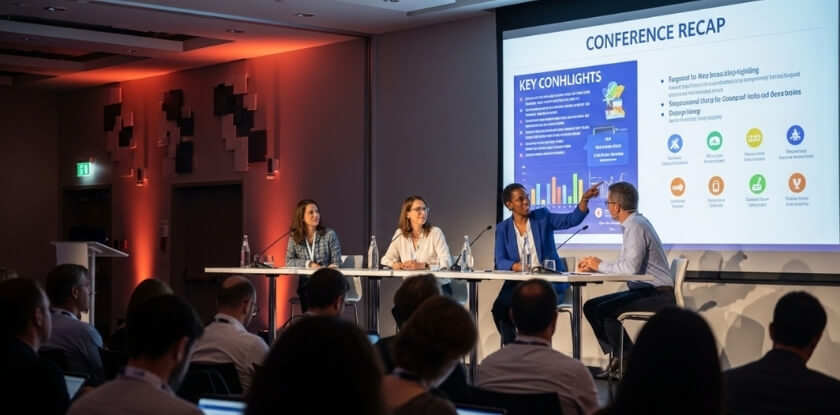
A recap can be public or internal. A public recap usually focuses on the event experience, speaker highlights, major themes and useful resources. An internal recap focuses more on decisions, responsibilities, deadlines and business outcomes.
What a Recap Usually Contains
A recap typically covers the event name, date, location, theme, key sessions, speaker insights, attendee reactions, photos, resources, metrics and next steps. A recap is not the full agenda. It explains the value of the event in a way readers can take in quickly.
When You Should Write One
Write a conference recap whenever an event produces insights, discussions, contacts, decisions or materials worth sharing. This includes academic conferences, business conferences, trade shows, leadership summits, workshops, networking events and industry panels.
A recap is especially useful when some stakeholders could not attend, when attendees need access to resources, when sponsors want post-event visibility, or when internal teams need a record of follow-up tasks.
Who Typically Reads a Conference Recap?
Readers include attendees, non-attendees, internal teams, executives, sponsors, partners, speakers, future participants and general industry readers. Each group needs something different, as the table in Step 3 shows.
What Should a Conference Recap Include?
A strong conference recap includes the event context, major highlights, key takeaways, speaker insights, visuals, a few metrics, resources and follow-up actions. You do not need every detail. Choose the information that shows the event’s real value.
Event Overview
Start with a brief overview: the conference name, date, location, host organization, main theme, audience type and purpose. If you have them, add the number of attendees or participating organizations. If you work for the organizer or a sponsor, say so near the top so readers know your connection to the event.
Key Sessions and Speaker Highlights
Mention the sessions, panels, workshops or keynotes that offered the most value. For each one, give the speaker’s name, the topic and the main insight.
Avoid turning this section into a full agenda. Focus on the moments that shaped the event, introduced important ideas or got a strong audience response.
Main Takeaways
The main takeaways are the practical lessons readers should remember: new trends, useful strategies, shared challenges, research findings, audience questions or expert recommendations. Present them as bullets or numbered points, and keep each one specific and tied to the event’s main purpose.
Instead of writing “the session was informative,” say what the reader learned and why it matters, the same rule that makes a compliment on a good conference sound genuine.
Attendee Insights or Quotes
Short quotes from speakers, attendees, sponsors or organizers make a recap feel more authentic. Use a quote only when it adds meaning, supports a takeaway or shows how people responded to the event.
Photos, Videos, and Supporting Materials
Visuals help readers experience the event. Follow the organizers’ photo policy, get consent from people who are clearly shown, and use only images you have the right to publish. Useful assets include speaker photos, panel images, workshop photos, charts, short video clips, session recordings, slide decks, social media screenshots and event graphics.
Results and Measurable Outcomes
Pick the numbers that match the purpose of the recap. The metrics section below lists the options.
Action Items and Follow-Up Details
For internal or stakeholder-focused recaps, add clear next steps: what needs to happen, who is responsible, the deadline, and where the relevant resources are.
How Do You Write a Conference Recap Step by Step?
Start with the materials, define the audience, select the strongest highlights, organize the information, add evidence, and finish with next steps. The same ten steps work for public blog posts, internal updates and sponsor-facing summaries.
Step 1: Review Your Notes, Agenda, and Event Materials
Gather everything before you write: personal notes, the official agenda, speaker bios, slide decks, recordings, photos, survey responses, social media posts, sponsor materials and internal notes. Sort them by session, theme or audience need. Notes taken during the event, in a form you can still read the next morning, are the most reliable base, and speakers can often send their slides if you ask.
Step 2: Identify the Purpose of the Recap
Decide why you are writing it. The purpose may be to inform attendees, update people who missed the event, thank sponsors, document internal learning, promote the next event or record action items.
Step 3: Match the Recap to Your Audience
Write for the people who will actually read it. Public readers usually want highlights, insights, photos and useful resources. Internal teams usually want decisions, responsibilities, deadlines and follow-up tasks.
| Audience | What They Need Most |
| Attendees | Highlights, resources, photos, and takeaways |
| Non-attendees | A clear summary of what they missed |
| Internal teams | Decisions, tasks, owners, and deadlines |
| Sponsors | Reach, visibility, engagement, and outcomes |
| Future participants | Proof of value and reasons to attend |
Step 4: Choose the Most Important Highlights
Do not list everything from the agenda. Pick the moments that best explain the value of the event, such as keynote messages, major announcements, strong panel discussions, practical workshops, audience questions, networking outcomes or useful research findings.
Step 5: Organize the Recap With Clear Sections
Use headings, short paragraphs, bullets and tables where they help. A simple structure runs from event overview to main highlights, speaker or session insights, key takeaways, metrics, resources and next steps. The format section below shows each part in order.
Step 6: Add Quotes, Visuals, and Useful Context
Quotes and visuals make the recap more engaging, but every asset should support the message.
Step 7: Include Data That Shows Event Impact
Add accurate numbers when they strengthen the recap, such as registrations, attendees, session participation, survey responses, feedback scores, hashtag mentions, downloads, leads, meetings or media mentions.
Step 8: List Next Steps, Owners, and Deadlines
For internal recaps this step is essential. Put the action items in a simple table:
| Action Item | Owner | Deadline |
| Share session slides | Event Team | [Date] |
| Review attendee feedback | Marketing Team | [Date] |
| Contact potential partners | Partnerships Team | [Date] |
Step 9: Edit for Accuracy, Clarity, and Readability
Check every speaker name, title, event date, number, quote, link and resource against your source material. Remove repeated points, shorten long paragraphs and make sure the recap flows in a logical order. The final checklist at the end lists the details to confirm.
Step 10: Publish or Share the Recap Quickly
Share the recap while interest is still high and while you can still confirm details. Opensource.com’s 2016 guide to event recaps advises publishing within 48 hours and treats two weeks as the outer limit. Step 1 gets faster if you collect materials during the event.
Conference Recap Format: Simple Structure to Follow
The best conference recap format is clear and scannable: it begins with context, moves into highlights and takeaways, and ends with resources or next steps.

Title or Headline
Use a title that makes the topic clear. Examples include:
- [Conference Name] Recap: Key Highlights and Takeaways
- What We Learned at [Conference Name]
- Highlights From [Conference Name]
- [Conference Name]: Sessions, Insights, and Next Steps
Short Introduction and Event Summary
The introduction should say what the event was, who it served and what the recap covers. Follow it with a quick snapshot of the main theme, format, audience and purpose, so readers know the value they will get.
Highlights by Session or Theme
Organize highlights by session when individual talks or workshops were the main value. Organize by theme when several sessions covered related ideas.
| Format | Best For |
| Session-based recap | Events with distinct keynotes, panels, or workshops |
| Theme-based recap | Events with repeated topics across several sessions |
Key Takeaways
Use bullets or numbered points for the most important lessons. Each one should be practical, specific and connected to the event’s main purpose.
Metrics and Outcomes
Add metrics when they show impact, such as attendance, engagement, survey results, social media reach, leads, sponsor activity or media mentions.
Resources and Attachments
Add links to slides, recordings, speaker pages, event photos, research papers, related articles, PDFs or a future registration page.
Call to Action or Next Steps
End with one clear action. Ask readers to download resources, watch recordings, register for the next event, complete a survey, contact the event team or review their assigned tasks. If no further event is planned, a closing quote or the single most useful takeaway works better than a forced call to action.
Conference Recap Template for a Public Blog Post
A public conference recap template should be polished, readable and shareable. Use it for websites, blogs, newsletters, LinkedIn articles and sponsor-facing event updates.
Blog Recap Template
Title:
[Conference Name] Recap: Key Highlights, Takeaways, and Event InsightsIntroduction:
[Conference Name] brought together [audience type] to discuss [main topic]. The event featured [keynotes/panels/workshops/networking sessions] focused on [main theme]. This recap covers the most useful highlights, takeaways, and resources from the event.
Event Snapshot:
| Detail | Information |
| Event Name | [Conference Name] |
| Date | [Event Date] |
| Location | [Venue/City/Online] |
| Host | [Organization Name] |
| Main Theme | [Theme] |
| Audience | [Audience Type] |
Key Highlights:
- Opening Session or Keynote
Summarize the main message, speaker, and key point readers should remember. - Panel or Expert Discussion
Explain the issue discussed and the strongest insight from the conversation. - Workshop, Networking, or Audience Activity
Describe how attendees participated and what value the activity created.
Top Takeaways:
- [Takeaway 1]
- [Takeaway 2]
- [Takeaway 3]
- [Takeaway 4]
Useful Resources:
- Slides: [Link]
- Recordings: [Link]
- Speaker information: [Link]
- Event photos: [Link]
- Related resources: [Link]
Next Step:
[Invite readers to register for the next event, download resources, subscribe to updates, or contact the event team.]
Best Use Cases for This Template
Use this template when you want to share event highlights with a wider audience, keep attendees engaged, support SEO, give sponsors visibility or promote future conferences.
A public recap should feel informative and professional. It should not read like internal notes or a sales pitch. Focus on insights, experience and value.
What to Add Before Publishing
Before you publish, confirm the speaker details, approved visuals, resource links, measurable outcomes and call to action. Also prepare a clear SEO title, meta description, image alt text, internal links and social sharing copy.
Conference Recap Template for Internal Teams
An internal conference recap template focuses on learning, decisions, responsibilities and deadlines. It is less about storytelling and more about helping a team act on what was learned. If your employer sent you to the event, this one-page layout is also a sensible shape for the report you send back.
Internal One-Page Recap Template
Event Details
| Detail | Information |
| Conference Name | [Conference Name] |
| Date | [Event Date] |
| Location | [City, Venue, or Online] |
| Attended By | [Names or Teams] |
| Purpose | [Learning, networking, research, sales, partnerships, etc.] |
Main Topics Covered
- [Topic 1]
- [Topic 2]
- [Topic 3]
Top Insights
- [Insight 1 and why it matters]
- [Insight 2 and why it matters]
- [Insight 3 and why it matters]
Decisions Made
| Decision | Reason | Owner |
| [Decision 1] | [Reason] | [Name/Team] |
| [Decision 2] | [Reason] | [Name/Team] |
Action Items
| Task | Owner | Deadline |
| [Task 1] | [Name/Team] | [Date] |
| [Task 2] | [Name/Team] | [Date] |
Resources: Slides: [Link] | Recordings: [Link] | Notes: [Link] | Contact list: [Link]
Decisions, Responsibilities, and Deadlines
For internal use, the follow-up section is often the most important part. Avoid vague tasks such as “look into this later.” Name the task, assign an owner and add a deadline.
Supporting Documents and Follow-Up Meeting Details
Include links to slides, recordings, agendas, attendee lists, surveys, sponsor information, photos, project boards or shared folders. If a follow-up meeting is planned, add the date, time, meeting owner, agenda and the documents people should review.
What Metrics Should You Mention in a Conference Recap?
A conference recap should mention metrics that prove reach, engagement, satisfaction and outcomes. Choose numbers that match the purpose of the recap and matter to the audience.

Registration and Attendance Numbers
Include total registrations, actual attendance, attendance rate, first-time attendees, returning attendees, or virtual and in-person participation if relevant. These numbers show how much interest the event attracted and how many people actually took part.
Engagement and Participation
Engagement metrics show whether attendees were active. Mention questions asked, poll responses, workshop participation, session check-ins, networking attendance, app activity or downloads of conference materials.
Survey Results and Feedback Scores
Feedback data shows how attendees experienced the conference. Include overall satisfaction, speaker ratings, session ratings, Net Promoter Score if you used it, common comments or requested future topics.
Social Media Reach
Social media metrics show how far the conversation has spread. Include hashtag mentions, LinkedIn engagement, Instagram shares, video views, reposts, comments, website visits from social platforms or new followers.
Leads, Meetings, or Demos
If the event had a business goal, mention leads collected, demos booked, sponsor booth visits, partnership meetings, contact forms, proposal requests or follow-up calls.
Media Coverage and Partner Mentions
Include news articles, blog features, podcast mentions, partner newsletters, sponsor posts, speaker recaps or industry publication references. These mentions show the event’s visibility beyond the venue or virtual platform.
How to Share a Conference Recap Effectively
A conference recap creates more value when it reaches the right people through the right channels, so adapt it for your website, email list, social media, internal team, sponsors or partners.
Publish It on Your Website or Blog
A website recap gives the content a permanent home. It can support SEO, future event promotion, sponsor visibility and long-term access to resources. Use a clear title, descriptive headings, relevant images, internal links and a strong call to action.
Send It to Attendees by Email
Email is direct and works well after an event. Send attendees a short thank-you message with a link to the recap, slides, recordings, survey and future event details. A sample is in the next section.
Share Key Moments on Social Media
Break the recap into smaller posts for LinkedIn, Instagram, X or other platforms. Share speaker quotes, photos, short clips, top takeaways, event stats, sponsor mentions and a link to the full article. The short public example later in this article also works as a LinkedIn post.
Turn It Into a Visual Summary
A visual recap helps people who prefer quick, scannable content. Use an infographic, carousel, short video, one-page PDF, timeline graphic or slide summary.
Use It for Sponsors, Partners, or Sales Follow-Up
For sponsors and partners, include attendance, audience profile, engagement, sponsor visibility, social reach, photos and future collaboration opportunities. For sales teams, the recap can show credibility, audience relevance and proof of event value.
Sample Conference Recap Email for Attendees
A conference recap email should thank attendees, summarize the value of the event and point them to useful resources. Keep it short, warm and action-focused.
Subject Line Examples
- Thank You for Attending [Conference Name]
- [Conference Name] Recap: Highlights and Resources
- Key Takeaways From [Conference Name]
- Your Post-Event Resources From [Conference Name]
- Conference Highlights: What We Learned Together
Email Body Template
Subject: [Conference Name] Recap: Highlights and Resources
Hi [First Name],
Thank you for joining us at [Conference Name]. We appreciate your time, participation, and contribution to the conversations that made the event valuable.
We have prepared a recap with the main highlights, speaker insights, key takeaways, and post-event resources.
Inside the recap, you will find:
- Main session highlights
- Key takeaways
- Useful links and resources
- Photos, slides, or recordings
- Upcoming event details
Read the full recap here: [Insert Link]
We would also appreciate your feedback: [Insert Survey Link]
Thank you again for being part of [Conference Name]. We look forward to seeing you at a future event.
Best regards,
[Your Name or Team Name]
What Links or Resources to Include
Add only the links that matter most, such as the full recap, speaker slides, recordings, the feedback survey, a photo gallery, the upcoming conference page or a contact page. Put the most important link near the top.
Common Mistakes to Avoid When Writing a Conference Recap
Frequent conference recap mistakes include writing too late, adding too many details, skipping action items, using unverified information and publishing without a clear audience. Each one makes the recap less useful or less credible.
Waiting Too Long to Write It
A delayed recap loses impact, and details are harder to confirm as memories fade.
Including Too Many Minor Details
A recap should not read like a transcript. Skip long agenda summaries, repeated points, unnecessary background and minor schedule details.
Leaving Out Action Items
Without next steps, owners and deadlines, an internal recap may be informative but not practical.
Using Unverified Names, Titles, or Numbers
Small errors in names, job titles, organization names, dates, statistics, quotes or sponsor names can reduce trust in the entire recap.
Writing Without a Clear Audience
A recap written for everyone becomes unfocused. Decide first whether it is for public readers, attendees, sponsors, internal teams, leadership or future participants.
Forgetting Visuals or Supporting Resources
Public recaps need visuals for engagement, while internal recaps need supporting documents for follow-up. Photos, videos, slides, recordings and related links make both more useful.
Making the Recap Too Promotional
A recap can support marketing, but it should not feel like an advertisement. Stick to useful insights, real outcomes and audience value.
Why Conference Recaps Matter
Conference recaps matter because they preserve insights, keep people aligned, support accountability and extend the value of an event. Without one, important lessons and follow-up tasks can disappear after the final session.
They Preserve Important Insights
Conferences include expert opinions, examples, data, research and audience questions. A recap captures the most useful ideas in one place so people can revisit and share them later.
They Help Attendees and Non-Attendees Stay Aligned
Not everyone can attend every session. A recap gives attendees and non-attendees the same core information, which helps teams, sponsors, partners and communities.
They Support Accountability After the Event
Decisions, owners, deadlines and next steps help people follow through. This matters for internal teams, partnerships, research groups and event committees.
They Improve Future Event Planning
Past recaps help organizers review what worked, which topics attracted interest, which formats performed well and what attendees asked for next.
They Extend the Value of the Conference
A recap can feed newsletters, social media, sponsor reports, sales conversations, internal learning and future event promotion, so the conference keeps creating value after it ends.
Conference Recap vs. Conference Report
A conference recap highlights the event’s value in a readable way, while a conference report documents details, outcomes and responsibilities more formally. They are related but serve different purposes.
Key Differences at a Glance
| Aspect | Conference Recap | Conference Report |
| Purpose | Share highlights and takeaways | Document details and outcomes |
| Audience | Public readers, attendees, sponsors | Internal teams, managers, organizers |
| Tone | Clear, engaging, easy to read | Formal, detailed, evidence-focused |
| Content | Overview, insights, quotes, visuals | Agenda notes, metrics, tasks, decisions |
| Format | Blog, email, newsletter, social post | PDF, document, spreadsheet, presentation |
| Best Use | Engagement and communication | Accountability and planning |
When to Write a Recap
Write a recap when you want to publish highlights, thank participants, share takeaways, promote future events or make the event easy to understand for a wider audience.
When to Write a Report
Write a report when you need a formal record of attendance, budget, survey results, decisions, action items, risks, recommendations or performance outcomes.
When to Use Both
Use both when the event has public communication needs and internal accountability needs. The recap serves attendees and outside readers, while the report supports planning, leadership review and follow-up.
Conference Recap Example: What a Strong Recap Looks Like
A strong conference recap example is short and shows the event’s purpose, highlights, takeaways, resources and next steps in a simple structure. The two examples below are condensed versions of the templates above.

Short Public Recap Example
Title: Key Highlights From [Conference Name]
At [Conference Name], [audience type] spent [number] days working through [main theme]. Keynote sessions, expert panels and networking activities gave participants practical ideas on [main topic or challenge].
One major theme was [theme or insight]. Speakers stressed [key idea], especially as organizations continue to respond to [relevant challenge or opportunity].
Another highlight was the session on [session topic], where [speaker or panel type] discussed [main point]. A useful takeaway was the need to [practical takeaway].
Top takeaways:
- [Takeaway 1]
- [Takeaway 2]
- [Takeaway 3]
Resources from the event are available here: [Insert Link]. To stay updated on future events, visit: [Insert Link].
Short Internal Recap Example
Subject: Recap of [Conference Name], [Date]
Hi [Manager or Team Name],
I attended [Conference Name] ([Location or Online]) to [reason for attending]. The conference centred on [main topic], with sessions on [topic 1], [topic 2] and [topic 3]. The most relevant points for us relate to [specific project, department, or business area].
Key insights:
- [Insight 1]: [Why it matters.]
- [Insight 2]: [How it may affect current work.]
- [Insight 3]: [What should be reviewed next.]
Proposed next steps:
Task Owner Deadline [Task 1] [Name/Team] [Date] [Task 2] [Name/Team] [Date] Slides: [Link] | Recordings: [Link] | Notes: [Link]
Why These Examples Work
Both begin with context, focus on useful highlights, give clear takeaways, include resources and end with a next step. They also match the audience: the public version is more engaging, and the internal version is more action-focused.
From our experience at MS International: Our conferences are held in person in the Greater Toronto Area. Presenters meet the session coordinator or moderator, and the moderator introduces them before the presentation. Our speaker page names the speaker confirmation and the final conference programme as the official sources for a presenter’s schedule, so if you write a recap of one of our sessions, take session details from those documents rather than from memory.
FAQ: Writing a Conference Recap
Once the event wraps up, writing the recap means settling its length, how soon to publish, photos, whether to name each speaker and what separates it from meeting minutes.
How long should a conference recap be?
It depends on the audience, and no official standard exists. AI Scholar’s October 2025 guide to summarising academic conferences suggests 1 to 3 pages or 800 to 1,500 words. For internal use, aim for one or two pages and link to slides for detail.
How soon should you publish a conference recap?
Aim for 24 to 48 hours after the event. Opensource.com’s 2016 guide treats two weeks as the outer limit. If final assets are not ready, send a short thank-you email first and publish the full recap later.
Can someone write a recap without attending the event?
Yes, if they have reliable materials such as recordings, slides, notes, photos, survey results and attendee feedback. Say plainly what the recap covers and what it does not, ask the organizer before reproducing slides or talk material, and have someone who attended review the final version.
Should a conference recap include photos?
Yes, when they support the story and improve readability. Use clear, relevant, approved images from sessions, networking moments, panels or workshops.
Should one person or several write a conference recap?
One author reads more cohesively, while several authors suit a large conference with parallel sessions, according to a 2023 UTS Education Express guide. If you split the work, have one person edit the whole recap so the voice and format stay consistent.
Should you mention every speaker or session?
No, unless the event was small. A strong recap focuses on the most valuable highlights and the sessions most relevant to the audience. Larger events can group related sessions by theme.
Can a conference recap be used for marketing?
Yes, when it is written to inform first. It can show event value, highlight expert insights, share audience engagement and encourage future registrations. Keep the tone useful and balanced so it does not feel overly promotional.
What is the difference between a recap and meeting minutes?
A conference recap summarizes highlights, insights, takeaways and outcomes in a reader-friendly format. Meeting minutes are a formal, detailed record of discussions, decisions, attendees, motions and action items. Recaps are selective and engaging, while minutes are official records.
What is the best format for a conference recap?
It depends on the audience. A public recap works well as a blog post with highlights, takeaways, visuals and resource links. An internal recap should include insights, decisions, action items, owners, deadlines, supporting materials and follow-up details.
Final Checklist Before Publishing Your Conference Recap
Run this conference recap checklist to review accuracy, readability and sharing details before you publish or send the recap.
Accuracy Checklist
Confirm the event name, date, location, speaker names, titles, organization names, statistics, quotes, sponsor details, visuals, resource links, action items, owners and deadlines.
Readability Checklist
Make sure the introduction is clear, headings are helpful, paragraphs are short, bullets are used where useful, takeaways are easy to find, repeated ideas are removed and the ending gives readers a clear next step.
SEO and Sharing Checklist
If the recap will be published online, check the page title, headings, meta description, URL, image alt text, internal links, external resources and call to action. Prepare social sharing copy so the recap is easy to promote.
Conclusion
Writing a conference recap means turning an event into a useful record of highlights, insights, outcomes and next steps. Gather your notes, pick the audience, choose the strongest highlights, add takeaways and a few verified metrics, and finish with resources or follow-up actions. A recap written with a clear purpose keeps the value of the conference alive long after the final session ends.