Most presenters lose their audience before they reach the first data point. They walk up, pull up the title slide and say “Good morning, my name is [Name], and today I’ll be presenting my paper on…” and the room quietly checks out. By the fourth talk of a session, that kind of opening sounds like a formality, not an invitation. Listeners will not follow your methodology until they have a reason to care, and the first minute is where you give it to them.
Quick answer: Start a conference presentation with a concrete hook in your first sentence or two: a specific finding, a sharp question or a one-line problem. Then give a brief introduction of yourself, state your main point in plain language, and preview the structure in 15 to 20 seconds. As a rule of thumb, keep the whole opening to about 60 to 90 seconds in a 10 to 15 minute slot, and shorten it for a shorter slot. Check your session length and the chair’s instructions.
This guide covers the opening step by step, with sample openings you can adapt for an in-person, international or online session, plus the mistakes that waste those first seconds.
How to Start a Conference Presentation
Open with something concrete, introduce yourself briefly, state your main point in plain language and tell the audience what to expect. That sequence works at a small academic conference and at an international event with hundreds of delegates. Audiences form a first impression fast. Win them early and they are more likely to stay with you through the harder sections; lose them and you spend the rest of your slot recovering attention.
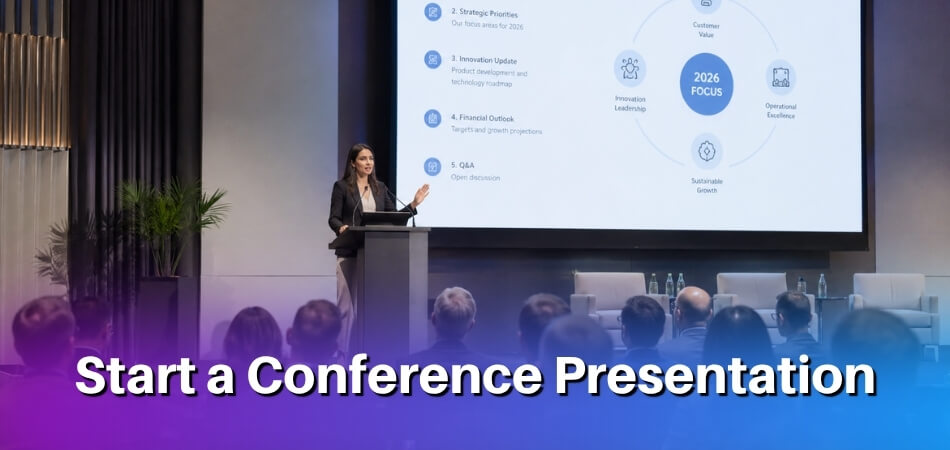
| Step | What you do | Roughly how long |
|---|---|---|
| 1. Pause on the title slide | Wait a moment, then say what the talk is about in one sentence | 2 to 3 seconds of pause |
| 2. Hook | A specific finding, a narrow question or a short scenario | Within the first 30 seconds |
| 3. Brief introduction | Name, institution and one line of context (skip it if the chair already introduced you) | Up to 20 seconds |
| 4. Topic and main point | The problem, the gap and what your work adds | 1 to 3 sentences |
| 5. Roadmap | Three or four points on what comes next | 15 to 20 seconds |
These timings are rules of thumb, not conference rules. In a 10 to 15 minute slot, 60 to 90 seconds at a speaking pace of 120 to 150 words per minute is roughly 120 to 225 spoken words for the whole opening. The steps below explain each one.
The Opening Structure Every Conference Presentation Needs
Deliberate structure beats improvising: a hook, a brief introduction, a plain statement of your topic and a short roadmap give the rest of the talk a firm foundation. The structure works for academic, research and international conferences alike, including online sessions where you compete with a screen full of distractions. A flat opening can lose attendees who join from other disciplines or time zones with divided attention, and a specific, concrete hook gives them a reason to stay.
Step 1: Use your title slide as a landing pad, not a script
When your title slide goes up, pause for two or three seconds and let the room settle. Then give a one-sentence version of what the talk is about, not just the title read aloud.
For example, if your title is “Thermodynamic Constraints on Membrane Protein Folding”, you might say: “I want to show you why standard folding models break down under physiological temperature ranges.” That tells the audience what they are getting and gives non-specialists a foothold.
Step 2: Land a hook in the first 30 seconds
A hook is a concrete problem, a surprising finding or a pointed question that makes people want to hear what comes next. It does not need to be theatrical. Four formats are common in academic settings:
- A striking statistic from your own data or field. Use a real number from your work. A line such as “Most outpatient antibiotic prescriptions in this dataset did not follow current guidelines” creates immediate tension (an invented example of the format, not a real figure).
- A specific, surprising finding. For example: “Three independent replication studies failed to reproduce the core finding this field has relied on for a decade, and I think I know why.” It creates curiosity without overselling (again an invented sample, so adapt it to your own field).
- A precise, narrow question. Not “why does climate change matter?” but “why did one glacier in East Greenland lose twice as much ice in 2019 as the models predicted?” Specific questions make people curious.
- A short scenario. One or two sentences that place the audience inside the problem. This suits research with a human or applied side.
Some graduate-school guides, such as the University of Illinois Graduate College’s page on starting strong, also suggest a quick poll, an informal survey or a rhetorical question to involve listeners from the start. Whichever format you pick, make it fit your audience.
Avoid a dictionary definition, a long historical background, “Since the dawn of time” and generic claims such as “This topic is increasingly relevant in today’s research environment”. Audiences have heard lines like these many times, and they tell the room nothing about your work. A hook that sounds like the opening of a different talk is no better, so make sure it leads straight into your topic.
Step 3: Keep your self-introduction short and relevant
If the session chair has already introduced you, one sentence is enough: “I’m a third-year PhD candidate, and this work comes out of a larger project on X.” If no one introduced you, which is common in online sessions that move fast, give your name, your institution and the one piece of context that makes you credible on this topic.
If you open with your name and institution and nothing else, you are asking the audience to care about you before you have given them a reason. Earning attention first and then saying who you are is often stronger. Some speakers greet and say their name first, then hook. Others hook first and introduce themselves second. Either works if the introduction stays under 20 seconds and the hook still arrives within the first 30. In a 10 to 15 minute talk, two or three sentences is plenty; even in a keynote, people came for your research, not your CV. If you have co-authors or a supervisor to acknowledge, this is the moment.
Step 4: State your topic and main point clearly
This is the part most presenters rush or bury. Translate the topic into a plain statement of the problem and why someone in that room should care, in one to three sentences, before the methodology and before any literature review. The title is already on screen, so do not repeat it.
One format that works: name the problem, name the gap, name your contribution. “We don’t fully understand how X works in context Y. Most prior work has assumed Z. This study tests a different mechanism.” A talk that buries its main finding until slide 14 makes the audience hold uncertainty for 20 minutes; state it up front and qualify it later. Specialists are rarely specialists in your exact sub-area, so clarity here is good communication, not dumbing down. The methodology comes later; this step needs context, not detail.
Step 5: Give a brief roadmap
A roadmap slide or a spoken preview takes 15 to 20 seconds and saves the audience mental work. A roadmap also reduces cognitive load and signals that you have structured your thinking. Keep it to three or four points: “I’ll start with the research question, then cover the study design briefly, the main findings, and what they mean for current guidelines.” You are orienting people, not summarising the talk. The slide is a visual anchor; your voice is what makes the structure land.
Glance at the slide and speak to the audience instead of reading it word for word. Explicit signposting can help when English is not every listener’s first language, and in online sessions, where viewers have fewer cues to keep them anchored. Telling them the shape of the talk upfront gives them a structure to track mentally. Put the roadmap after the hook, not before: if the first thing people see is a list of section headings, the opening moment is gone.
Practise the first minute aloud
Read your opening out loud with a timer before the day. Exordo’s conference guide recommends rehearsing aloud because reading silently does not match the time speaking takes, and suggests recording yourself so you can hear where you rush or ramble. Time the opening: if it runs past your target, cut the weakest sentence rather than speaking faster. Know your first two sentences well enough to say them while looking at the audience, then let the rest follow from your slides.
Sample Conference Presentation Openings
Match the opening to the room: specialists want the problem and what is distinct about your approach, a mixed international audience needs clearer context and pacing, and a screen audience needs a direct pull in the first 20 seconds. The three samples below are invented for illustration, including the names and figures, so adapt the wording to your own work.
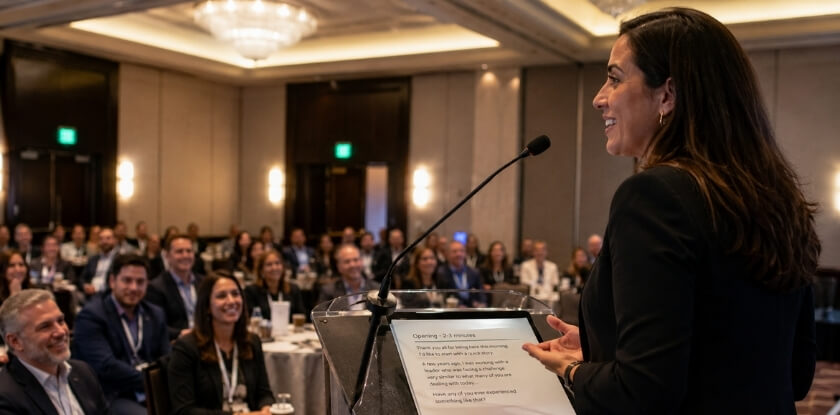
Academic / Research Conference Opening Example
At an academic conference, your audience already knows the field. They do not need the broad case for why the topic matters. They want to know what problem you tackled and what makes your approach distinct.
“Good morning. I’m Sarah Chen, from a medical informatics group. My talk today is on predicting antibiotic resistance in hospital-acquired infections using sparse longitudinal data, specifically cases where patient records have significant gaps.”
“Most existing models assume relatively complete time-series data. Our dataset doesn’t look like that. So the question we asked was: can a modified LSTM architecture still produce clinically useful predictions when 40% of time-steps are missing? The short answer is yes, with some important caveats I’ll walk you through.”
International Conference Opening Example
At an international conference the audience is diverse: different research traditions, different first languages and different familiarity with your subfield. Clarity and pacing matter more than at a specialist symposium.
“Thank you. My name is Marco Ferreira, I’m with a university in São Paulo, and I’ll be presenting our work on urban heat island mitigation in mid-sized cities, cities between 500,000 and 2 million people, which tend to be underrepresented in the existing literature.”
“We studied 14 cities across three continents over a six-year period. What we found challenges some of the assumptions behind greening policy, particularly around the effectiveness of tree canopy coverage alone, without accompanying changes to surface albedo.”
The speaker identifies himself, places the work in context without assuming shared background and lands on a concrete finding that creates mild tension. That tension tells an international audience the talk has a point of view, not just a summary of methods. Speak slightly slower than you would for a local audience, because listeners working in a second language need the extra fraction of a second.
Virtual / Online Conference Opening Example
In an online session the audience is looking at a screen, probably with other tabs open, and you have no room energy to feed off. The first 20 seconds matter even more, because attention drops easily when someone sits alone at a desk. Address the screen directly:
“Hi everyone, I’m James Park, a postdoctoral researcher in health informatics. Before I get into the data, I want to ask you something: if you had to predict hospital readmission rates using only discharge summaries, how many features would you include? Keep that number in mind, because we’ll come back to it.”
“Our work suggests the answer most clinicians give is about three times higher than what the model actually needs. I’ll show you why that matters for deployment in low-resource settings.”
That opening poses a direct question that pulls passive viewers into active thought, teases a counterintuitive result and gives the audience a specific thing to hold in mind while you set up the methodology.
How to Design Your First Slide (Title Slide Best Practices)
A good title slide carries only the talk title, your name, your affiliation and the conference name or date, in a large, clean layout. It is visible before you say a word, while attendees find their seats, while the previous speaker wraps up and while the session chair checks their notes. That is free attention, and a cluttered or generic slide wastes it.
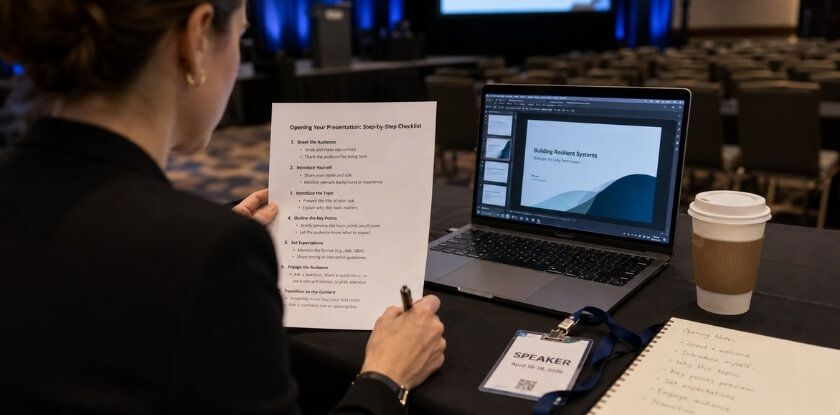
What to Put on It
Anything beyond the four basics, such as a long subtitle, five co-author names stacked in a column, a department logo or a funding acknowledgment, competes for attention without adding value in the opening moment. At an academic or research conference, co-authors do belong on the slide, but list them cleanly. With six co-authors, a short “with [Name] and colleagues” line may work better, and the full list can go on a closing slide.
Title wording matters more than most speakers think. If the paper title is accurate but dense, such as “Heterogeneous Treatment Effects in the Presence of Network Interference: A Causal Inference Framework”, your spoken framing can be more accessible. The slide title and what you say aloud do not have to be identical.
Layout and Visual Design
| Element | Guidance |
|---|---|
| Font size | Make the title large and the name and affiliation smaller but still readable from the back row. Conference speaker guides differ on exact sizes. Text much smaller than 20 pt is likely to be unreadable from the back of a large room. Check your own speaker instructions. |
| Background | Solid dark with light text, or white with dark text. Avoid gradients, stock photos and patterns behind text, which reduce contrast. |
| Logos | If your institution requires one, keep it small in a corner. A logo taking up about a fifth of the slide is a distraction. |
| White space | A title slide that feels empty is usually well designed. Resist the urge to fill it. |
Common Title Slide Mistakes
Titles that are too long are a frequent problem. A two-line title is fine; three lines forces a smaller font and looks dense, so edit it. A corporate PowerPoint template with a sales-style header bar also looks out of place in an academic paper presentation, so use a clean, neutral template or build a simple slide from scratch.
It is easy to forget to update the date or conference name, especially when you reuse slides from an earlier talk. Check both before you upload your file or walk to the podium. For an online conference, the title slide often becomes the thumbnail in the recording platform or archive, so a clean, high-contrast design also makes the session look professional afterwards.
Types of Conference Presentations and How Each Starts
The format decides how long your opening can be: about 60 to 90 seconds in a short research talk, more room in a long invited talk, and a one-line link to the panel theme on a panel. A 10-minute slot at an academic conference needs a different opening from a 45-minute invited talk or a virtual poster session, and getting this right from the first sentence makes a real difference.
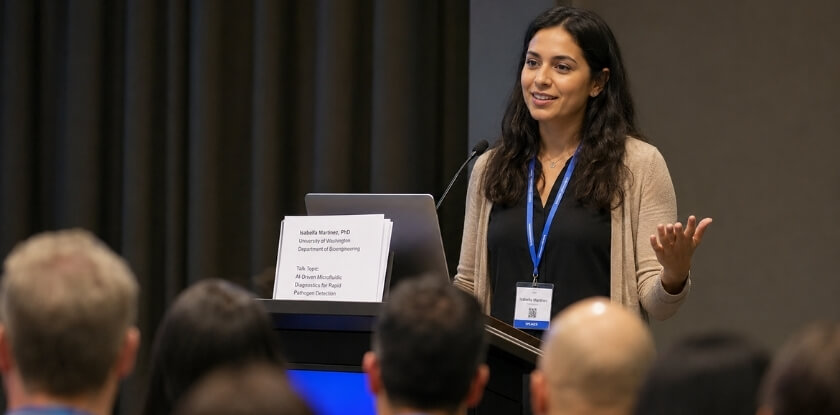
| Format | Typical length | How to open |
|---|---|---|
| Short research talk | 10 to 15 minutes | Problem, gap and key result in three sentences; one-line introduction |
| Invited talk | 30 to 60 minutes | Framing question, fuller roadmap, two or three sentences of background |
| Panel | 8 to 12 minutes each | Link your first sentence to the panel question; skip the introduction if the moderator gave one |
| Poster | 20 to 30 seconds per visitor | A two or three sentence spoken abstract |
| Online session | Varies | Test audio, state how questions work, use a stronger hook |
| Symposium paper | Varies | Open with a specific tension in the literature |
Short Research Presentations (10 to 15 Minutes)
This is a standard research-conference format, and your opening should not run longer than 60 to 90 seconds. Skip extended background: one sentence on why the topic matters, one on the gap, one previewing your key result, then move into the methodology. The self-introduction is one line, because the audience reads the rest on your title slide.
Longer Invited Talks (30 to 60 Minutes)
You have room for a proper opening here, and audiences expect some context before the argument.
- Open with a framing question or observation that places the talk within a broader conversation in the field. This is not padding; it shows you have thought about why the work matters to this room.
- Spend more time on the roadmap. In a longer talk, walking through your sections helps people stay oriented, including during Q&A.
- Your introduction carries more weight. Who you are helps the audience calibrate what they hear, so two or three sentences is appropriate.
Panel Presentations
In a panel you are one of three or four speakers, often with 8 to 12 minutes each, and the moderator usually handles introductions. Connect your opening to the panel theme immediately: “My research approaches that question from the angle of X.” That positions your work within the conversation the audience came to hear. Do not re-introduce yourself unless the moderator skipped it. Go straight to your hook.
Poster Presentations
A poster session has no formal opening, but the first 20 to 30 seconds after someone stops at your poster are critical. Prepare a spoken abstract of two or three sentences on what you did and why it matters, and practise it until it sounds natural rather than rehearsed. It is your hook, and the rest of the conversation follows from there.
Virtual and Online Conferences
- Test your audio first. Nothing kills engagement faster than 30 seconds of troubleshooting sound, so sort it out before the session starts.
- Address the format briefly. Saying that you are presenting online and whether questions go in the chat or at the end takes about 15 seconds and removes confusion for people juggling several windows.
- Make the hook stronger. In a physical room, the space does some of the work for you. On camera you compete with everything else on the attendee’s desktop, so a direct hook in the first 60 seconds is essential.
Academic Paper Presentations at Symposia
This is the most formal context, and the audience is usually deep in the field. You do not need to explain foundational concepts. Your hook can engage the literature directly through a debate, a surprising result from an earlier study or a methodological problem. Opening with a specific tension signals to a specialist audience that you are working at the right level. The full paper title, your affiliation and any co-authors should be visible and correct on the title slide, because colleagues in the room notice those details from the moment it appears.
Common Mistakes to Avoid in Your Opening
An opening goes wrong when the speaker manages their own nerves instead of orienting the audience. These patterns can appear at academic, research and international conferences.
Starting with an apology or disclaimer
“I’m sorry, I only had two weeks to prepare this.” Speakers say it to seem relatable, but the audience hears a reason to lower their expectations. Save real caveats for the methodology section, where they belong.
Reading the title slide or the abstract aloud
The slide is already visible and the abstract is in the programme. Reading either wastes the first 15 seconds and suggests you have not thought about your opening line. Acknowledge the slide briefly if you need to, then move on.
Over-loading the self-introduction
At a large academic or international conference there is usually a speaker introduction before you take the floor, so you rarely need a full one yourself. Two minutes on your CV, your department and every project you have worked on burns through the opening. If you have already been introduced, a one-sentence reminder is enough.
Jumping straight into methodology
In academic paper presentations the speaker may assume everyone has read the abstract and is ready for technical detail from sentence one. Many listeners are not. One framing sentence on the problem and why it matters gives the methodology its context.
Using a hook that doesn’t connect to the research
A dramatic statistic or provocative question works only if it leads naturally into your topic. If the audience spends the next slide wondering what the hook had to do with anything, you have created confusion rather than curiosity.
Skipping the roadmap
Without a quick overview, people lose track of where they are within a few minutes, especially online. Even one sentence is enough: “I’ll cover the problem, the data, and what we found.”
Talking before you’re ready
Starting while you adjust notes, click through slides to find your place or wait for the projector sets a scattered tone. Take five seconds to settle, find your opening slide, then speak.
Ignoring the room’s energy
A session after lunch, an online conference where half the cameras are off and a small workshop of six people each need a different calibration. If the room is flat, slow down and speak more directly to individuals. If the energy is high, match it.
From our experience at MS International: Accepted papers are scheduled into the conference programme, and authors present after completing the official author registration. We suggest asking the organisers or the session chair how long your slot is and whether speakers are introduced, because that decides how short your own introduction should be.
FAQ
The opening of a research talk involves several small choices: whether to introduce yourself, which hook to use, a roadmap slide, a question to the audience, a joke, and how to begin when nerves kick in.
How long should my presentation opening be?
About 60 to 90 seconds is a sensible upper limit for a 10 to 15 minute talk. Advice varies and no conference sets this figure, so shorten it for a shorter slot. It covers a brief hook, a one-line introduction and a preview of where you are going.
Do I need to introduce myself at the start?
Briefly, unless the chair already did. At many conferences a chair introduces speakers, so a one-line reminder of your name and institution is enough. Check your session instructions, and do not recite your CV.
What’s the best hook for a research conference presentation?
A specific finding from your own data is a strong choice, because it is particular to your work and shows why the research matters. A narrow question about the problem your paper addresses also works. Pick the one that fits your audience and leads straight into your topic.
Can I skip the title slide?
Technically yes, but keep it. It helps people orient themselves in a packed session or when joining an online session late. Leave it up for no more than 20 to 30 seconds while you open.
What if I’m presenting at an online conference? Does the opening change?
The structure stays the same, but be more deliberate about energy. Without a room to read, your tone carries the first impression. State your name, topic and plan early, because remote audiences lose context faster.
Should I use a roadmap slide right at the start?
No, put it after your hook. If the first thing the audience sees is a list of section headings, you have lost the opening moment. Hook first, roadmap second.
Is it okay to open with a question directed at the audience?
Yes, if it leads straight into your topic. Keep it rhetorical unless the format allows responses, because asking a large room to raise hands can fall flat. University graduate-school guides also suggest a short poll or rhetorical question.
Which opening mistake should I avoid first?
Reading the abstract aloud. The audience already has it in the programme, and your job is to make them want to stay.
How do I start if I’m nervous?
Slow down and rehearse the opening aloud beforehand. Take a breath, make brief eye contact with a few people and start a little slower than feels natural. Many speakers find nerves ease once they are a minute or two into the talk.
Does starting with a joke ever work?
Occasionally, but it is risky at an international conference, where humour does not always cross language and cultural lines. A well-chosen concrete example is safer.
Final Thoughts
Spend more time on your first 60 seconds than on any other part of preparing your conference presentation. A specific hook, a short introduction, one clear statement of your point and a brief roadmap do more for engagement than any slide design, whether the session is in person, international or online.