Inviting a speaker or guest sounds easy until you start drafting and second-guessing every line. The wording, the timing and the tone all affect whether you hear back.
Quick answer: To invite someone to a conference, send a personal email, or a formal letter for a keynote speaker, that gives the conference name, date with time zone, location or meeting link, why you chose them, and an RSVP deadline. Send it 6 to 8 weeks ahead for a keynote speaker and 3 to 4 weeks ahead for other guests, then follow up once or twice.
Most invitations fail for simple reasons: the subject line is vague, the notice is short, or nobody said how to reply. This guide covers who gets which type of invitation, the steps to write one, how to handle RSVPs, follow-ups and declines, and four ready-to-use templates.
Which Type of Conference Invitation Should You Send?
Pick the type by who you are inviting. An external speaker or guest needs a personal email or a formal letter, a colleague needs a calendar invite, and an online or hybrid event needs the join details built into the message. An invitation is also your first impression as an organizer. A vague subject line, a missing meeting link or a forgotten RSVP deadline tells the recipient something about how the event itself will run.
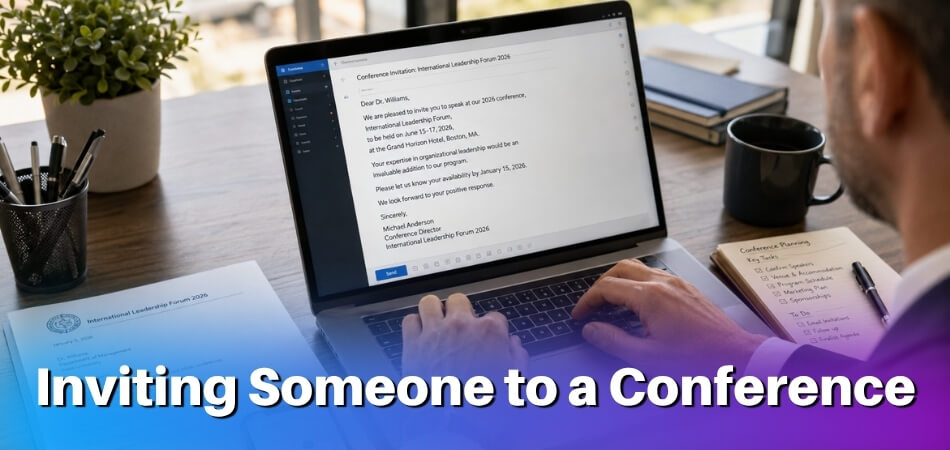
Inviting External Guests, Speakers, or Partners
This is the invitation that needs the most care. You are reaching out to a keynote speaker, an industry expert, a vendor, a sponsor, a client or a partner. They do not know your internal shorthand or your company culture, and they are giving up time for something they did not plan around. Make the value clear fast.
Your invitation needs to answer five things immediately:
- What the conference is about, who is organizing it and who else is attending
- Why you are inviting this specific person
- What you are asking them to do (speak, attend, join a panel, run a Q&A)
- The date, time, time zone and format
- Any logistics: travel, honorarium, technical setup, audience size
Personalization is not optional. Reference their work: “We loved your talk on supply chain resilience at [Event Name] last year” works far better than “We think you’d be a great fit.” Name a real point of contact, not a generic events@ address, and give a specific date to reply by.
A formal letter or a polished email are both fine. The tone should be professional but not stiff: business formal, not legal document. For a large event registered through Eventbrite, attendees get an automatic confirmation, but a VIP, sponsor or press contact should still receive a separate personal invitation on top of it.
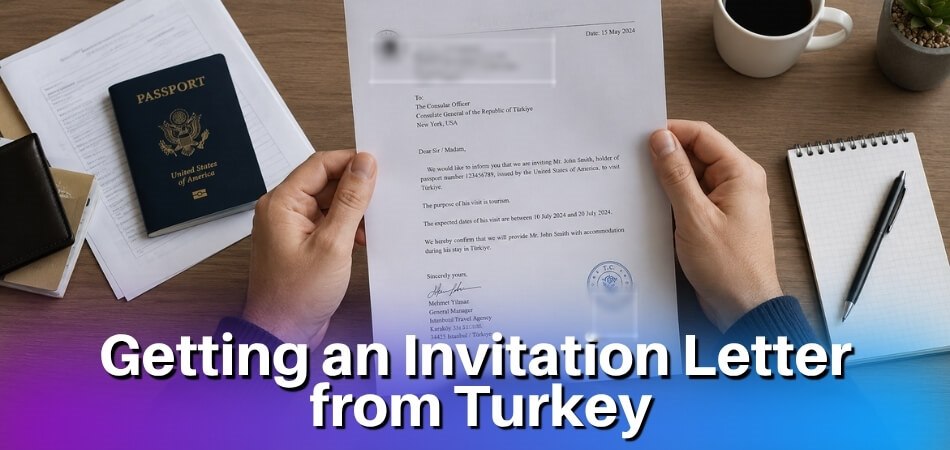
If your guest needs a visa to travel, the invitation email alone will not be enough. Some visa offices ask for a formal invitation letter, which is a separate document from the outreach message. Canada’s immigration department (IRCC) says officers sometimes ask for one, and that the letter does not guarantee a visa. For its own host letters it lists the visitor’s full name, date of birth, purpose of the trip, length of stay, where they will stay and how they will pay. Ask your guest to check the requirements of the embassy they will apply to.
Inviting Internal Team Members
Internal invitations are simpler. A calendar invite through Outlook or Google Calendar, with a clear subject line and agenda attached, does the job. No formal letter is needed, and the tone can be direct. Colleagues need to know what the meeting covers, how long it runs and whether they must prepare anything.
Include:
- Date, time and duration (be specific: “1 hour” is not enough if the meeting runs 90 minutes in practice)
- A short agenda, or at least a one-line purpose statement. Two or three bullet points cut confusion and stop the meeting running long
- The meeting link or room number, and the PIN if some people join remotely
- Whether attendance is mandatory or optional
A simple internal invite can be as short as this: Subject: Q3 Review Meeting, Thursday at 2pm. Agenda attached. Bring your department numbers. Should take about 45 minutes.
Do not skip the RSVP step. It takes ten seconds and saves you from planning for 15 people when only 8 show up. Outlook’s built-in tracking is fine, and Calendly can help with recurring conferences or larger internal events.
Inviting People to Virtual and Hybrid Conferences
For a virtual conference you are not only saying when to show up. You are handing over everything people need to get in. Include:
- The meeting link (clickable, not buried in a paragraph)
- The meeting PIN or passcode, if required
- The time zone, and two or three time zones if your audience is international
- Instructions for first-time users of the platform
- A contact for accessibility requests and, if your platform offers one, a dial-in number for people who cannot use the video link
For larger virtual events managed through Eventbrite, the automated confirmation emails carry a personal access link. Brand them, so they do not look like spam. A subject line such as “You’re Invited: [Conference Name] | [Date] | Zoom Link Inside” is clear. “Upcoming Event” is not. Send a reminder 48 hours before with the same link and agenda, because many no-shows happen simply because people lose the first email.
Hybrid invitations are harder because you manage two different experiences at once. The cleanest approach is to send two versions. In-person attendees get the venue address, parking information, check-in instructions and, optionally, a QR code for on-site registration. Virtual attendees get the link, time zone details and platform instructions. If you send one combined invitation, which works for smaller events, label the sections “Joining in person?” and “Joining online?” so people can skip to what applies to them.
Share one agenda link (a calendar event, a PDF or an Eventbrite page) with both groups. Also say how remote attendees can take part in Q&A: a chat function, a raise-hand feature in Zoom or Teams, or a submission form. If you leave this out, remote attendees feel like passive observers and your numbers drop at the next event.
Internal vs External Invitations at a Glance
Getting the two mixed up makes you sound too stiff with your own team or too casual with someone who has never heard of your company.
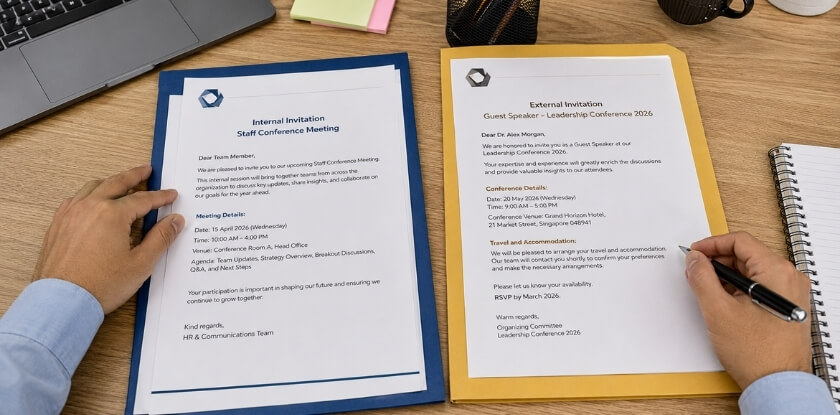
| Internal | External | |
|---|---|---|
| Tone | Direct, brief | Professional, context-heavy |
| Platform | Outlook, Teams or Google Calendar | Email, then a calendar invite |
| Formality | Low | Medium to high |
| Agenda | Helpful | Essential |
| RSVP tracking | Often skipped (but worth doing) | Always required |
| Lead time | 2 to 5 working days | 3 to 4 weeks, or 6 to 8 weeks for a keynote speaker |
Step-by-Step: How to Invite Someone to a Conference
Follow these six steps in order: notice, format, subject line, personal message, details and RSVP instructions. Getting someone to show up starts long before you press send.
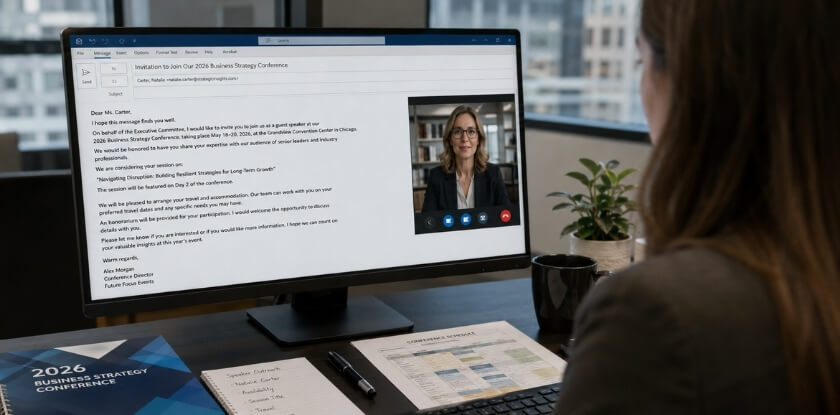
Step 1: Give Advance Notice
Timing decides whether your invitation is seen while the date is still free. Send too late and people already have conflicts. Send too early without a follow-up and they forget. Use the lead times below as practical rules of thumb, not fixed standards. For a large conference, a short save-the-date message well before the full invitation lets guests hold the date while you finish the programme.
| Who you are inviting | Send at least |
|---|---|
| Keynote or external speaker | 6 to 8 weeks before |
| Other external guests, clients, partners | 3 to 4 weeks before (2 weeks is the floor) |
| Anyone who needs to travel, get budget approval or arrange visa documents | 8 to 12 weeks before |
| Internal team | 2 to 5 working days before |
| Virtual session | Not under 48 hours unless it is urgent |
Step 2: Choose the Right Invitation Format
Match the format to the situation, and pick one primary format.
- Email invitation: works for most cases. It is direct, easy to track and carries all the details in one place. Use it as your default for external guests, clients and speakers.
- Calendar invite: best for internal meetings. Send it through Outlook or Google Calendar and the event lands on their calendar with the meeting link and agenda inside, which saves a separate email thread.
- Formal invitation letter: for keynote speakers, executives or anyone where the occasion calls for weight. A PDF on letterhead, signed by someone senior, shows you are serious. You can still send it by email: attach the letter rather than writing it in the body.
- Eventbrite or Calendly link: useful for large groups or when people should self-register or pick a slot without back-and-forth.
- LinkedIn or WhatsApp message: fine for a first ask or a quick nudge, matched to how you already talk to the person. It should be followed by the email or letter, not replace it.
Do not send a formal letter and a calendar invite and a separate email all at once. That is just noise.
Step 3: Write a Clear Subject Line
The subject line is the first thing people read, and a vague one makes the email wait or get ignored. Patterns that work:
- “Invitation: [Conference Name] | [Date]”: simple and scannable.
- “You’re Invited to Speak at [Event Name] on [Date]”: clear for external speakers.
- “[First Name], Join Us for [Conference Name]”: personal and slightly warmer.
- “[Company] Annual Conference: Please RSVP by [Date]”: creates urgency without being pushy.
Avoid “Important Event” or “Meeting Information”, and skip all caps because it reads like spam. Keep the subject under about 60 characters, since most people check email on mobile and long subjects get cut off.
Step 4: Personalize the Message and Say Why They Matter
Generic invitations get generic responses, which usually means silence. Use the person’s name and say why they specifically were chosen. For a speaker, mention a talk they gave, a book they wrote or a mutual connection. For a client, connect the conference theme to something in their business. Two sentences of real personalization beat three paragraphs of boilerplate.
Then tell them what they get from attending, or what the event loses without them. For a keynote speaker: “Your work on supply chain strategy aligns directly with what our attendees are trying to solve.” For a client: “This is a chance to meet others in your industry who are tackling the same challenges.” Even internally, “We’d value your input on the Q3 rollout given your work on the last campaign” beats “please attend the following meeting.” People respond when they feel their presence means something, not like another name on a list.
Step 5: Include the Essential Details and Supporting Materials
Put everything in one place so nobody has to hunt for it:
- Full event name and the type of event (in-person, virtual or hybrid)
- Date and time with the time zone. “2:00 PM” means nothing without one.
- Location or meeting link (physical address, Zoom, Google Meet or Microsoft Teams), plus the meeting PIN if required
- Agenda as a PDF or a link to the event page. Even a rough one helps people decide whether to attend.
- QR code for check-in or session access, printed on the invite or sent digitally, if you use one
- Speaker brief for a keynote: expected talk length, audience size, AV setup and any topic guidelines
- Signature block with your name, role, organization and contact details, so the guest can see who is writing and check it
- Travel or accommodation details where you handle logistics, and any dress code or access requirements
If the event runs on a platform people may not know, say they may need to download the app and add a short how-to or help-page link. It saves a chaotic ten minutes at the start. Name attachments clearly: “Conference_Agenda_March2027.pdf” is better than “agenda_final_v3_REAL.pdf”. It reflects on how organized you are.
Step 6: Add an RSVP Deadline and Response Instructions
Set an RSVP deadline 5 to 7 days before the conference so you have time for late additions, room capacity and catering numbers. A phrase like this works: “Please confirm your attendance by [Date] so we can finalize the conference schedule and arrange your access details.”
Tell people exactly how to respond: reply to the email, click a link, fill out a form on Eventbrite or book through Calendly. Also make it easy to decline. A line such as “If this date doesn’t work, please let us know and we’ll explore alternatives” keeps the door open and avoids a non-response from someone who did not know how to say no politely.
How to Send a Last-Minute or Urgent Conference Invitation
For a last-minute invitation, send the calendar invite first, then a short email with the date, time and link in the first lines. A speaker cancels, a decision is made on Thursday for a Monday meeting, or someone important is added two days before the event. You cannot give two weeks’ notice, so adjust your approach.
Lead With the Point and Send the Calendar Invite First
In an urgent invitation, clarity matters more than elegance. Get to the point in the first sentence: “We’re holding an emergency strategy session this Friday at 2 PM EST. I’d like you there.” Do not bury the date and time and do not open with pleasantries. The recipient needs to know immediately whether they can attend.
Keep the email to three or four sentences, with the Zoom, Google Meet or Teams link in the body rather than hidden behind a button. A complete urgent message can be this short: “Hi all, we need a call today at 3:30 PM EST. One of our main suppliers has flagged a delivery issue that affects the April launch. Google Meet link: [link]. 30 minutes max. No prep needed. Just join on time.”
Send the Google Calendar or Outlook invite before the email that explains it, so the event is already on their calendar when they finish reading. If you use Calendly, send a direct booking link with a 24 to 48 hour window open and label it clearly, for example “Urgent: [Conference Name], please book by end of day.”
Use a Subject Line That Works Instantly
Signal urgency without sounding like spam:
Urgent: [Conference Name] | This Friday, 10 AMQuick ask: Can you join [event] on [date]?[Name], we need you at [conference] | 48 hours notice
Avoid all caps and exclamation marks. They trigger spam filters and make the email look unhinged. Plain, direct language carries the urgency.
Be Honest About the Short Notice
Do not pretend the timeline is normal. A quick “I know this is short notice” increases response rates, because it shows self-awareness and gives the reader a reason to prioritize your email over the 40 others in their inbox. One sentence is enough. Then move on.
Last-Minute Speakers and External Guests
External speakers will not commit without context, so include the essentials at once: a rough agenda, any PIN or access details, the location or virtual format, and who else is attending. For a hybrid conference, say whether they would join in person or virtually. Do not make them ask.
Follow Up Fast and Have a Backup
Follow up within 24 hours if you have heard nothing. For truly urgent situations, a phone call or direct message on Slack, LinkedIn or WhatsApp is acceptable, depending on your relationship. Email alone is too passive when time is short. Once someone confirms, send the link, access details and a one-line summary of what you need from them straight away.
Have a backup ready before you send. For a speaker slot, know your second choice. For an attendee whose input matters, plan how you will gather their view afterwards. Last-minute does not mean low-effort. It means efficient effort and no unnecessary friction for the person you invite.
How to Invite Someone to a Virtual or Zoom/Teams Conference
For a virtual conference, send the link, meeting ID and passcode in the invitation itself and add the event to their calendar. A missing link or wrong PIN can kill attendance before the session starts.
Sending a Zoom Meeting Invite via Email
Start inside Zoom. Schedule your meeting, set the date and time, then click Copy Invitation. That gives you a block of text with the meeting link, Meeting ID, passcode and dial-in numbers. Paste it directly into your email instead of retyping it, because that is how errors creep in. Then check that:
- the time zone is spelled out (for example, 2:00 PM EST / 7:00 PM GMT)
- the full URL is shown, not a shortened version
- the Meeting ID and passcode sit on their own line so they are easy to spot
- a one-line summary says what the meeting is about
A subject line like “Zoom Invite: Q3 Marketing Review, Thursday, Nov 11 at 2 PM EST” tells the recipient what they are walking into. “Conference Call” gets skipped.
If you invite an external speaker, tell them whether they need a Zoom account to join. Guests can often join from a browser without one, but your own settings may require sign-in, so check before you promise it. Also send a calendar invite separately and put the Zoom details in the event description, so the link sits next to the reminder.
Sending a Teams Meeting Invite from Outlook
Open Outlook, go to Calendar and click New Teams Meeting. That generates a Teams link and embeds it in the event. Fill in the attendees, subject, date and time, then send. Attendees receive a calendar invite with the link, a meeting ID and a phone dial-in option, and can join from the email, the calendar or the Teams app. Watch three things:
- If you invite someone outside your organization, check that external access is enabled in your Teams admin settings. Otherwise they may hit a lobby they cannot get past.
- For a hybrid conference, put the physical room in the same invite. Do not send one invitation for in-person and another for virtual, so everyone sees the same information.
- Use the Scheduling Assistant tab before you finalize the time. It shows availability across attendees inside your organization and spares you the “does 3 PM work?” thread.
The Outlook invite also handles RSVPs: attendees can accept, decline or mark tentative, and you see the responses without chasing anyone.
Sharing a Meeting Link on Phone
Sometimes you are texting a colleague or sharing a link on WhatsApp or Slack. That is fine, as long as the informal message still carries the link, the date and time with the time zone, and the Meeting ID and PIN if the link does not auto-fill them. For example: “Hey, joining the product sync Thursday at 11 AM EST? Here’s the Zoom link: [link]. ID: 123 456 789, Passcode: 4921.” Short and specific.
If you let someone book a slot through Calendly, send your scheduling link and the confirmation email with the meeting link goes out automatically. One more check: test your Zoom or Teams link on a phone before sending. Some links open the app correctly, while others drop people into a browser session that works less cleanly.
How to Manage RSVPs and Get Confirmation
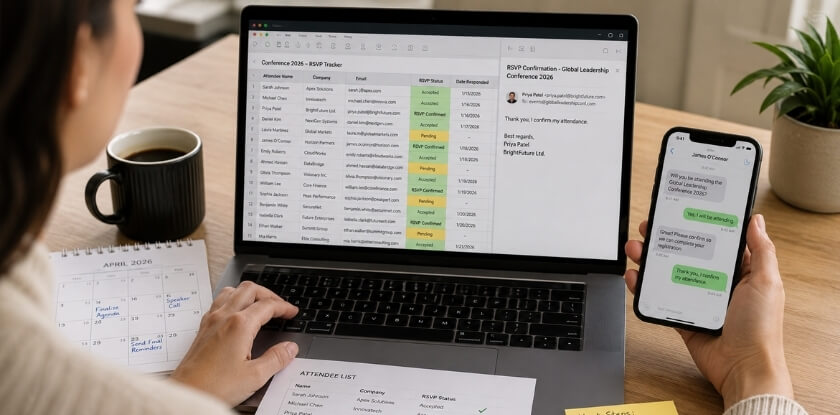
Use one RSVP tool per event, send a confirmation email as soon as someone accepts, and keep all responses in one tracker. Sending the invitation is only half the job. The other half is knowing who is coming.
Use the Right RSVP Tool for Your Setup
- Google Calendar invite: attendees click Accept, Decline or Maybe and you see responses in the event panel. Works well for internal meetings.
- Outlook calendar invite: the same, with a response tally in your inbox. Probably your fastest option for hybrid conference planning.
- Calendly: better for one-on-one or small-group confirmations where people choose a time slot, such as a pre-conference call with a keynote speaker.
- Eventbrite: best for larger external conferences. It handles registration, confirmation emails and QR code check-in, and registration closes when you set it to close.
- Google Form linked in your email: useful when you want extra information with the RSVP, such as dietary requirements, session preferences or accessibility needs. For internal events you track responses manually or with a simple form like this.
Pick one method. Mixing several systems confuses attendees and creates chaos for you.
Send a Confirmation Email Once They RSVP
Send a confirmation the moment someone accepts. Eventbrite does this automatically, but for manual invitations you must send it yourself. For external guests it is especially important: do not make them dig through their inbox on the day. A good confirmation includes:
- The date, time and location, or the meeting link for virtual events
- The conference agenda, or at least a schedule overview
- Access details: meeting PIN, Zoom, Teams or Google Meet link, and any QR code for on-site check-in
- A calendar attachment they can add in one click
- A contact name for questions, and a reminder of what you expect from them if they are speaking
- For speakers, a request for a short bio, a talk title and a photo for the programme, with a date to send them by
This is more than courtesy. People who get all the logistics in one message are more likely to show up.
Track Your RSVPs in One Place
For anything beyond a 10-person meeting, keep a simple tracker. A Google Sheet works, with columns for name, email, RSVP status, date responded and notes. Update it as responses come in.
It becomes essential for hybrid conferences, where you need separate headcounts for in-person and virtual attendance. You do not want to hit venue capacity on-site while forgetting that 30 more people are joining remotely and need the right link. Knowing your numbers early gives you control over the whole event.
Conference Invitation Follow-Up: When and How to Do It
Send the first follow-up 3 to 5 business days after the invitation and a last call 48 to 72 hours before the RSVP deadline, then stop. People are busy and your email may have landed at the worst moment, so a follow-up is not pushy. It is practical. Silence is not a yes, and it is not always a no either.
First Follow-Up (3 to 5 Business Days After the Invitation)
Wait three to five business days. Any sooner and you risk annoying people. Any later and you lose planning time. Keep the message short, because you are nudging them back to the invitation rather than re-sending it. A simple structure:
- One line referencing the original email: the conference name and date, so they do not have to dig
- A clear ask: do you want a yes, a no, or just confirmation that they received it?
- The essential details again: meeting link, RSVP deadline or Calendly link
Example subject line: “Quick follow-up: [Conference Name] on [Date]”
Example message: “Hi [Name], just following up on the invitation I sent for [Conference Name] on [Date]. Would love to confirm your spot. Here’s the meeting link again: [link]. Let me know either way!”
If someone has already decided to decline and just has not replied, a short message makes it easy to say no without feeling awkward, and that frees up your planning. For a formal letter to a keynote speaker the follow-up can be slightly more formal, with the same principle: short, specific, actionable. If your original subject line was vague or buried in a thread, start a fresh email instead of replying to the chain.
Last Call and Reminder Before the Event
Send a last call to people who have not answered 48 to 72 hours before your RSVP deadline, not on the day. Keep it to two sentences: “We’re finalizing numbers for [Conference Name] soon. If you’re able to join, please let us know or confirm here: [RSVP link]. No worries if it doesn’t work out.” That last line matters. An easy way out increases response rates because people do not feel cornered.
Confirmed attendees get a separate reminder 24 to 48 hours before the conference with:
- The schedule, or at least the start time and session structure
- The meeting link (paste it, do not make them scroll) and the PIN if there is one
- Access instructions, QR code for in-person entry, or parking and venue details for a hybrid conference
- A note on what to prepare, if anything
You can automate this through Outlook or Google Calendar reminders, and Eventbrite does it natively. Two follow-ups is the professional ceiling. A third starts to feel like pressure, especially with external guests or speakers you may want to invite again. If you still hear nothing, assume they are not attending and move on.
What to Do If Your Conference Invitation Gets Declined
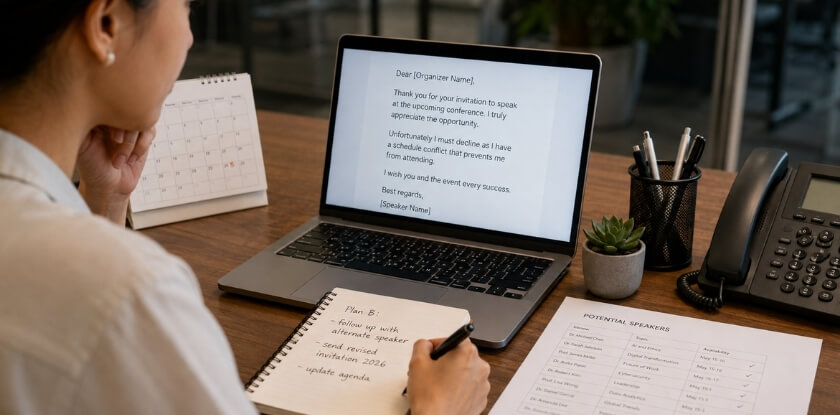
Reply to every decline with one short, gracious message, then decide whether an alternative is worth offering. A declined invitation is not a dead end. It is a different conversation.
Read the Decline Before You Reply
There is a big difference between “I can’t make this date” and “this isn’t relevant to me right now”. One has an easy fix. The other needs a different approach. People decline for scheduling conflicts, budget, prior commitments or simply too much on their plate, and most of the time it has nothing to do with your event’s value.
Still, a high decline rate is feedback. Maybe the notice was too short, the agenda was not compelling in the invitation, or the format (say, a three-hour virtual conference on Zoom without breaks) is unappealing on paper. One or two declines is normal. Eight out of ten means you should look at what you sent.
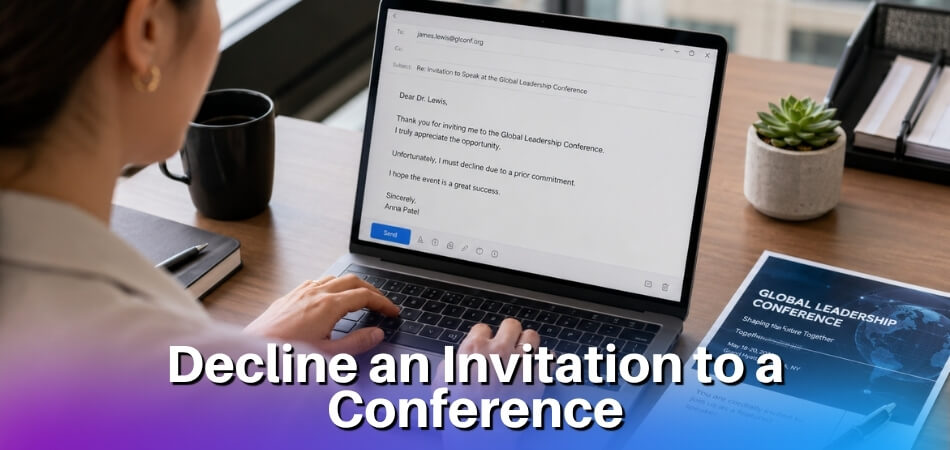
Reply Like a Professional
Always reply. A quick, gracious response keeps the relationship intact: “Thanks for letting me know. We’ll miss having you there. Hope you can join us at a future event.” No guilt-tripping, no “Are you sure?” and no five-paragraph case for why they would benefit. Silence after a decline is just bad manners, and organizers who ignore declines tend to get ignored back.
If the person is a keynote or external speaker you specifically recruited, make it a little warmer. Acknowledge their schedule, express real disappointment and mention you would like to involve them in another way, such as a recorded message, a written contribution or a future conference date.
Ask Once Whether Timing Was the Problem, and Offer One Alternative
If someone declines without a reason, one low-pressure question is fine: “No worries at all. Was it a timing issue, or just not the right fit this time around?” If it was timing, add them to the list for your next event or offer a recording. If it was fit, reassess whether this person was the right invitee. Do not ask if they already gave a clear reason, because that gets annoying fast.
Sometimes a full decline can become partial attendance. Options worth offering:
- A recording or post-event summary: works well for virtual conferences where content is captured anyway
- A shorter slot: could they join for a single session instead of the full day?
- A future date: mention your next event if you run recurring ones
- A hybrid option: someone who cannot travel might join remotely via Google Meet or Teams
Pick the one that suits that person and mention it briefly. One option is helpful. A list of five feels desperate.
Update Your Records and Know When to Move On
As soon as someone declines, update your spreadsheet, Eventbrite or confirmation system. Remove them from the Outlook or Google Calendar attendee list so they stop getting event reminders. Nobody wants calendar nudges for something they already turned down.
Some declines are final. If you send one gracious reply and they do not engage further, leave it there. A second invitation for the same event after a clear no is pushy. Save the relationship for the next opportunity, because a professional decline today often leads to a yes six months from now.
Conference Invitation Email Templates (Ready to Use)
Copy these, adjust the details and send. Each is written for a specific situation, so do not use the formal external template for a quick internal meeting. If a guest needs a signed letter rather than an email, start from a conference invitation letter sample.
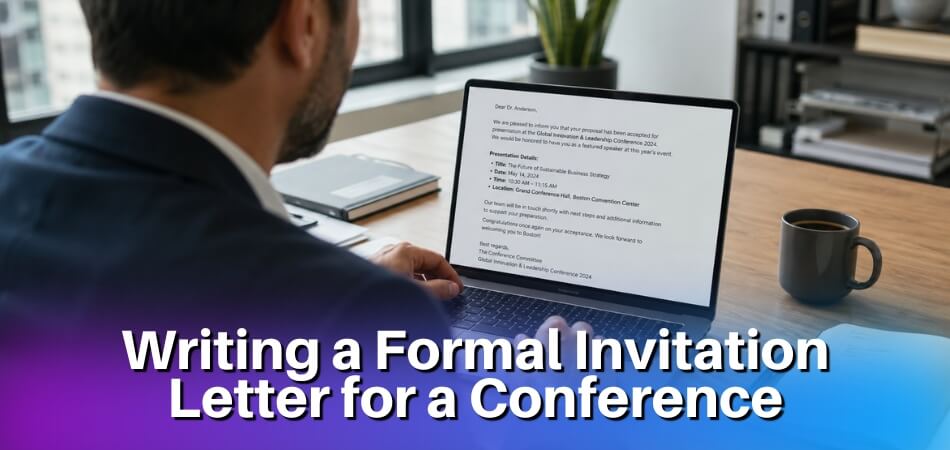
Formal Conference Invitation Email (External Speaker)
Use this when you are reaching out to a keynote speaker, industry expert or anyone outside your organization whom you want to present or participate.
Subject: Invitation to Speak at the National Retail Innovation Summit | March 16, 2027
Dear Ms. Hartman,
My name is Daniel Cruz, and I’m the event organizer for the National Retail Innovation Summit, taking place on March 16, 2027, in Chicago, IL.
We’d love to invite you to join us as a keynote speaker. Your work on supply chain transparency, specifically the research you published last year, is exactly the kind of insight our audience of senior retail executives needs to hear.
Here’s a quick overview of what we’re proposing:
- Session length: 40 minutes (30-minute talk + 10-minute Q&A)
- Topic area: Ethical sourcing and consumer trust
- Audience: about 450 attendees (senior buyers, brand managers, operations leads)
- Format: In-person with a hybrid livestream option
The conference agenda is still being finalized, but your session would run in the morning block, roughly 10:00 to 10:45 AM.
We cover travel, accommodation and an honorarium. Happy to discuss the specifics once we know you’re interested.
Could you let me know by February 1st whether this is something you’d like to explore? I’m also happy to jump on a 15-minute call if that’s easier. You can book a time directly here: [Calendly link]
Looking forward to hearing from you.
Best regards,
Daniel Cruz
Event Director, National Retail Innovation Summit
[email protected] | +1 (312) 555-0198
Internal Team Conference Invitation Email
This one is for colleagues: your own team, department or a cross-functional group. Keep it short. They don’t need a pitch. For an urgent version, shorten the lead time, add “Urgent” to the subject and cut the agenda to one line.
Subject: Q2 Strategy Review | Thursday, April 8 at 2:00 PM EST
Hi team,
Our Q2 strategy review is on Thursday, April 8. It starts at 2:00 PM EST and will run about 75 minutes.
Agenda:
- Q1 results walkthrough (15 min)
- Q2 priorities by department (30 min)
- Budget reallocation discussion (20 min)
- Open questions (10 min)
We’ll meet in Conference Room B. Remote team members can join via Microsoft Teams, link below.
Teams link: [Insert link]
Meeting PIN: 847 293#Please come with your department’s Q1 numbers ready. Sarah from Finance will be sending the shared spreadsheet by Wednesday end of day.
RSVP by Wednesday noon so we can confirm room capacity. Reply to this email or accept the calendar invite I’m sending separately through Outlook.
Thanks,
Marcus
Virtual Conference Invitation Email
When the whole event is online, whether a company-wide virtual conference or an external webinar-style event, people need more logistical detail than for an in-person invite.
Subject: You’re Invited: Women in Tech Leadership Forum | May 6, 2027 | Virtual Event
Dear Priya,
We’d like to invite you to the Women in Tech Leadership Forum, a one-day virtual conference running on May 6, 2027, from 9:00 AM to 5:00 PM EST.
This year’s event is fully online via Zoom. All sessions (keynotes, panels and workshops) will be hosted in the same Zoom room, with breakout sessions for smaller groups.
Your access details:
- Platform: Zoom
- Meeting link: [Insert Zoom link]
- Meeting PIN: 3920 48#
- Date: May 6, 2027
- Time: 9:00 AM to 5:00 PM EST
Once you register, you’ll get a Google Calendar invite automatically with all session links included. You can also add the event to your calendar now using the RSVP button below.
[RSVP & Register on Eventbrite]
Registration closes April 28. After that date, we can’t guarantee access to session recordings.
If you have any questions, reply to this email and someone from our team will get back to you within one business day.
Hope to see you there.
Warm regards,
Jenna Okafor
Conference Coordinator, WiTL Forum
[email protected]
Post-Conference Follow-Up Email Template
Send this 48 to 72 hours after the conference. It is not a thank-you card. It is a practical close to the invitation-and-event loop.
Subject: Follow-Up: National Retail Innovation Summit | Recordings & Next Steps
Hi [First Name],
Thanks for joining us at the National Retail Innovation Summit on March 16th.
A few things you’ll want:
- Session recordings: Available now at [link]. All sessions are up, including the keynote.
- Speaker slides: Ms. Hartman’s slides are attached. Other presenter decks are on the same page as the recordings.
- QR code from the event floor: Scan it again anytime to access the resource library: [QR code image or link].
If you filled out a feedback form on-site, expect a summary report from us in about two weeks. If you didn’t get a chance to complete it, there’s still time: [feedback link].
Thinking about attending next year? Early-bird registration opens June 1st. Reply to this email to get on the priority list.
Questions? Just reply here.
Best,
Daniel Cruz
Event Director, National Retail Innovation Summit
Send follow-up emails from the same address that sent the original invitation. It keeps the thread clean and makes earlier details easy to find.
Best Practices and Common Mistakes to Avoid
The most common mistakes are burying the key details and leaving out the time zone. Most bad invitations were written quickly, without checking what the reader needs to say yes and arrive prepared.
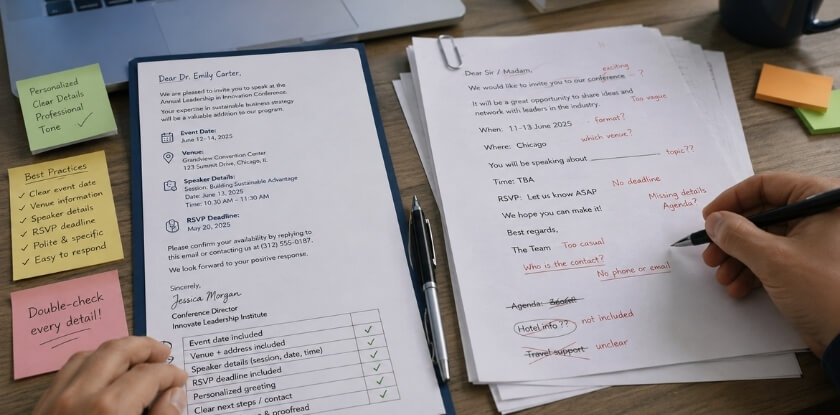
| Mistake | What to do instead |
|---|---|
| Burying the meeting link at the bottom of a long email | Put the date, time and link in the first three lines, and repeat the link in the calendar invite. Anyone should be able to answer “can I make this?” before scrolling. |
| Sending without a time zone | Always include one. For an international audience, list two or three, such as “2pm EST / 7pm GMT / 8pm CET”. |
| Over-decorating the email | Heavy HTML templates with banners often get flagged by spam filters or look broken in some email clients. A clean plain-text or lightly formatted email frequently outperforms them. |
| Using a no-reply sender address | Use a real address, or at least a contact name and email in the body, so people can ask a question or flag a conflict. |
| Vague subject line such as “Conference Invitation” | Be specific: “Invitation: Digital Marketing Summit | March 16, 2pm EST”. |
Before you press send, read the message as the recipient would. Do you know what this is, why you were invited, when it is, how to join and what to do next? If any answer is not obvious, fix it first.
From our experience at MS International: our conferences are held in person in the Greater Toronto Area, so an international guest usually has to plan travel well ahead. If your guest needs a visa, keep in mind that an invitation email and a formal invitation letter are different things. For participants registered with us, the invitation letter is issued within 3 to 5 business days after payment clears, and it must match the passport name exactly, because a US$50 fee may apply to corrections after issue. A letter supports an application but does not guarantee visa approval.
Conference Invitation FAQ
Sending a conference invite to someone you have not met, or over LinkedIn or WhatsApp, raises issues of timing, subject lines, calendar invites and hybrid event details.
How far in advance should I send a conference invitation?
Keynote and external speakers need 6 to 8 weeks of notice, and other outside guests need 3 to 4. Internal meetings need only 2 to 5 working days. Anyone who must travel or arrange visa documents needs 8 to 12 weeks. When in doubt, send earlier and follow up.
What’s the best subject line for a conference invitation email?
A specific one under about 60 characters that names the event and the date, and the person’s role if relevant. “Invitation: [Conference Name] | October 14 | Speaker Opportunity” beats “Conference Invite”. Vague subject lines get skipped.
Should I use email or a calendar invite?
Use both, in that order. Send the email first with the agenda, meeting link and any dress code, then follow it with a Google Calendar or Outlook invite so the event lands on their schedule. For virtual conferences, put the link and PIN in the calendar description too.
How do I invite someone I don’t know personally?
Keep it brief and lead with context: who you are, why you are writing, and why this person is a good fit. Do not spend three paragraphs on your organization first. A personal message gets far better replies than a copy-paste email where the name was obviously swapped in.
What if someone doesn’t respond to my invitation?
Follow up once after the first few business days and send a last call shortly before the RSVP deadline. Then stop. Chasing someone with four or five emails does more damage than good.
Can I invite someone to a conference via LinkedIn or WhatsApp?
Yes, but match the channel to your relationship. LinkedIn suits professional contacts you have not emailed before, and WhatsApp suits people you already message there. Use them for the first ask or a nudge, and follow with the formal email or letter.
What should a virtual conference invitation include?
It should include the date and time with time zone, the Zoom or Google Meet link, the agenda or a link to it, and how to join. Add the meeting PIN, a contact for accessibility requests, and a dial-in number if your platform offers one.
How do I handle invitations for a hybrid conference?
Say clearly whether the person is invited in person or virtually. In-person guests get venue details, transit or parking information and any check-in QR code. Remote guests get the access link and platform instructions. Leaving it ambiguous causes confusion.
Do I need to send a confirmation email after someone RSVPs?
Yes. Send it as soon as someone accepts, with the date, time, meeting link or location, and anything they need to prepare. For larger events, add the conference schedule. It reduces no-shows and last-minute questions.
Is an invitation email the same as a visa invitation letter?
No. An invitation email asks someone to attend. A visa invitation letter is a formal document that sets out the trip details, and not every visa office asks for one. Your guest should check the embassy’s own requirements.
Final Thoughts: Send Invitations That Get a Yes
Getting a yes comes down to giving people everything they need to say yes and no reason to say no. Send early enough that the date is still clear on their calendar, write a subject line that earns the open, put the link, schedule and RSVP instructions where nobody has to hunt for them, and personalize anything going to a speaker.
Follow up once or twice, respond graciously to every decline, and use Calendly or your Eventbrite dashboard so you are not emailing people who already confirmed. That relationship matters more than one conference.