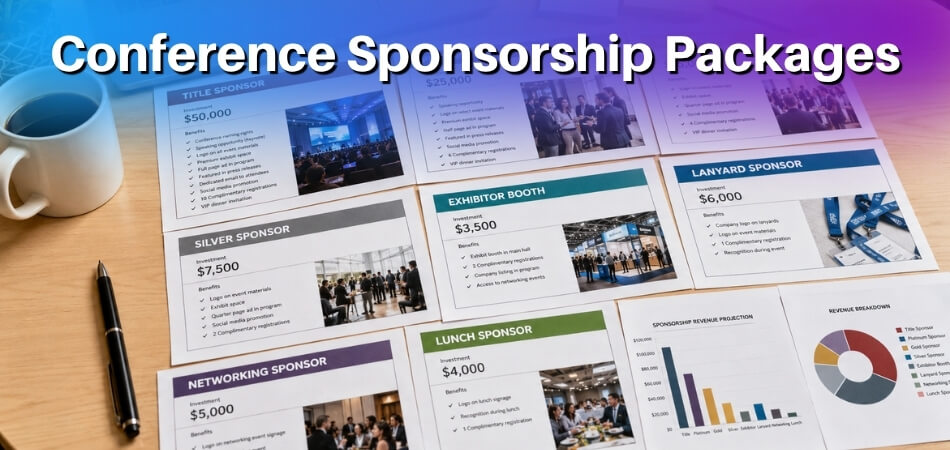
Open a conference bag and you can usually tell within a minute whether the organizers planned ahead. A good kit is small, accurate, and easy to use, and this guide goes through what belongs in one and why.
Quick answer: A conference kit usually includes a name badge and lanyard, the agenda or program, a venue map, a pen and notepad, Wi-Fi or digital access details, and a folder or bag to hold them. Sponsor materials and branded gifts are optional extras. The exact contents change with the event type, audience, budget, and format, and a common approach is to print only the basics and share the rest through a QR code or event app.
What Is a Conference Kit?
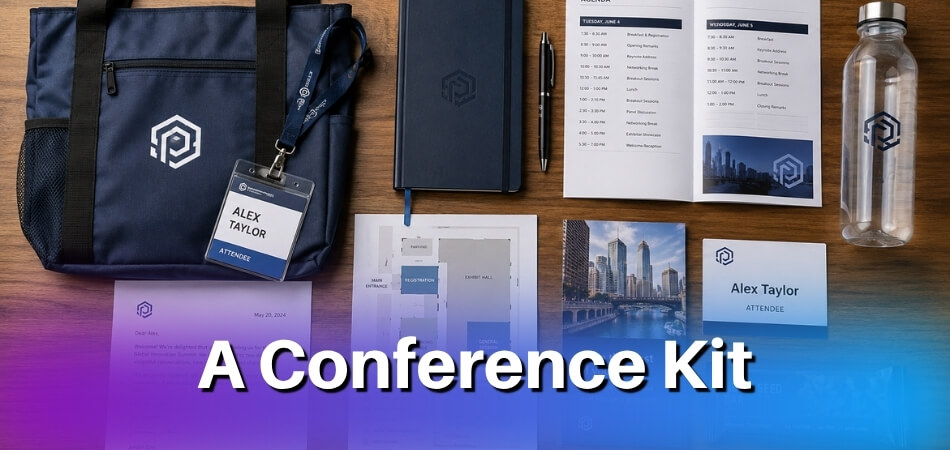
A conference kit is a prepared set of event materials given to participants before or during a conference. It helps attendees understand the program, find key information, and move through the event with less confusion.
Simple Definition of a Conference Kit
In practice the package, physical or digital, covers the materials an attendee needs: identification, schedules, writing tools, instructions, promotional items, and resource links. The phrase is also used for video-call hardware sets and for organizer planning toolkits. This article covers the materials attendees receive.
Who Receives a Conference Kit at an Event?
Conference kits usually go to registered attendees, but large events may prepare different versions for different groups. General participants may receive badges, agendas, maps, and note-taking materials. Speakers, sponsors, exhibitors, media guests, or VIPs may receive role-specific documents, access passes, or hospitality information.
Physical Conference Kits vs. Digital Conference Kits
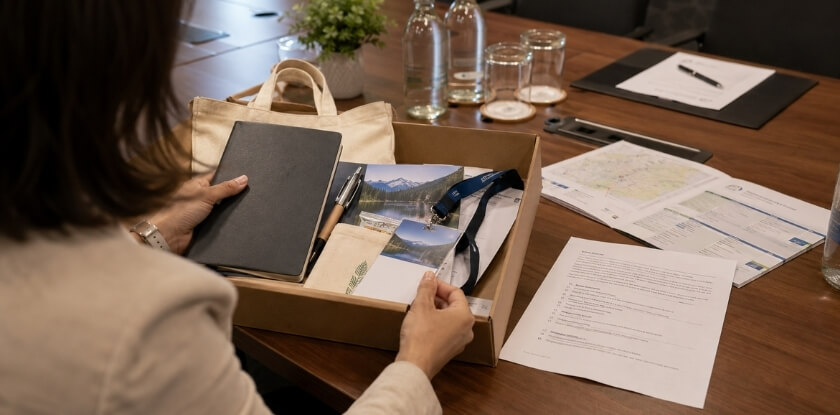
A physical conference kit holds items attendees carry and use at the venue, such as badges, lanyards, programs, folders, notebooks, pens, and branded gifts.
A digital conference kit holds online materials such as downloadable schedules, speaker slides, QR codes, event app links, e-brochures, feedback forms, certificates, or livestream access.
Many conferences use both, and in my view the badge and a one-page agenda are worth printing even at a mostly digital event, with longer resources shared through QR codes or event apps. A middle route is to publish the program online and print copies only on request, as the University of Basel’s event guidelines (read October 2026) suggest.
What Does a Conference Kit Usually Include?
A conference kit usually includes identification items, event information, note-taking tools, printed or digital resources, packaging, and optional branded materials. Every kit builds outward from the identification and event-information items, and each item should help attendees take part, find their way, or remember the event. In my view, the items that save a trip to the help desk matter more than the ones that look good in the bag.
Name Badge, ID Card, or Lanyard
A name badge, ID card, or lanyard lets attendees identify one another and enter event areas smoothly. It may show the attendee’s name, organization, ticket type, access level, QR code, and event branding. The more details it carries, the larger the badge size needs to be to keep them readable.
A few design choices make the badge do its job: put the first name in the largest, plainest type so it can be read from a few steps away, test the longest names on the list before printing, use the back for an agenda summary, Wi-Fi details, or an emergency number, and give speakers, exhibitors, and volunteers a different lanyard color so roles are easy to tell apart.
Event Agenda, Program, or Session Schedule
An event agenda tells attendees what is happening, when, and in which room. It may list session titles, speaker names, break times, workshops, networking sessions, and announcements.
Venue Map and Navigation Details
A venue map shows rooms, registration desks, help desks, dining areas, exhibition spaces, restrooms, elevators, parking areas, and emergency exits. Maps matter most at large hotels, convention centers, universities, and multi-floor venues, where clear directions save time and keep people calm.
Pen, Notepad, or Writing Materials
A pen and notepad let attendees record ideas, questions, takeaways, and contact details during keynotes, panels, workshops, training sessions, and networking. Neatly branded writing materials can also remind people of the event after it ends.
Brochures, Flyers, and Informational Documents
Brochures and informational documents explain details that do not fit in the main agenda: the event theme, organizer profile, sponsor information, session descriptions, participation rules, certificate details, or feedback instructions.
One or two documents are usually enough; the rest can sit behind a QR code.
Folder, Envelope, or Tote Bag
A folder, envelope, or tote bag keeps documents, passes, and small items together so nothing gets lost.
Folders suit formal events with papers or certificates. Tote bags suit conferences with notebooks, brochures, gifts, or exhibitor materials, and a reusable bag also helps when attendees pick up extra items during the day.
Speaker Details and Session Notes
Speaker details show who is presenting and why a session is relevant. These may be short bios, presentation topics, session summaries, or links to speaker profiles.
Session note pages, worksheets, or templates suit events where attendees take detailed notes, such as training workshops and medical or academic sessions.
Sponsor Materials and Business Cards
Sponsor materials let partner organizations share relevant services, offers, or product information through business cards, brochures, discount cards, product sheets, or digital links.
Sponsor content should match the audience. A useful insert gets read; an unrelated promotion usually gets ignored.
Branded Gifts or Promotional Items
Branded gifts make a kit memorable when they are practical. Common options are notebooks, pens, mugs, keychains, stickers, reusable bottles, bookmarks, and badge holders.
Choose simple, durable, relevant items. The University of Basel’s event guidelines (read October 2026) go further and say an organizer can skip giveaways entirely and ask participants to bring their own notepaper and pens, which is worth considering when most of your audience takes notes on laptops. In that case the pen and notepad can drop from the essentials; keep a few at the registration desk for those who forget.
USB Drive, QR Codes, or Digital Resource Links
Digital resource links let organizers share material without printing everything. QR codes, USB drives, NFC cards, or short links may lead to slides, the full program, speaker bios, abstracts, sponsor pages, feedback forms, event apps, or certificates. QR codes cost little to print, and most phones can scan them.
Food Coupons, Access Passes, or Special Instructions
Some kits include meal coupons, workshop passes, parking slips, shuttle schedules, gala dinner cards, VIP access notes, or safety instructions. Where attendees need them, add a large-print agenda, accessible-route notes, or dietary labels on meal passes. Label coupons and passes clearly so attendees can find them quickly when needed.
Conference Kit Checklist for Organizers
A conference kit checklist confirms that every attendee receives the right materials. It covers the basics, optional extras, digital resources, and eco-friendly choices. Thinking as an attendee, I would apply one test: could a first-timer find their first session using only what is in the bag?
Essential Items Every Kit Should Have
Every kit needs the items attendees use to identify themselves, follow the schedule, and find their way around the venue.
| Essential Item | Purpose |
| Name badge or ID card | Supports identification and access control |
| Lanyard or badge holder | Keeps attendee identification visible |
| Agenda or program | Shows sessions, speakers, and timings |
| Venue map or room guide | Helps attendees find locations |
| Pen and notepad | Supports note-taking |
| Folder, envelope, or bag | Keeps materials organized |
| Wi-Fi or digital access details | Connects attendees to online resources |
Optional Add-ons Attendees Actually Use
Useful choices include a reusable bottle, branded notebook, portable charger, thank-you card, snack, sticker, bookmark, sponsor offer, or certificate instruction sheet.
Pick add-ons that fill a gap in the core kit, such as a portable charger at a technology event or a bottle at a summer venue.
Digital Items to Include for Hybrid and In-Person Events
Digital items make updates easier and reduce printing. A kit may carry QR codes or links for the full agenda, event app, speaker slides, digital brochures, sponsor directory, feedback form, networking platform, replay access, or certificate download page. A broken QR code at registration creates a queue, so test each code on a phone before printing and again in the final week.
Eco-friendly Kit Options
An eco-friendly conference kit cuts waste while staying practical. Good options include reusable tote bags, recycled paper, digital agendas, QR codes, refillable bottles, minimal packaging, and recycled-material stationery.
The University of Basel’s event guidelines (read October 2026) add three practical points: print double-sided on 100% recycled paper, keep dates and venue details off pens, signs, and folders so they can be reused at later events, and collect badges and folders at the end or set out return boxes. The same guidelines note that printed materials have a small environmental impact next to travel, but that they show participants how the organizers approach sustainability. Whatever you cut, keep urgent information in print.
Why Conference Kits Matter for Attendees and Organizers
A conference kit matters because it saves attendees effort and gives the event one consistent set of information. I think of it as the one place where the information, the tools, and the event identity meet.

Helps Attendees Stay Prepared
With a good kit, attendees can check their badge, agenda, map, access pass, note pages, and digital links without digging through emails or asking staff again and again. This is especially helpful at multi-track conferences, where participants choose sessions, move between rooms, and juggle a busy schedule.
Improves Wayfinding and Time Management
Schedules, maps, room guides, and break details let attendees plan the day, arrive on time, and avoid missing sessions.
Supports Networking and Professional Interaction
Visible badges and lanyards show names, roles, organizations, and access levels, and business cards and the attendee list help people follow up after a conversation.
Strengthens Event Branding
Used with restraint, a consistent look across the kit makes the event feel unified and helps attendees recognize its materials later in the day. Big logos on every item are not the aim; the design section below shows how to keep the look consistent without crowding it.
Creates a More Organized First Impression
The kit is often the first material attendees receive, so a neat, accurate one signals preparation and professionalism.
How to Choose the Right Items for a Conference Kit
Choose the right conference kit items based on audience needs, event goals, budget, branding, and delivery format. In my view, a kit planned around the first hour of the event, when people look for rooms, the Wi-Fi, and their first session, gets most other choices right.
Match Kit Contents to the Event Type
Different events need different materials. Start from the one thing this audience must not miss: the abstracts for researchers, the networking guide for business attendees, or the login details for a hybrid audience. The “Conference Kit Contents by Event Type” section further down lists the contents for six common event types item by item.
Consider the Needs of Attendees, Speakers, and Sponsors
Decide which groups will attend before choosing items, and count each group from the registration list, so the number of speaker, sponsor, or VIP inserts matches who actually comes.
Balance Usefulness, Branding, and Budget
Before adding an item, ask whether attendees will use it, whether it supports the event purpose, and whether it fits the budget.
Choose Quality Items Over Too Many Items
Check samples before ordering: open and close the folder, write with the pen, and clip and unclip the badge holder a few times.
Avoid Materials That Add Clutter Without Value
Leave out duplicate flyers, unrelated advertisements, poorly designed inserts, and anything added only because it was available.
Conference Kit Contents by Event Type
Conference kit ideas should reflect the audience, format, and purpose of the event. A kit for researchers, executives, healthcare professionals, developers, or students should not be identical.
Academic Conference Kit
An academic conference kit helps participants follow research sessions and reach scholarly materials. Useful items include an abstract booklet or QR code, a detailed session schedule, a presenter list, a notebook, a pen, certificate instructions, a venue map, and links to proceedings or accepted papers. For academic events, accurate information matters more than decoration.
Business Conference Kit
A business conference kit supports networking and professional exchange. Good items include a badge, lanyard, agenda, networking guide, sponsor directory, business card holder, branded notebook, pen, and an access pass when needed. For business audiences, the kit should look clean and be easy to use.
Medical or Healthcare Conference Kit
A medical or healthcare conference kit should give organized, role-specific information. It may include a program booklet, speaker credentials, workshop schedule, certificate instructions, venue map, feedback form, digital resource links, notebook, and pen. These events can be technical, so materials should be clear, current, and easy to verify.
Technology Conference Kit
A technology conference kit should make digital access simple. Useful items include Wi-Fi details, QR codes, app links, digital agenda access, product demo information, exhibitor maps, charging station details, and sponsor resource links. A light physical kit backed by strong online resources often works best here.
Student or Training Workshop Kit
A student or training workshop kit supports learning and participation. It may include a workbook, pen, notepad, learning checklist, session schedule, facilitator details, feedback form, certificate instructions, and a QR code for slides or practice resources. At workshops, learning materials usually count for more than promotional gifts.
Hybrid or Virtual Conference Kit
A hybrid or virtual conference kit should get attendees onto the event platform without confusion. It may include login instructions, livestream links, replay access, digital agenda, speaker slides, networking guide, technical support contact, feedback form, and certificate instructions. Remote and in-person participants should receive the same core information, even when delivery differs. If remote attendees also get physical items, ship them to their homes before the event starts, which means collecting addresses at registration and ordering earlier than for the in-person kits.
How to Design a Professional Conference Kit
A professional conference kit looks consistent, feels practical, and makes information easy to use. Readability comes ahead of every brand rule for me: design should improve clarity, not compete with it.
Keep Branding Consistent Across All Items
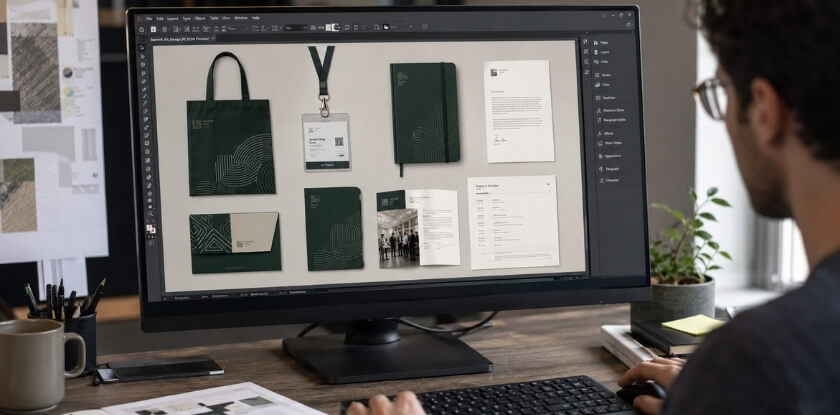
Use the same logo, colors, font style, and visual tone on major items such as badges, agendas, folders, tote bags, notebooks, signage, and digital pages.
Use Clear Layouts, Readable Fonts, and Practical Packaging
Attendees read event materials while walking through a busy venue, so keep layouts simple: readable fonts, short labels, clear spacing, logical order, and enough contrast between text and background. Packaging should hold materials securely and make important items easy to find.
Place Logos Without Overcrowding the Design
Logos should be visible but balanced. Good spots include the folder cover, badge, lanyard, notebook cover, tote bag, program footer, or digital landing page. Give sponsor logos a dedicated area instead of scattering them across every item.
Select Durable and Easy-to-Carry Materials
A kit should survive normal event use. Durable options include sturdy folders, reusable bags, secure badge holders, smooth-writing pens, quality paper, and protective envelopes for passes or certificates. Keep the full kit light enough to carry all day; a tote with a notebook, a bottle, and papers should not need a second bag.
Add Sustainable Materials Where Possible
Ask the printer whether the paper stock is certified, for example by the Forest Stewardship Council, and whether the inks are vegetable- or water-based.
Common Mistakes to Avoid When Preparing Conference Kits
Most conference kit mistakes can be caught with a checklist and enough time. Timing is the one I would fix first, because a rushed pack makes every other mistake harder to catch.
Adding Too Many Unnecessary Promotional Items
Agree on a limit for sponsor inserts in the sponsorship terms, so the decision is made before the boxes arrive.
Using Low-quality Printing or Packaging
Blurry logos, unreadable text, thin folders, broken badge holders, or messy document placement suggest poor preparation. Before distribution, review badge readability, agenda accuracy, paper quality, packaging strength, and overall presentation.
Preparing All Kits at the Last Minute
Last-minute packing raises the risk of missing items, wrong labels, damaged materials, or inconsistent kits, and leaves little time to fix errors. Custom printed or branded items also need a longer lead time than packing. The bag lead time below comes from one supplier guide, not a fixed rule, so confirm every lead time with your own supplier:
| When | Task |
| 8 to 12 weeks before | Order custom conference bags (Optima Bags guide, read October 2026) |
| As early as your supplier’s lead time requires | Order other custom items; ask each supplier for its production and shipping time in writing, counted from artwork approval |
| Final week | Confirm the attendee count, print badges, re-test the QR codes, then pack and sort the kits |
Giving the Same Kit to Every Audience Type
One standard kit may work for a small event. At a larger one, labeled inserts, color-coded tags, or separate folders for each group are easier than building entirely different packages.
Forgetting Digital Access Details
Without digital access details, attendees struggle to find schedules, slides, feedback forms, certificates, livestreams, or event app instructions.
Ignoring Sustainability and Waste Reduction
Excess packaging and materials that attendees throw away quickly leave a poor impression. Order from a forecast based on past attendance, then top up the cheaper items once registration closes, so leftovers do not end up in the bin after the event.
How to Distribute Conference Kits Smoothly
Plan kit distribution before event day so every participant gets the correct kit without delay. Timing, sorting, tracking, backup stock, and staff responsibility all matter.
Decide When Attendees Will Receive the Kit
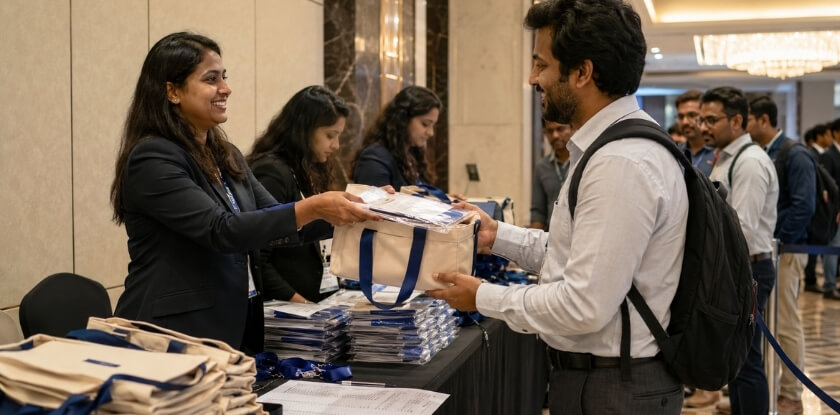
Registration is the usual handout point, because attendees need badges, agendas, and access details immediately. Other options are hotel reception, seat placement before the opening session, pre-event mailing, or digital delivery by email. Whatever you choose, my rule is that the kit reaches attendees before they need what is inside. If the bag holds items meant for use during the event, show people what is in it: BizBash reported that the organizers of its Engage! conference found some attendees did not open their welcome bag until they got home, so at a later edition they displayed the bag’s contents on shelves at registration.
Sort Kits by Attendee Category
Sorting beforehand speeds up the desk. Group kits by attendee type, ticket level, access category, session group, or special role: general attendees, speakers, sponsors, exhibitors, VIPs, media representatives, and workshop participants. Labels, colored stickers, alphabetical order, or the categories in the conference delegate list make sorting easier. Assign each category to one staff member, so questions about speaker, sponsor, or VIP kits go to one person.
Use Checklists, QR Scans, or Registration Records
A tracking system confirms who has collected a kit, prevents duplicate handouts, and shows what is still missing.
Small events can use printed checklists or manual sign-off sheets. Larger conferences may use QR scans, badge scans, ticket records, or registration software.
Prepare Extra Kits for Late Registrations
Extra kits cover late registrations, name corrections, damaged items, misplaced materials, or unexpected guests. Backups should hold the core items: blank badges, lanyards, agendas, maps, pens, notepads, and digital access details. For personalized badges, a correction station or simple on-site printing helps.
Personalize Kits for Speakers, VIPs, or Sponsors
Speakers need their session time and room, the technical contact, and the time to arrive for a sound check. VIPs need reserved seating notes. Sponsors need booth setup times and the rules for inserts. Media guests need the press contact and any interview schedule.
Conference Kit Cost and Budget Planning
Conference kit cost depends on quantity, item selection, print quality, packaging, customization, and the balance between physical and digital materials. A clear budget helps organizers prioritize useful items.
Main Factors That Affect Kit Cost
Attendee count, item quality, branding, printing style, packaging, customization, sponsor inserts, and delivery method all move the price. Full-color printing, premium notebooks, reusable bags, and personalized materials usually cost more than basic versions. Digital materials can reduce printing costs, but event apps or platforms may add separate expenses.
How to Save Money Without Reducing Quality
Buy core items in bulk, print one combined event guide, which costs less than several separate flyers, and choose practical branded items. If the budget is tight, I would cut the gifts before I cut the venue map.
When to Use Printed Materials vs. Digital Materials
The table splits common materials between print and digital.
| Use Printed Materials For | Use Digital Materials For |
| Name badges | Speaker slides |
| Short agenda | Full session details |
| Venue map | Proceedings or research papers |
| Meal or access passes | Sponsor directories |
| Help desk information | Feedback forms and certificates |
How Sponsors Can Help Offset Kit Expenses
Sponsors can reduce kit expenses by funding lanyards, notebooks, tote bags, pens, digital pages, or relevant inserts in exchange for appropriate visibility.
Set organizer rules for sponsor content, logo placement, print quality, size limits, and deadlines.
From our experience at MS International: Our conferences are held in person in the Greater Toronto Area. Speakers arrive at the check-in time stated in the confirmation email, collect their conference badge, and meet the session coordinator or moderator before presenting. Approved speakers receive access to conference materials, but exact benefits may vary, so review the details provided for your chosen event.
FAQs About Conference Kits
These are common questions organizers and attendees have about conference kits, from the most important item to spares at the registration desk.
What is the most important item in a conference kit?
The most important item in a conference kit is the name badge or attendee ID, because it covers identification, access control, and networking. The event agenda comes next, since it tells attendees session times, speaker schedules, breaks, and where to go.
Should every conference kit include branded gifts?
No, branded gifts are not required in every conference kit. Include one only when attendees will use it. A branded notebook, pen, tote bag, or reusable bottle can work well, while decorative items nobody uses add clutter.
Are digital conference kits better than printed kits?
Neither is better everywhere. Digital kits suit updates, online access, and less paper; printed kits suit quick reference at an in-person event. The right mix depends on audience, budget, and how often content changes, and many events print the essentials and put longer resources online.
How early should conference kits be prepared?
Order custom items first, then assemble the kits. One supplier guide suggests 8 to 12 weeks for custom bags; ask each supplier for its own lead time. Leave separate time to check names, proofread, test QR codes, confirm sponsor inserts, and sort kits.
What should be included in an eco-friendly conference kit?
An eco-friendly conference kit holds useful materials with less waste: reusable bags, recycled paper agendas, digital brochures, QR codes, and minimal packaging. Keep it practical, skip materials likely to be thrown away, and leave event dates off items so they can be reused.
Can sponsors add items to conference kits?
Yes, sponsors can add items to conference kits when the materials are relevant and approved by the organizer. Brochures, discount cards, branded stationery, product sheets, or resource links work well if they are useful and professionally presented.
How many extra conference kits should organizers prepare?
Keep spare conference kits at the registration desk for walk-ins, replacements, and guests nobody expected. Base the number on your late-registration and walk-in figures from past events, and if this is a first edition, keep a few extra of each core item. Every registration desk should hold backup badges, lanyards, agendas, maps, and access details.
Bottom Line: Building a Useful Conference Kit
A useful conference kit gives attendees the information, tools, and access details they need to check in, follow the schedule, take notes, find rooms, and meet others.
Plan around the event type, attendee needs, budget, and format, whether physical, digital, or blended. The question I would ask about every item is whether someone opening the bag would miss it.