Do you go to conferences, grab your badge, and wander around — then come home with nothing to show for it? Most people do, because the real work starts before you ever arrive. The professionals who walk away with new clients, job offers, and genuine connections didn’t get lucky on the day. They spent time the week before doing things most attendees never bother with.
The short answer: pre-conference preparation directly determines your ROI. If you show up without a plan, you’re essentially paying a registration fee — sometimes covered by employer sponsorship, sometimes not — to spend two days feeling overwhelmed in a vendor hall.
Quick answer: The four steps that matter most before any conference, whether in-person, hybrid, or virtual, are goal setting, speaker research, schedule planning, and pre-networking. Set one to three clear, measurable goals so you know what success looks like. Research speakers and pull the attendee list to identify ten to fifteen people worth meeting. Build your agenda around must-attend sessions before the conference app fills with conflicts. Then reach out on LinkedIn before the event starts, so your conversations on the day feel like continuations, not cold introductions.
Each of those four steps has real depth to it — the kind of detail that separates a useful framework from vague advice you forget on the drive home. This guide breaks all of it down, from the moment you register to the morning you walk through the door.
Complete Guide to Getting the Most Out of a Conference Before You Attend
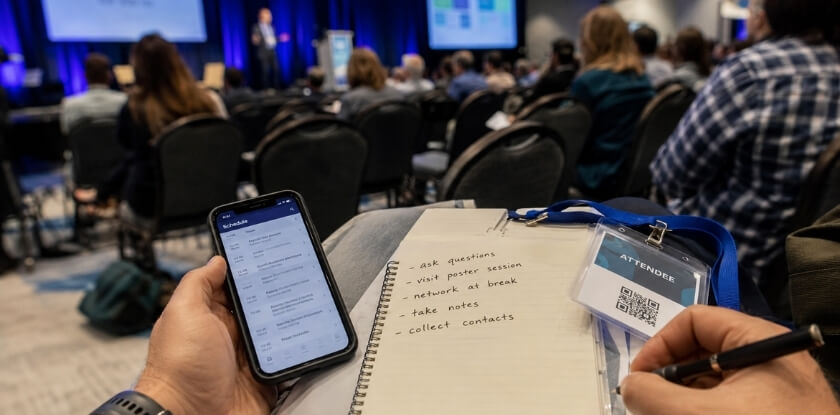
Getting the most out of a conference starts weeks before you arrive. Set two or three specific goals — a number of connections to make, sessions to attend, or ideas to bring back. Research the speaker lineup and agenda early, and flag the sessions that actually match your priorities. Pull up the attendee list if the conference app or registration platform shares it, then connect with relevant people on LinkedIn before the event. This turns cold introductions into warm ones.

Sort out morning logistics ahead of time. Know where check-in is, have a backup plan if your session room is full, and download any note-taking tools you’ll use. If your employer is covering the registration fee, be ready to show ROI when you’re back — so track what you’re going after, not just what looks interesting.
Prep pays off. Professionals who plan their schedule in advance walk away with more leads, better follow-up material, and a clearer path forward on career development goals.
Step One: Set Your Goals Before Anything Else
Why Goal Setting Matters — and Exactly How to Do It
Most people register for a conference, book a hotel, and then just… show up. They walk in with vague intentions like “network more” or “learn some stuff” and walk out two days later with a swag bag full of stress balls and zero clarity on whether any of it was worth it.
Goal setting before a conference isn’t motivational fluff. It’s how you measure ROI — and if your employer is covering the registration fee, you’re going to need to justify that spend at some point.
Start with three specific questions:
- What do I want to know by the end of this event that I don’t know now?
- Who do I need to meet, and why?
- What decision, project, or career move does this conference need to feed into?
Keep it to three to five goals max. Not a list of twenty. Three to five forces you to prioritize, and it keeps the goals actionable rather than aspirational.
If it’s a hybrid conference or a virtual conference you’re attending remotely, your goals need to reflect that format. Networking in a virtual format requires a different approach — you can’t bump into someone in a hallway. Your goal might be “send five LinkedIn connection requests to speakers during the live Q&A window” rather than “meet people.”
Write your goals somewhere you’ll actually look at them. A notes app, a printed card in your badge lanyard, a sticky note on your laptop. Accountability works when the goal is visible.
Write Down What You Want to Get from the Conference (Use It as a Career Toolkit)
Think of this written goal list as a working document, not a to-do list you archive. It should directly connect to your career development — not just what sounds impressive when you report back to your manager.
Here’s a simple format that works:
| Goal | Why It Matters to Me | How I’ll Know I Achieved It |
|---|---|---|
| Attend the session on X topic | I’m implementing this at work in Q3 | I leave with 3 usable tactics |
| Connect with speakers in my niche | I want to pitch a collaboration idea | I have a real conversation, not just a card swap |
| Visit two specific vendor hall booths | Evaluating tools for our team | I get a demo and a follow-up contact |
That third column is the part most people skip. Vague goals produce vague results. “Network more” is not a goal. “Have a 10-minute conversation with someone outside my industry and follow up within 48 hours” is a goal.
If you’re an introvert, this written plan matters even more. Introvert networking strategies lean heavily on preparation — knowing exactly who you want to talk to before you walk in removes the anxiety of improvising. Pull up the attendee list in the conference app or the event website before the conference starts. Identify five to ten people. Read their LinkedIn profiles. Know something specific about their work before you approach them.
This also feeds into your agenda planning, which comes later, but it starts here. If your goal is to attend three specific sessions on speaker research you’ve done in advance, you can build your schedule around those. You’re not wandering — you’re executing a plan.
One more thing. If your employer sponsored your attendance, document these goals before you go and share a version of them with your manager. It sets expectations, creates accountability, and makes your post-conference debrief a lot easier to write.
Plan Your Budget and Costs Well in Advance
Conferences are expensive. Even a mid-tier industry event can run you several thousand dollars once you add everything up. Getting a clear picture of the total cost before you commit — not after — saves you from financial surprises and helps you make a stronger case to your employer.
Calculate Registration, Travel, and Accommodation Expenses
Start with the registration fee. Early bird pricing can save you anywhere from $200 to $800 compared to the standard rate, so this alone is a reason to plan ahead. Check whether the conference offers a hybrid or virtual conference option — if you’re primarily going for the content and not the networking, that could cut your costs dramatically.
Beyond registration, the expenses stack up fast:
- Travel: Flight prices swing wildly depending on how early you book. Aim for at least 6-8 weeks out for domestic flights, longer for international. Factor in ground transport at the destination — Ubers from the airport to a downtown convention center add up over several days.
- Accommodation: Check if the conference has a room block at a nearby hotel. These rates are usually negotiated and cheaper than booking independently, though they sell out quickly. Budget 2-4 nights minimum for a two-day event, since most people arrive the evening before.
- Food and incidentals: Don’t assume the conference feeds you. Some events include lunch; most don’t cover dinner. Budget $60–$100 per day for meals if you’re in a major city.
- Extras: Paid workshops, evening networking events, and pre-conference seminars often cost extra beyond the base ticket. Check the agenda carefully before you assume they’re included.
Build your full number before you do anything else. A realistic total lets you approach your employer with a real figure, not a guess.
How to Get Your Employer to Sponsor Your Conference Attendance
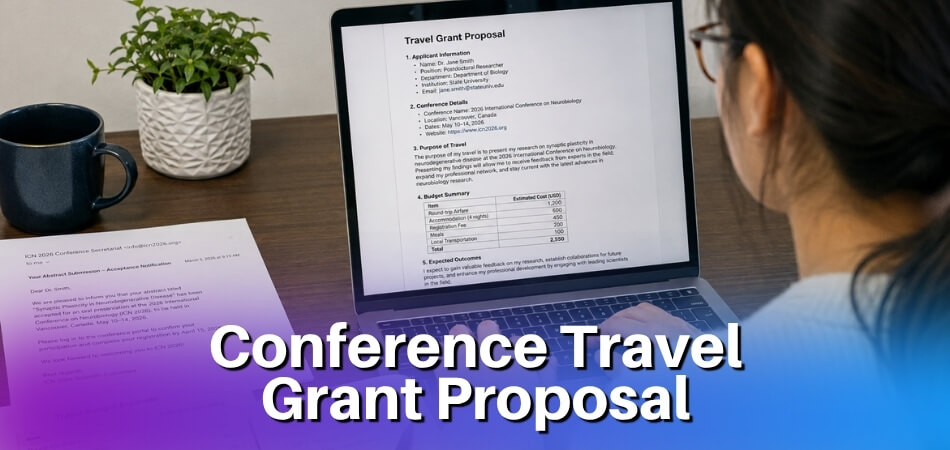
Employer sponsorship is absolutely available — you just have to ask correctly. Most managers won’t volunteer to pay for your registration fee and flights. You need to frame it as a business investment, not a personal benefit.
Here’s how to make that case:
Lead with ROI. Your employer doesn’t care that the conference sounds interesting. They care what comes back to the company. Before you ask, write out two or three specific outcomes you’ll bring back — a technical skill gap you’ll fill, vendor contacts from the vendor hall relevant to a current project, or insights from a speaker working on a problem your team faces. Concrete is better than vague. “I’ll learn about X so I can apply it to Y project” beats “it’s great for professional development.”
Quantify the total ask. Give your manager one clear number with a breakdown. A single line item they can forward to finance is easier to approve than a conversation where numbers are floating.
Offer accountability. Tell them you’ll present a summary to the team when you’re back, or share notes and key takeaways. This turns the expense into a team resource rather than a solo perk. It also shows you’re taking it seriously.
Point to career development value. If your company has a learning and development budget, conference attendance often qualifies. Ask HR before you ask your manager — sometimes budget exists that your direct manager doesn’t know about or think to apply.
Timing matters. Don’t ask two weeks before the event. Ask during budget planning cycles or annual review conversations when discretionary spend is already being discussed. If you miss that window, frame it around a specific project need — that makes it timely regardless of the calendar.
If full sponsorship isn’t possible, try asking for partial support: just the registration fee, or just travel. A partial yes is still money in your pocket.
Research the Speakers and Agenda Ahead of Time
Most people download the conference app the night before and skim the agenda over breakfast. That’s leaving real value on the table. Spending an hour or two on speaker and session research before the event can completely change how useful the conference turns out to be.

Identify Which Sessions Align with Your Goals
You already set your goals in an earlier step. Now put them to work.
Pull up the full agenda — not just the keynotes, but every breakout, workshop, panel, and roundtable. Most conferences publish this weeks in advance, either on their website or inside the official conference app. Go through it with your goals in front of you and mark only the sessions that directly connect to something you want to learn or a problem you’re trying to solve.
Be ruthless. Three targeted sessions beat eight random ones every time.
Pay attention to session formats too. A workshop where you practice something is different from a panel where five people share opinions. If your goal is to actually build a skill, prioritize the hands-on formats. If you want a broad picture of where an industry is heading, panels and keynotes work better for that.
When two sessions run at the same time — and they will — decide in advance which one you’re attending. Don’t leave it until you’re standing in a hallway trying to read a map. Write it down. Put it in your calendar. Have a backup plan for the session you’re skipping, whether that’s asking a colleague to attend and share notes or checking if the talk will be recorded (many hybrid conference and virtual conference tracks are recorded and available post-event).
Also look at the vendor hall schedule. Demos and product announcements sometimes happen there, not on the main stage, and they’re easy to miss if you don’t plan for them.
Review Speaker Backgrounds and LinkedIn Profiles Before You Go
This takes maybe 20 minutes and makes a significant difference in how you show up to a session — and to any conversation afterward.
For each speaker whose session you’re attending, look them up on LinkedIn. Check their current role, their career path, and anything they’ve published or posted recently. You’re not stalking them. You’re giving yourself context so their talk actually makes sense and so you can ask a sharper question if you get the chance.
Notice what they’ve focused on in the last six to twelve months. If a speaker just wrapped up a major project or published something, they’ll probably reference it. Knowing that ahead of time means you’re following along, not playing catch-up.
Look for common ground too. Shared industry experience, a mutual connection, a topic you’ve both worked on. That’s not a trick for networking — it’s just useful. A genuine conversation starter is a lot easier than a cold introduction.
If a speaker has a podcast, a newsletter, or a blog, read or listen to one thing before the conference. Even one episode or one article. It shows when you talk to them, and it genuinely helps you get more out of their session.
Short sessions get this treatment too, not just the keynotes. Some of the most practically useful talks at any conference happen in a side room with 40 people in it. Don’t skip the research just because a session isn’t on the main stage.
Build Your Personal Conference Schedule
You’ve done the research. You know which speakers matter to you and which sessions connect to your goals. Now it’s time to turn that information into an actual working schedule — not just a list of things you’d like to attend, but a real plan you can follow on the day without scrambling.
Start with your non-negotiables. Pull up the official agenda and mark the two or three sessions you absolutely cannot miss. These are anchors. Build everything else around them.
Most conference apps let you bookmark sessions and build a personal itinerary. Do this before you arrive. If the event has a dedicated app, set it up on your phone at home — not in the registration line with a hundred people behind you. Some apps also show you which sessions are filling up fast, which helps you prioritize early sign-ups for anything with limited seating.
Look at travel time between rooms too. A 15-minute gap between sessions sounds fine until you realize the keynote hall is on a different floor and the vendor hall is in between. Give yourself buffer. It’s not wasted time — it’s where a lot of the best informal networking actually happens.
Create a Backup Plan for Overlapping or Conflicting Sessions
Session conflicts are nearly universal at multi-track conferences. Two talks you marked as essential will absolutely be scheduled at the same time. Plan for it now so you’re not paralyzed when it happens.
For each time slot that has a conflict, rank your choices. Session A is first choice, Session B is the fallback. Simple as that. If Session A gets too crowded to enter, or a speaker cancels, you already know where you’re going next.
Check whether the conference records sessions. Many hybrid conference and virtual conference formats include recordings for registered attendees. If a session you miss is being recorded, you can watch it post-event — which means you can prioritize live attendance for workshops, panels, and anything interactive that loses value as a recording.
Also check the attendee list and social media before the conference. Sometimes a speaker you wanted to see is also doing a smaller breakout or a meetup outside the official schedule. Those informal sessions often deliver more than the main stage talk.
Write your backup plan somewhere you can actually access it. A notes app on your phone works fine. A printed one-page schedule works even better if your phone battery is unreliable in large venues.
Morning Logistics and Check-In Preparation
This one sounds obvious. It’s also the thing people skip — and then spend the first hour of the conference stressed and behind.
Figure out your check-in process the night before. Locate the registration desk on the venue map. Find out whether you can pre-download your badge or digital pass. Some conferences email a QR code that speeds up check-in significantly. Have it ready in your phone’s wallet or saved as a screenshot — don’t rely on opening your email in a slow lobby with spotty Wi-Fi.
Know your start time and work backward. If the opening keynote is at 9am and check-in opens at 8am, you want to arrive by 7:45. Lines build fast. Getting there early means you have time to grab coffee, find your first session room, and actually settle in rather than rushing to your seat three minutes after it starts.
Pack your bag the night before. Charging cable, portable battery, business cards if you use them, a notebook or your note-taking tool of choice. Some people swear by a dedicated app for conference notes. Others use a plain notebook. Either works — the key is having a system you’ll actually use consistently throughout the day, not just in the first session when you’re still feeling motivated.
Account for a backup plan for the morning too. If you’re driving, know the parking situation. If you’re relying on a rideshare, build in extra time for surge pricing and slower pickups near large venues. Being fifteen minutes early costs you nothing. Being fifteen minutes late to a keynote costs you a seat and your mental reset for the whole morning.
Use the Conference App and Tools to Your Advantage
Most conferences now have an official app, and most attendees download it, glance at the schedule once, and never open it again. That’s a waste. The app is often where the real pre-conference work happens — before you’ve even packed your bag.

Set Up Your Profile and Activate Networking Features in the Official Conference App
Download the app the moment you register. Not the week before. Now.
Why? Because many conference apps open their attendee list and networking features weeks in advance. If you wait until you’re standing in the registration line, you’ve already missed the early conversations.
Once you’re in, treat your profile like a stripped-down LinkedIn page built for this specific event. Add a clear headshot — not a logo, not a cropped group photo. Write a bio that tells people what you do and what you’re there to talk about. Something like “Product manager at a SaaS company, focused on B2B onboarding — here for the product-led growth track” is far more useful than “Excited to be attending!”
Then go find the networking or attendee matching feature. Apps built on platforms like Whova or Brella have filters that let you search attendees by job title, company, or topic interest. Use them. Send five to ten connection requests before the conference starts. Keep the message short — “Saw you’re attending the retention metrics session Tuesday, I work in that space too. Would be great to connect.” That’s it.
Check whether the app has a message board or community feed. Some do. If yours does, post something early — a question you’re hoping to get answered, a topic you want to discuss. It gets your name visible before day one.
Turn on push notifications for the app, at least during the event. Session changes, last-minute room swaps, speaker cancellations — these get communicated through the app first. You don’t want to show up to a session that moved an hour ago.
Use the App for Scheduling, Note-Taking, and Follow-Up
The scheduling feature inside the conference app isn’t just a convenience. It’s a backup plan. Agendas change. Rooms fill up. Your printed schedule becomes outdated the second someone’s flight gets cancelled and a speaker goes virtual.
Build your personal schedule inside the app, not just on paper. Most apps let you bookmark sessions, set reminders, and flag conflicts so you can pick alternatives in advance. If you’ve already done your agenda research and built your session priorities, this takes twenty minutes.
For note-taking, decide before you arrive whether you’re using the app’s built-in notes or something external. A lot of conference apps have a notes field attached to each session, which is useful because your notes stay linked to the speaker, the session title, and the time. That context matters when you’re reviewing everything a week later and trying to remember who said what. If you prefer a dedicated tool — a plain notes app, a voice recorder, a notebook — that’s fine too. Just pick one and commit to it. Switching methods mid-conference means things fall through the gaps.
Follow-up is where the app pays off most. After a conversation at the networking lunch or vendor hall, open the app and find that person in the attendee list. Connect immediately, or at least note their name with one line about what you discussed. Don’t rely on a stack of business cards you’ll sort out later. You won’t.
Some apps also send a post-event summary or let you export your connections and saved sessions. Check if yours does, and actually use the export. It makes your post-conference follow-up far easier and gives you a clean record for reporting back to whoever approved your employer sponsorship or covered your registration fee.
The app won’t do the work for you. But if you use it intentionally, it handles the logistics so you can focus on the actual conversations.
Start Networking Before the Conference Even Begins
Most people treat networking as something that happens at the conference. It doesn’t have to be. The professionals who get the most out of any event — in-person, hybrid conference, or virtual conference — start building connections days or even weeks before they walk in the door. Or log in.
This matters for ROI more than most people realize. A meaningful conversation doesn’t have to start cold.
Review the Attendee List and Identify Your Target Connections
If the conference app or registration platform gives you access to an attendee list, use it. Seriously. Don’t just scroll past it.
Open the list and be selective. You don’t need to connect with 200 people. Identify 10 to 15 people you genuinely want to meet — potential collaborators, people in roles you’re targeting for career development, vendors in the vendor hall whose products you already use, or speakers you want to follow up with after their session.
Write their names down somewhere. A simple spreadsheet works fine. Include why you want to meet them and what you’d realistically talk about. That prep makes the actual conversation far less awkward.
If the attendee list isn’t public yet, check the conference hashtag on social media. Plenty of attendees announce they’re going weeks in advance. You can find your people there.
If your employer paid your registration fee through employer sponsorship, there’s often an expectation that you’ll bring something back — contacts, leads, ideas. Knowing who’s attending helps you make that case concretely when you debrief with your manager afterward.
Introduce Yourself on LinkedIn and Social Media Before You Arrive
A cold introduction at a conference is harder than it sounds. You’ve got 45 seconds, ambient noise, and someone who’s already halfway through their coffee. A warm introduction — where they already vaguely recognize your name — is easier for everyone.
Before the event, send a short LinkedIn message to the people on your target list. Keep it brief. Something like: “Hey, I saw you’re attending [Conference Name] next week. I’m going too — I’d love to connect if you have a few minutes.” That’s it. No pitch. No long backstory.
Post on social media using the official conference hashtag. Mention what sessions you’re most interested in or what topic you’re hoping to learn more about. Other attendees searching that hashtag will see it. Some will respond. A few of those will turn into actual conversations at the event.
This also signals that you’re engaged and prepared — which is not nothing. It shapes the first impression before you’ve even checked in.
If it’s a hybrid conference with a virtual component, the same approach works in the event’s online community forums or the conference app’s networking features. Don’t skip those tools just because you’re attending in person.
How Introverts Can Navigate a Conference with Confidence
Networking advice usually assumes you’re energized by crowds. A lot of people aren’t. That’s fine. The prep work just looks slightly different.
Start with the structure. Introverts tend to do better in one-on-one conversations than in group situations, so use your pre-conference outreach to schedule specific meetings. Three or four confirmed coffee chats or lunch meetups during the conference beats wandering the venue hoping to bump into someone useful. Check the agenda for any official networking meals or small-group breakout sessions — those formats are much easier to work with than a noisy reception.
Have a few genuine conversation starters ready. Not scripts — just questions you’re actually curious about. “What brought you to this conference this year?” is simple and it works. Most people like talking about themselves when someone’s actually listening.
Give yourself permission to step out. A ten-minute walk outside between sessions isn’t time wasted. It’s how you stay functional so the conversations you do have are actually good.
The conference app is genuinely useful here. A lot of apps let you message other attendees directly before and during the event, which takes the pressure off real-time cold approaches. Use that. If you’ve already exchanged a few messages with someone in the app, finding them in person feels less like a cold call and more like catching up.
Accountability helps too. Tell a colleague or friend — someone who’s also attending, or just someone back home — that you’re planning to make three meaningful new contacts by the end of the event. A small commitment like that has a surprisingly large effect on follow-through.
How to Get the Most Out of Virtual and Hybrid Conferences
Why Virtual Attendance Requires Its Own Separate Preparation
Virtual conferences are not just in-person events on a screen. They’re a completely different experience, and if you treat them the same way, you’ll spend most of the event distracted, passive, or just watching recordings after the fact.
The biggest mistake people make with virtual attendance is under-preparing. Because you’re not booking travel or a hotel, it feels low-stakes. It isn’t. Your registration fee is real money. Your time is real. The ROI can be just as high — or just as low — depending on how seriously you take the setup.
Start by treating your calendar like you’re actually leaving town. Block the full conference days. Tell your team you’re unavailable. Close Slack. If your employer sponsorship covered the ticket, you owe your employer — and yourself — focused attendance, not half-attention between meetings.
Your physical setup matters more than people admit. A second monitor helps enormously. One screen for the session, one for your note-taking tools. Have water, snacks, and a charged laptop before the first session starts. Morning logistics still apply when the conference is in your living room.
The conference app is even more important in a virtual format. That’s often your only way to see the attendee list, access live Q&A, join virtual networking rooms, and track the agenda in real time. Download it before day one, log in, and actually fill out your profile. Attendees searching for connections will look you up just like they would on LinkedIn.
Virtual sessions tend to have shorter attention windows. Plan your schedule in 90-minute blocks rather than assuming you’ll sit through six hours straight. Build in breaks. Pick the sessions that directly serve the goals you set before registration — don’t try to catch everything just because the recordings exist. You won’t watch them.
Introvert networking strategies work particularly well in virtual formats. Text-based chat during sessions is lower pressure than walking up to someone in a crowded room. Use it. Ask a specific question about the speaker’s point. Reply to someone else’s comment. That’s a real opener for a follow-up connection on LinkedIn.
Check the time zones before the conference starts. If it’s hybrid and headquartered in a different city, some sessions may run at 7am or 9pm your time. Know that in advance and build a backup plan for sessions you can’t attend live.
How to Take Advantage of Both In-Person and Remote Benefits in a Hybrid Format
A hybrid conference gives you options. Most people pick one mode and ignore everything the other format offers. Don’t do that.
If you’re attending in person, the hybrid setup still benefits you. Many hybrid conferences record sessions from multiple tracks simultaneously. That means if you chose Track A over Track B at 2pm, you can watch Track B’s recording later — something a purely in-person event would never offer. Check whether your conference app or platform gives registered in-person attendees access to the virtual stream after the fact. A lot of them do.
You can also use the virtual attendee list. Some hybrid conferences have remote attendees who are genuinely senior people — executives, authors, or speakers who aren’t traveling but are participating online. They’re reachable. If the conference platform has a messaging feature, use it. You can set up a video call during a break or after the event closes.
If you’re attending remotely while the event is also happening in person, your main challenge is visibility. The venue has all the organic energy — hallway conversations, the vendor hall, the swag bag moment. You’re missing that. So you have to be more intentional about creating touchpoints. Post on social media during the event using the conference hashtag. Comment on speaker sessions. Tag people you want to connect with.
Watch for anything the conference offers specifically for hybrid or virtual attendees — separate Q&A sessions, virtual networking rooms, or live chats with sponsors. These are often underpromoted and lightly attended, which means better access and less noise. That’s actually an advantage.
Your goal-setting and accountability work the same regardless of format. Write down three things you want to walk away with. Check at the end of each conference day whether you’re on track. The format changes the logistics. It doesn’t change what focused preparation can do for you.
What to Do While You Are at the Conference (During — Quick Overview)
This section isn’t a full deep-dive — that comes in the complete “during” guide. But a couple of things trip people up badly enough that they’re worth flagging here, before you go in.

Vendor Halls and Swag Bags — Make Them Work for You Instead of Wasting Time
The vendor hall can eat an hour of your day without giving you anything useful. That’s the honest truth. Most people wander through, grab free pens and tote bags, and leave with a sore shoulder and a bag full of stuff they’ll throw away at the hotel.
Go in with a specific reason. Before the conference, check the exhibitor list — most conferences publish it on the website or inside the conference app. Pick two or three vendors that are actually relevant to your work. Maybe you’re evaluating a new tool, exploring a potential partnership, or comparing pricing on something your team already budgets for. That’s a real reason to stop at a booth. Everything else, keep walking.
Swag bags are similar. Take what you’ll actually use. A notebook? Sure. Another branded stress ball? Leave it. The weight adds up fast, and you’re there to make connections and absorb information — not to haul merchandise across a convention center.
One thing that does work in vendor halls: conversations. The people staffing those booths are often product managers, founders, or senior sales reps who know their product inside out. If you have a genuine question, ask it. You’ll get a more honest answer in person than from a demo call later.
Set a hard time limit. Thirty minutes max. Then get out and back to your schedule.
Knowing When and How to Exit a Conversation (The Quick Exit Strategy)
Nobody talks about this enough. You’re at a networking event, you’ve been talking to the same person for twenty-five minutes, the conversation ran dry ten minutes ago, and now you’re both just standing there. This happens constantly. It’s awkward for everyone.
Have a clean exit line ready before you walk in. Something simple and honest works best. “I want to grab a seat before the next session starts” is true, polite, and requires no explanation. So is “I told myself I’d connect with three new people today — I should keep moving.” Both are fine. Neither is rude.
The key is not waiting for a natural pause that never comes. Create the exit point yourself. Shake hands, exchange cards or connect on LinkedIn on the spot if it was a genuinely good conversation, then go. Don’t linger. Don’t say “we should definitely stay in touch” unless you mean it and you’ve already made the connection.
For introverts especially, knowing you have an exit strategy going in makes the whole thing less exhausting. You don’t have to commit to a marathon conversation with every person. Short, real exchanges are worth more than long, drained ones. Five minutes of genuine dialogue beats twenty minutes of polite endurance every time.
Position yourself near the edge of the room or close to the door between sessions. It gives you a natural reason to move — and it means you’re not trapped in the center of a crowd when your social battery hits zero.
After the Conference: Follow-Up and Accountability
The conference is over. You’re tired, your feet hurt, and you have a stack of business cards or a phone full of LinkedIn connections you haven’t sorted yet. This is where most people drop the ball. Don’t be most people.

What happens in the 24-48 hours after a conference determines most of your actual ROI. Not the keynotes. Not the sessions. The follow-up.
What to Do Within 24 Hours of the Conference Ending
Move fast. Memory fades quickly, and so does the social warmth of a fresh connection.
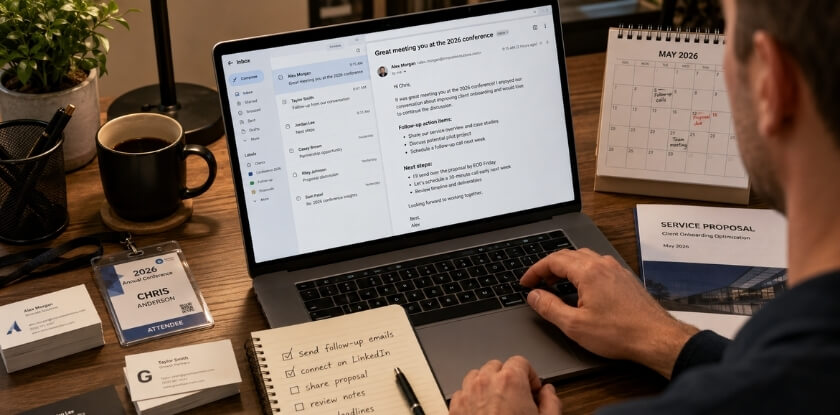
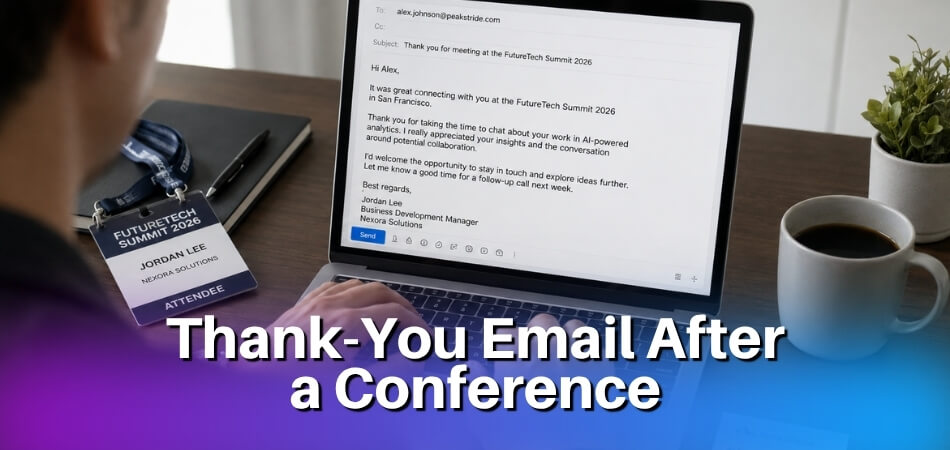
First, go through every contact you made — every card, every LinkedIn request, every name scribbled in your notes. Send a short, personal message to each one while they still remember your face. Don’t send a generic “great to meet you” blast. Reference something specific: a conversation you had, a problem they mentioned, a session you both attended. Two sentences is enough.
Next, consolidate your notes. If you used a note-taking app during sessions, now’s the time to pull those scattered observations into something usable. Group them by theme or by action item. If you promised someone you’d send them a resource, a contact, or a link — do it now, not next week.
Look at your original goals. The ones you set before you registered. Go through them one by one and honestly assess what you got. Which ones did you hit? Which ones didn’t happen, and why? This takes ten minutes and it’s more valuable than any session recap.
Set three concrete follow-up tasks with deadlines. Not vague intentions. Actual calendar items. “Email Sarah about the partnership idea by Thursday” is a task. “Stay in touch with people I met” is not.
Also check the conference social media hashtag one last time. People post their biggest takeaways in the 24 hours after an event ends. You’ll often find resources, slides, or contact details that didn’t come up during the event itself.
Thank Your Employer and Report Back on What You Learned
If your employer covered the registration fee, travel, or time off, they’re expecting something back. Even if they didn’t ask, reporting back is smart career development — and it protects your chances of getting sponsored again next year.
Keep it brief and practical. A one-page summary works better than a ten-slide deck nobody asked for. Cover what the conference was about, the two or three most relevant things you learned, and how those things connect to your team’s actual work. If you met someone useful for the company — a potential vendor, a collaborator, a client lead — include that too.
Be honest about what was and wasn’t worth attending. If half the vendor hall was irrelevant and the swag bag was the highlight of day two, you can still frame your report around the sessions and connections that did matter. Your employer doesn’t need a highlight reel. They need to know the investment made sense.
If you attended a hybrid or virtual conference, the bar for reporting back is even lower since you have recordings and written materials to reference. Use them. Pull a quote from a session, link to a replay, point to something concrete.
Finally, make a note now — before you forget — about whether you’d attend again. What would you do differently in your preparation? Which sessions were worth the time and which weren’t? Keep that somewhere accessible. When registration opens for next year’s event, you’ll have a head start instead of starting from scratch.
Accountability doesn’t have to be formal. It just has to happen.
Frequently Asked Questions (FAQ)
How early should I start preparing for a conference?
Ideally, four to six weeks out. That gives you enough time to do proper speaker research, reach out to people on the attendee list, and sort out logistics like travel and accommodation without last-minute price spikes. If you’re waiting until the week before, you’ve already lost most of the advantage preparation gives you.
Is it worth attending a conference if I can only go for one day?
Yes — but only if you plan that single day deliberately. Pick the two or three sessions that directly match your goals, identify who you most want to meet, and treat it like a focused sprint rather than a casual browse. One well-planned day beats three days of wandering the vendor hall.
How do I justify the registration fee to my employer?
Come in with numbers. Show the specific sessions tied to team priorities, the speakers whose work directly affects your company’s work, and a rough ROI case — what you expect to bring back. Most managers respond better to “here’s what we’ll get” than “I’d really like to go.” Employer sponsorship is easier to secure when the ask is concrete.
What if I’m an introvert and networking feels overwhelming?
Set a realistic target. Three meaningful conversations is better than twenty forgettable ones. Use the conference app or LinkedIn to message a handful of people before you arrive so introductions aren’t cold. Having a few pre-arranged coffee chats removes the pressure of walking up to strangers entirely.
Should I attend a hybrid or virtual conference the same way I’d attend in person?
Not quite. Virtual and hybrid conferences require more active effort to get value from — it’s much easier to half-watch a session while answering emails. Block your calendar like you would for an in-person event, treat the chat and Q&A as your networking venue, and have your note-taking tools open and ready before each session starts.
What’s the best way to handle a packed agenda when I can’t attend everything?
Prioritize by goal, not by interest. Go back to what you set out to achieve and filter the schedule through that lens. For sessions you’re skipping, check whether they’ll be recorded. Some conferences release recordings to registered attendees within a few days — worth confirming before you assume you’ve missed something permanently.
Do I really need to use the conference app?
If there is one, yes. Most conference apps carry the live schedule, real-time room changes, attendee directories, and direct messaging. Relying on a printed agenda is a backup plan, not a primary strategy. Download it early, set up your profile properly, and check it the night before — room assignments and session times shift more often than organizers like to admit.
How do I make sure I actually follow up after the conference?
Build the habit before you go. Keep a simple running list of everyone you want to follow up with during the event itself. Within 48 hours of returning, send those messages. After that window, response rates drop sharply and the context fades. Accountability works best when follow-up is a scheduled task, not a vague intention you carry home in your swag bag.
What if my plans fall apart on the day — sessions are full, speakers cancel, Wi-Fi fails?
That’s normal. Have a backup plan for your two or three must-attend sessions — an alternative session in the same slot, or a scheduled coffee meeting that can flex. Conferences are semi-chaotic by nature. Rigid planning breaks. Loose planning with clear priorities holds up.
Does attending conferences actually help career development?
It depends entirely on what you do with them. The ticket price gets you access. Career development comes from the conversations you have, the things you learn and apply, and the relationships you maintain after the event ends. Preparation is what converts attendance into something that actually moves things forward.
Final Thoughts: Preparation Is What Makes the Difference
Most people treat conferences as something that starts the moment they arrive. They show up, grab a swag bag, flip through the agenda for the first time, and then spend the next two days feeling vaguely lost. You don’t have to do that.
Everything covered in this guide — goal setting, budget planning, speaker research, schedule building, pre-event networking on LinkedIn — it all exists to compress your learning curve before you walk through the door. The people who get the most ROI from any conference aren’t necessarily the most extroverted or the most senior. They’re the most prepared.
That preparation doesn’t need to be a project. A few focused hours spread across the two or three weeks before registration closes is usually enough. Skim the attendee list. Download the conference app. Identify three speakers you actually want to talk to, not just watch. Book a coffee meeting before the event starts. These small moves compound.
If you’re attending virtually or it’s a hybrid conference, the prep matters even more. The default experience of a virtual event is passive. You have to actively engineer the connection and career development value that an in-person hallway gives you for free.
And if you’re an introvert — pre-conference preparation is genuinely your advantage. Walking in with a schedule, a short list of target conversations, and two or three specific goals removes almost all of the “what do I do now” friction that drains energy in crowded rooms.
Check your morning logistics the night before. Know where check-in is. Have a backup plan if the Wi-Fi fails or the session you planned around gets cancelled. These aren’t small details — they’re the difference between a reactive day and a productive one.
The conference itself is short. Your preparation window is longer than it feels. Use it.