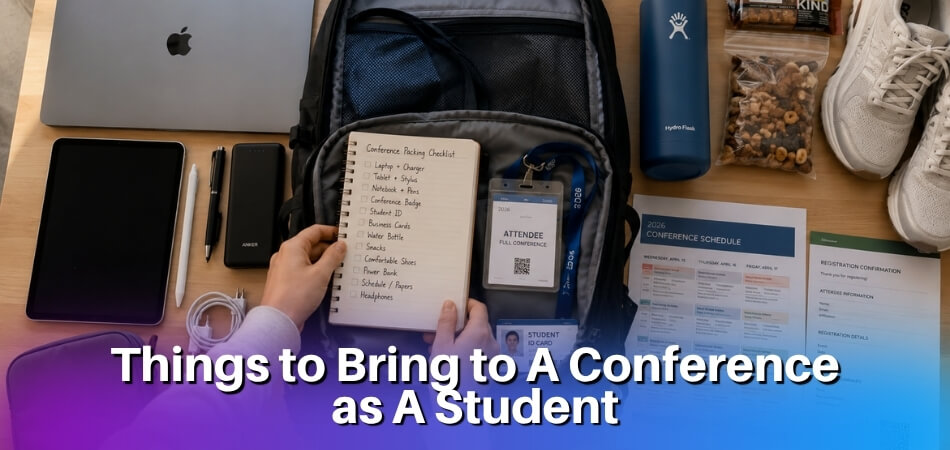
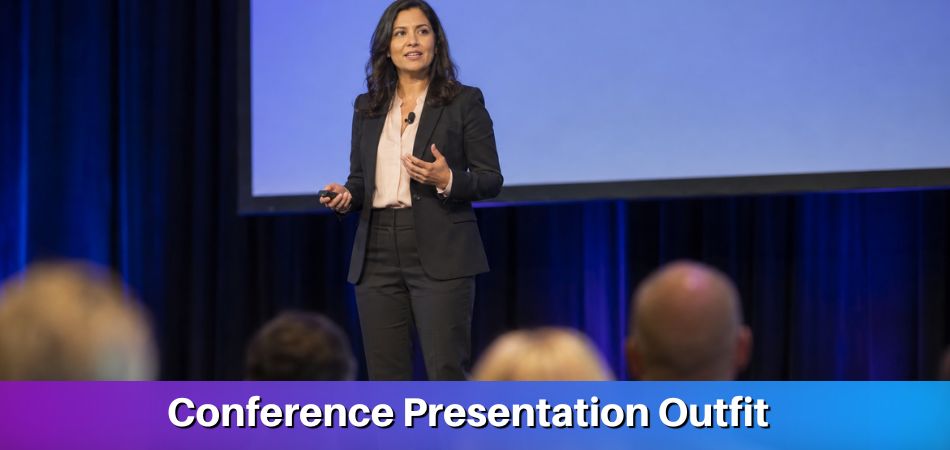
Most people book the ticket, pack a bag, and work out the rest when they arrive. That habit quietly costs them a large part of what the event can give them.
Quick answer: To prepare for a conference as an attendee, set two or three concrete goals as soon as you register, then mark your priority sessions and research the speakers. In the last two weeks, update your LinkedIn profile, practise your elevator pitch and order business cards. The day before, pack your bag and recheck the schedule. Afterward, follow up within 48 hours.
What Should an Attendee Do Before a Conference?
Do the thinking early, the packing late, and spread the work over a few weeks. Preparation separates attendees who leave with real connections and useful ideas from those who spend three days wandering between coffee stations.
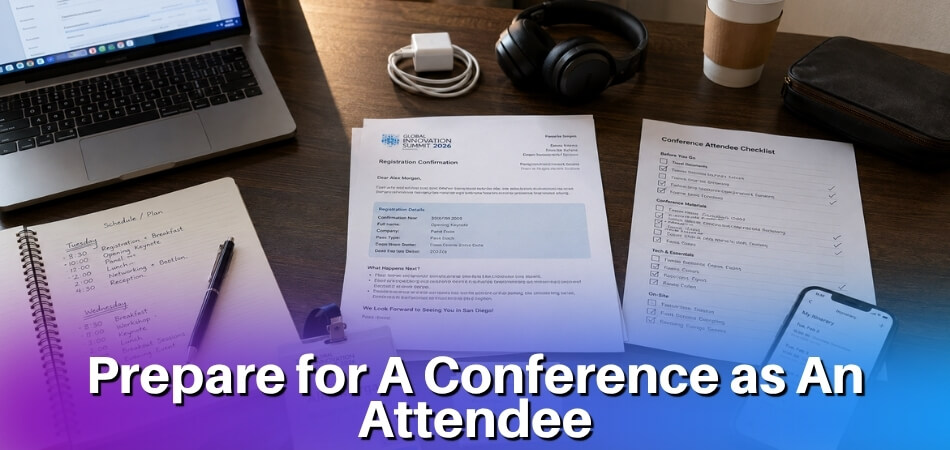
| When | What to do | Section below |
|---|---|---|
| Right after registration | Set goals, mark priority sessions, research speakers, confirm workshop sign-ups and travel | After Registration |
| About two weeks before | Refresh your profile, print cards, rehearse what you say about yourself | Prepare Yourself for Networking |
| The day before | Lay out your clothes and bag, charge your devices, check the schedule for changes | What to Pack |
| The morning of the event | Check your check-in time, leave early, keep cards and phone within reach | What to Pack |
| During and after | Work the room, take useful notes, follow up within 48 hours | During, Follow Up |
What to Do Immediately After Registration (Weeks Before the Event)
Set your goals, mark your sessions and research the people you want to meet. The window between registering and walking through the doors is easy to waste, and then day one feels rushed. A few hours spread across the weeks change that.
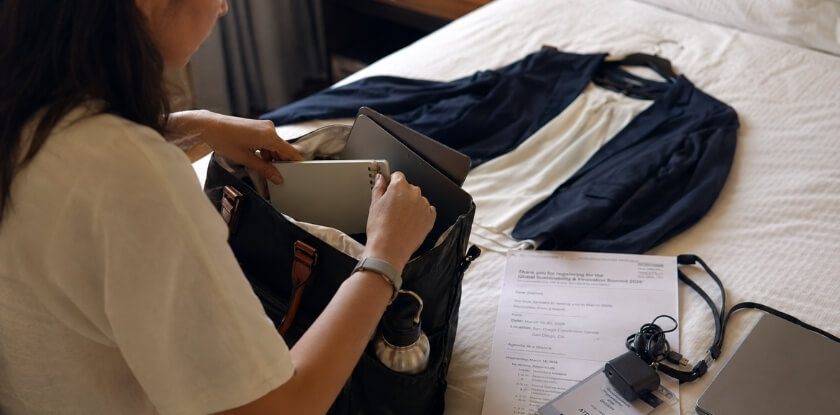
Set Clear Professional Goals
Before you book anything else, get specific about what you want from the event. Meet potential partners? Learn about one topic? Get visibility in your industry? Write down two or three concrete outcomes. Vague intentions like “network more” or “learn more about the industry” rarely lead anywhere useful.
Good goals might look like this: identify one vendor solution to bring back to your team, have substantive conversations with at least five people working on a problem you are trying to solve, or learn enough about a topic to brief your manager afterward.
Concrete goals do two things. They shape which sessions and conversations you prioritise, and they give you something to measure against when you follow up. If this is your first time at a particular conference, it is reasonable to add one exploratory goal, but name it specifically enough to act on.
Review the Agenda and Identify Priority Sessions
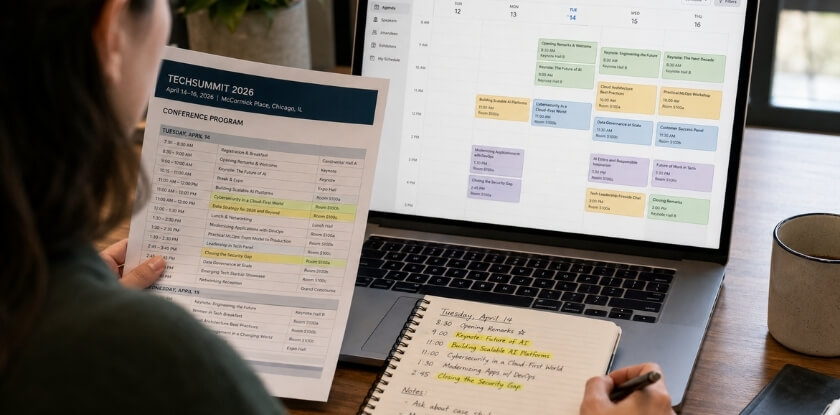
Once the agenda is published, it is the first thing worth sitting down with. Conferences often run several tracks at the same time. Going in without a plan means you spend mental energy on the day choosing between sessions instead of absorbing them, and you default to whatever room is closest.
Go through the agenda once and flag anything that connects to your work. Then go through it again with more discipline: which sessions would give you something you can actually apply or act on, and which are you marking out of vague curiosity? Cut the second group wherever there is a conflict.
Build a loose schedule with your top sessions blocked in, and leave gaps on purpose. Hallway conversations, overrunning sessions and spontaneous lunch discussions are where a lot of the real value happens.
Research Speakers and Fellow Attendees
You will get more from a session if you know something about the speaker before you sit down. A quick search on their recent work and public positions gives you material for real conversations and helps you form your own opinion before you walk into the room. Read a recent article they have written, watch a short talk if one is available, or scan their LinkedIn profile. It helps you place the talk in context, and a question that refers to their recent work lands better than a generic one.
Many conferences share an attendee list or have an app where registered participants can connect before the event. If yours does, spend 20 to 30 minutes browsing it. Pick a handful of people whose roles overlap with yours and send a short note saying you are both attending and would like to meet. If the event has a hashtag, searching it on LinkedIn can show who else is going. Arriving with five or six names in mind makes the networking far less random and considerably less exhausting.
Confirm Your Registration, Workshops and Travel
Download your confirmation and add the sessions to your calendar. Check whether any workshop needs a separate sign-up or has a capacity limit, because popular sessions can fill before the event starts. If the app or website has a floor plan, look at where registration, the main hall and the breakout rooms are. Knowing that saves time on day one.
If you are travelling, work out where your hotel is in relation to the venue and build in buffer time. Arriving the afternoon before the first full day lets you register without rushing, look around the venue and get a decent night’s sleep. Finish urgent work tasks before you leave and set an out-of-office reply, so you are not answering email between sessions.
Prepare Yourself for Networking
Get your cards, your profile and your pitch ready about two weeks before. Conferences are one of the best places to build professional relationships, but that does not happen automatically. A little preparation separates awkward small talk from conversations that go somewhere.
Get Your Business Cards and LinkedIn Profile Ready
Your LinkedIn profile and business cards work together as your introduction kit.
For cards, the basics are your name, title, company, email and phone number, plus a personal website or portfolio if it is worth sharing. Order them at least two weeks ahead and bring more than you think you will need. Running out on day one is a real problem. Even in a mostly digital world, handing over a card is faster than fumbling with a phone in a loud hallway, and a LinkedIn QR code is a good backup. Keep the cards in one easy pocket, not at the bottom of a bag.
Your LinkedIn profile deserves the same care, because many people you meet will look you up the same evening. Update your headline so it says what you actually do, not just your job title, and make sure your recent experience reflects where you are now, not three jobs ago. Add a recent photo where you look like yourself, and write a summary that is specific and readable. A sparse or outdated profile undercuts the impression you made in person. Paper cards get lost in bags, so many people connect on LinkedIn first and use the card as a backup.
Craft Your Elevator Pitch
An elevator pitch is a short, clear answer to “so, what do you do?” that takes 20 to 30 seconds. You will say it many times at a conference, so it is worth having a version you are comfortable with.
A useful pitch covers who you are, what you do, and what you are working on right now or what brought you to this particular conference. That last detail gives the other person an easy follow-up question. Specific beats vague: “I manage partnerships for a healthcare software company, and right now we’re expanding into the UK market” gives someone something to respond to. “I work in tech” does not.
Also have two or three open questions ready for the moments after your pitch, such as “What brought you to this session?” or “What has been the most useful talk so far?” Open questions about the event itself give a stranger an easy way to answer and keep the conversation going.
Practise your pitch out loud, because saying it to another person feels very different from reading it in your head. You want it to sound natural, not recited. Keep a flexible version you can adjust for a fellow attendee, a speaker or a potential client. The goal is to reach a real conversation quickly, not to deliver a monologue.
What to Pack the Day Before and on the Day of the Event
Pack the day before, not the morning of. That gives you time to notice what is missing and fix it, instead of scrambling at 7am.
What to Wear to a Conference
Clothing choices affect how comfortable you feel all day. Feeling put-together affects how confidently you introduce yourself, and first impressions in professional networking are hard to undo.
- Check the conference tone first. A tech startup summit has a different feel from a healthcare industry conference. Look at the event website, past photos on social media, or ask someone who has attended before. If nothing is stated, business casual is a safe default.
- Dress one level up from attendees, not speakers. You do not need to match the keynote presenter, but jeans in a room full of blazers puts you at a disadvantage socially. Smart casual with polished shoes suits many corporate and academic events.
- Comfort is a real consideration. Conference days are long, with a lot of walking between rooms and standing in hallways. Wear shoes you can actually walk in, and avoid anything that becomes a distraction by mid-afternoon.
- Bring a layer. Rooms can be cold, especially large session halls. A blazer, cardigan or light jacket is both a professional touch and practical comfort.
Note-Taking Setup and Essential Items to Bring
What you capture during sessions decides how much of the conference stays with you afterward. Decide in advance how you will take notes, because switching systems mid-conference wastes energy. Pick one method and prepare it properly. If you go analog, bring two pens, since one will run out. If you go digital, charge the device and set up your note-taking app with a folder or tag for the event.
| Item | Why it matters |
|---|---|
| Portable charger | Your phone handles navigation, the conference app, LinkedIn and photos of slides. Bring a power bank that can charge it at least once. |
| Business cards | Packed in an accessible pocket (see the networking section above). |
| Small bag or backpack | Enough for a laptop, charger, notebook, water bottle and a few personal items, with a little spare room for handouts you collect. Heavy bags slow you down. |
| Reusable water bottle | Easier than hunting for water between sessions on a long day. |
| Registration confirmation | Printed or saved offline, with your check-in time, in case the signal is poor at the door. |
| Printed or downloaded agenda | A backup in case the app fails. |
| Headache tablets | Small, easy to forget, and annoying to go without. |
| Pocket-sized notebook | For jotting down contacts or ideas when your main setup is not convenient. |
The Morning of the Event
Eat a proper breakfast, leave earlier than you think you need to, and keep your cards, phone and charger where you can reach them. Check the check-in time in your confirmation email before you set off, so registration does not eat into the first session.
How to Get Maximum Value During the Conference
Stick to your plan, stay flexible, and write down only what you will use. Stay flexible enough to adjust when something better comes up. Once you are on site, the preparation phase is behind you and it is about execution. Your choices over those two or three days decide whether you leave with real connections and knowledge, or just a tote bag full of lanyards.
Manage Your Conference Agenda Actively
- Show up early to high-value sessions. Popular talks fill fast. Arriving five minutes early gets you a seat near the front, which makes it easier to ask a question and be remembered by the speaker.
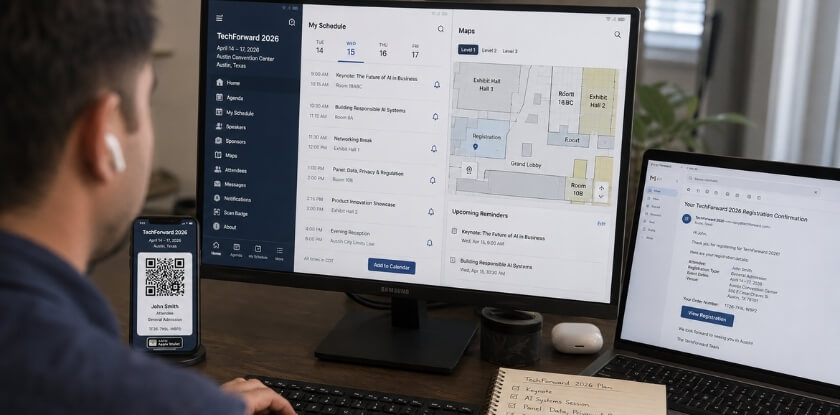
- Revisit your agenda each morning. Speakers get added, rooms change and sessions move. A two-minute check saves you from the wrong room or a missed last-minute addition that fits your goals.
- Leave white space. Packed schedules lead to rushed hallway walks and sessions you catch only the tail end of. Gaps give networking room to happen.
Take Notes That Actually Work
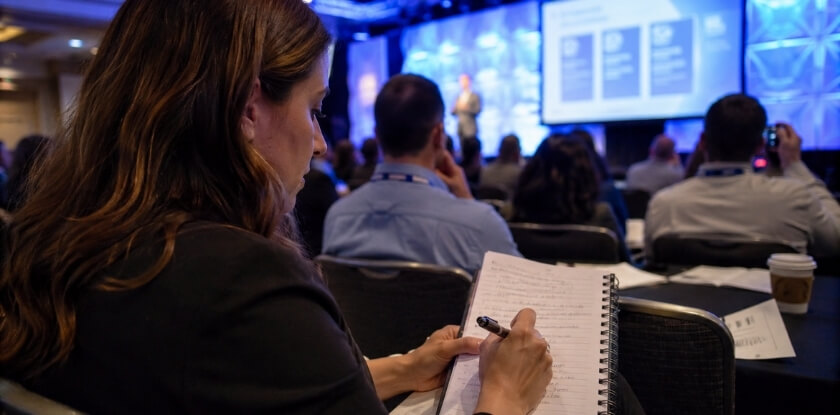
Notes only help if you read them again, so the goal is not volume. Write down one or two concrete takeaways per session, not a transcript. If a speaker mentions a framework, a book, a tool or a statistic you want to verify, note it. If something connects to a project back home, flag it right away.
A paper notebook or an app both work fine. What does not work is live-tweeting a session while trying to absorb it, so pick one.
After each session, take two minutes to write what you want to do with the information. That small step separates notes you act on from notes you archive and forget.
Work the Room Between Sessions
Hallways, lunch queues and coffee stations are where a large share of meaningful connections happen. Informal conversations often go further than structured networking events.
- Use your elevator pitch deliberately. When someone asks what you do, give the version you rehearsed, then pivot to asking about them. Many people are glad when someone else takes the lead.
- Write on the card straight away. When you collect a card, note on the back where you met or what you discussed. Twenty cards with no notes become useless by day three. If you have no card, put the name and one detail in your phone.
Approach Speakers and Panelists Without Awkwardness
Speakers are easier to reach at a conference than almost anywhere else, and they are usually glad to talk briefly if you are concise and specific. Wait until the small crowd around them thins. Give your name and one sentence about what you do, refer to something specific from their talk instead of a generic compliment, and ask one focused question. If there is no time after the session, find them on LinkedIn and mention the specific talk in your connection request. That detail is what gets a response.
Handle the Energy Drop
Multi-day conferences are physically draining, and staying sharp on day two or three takes deliberate effort. Drink water, eat something real at lunch, and do not skip sleep to attend every evening event. An exhausted attendee who leaves early on the last day misses some of the best conversations, because by then everyone has relaxed. If the afternoon slump hits, step outside for ten minutes. A short walk does more for your focus than another coffee.
How to Follow Up After the Conference
Follow up within 48 hours. Much of a conference’s lasting value depends on what you do right after you leave, because connections go cold fast, notes lose their context and the momentum you built on the floor disappears if you do not act on it.
Send Your Follow-Up Messages Within 48 Hours
The people you met are processing their own stack of new contacts, so reaching out while the conversation is fresh makes a real difference.
- Connect on LinkedIn with a personal note. Skip the default request. Mention the panel you both attended, the problem they described or the recommendation they gave you. A line or two is enough, as long as it shows you remember them.
- Follow up with speakers you spoke to. Send a short email or message within a day, say what you found useful in their talk, and refer to your exchange. Speakers meet dozens of people, and a concrete detail helps them place you.
- Act on any commitments you made. If you promised to send an article, make an introduction or share your details, do it now. Keeping small promises is how professional networking builds over time.
Process Your Notes and Review Your Goals
Handwritten notes and bullet points are only useful if you revisit them before the context fades. Go through them within a day or two. For each session, pull out the two or three points that are actionable for you, and add anything you want to research further, such as tools, books or companies, to your task list before you close the notebook.
Then compare the result with the goals you set before the event. Did you meet the people you were aiming for? Did you get clarity on whatever brought you there? If there were gaps, note what got in the way. That honest review makes the next conference more productive, whether you are a first-timer or go to several events a year.
Stay in Touch Over Time
A single follow-up message is not a professional relationship. The contacts worth keeping are the ones you check in with occasionally, by sharing something relevant, commenting on their work or meeting at the next event. Tag your new LinkedIn connections by where you met them and what they do, so you can find them when something relevant comes up. A simple note in your contacts or a short spreadsheet is enough.
First Time Attending a Conference? Some Extra Tips
Do less, and start conversations on purpose. The sheer volume of people, sessions and activity can feel disorienting at first, and that is completely normal. A few adjustments make the difference between feeling lost and enjoying the event.
Give Yourself Permission to Skip Things
First-timers often try to attend every session, every networking breakfast and every evening event. Exhaustion sets in by day two, and by day three you are barely absorbing anything. Pick two or three priority sessions per day and protect them. Let everything else be optional, and you will have the energy to talk to people instead of just surviving the schedule.
Don’t Wait for “Natural” Networking Moments
If you are introverted or new to networking, waiting for conversation to happen usually means standing alone near the coffee station. Start with speakers and panelists. After a session, walk up, introduce yourself and ask one specific question about what they just presented. It is easy, it is natural, and it often leads somewhere. Then move on to the names from your attendee list.
You Don’t Have to Know Everything
You do not need to perform expertise you do not have. Ask questions, and admit you are attending for the first time. People often respond warmly to that, and it can lead to the best conversations of the event.
From our experience at MS International: Our conferences are held in person at Greater Toronto Area venues, and the check-in time is in the confirmation email. Arrive at the check-in time stated in that email and collect your conference badge. You do not have to present to attend, because registered listeners are welcome, and presenters should bring a backup copy of their presentation on a USB drive. Registration is non-refundable and non-transferable, so confirm your dates and travel plans before you pay.
FAQ: Preparing for a Conference as an Attendee
If the conference is a few weeks away, preparation turns to lead time, a sensible daily session load, arriving without knowing anyone and what matters for a first-timer.
How far in advance should I start preparing for a conference?
Start as soon as you register, and keep at least the last two weeks free for cards, profile and pitch. Early weeks go to goals, the agenda and speaker research, so nothing is left for the night before.
Do I still need business cards?
Yes, bring a small stack, and add a LinkedIn QR code as a backup. Some people still ask for a card, while others would rather scan a code, so have both ready.
How many sessions should I try to attend each day?
Two or three priority sessions per day. Base them on your professional goals and leave buffer time for hallway conversations, which are often where the real networking happens.
What if I don’t know anyone at the conference?
You can still meet people. Start with easy moments such as coffee lines, lunch tables and post-session Q&As, and ask an open question about the event. A short elevator pitch helps you answer when someone asks about you.
Is it worth attending sessions by speakers I’ve never heard of?
Yes. Check the session topic first. A lesser-known speaker with a highly relevant topic will do more for you than a big name covering something outside your focus area.
What should I do if I miss a session I wanted to attend?
Ask the organisers whether recordings or slides will be shared, and do not assume they will be. If not, find someone who attended and compare notes.
How soon after the conference should I follow up with new contacts?
Within 48 hours. Send a short message that says where you met and what you discussed. Waiting longer makes the follow-up feel generic, and the connection fades quickly.
Do I need a special outfit for a conference?
No, but check the tone of the event beforehand, since some conferences are business formal and others business casual. Whatever you choose, wear comfortable shoes for long days and bring a layer.
Do I have to present to attend a conference?
No. At MS International conferences you can register as a listener without presenting a paper. Presenting authors submit their work first and register after acceptance.
What’s the single most important thing a first-time conference attendee can do?
Show up knowing what you want from it. One or two specific professional goals shape every decision you make: which sessions to attend, who to talk to, and how to follow up afterward.
Final Thoughts
Conferences reward people who prepare. The attendees who leave with real connections, useful knowledge and clear next steps did not stumble into that. They arrived with a plan. Do the prep, be present while you are there, and follow up before the momentum fades.