Heading to your first conference and not sure where to start? Plenty of people feel that way. First-timers often walk in underprepared simply because nobody handed them a proper checklist, so here is one.
Quick answer: To get the most from attending a conference for the first time, pick two or three goals, plan your sessions around them and arrive at the stated check-in time with your badge details, a notebook and a charger. During the event, go to the sessions that matter, have a few real conversations and take breaks. Within 48 hours afterwards, send short, specific follow-up messages while people still remember you.
This guide walks through each stage: preparation, the days at the event, tips for introverts, virtual and hybrid formats, follow-up and the mindset side of it.
What Should You Do Before Attending Your First Conference?
Start by deciding what you want from the event, then book, budget and plan around that. It is easy to underestimate how much happens in two or three days, and how easy it is to drift through without getting much out of it.
| Stage | What to do | Detail in this guide |
|---|---|---|
| Before | Set goals, read the programme, update LinkedIn, order cards, budget, pack | Pre-Conference Prep |
| On arrival | Arrive at the check-in time in your confirmation email, collect your badge | While You Are at the Conference |
| During | Attend planned sessions, start conversations, take targeted notes, rest | While You Are at the Conference |
| After | Message contacts within 48 hours, sort cards and notes, keep promises | Post-Conference Follow-Up |
Set Clear Goals
Decide what you actually want before you register for sessions or book travel. Do you want to meet people in your field, learn a specific skill, or find a potential employer or collaborator?
Writing down two or three concrete goals gives you a filter for every later decision: which sessions to attend, who to approach, where to spend your time. A vague intention like “network more” tends to produce vague results.
Mental Preparation Pass
If you are introverted, a multi-day conference can feel draining before it even starts. Set a modest target and give yourself permission to take breaks. Both are covered in the introvert and mindset sections below.
What to Do Before the Conference (Pre-Conference Prep)
The work you put in before the event decides most of what you get out of it. A few focused hours in advance is the difference between feeling overwhelmed by day two and leaving with something to show for it.
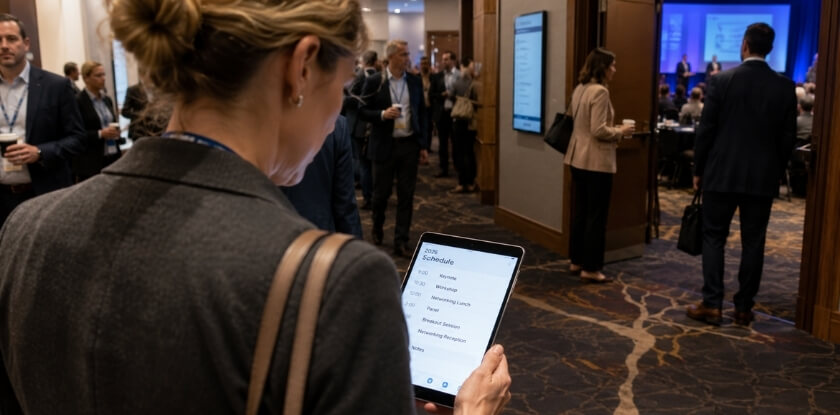
Plan Your Sessions and Schedule
Organisers usually publish the agenda ahead of the event, so use that window to read it properly. Mark the talks that match your goals. If there are breakout tracks, pick a primary one and treat the others as options.
Session planning gets easier once you accept that you will miss things. Build the schedule around two must-attend sessions per half-day, add one optional backup, and leave at least one open slot for a conversation that runs long. Back-to-back sessions all day sound productive but usually lead to mental fatigue by mid-afternoon, and hallway talks between sessions can be as useful as the sessions themselves.
Print or screenshot your shortlist. Apps crash, Wi-Fi is unreliable in big venues, and you do not want to be squinting at a slow page when a session starts in three minutes.
Set Your Networking Goals
Before you go, write down two or three types of people you want to meet, by role, industry or a problem you are trying to solve. For a first-timer, “have a real conversation with three to five people I did not know before” is a solid target for the whole event. It gives you something to aim for without pressure.
Think about what you want from those conversations: collaborators, advice from someone further along, job leads? Knowing the answer makes it easier to steer a chat somewhere useful. For introverts this helps most, because you are no longer making small talk, you are looking for a specific kind of person. If there is someone specific you hope to meet, send a short message a few days before the event and suggest a coffee during a break; a meeting already in the diary is far easier than a cold approach.
Prepare Your Business Cards and LinkedIn Profile
Business cards are still worth having at in-person events. They are fast, they need no phone signal, and some people simply prefer them. A small batch is enough (50 to 100 is a common choice). Keep them in a card holder in one consistent pocket so they stay flat and easy to reach.
Your LinkedIn profile matters more than the card. People look you up on their phone during or right after the event, and what they find shapes their first impression. Make your headline specific about what you do and for whom, use a clear photo, and check that your recent experience is accurate. If you are open to new connections or projects, say so in the about section, and set the profile to public so people can find you without being connected first.
Set Up the Conference App and Digital Tools
If the event has an official app, download it as soon as it is available rather than the morning of the event. Apps often include the agenda with personal scheduling, an attendee directory, session notifications and sometimes direct messaging. Build your schedule inside the app, fill in your profile and, where meeting requests are offered, book time with people you already want to meet.
Organisers also push real-time updates, room changes and speaker notes through the app. Also decide how you will take notes: a notes app, a voice memo tool or a small notebook. Just have it ready before day one, and carry a portable charger, because a dead phone is a real problem at a conference.
Confirm Venue, Travel and Accommodation
Read the venue details and schedule the organiser sends before the event, then arrange your travel, accommodation and local transport in advance. Check how long the trip from your hotel to the venue takes at the time of day you will actually travel, and keep the confirmation email, which states your check-in time, somewhere you can open it offline. If you are travelling a long way, arriving the day before gives you time to rest, find the venue and start the first morning without rushing. If you need a visa, ask the organiser early for a conference invitation letter that confirms your registration and the purpose of your trip.
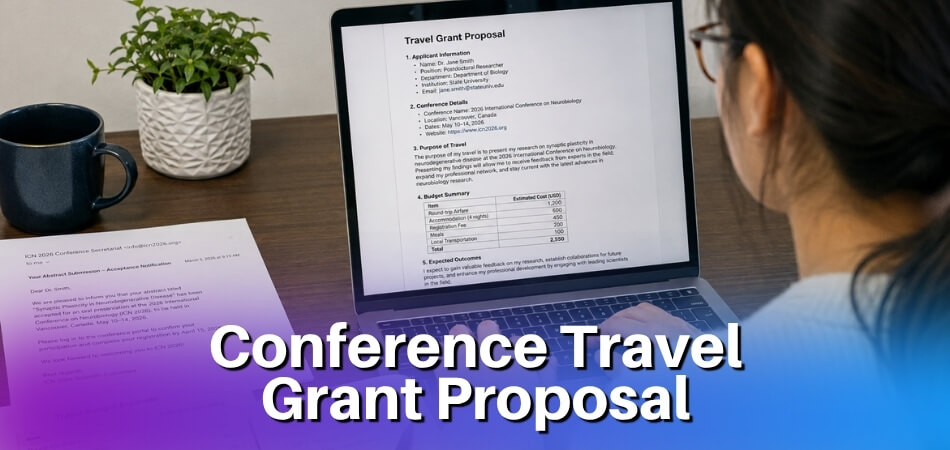
Plan Your Budget and Expenses
Conference costs add up, and the total is usually higher than people expect. Work through each line below before you commit, and add a small buffer for hidden costs.
| Cost | What to check |
|---|---|
| Registration | What the category includes, and whether it is refundable (see the FAQ below) |
| Travel and local transport | Airport or station to hotel, hotel to venue, late-evening rides |
| Accommodation | Distance to the venue and the number of nights |
| Meals | Many conferences do not cover all of them, and venue food is often pricey |
| Evening events | Some charge separately |
If your employer is paying, get clarity on what is reimbursable before you spend anything and keep receipts from the start. If you are self-funding, set a daily ceiling for incidentals and stick to it, so you do not run out of money on day one because you forgot about dinner or a cab.
What to Pack in Your Conference Bag (Packing Checklist)
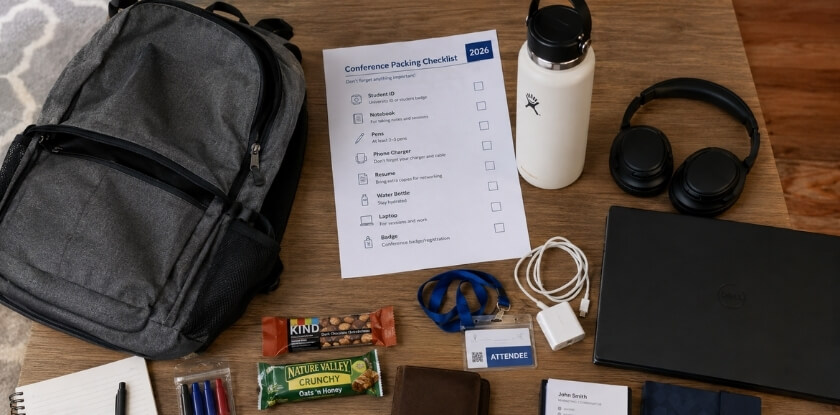
Bring what you will actually use and skip the rest. The bag should be light enough to carry comfortably for eight hours.
The basics for any in-person conference:
- Business cards (in a card holder so they don’t get bent)
- Phone charger and a portable battery pack
- A notebook and pen, because apps are great until they fail
- A water bottle; conference halls are dry and you will talk a lot
- Comfortable shoes, which matter more than most first-timers expect on a large venue floor
- Painkillers and any regular medication
- A light layer like a zip-up; conference rooms are often cold
- Snacks for the afternoon slump between meals
- Any printed materials you need, and your confirmation email on your phone
- Headphones and the venue Wi-Fi details, if the event has a virtual component
Leave your laptop at home unless you genuinely need it. It adds weight, it distracts you in sessions, and it is easy to spend half the day managing it. What to wear depends on the field and the event, so check the event page for any dress guidance.
What to Do While You Are at the Conference
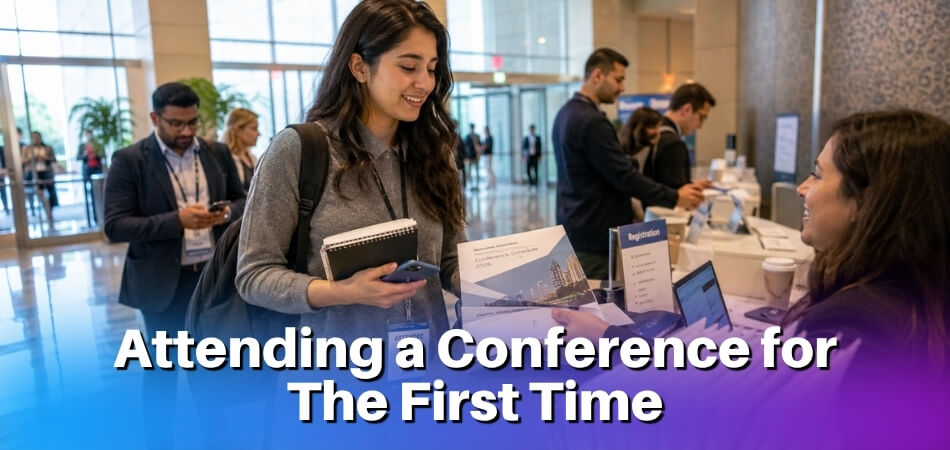
Arrive at the check-in time given in your confirmation email, collect your badge and spend a few minutes learning the layout. After that, a few deliberate habits decide whether you get the most from the event or lose half of it to passivity.
Check In and Collect Your Badge
Go to registration first. Show your confirmation, collect your badge and wear it where people can read it, because a name badge is the easiest opener in the building. Then walk the venue once: find the session rooms, the registration desk, the toilets, the refreshment area and a quieter corner you can retreat to. Ten minutes spent now saves you from searching for rooms while a session starts.
Go to a First-Timer Orientation if There Is One
Some conferences run a first-time attendee orientation or a newcomers’ welcome early in the programme. It is a short session where you can ask questions, get to know the venue and schedule, and meet other people who are new too. Check the programme or the app for one on the first day. If nothing like it is listed, the opening reception or welcome event does a similar job, because people there expect to be introduced to strangers.
Get the Most Out of Every Session
Your session plan pays off here, but stay flexible. Sessions fill up, schedules shift, and sometimes a panel you did not plan to attend turns out to be the most useful thing you do all day.
- Arrive a few minutes early. You get a better seat, you can glance at any printed materials before the speaker starts, and you avoid squeezing past people mid-introduction.
- Take notes actively, not passively. Writing down everything the speaker says is a waste of time. Jot down the two or three points that connect to a problem you are working on, plus any names, tools or resources mentioned. Those targeted notes are far more useful than a verbatim transcript.
- Use the conference app during sessions. Many events post slides, resources or speaker contact details there in real time, so a quick check during or right after a talk saves you scrambling to find things later.
- Ask a question if you have one. It is hard for first-timers, but worth doing once. A concise, specific question (one, not a multi-part monologue) makes you memorable to the speaker and the people around you, and it gets easier after the first time.
- Check the rules before you photograph or record. Some events do not allow photos in session rooms, and recording a talk needs the speaker’s or organiser’s permission. If in doubt, take notes instead.
If a session is not what you expected, it is fine to leave quietly after a few minutes. Your time is limited.
Networking: How to Start a Conversation
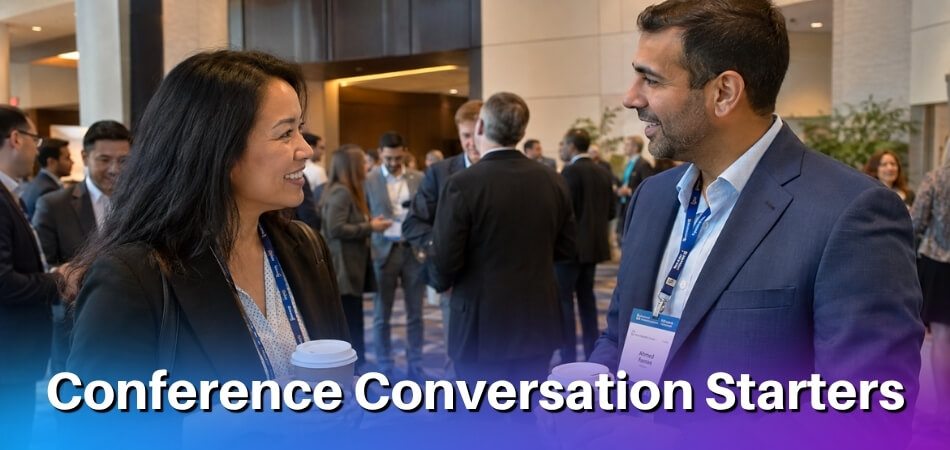
The anxiety is usually about the opening line. The answer is simpler than it feels in the moment.
- Use the context around you. You are all at the same event, which gives you a low-effort opener. “Did you catch that last session?” or “Is this your first time at this conference?” costs nothing and usually gets a friendly response.
- Hold yourself to your target. If you aimed for three to five real conversations over the event, check in with yourself at the end of each day. A specific number stops you drifting through without engaging anyone.
- Give out your card and collect others. Handing someone a card is a natural way to close a conversation. If they do not offer theirs, it is fine to ask. Write a quick note on the back of each card you receive about where you met or what you discussed, because that detail matters when you follow up.
- Keep your LinkedIn profile ready on your phone. Some people have moved away from physical cards and prefer to connect directly at the event.
Good connections also often start in the coffee queue or near the registration desk, which are natural gathering spots. Structured networking moments, such as workshops with assigned tables or icebreaker prompts, are often easier than open receptions, so look for them in the schedule. At evening receptions where drinks are served, pace yourself: the people you meet there are still future contacts.
How to Use Social Media at a Conference
A social media plan at a conference is not about broadcasting every moment. It is about being visible in the event’s conversation in a way that is useful to your own network.
- Find the official hashtag in advance and use it consistently. It is usually on the website, in the app or on venue signage. Posts with the hashtag appear in the event’s feed, which is how other attendees and speakers find you online before you even introduce yourself. Sharing takeaways on LinkedIn or X is the usual way to do it.
- Post a specific insight or quote from a session, with attribution. It helps people who are not in the room and shows that you are engaged. One or two posts per session at most.
- Tag speakers when a talk genuinely helped you. It takes thirty seconds and creates a connection before you approach them in person. Speakers sometimes notice and reply.
- Do not overdo it. Three or four well-chosen posts over a conference day are plenty. Posting every ten minutes drowns the signal and means you spend time on your phone instead of talking to people.
Tips for Introverts at a Conference
Being introverted does not put you at a disadvantage. It just means you handle certain parts of the day differently from someone who recharges by socialising.
Set Yourself Up Before You Arrive
Walking into a crowded venue with no plan is the fastest way to feel overwhelmed, and it is exactly when everyone else seems to have a system. Small decisions made in advance remove a lot of that friction.
- Choose your sessions before you get there. Use the app or printed agenda. Knowing exactly where you are going means you are not standing in a hallway staring at your phone while everyone else seems to know what they are doing.
- Pick two or three specific people to meet. “I’ll see who I run into” produces anxiety for most introverts. A short list of real targets, such as speakers you admire or people you have connected with on LinkedIn, gives you direction.
- Give yourself permission to skip the opening social. If a loud, unstructured cocktail hour on day one sounds draining, skip it. You can make real connections in a breakout session the next morning.
During the Conference
Sessions are easier territory for introverts than open networking blocks, so use that.
- Talk to the speaker afterwards. Speakers are often happy to keep talking once their session ends. A specific question to a presenter is one of the most natural ways to start a conversation without a cold approach in a crowded room. Arriving early also helps, because a smaller pre-session crowd makes small talk much easier than a packed hallway.
- Keep your business cards in one pocket. Fumbling through a bag mid-conversation breaks your flow, and ready cards make the exchange feel easy.
- Use breaks on purpose. Give each break one small goal, such as saying hello to one person near the coffee station, then step outside, find a quieter corner or grab coffee alone. Protecting your energy during the day means you are more present in the moments that matter.
Handling Networking as an Introvert
Roundtables, small group lunches and workshop formats suit introverts far better than open receptions, so prioritise them. One-on-one conversations are usually more comfortable than group mingling, and if you find yourself in a large cluster it is fine to drift to the edge and break off into a smaller exchange.
If a conversation feels cut short or you did not exchange cards, connect on LinkedIn afterwards with a short note about what you discussed. That is low pressure and often more effective than trying to stretch the conversation in the moment. Follow-up is also less daunting at virtual events, because you send your requests and emails from your own space the same evening.
Attending a Virtual or Hybrid Conference for the First Time?
Yes, the same basics apply: plan sessions, set goals, meet people and follow up. The difference is that you have to be more deliberate about networking, because there are no hallways.
Get Your Setup Right
A bad internet connection, a cluttered background or a laptop propped on a stack of books will distract you and anyone you are on camera with. Test your audio and video before the event, use a wired connection if you can and close tabs you do not need. If the event uses a specific platform (Airmeet, Zoom Events or Whova, for example), log in a day early rather than five minutes before the opening keynote.
Learn the App and Plan Your Schedule
Spend 15 to 20 minutes getting familiar with the portal before the event. Build your session plan as you would in person. Virtual formats often record sessions, but live attendance usually gives you access to Q&A and chat, which is where a lot of the real value sits.
Networking in a Virtual Format
Without coffee breaks, you have to make connections on purpose.
- Use the chat actively. Drop a thoughtful comment during a session, not just “great talk.” Specific observations get noticed and are a natural entry point for a follow-up message.
- Check the attendee directory. Find people whose work overlaps with yours and send a short, direct message tied to a session or shared interest, not a generic “great to connect.”
- Update your LinkedIn profile first. When someone looks you up mid-session, it is your first impression. Business cards matter less in a virtual setting, and a clean LinkedIn URL or a short email signature does the same job.
Virtual and hybrid formats can suit introverts well. Chat lets you take part without speaking up, and a 15-minute one-to-one video call during a break, arranged through the app’s messaging or matchmaking feature, is easier than catching someone between physical sessions. Social media works the same way as in person: use the event hashtag, tag speakers, and share a screenshot of a key slide or quote with a short comment. Respond to other people’s posts in the hashtag feed and join any community forums or Slack groups the organisers set up. For fully virtual attendees, social media and the event chat are the only networking surfaces, so LinkedIn becomes your main tool rather than a backup.
Hybrid Conferences: What Hybrid Actually Means for You
Hybrid formats vary a lot. Some give remote attendees a genuinely equal experience, with full access to sessions, networking rooms and speaker Q&A. Others treat the stream as secondary, with in-person attendees getting most of the interaction. Find out which type you are dealing with before you register, and ask the organisers if the event page is not clear. In hybrid events the in-person crowd tends to get more organic networking, so remote attendees need to be more deliberate about showing up digitally. If remote access is limited, adjust your networking goals and focus on the content.
- If you attend remotely, be proactive in the networking chat and Q&A, because you will not have spontaneous in-person moments.
- If you attend in person, keep remote attendees in mind when you speak or ask questions: face the microphone, speak clearly and avoid side conversations that block the audio.
Screen Fatigue
A full day of virtual sessions is tiring in a way that in-person attendance is not. Schedule breaks, and if the conference runs across time zones and you watch outside your normal hours, do not book your first follow-up emails for the morning after a late-night closing session. It is fine to skip a session or two for rest, because you will absorb the others better.
What to Do After the Conference (Post-Conference Follow-Up)
Send your follow-up messages within 48 hours. Much of the value of a conference depends on what you do in that window, while impressions are fresh. If you wait a week, half the people you met have moved on.
Send Your Follow-Up Messages Quickly
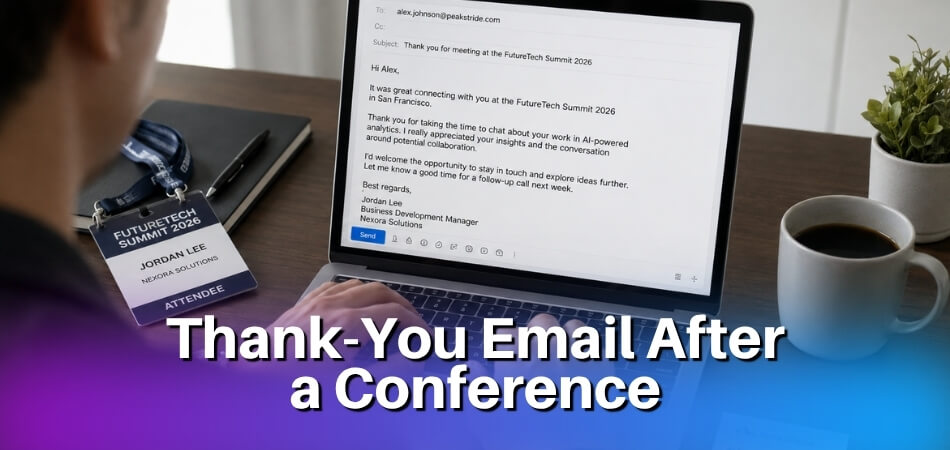
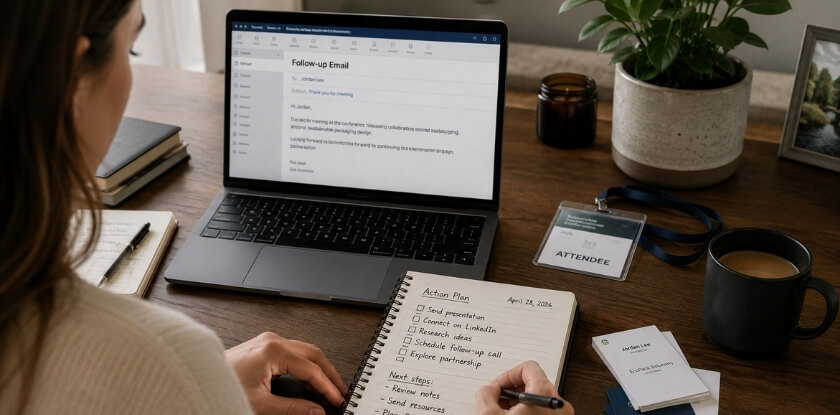
For anyone you spoke with at length, send a LinkedIn connection request the same evening, while you still remember the details. A note like “Good talking to you about the supply chain panel this afternoon” is enough. Do not wait until the end of the week, because the mental file for conference conversations closes fast. Then, within 48 hours, mention where you met, what you discussed and why you would like to stay in touch. If you promised someone a resource or an introduction, do it now.
Keep it short, because brevity signals that you respect their time. A sample:
Hi [Name], it was good to meet you at the [conference name] session on [topic]. I enjoyed your point about [detail], and I think we work on similar problems. I would be glad to keep in touch.
For a longer or more meaningful conversation, an email can work better than LinkedIn because it feels more intentional.
Organize Your Notes and Business Cards
Get the cards and notes into a usable format before they become a pile of forgotten paper. Add each contact to a spreadsheet or your CRM with one sentence on where you met and what you discussed, so you avoid awkward “remind me who you are” moments later.
Go through your session notes the same way and pull out the two or three things you want to act on. If your notes run to ten pages and you try to act on everything, you will act on nothing.
Reflect on What You Got Out of It
Take 20 minutes to answer a few questions: What was the most useful session? Who was the most valuable person you met? What would you do differently next time? First-time attendees often do not realise how much they learned until they sit down and think about it, and if you are building a case for your employer to send you again, this reflection becomes the basis of that conversation.
Share What You Learned
A short post with two or three specific insights beats a generic “had a great time at [conference]” update. Tag the speakers or sessions you valued. It reinforces your own learning and keeps you visible to the people you just met.
Follow Up on Any Commitments You Made
Think back through your conversations. Did you offer to share an article or make an introduction? Did a speaker invite you to email a question? Do those things. People often say “let’s stay in touch” and then disappear, so doing what you said you would is one of the simplest ways to stand out.
Give Yourself Time to Recover
Conferences are tiring, even for extroverts. Build in at least one low-key day before returning to full work mode. This applies most to introverts, for whom the post-conference energy crash is real, and honouring it is just good sense if you want to process everything you experienced.
Mental Preparation and Confidence Building
First-timers tend to spend their energy on logistics and very little on mindset. A little psychological groundwork keeps even a well-planned trip from feeling overwhelming.
Accept That Discomfort Is Normal
You do not need to feel confident to show up. Confidence rarely comes from being the most outgoing person in the room; it comes from knowing why you are there, having something specific to say and being prepared enough that logistics do not eat your focus. Plenty of people, including some who have attended dozens of conferences, have some version of first-day nerves. The room will feel loud, the crowd in lanyards will look as if everyone knows each other, and you may feel like the only person who does not belong. That passes. Allow yourself to feel awkward for the first hour; it is the adjustment period, not a signal to leave.
Shift Your Mindset on Networking
Anxiety often comes from imagining that every conversation has to be impressive or strategic. It does not. Most good connections start with something mundane: a shared reaction to a session, a question about the lunch queue, a comment about a speaker.
Be realistic about what success looks like. “Meet three people I would genuinely follow up with” is a goal. “Network as much as possible” is a vague standard that leads to panic or exhaustion. And stay curious about what other people do: when you are interested in someone, the conversation becomes about listening rather than performing, and curiosity is a more reliable tool than any opening line.
Prepare a Short Personal Introduction
This is not a pitch, just a clear answer to “So, what do you do?” that you have practised out loud. Without rehearsal you end up stumbling through your own job title, which adds to the nerves. Keep it to two or three sentences: who you are, what you work on and, if it helps, why you are at this event. Saying it a few times beforehand means you are not composing it on the spot while shaking someone’s hand.
Manage Your Energy, Not Just Your Schedule
A packed schedule looks great in the app, but back-to-back sessions and social events can grind you down by day two. This applies to extroverts too. Build in breaks, such as a 10 to 20 minute walk outside or a quiet lunch alone. That is not lost time, it keeps you present for the conversations that matter. If you need quiet to recharge, find a low-traffic spot early, such as a lobby corner, a less-used hallway or a nearby café. Having an escape route reduces anxiety all day.
Reframe the Stakes
First-timers often feel they are being evaluated. They are not. People are focused on their own sessions, goals and schedules, and nobody is watching to see whether you ask a smart question or spend a coffee break alone. The aim is not to impress anyone. It is to leave with a few useful connections, a few ideas worth exploring and enough experience to feel less uncertain at the next one.
From our experience at MS International: All of our conferences are held in person in the Greater Toronto Area, and the venue details and schedule are sent by email before the event. Your confirmation email states the check-in time, so arrive then, collect your badge and, if you are presenting, meet the session coordinator or moderator. You do not have to present to take part, since a registered attendee (listener) place is valid. Registration fees are non-refundable and non-transferable, so check the dates and your travel plans before you pay; an exception may only be considered for a conference schedule change or cancellation, with written approval from the organising committee.
FAQ
Heading to your first conference? Business cards, arrival time, how many sessions to fit into a day and coping when you know nobody are where first-timers tend to hesitate.
Do I need business cards at a conference?
No, but they still help. Many people now connect on LinkedIn during the event, so a polished profile matters as much as a physical card. A small stack in a consistent pocket avoids fumbling.
How early should I arrive at the conference?
Arrive at the check-in time stated in your confirmation email. If no time is given, about 30 minutes before the opening session is a sensible margin: enough to collect your badge, see the layout and meet a few people before the room fills.
Can I take photos or record sessions?
Only if the event allows it. Some conferences ban photos in session rooms, and recording a talk needs permission from the speaker or organiser. Check the attendee guidance first, and take notes when you are unsure.
How many sessions should I plan to attend per day?
Four or five planned sessions is a manageable target for a full day. Trying to attend every session is exhausting and leaves no time for the hallway conversations that are often more valuable than the talks.
What should I do if I don’t know anyone there?
Start with any first-timer orientation or welcome event, then structured moments such as a workshop, a roundtable or the lunch queue. Shared context makes starting a conversation much easier than walking up to a stranger in an open room.
Can I attend an MS International conference without presenting?
Yes. A registered attendee (listener) place is valid, so you do not need to present a paper. All our conferences are held in person in the Greater Toronto Area.
Can I get a refund or give my place to a colleague if my plans change?
Only if the event’s policy allows it. Refund and transfer rules differ between conferences, and some allow neither, so read the policy and confirm your dates and travel before you pay.
Is there a conference app I should download?
Usually yes, if the event has one. Download it as soon as it is available and build your schedule inside it, so you are not fumbling with a printed agenda on the day. Keep a screenshot of your shortlist as a backup.
How much should I budget for a conference?
It depends on travel and accommodation, so price each line yourself. Beyond those, budget for meals outside the programme, evening events and local transport, which are the costs that are easy to overlook.
What’s the best way to follow up after the conference?
Send a short, specific message to each contact within 48 hours. Reference something you actually discussed so they remember who you are.
Can I attend a virtual conference in the same way as an in-person one?
The planning and networking goals are the same, but virtual and hybrid formats reward more proactive effort. You have to use the chat, networking rooms and social media to replace the spontaneous moments you would get in person.
What if I’m an introvert and find the whole thing overwhelming?
Schedule quiet breaks as you would schedule sessions. Stepping out for 10 to 20 minutes to reset is a legitimate strategy and helps you arrive at the next session with energy to engage.
Do I need a social media strategy for a conference?
No, nothing elaborate. Posting the event hashtag, sharing a session takeaway or tagging a speaker is enough to build visibility and sometimes starts a conversation.
Conclusion
Your first conference will feel overwhelming at some point, and that is normal. The goals you set, the sessions you plan, the conversations you start and the follow-up you actually complete add up to an experience that gets easier and more useful each time. Go in with a plan, stay flexible when it shifts, and remember that everyone in that room was a first-timer once.