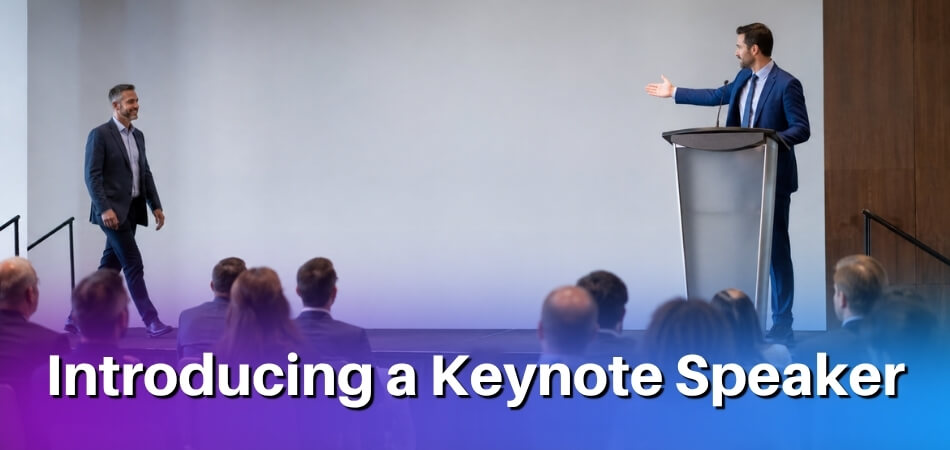
You’re standing at the podium. The room is quiet, every seat is filled, and the next item on the program is your guest speaker. Your notes say one thing, and your brain offers only “Please welcome our guest speaker.” Then comes the flat pause, the half-hearted applause and a speaker walking up to dead air. This guide is about fixing that one minute.
Quick answer: To invite a guest speaker on stage, the MC gives a short introduction of about 30 to 60 seconds, says the speaker’s name last, and starts the applause as the cue. The MC then steps fully away from the podium so the speaker can take the microphone. The same structure works at corporate, academic, school and online events.
Quick Script: What the MC Says to Invite a Guest Speaker on Stage
The MC needs a clean handoff that sounds natural, not lifted from a template or stiffly rehearsed. Both versions below suit a formal in-person event where the speaker is waiting nearby and the audience is ready.
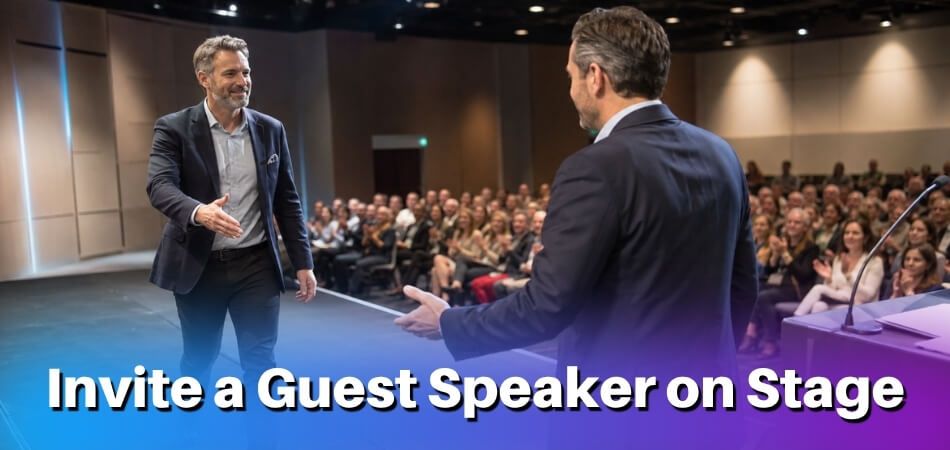
Standard In-Person Event Script
Use this when you have 60 to 90 seconds and the speaker’s credentials were confirmed in advance. Fill the brackets from the bio the speaker sent you. (A good guest speaker introduction draws one or two credentials from a long biography, not the whole of it.)
Opening to the audience:
“Good [morning/afternoon/evening], everyone. Before we move into our next session, I’d like to introduce someone whose work many of you will already know.
[Speaker’s full name] has spent [X years] [brief description of their field or role, for example “leading workforce development initiatives across Southeast Asia” or “teaching behavioral economics at [University]”]. [Add one specific credential that is directly relevant to today’s event: a published book, a specific study, a known project.]
We’re fortunate to have [him/her/them] with us to speak on [topic]. Please join me in giving a warm welcome to [full name].”
The applause cue and handoff:
“Ladies and gentlemen, [full name].”
Pause, then start clapping. Step back from the podium and gesture toward the speaker’s entry point or seat. Keep clapping until they reach the microphone, then move to the side.
The cue is more than courtesy. It tells the audience to shift attention and gives the speaker a confident entry. If you trail off without one, the room’s energy drops at exactly the wrong moment.
Short Version (Under 30 Seconds)
Use this when the program is already detailed, time is tight, or the speaker has asked for a brief intro instead of a credential rundown.
“Our next speaker works on [topic]. [One sentence: their most relevant credential or role.] Please welcome [full name].”
That is the whole structure. Some MCs feel they must fill the silence with more, but the short version works because the audience’s attention goes to the speaker, not to the introduction.
At a virtual or online event, add one sentence before the applause cue to manage the transition: “We’ll now pass the floor to [name]. [Name], you’re on.” It prevents the awkward silence when the speaker is unsure whether to start.
How to Invite a Guest Speaker on Stage: Step by Step (MC/Host Guide)
The smooth version has three steps: confirm details with the speaker beforehand, write a short accurate introduction, and hand off cleanly. What the audience sees as a confident MC depends on work done before the event started.

Step 1: Coordinate with the Speaker Before the Event
Do this days or weeks ahead; it decides how polished the introduction sounds on the day. Ask in writing for the correct full name and title, how they prefer to be introduced, a short bio or list of credentials, and pronunciation notes if the name is unusual. Some speakers will send a short audio recording of their name; that is more reliable than a pronunciation website, because the speaker may say it differently.
- Confirm the logistics. Ask where they will sit when it is time, whether they plan to use the podium or stand center stage, and how they want the handoff to go. Some speakers walk up while you are still speaking; others wait until you have stepped aside.
- Agree on the signal. When the MC and speaker never discuss this, both can end up hovering near the podium. A simple agreement such as “I’ll finish with your name and start the applause, then you walk up” removes the problem.
- Set a backup plan. At a high-stakes event or a keynote-heavy program, settle what happens if the speaker is delayed or unavailable, and keep a short holding segment ready so the program does not stall in front of the audience.
For virtual and online events, coordinate the technical handoff too. Know whether the host or the speaker unmutes them, whether they will share a screen, and whether you introduce them from a waiting room or while they are already visible. Some event platforms keep speakers in a backstage area, or need the host to bring them onto the stage with an invite option, so try that step in a rehearsal.
Step 2: Write a Warm, Accurate Introduction
Aim for roughly 30 to 60 seconds. Toastmasters’ own guidance for introducers (its October 2016 magazine sidebar) is 30 to 45 seconds, and its July 2023 magazine article suggests about 15% of the speech, which is 45 seconds for a five-minute talk. A keynote can reasonably run longer, up to about 90 seconds as a general practice rather than a rule. Past that, the audience’s focus drifts before the speaker begins. If a session has several presenters, a conference moderator often has only a minute or two for all of them, so keep each introduction to a few sentences.
Use the information the speaker gave you, but write it in your own voice. A LinkedIn profile read aloud does neither of you any favors. Open with one sentence on why this speaker matters to this audience today, cover two or three relevant credentials, and close with the name. That last sentence is your applause cue.
- Get the credentials right. If the speaker has a PhD, use it. If they led a specific initiative or published a specific book, name it. Vague praise like “a wonderful expert in her field” tells the audience nothing.
- Match the tone to the event. A formal, letter-style introduction suits a university ceremony or an awards event. A warmer, conversational one fits a company offsite or community conference.
- Write it out, then time it. Read it aloud once. If it runs long, cut rather than rush; a tight introduction at a natural pace sounds more authoritative than a long one delivered fast.
Step 3: Deliver the Invitation and Hand Off Cleanly
Stand at the podium or your designated spot and speak without staring at your notes. If you have rehearsed it even once, you will be steady enough. End on a direct line, for example: Please join me in welcoming [Speaker Name] to the stage.
Start clapping immediately after the name. The audience follows your lead, and the applause covers the walk to the stage. Then move away from the podium fully, not halfway, before the speaker reaches it. Hovering at the mic makes the speaker feel they are interrupting you.
- In person: make brief eye contact as they approach, offer a handshake or nod if it fits the formality, then go to your off-stage position or seat.
- Online: after the introduction, mute yourself and stop your video if that is the agreed format. Keep the chat open in case you need to step back in, and spotlight the speaker’s video right after introducing them if you control the platform.
Walk-Up Music, Microphone and Timing
Treat the walk to the stage as part of the cue. If you use walk-up music, agree the track and length with the AV team and the speaker beforehand, start it as you say the name, and fade it once the speaker is at the lectern. Skip it in quiet academic rooms where applause alone is enough.
For the microphone, settle in advance whether the speaker takes the lectern mic, a handheld, or a lapel mic that AV clips on before the session. If it is a handheld, you may pass it over as they arrive; if it is fixed, test it before the session and leave it alone during the handoff. A lapel mic fitted backstage avoids any fumbling on stage.
If something goes wrong, such as the speaker is not at their seat, the mic is not ready or the slides are late, do not fill the gap with apologies. A calm “We’ll have [Name] with us in just a moment” buys time without drawing attention to the problem. Move on as soon as the speaker is ready.
Stage Invitation Scripts by Event Type
Match the script to the room. A corporate dinner introduction that shines in a hotel ballroom will feel stiff at a school assembly, and a casual academic intro can undercut the professionalism a business summit expects. The table gives the quick comparison; the scripts follow.
| Event type | Typical length | Tone | Handoff style |
|---|---|---|---|
| Corporate | 30 to 60 seconds | Brief, polished, relevance first | Name, applause, step aside |
| Academic conference | 30 to 60 seconds | Formal, research-focused | Name, pause, move to the side or sit |
| School | 20 to 40 seconds | Warm, energetic, relatable | Encourage a big welcome |
| Virtual or online | 20 to 40 seconds | Clear about what happens next | Chat welcome, then screen switch |
| Keynote | 60 to 90 seconds | Weighty, builds anticipation | Audience may stand |

Corporate Event Script
Corporate audiences expect brevity. They want to know who the speaker is and why this expertise matters to them, then they want to get on with it. A meandering introduction loses a boardroom crowd fast.
Good evening, everyone.
We’re fortunate to have with us tonight someone who has spent [X years] working at the intersection of [industry topic] and [related field]. [Speaker’s Name] served as [role] at [company/organization], led [specific achievement], and has been recognized by [credible body or publication] for [relevant work]. Her/his work has directly shaped how organizations like ours approach [problem or topic].
Please join me in welcoming [Speaker’s Full Name] to the stage.
Academic / School Event Script
Academic introductions carry more formality, especially at convocations or faculty events. School events benefit from warmth and accessibility. The script changes depending on whether you face a lecture hall of professors or a gymnasium of students.
For a university or academic conference:
Good morning. It gives me great pleasure to introduce our next speaker, Dr. [Full Name], Professor of [Subject] at [Institution]. Dr. [Last Name]’s research into [specific field] has been published in [journal or body of work], and her/his most recent work on [topic] has contributed significantly to how we understand [relevant area]. Please welcome Dr. [Last Name] to the podium.
In a regular session with several short talks, the introduction can shrink to the talk title, the speaker’s affiliation and the name. Keep the fuller credential rundown for a keynote or a featured session.
For a school event (assembly, career day, graduation):
Hi everyone! Today we have a really special guest joining us, someone who started out right here in [town/region] and went on to [accomplishment]. Please give a big welcome to [Speaker’s Name]!
The school version prioritizes energy and connection over credentials. Students respond to relatability, so if the speaker has a local tie or a story the audience can connect with, mention it briefly.
Virtual / Online Event Script
Online events have no walk to the podium, no handshake and no natural visual cue. Your introduction has to be extra clear about what comes next and what the audience should do.
Welcome back, everyone. Our next speaker is [Speaker’s Name], [brief credential], who is joining us today from [location, if relevant]. After I finish here, I’ll hand over the screen and you’ll see [Speaker’s Name]’s video come on. Go ahead and drop a welcome in the chat. [Speaker’s Name], the floor is yours.
Tell the audience what they will see happen next (a screen switch, unmuting, a slide change) and give them something active to do. The chat message is simple, but it creates a moment of energy in a medium that can easily feel flat.
On Zoom or a webinar tool, confirm beforehand whether you or the speaker controls the screen share. A word about it in the intro avoids ten seconds of everyone watching a blank screen.
Keynote Speaker vs Guest Speaker: Script Difference
A keynote speaker is the headline, and the event is often built around their talk. A guest speaker contributes to a broader program next to other elements or speakers. The introduction should reflect that.
For a keynote speaker, the intro is longer, carries more weight and builds anticipation. Spend 60 to 90 seconds on their background, their relevance to the event’s theme, and a strong handoff that signals this is the moment everyone waited for.
Ladies and gentlemen, the moment we’ve been building toward all morning. Our keynote speaker has [significant credential], [notable achievement], and is widely regarded as one of the leading voices on [topic]. Please rise and welcome [Full Name].
For a guest speaker, the intro is tighter, usually 20 to 40 seconds, because you are placing them within a program rather than closing everything down for them.
Our next speaker this afternoon is [Name], who brings expertise in [area]. [One sentence on their background.] Let’s hear from [Name].
Opening Phrases and Closing Handoff Lines to Use
Pick an opening line that fits the room, then end with one short handoff line. A weak opening loses the audience before you say the name, and a fumbled handoff (“so, uh, yeah, come on up”) undercuts everything the introduction built.

Opening the Introduction
These lines signal that something is about to happen and create a moment of attention before the credentials and name.
- Corporate events: “Our next speaker has spent [X years] working at the intersection of [field] and [field], and what she is going to share this afternoon speaks directly to the challenges your teams face right now.”
- Academic or school events: “It’s my pleasure to introduce someone whose research has shaped the way practitioners in this field think about [topic]. Please give your full attention to our keynote speaker.”
- Formal ceremonies: “On behalf of [organization], I’d like to formally welcome to the stage a distinguished voice in [field].”
- Warmer, less formal events: “I’ve been looking forward to this one. Our next guest speaker brings a perspective you genuinely don’t hear often, and I think this is a talk you’ll still be thinking about on the drive home.”
Two sentences of context are enough, then the speaker’s name and title.
Closing Handoff Lines
The handoff is the last thing you say before stepping away. It should cue the applause, point every eye at the speaker and get out of the way. These work at most events:
- “Please join me in welcoming [Full Name] to the stage.”
- “Ladies and gentlemen, [Full Name].”
- “Give a warm welcome to our keynote speaker, [Full Name].”
- “[Full Name], the floor is yours.”
The last one suits smaller corporate rooms and panel-style events, where a big applause cue can feel forced.
Applause Cue Placement
The name is the trigger. Say it, stop, start clapping and step aside. If you keep talking after the name, the audience cannot tell when to clap and the speaker walks into half-silence.
Online, the cue changes. Try: “I’ll ask everyone to drop a welcome message in the chat as [Full Name] joins us now.” It gives the virtual audience a concrete action in place of a clapping room.
Phrases to Avoid
“Without further ado” has been used so often it no longer registers; it is not wrong, it just does nothing. “I won’t take up any more of your time” as an exit line draws attention to itself. Say the name and step back.
Avoid “needs no introduction” for the same reason: even when an introduction follows, it can sound as if the audience is being talked down to and the speaker is less notable. Also avoid anything that diminishes the speaker before they start, such as “I know she’ll probably explain this better than I can” or “I’m not going to try to summarize everything he’s done”. State the credentials with confidence and keep the handoff clean.
Adapting Tone to Event Type
At a formal academic event, the handoff is measured: read the name, pause for applause and move to the side or your seat, with no extra commentary. At a school event, be warmer and more encouraging, for example “Let’s give a big welcome to [Name], who has come all this way to talk with us today.” Students respond to energy, so model it.
At a corporate event, calibrate to the room. A keynote at a 500-person conference gets a bigger, more formal handoff than a 30-person workshop at round tables. The words can stay similar; the delivery adjusts. At an online event, speak slightly slower than in person, say the name clearly and leave a moment before the speaker’s feed takes over. If the platform uses spotlighting or screen switching, agree the technical cue with your host or AV contact so the transition does not lag behind your words.
A Fill-in-the-Blank Template
One flexible structure covers most events:
“[Bridging sentence connecting the topic to why the audience is here]. Our [keynote/guest] speaker brings [brief credential or context, one sentence]. Please welcome [Full Name] to the stage.”
Formal Guest Speaker Invitation: Email or Letter Before the Event
Before any MC introduces a guest speaker, someone has to confirm the speaker is coming. A written invitation, by email or letter, sets the tone for the relationship and gives the speaker what they need to say yes. If the speaker is expected to travel, say clearly what you will and will not cover. Do not imply an honorarium, travel reimbursement or free registration unless you have actually agreed to it in writing.
Email Template (Formal Invitation to Speak)
An invitation email should be professional and quick to read: who you are, what the event is, what you are asking, and what the speaker gets. Do not make them scroll through three paragraphs before they see why you are writing.
Subject: Speaking Invitation: [Event Name], [Date]
Dear [Speaker’s Full Name],
My name is [Your Name], and I am the [your title/role] for [Organization Name]. We are hosting [Event Name] on [Date] at [Venue / Platform for virtual events], and we would like to invite you as our [keynote speaker / guest speaker / featured presenter].
The event brings together [brief description of audience, for example “senior marketing professionals from across the region” or “undergraduate students studying environmental science”]. Your work on [specific topic or credential] makes you the kind of voice our audience would benefit from hearing.
We hope you could speak for about [X minutes] on [suggested topic, or “a topic of your choosing within your area of expertise”]. The session is scheduled for [time slot], and we will send a full agenda once you confirm.
[State plainly what is and is not covered, for example: “We can offer [honorarium / travel support / accommodation] as agreed in writing” or “We are unable to cover travel costs this year.”] Please reach out with any technical requirements or questions; I am glad to set up a quick call if that is easier.
Could you let us know by [RSVP deadline] whether this works for you?
Thank you for considering it. We would be honored to have you on stage with us.
Warm regards, [Your Full Name] [Title] [Organization] [Phone / Email] [Event Website, if applicable]
Invitation Letter Sample
A printed letter is standard for formal academic events, award ceremonies and high-profile corporate events where the speaker is a public figure or senior executive. It carries more weight than an email and shows the organization takes the engagement seriously.
[Your Organization’s Letterhead]
[Date]
[Speaker’s Full Name] [Speaker’s Title] [Speaker’s Organization / Institution] [Address]
Dear [Dr./Mr./Ms./Prof. Last Name],
On behalf of [Organization Name], it is my pleasure to invite you to serve as the [keynote/guest] speaker at [Event Name], to be held on [Date] at [Venue Name and Location].
[Event Name] is an annual [conference / symposium / gala / graduation ceremony] that brings together [description of audience]. This year’s theme is [theme], and your expertise in [speaker credentials / field] makes you an ideal voice for our attendees.
We would be grateful if you would deliver a [X-minute] address during the [morning/afternoon/evening] program, beginning at approximately [time]. A full event schedule will follow once you confirm.
[Organization Name] [is prepared to offer an honorarium of [amount], travel reimbursement and hotel accommodation, as set out in the attached agreement / is not able to offer an honorarium or travel support, but will provide [practical support] to make your participation comfortable.]
We hope you will be able to accept. Kindly reply no later than [RSVP date] to [event coordinator name] at [email] or [phone number].
We look forward to welcoming you to the stage and to the perspective you will bring to our program.
Respectfully,
[Your Full Name] [Title] [Organization] [Contact Information]
Send both the email and the letter at least six to eight weeks ahead, and earlier for keynote speakers with busy calendars. Lead times vary by event, so treat this as a working guide rather than a rule. Include a coordinator’s direct contact details so the speaker does not have to hunt for someone. If you have a backup speaker plan, your coordinator should contact alternates around the same time, or shortly after the primary speaker confirms, and not leave it to the last minute.
What If the Speaker Declines or Is Unavailable?
Have a plan before the event, not while standing at the podium. Illness, travel delays, last-minute conflicts or a scheduling mix-up can remove a confirmed speaker, and the MC needs a backup ready.

When You Find Out in Advance
Go to your backup speaker plan first: a secondary speaker who is briefed, has materials ready and can step in without rebuilding the program.
- Contact your backup early. Even a week is tight for someone who must prepare fresh remarks or travel.
- Adjust the program order. If the keynote slot becomes a panel or a shorter talk, tell the MC immediately so they can rewrite the introduction and handoff. A confused MC announcing someone who isn’t there is the worst version of this moment.
- Tell attendees. At larger events, a brief email or on-screen note keeps trust intact. One sentence on who is presenting instead is enough.
When You Find Out at the Event
The speaker has not arrived, is not answering calls, and the slot is ten minutes away.
- Buy time calmly. The MC can reorder the agenda, extend a Q&A from an earlier speaker or run a short networking break. The audience takes its cues from the host, so treat it as a routine adjustment.
- Keep a filler block ready. A short video, a panel discussion or a pre-recorded message from the absent speaker can fill the gap. Online, a pre-recorded segment is easy to slot in.
- Announce it honestly and briefly. If the slot cannot be filled, say so from the podium: “We’ve had an unexpected schedule change. [Speaker Name] won’t be able to join us today, and we’ll move straight into [next segment].” Audiences respect directness more than a long apology.
How to Avoid This in the First Place
Early coordination removes many day-of surprises. Confirm attendance by email and phone at least 48 hours out, check travel logistics for in-person events, and run a tech check the day before for virtual ones. Your invitation should also ask the speaker to reply and confirm, not just accept a calendar invite. That closes the loop and surfaces hesitation before it becomes a day-of emergency.
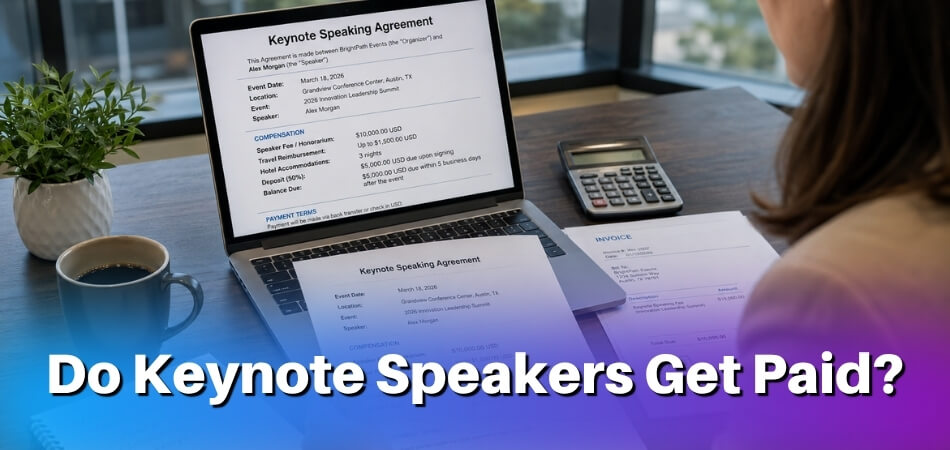
From our experience at MS International: For most applicants, the route to our in-person conferences in the Greater Toronto Area is the presenting-author track: submit work for review and register after acceptance. Keynote and invited roles are arranged separately with the organizing team, and buying an author ticket does not create one. At our conferences the moderator introduces each speaker, and approved speakers receive a certificate after presenting. Presentation lengths may vary, so the speaker confirmation and final programme are the official sources for your slot. Participation creates no entitlement to an honorarium, speaker fee or travel reimbursement unless MS International has agreed otherwise in writing, and speakers cover their own travel, accommodation, visa, transportation and personal expenses.
FAQ
Standing at the podium to bring someone up raises small but real worries: reading versus memorizing, a mispronounced name, the handshake and the cleanest handoff phrase.
Do I need to memorize the introduction, or can I read it?
You can read it, especially at formal events where accuracy of credentials matters. Rehearse it once or twice so you can look up often; eye contact with the audience makes a real difference.
How long should my stage introduction be?
Aim for 30 to 60 seconds for most speakers. Toastmasters suggests 30 to 45 seconds, or about 15% of the talk, so 45 seconds for a five-minute speech. A keynote can stretch to about 90. Cut anything that does not help the audience care about this talk.
What if I mispronounce the speaker’s name?
Prevent it by asking the speaker or their coordinator beforehand and writing the name out phonetically in your notes. If you still slip on stage, correct it once, quickly, and move on. Apologise to the speaker privately afterwards, not from the stage.
Should I shake the speaker’s hand when they reach the podium?
Yes, at in-person events a handshake or brief greeting as you step aside is standard. Online, say the name, give the applause cue, then mute and turn your camera off.
What’s the difference between a keynote speaker introduction and a regular guest speaker introduction?
A keynote introduction runs longer, around 60 to 90 seconds, and presents the major credentials more formally because the keynote sets the tone for the event. A guest slot gets 20 to 40 seconds in a conversational voice.
Can the speaker write their own introduction for me to read?
Yes, if the organiser agrees. Toastmasters’ July 2023 magazine advises speakers at other groups’ events to ask whether they may write their own introduction and to send it well ahead. Trim it to your voice and check any credential you change with the speaker.
What do I say if the speaker is running late or hasn’t arrived backstage yet?
Use a calm bridge line: acknowledge a brief delay, invite the audience to settle in, and if needed run a short Q&A or housekeeping item. Don’t announce that you don’t know where the speaker is.
Is it okay to add a personal comment about the speaker during the introduction?
Yes, if it is short and genuine. One sentence from an MC who really knows the speaker works well at corporate and academic events. Skip anything that sounds like flattery for its own sake.
Do I need a formal invitation letter before the event, or is an email enough?
An email with the key details is enough for most corporate and academic events. Reserve a formal letter for high-profile keynote speakers, government or diplomatic contexts, or when a signed agreement is required.
What’s the cleanest handoff phrase to use right before the speaker takes the stage?
“Please welcome [Name]” with an applause cue is reliable at almost any event. Say it last and avoid flourishes that keep the audience waiting after they have started clapping.
What if the speaker doesn’t respond to my introduction and just starts talking?
Let them. Your job ends when they take the podium. Step aside, start the applause if the audience has not, and take your position off-stage or off-screen.
Final Thoughts
You do not need a script carved in stone. You need a clear structure: a brief setup about the speaker, a clean handoff phrase and a confident applause cue. Rehearse it aloud once, keep the speaker’s credentials close at hand, and the handoff will take care of itself.