Your presentation is over. You have answered the last question, closed your slides, and the room (or the Zoom call) has gone quiet. It is tempting to pack up and move on. A thoughtful thank you message is one more step that keeps the conversation open.
Quick answer: Send a short thank you message within 24 hours of your presentation, addressed to the audience, the organiser or session chair, and anyone who helped you. Mention one specific detail from the session, say thanks plainly, and add a single next step if there is one. Email suits most situations. A handwritten note or a LinkedIn post can sit alongside it.
Why Should You Send a Thank You Message After a Presentation?
Because it gives you a second point of contact with the people who listened.
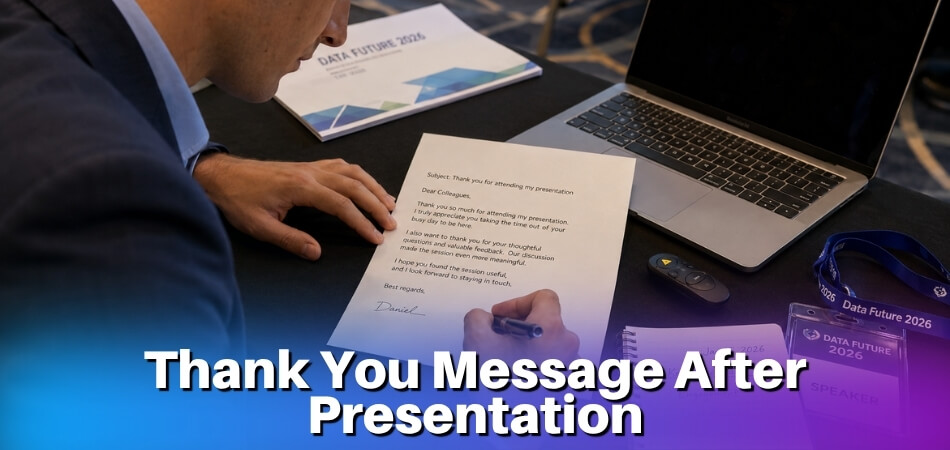
The audience walks out, gets pulled into the next session or meeting, and your slides start fading within hours. A well-timed follow-up interrupts that fade. It reminds people who you are, what you said, and why it was worth their attention.
There are practical reasons too, and they change a little with the setting:
- Conference or guest talk: thanking the organiser, the session chair and any discussant is standard professional courtesy. Skipping it can look as if you treat speaking slots as transactions, while doing it consistently can help you get invited back.
- Academic setting: thanking your committee, department chair or panel moderator shows that you know the professional norms of the setting.
- Sales or client pitch: the thank you is part of the process. Buyers often need a gentle way back into the conversation, and a short note gives them one.
- Team presentation: a follow-up records next steps and acknowledges each contributor, so momentum does not die when everyone leaves the room.
- Online session: after a Zoom or Teams call there is no hallway chat, so a prompt message is the only personal contact the audience gets from you.
Relationships are not built in a single meeting. A handwritten note to a mentor who came to your talk, or a three-line email to the coordinator who arranged the room and the microphones, takes minutes to write and shapes how those people think of you later.
When Should You Send It?
Within 24 hours is the usual target, and 48 hours is the outer limit for anything professional.
Northwestern University’s career pages say both handwritten and emailed thank-you notes should go out within 48 hours of an exchange, and that email is the better choice when speed matters. That guidance is written for interviews rather than presentations, so treat 48 hours as the outer limit and 24 hours as a sensible target, not a rule. A message sent the same evening or the next morning feels connected to the event. One sent four days later feels like an afterthought.
Different settings call for slightly different timing:
| Situation | Aim to send | Why |
|---|---|---|
| Business or sales presentation | Same afternoon or evening | Decision-makers move fast and the details are fresh |
| Conference or academic talk | Within 24 to 48 hours | Contact details may arrive late, and the day after is a normal window |
| Virtual presentation | Within a few hours | People attend back-to-back calls, so memory fades quickly |
| Organiser or host | Same day | The organising team may still be closing out the event, and an early note is easy to act on |
| Audience or attendees | Same or next day | Can follow the organiser note, especially if you personalise it |
Team Members
If you gave a team presentation, coordinate timing so everyone is thanked around the same time. Individual notes to some colleagues before others create an awkward gap. A short group message right after the session (email, or a WhatsApp thank you in the team chat) can work alongside more formal individual notes sent later.
If You Missed the Window
Send it anyway. A short acknowledgment that time has passed (“I wanted to reach out after our presentation last week…”) keeps the tone honest without grovelling. A late note is better than none.
What Should a Thank You Message Include?
One specific reference to the session, one plain statement of thanks, and a next step only if there is one. “Thanks for having me” tells the reader nothing and will not stick.
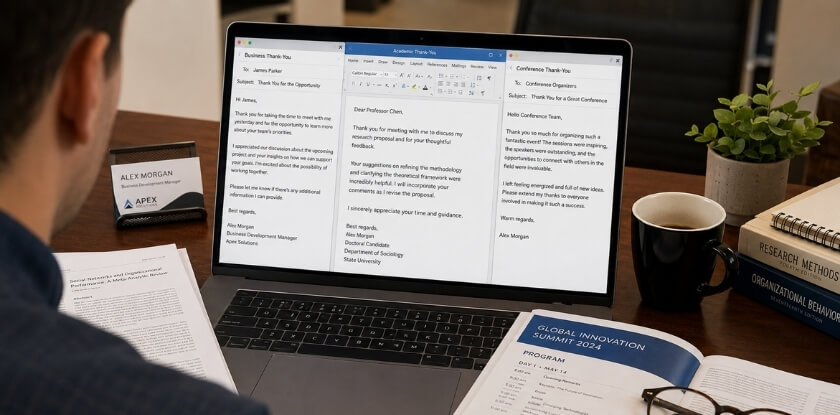
A Clear Reference to the Presentation
Name the event, the topic you covered or a question someone asked. In a business follow-up you might mention a slide you discussed or a concern raised in Q&A. For a conference talk, name the session. One specific line is enough, and it is what separates a thoughtful message from a copy-paste template.
A Genuine Expression of Gratitude
State your thanks directly: “I appreciated the time you gave our team on Thursday,” or, to an organiser, “Thank you for running such a focused session.” Avoid stacking adjectives. “Incredibly insightful and deeply valuable” reads as filler. Pick one honest thing and say it.
A Brief Next Step, Where Relevant
If there is a call to schedule, a document to send or a question left unanswered, the thank you is a natural place to mention it. Keep it to a sentence or two. If you promised slides or a resource during the talk, send them with the message or say exactly when they will follow, and share only material you are free to share. A follow-up is welcome when it gives the reader something useful, and a link-heavy one is just more mail. For an internal team note, name the decision the team still has to make. After an online session, link to the recording or shared materials.
The Right Tone for the Context
A formal letter to a senior executive reads differently from a WhatsApp message to a colleague after a casual team session. The content stays similar; the register shifts. For a large online audience, a more polished tone usually fits better than a casual one.
What to Leave Out
A thank you is not a meeting summary. Do not recap the whole session, answer every participant individually and list every next step in one email. Keep it to appreciation and at most one clear action. If you have a longer follow-up, such as detailed answers or a resource pack, send it separately.
Thank You Message Templates from Presenter to Audience
Use these as starting points and swap in the real detail. Each one is written from the presenter’s side, and they are meant to be adjusted for length, tone and setting.
After a Formal or Corporate Presentation
Writing to senior stakeholders or board members calls for a structured, professional message that refers to something specific and makes any next steps clear.
Subject: Thank you: [Presentation Title], [Date]
Dear [Name / Team],
Thank you for attending today’s presentation on [topic]. I valued the questions in the Q&A, particularly the one about [specific point raised].
If you would like a copy of the slides or any supporting material, I am happy to send it. I would also welcome the chance to discuss [specific topic] in more depth.
Kind regards,
[Your Name]
For a formal letter sent by post or as a signed PDF, the structure is the same, with letterhead, date and address block. That suits legal, financial or government settings where printed documentation carries more weight. Avoid a sign-off that could apply to any meeting. A real question or a point that sparked discussion shows you were paying attention.
After a Business or Sales Presentation
This is where the stakes are often highest. The note should be warm without being eager, and it should restate your core value without repeating the whole pitch.
Subject: Great speaking with you: next steps for [Project/Product]
Hi [Name],
Thanks for making time to hear about [service/proposal] today. Your feedback on [specific point] was useful, and I have already noted it for the next draft.
As discussed, I will send [proposal/case study/pricing document] by [date]. Questions in the meantime are welcome.
[Your Name]
Send it within a few hours rather than the next morning. If several decision-makers attended, write to each one separately, because people notice identical copy-paste text.
After a Virtual or Online Presentation
Over Zoom, Teams or Google Meet you lose the hallway chat, the handshake and the card swap, so your message has to make up for them. It is also the place to confirm any action items or next steps, which gives recipients a practical reason to read it carefully.
Subject: Thank you for joining: [Webinar/Session Name]
Hi [Name / Everyone],
I know virtual calls compete with plenty of distractions, so thank you for staying with today’s session on [topic].
The recording will be at [link] within [X days], and the slide deck is attached. If a question did not get answered, reply here or post it in the comments and I will respond to each one.
Best,
[Your Name]
For a large webinar, send the message through your email platform with at least basic personalisation, which still beats silence. Many webinar tools let you email the attendee list directly. WhatsApp is common in professional circles in some regions. Keep messages there short and save attachments such as the slide deck for email unless the recipient expects them.
After an Academic or Student Presentation
Academic notes are usually less formal but still thoughtful. If you have just defended a thesis, presented at a conference or delivered a seminar paper, acknowledge the faculty, reviewers and fellow students who gave feedback.
For a thesis committee or panel:
Dear Professor [Name] / Committee Members,
Thank you for the time and detailed feedback you gave my presentation on [topic]. Your questions about [specific aspect] gave me plenty to think about, and I am already revisiting that section.
I am grateful for your guidance throughout this process.
Sincerely,
[Your Name]
For an attendee at a conference or seminar:
Hi [Name],
Thanks for coming to my talk yesterday and for your question about [specific point]. I am still working on that area, and I would be glad to continue the conversation if you are open to it.
Best,
[Your Name]
A handwritten note to a supervisor or mentor who supported your presentation carries real weight, because academic careers run on long-term connections.
After a Team or Group Presentation
Group follow-ups run in two directions: thanking the audience as a team, and acknowledging your fellow presenters internally.
Team thank you to the audience:
Subject: Thank you from the [Team Name] team
Hi [Name / Team],
Thank you for attending our presentation on [topic] and for the discussion afterwards. Your view on [specific point raised] gave us something to act on.
If you want to talk through any part of it, contact any of us. Our details are on the final slide.
Best,
[Team Names or Lead Name on behalf of the team]
Internal team message:
Hey everyone,
Thank you for the work you put into today. [Name], your section on [topic] landed well. [Name], the data visualisation made a hard point easy to follow.
Good teamwork. Let us debrief later this week.
[Your Name]
Specificity is what separates a genuine internal note from a generic pat on the back. Name people and contributions, and mention it if someone stayed late to rehearse or rebuilt the deck at the last minute.
On LinkedIn or Social Media
A public post works as a thank you to the organisers and audience at once, and it lets others see your talk’s topic. It does not replace a direct message to the people who helped you.
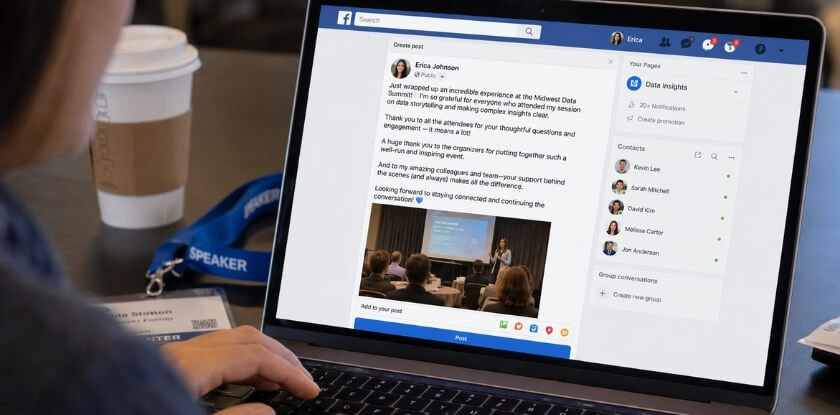
Presented on [topic] at [Event Name] today. Thanks to the organising team, to [Chair’s Name] for chairing the session, and to everyone who stayed for the questions. The point about [specific question] is something I am taking back to my own work. Slides are available if you would like them.
Tag the organisers and the chair, keep the post to a few lines, and share only material you are free to share.
How to Thank the Organiser, Chair and Hosts After a Conference Talk
Write to the organiser the same day, and thank the chair and any helpers by name. Organisers have usually spent months on logistics, and a short, specific note shows that you noticed the work.
Subject: Thank you for [Event Name]
Dear [Organiser’s Name],
Thank you for the invitation to speak at [Event Name] and for the smooth arrangements around my session on [topic]. The room set-up and the timekeeping from [Chair’s Name] made it easy to focus on the audience.
If a copy of my slides or a short summary would help for your records, tell me and I will send it.
Kind regards,
[Your Name]
Thank the people who did the work, not only whoever held the most senior title. If someone moderated the Q&A well, say so.
| Who | What to mention |
|---|---|
| Organiser or the person who invited you | The invitation and one detail of the arrangements that helped your session |
| Session chair or moderator | How they introduced you, kept time or handled the questions |
| Technical and registration staff | The specific help you received, such as the microphone, the slides or check-in |
| Discussant or reviewer | One point from their comments that you will act on |
| Audience members who asked questions | The question itself and a next step, if you owe one |
From our experience at MS International: At our in-person conferences in the Greater Toronto Area, the moderator introduces each speaker and speakers receive a certificate after presenting. A short note afterwards to the moderator or the organising team is a courtesy. For most applicants, the route to our in-person conferences in the Greater Toronto Area is the presenting-author track: submit work for review and register after acceptance. Speakers cover their own travel, accommodation, visa, transportation and personal expenses unless MS International has agreed otherwise in writing.
Thanking Someone Else After Their Presentation
If you sat in the audience or hosted the session, send the presenter a short thank you message of two or three sentences that name one specific point from the talk. That detail is what makes it read as genuine rather than a form letter. Writing for a group? Open with “On behalf of everyone who attended”.
Subject: Thank You for Your Presentation Today
Hi [Presenter’s Name],
Thank you for speaking with us today. Your point about [specific detail] from the session on [topic] came up again in our conversations afterwards.
The preparation behind it showed, and we would be glad to have you back.
[Your Name and Role]
For a seminar, visiting lecture or thesis defence, keep the tone a little more formal:
Dear Professor [Name],
On behalf of the department, thank you for your presentation on [topic] last [day]. It started one of the most engaged discussions we have had this term, and we are grateful for your time.
[Your Name / Department]
For a keynote or senior guest, a fuller thank you note on organisational letterhead fits better than a short email.
Thank You Email Subject Lines: What Works?
A short, specific subject line works best, with the event or topic near the front. One email-marketing guide advises keeping a subject line to 65 characters or fewer so it shows in full on desktop, and putting the core message in the first 30 characters for mobile. Treat those as estimates and preview the email on your own phone.
A good subject line tells the person what the email is about and gives them a reason to open it now. Clarity beats cleverness. Including the presentation title, event name or recipient’s name signals the email was written for them. Vague openers such as “Following up” or “Checking in” read like sales emails, and the recipient has to open the message just to work out what you mean.
| Recipient | Subject line examples |
|---|---|
| Audience or organiser | “Thank you: [Event Name], [Date]” “Following our session on [Topic]: a quick note” “Appreciated the time, [Name], plus the resources I promised” |
| Business follow-up | “Thank you for the meeting: [Company] and [Your Company]” “Next steps after today’s presentation” “Quick thank you, and the slides you requested” |
| Sales presentation | “Thank you for the time, [Name]” “Glad we connected: a few things from today” “Following our presentation, thank you, [Name]” |
| Academic setting | “Thank you for your contribution to [Conference Name]” |
A Few Things Worth Getting Right
If you promised materials during the talk, say so in the subject line: “Thank you, plus the slides from today’s session” gives two reasons to open. Online presentation emails need no special approach, though naming the platform or event helps someone who attends several virtual events a week. Some guides suggest ending a subject line with a question, but for a thank you it is usually better to skip it. “Did you enjoy today’s session?” reads like a survey prompt and puts the reader in evaluation mode before they have opened it.
For WhatsApp there is no subject line, so the first line does the same job: “Hi [Name], I just wanted to thank you for coming to today’s session on [Topic].”
What to Avoid
Generic lines such as “Great meeting you” or “Thank you” alone do not say which meeting or presentation. All caps reads as aggressive and can trigger spam filters, so the message may never be read. Overly long lines get cut off on mobile, sometimes in confusing places.
Handwritten Thank You Note or Email: Which Should You Choose?
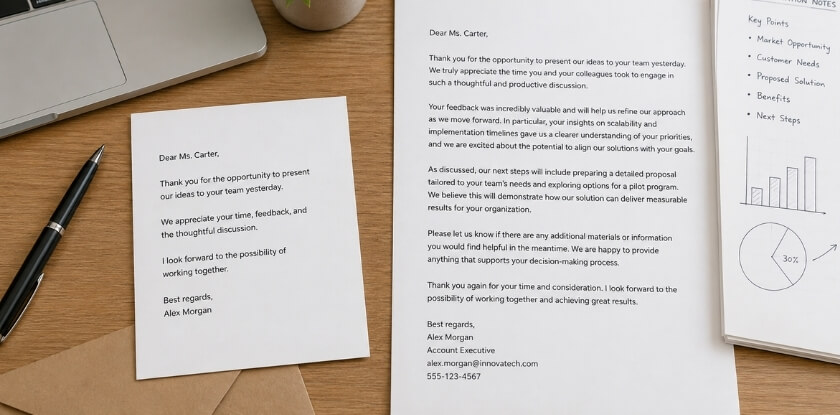
Email is the default; a handwritten note is the extra touch for relationships you want to deepen. The right choice depends on your relationship with the recipient and how quickly you need to reach them.
| Channel | Best for | Watch out for |
|---|---|---|
| Speed, groups, digital relationships, a paper trail | Vague subject lines | |
| Handwritten note | Mentors, senior hosts, long-term clients, organisers | Arrives days later; needs an address |
| WhatsApp or DM | People you already message informally | Too casual for a senior contact you just met |
| Formal letter | Legal, financial or government settings | Slow |
Email arrives while the event is fresh. If you pitched on Tuesday afternoon, an email by Wednesday morning keeps momentum, whereas a handwritten note landing four days later, after the prospect has moved on, loses much of its effect. Email is also the safer default when you are unsure, because it is easy to forward and the recipient can reply directly.
When Email Makes More Sense
Use email when speed matters, when there are several recipients, or when the relationship is digital. Tracking down a mailing address for someone you met on a Zoom call is usually unnecessary.
When a Handwritten Note Is Worth the Effort
Handwriting stands out because it takes more effort than an email. It earns its place where the relationship has real depth or you want to build one: thesis committee members, conference chairs, a senior executive who gave you an hour, or an organiser who spent months coordinating the event. A note after a board presentation or a pitch to a major client carries a different weight than an email. It works best when you already have the address or asking for it feels natural, since hunting for one adds friction.
Can You Use Both?
Yes. Send the email promptly for the business purpose, then follow with a handwritten note a few days later as a separate, personal touch. This suits high-stakes moments such as a major pitch or a keynote. If your relationship with the person already lives on WhatsApp, a short, warm message there can feel more genuine than a formal email. Read the relationship and match the channel.
Alternatives to ‘Thank You for Your Attention’ on a Presentation Slide
Replace it with a line that invites questions and shows how to reach you. “Thank You for Your Attention” is the default last slide. It is not wrong, but it is so familiar that audiences may barely register it, and the final slide is often on screen through the whole Q&A.
“Thank you for your attention” works like a verbal full stop rather than a real expression of appreciation. Swapping it is quick:
- “Questions welcome” with your contact details invites engagement and makes your later follow-up easier.
- “Let’s keep the conversation going” suits sales talks and networking events. Add your email or LinkedIn handle underneath.
- “Your feedback is appreciated” suits academic settings where peer critique is part of the culture.
- “What did we miss?” is bolder, for team presentations or internal workshops, and frames Q&A as collaborative.
- A closing line about your topic replaces the cliché entirely. After a talk on reducing customer churn: “Every percentage point matters, and we would like to hear where you would start.”
What to Put on the Slide Instead
If you present virtually, the closing slide often doubles as a holding screen. Consider:
- Your name, title and email address
- A QR code linking to the presentation or a resource
- One key takeaway sentence
- A prompt like “What’s your biggest takeaway?” to start discussion
Contact details on the final slide are standard in formal corporate settings and save the awkward moment when someone has to ask how to reach you.
A Note on Thank You Slides Altogether
Some presentation coaches argue against a dedicated thank you slide. Their view is that gratitude belongs in your spoken words, and the last visual should reinforce your message, such as a striking figure, a core idea or a call to action. That is reasonable for TED-style or keynote formats. In traditional corporate or academic settings, a closing slide with contact details and one genuine line is courteous without leaning on a phrase that stopped meaning anything.
Common Mistakes to Avoid When Writing a Thank You Message After a Presentation
Avoid sending the same text to everyone, making the note about yourself, and getting names or details wrong. Timing and vague subject lines are covered above, so these are the ones that remain.
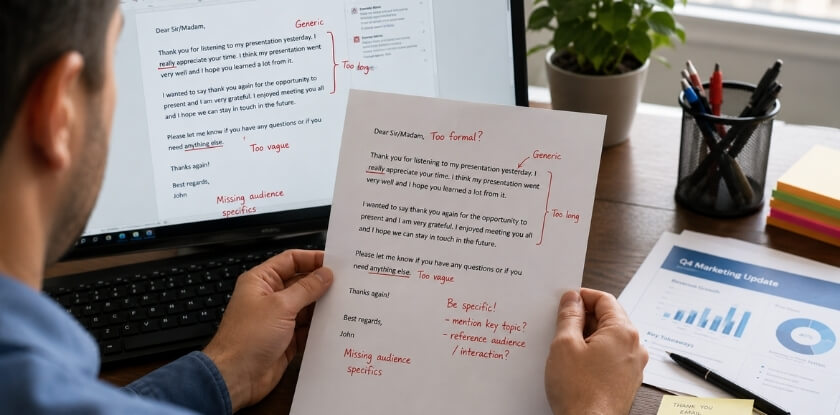
Sending a Copy-Paste Message to Everyone
If you presented to twenty people and sent the same email to all of them, most will sense it. A solid base template is fine, but add one or two sentences that are personal, such as a question someone asked. Even one specific detail shows you paid attention.
Making It About Yourself
Links to other products, a long bio and a list of upcoming events belong somewhere else. A thank you is for the recipient. If you include a call to action or resource link, keep it to one and make sure it helps them. Turning a thank you into a soft pitch undoes the relationship you are trying to build.
Ignoring the Channel
A WhatsApp message works where the relationship is already informal. Sending one to a senior executive you have just met feels off-tone. A formal email is a safe default for corporate and virtual settings, while a casual text fits closer professional relationships. The wrong channel is not rude, only slightly awkward.
Thanking the Wrong Person or Forgetting Someone
In a group follow-up it is easy to thank the main organiser and forget the coordinator who handled logistics or the colleague who built the deck. Make sure your note reaches the people who did the work. “Thanks to [name] for managing the Q&A so smoothly” lands better than a blanket “thank you to the whole team.”
Overdoing the Praise
“What a brilliant and insightful audience!” and “Your questions were truly profound!” read as hollow flattery. Keep it measured. If something impressed you, say what it was. If the session was simply productive, say that.
Skipping It for Online Events
Online etiquette is still etiquette. Some presenters follow up after in-person events by habit and let virtual ones slip because the format felt less formal. The effort of attending or hosting a remote session is real, and a short message deserves the same care.
Proofreading Problems
A wrong name, a misspelled company or a broken link undercuts everything else. Read the message once before sending, purely for accuracy. For a formal letter especially, wrong details suggest carelessness, which is the last impression you want.
FAQ
After the applause fades, the follow-up note brings its own doubts, from WhatsApp versus email and a late send to a handwritten card or a talk that did not go well.
Do I need to send a thank you message after every presentation?
Not for every presentation, but send one whenever someone gave up time to attend, host or organise. A client pitch, conference talk or job-interview presentation all qualify. A routine update to your own team may not need a formal note. If you are unsure, send a brief one.
How long should a thank you message be?
Three to five sentences is a sensible length for an email. Northwestern’s career pages say a note needs only two or three elements, such as appreciation and something specific from the conversation. A formal letter may run longer if it includes feedback or next steps, and a WhatsApp message can be two sentences.
Is it unprofessional to send a thank you on WhatsApp instead of email?
Not if you already message that person on WhatsApp and the setting was informal. For a corporate follow-up or a senior host, email or a handwritten note is more appropriate. Match the channel to the relationship.
What if I forgot to send a thank you right away?
Send it anyway, ideally within a few days. A brief acknowledgment such as “I should have sent this sooner, but I wanted to tell you…” reads as thoughtful. A late note is better than silence.
Can I send a group thank you message instead of individual ones?
For colleagues who presented alongside you, a group message works. For individual attendees or organisers who each did something different, write personal notes. Ten identical texts to people with distinct contributions look like minimal effort.
Should I include a call to action in my thank you message?
Only if it fits naturally. A soft next step (“I’d love to schedule a call”) suits a business follow-up, and a link to materials suits a sales presentation. After an academic talk or a public lecture it can feel out of place. If you have to force it, leave it out.
What’s the right subject line for a thank you email after a presentation?
Name the event or topic and the thanks in a short line, for example “Thank you: [Event Name], [Date]” or “Thank you for attending yesterday’s session”. Plain and descriptive works. Vague lines like “Just wanted to say…” tell the reader nothing.
Is a handwritten thank you note overkill in a professional context?
No. For a senior executive at your pitch, or an organiser who made your conference slot possible, a handwritten note stands out because it takes effort. Email is perfectly fine for most situations. Use handwriting when you want the message to feel distinctly personal, and send it promptly.
Do virtual presentations require a different kind of thank you message?
The core message is the same. You can acknowledge the setting, such as time zones or screen fatigue: “I know joining at 7 AM your time was not easy, and I appreciate it.” That small, specific reference makes it read as real acknowledgment rather than a template.
What if the presentation didn’t go well, should I still send a thank you?
Yes. A gracious follow-up can recover some ground. Thank the audience for their time, keep the tone steady, and do not over-apologise, which draws more attention to what went wrong. If you were in the audience for a poor talk, you can still thank the speaker without pretending it was a masterclass.
Conclusion: One Message, Many Opportunities
A good thank you does what a polished deck cannot: it keeps the conversation alive after you leave the room. The context changes, but the basics stay the same. Say something real, be specific, and send it while the presentation is fresh.
Choose the format that suits the relationship and setting, not the one that sounds most impressive. Before you close your laptop after any presentation, take five minutes to draft one follow-up message. It does not need to be long or perfect. It needs to be genuine and sent.