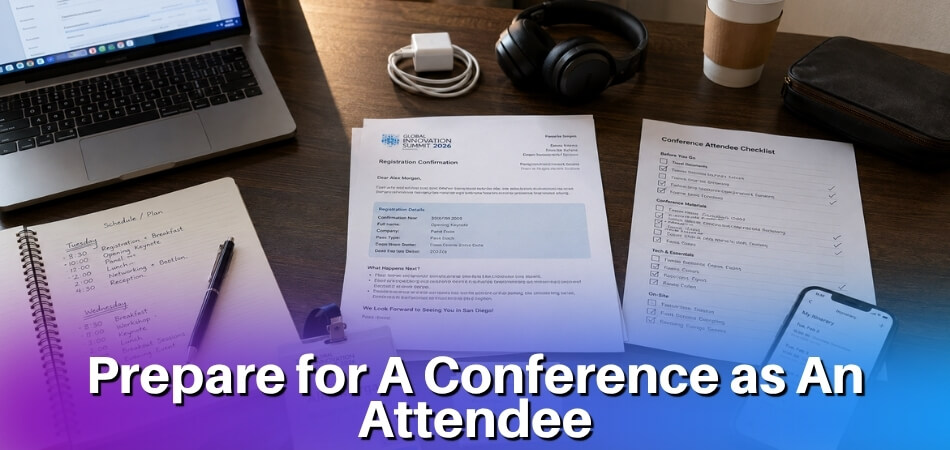
Heading to a conference and not sure what to pack? A few smart choices at home save you a lot of stress at the venue.
Quick answer: As a student, bring your registration confirmation and student ID, a charged phone with a portable charger, your slides backed up in two places if you present, something to take notes with, and snacks, water and comfortable shoes. Poster presenters add a printed poster in a rigid tube plus a digital copy. If you have travel funding, keep every receipt from the day you leave.
This guide is for undergraduate and graduate students attending anything from STEM to humanities events on a tight timeline and a tighter budget. It covers what to pack, what to leave at home, how to behave and network without feeling awkward, and the follow-up email most students forget to send.
Things to Bring to a Conference as a Student
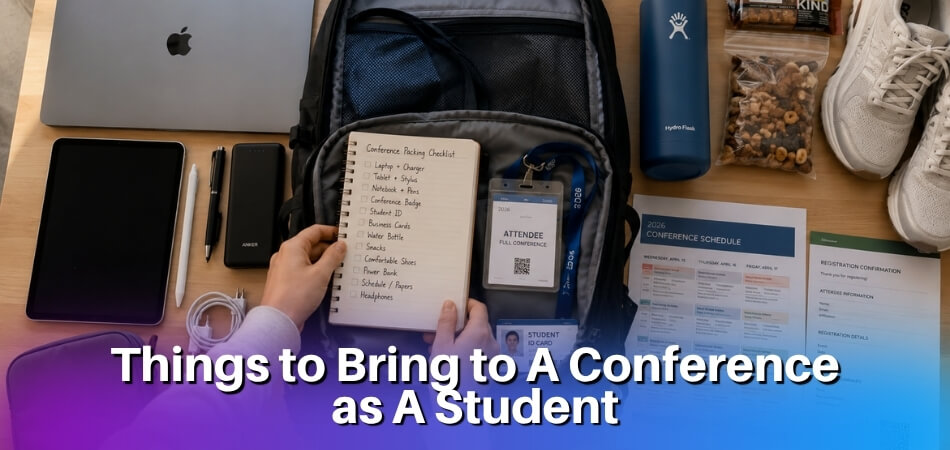
Your role decides your priorities: attendees need the basics, presenters need backups, and poster presenters need a way to carry and hang their work. The table below is the short version, and the next section explains each category. Pick up your badge early on the day, and keep the programme (print or app) on you.
| Category | Everyone | If you present | If you show a poster |
|---|---|---|---|
| Documents | Registration confirmation, student ID, funding award letter | Letter confirming your presentation, if your funder asks for one | Same as presenters |
| Tech | Phone, portable charger | Laptop, charger, adapter, USB drive, cloud copy of slides | PDF of the poster on your phone |
| Presenting kit | None | Clicker, printed slides as a reference | Rigid poster tube, pushpins or Velcro, tape and scissors, one-page summary with your email |
| Notes and networking | Notebook and pen or a notes app, business cards if you have them, programme | Updated LinkedIn profile | Business cards |
| Comfort | Comfortable shoes (venues are large and the day is longer than a campus day), light layer, water bottle, snacks, regular medication | Quiet time before your slot | Shoes you can stand in for two hours |
The Essential Packing List (By Category)
Every student needs a core set of items covered before leaving home: documents first, then power, then notes, comfort and health.
Documents and ID
These are the items that get you through the door, so treat them as non-negotiable.
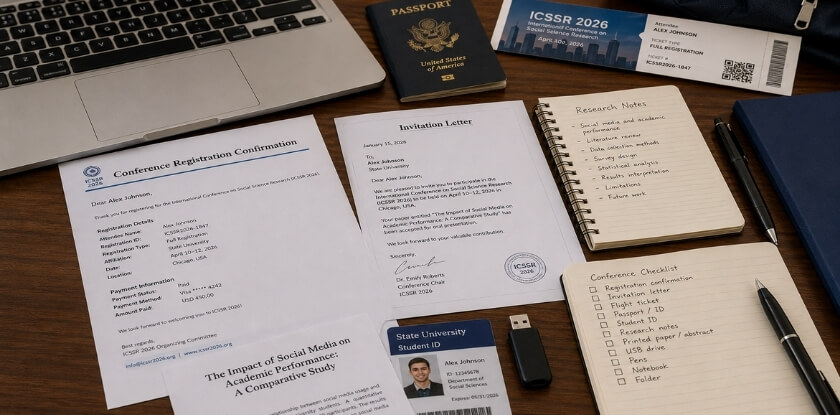
Bring your conference registration documents, printed and stored digitally, so you never depend on a single format. Venue Wi-Fi can be unreliable, and you do not want to stand at the check-in desk with no signal trying to find a confirmation email. Bring your student ID too. Some conferences, venues, hotels or local transit systems offer student rates, but only if you can show the card, so check each offer before you rely on it. Keep your badge, confirmation and ID together in one pocket or a small pouch so you are not digging through your bag at every check-in point.
If you received a travel grant or campus travel funding, keep the reimbursement paperwork and a copy of the award letter with you rather than leaving them at home. Reimbursement can depend on it, and some institutions require receipts to match an approved budget line, so receipts alone may not be enough without the original funding documents.
Pack a few business cards if you have them. A card with your name, institution, programme and email does the job, and a simple card with your university email is still useful if you are an undergraduate who feels cards are premature. Cards matter more where you expect to meet people from industry and less in purely academic circles, where people tend to look each other up online. If you have none, offer to write your email address down or share your contact details from your phone. After a conversation, jot the person’s name and one detail about what you discussed on the card itself or in your notes app, so your follow-up feels specific rather than generic.
Tech and Power
A conference day runs long, and outlets in session rooms are rarely within reach.
A portable charger is one of the most practical things you can carry. Choose one that can charge your phone fully at least once, so you get through a full day. Outlets can be scarce, and you will be on your phone or laptop all day. If you fly, keep it in your carry-on bag and not in checked luggage: CATSA’s battery guidelines say power banks belong in carry-on baggage, and some airlines also restrict using one onboard, so check yours. If you are presenting, bring your laptop fully charged and your own adapter, since you cannot assume the presenter’s station has a working one for your model, because adapters can go missing from AV carts. How to back up your slides is covered in the presenting section below.
Note-Taking Supplies
You will absorb a lot across panels, keynotes and hallway conversations, so decide in advance how to capture it.
Note-taking apps such as Notion, Evernote or Google Docs work well if you type quickly and your device is charged. Notion lets you build a running structure, tagging sessions by theme and linking speaker names to follow-up tasks. Google Docs saves to the cloud as you type, so if your laptop dies you have not lost anything. Pick one before you leave and stick with it, since switching mid-event leaves fragmented notes you will not bother to merge later.
A small notebook and a reliable pen still have a place. Battery anxiety is real, and some plenary sessions or workshops discourage open laptops. Rough notes on paper plus a digital app for organizing them afterward is a combination that suits many students.
Bring the conference programme, printed or downloaded. Download the PDF schedule the night before so you can read it offline, and mark the sessions you plan to attend and which ones clash. That way you are not deciding in a crowded hallway between talks.
Clothing and Comfort
Dress norms vary by discipline, country and host institution, and business casual is a safe starting point if nothing is stated. If the organiser does not state a dress code, look at photos from earlier editions on the conference website, or ask your advisor. When in doubt, dress slightly more formally for your presentation slot and more relaxed for general sessions. A blazer or cardigan you can take off adapts to both. One or two clean, presentable outfits cover most schedules, so you do not need a new wardrobe.
Comfortable shoes matter. You will be on your feet during breaks, poster sessions and receptions, so wear something you can stand in for six hours without regret. Add a light layer too, because hotel and convention-centre air conditioning can run cold whatever the weather outside, and a chilly ballroom during a two-hour panel is miserable.
Health and Wellness Basics
Conferences compress a lot of social and intellectual intensity into a short window, which takes a physical toll even when things go well.
Pack your regular medications and keep them with you, not in checked luggage if you are flying. A few pain relievers, throat lozenges and a reusable water bottle cover the common problems: headaches, dry air and the dehydration that comes from talking more than usual. Headphones help if you need quiet time between sessions.
Mental health preparation is worth taking seriously. If you are presenting, leave time before your session to decompress rather than sprinting from a networking lunch to the podium. Even fifteen minutes of quiet helps. Spot a place to reset in advance, such as an empty hallway, a courtyard or an unused breakout room, especially if crowds are hard for you.
A snack or two in your bag is practical, not fussy. Catering runs out, lunch breaks run short, and a 3pm energy crash during a session you wanted to attend is easy to avoid.
If You Are Presenting: Extra Items to Pack
If you present, pack backups for the files, the display and your own nerves, because you have more to track and less margin for “I will figure it out when I get there.”
Your Presentation Files
Keep your slides in three places: on your laptop, on a USB drive, and in a cloud folder you can open from any browser. AV setups vary wildly. Some rooms have a podium computer you must use, others ask you to connect your own machine, and many do not have the adapter you need. Double-check the room setup in advance if you can. The USB drive covers the podium computer, and the cloud copy covers the morning your laptop refuses to start.
If your slides include embedded video or audio, test the file on a different machine before the event. Fonts and media often break when slides move between computers, especially between Mac and Windows.
For Poster Presentations
Your poster is the main item, but a few extras matter. Confirm in advance whether the venue supplies easels and mounting materials, because many do not, and whether you need to print the poster yourself. Carry the poster in a rigid tube rather than folded in a bag. If you fly, carry the tube on board rather than checking it, since tubes can get lost, and label it with your name and contact details.
Bring pushpins or Velcro strips, because organisers sometimes run out, plus clear tape, scissors and a marker for quick repairs. Ask whether the poster area has power, since some do not, and charge your devices beforehand. A one-page printed summary with your email address in the header or footer suits people who want to follow up but will not stand and read the whole poster, and a sign-up sheet works for anyone who wants the full paper. Keep a pen and small notepad to write down comments and new contacts. Keep a PDF of the poster on your laptop and phone as well, so anyone who wants a photo or a copy can get a clean digital version on the spot.
Backup Presentation Tools
A portable charger matters even more when you present. Your laptop may need to run during your session and your phone may be your timer, while your battery is already lower after travel and morning logistics.
A clicker or laser pointer is worth bringing if you own one (many USB clickers also advance slides), since rooms do not always supply them and walking up to the screen to point looks awkward.
A printed copy of your slides as a speaker reference helps if the room setup keeps you away from your laptop screen, because paper notes save you from craning your neck.
Documents Specific to Presenters
If you received a travel grant or student funding, bring the paperwork. Reimbursement can require original receipts, a copy of your registration documents and sometimes a letter confirming your presentation. Some institutions ask for proof of participation before releasing campus travel funding. Graduate and undergraduate students can have separate reimbursement processes, so confirm yours with your department administrator before you leave.
Presenter Etiquette on the Day
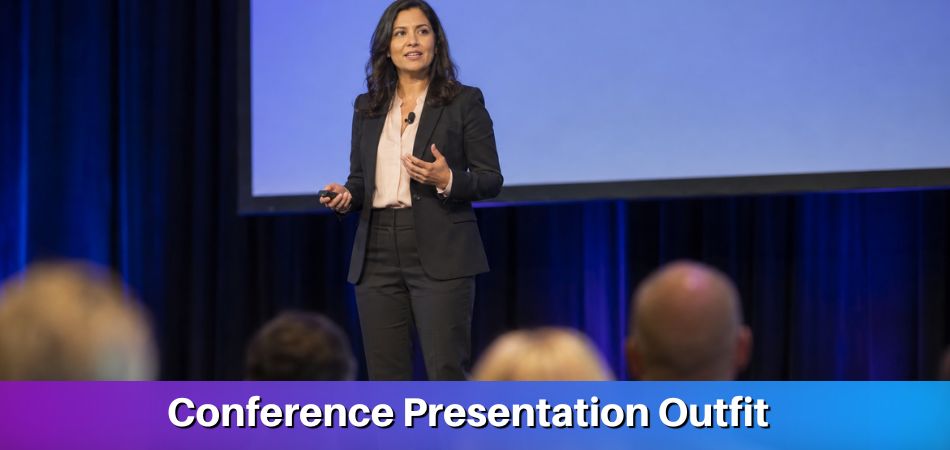
Presenters are often advised to dress a step more formally than attendees, although norms differ between fields, so err slightly formal until you know the room. Arrive at your session room at least 15 minutes early to load your slides, test the display, meet the session chair and get a feel for the space. Showing up two minutes before you are on adds pressure you do not need.
After Your Session
Plan your follow-up before you leave home. When someone asks for your slides or shows interest in your research, send a short email within 48 hours. Draft a template in Google Docs or Notion before you travel so you are not writing it from scratch in a hotel room, and collect contact details during and after your session. Connect on LinkedIn the same day, because a badge and a handshake are easy to forget while a connection and a short email are not.
Budget-Friendly Packing Tips for Students
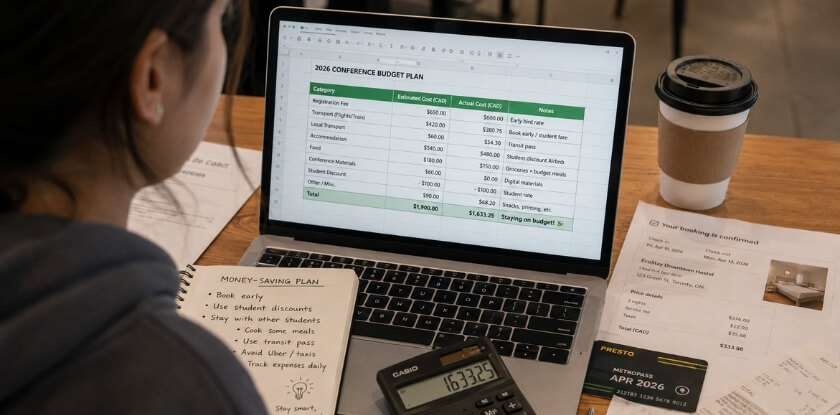
Packing on a student budget means being selective about what you buy, borrow or improvise, and a few smart decisions can save real money without leaving you underprepared.
Check What Is Already Available to You
Your institution may already offer more than you expect. Your library may lend portable chargers, presentation clickers or even luggage. Campus IT sometimes has USB drives and adapters. Your department may also cover the printing of an academic poster, so ask before you pay at a print shop.
Pack Smart to Cut Costs on the Road
Long sessions between meals drain your focus, so a little planning pays off.
- Bring your own snacks. Venue food is expensive, and a few granola bars or nuts cost almost nothing.
- Do not buy a new notebook. Any spiral notebook from your backpack works. Notion, Evernote and Google Docs are free if you prefer digital.
- Avoid printing what you do not need. If the conference has a programme app, use it instead of the printed booklet, and save your printing budget for your poster or handouts.
- Keep business cards simple. Order a small batch from an online print service, or skip cards and share your details from your phone. A basic card with your name, institution, email and LinkedIn profile is enough.
- Register early and share costs. Some events charge more after an early registration period, so check the registration page for deadlines and student rates. Ask classmates or your student chapter about sharing a hotel room or registering as a group.
Funding and Student Rates
Travel grants are easy to miss if you do not know they exist or assume you will not qualify. Check your graduate school office, your department administrator and your student government, and look for student presenter awards from professional associations. Many conferences also list a student rate, so check the conference website, and bring your student ID and registration documents to check-in because some on-site discounts require proof at the door. The funding section later in this guide covers where to look and what to keep.
Digital Tools and Apps to Use at the Conference
Your phone and laptop turn scattered handwritten notes into something usable afterward, and they make networking less awkward in the moment.
For Note-Taking
Sessions move fast. In a panel, speakers can cover several papers in a short time, and if you only scribble by hand you may miss part of it. Set up a simple template in your chosen app before you leave home, organised by session, speaker or theme. Evernote is a solid choice if you prefer tagging notes for later search, and Google Docs is the simplest if you switch between phone and laptop mid-session.
For Networking and Contacts
Business cards end up at the bottom of your bag and you forget who half the people were. A better habit: after meeting someone interesting, open LinkedIn on your phone, connect right then, and add a short note while the conversation is fresh.
If you present, update your LinkedIn profile before you leave with your paper or poster title, institution and research area. People you meet will look you up, and a sparse profile does not help.
Some larger conferences have their own apps, and a programme app can replace the printed booklet. Download the official app as soon as it is available, since it may include the programme, session maps and attendee lists. This saves you from carrying a paper schedule everywhere.
For Managing the Schedule
Use the app or a simple Google Doc to block out the sessions you want each day, including any meals or events tied to your funding requirements. Some funders, including campus travel funding offices, ask for a short report afterward, so a running log of sessions attended makes it much easier to write.
You will use your phone constantly for notes, maps, LinkedIn and the conference app, so keep that portable charger within reach, because hotel and convention-centre outlets can be far from where you need them.
What NOT to Bring to a Conference
Leave behind paper, spare gadgets, extra clothes and unfinished work, because overpacking creates more problems than it solves.
Too Much Paper
Print one copy of your schedule, your hotel confirmation and your key notes if you want a backup. You do not need a full printed copy of every paper on the programme, a stack of research articles or printouts of slides from sessions you plan to attend. Digital is lighter and easier to search.
Your Entire Wardrobe
Check the dress expectations once, pack accordingly and stop there. You do not need a different outfit for every session. Two or three days of clean, professional clothes cover most conference schedules without filling your bag.
Expensive or Irreplaceable Items
Leave valuable jewellery, extra gadgets and anything you would be upset to lose. Venues are busy and hotel rooms are not vaults. Bring your laptop if you need it for slides or a poster, but do not pack a second device just in case.
A Bulky Backpack Stuffed with Everything
A heavy bag slows you down between sessions, especially at large venues. Bring a slim bag or tote that fits your laptop, portable charger, badge, business cards and notebook, with a little room for the handouts and flyers you pick up. If more than that is rattling around in there, reconsider.
Anxiety About Networking
This one is not physical, but it is worth addressing. It is tempting to prepare a script of everything you want to say to every researcher you have read. You do not need a rehearsed pitch for every interaction, because conversations are often short and casual. Carry your cards, have LinkedIn ready on your phone and let the conversation happen naturally.
Work You Will Not Actually Do
If you tell yourself you will catch up on coursework, finish a chapter or clear a week of emails between sessions, you probably will not. Conferences are dense, social and tiring, so bring only what relates to the conference itself.
Academic Conference Etiquette Students Often Overlook
Good etiquette comes down to arriving on time, staying quiet in sessions, wearing your badge and being considerate when you network, and a few missteps can leave a poor impression on future supervisors, collaborators or references.

During Sessions
- Arrive before the session starts. Slipping in late during a talk is disruptive, especially in smaller rooms. If you are late, stay near the back.
- Silence everything. Vibration too, since a phone buzzing on a hard surface during a quiet Q&A distracts the speaker and everyone nearby.
- Stay for the full session if you can. Leaving mid-talk is visible to the speaker. If you must leave early, sit near the aisle and slip out at a natural pause.
- Ask questions thoughtfully. Q&A time is limited, so ask one short, focused question rather than a three-part question with commentary. A question that turns into a display of knowledge uses time the speaker and audience need.
At a Poster Presentation
Walk up when the presenter is not already mid-explanation with someone else. Make eye contact and let them begin, rather than reading the poster aloud or interrupting a pitch to ask something they were about to cover. If you are presenting, stay near your poster for the full session, because stepping away for long stretches means missing the people who came to see your work. If nobody stops, see the FAQ below for a simple way to start a conversation.
Networking Without Being Awkward
Networking can feel uncomfortable, especially for undergraduates at a first event, and “just talk to people” is not much help.
- Introduce yourself with context. “Hi, I’m [name], a second-year PhD student at [university] working on [topic]” gives the other person something to respond to. A bare name and institution does not.
- Do not monopolise senior researchers. If a well-known professor is talking to several people, join the edge of the group, contribute if it is natural, and move on. Cornering someone for a 20-minute chat when they are clearly heading to the next session reflects poorly on your awareness.
- Exchange contact details at the right moment. A card or LinkedIn connection makes sense after a real exchange, not as an opening move.
Using Your Phone and Laptop
Taking notes on a laptop is normal. Live-posting sessions is allowed at some conferences, but check whether the presenter has asked for no recording or no social media, usually shown by a slide icon or a request at the start. Do not browse unrelated material during a talk, since you are sitting in a visible room, not a library carrel.
The Conference Badge
Wear it, visible and facing forward at chest height. People use it to identify you during networking, and organisers use it to confirm you are registered. Tucking it in a bag and pulling it out at the door creates delays and looks unprofessional. If your badge has the wrong name or affiliation, go to the registration desk at the first opportunity, because people scanning badges to remember who they met will see the error.
Mental Health and Pacing
Conferences are intense, especially for presenters running on travel fatigue and nerves. You do not have to attend every session. Choosing two or three high-priority sessions over eight back-to-back ones often leads to better conversations and better retention.
Post-Conference Follow-Up Checklist
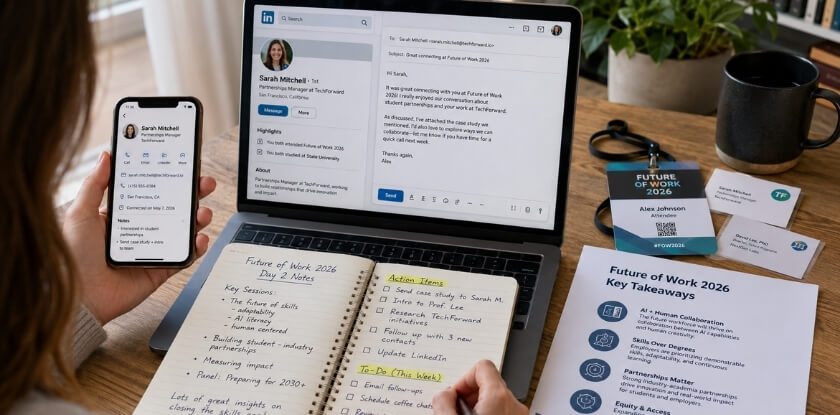
Within 48 hours of leaving, send your follow-up emails, update LinkedIn, tidy your notes and start your expense paperwork, because that is when the value of attending is easiest to keep or lose.
Send Your Follow-Up Emails
Keep it short and specific: remind them where you met, reference something from your conversation, and say one thing you are taking away from it or what you would like to stay in touch about. A few genuine sentences work better than a polished form letter.
Faculty, researchers whose work overlaps with yours and potential collaborators are your priority messages, and a direct email to someone who could affect your academic path carries more weight than a LinkedIn request. For fellow students, a LinkedIn connection with a short note is usually enough. Be selective about who you want to stay in contact with. A request sent the same evening with a note lands as a real follow-up, while one sent a week later with no message means almost nothing.
Update Your LinkedIn Profile
If you presented, add the conference name, your paper or poster title and the date. This matters when you apply for research positions, internships or PhD programmes. If you attended without presenting, you can still mention the conference in your summary section as part of your research activity.
Organize Your Notes
Open the app you used and spend 30 minutes cleaning it up while your shorthand still makes sense. Tag anything relevant to your current research or thesis. If someone recommended a paper, book or tool, add it to a reading list now, because these recommendations disappear fast.
File Your Expense Reports
If you received a travel grant or any student funding, your institution almost certainly requires receipts and a short report within a set window that may be short, so check the requirements immediately. Keep your badge, programme and registration confirmation together in one folder, digital or physical, since proof of attendance is a standard requirement. If you documented receipts from day one, this takes minutes. Receipts gathered weeks later with missing documentation are an avoidable headache.
Reflect on What You Learned (and What You’d Do Differently)
Keep it informal. A few notes on which sessions helped, how your talk or poster went, what questions caught you off guard and what you would pack differently next time are useful to your future self. If you received feedback in Q&A, write it down and revisit it for your next draft or submission, because it is informal but often sharper than written reviewer comments.
Start Thinking About Next Year
Many conferences open their calls for abstracts several months before the event. If you attended this time and want to present next year, note the submission timeline now and set a calendar reminder. Planning far enough ahead to submit makes presenting next year much easier.
Conference Funding and Grants for Students (Brief Note)
Many students assume they must pay for attendance entirely out of pocket, but funding may be available, so look before you start worrying about budget.
Your University Is a Good First Place to Look
Some universities have some form of campus travel funding, though amounts and eligibility vary a lot by institution and department.
- Graduate student funding comes first for many people. Some programmes allocate a small annual travel budget per student, especially for presenters. Ask your department coordinator or graduate advisor first.
- Undergraduate funding exists too, though it is less publicised. Research offices, honours programmes and student government bodies sometimes have travel grants for conference attendance, and you may need to apply early in the semester.
- Departmental awards are sometimes separate from university-wide grants, so a department may have its own fund that appears in no central portal.
Grants from Conference Organizers
Some conferences and professional associations offer student registration rates, student presenter awards or travel grants. Look on the conference website, usually under “Registration” or “Funding”, and confirm any student rate before you assume it applies. If a travel grant is offered, apply even if you are unsure you qualify, since applications are typically short.
A Few Practical Notes
Apply for funding before you book anything, because some grants require pre-approval or reimbursement based on receipts, and some have deadlines months ahead. Keep every receipt for registration, transport and accommodation, since departmental reimbursements often need documentation even if the grant does not come through. Confirm whether the award covers conference registration as a separate line or bundles it all together, because some students get caught out when registration is not explicitly included.
From our experience at MS International: Our conferences are held in person in the Greater Toronto Area, and students can take part as a registered attendee (listener) or as a presenting author. Presenting authors submit first, go through double-blind review (about 10 working days) and register after acceptance. The confirmation email states the check-in time, and you collect your badge at check-in. Presenting authors should keep a backup copy of the presentation on a USB drive. Fees are shown on each event page by category, and registrations are non-refundable (except in rare cases approved in writing) and non-transferable, so check the event page for your category before you budget.
FAQ: Packing for a Conference as a Student
Packing as a student brings up business cards, laptop versus phone, the dress code and the fix when registration documents get left behind.
Do I really need business cards as a student?
No, cards are optional. If you bring some, keep them simple: name, institution, email and LinkedIn URL. A small batch costs little, and you can skip them if the people you want to meet are easy to find online.
What should I do if I forget my conference registration documents?
Search your email for the confirmation, which is usually a PDF or reference number you can open on your phone. If you cannot find it, ask the registration desk to look you up with your photo ID. A digital copy in your cloud storage prevents the problem.
Is a laptop necessary, or can I get by with just my phone?
A phone is enough if you only attend talks, paired with a note-taking app such as Notion or Evernote. Bring a laptop if you present, attend a hands-on workshop that asks for one, or need to get work done. If you present, add a USB drive with your slides as a backup.
What is the dress code at most academic conferences?
It depends on the host and field, and some organisers set none. If nothing is stated, business casual is a safe starting point, and presenters can dress a notch up. Check the conference page or ask your advisor, and step it up if the programme mentions a formal dinner or awards reception.
How do I find out if my school offers travel funding?
Ask your department’s graduate coordinator or your undergraduate research office, then search your university’s research or graduate school pages for “travel grant” or “student funding”. Apply before you book, since some grants need pre-approval.
Should I follow up with people I meet, and how soon?
Yes, within 48 hours, while the conversation is fresh in both your minds. A short email or LinkedIn note referring to what you talked about is enough.
What if I’m presenting a poster and nobody stops to look?
It happens in large poster sessions. Stand beside your poster rather than in front of it, make eye contact, smile and offer a one-sentence summary of what you studied and found. A clear title and large main points also help people who only skim.
Is it normal to feel overwhelmed at a conference?
Yes, completely. Crowded rooms, packed schedules and high-stakes networking are a lot, especially for first-timers. Build in small breaks, step outside between sessions if you need to, and do not feel obliged to attend every panel.
Final Thoughts
Packing for a conference as a student comes down to preparation over panic. Know what you are bringing, know where your documents are, and have a plan for the day before you leave. The basics stay the same for a first-year undergraduate at a first event or a graduate student presenting a poster: show up ready to engage, not scrambling.