A speaker introduction can fail before it finishes. It runs two or three minutes too long, it sounds like someone skimming a résumé out loud, and by the time the speaker reaches the podium the audience has stopped listening. That lost energy is hard to win back, and the speaker spends the first minutes of the keynote earning attention that a sharper introduction would have kept in the room.
Quick answer: To introduce a keynote speaker, give one or two specific credentials, connect them to the topic, say the name correctly, and hand off to the stage cleanly, usually in 30 to 90 seconds. Confirm the pronunciation and a current bio with the speaker beforehand, say the name last, and lead the applause. The same four steps work at a corporate conference, a university event or a first-time volunteer role.
Below you will find the formula in detail, word-for-word scripts for common settings, and practical advice on researching the speaker, name pronunciation, virtual events, last-minute changes and the handoff itself.
The Core Formula for a Keynote Speaker Introduction
A keynote introduction has four jobs: establish credibility, name the topic, pronounce the name correctly and hand off cleanly. The biggest risk is trying to say too much. The emcee reads the whole bio, pads it with compliments and fumbles the name. The four steps below cut all of that.
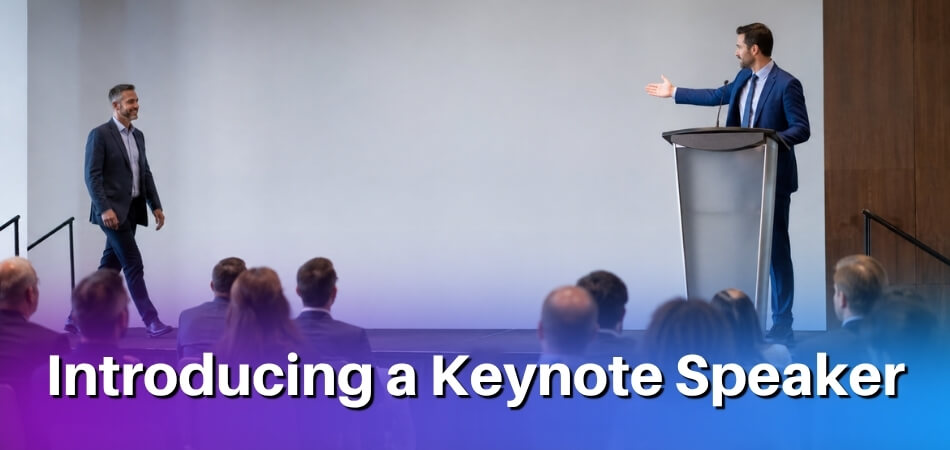
Each step does one job, and together they fit inside a minute.
| Step | Job | Time |
|---|---|---|
| 1. Credibility | One or two relevant credentials, said plainly | 10 to 15 seconds |
| 2. Topic | One sentence linking the speaker to the talk | About 10 seconds |
| 3. Name | Pronounce it correctly, with confidence | About 5 seconds |
| 4. Handoff | Say the name once more, gesture, step aside | 5 to 10 seconds |
Step 1: Establish Credibility (10 to 15 seconds)
Give the audience one or two reasons to trust the speaker before they have said a word. One or two, not six. Pull the most relevant credential from the bio and say it plainly.
At a supply chain conference you might say: “Our next speaker has spent fifteen years running logistics operations across Southeast Asia, most recently as VP of Operations at a regional firm serving over forty distribution centers.”
That is enough. The audience has context and is ready to listen instead of waiting through a Wikipedia page.
Step 2: Mention the Topic (10 seconds)
Connect the background to what the speaker is about to discuss. The sentence tells the audience what they will learn and keeps the introduction from sounding like a recited résumé.
“Today, she’ll be sharing a practical framework for reducing last-mile delivery costs without compromising customer timelines.”
Keep it to one sentence. If the organizer gave you a session title, use it word for word. It matches the program and sounds intentional.
If a draft still feels flat, test it against four questions: why this speaker, why this subject, why this audience and why now. A good introduction answers all four in a few sentences.
Step 3: Pronounce the Name Correctly (5 seconds)
A mispronounced name quietly undermines everything before it. If the name is unfamiliar, contact the organizer or the speaker in advance and ask for a phonetic spelling. Write it on your notes exactly as it sounds.
For a speaker named Nkechi Eze, your notes might read “En-KEH-chee EH-zeh.” Practice it aloud several times before you go on stage. At academic events, where a scholar’s identity is tied closely to their name, a slip is especially noticeable. Audiences catch it, and the speaker feels it.
Step 4: Clean Stage Handoff (5 to 10 seconds)
The handoff is the last thing the audience hears from you before the keynote begins, so keep it direct. Skip the theatrical pause and the “please give a HUGE round of applause” buildup that forces a reaction. Say the name once more, clearly, and gesture toward the speaker.
A clean handoff sounds like this: “Please join me in welcoming Nkechi Eze.”
Then move away from the center of the stage before she reaches the microphone. A half-step back is not enough. Your exit tells the audience to shift their attention, so do not linger at this point.
Putting It Together: A Full Keynote Introduction
This is how the four steps read as one introduction, written to be spoken. It is a sample with an invented speaker, so swap in your own details.
“For fifteen years our next speaker has run logistics operations in Southeast Asia, and she recently led operations at a regional firm with over forty distribution centers. Many of us are asking how to move goods faster without raising costs, and she has spent her career on that question. Her session this morning is a practical framework for cutting last-mile delivery costs while keeping customer timelines intact. Please join me in welcoming Nkechi Eze.”
Nothing is wasted and nothing is missing, so the speaker walks into a room that is already primed to listen. Spoken at a normal pace, this runs roughly 30 to 40 seconds, and you could add another sentence or two and still stay under a minute. Speaking rates vary by person and setting, and common guides put everyday speech at about 120 to 150 words per minute, so a 30 to 90 second introduction is roughly 60 to 225 words. Published guides range from about 30 seconds to two minutes for a keynote, so time yourself reading it aloud and cut anything that pushes you past 90 seconds.
Ready-to-Use Speaker Introduction Scripts by Event Type
The four steps stay the same in every setting, but the tone changes. A corporate conference needs precision and brevity, a church event calls for warmth, and a wedding is about joy more than credentials. The table shows what to emphasize, and the scripts below give you a working draft for each. All names, numbers and organizations in the scripts are placeholders or invented examples, so replace them with confirmed facts.
| Event | Lead with | Tone of the handoff |
|---|---|---|
| Conference or seminar | A credential that matters to this audience | Efficient, then step aside |
| Corporate | Titles, companies and measurable outcomes; skip “renowned expert” | Confident, tied to the business theme |
| Academic or university | Institution, publications or research focus; one precise credential beats four vague ones | Formal |
| Church or community | Connection: how long they have been involved and what the talk means for the room | Warmer |
| Wedding or social | A short relational note instead of credentials | Warm and brief |
| Virtual | Same as in person, but tighter | Verbal cue, not a gesture |
Conference or Seminar Introduction
At a professional conference or seminar the audience expects the emcee to be efficient. They came for the content, not the introduction. Keep the language clean, mention credentials that matter to this audience and get out of the way.
Sample script:
Our next speaker has spent [X] years working at the intersection of supply chain logistics and predictive analytics. She has advised large companies on several continents and recently led the operations restructuring at [Company Name]. This morning she’ll walk us through what the data says about last-mile delivery failures and what operations teams can do differently starting now. Please welcome [Dr. / Ms. / Mr.] [Full Name].
Corporate or Business Event Introduction
Executives in the room may already know the speaker, or think they do. As master of ceremonies, your job is to reframe that familiarity and remind the room why this person’s view is worth an hour of their attention given this year’s theme or business challenge.
Sample script:
We brought [First Name] [Last Name] in for a reason. [He/She/They] built [Company Name] from a two-person consultancy into a [X]-person firm and sold it in a difficult market. [He/She/They] now advises leadership teams on scaling without losing culture, which is exactly what we have been wrestling with this year. Please give a warm welcome to [Full Name].
That script runs under 45 seconds. It builds credibility through a concrete business result, ties it to the audience’s situation and ends with the handoff. If the bio you received before the event does not match what the speaker now wants highlighted, this lean structure is easy to swap out on short notice.
Academic or University Event Introduction
Academic audiences value precision. State the speaker’s institution and research area accurately, because an error in a title or department will be noticed immediately. Still, do not recite the CV. Choose two or three credentials that connect to the keynote topic.
Sample script:
Our speaker today is a Professor of Developmental Psychology at [University Name] and the author of [Book Title]. Her current research examines how early language exposure shapes long-term cognitive outcomes, and it has been supported by [Funding Body]. She is here to share what that research means for classroom practice. Please welcome Professor [Full Name].
At a graduation ceremony, convocation or named lecture series you may be expected to read an official citation supplied by the institution. Read it as written, then give the name and the handoff. Do not editorialize on top of formal academic language, because the tone clash is awkward.
Conference Session Presenter Introduction
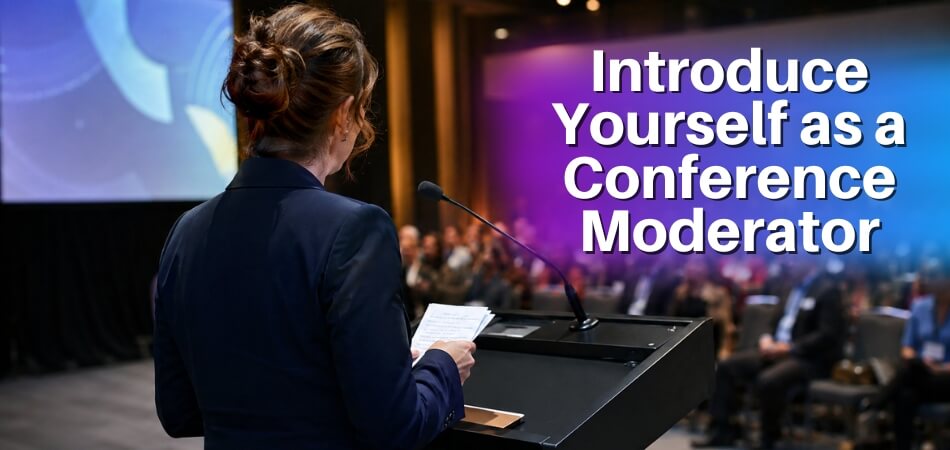
In a parallel session at an academic conference, the introduction is usually shorter than for a keynote. The chair or moderator names the talk, the authors and their affiliations, and who will present, then hands off. The printed programme already holds these details, so the spoken version confirms them and makes the presenter’s name easy to hear.
Sample script:
Our next presentation is “[Paper Title]” by [Author One] and [Author Two] of [University Name]. [Presenter’s Full Name] will present it. Please welcome [Presenter’s Full Name].
Check the title, the author order and the presenter’s name against the final programme just before the session, because changes can arrive late.
Wedding or Social Event Introduction
The goal at a wedding is joy, not credentials. The room is already emotionally engaged, so your job is to channel that warmth toward the speaker, usually a family member or close friend. Replace the credential step with a short relational note and make the topic step a one-line preview of the toast.
Sample script:
Most of you know [Speaker’s First Name], and if you don’t, you’re about to understand why [Bride/Groom’s Name] couldn’t imagine today without [him/her/them]. [He/She/They] has been [Bride/Groom’s Name]’s [relationship, such as best friend, brother or college roommate] for [X] years, and what [he/she/they] is about to say has been worth waiting for. Please put your hands together for [Speaker’s Full Name].
Name pronunciation matters even more at personal events. A mispronounced family name at a wedding gets remembered, so confirm it beforehand and practice it aloud, not just in your head.
Church or Community Event Introduction
At a church or community event the audience responds to humility and shared purpose more than status. The speaker’s link to the mission of the event matters more than a list of achievements, so keep it personal and grounded.
Sample script:
We’re grateful to have [Full Name] with us tonight. [He/She/They] has served as [role, such as lead pastor, director or founder] at [Organization Name] for [X] years and has worked closely with communities much like ours on [relevant issue, such as housing, grief or youth outreach]. [His/Her/Their] message tonight is titled “[Title],” and we believe it’s what we need to hear right now. Please welcome [Full Name].
The phrase “we believe” is deliberate. It signals that the organizers and the community stand behind the speaker, so the speaker feels endorsed, not just announced.
How to Gather Information About the Speaker Before the Event
Ask the speaker or organizer for a current bio, the exact talk title and the name pronunciation at least a week before the event, ideally two. The quality of your introduction depends almost entirely on what you know going in. A vague line like “please welcome our next speaker, who has done a lot of great work in this field” tells the audience nothing and gives the speaker a cold start.
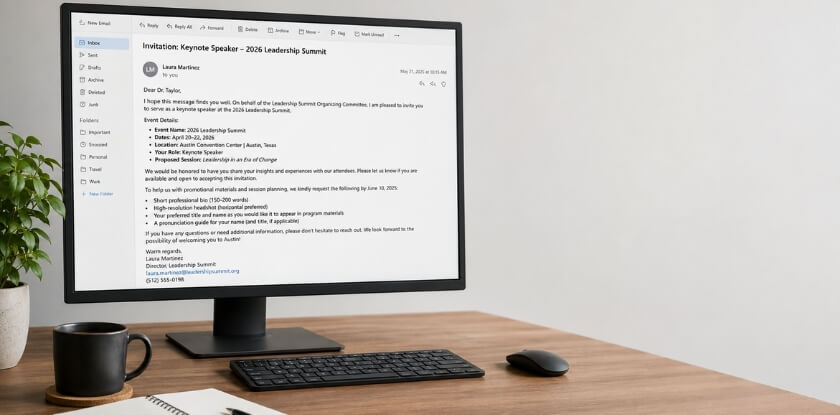
What to Ask the Speaker or Organizer
Bios sent the night before often contain outdated titles, wrong affiliations or credentials that do not match the audience’s interests. Ask for these specifics:
- A preferred written introduction or intro video, if the speaker has one
- The speaker’s current title and organization (not what a website listed three years ago)
- The exact title of the talk
- One or two credentials directly relevant to the audience, not the entire CV
- Any recent achievement, publication or project they would like mentioned
- Anything they would prefer you leave out
That last question matters. Some speakers have changed companies, rebranded or shifted careers and do not want an outdated affiliation announced to a full room.
If the speaker supplies a preferred introduction, use its facts as written, adapt the wording for the room and clear any edits with the speaker. If you are working from a general bio, treat it as raw material. A full-page bio is not an introduction script. Read it for two or three facts that will land with this specific audience and leave the rest.
If you can, also spend two minutes with the speaker before the session and ask for one true personal detail, such as why they chose the topic. It gives the introduction a human line that a bio cannot.
How to Confirm Name Pronunciation
Ask the speaker directly, and ask early. Getting the name wrong is the fastest way to undercut your credibility before you have said anything else, and it signals that you did not prepare. In your email, include a line like: “Could you write out the pronunciation of your name phonetically, or record a short voice memo?” Asking shows you prepared, and it costs the speaker one line.
For names you are uncertain about, write your own phonetic version and send it back to confirm: “I want to make sure I get this right. I’m planning to say ‘Ay-mee Nuh-KAHN-do.’ Does that sound correct?” The exchange takes a minute and removes the stumble at the podium.
For virtual events, ask the speaker to say their name at the start of a pre-event tech check. You hear it once, repeat it back and you are set.
If you cannot reach the speaker, ask the organizer, or look for recorded interviews, podcasts or panel recordings online. Hearing someone say their own name is far more reliable than any written guide, so listen for it and repeat it back to yourself a few times.
One habit helps on the day: write the phonetic spelling in large print on your notes card, right next to the name. With nerves running and a podium light in your eyes, you will be glad you did.
How to Introduce a Speaker at a Virtual or Online Event
Introducing a keynote speaker in person and on a video call feel similar until you are actually in the moment, and the mechanics are different enough to think through separately. The formula is unchanged on a video call: credibility, topic, name, handoff. What changes is how it lands on an audience watching through a screen, so tighten it and make the handoff verbal.
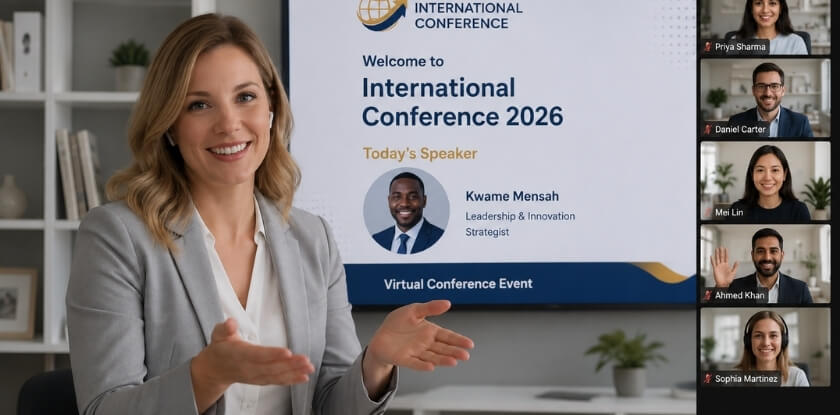
What Changes in a Virtual Setting
- Silence reads as technical failure. In a room a brief pause feels natural. Online, two seconds of silence makes attendees wonder if something froze. Keep your pacing steady and slightly brisker than you would use in a ballroom.
- You cannot read the room. On a Zoom call or live stream you are largely guessing, so write the introduction tighter. Fewer words means less risk of losing people before the speaker appears.
- The handoff needs a verbal cue. You cannot wave toward a podium. Stop sharing your camera feed or screen, name how the speaker will appear (“Nkechi will now take over the main screen”) and end with something explicit such as “Please welcome [Name]. Over to you.” Mute or silence the virtual room before you finish speaking, or the transition feels abrupt.
- Your own setup is part of the introduction. A fuzzy microphone or a cluttered background undercuts the credibility you are building. Test your audio, lighting and background before the event starts.
Platform-Specific Adjustments
- For a webinar with attendees on mute, there is no applause. Either acknowledge that upfront or simply end with “Please join me in welcoming [Name]” and let the speaker begin without waiting for a response that will not come.
- For a hybrid event, with some people in the room and some remote, address both groups. Mention the online audience at least once, for example “for those in the room and those joining online,” so they do not feel like an afterthought.
- For a recorded or on-demand session, the introduction may be pre-recorded separately or cut from the final edit. Check with the organizer so you know what format you are introducing into.
Speakers sometimes drop off, swap slots or have connectivity problems in virtual events, so keep a backup of the bio in a document you can read from your screen. If the schedule shifts just before you go live, a calm line is enough: “We’ve made a small adjustment to our schedule, and I’m pleased to introduce…” No further explanation is needed.
A Sample Virtual Introduction
This is a tight virtual introduction written for the format, with an invented speaker:
“Good morning, everyone, and welcome to today’s session.
Our next speaker has spent fifteen years working at the intersection of behavioral economics and organizational design. She has advised large companies on how teams make decisions under pressure, and her research has appeared in leading management journals.
Today she’ll be talking about how pressure shapes high-stakes leadership decisions.
Please join me in welcoming Dr. Sarah Chen. Dr. Chen, the floor is yours.”
It runs about 40 seconds, names the topic specifically and ends with a handoff that works without applause or a stage to walk toward.
How to Introduce a Speaker You Don’t Know Well
You do not need to know someone well to introduce them well. You need three things: how to say the name, the current role or affiliation, and one specific reason they are qualified to speak on this topic today. Sometimes you are handed a bio ten minutes before the session, or the original emcee drops out and you step in cold. It does not have to derail anything.
Get the Essentials First
- Name pronunciation. Ask the speaker, even if you think you know it: “Just want to make sure I say your name perfectly. Can you say it for me?” It takes five seconds.
- Current title and organization. Bios go out of date fast. Someone listed as “VP of Marketing at Acme Corp” may have moved on six months ago, so confirm with them or the organizer what they want used.
- One concrete credential. A single specific detail beats a paragraph of vague praise. “She led the curriculum redesign across seven schools” is stronger than “She has extensive experience in the education sector.”
Keep It Honest and Tight
If you know very little about the speaker, do not compensate with filler. A short, confident introduction carries more weight than a padded one. Open with why the topic matters to this audience right now, give the one credential you confirmed, say the name clearly and hand over.
Avoid phrases like “I’m sure you’ll agree she’s amazing” or “I know you’re going to love this.” You are promising something you cannot guarantee. If you really have nothing more, it is fine to say “I’ll let Dr. Ramirez tell you far more about her work than I can.” Acknowledge it briefly, keep your credibility and hand off.
What to Say When You Have Almost Nothing
With only a name and a topic, this skeleton works:
Our next speaker has spent [X] years focused on [topic area]. Today [she/he/they] will address [specific subject of the keynote]. Please welcome [full name, stated clearly].
It covers credibility, topic and handoff, which is everything a conference introduction needs to accomplish. You can flesh it out if you have more, but you do not need more to make it work. Three clean, unhesitant sentences read as more professional than a rambling attempt that signals you are improvising. If there is no usable bio at all, say only what you can verify: the title, the organization and the topic.

How to Handle Last-Minute Changes to the Introduction
Stay calm, keep the structure (everything else, then the name) and do not announce to the audience that anything changed. They have no idea what the original version said. Last-minute changes are normal at live events: the speaker sends an updated bio thirty minutes before doors open, the organizer swaps the running order, or you learn mid-afternoon that you have been mispronouncing the name all along. None of these has to derail the introduction, but you do need a system for handling them quickly.
When the Speaker Updates Their Bio
A speaker’s team may email a longer, PR-polished version an hour before the program. Do not use it wholesale, since such bios are written for program booklets, not for speaking. Skim for one or two new facts that matter to this audience, swap them into your script and keep the rest.
Keep a printed backup of your original script. If you work from a screen and a change comes in, paper means you always have something in hand, and editing by pen is faster than reformatting a document on the fly.
When the Running Order Changes
A panel runs long, a speaker cancels or the keynote moves earlier. If your introduction refers to a moment in the program (“After this morning’s workshop, we’re ready to bring it all together…”), that framing may no longer fit. Keep a time-neutral version with no references to “this afternoon” or “the previous session.” It survives any reshuffle.
When the Speaker Asks You to Skip a Credential
Sometimes the organizer hands you a revised bio thirty seconds before you walk out, or the speaker asks you to drop a credential they mentioned earlier. Adjust quickly, cross it out on your notes and keep the structure intact. Do not explain the change to the audience.
When You Discover You Mispronounced the Name
If you find out late, go straight to the speaker or their contact and ask for a quick audio demo or phonetic spelling, and put it in large text at the top of your script. If you realize mid-introduction that you said it wrong, correct it once, briefly, and keep moving: “Apologies, Dr. Reyes, please come on up.” Dwelling on it draws more attention than the mistake did. Apologize privately afterward if you want to.
When You Have No Updated Information at All
Sometimes the speaker’s bio never arrives, or the one you have is outdated and nobody can reach the speaker’s team. Use what you can verify: the title, the organization and the topic they are about to address. A short, accurate introduction beats a long one full of details you are not sure about.
A Quick Pre-Event Habit
About fifteen minutes before you go on, read the introduction once aloud using the final confirmed version. Check the pronunciation, confirm the title and organization are current and make sure the handoff line still fits the program as it now stands. That single pass catches most problems before they become live ones.
Good Opening Lines for a Speaker Introduction
Open with a reason the audience should care, not with a handoff line. The first sentence sets the energy. A weak opener such as “So, um, our next speaker needs no introduction” puts the audience on autopilot, while a strong one pulls the room in. These are starting points to adapt, not magic formulas.
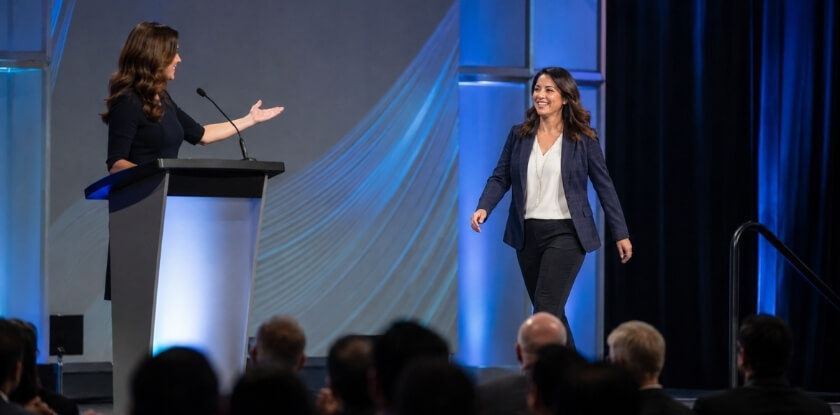
Lines That Establish Why This Moment Matters
- Connect the topic to the room. Name the challenge the audience is sitting with, then bridge to the speaker. “Every person in this room is trying to do more with smaller teams, and our next speaker has spent years building the systems that make that possible.”
- Reference the event’s theme. “We’ve spent the morning talking about what’s changing in supply chain logistics. This next keynote addresses what to do about it.”
- Name the audience’s goal. “You didn’t come here for theory. Our next speaker will give you something you can use before you leave this building.”
Lines That Lead With Credibility
These suit academic or university events, or any setting where the audience expects credentials up front.
- Lead with a specific achievement, not a title. “Dr. Alvarez led the study that changed how hospitals in six countries track post-surgical outcomes” lands harder than “Dr. Alvarez is a respected researcher.” (Both lines are invented examples; use a real result from the bio.)
- Name the scale of the work. “She has trained managers on four continents” is one line that shows this person has earned the stage. Use a real figure from the bio.
- Reference a publication the audience already knows. “You may have read the piece he wrote last spring, the one everyone was sharing.” It builds credibility and creates a moment of recognition.
Lines for More Personal Contexts
At a wedding, church or community event, hard credentials can feel out of place. The opener should feel warm without being generic.
- Tie the speaker to the people in the room. “Most of the people sitting in this church have known Pastor Williams since before this building existed. Tonight she’s going to share something she’s never said from this pulpit.”
- Use a brief, true story beat. “Three years ago, Marcus gave a talk at a school in this neighborhood. I’ve heard from parents tonight about what that talk changed for them.” Only use a story you know to be true.
What to Avoid in the Opening Line
- “Please join me in welcoming…” as the first words. It is a handoff line, not an opener. Save it for the end.
- “Needs no introduction.” It can leave the audience feeling talked down to, and it skips the one job an introduction has.
- Vague superlatives. “An incredible, world-class thought leader” tells the audience nothing and sounds like a press kit.
- Apologizing or hedging. “I’m not great at this, but…” or “I was only given his bio this morning, so…” The audience does not need to know.
- A rhetorical question nobody can answer. “Have you ever wondered what it would take to completely transform your organization?” sounds like a webinar ad and sends people to their phones.
How to Hand Off to the Speaker (Closing the Introduction)
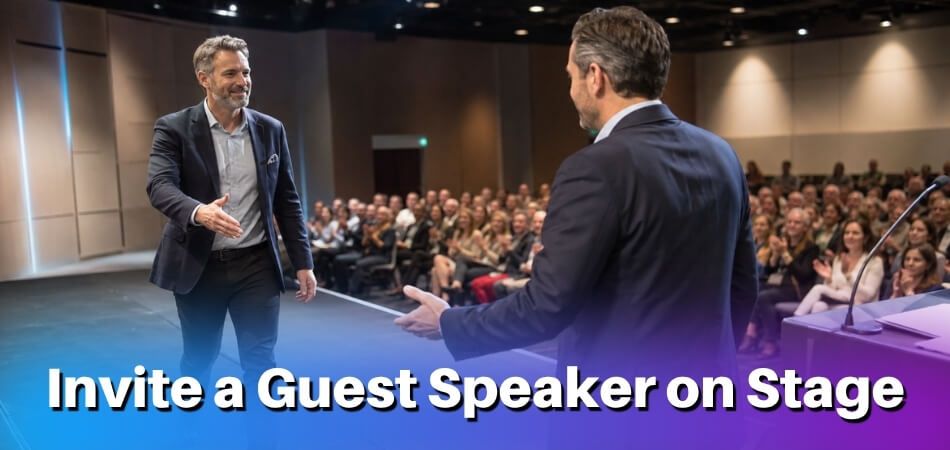
Say the name last, lead the applause and step away. The last five seconds matter as much as the first five. A clean handoff gives the speaker a strong entry, while a fumbled one, such as trailing off, repeating yourself or clapping before the speaker is anywhere near the stage, leaves a gap the speaker then has to recover from.
Say the Name Last
This is the most important structural choice. When you say the name, the audience applauds. If the name comes mid-introduction, applause interrupts your remaining sentences and the speaker waits. If it comes at the very end, the applause carries them to the stage. Everything else first, then the name. Pause briefly before it, then say it clearly and with some energy. If the name is not printed in the program or the audience may not know it, repeat it once.
A standard closing phrase:
Please join me in welcoming to the stage Dr. Amara Reyes.
For a more formal setting:
Ladies and gentlemen, please welcome your keynote speaker, Dr. Amara Reyes.
For a casual or community event:
Let’s welcome Marcus Hale.
In each case there is a welcoming cue, then the name as the final word.
Start the Applause Yourself
Do not wait to see whether the audience will clap. Start as you say the name, or right after. When you lead, the audience follows, and the speaker walks into an engaged room. If you are at a podium, step back and turn slightly toward where the speaker will enter, which tells the audience where to look.
Give the Speaker a Clear Path
Before the event, confirm where the speaker enters from and where they are headed: podium, chair or center stage. You do not want to finish your introduction while the speaker walks across the room in silence.
At a virtual event, stop sharing your screen if applicable, say “I’ll hand things over to you now” and unmute the speaker if you control the session settings. A quick cue like “You’re live, Dr. Reyes” confirms they have the floor.
After the Handoff, Get Out of the Way
Once you have said the name and started the applause, your role is done. Step away from the microphone, move to the side and let the speaker take over. Do not hover, lean in for a side comment or adjust the microphone stand unless asked. Return to the podium only for Q&A or the next segment. Your clean exit is what moves the audience’s full attention to the speaker.
How to Start Your Keynote Speech After Being Introduced (A Brief Guide for Speakers Receiving the Handoff)
If you are the speaker, thank the emcee in one sentence and go straight to a strong first line. Most of this article is written for the emcee or organizer doing the introducing, but when you are the speaker stepping up afterwards, the first 20 seconds are yours to own or fumble, and it is worth thinking them through before you get on stage.
Walk Up With Intention
When your name is announced, the audience watches how you move. Walk to the podium or stage front at a steady, unhurried pace and let that transition settle before you say a word. Do not shuffle through notes while applause is still going. Once at the microphone, resist the urge to start the second you arrive. A pause of two or three seconds signals confidence and lets the room settle on you.
Acknowledge the Introduction Briefly
“Thank you, Sarah” is enough. A long, gushing reply (“Oh my goodness, that was such a wonderful introduction, I’m so honored to be here with all of you incredible people…”) burns attention before your opening begins. If the introduction mentioned something accurate about your work, you can briefly affirm it. If a name was mispronounced or something was slightly off, correct it lightly: “It’s actually McCaffrey, but I’ve answered to much worse.” Then move on.
Bridge Into Your Opening
Do not summarize what was just said about you, since the bio has been covered. Make the audience curious about what comes next. A clean bridge is simply a strong first line that connects to your topic. Open with a question, a short story or a striking fact, and go straight there after your acknowledgment. The handoff is complete, and your job is to fill the room, not recap the introduction.
A Few Things to Keep in Mind
- Check the mic before you start. If the emcee was shorter or taller than you, adjust the stand or podium mic before your first full sentence, not during it.
- Do not correct an oversold or outdated credential in public. Let it go. Correcting it undermines the credibility the introduction just built.
- Have your opening memorized. The first 60 seconds are the hardest place to lose your place, and reading notes right after the handoff splits your attention.
- At virtual events, state the format. Briefly say whether you will take live questions, when the chat is open and how long you will speak.
The introduction and the opening work best as one connected moment. A clean handoff followed by a composed start tells the audience they are in good hands.
Common Mistakes to Avoid
The common errors are small habits that quietly undercut the speaker’s entrance. Even experienced emcees and organizers make them, and they make the audience work harder than it should. The name-related ones are covered in the pronunciation sections above.
Reading the Bio Verbatim
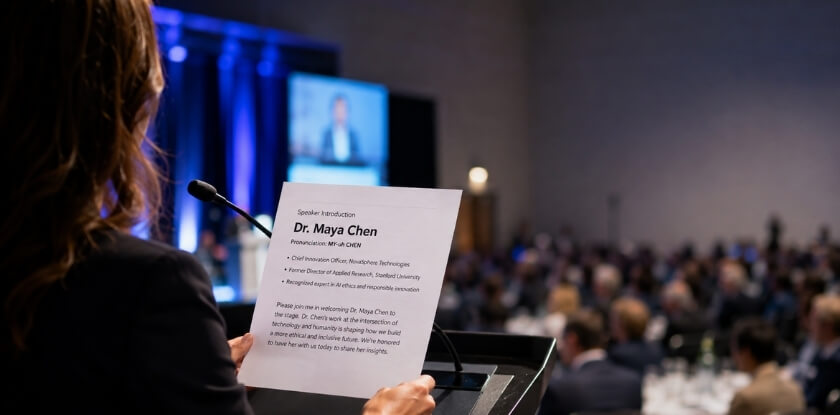
Reading the bio word for word is the easiest mistake to make. Bios are written for printed programs and websites, not as scripts, so read aloud they sound like a résumé being dictated, and the audience zones out around the third credential. Build your own sentences around two or three points that fit the event’s theme. The goal is to give the audience a reason to care, not a complete professional history.
Making the Introduction About Yourself
Sharing your own connection to the topic can seem warm, but it turns the introduction into a mini-speech. “I’ve personally struggled with this too” or a story about how you met the speaker shifts the focus the wrong way. Keep it on the audience’s relationship with the topic.
Telegraphing the Keynote
Lines like “She’s going to share five strategies for…” or “He’ll cover why remote work has changed everything” are well-intentioned but blunt the speaker’s opening. Name the topic briefly and leave the substance to the speaker.
Running Long
Going past 90 seconds signals that you have not prepared. Introductions that stretch to three or four minutes do not build anticipation, they drain it, because the audience came to hear the keynote speaker and not the person introducing them. If you have timed yourself and you are over 90 seconds, cut something.
Skipping the Handoff
Ending without a clean handoff leaves an awkward gap. Some emcees simply trail off, or start clapping before the speaker’s name has landed clearly. The closing line should give the full name, start the applause and take you away from the podium at once.
Winging It
Speaking off the cuff because the task “seems simple” usually produces a rambling result. Because the task is short, people skip rehearsal and the weak spots show. Even a casual 45-second introduction benefits from a written script or a few rehearsed bullet points. The shorter the task, the more precisely it needs doing.
From our experience at MS International: At our in-person conferences in the Greater Toronto Area, the moderator introduces each speaker before the presentation. For most applicants the route to the programme is the presenting-author track: submit for review, then register after acceptance. Keynote and invited roles are arranged separately with the organizing team and are not obtained by buying an author ticket. Speakers are asked to keep their name, title, organization and presentation topic accurate, and to tell us promptly if any of them change, so the details a moderator reads out stay correct.
FAQ
Asked to introduce the keynote? Emcees tend to get stuck on a missing bio, adding humor, who writes the script and a last-minute change requested by the speaker.
How long should a keynote speaker introduction be?
Aim for about 30 to 60 seconds, treat 90 seconds as a comfortable limit and two minutes as the ceiling. Audiences came to hear the speaker, not learn the full biography.
Do I need to memorize the introduction or can I read it?
You can read it from a card or sheet, and many emcees do. What matters is that you look up often and speak with confidence, not that you recite from memory.
What if I mispronounce the speaker’s name?
Correct it once, briefly, and keep going, then apologize privately afterward. To avoid it, ask the speaker beforehand for a phonetic spelling or a voice memo. If you are still unsure at the event, ask someone who knows them personally right before you go on.
Should I introduce myself before introducing the speaker?
Only if the audience does not know who you are. One sentence such as “I’m [name], your emcee for today” is enough, then move on.
What if the speaker didn’t send me a bio?
Ask the organizer or the speaker for three facts: current title and organization, talk title and name pronunciation. If you get no reply, pull two or three facts from their official website and confirm anything you are unsure about before you say it.
Can I add humor to a speaker introduction?
Yes, lightly, if you know the audience and the tone of the event supports it. Keep any joke short and kind to the speaker. A corporate conference calls for a different register than a wedding or a fundraiser. When in doubt, leave the jokes out.
What’s the difference between a speaker introduction and a stage announcement?
A stage announcement is purely logistical, such as “Please welcome our next speaker.” A speaker introduction gives the audience a reason to be interested before the person even opens their mouth. The four-step formula does that, and the announcement alone does not.
Who is responsible for writing the introduction, the emcee or the speaker?
Ideally the speaker supplies a draft and the emcee adapts it for the room. If the speaker sends nothing, the emcee writes it from available sources. Either way, the person delivering it owns it.
Does the format change for an academic or university event?
The structure stays the same, but the credentials you emphasize shift. Institutional affiliation, research areas and published work carry more weight than corporate titles or revenue figures.
What if the speaker asks me to change the introduction at the last minute?
Make the change if you can do it cleanly. Note the update on your cards, read it back quietly to yourself once, and do not announce it to the audience.
Final Thoughts
A keynote introduction is a small job with an outsized effect. Get the name right, say why this person belongs at the front of the room, and hand off cleanly. Then step aside and let the speaker do the rest.