You have prepared for weeks. You know the agenda, you have read every panelist’s bio, and your questions are lined up. Then the organizer hands you the mic, and your own name suddenly feels unfamiliar. This guide is for the person at the front chairing the session, not the attendee networking in the corridor.
Quick answer: As a conference moderator, introduce yourself in 20 to 45 seconds: say your name and role, add one sentence on why you are the right person for this session, name the session and what it will answer, then hand over to the first speaker. Leave out your CV, speaker bios and long housekeeping.
How to Introduce Yourself as a Conference Moderator
Open with your name, your role and one line of relevance, then frame the session and hand over. Your introduction does two jobs: it gives the audience a reason to trust you, and it sets the pace for everything after it. Keep it short.
The skeleton has four parts:
- Your name and current role
- One sentence linking your background to the session topic
- A short frame of the session (what it covers and how it will run)
- A handoff to the panelists or the first speaker
You can stretch or squeeze each part. A formal academic programme, a fast technology event and a workshop where people already know each other all need slightly different proportions, and the sections below show how.
What a Basic Moderator Introduction Sounds Like
Here is a plain version you can adapt straight away:
Good morning, everyone. I’m [Your Name], a senior researcher at [Institute], and I’ll be moderating today’s panel on [topic]. We have [four] panelists joining us, and after their opening remarks we will open the floor for questions. Let’s get started.
Once the placeholders are filled in, that is about 45 words, or roughly 20 seconds at a normal speaking pace. It works in most rooms. For online sessions, add one line about the format and the chat (see the virtual section below).
What a Moderator Introduction Should Actually Do
It tells the room who is in charge, what the session is about, and how to behave. If you know the job, the content picks itself.

It Establishes Your Authority Without Overselling It
The audience needs a reason to trust the person steering the next hour. A sentence or two about your field, your role, or a credential tied to this topic is enough. The detail should match the room: institution and research area at an academic conference, clinical specialty or editorial role at a medical one, industry position at a tech event. A moderator who spends three minutes on credentials before the first panelist speaks has already lost people.
It Frames the Session for the Room
People arrive with different levels of context. Some read the whole programme; others came on a colleague’s tip. Naming the session and giving a one-sentence version of its focus puts everyone at the same starting point, and it saves the first panelist from doing that work.
It Sets the Tone
How you speak tells the audience how to behave. A brisk opening signals a fast, practical session. A measured one signals precision. An easy, conversational one in a workshop signals that participation is expected. The register you choose in the first minute tends to become the room’s register.
It Lets the Room Settle
This one gets overlooked. A calm opening gives people a moment to put phones away and get oriented. Jumping straight to the first panelist can leave a half-distracted audience behind.
How Long Should a Moderator Introduction Be
Your own introduction should take 20 to 45 seconds, and the whole opening (framing and housekeeping included) usually runs from 60 seconds to about 2 minutes. These are rules of thumb, not official standards, and your organizer’s moderator instructions come first. At a comfortable pace of roughly 130 words a minute, 20 to 45 seconds is about 45 to 100 words, and an opening of 60 seconds to 2 minutes is about 130 to 260 words.
| Setting | Your own introduction | Whole opening | What matters most |
|---|---|---|---|
| Academic or medical conference | 30 to 45 seconds | 90 seconds to 2 minutes | Credentials, the session’s place in the programme, why the topic matters now |
| Tech or industry event | 20 to 30 seconds | About 60 seconds | Name, topic, panelists, move on |
| Virtual session | About 20 seconds (two sentences) | Under 60 seconds, plus a short logistics note | Format, where questions go |
| Workshop or working group | 20 to 30 seconds | About a minute | What the group will produce together |
A virtual opening needs the tightest timing because attention drops faster on a screen. Handle mute buttons, Q&A links and chat guidelines as a separate short practical note before or after your personal introduction, rather than folding everything into one slow block. A workshop is its own case: if you are facilitating a working group rather than moderating a panel, participants often know the topic and each other, so a quick personal intro and a frame of what you will accomplish together is enough. Two minutes is a sensible ceiling. If you regularly run past it in rehearsal, you have included something that does not belong.
What Eats Up Time Unnecessarily
Long introductions rarely cover the right things slowly. They cover the wrong things.
- Reading full bios. Listing every credential on a panelist’s sheet can burn 90 seconds per person. Pick one or two lines relevant to this session; the full bio is usually in the programme.
- Explaining the topic at length. The audience chose this session, so they know the subject. Frame the question, not the background. Two sentences usually do it.
- Over-qualifying your own role. Lines like “I was only asked to do this last week” or extended jokes about stage fright use seconds and give nothing back.
- Anecdotes, teasers and technical apologies. A long story, a preview of every question you plan to ask, or an apology for the slides are all dilution.
The Core Structure: What to Include (and in What Order)
Go in this order: name and role, credentials, session frame, link to the panelists. That sequence lets the audience settle, sets the panelists up well, and gives the session momentum from the first minute.
State Your Name and Role
People move between sessions, check programmes and arrive mid-flow, so they need a clear anchor. Say your name and what you are doing in this room: “I’m [Name], and I’ll be moderating this afternoon’s panel on health data privacy.” You do not need a rhetorical question or a dramatic opener.
If the host or organizer has already introduced you from the stage, do not repeat it; add only what is missing. If nobody introduces you, do it yourself. Toastmasters International’s June 2023 magazine guide to panel moderators says to give your name and title, because you are part of the discussion and your credibility matters.
On a video call this matters more. Faces are small, names are easy to miss and people join late, so say your name when you open and again when you formally begin the session.
Briefly Establish Your Credentials
One or two sentences, using the credential most relevant to this session. At a medical conference that is your clinical or research background; at a tech event, your role or company; at an academic one, usually your institution and field.
The test is relevance. If you are moderating a panel on AI ethics at a tech conference, a decade spent building ethics frameworks at a large technology firm belongs in your introduction; a public speaking award does not. If the link is obvious from your title, one line is plenty. If it is not, a short explanation earns credibility without eating into the session.
Compare “I’ve spent eight years in [field] and have chaired sessions at [number] earlier meetings of this society” with “I have a PhD and have published widely across disciplines.” The first tells the audience what they need. The second tells them almost nothing. If your direct expertise is thin, still name your connection to the topic, even if it is organizational or editorial rather than scholarly. Say so honestly; do not pad.
Frame the Session Topic and Its Purpose
Name the topic, then sharpen it. Session titles are broad by necessity. “We are here to discuss the future of AI in surgery” is a title. “What we are trying to work out today is where liability sits when an AI-assisted procedure goes wrong” is a frame that makes people lean forward.
Keep it to two or three sentences. If the topic needs history, a panelist can supply it; your job is orientation, not education. For a workshop, say what participants will produce or practise: “By the end you’ll have a working draft of your stakeholder communication plan” beats “we’ll be exploring communication strategies.”
Connect Yourself to the Panelists
A short bridge shows you know who these people are and why they share a stage. You are not introducing each panelist here; that is a separate step. Something like: “I’ve spoken with each panelist ahead of today, and they start from quite different positions on these questions, which is exactly what we want.” Only say it if it is true.
At an academic conference you might name a shared research area or a live disagreement in the literature. At an industry event, a shared professional context works. Either way, you are building a line between yourself, the panelists and the topic before you hand over the mic.
Sample Moderator Introduction Scripts
Use these as starting points and put them in your own words; a recited script always sounds stiffer than one you have made yours. Each follows the core structure. The virtual script sits in its own section below.
Formal Conference (Academic or Medical Setting)
Academic and medical audiences expect precision, so keep the tone measured and the scope specific. If you are chairing a clinical session, the same shape applies.
“Good morning, and welcome. I’m [Dr. Name], and I’ll chair this session on [topic]. I’m a clinical researcher at [University], where my work focuses on [area], which is why I asked to take this panel.
We have ninety minutes. Four panelists will present findings from [three] studies, and then we move to a structured Q&A. I’ll keep time and step in if questions run long, so please hold yours for the final segment.
Our first speaker is [Name].”
Professional/Tech Conference
Business and technology audiences are used to dense information and like a moderator who gets to the point. You can be a little warmer than in a clinical setting, but stay tight.
“Hi everyone, I’m [Name]. I lead [function] at [Company], and I’ve watched the [topic] conversation change a lot in recent years, which makes today’s panel timely.
Three panelists will cover different sides of the question. We have about an hour: short presentations first, then open discussion. I’ll handle transitions and make sure your questions get airtime.
Let’s get into it.”
Paper or Parallel Session
At research conferences you often chair a block of presentations, each with a fixed slot. Say how long each talk is and when questions come. Some organizers ask the chair to name all presenters at the start and give each full introduction (affiliation, title, talk title) when their turn comes; the 2026 NCTE Moderator Guide for Session Chairs does this. Follow your organizer’s instruction.
“Welcome to Session [number]: [session title]. I’m [Name] from [Institution], and I’ll be your chair.
We have [four] papers. Each speaker gets [minutes] minutes, and I’ll hold up a card when [one minute] remains. Questions come after the last paper, and I’ll introduce each speaker just before they begin.
First up, [Name], on [paper title].”
Informal or Workshop-Style Session
In a workshop the moderator’s job is to make the room open enough for people to contribute, without the session turning sloppy.
“Welcome, everyone, and thanks for coming to a session where you’ll do most of the talking. I’m [First name]. I help teams work through [kind of change], which is what we’re here to practise.
This is a working session, not a lecture. I’ll keep us on track, draw out quieter voices and make sure we leave with something usable. We have about [two hours].
To start, tell us your name and the one thing you hope to sort out by the end.”
Formal vs Informal Moderator Introductions: Key Differences
Formal rooms want credentials and precision; informal rooms want a person. A moderator introduction that works at a medical conference can feel stiff at a startup summit, and the reverse is also true. The difference is register, not substance.
What Makes a Setting Formal
Formal conferences tend to be academic, medical, legal or government-affiliated. Credentials matter more visibly, and the room’s tone is usually set before you take the mic. Be brief but credential-forward: title, institution and your direct link to the topic. Use panelists’ full titles (“Dr. [Surname]”, not “[First name]”) and skip warm-up humor.
- Lead with your institutional role. “I’m Professor [Name], chair of the Department of Epidemiology at [University], and I’ll be moderating today’s session on zoonotic disease surveillance.” You do not need to say how excited you are.
- Keep panelist introductions tight and accurate. A publication record or affiliation carries weight here. Read it cleanly, pronounce it correctly and do not editorialize.
What Makes a Setting Informal
Tech summits, creative industry events, workshops, unconferences and many online formats fit here. These audiences respond to a moderator who sounds like a person rather than a role. You can use your first name, acknowledge the crowd (or that everyone has been in sessions together all day), make light of something about the room or the setup, and invite energy from the start. If your role is already known, you can skip the formal credential sentence.
- Lead with what you do, not your title. “I’m [First name], I run product strategy at [Company], and I’ll keep us on track” is warmer than a credentials read.
- Match the panelists’ register. If speakers go by first names and are chatting with the audience, introduce them the same way: first name, one line on what they are known for, done.
- Use the opening line to set energy. “We have a lot to get through and this group is opinionated, which is what we want” signals a participatory session without explaining the format at length.
The Middle Ground: Semi-Formal Sessions
A corporate conference panel, a hybrid academic-industry event or an interactive medical workshop sits between the two. Use your full name and a brief credential without listing every affiliation, introduce panelists by professional title once and then by first name, and state the session purpose clearly without making it sound like a policy statement.
A Practical Side-by-Side
The same moderator can open the same session in two registers:
Formal version: “Good morning. I’m Dr. [Name], Senior Fellow at [Institute], and I’ll chair this session on integrated care models. Our panel represents a range of clinical and policy perspectives, and we have 90 minutes to cover a lot of ground.”
Informal version: “Hey everyone, good to see a full room. I’m [First name]. I work on health policy, I’ve followed this topic for about a decade, and I’m curious what this group makes of it. Three sharp people are on this panel, and we’re going to dig in rather than skim.”
Neither is more authentic. They are calibrated to different rooms.
Introducing Yourself vs Introducing Panelists: What Changes
Your self-introduction establishes your authority to run the session; a panelist introduction establishes theirs to speak on it. Audiences read your introduction as the guide’s and the panelists’ as the experts’, so give each its own moment. The purpose, tone and information you pull forward differ for each. Where a programme note already carries the bios, you may hand part of that task to it.
Your Self-Introduction
Give the audience just enough to trust that you can run the room: one or two lines on relevant background and a sentence on your connection to the topic, within the 20 to 45 seconds above. The tone is confident but neutral. You are signalling competence, not impressing anyone. Leave out your full CV, personal anecdotes, and anything that positions you as a fellow expert rather than a facilitator.
Introducing Your Panelists
This takes more discipline. With four or five people to introduce, the audience can absorb only so much, so allow about 20 to 40 seconds each: two or three credentials, not a bio. Toastmasters International’s June 2023 guide makes the same point, suggesting one to three details per panelist, a quick line on why each person’s insight matters to this discussion, and introductions of roughly equal length. Read the full bio in advance and choose what fits the session’s focus rather than what looks most impressive on a profile page.
- Lead with the credential that fits the session. If a panelist is a bestselling author and also a practising oncologist, open with the oncology at a clinical research symposium.
- Use their preferred name and title. Check beforehand. Academic conferences have strong norms about titles, and a wrong or missing one makes for an awkward start. Confirm how to say each name and write a phonetic spelling in your notes.
- Brief panelists who will introduce themselves. If you let them, you give up some control of the clock. Ask them beforehand to say only who they are and what they do, which is the Toastmasters guidance for that approach.
- Keep the structure parallel. If the first introduction goes name, role, one key contribution, do the same for the rest, or the panel feels uneven before it begins.
The Handoff Moment
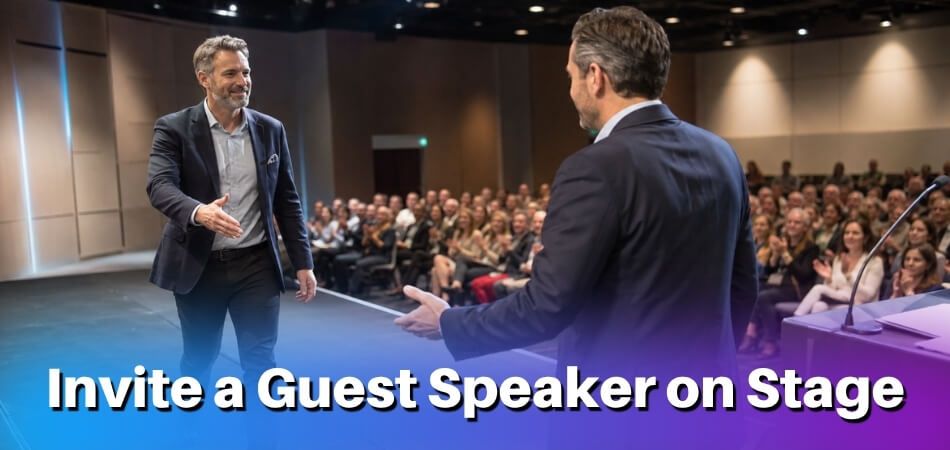
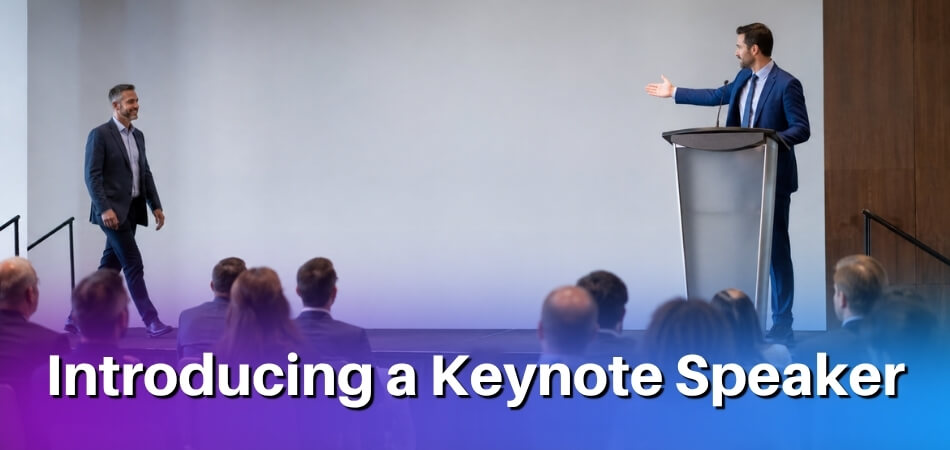
After your own introduction you simply continue into the session framing. After a panelist introduction you hand the floor to that person. In a room, make eye contact as you finish saying their name. Online, say it outright: “I’ll hand it over to [Name] to start us off.”
What the Moderator Does After the Introduction
After you open, your job is to keep time, keep questions orderly and close the session on schedule. Organizer guides such as the 2026 NCTE Moderator Guide for Session Chairs ask chairs to arrive early, confirm the speaker order, review the time limits and how time signals will be given, and remind the audience to hold questions until the end. Each event has its own rules, so read your moderator packet.
| Stage | What you do |
|---|---|
| Before the session | Meet the panelists, confirm names and titles, agree how you will signal time, and plan the schedule. A one-hour panel with five speakers and 20 minutes of Q&A leaves roughly eight minutes each. |
| During presentations | Give a warning when time is nearly up (agree the signals with speakers beforehand; one 2025 society conference used a hand signal at 2 minutes and the moderator standing at 1 minute), and interrupt politely but firmly if someone runs over. |
| Q&A | Hold audience questions until the presentations are done, ask people to keep questions to a sentence, and bring in quieter voices. |
| Closing | Summarize briefly, thank the speakers and audience, and point people to the next item on the programme, the same steps that shape closing remarks for a whole conference. |
Moderator Introduction for Virtual Conferences
On a video call, shorten the introduction and put the format first. The mic handoff is different, eye contact works differently, and your opening has to do more work because room energy is not there to carry you. This section is for the online or hybrid events you may chair.
What Changes on a Screen
Participants are one click from their email, so signal early that this is worth their focus. You also lose the natural pause of walking to a podium, and there is often an awkward “can everyone hear me?” first. Settle the technical check first, then shift gear into your introduction rather than blurring the two.
Whether the session is formal or casual, keep your self-introduction to two sentences: your name and your connection to the topic or event. Then move straight to logistics such as mute etiquette, the question format and session length. A tight intro reads as competent in any format.
Sample Script for a Virtual Session Opening
This works for a professional context such as a tech or medical event, and the structure carries across formats.
Good afternoon, and thank you for joining online. I’m [Name], [role or affiliation], and I’ll be moderating today’s session on [topic].
A quick note on format. We are recording, so you will get a link afterward. Please keep your microphone muted unless you are speaking, and use the raise-hand feature or the chat for questions; I’ll watch both and bring them in at the end.
The session runs until [time]. Our three panelists are [Name, role], [Name, role] and [Name, role]. Each will give a short opening thought, then we move into discussion.
[First panelist], I’d like to start with you.
That is around 100 words, and it covers your role, the frame, the format, the panelists and the handoff without rambling.
One Common Mistake in Virtual Moderation
Spending too long on opening remarks while neglecting the session frame. Virtual attendees join from different time zones, may have sat through several sessions already, and need to see quickly why this one matters. Give the frame in one or two sentences before you introduce individual panelists; that order makes the introductions feel purposeful rather than procedural.
How to Handle Nerves Before You Introduce Yourself
Over-prepare your first 30 seconds and the rest follows. Even experienced speakers feel a spike of adrenaline before taking the mic, and as moderator you are often the first voice the room hears. Nerves respond well to preparation.
Prepare Until the Opening Feels Automatic
Write out your opening lines, say them aloud in the actual room if you can get in, and again in the hotel hallway. When the opening is memorized, your brain does not have to generate language under pressure, which frees attention for eye contact, pacing and listening to the room. You should not sound scripted; you should know the opening well enough that it survives nervousness.
Arrive Early and Own the Physical Space
- Get there before the audience. Check the arrival time in your moderator instructions; one 2025 society conference asked moderators to arrive at least 15 minutes before the session for sound checks. Arriving a little earlier still lets you stand at the front of the empty room and make it familiar.
- Test the microphone. Feedback, odd sensitivity or a handheld when you expected a lapel are surprises you do not want during your introduction. A sound check also lets your voice settle.
- Find where you will stand. It removes one more small decision while you are trying to speak.
Manage Your Body Before You Speak
Slow breathing can help: four counts in, four out, a few times before you walk up. If your shoulders or jaw feel tight, roll the shoulders and open your mouth wide a couple of times. Those are the places where tension tends to catch the voice.
Reframe What Nerves Mean
Anxiety and anticipation feel much alike: a fast heartbeat, heightened alertness, extra energy. None of it hurts your introduction if you do not fight it. You do not need to feel calm to sound composed; you need to know what you will say and trust your preparation.
Larger Rooms and the Camera
At a large academic, medical or tech event, pick two or three faces in different parts of the room and speak toward them in rotation. The audience sees sweeping eye contact; you experience a few small conversations.
Online, the camera replaces the room, and looking into the lens rather than at your own image makes you come across better and feel less self-conscious. Anxiety can also grow on a screen because you cannot see the audience react. Write the first four or five sentences in full and keep them near the lens, then work from loose notes once you are past the opening.
Common Mistakes to Avoid
A few predictable habits weaken a moderator introduction, and each is easy to fix. The first three below are short reminders of points made earlier; the rest are new.
Over-explaining your own credentials
Listing every job title, institution and award shifts attention from the session to you, and spending too long on yourself signals insecurity, not authority. Keep to one or two credentials tied to the topic; if the programme already prints your bio, say even less.
Setting up the topic too vaguely
“Today we’re going to talk about some really important issues in our field” tells the audience nothing. Say what question the session is trying to answer and what tension the panel is exploring. Vague framing hurts most at academic and medical conferences, where the audience knows the subject and wants to see exactly what ground will be covered.
Running too long
Past two minutes, you have probably included something that does not belong, and every extra minute of preamble costs goodwill. Time yourself in practice; if you hit three minutes, cut. Panelist introductions are usually where the time goes, and the fix is simple: drop the career history and keep the current role plus one relevant fact.
Reading straight off a page
Notes are fine, and so is a glance down. But if your eyes are on the page for most of your introduction, you lose the audience before the first panelist speaks. Practise until you can deliver the opening looking up; online, that means looking at the camera.
Introducing yourself and the panelists in the wrong order
A classic structural slip is spending two minutes on yourself and then pivoting with “and now let me tell you about our panelists.” The audience cannot tell where your introduction ends and the session begins. Keep your own introduction brief and first, then move to the frame and the panelist introductions, with a deliberate transition.
Getting a name or title wrong
This is harder to recover from than people expect. A mispronounced name, a wrong title or an inaccurate description of someone’s work undermines you and visibly bothers the panelist. Confirm pronunciation before the session, write it out phonetically in your notes, and use any title someone cares about. A two-minute check prevents the problem.
Using the introduction to preview your own opinions
Once the audience senses that you have a preferred outcome, the panel loses credibility. Stay neutral: you are framing the conversation, not entering it.
Forgetting to explain the format
If people do not know whether there will be Q&A, how long the session runs or when to ask questions, part of their attention goes to wondering. This matters more in workshops and panels than in keynote settings, and thirty seconds of housekeeping at the end of your introduction fixes it. Online, also tell people where to send questions and whether the session is recorded.
Apologizing before you have done anything wrong
Opening with “I’m not sure I’m the best person to moderate this” or “bear with me, I’m nervous” does not earn sympathy; it raises doubt. Channel the nerves into energy and start. Open with something that gives the room confidence, not something that asks for patience.
From our experience at MS International: All our conferences are in person in the Greater Toronto Area, and the moderator introduces each speaker before the presentation. Speakers meet the session coordinator or moderator beforehand to confirm room, speaking time and presentation order, and presentation lengths may vary, so the speaker confirmation and final programme are the official sources. For most applicants, the route to our in-person conferences is the presenting-author track: submit work for review and register after acceptance. Approved speakers receive a certificate after completing the scheduled presentation. If you are asked to moderate, ask the organizers early for the time per talk, the speaking order and how speaker bios will reach you, then write your opening around those facts.
FAQ
Opening a panel as moderator? Speaking in the third person, trimming a long panelist bio, stepping in for a session you were not scheduled for and arrival time all need a decision.
Do I need to have met the panelists before introducing them?
No, it is not required, but contacting each panelist first is strongly advised. A short call or email lets you confirm name pronunciation, title and current focus, and a bio sent in advance works if you cannot talk.
How formal should my moderator introduction be at an academic conference?
Moderately formal: polite, professional and brief. Give your institutional affiliation and the session’s scholarly context in a structured opening, and follow any instructions from the organizer. A casual opener that works at a tech event can feel out of place in an academic room.
Can I introduce myself in the third person?
No, skip it. Third-person self-introductions sound stiff in live settings. Speak directly: “I’m [Name], and I’ll be moderating today’s session.”
What if I don’t have impressive credentials to mention?
You do not need a long résumé. One line on your connection to the topic is enough, for example “I’ve worked in this area for the past three years.” Audiences want to know you can run the session well, not that you have published widely.
How do I handle a panelist introduction if their bio is very long?
Cut it to two or three lines relevant to the session’s topic. About 20 to 40 seconds per panelist is right for most panels, and a 90-second introduction is too long.
Is it okay to use humor in a moderator introduction?
A light, natural comment is fine if it suits the event culture. Prepared jokes can fall flat, and at a medical conference or with a mostly senior audience, stay straightforward.
What should I say if I’m moderating a session I wasn’t originally scheduled for?
Say so plainly: “I’m stepping in today for [Name], who couldn’t be here.” It takes five seconds and prevents confusion, and audiences appreciate the honesty.
Do virtual conferences require a different introduction structure?
The structure stays the same, but add logistics early: how questions will be handled, whether the session is recorded, and how people can flag audio problems. Give them before you hand over to the first panelist.
How early should I arrive before I give my opening remarks?
Arrive early enough to test the microphone and meet the panelists, and follow any arrival time your organizer sets. For a virtual event, log in early, say 15 minutes ahead, for a tech check.
Should my introduction include a summary of the session agenda?
Yes, a brief one. Attendees want to know what is covered and roughly in what order. Two or three sentences are enough; you are orienting the room, not reading the programme aloud.
Final Thoughts
A moderator introduction does not need to be impressive. It needs to be clear, brief and useful to the people in the room: your name, your role, the session frame, and the handoff.
Write your introduction out, say it aloud a few times before the event, and trust that a well-rehearsed minute will carry you through, on a main stage, on a panel or on a video call.