The closing remarks are the last thing your audience will remember, so a rushed thank-you and a wave waste the moment. After hours of presentations, panel discussions, and networking breaks, the conference host or MC steps up, mumbles something about a long day, thanks a few people by name, and sends everyone home. The energy drops. The momentum built by every keynote speaker and every carefully planned session quietly dissolves. That ending is a missed opportunity at an academic conference, a corporate conference, a virtual conference, or a student conference alike.
Quick answer: Write effective closing remarks in four parts: a short recap of two or three key takeaways, specific thanks to speakers, organizers, and attendees, one forward-looking or actionable statement, and a final line that calls back to your opening. As a working guide, keep the whole close to two to four minutes, up to about six for an academic or formal close, and rehearse the last two sentences word for word.
This guide is about closing a whole conference or programme day, usually as the host, MC, or committee chair. Ending a single talk uses some of the same moves (a callback, one action, a last line), but there you recap only your own talk.
What Makes Conference Closing Remarks Effective?
Effective conference closing remarks do three things: they remind the audience what mattered, they express genuine gratitude, and they send people away with something to act on. Strip out any one of those three, and the closing falls flat.
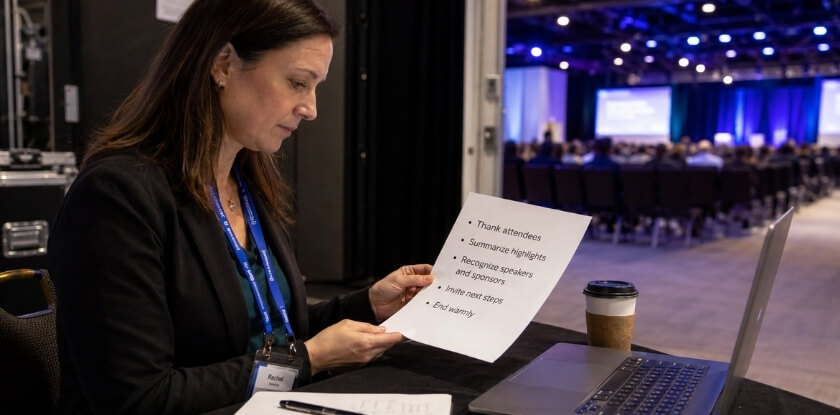
A strong close follows a loose shape:
- Open with a callback. Reference something specific from the day, such as a moment from a keynote speaker’s talk, a line from a panel discussion, or a theme that surfaced repeatedly. It signals that you were actually paying attention, and it gives the audience a shared anchor point.
- Synthesize, don’t just list. Recapping key takeaways means drawing a thread between sessions, not reading an agenda backward. Tell the audience what the conference, taken as a whole, revealed.
- Acknowledge the people who made it happen. Thank-you remarks should name conference organizers, conference speakers, and volunteers specifically where possible. Vague collective thanks feel performative; specific ones feel real.
- End with a forward-looking statement, an actionable statement, or both. They serve different purposes. A forward-looking statement (“We’ll carry these conversations into next year”) builds community. An actionable statement (“Go back to your organization and try one thing from today”) creates immediate personal relevance.
The table below turns that shape into a rough running order for a closing of about four minutes. Treat the timings as a guide, not a rule.
| Part | Its job | Rough time |
|---|---|---|
| Callback opening | Tie the close to something said earlier in the day | 20 to 30 seconds |
| Key takeaways | The themes that connected the day, in plain words | Under 1 minute |
| Thank-you remarks | Speakers, organizers, sponsors, attendees, plus one specific shout-out | 60 to 90 seconds |
| Announcements | Practical next steps such as slides, recordings, or the next event | 20 to 30 seconds |
| Forward-looking or actionable statement | Give people one thing to do or carry | 20 to 30 seconds |
| Final line | A specific, memorable last sentence | 10 seconds |
A memorable closing line doesn’t have to be poetic. It just has to be specific enough that people remember it an hour later. Generic sign-offs (“Thank you all for being here, safe travels”) leave no impression, while a line tied to the day’s content, one the conference host or MC connects back to an opening theme, sticks.
The exact format shifts by context. A student conference or college-level conference often benefits from a more personal, encouraging tone. A professional or corporate conference typically wants precision and a clear call to action. A scientific conference values synthesis over inspiration. Knowing your audience before you write a single word is the most important piece of preparation.
How to Write Conference Closing Remarks: Step-by-Step
Write your closing in four steps: summarize, thank, point forward, and finish with a line that lands. Each component does a specific job, and when they are sequenced well, the audience leaves with something they can actually use.
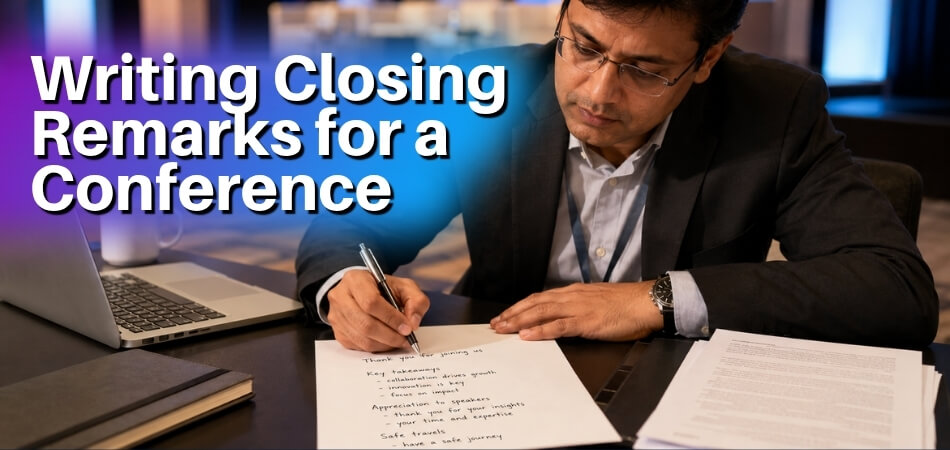
Step 1: Summarize the Key Takeaways
This is the moment to remind your conference attendees what they actually learned, and not everything, just the essentials. Your job isn’t to recap the entire conference program. Pick two or three ideas that ran across multiple sessions and name them clearly.
Think of it as the difference between a highlight reel and a replay. A replay covers everything; a highlight reel gives people what they’ll remember tomorrow.
If you’re the conference host or MC, you have an advantage here: you’ve watched the whole day unfold. Pull one phrase or idea from the keynote speaker, one from a breakout session, one from a panel. Be specific. “[Name]’s point about replication rates in longitudinal studies” lands harder than “we heard some great insights today.”
In an academic or scientific conference setting, precision matters even more, because vague summaries feel like filler. At a corporate or professional conference, your audience wants to know the time was well spent, and a crisp, accurate summary makes that case. Keep the key takeaways portion to about a minute when spoken. Three clear points, stated simply, is enough.
Step 2: Thank the Right People (Without Overdoing It)
Thank-you remarks are expected. They’re also the part of closing remarks that can most easily lose the audience. A two-minute gratitude list read from a phone is not a closing speech. It’s a credits reel.
The fix is to be selective and specific. You don’t need to name every volunteer. You do need to thank the conference speakers, the conference organizers, and the sponsors who made the event possible. If someone went well beyond their role, such as a presenter who stepped in last-minute or a team member who handled a technical crisis, name that person and say why.
For a virtual or online conference, acknowledge the audience’s effort to be present. Attending a full-day online event takes a different kind of discipline than showing up in person, and saying so plainly is appreciated.
At a student or college-level conference, the thank-you often carries extra weight. Students who organized the event put in real work, usually without professional infrastructure behind them. Recognizing that effort specifically gives your remarks texture that a standard script wouldn’t have.
Keep the entire thank-you section to 60 to 90 seconds in a short closing speech, and no more than two to three minutes in a longer event close.
Step 3: Deliver a Forward-Looking or Actionable Statement
This is the part that is easiest to skip, and it’s the part the audience most needs. A forward-looking statement tells people what comes next. An actionable statement gives them something concrete to carry out of the room.
The two aren’t mutually exclusive. “Take one conversation from today and schedule a follow-up before the end of the week” is both. “Keep thinking about these ideas” is neither.
Match the statement to the event. At a scientific conference, it might be a call to pursue a specific collaboration or submit findings to a named journal. At a corporate conference, it could be a challenge to implement one new practice before the next quarter. At a student conference, it might be as direct as “apply for the grant we discussed in session three.”
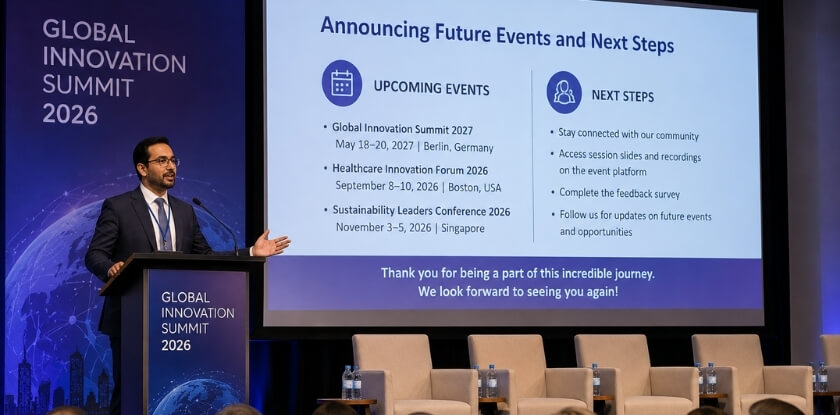
Practical announcements belong here too, just before your final line. If slides, recordings, a feedback survey, or the next event date are coming, say where and roughly when in one or two sentences, then stop. Say who will send each item, so nobody has to guess. Housekeeping that runs on makes the close feel like a notice board.
If the close includes awards, give them their own time instead of squeezing them between thank-yous. Rushing the people being honored costs more goodwill than a slightly longer close does.
The more specific the call to action, the more useful it is. Audience engagement doesn’t end when the last presenter finishes, and your closing remarks are the final handoff to the real world.
A quick test for any draft is two questions: so what, and now what? The recap from Step 1 answers the first, and this step answers the second. If a sentence answers neither, cut it.
Step 4: Close with a Memorable Line or Callback
The last sentence your audience hears is the one they’re most likely to repeat. Make it count.
The callback technique is one of the most reliable tools here. Reference something said earlier in the day, such as a phrase from the keynote speaker, a question raised by an audience member, or even a joke from the morning session, and return to it with fresh meaning. It tells attendees the day had a through-line.
A strong final line has to be true and specific to this event, this audience, this moment. “We came in asking whether this field was ready for that shift. Based on what we heard today, I think we have our answer” works better than a borrowed quote from a famous person who wasn’t in the room.
Storytelling can help too. A short story, 30 seconds at most, that illustrates the central theme of the conference, followed by a single closing line that brings it home, is a clean and memorable structure.
Some speaking coaches draft the final lines first, so everything before them points toward a fixed destination. Try it if your close keeps drifting. Then slow down on the last line. Make eye contact. Let it land before you leave the stage or end the call. In a virtual conference, a brief pause before signing off has the same effect. Your closing remarks should feel like an ending, not just a stop.
Sample Closing Remarks for Different Conference Types
The samples below are starting points. Adapt the names, themes, and details to your event, because the structure in each one is what you’re borrowing, not the exact words.
General / Professional Conference
This template works across most professional settings where the audience is mixed and the tone is formal but warm.
Sample closing remarks:
Good evening, everyone. We came into this room this morning with questions, and I think we’re leaving with something better: a clearer sense of where our field is heading and who else is walking that road with us.
To our conference speakers, thank you for trusting us with your work and your ideas. To our conference organizers, the hours behind the scenes never show until the day goes smoothly, and today went very smoothly. And to every person sitting in this room, your presence made the conversations in these sessions real.
The key takeaways from today don’t belong in a notebook. Take them back to your teams, your clients, your classrooms. This is where a conference earns its value, not in the room, but in what you do after you leave it.
Travel safely. We hope to see you back here next year.
Academic or Scientific Conference
An academic closing needs to honor the rigor of the work presented while still being accessible. Researchers have sat through dense sessions all day, so a clean, human close lands well.
Sample closing remarks:
On behalf of the organizing committee, I want to thank each of you for what you brought to this conference. The papers presented over the past two days represent years of careful thinking, and the discussions that followed them, with their questions, challenges, and moments of genuine disagreement, were exactly what a scientific conference should produce.
Science moves through friction. The best ideas here weren’t just presented; they were tested by the people in these chairs. That’s the point.
To our keynote speaker, Dr. [Name], your opening framing shaped the conversations that followed in ways you may not have anticipated. To our session chairs and reviewers, this program exists because of your time. And to our graduate student presenters, your work was among the strongest in the room, and I mean that without qualification.
[If proceedings are planned: The proceedings will be shared within [timeframe].] Please follow up with the colleagues you met here. Collaborations that start at events like this one often produce work that neither party could have done alone.
Thank you, and good travels home.
Business or Corporate Conference
Corporate closing remarks need to land with clarity and a push toward action. Executives and team leads are thinking about Monday morning, so your close should meet them there.
Sample closing remarks:
We’ve covered a lot of ground today. Strategy, operations, market conditions, and more than a few honest conversations about where the gaps are. That takes confidence, and I want to acknowledge the people in this room for showing up with it.
To our leadership team who designed this program, the intentionality behind today’s agenda didn’t go unnoticed. To our external speakers who told us things we needed to hear rather than things we wanted to hear, that’s genuinely valuable, and we’re grateful for it.
Before you leave, I want to put one challenge in front of you. Each of you heard something today that applies directly to your work. One thing. Write it down tonight and share it with your team by end of week. That single action will do more than any follow-up email we send.
Thank you for being here. The door is open for continued conversation, so find me before you head out.
Virtual or Online Conference
Closing an online conference requires a slightly different approach. Screen fatigue can pull attention down, so be concise and direct. A callback to something said early in the day helps the audience feel the event had shape, even through a screen.
Sample closing remarks:
We started this morning with a question: what does connection look like when we’re not in the same room? I hope the day has given you at least a partial answer.
Hosting a virtual conference comes with real limitations, and you, as attendees, handled them generously. You stayed engaged, you asked smart questions in the chat, and you showed up on time from many different time zones. That’s not a small thing.
To our conference speakers who recorded sessions, ran live Q&As, and dealt with the occasional frozen screen without losing their train of thought, thank you. To the technical team who kept everything running in the background, this event had none of the moments you were quietly preventing all day.
The session recordings will be available on the event platform within [timeframe]. Links to speaker resources and slides are already in your confirmation email. And if you met someone today you want to follow up with, the attendee directory stays live for [number] more weeks.
Thanks for being here, wherever “here” happened to be for you today.
Student or College-Level Conference
A student conference closing feels different from a professional one. The audience is early in their careers, and the close should be encouraging without being patronizing. Acknowledge the real work behind what they presented.
Sample closing remarks:
I want to say something to everyone who presented today: standing up in front of your peers, making an argument, defending your research, and taking questions from faculty in the audience is hard. It is genuinely difficult, and you did it well.
This college-level conference exists because your faculty believed your work was ready to be seen. They were right. What we heard today reflected serious thinking, the kind that doesn’t happen overnight.
To the MC and student coordinators who ran the logistics of this event from the planning stage through to right now: you organized something. That skill, getting people into the right rooms at the right time and keeping the day on track, will be useful for the rest of your careers.
Take the feedback you received from today’s sessions seriously. Reviewers were direct with you because they respect the work. That’s how good research gets stronger.
This was a strong day. Well done.
Short Closing Remarks (Under 2 Minutes)
Sometimes the program is running long, the room is tired, or you simply need a clean, brief close. This version works for nearly any event type, so keep it tight and mean every word.
Sample closing remarks:
That’s a wrap on [Conference Name]. Thank you to our speakers for sharing their expertise today, thank you to our organizers for putting together a program worth attending, and thank you to each of you for being here and staying engaged throughout.
You came with questions. Carry the ones that are still open, because those are often the most useful ones. We look forward to seeing you again next year.
Have a safe trip home, everyone.
How Long Should Conference Closing Remarks Be?
Two to four minutes is a workable default, while academic, formal or multi-day events can run to five or six. No official standard exists, so the slot in the programme decides. The right length depends on the type of conference, the size of the audience, and how much has already been said. A closing that runs too long undercuts the goodwill built up during the event, while one that ends too abruptly leaves attendees without a sense of closure.

Speaking pace varies by speaker, and coaching sources give different figures for a comfortable presentation pace, roughly 100 to 160 words per minute. At roughly 130 to 150, three to five minutes comes to about 400 to 750 words. Within that window you have room to acknowledge speakers, recap takeaways, make a forward-looking statement, and land a memorable closing line without testing anyone’s patience. Time a practice run, because your own pace is the number that matters.
By Conference Type
Different settings carry different expectations, and the conference host or MC should calibrate accordingly. These are rules of thumb, not fixed limits.
| Event type | Typical length | Why |
|---|---|---|
| Corporate conference | About 3 minutes; under 5 | Executives have packed schedules. Go beyond five minutes and you risk losing the room at the end of a full day. An actionable statement and a clear send-off work well. |
| Academic or scientific conference | 4 to 6 minutes | Audiences accept a longer address, partly because the close often includes formal thanks to organizers, grant bodies, and session chairs. Only if the extra time does real work, not padding. |
| Student or college-level conference | 2 to 3 minutes | After hours of presentations, students need a crisp, energizing end that sends them out on a high note. |
| Virtual or online conference | 2 to 3 minutes at most | Attention compresses on a screen and a well-written close can start to feel slow somewhere around the four-minute mark, so every sentence needs to count. Tone of voice has to do more of the lifting because body language carries less weight digitally. |
| Professional association or formal event | 4 to 5 minutes | Fits when the close includes awards, sponsor recognition, or a callback to the opening keynote speaker’s remarks. |
When Shorter Is Better
If the conference program is already running late, trim without hesitation. Attendees who’ve sat through a delayed schedule won’t appreciate a full five-minute close. Two strong minutes of genuine thanks, one clear key takeaway, and a memorable closing line will land far better than a long, exhaustive address delivered to a tired, restless room.
The goal is to leave people feeling good about the event and clear about what comes next. That doesn’t require length. It requires the right words, delivered well, and stopped at the right moment.
The Callback Technique: Returning to Your Opening Theme
A callback means returning to something you said, quoted, or described at the very start of the event and bringing it back at the end with new meaning. The moment can come from any session in the day, not only the opening, as long as it returns changed instead of simply repeated. It is a reliable tool in public speaking, and it suits a conference close well.
When a conference host or MC opened with a question, a story, or a striking statistic, the audience filed that away. Closing by returning to it creates a satisfying sense of completeness, so the event feels shaped, not just stopped.
Why It Works Better Than a Generic Summary
A straight summary tells the audience what happened. A callback makes them feel it. There’s a difference between saying “we covered a lot of ground today” and returning to the exact image or phrase from your opening and showing how the day’s sessions have changed its meaning.
It is especially useful at an academic or scientific conference, where the subject matter can get dense and fragmented across multiple panels. A well-placed callback gives attendees a single thread to hold onto.
How to Build a Callback Into Your Closing Speech
The technique requires a small amount of setup, because you need to plant something worth returning to.
- Open with something retrievable. At the start of the program, use an image, a short story, a question, or a line from a keynote speaker that you can quote back later. The more specific it is, the stronger the callback lands.
- Name it explicitly when you return to it. Don’t just echo the idea. Say something like: “This morning I asked whether we were building bridges or walls in this field. After today’s sessions, I think you’ve answered that.”
- Connect it to what happened in the room. The callback gains its power from the day’s content filling the space between opening and close. Reference something a speaker said, a debate that emerged, or a shift in perspective the room clearly experienced.
- Use it to lead into your forward-looking statement. The callback closes one loop and opens another. Once you’ve returned to your opening theme, it’s a natural pivot to where the field or the conversation goes next.
Adapting the Callback Across Conference Types
At a corporate conference, the callback often works best when tied to the organization’s stated goal for the day. If the conference opened around a business challenge or strategic question, return to that framing and let the day’s outcomes speak to it.
At a student or college-level conference, callbacks tend to land when they’re personal: a story about why this work matters, or a question a student panelist raised early in the day.
At a virtual conference, the callback is especially valuable because remote attendees have fewer environmental cues tying the event together. A reference to a specific moment from the keynote or a breakout session also helps rebuild a sense of shared experience among people who watched from separate locations. A clear verbal arc between opening and closing gives the day more shape than almost anything else you can do as an MC.
A Simple Template to Try
You don’t need to script this word for word, but a structure helps. State what you said or showed at the opening. Then state what the day revealed, challenged, or confirmed about it. Then point forward with one short, actionable statement about what the audience carries out of the room.
That three-part move is the callback technique in its most stripped-down form. A memorable closing line often comes straight out of it, because you’re giving the audience the same words they heard first thing, now weighted with everything that came after.
How to Personalize Closing Remarks for Different Audiences
Pick the primary audience before you write a line, because the same closing that energizes corporate executives can feel stiff to a group of graduate students. Audience shapes the tone you use, the examples you reach for, and the kind of action you ask people to take.
Academic and Scientific Conferences
These audiences are built for precision. Researchers, faculty, and graduate students respond well to closing remarks that acknowledge intellectual rigor and point toward what still needs answering. Vague inspiration won’t land here.
- Reference the research, specifically. Name a finding, a methodology, or a debate that came up during the program. Academic attendees notice when a closing is generic, and they disengage quickly if it could have been delivered at any event.
- Frame the forward-looking statement around inquiry. Rather than “let’s go change the world,” try something like “the questions raised in yesterday’s sessions will shape the next five years of this field.” That respects how scientists and scholars think about progress.
- Keep the thank-you remarks professional and specific. Briefly naming speakers by contribution, not just by name, signals that the host or MC actually paid attention. That specificity earns trust.
Corporate and Professional Conferences
Corporate audiences want clarity and direction. They’ve been processing information all day, and the closing is their last chance to figure out what they’re supposed to do differently on Monday.
- Lead with key takeaways. Executives and professionals appreciate it when the host distills the day into two or three clear points that cut across the whole program.
- Make the call to action concrete. “Stay curious” is not enough for a professional audience. Connect the forward-looking statement to something they can do: a pilot program, a team conversation, a follow-up resource. The more specific the ask, the more likely anyone is to follow through.
- Match the tone to the room’s culture. A financial services conference calls for a more formal register than a creative industry event. If you’ve been in the audience for any part of the day, use what you sensed.
Student and College-Level Conferences
Some students are attending an event like this for the first time. They’re trying to figure out where they fit in a professional or academic field, and the closing is a chance to speak directly to that uncertainty.
- Acknowledge the effort it took to be there. Some young attendees feel like imposters in rooms full of professionals. A host who recognizes that directly, even briefly, makes the close feel personal rather than perfunctory.
- Use a short story to make the moment stick. A brief anecdote about someone who attended a similar conference early in their career and went on to do meaningful work gives students a mental image to carry. Keep it to one story and about thirty seconds.
- End with an invitation, not just a send-off. Tell them how to stay connected, whether that’s following the organizers on social media, joining a professional network, or reaching back out to the speakers they met. The last line here isn’t about elegance; it’s about giving them a next step.
Virtual and Online Conferences
You’re looking at a grid of muted faces or, on many platforms, no faces at all. The usual tools of eye contact and physical presence are limited or gone.
- Compensate with language, not volume. Your voice is one of the few signals your audience receives. Slow down slightly, vary your pace, and resist rushing through the close just because silence on a video call feels awkward.
- Acknowledge the format directly. Online attendees deal with fatigue, distractions, and timezone differences that in-person attendees don’t. Recognizing that briefly, without overdoing it, shows you understand their experience.
When You’re Closing for a Mixed Audience
Some conferences draw academics, students, practitioners, and executives all at once. That mix makes it tempting to write remarks so broad they say nothing to anyone.
The better approach is to pick one primary audience, usually whoever the conference was designed to serve, and write toward them while briefly acknowledging the others. A line like “whether you came here as a researcher, a practitioner, or a student just entering this field” does the acknowledgment work without forcing you to build three speeches into one. Then commit to a tone and a takeaway that fits your core audience, and trust that the specificity will carry further than a vague appeal ever would.
Common Mistakes to Avoid in Closing Remarks
The mistakes that do the most damage are running long, thanking badly, and ending weakly. Even experienced speakers trip over the same handful of errors, and knowing them saves you from undoing the goodwill you’ve built over the event.

Running Too Long
Cut the recap short. Audiences have already sat through the full program. Key takeaways should be two or three lines at most, not a replay of the day.
Don’t add new content. If you find yourself introducing a fresh idea or topic, the remarks haven’t been properly edited. The close is for wrapping up, not expanding.
Forgetting to Acknowledge the Right People
Be specific. A generic “thanks to everyone involved” lands flat, and attendees notice when the keynote speaker, session chairs, or organizing staff go unmentioned. Name real people and specific contributions where you can.
Don’t over-list either. Reading out forty names one by one kills the energy in the room. Group acknowledgments where possible: “the organizing committee,” “our volunteer staff,” “the technical team behind today’s virtual setup.”
Weak or Missing Closing Line
Ending with “so, that’s everything” or “I think that’s all we have time for” leaves the audience in a low-energy drift. A forward-looking statement or a callback tied to your opening works well here.
Don’t trail off. A host or MC who loses confidence in the final thirty seconds signals that the event itself is winding down awkwardly. Prepare your last two sentences word for word, deliver them clearly, pause, then step back.
Announcing the End More Than Once
Saying “in conclusion” or “one last thing” and then carrying on teaches the audience not to believe the ending. Signal the close once, near the end, then finish. Apologizing for running over, or for not being prepared, also weakens the final minute: the audience hears the apology and forgets the thanks.
Skipping the Actionable Statement
Closing remarks can express gratitude and then stop. Attendees leave with energy and ideas, and the close is the right moment to direct that energy somewhere concrete, such as following up with speakers, applying a method discussed in a session, or registering for the next event. Give the audience one clear thing to do. One actionable statement is plenty; more than that and none of them stick.
Mismatch Between Tone and Context
Match the register of the event. Closing remarks for a scientific conference should feel different from those closing a student conference or a casual professional one. An overly cheerful, high-energy close can feel off at a research-heavy academic event, just as a dry, formal close can deflate a corporate conference that ended on an energetic panel.
Don’t read in a monotone. Looking down at notes the whole time flattens your delivery. The delivery section below covers voice and posture in more detail.
Ignoring the Structure You Planned
Closing remarks structure exists for a reason. When speakers improvise the ending because the written version “seems too formal,” the result is usually longer, vaguer, and less effective than the prepared version. Adjust the tone if needed, but don’t abandon the framework mid-delivery.
Organizers also notice when the MC goes off-script in a way that runs over schedule or skips acknowledgments. At an event with dozens of moving parts, a disciplined close respects everyone involved.
Making It About the Speaker
The close is for the audience and the event. A speaker who spends two minutes on their own experience of the day, how meaningful it was and how much they personally learned, shifts the focus in the wrong direction. A sentence of genuine personal reflection is fine. A paragraph of it is self-indulgent. Keep the audience as the subject: they attended, they engaged, and they’ll carry the work forward.
How to Deliver Closing Remarks Confidently (Tone and Body Language)
Slow down, stand still, and look at the room. Writing strong remarks is half the work, because even well-crafted lines fall flat if the delivery is rushed, monotone, or visibly nervous.

Tone of Voice
Your tone in a closing carries a different weight than it does mid-program. You’re not introducing ideas anymore, you’re cementing them. That calls for warmth and authority at the same time.
- Slow down deliberately. Relief or nerves can make you speed up near the end without noticing. Slowing your pace signals that what you’re saying matters, and it gives attendees a moment to absorb the key takeaways.
- Read the room you’re in. Academic and professional conferences typically call for measured, respectful delivery. A college-level or virtual conference with a younger audience can handle something more conversational. Read the room in front of you, not the one you imagined while writing.
- Let the thank-you remarks feel genuine. When you thank organizers, speakers, and attendees, the tone should shift slightly warmer. Don’t deliver gratitude in the flat voice you’d use for listing agenda items. A brief pause before and after sincere thanks gives it room to breathe.
- Vary your volume on key lines. Your final line deserves a slight drop in volume, not a shout. Quieter delivery at a key moment draws people in, and audiences instinctively lean in when a speaker gets quieter.
Body Language
Your physical presence tells the audience whether you believe what you’re saying. Confidence here is less about posing and more about stillness and intention.
- Plant your feet. Swaying or shifting weight reads as uncertainty. Stand with your feet roughly shoulder-width apart. Natural movement is fine, but avoid the restless pacing that happens when nerves take over.
- Make deliberate eye contact. This matters most for a host or master of ceremonies closing a long event. Scan the room slowly, landing on different sections of the audience rather than staring at one spot or glancing at your notes every few seconds. It tells people you’re speaking to them, not reciting a script.
- Keep your hands visible and calm. Gripping a lectern knuckle-white or tucking your hands in your pockets both undercut your authority. Natural gestures that match what you’re saying are ideal. If you’re unsure, rest them lightly at your sides or in front of you.
- For virtual and online conferences, sit or stand close enough that your face is clearly visible. Look into the lens when making key points, not at your own image on screen. A calm, upright posture reads well on video; slouching or leaning back creates distance.
Handling the Emotional Arc of the Close
The final moments of an event carry a low-level emotional charge that you should work with, not against. By the time you step up, attendees have spent hours absorbing information and networking, and they’re tired and ready to leave. That’s not a problem. A skilled speaker uses that energy.
Acknowledge the effort in the room. A brief, honest line recognizing that a long day (or several days) just happened reads as self-aware and respectful. It meets people where they are rather than pretending everyone is as fresh as they were at the opening keynote.
Then shift forward. After acknowledging the moment, let your delivery lift slightly in energy, pace, and warmth as you move toward the actionable or forward-looking statement. You’re guiding people from reflection to momentum, and that transition is what separates a forgettable close from one that sticks.
If you used a callback or a short story earlier in the remarks, this is where the payoff lands. Say the line. Pause. Let people register it before you move to the formal close.
From our experience at MS International: Our conferences are held in person at venues in the Greater Toronto Area, and the moderator introduces each speaker before the presentation. Approved speakers receive a certificate after the scheduled presentation. Presentation lengths may vary, so the speaker confirmation and the final conference programme are the official sources for your schedule.
Closing Remarks vs. Closing Speech: What’s the Difference?
Closing remarks are a brief, functional wrap-up usually given by the host or MC, while a closing speech is a longer, more formal address given by someone with standing in the field. The two terms are sometimes used interchangeably, but knowing the distinction helps you prepare the right content.
| Closing remarks | Closing speech | |
|---|---|---|
| Who delivers it | The MC or conference host | A keynote speaker, department head, lead researcher, or dean |
| Purpose | Signal the end, thank people, give logistics and a warm send-off | Offer substance and perspective on the event as a whole |
| Style | Conversational and procedural | Structured, with an opening, developed ideas, and a deliberate ending |
| Typical length | Roughly two to five minutes, depending on the event | Often considerably longer, since it is a full address |
What Closing Remarks Actually Are
Closing remarks are typically a brief, focused statement that wraps up a session or the event as a whole. They’re functional in purpose. The goal is to signal that the event is ending, express gratitude to speakers and attendees, and give people a clear sense of what comes next. At the end of a single session, the moderator closes with a brief summary and thanks.
They don’t need to be a performance. A solid set might cover the key takeaways from the day and send people off with something memorable. That’s enough.
What a Closing Speech Is
A closing speech is a more formal, structured piece of public speaking. Think of a keynote speaker invited specifically to close the program, or a senior executive wrapping up a corporate conference with a prepared address.
It often uses storytelling, a callback to something from earlier in the event, and a forward-looking statement that frames what the audience should do after they leave. It takes more preparation and carries more rhetorical weight than a casual sign-off.
Who Delivers Each One
This is where the practical difference shows up.
Closing remarks are usually the territory of the MC or host. They’re procedural as much as inspirational: thank-you remarks, logistical notes, announcements about post-event resources, and a warm send-off.
A closing speech is typically given by someone with standing in the field or organization, such as a keynote speaker, a department head, a lead researcher, or a faculty dean. The audience expects substance and perspective, not just housekeeping.
On screen the distinction matters even more. Attention can fade once people sense an event is winding down, so brief, purposeful remarks hold it better than a rambling closing speech.
When the Lines Blur
At smaller events, such as a student conference or an internal team meeting formatted as a conference, one person often handles both roles. The MC doubles as the closing speaker, delivering something that works as both a formal speech and a practical wrap-up.
In those cases, borrow the structure of a closing speech even if the delivery stays informal: a clear opening, a nod to the event’s highlights, genuine thank-you remarks, and a memorable final line. The label matters less than the preparation, so know what your role requires and who is in front of you.
FAQ
Writing a conference close means choosing a way in without saying “In conclusion”, deciding on a callback and finding a forward-looking line that does not sound hollow.
How do I start closing remarks without saying “In conclusion”?
Open with a callback to something specific from the programme, or simply say “in closing” or “before we go”. A callback pulls the audience back in without a cliché. For example: “Three days ago, we opened this conference with a question about where our field is headed, and today I think we have some answers.”
Who typically delivers closing remarks at a conference?
The conference host, the master of ceremonies (MC), or a senior organizer gives them. At an academic conference the committee chair may do it, at a corporate one a senior executive, and a closing keynote speaker may give a longer closing speech. Choose someone the speakers and attendees know.
How long should closing remarks be?
Plan two to four minutes as a working guide; academic or formal closes with awards and formal thanks can take five or six. Ask the organizer for your slot, since no official standard exists. Virtual events run shorter because attention can drop on a screen, so plan the time before the words.
Do I need to thank every speaker individually?
No. Thank the speakers as a group, and name an individual only if they had a standout moment that landed with the room. Listing twenty names in a row loses the audience quickly, and a printed program or slide can carry the full list.
What’s a callback technique in closing remarks?
It’s returning to an image, story, or phrase from earlier in the event, usually the opening, and giving it new meaning. If the conference began with a question or a short story, you close the loop on it. That gives the event a sense of shape and makes the ending feel intentional rather than abrupt.
Can I use the same closing remarks for different conference types?
Only as a loose draft. Professional, scientific, and student conferences differ in register, expectations, and formality. Keep the structure, but write the tone, examples, and actionable statements fresh for each audience.
What’s the most important element of an effective closing line?
Specificity. A good final line ties back to the theme of the event and leaves attendees with either a clear call to action or a thought worth carrying. “Thank you all for coming” technically ends the speech, but it doesn’t close the experience.
How do I write a forward-looking statement that doesn’t feel hollow?
Reference something concrete, such as a follow-up event, a problem the conference identified, or a next step for the field. “We’ll reconvene next year with data we haven’t collected yet” is stronger than “The future is bright.” A specific horizon gives people something to hold.
Should I rehearse closing remarks or speak from notes?
Both work, but reading word for word tends to flatten your voice and disconnect you from the room. Know your key takeaways and your final line cold, and keep short bullet notes for the rest. For a virtual conference, bullets on a second screen work well.
What if I’m an MC and not a keynote speaker, does the advice still apply?
Yes. The MC is the last voice the audience hears, so the same structure applies. The main difference is that an MC should spend slightly more time thanking organizers and speakers, since running the whole event is the role. The story and the actionable statement still belong in there.
Final Thoughts
Writing effective conference closing remarks is a skill that improves every time you do it. Start with the structure in this guide, tailor it to the audience in front of you, and practice the last two sentences until you can say them without notes. A close that expresses genuine gratitude, reinforces the key takeaways, and points people toward a clear next step gives the audience a clear ending.