Thirty seconds before you walk up to the mic, you realize you have no idea how to start. You know the speaker’s name. You have a printout of their bio somewhere. But an introduction that sounds confident and makes the audience want to hear this person? That part has gone blank. It happens in classrooms, club meetings, company events, church services, academic panels, podcasts and graduation ceremonies, anywhere one person has to stand between an audience and a guest and make the handoff feel easy.
Quick answer: To introduce a guest speaker, say who they are, why they are qualified to speak on this topic, and what the audience will gain, then hand off with their name. Keep it between 30 and 60 seconds, which is about 70 to 150 words spoken. A reliable skeleton: “[Speaker Name] is [role], and [one relevant credential]. Today they will show you [audience benefit]. Please welcome [Speaker Name].”
Last verified against official sources: October 2026.
This guide goes past the skeleton. You will find ready scripts for six settings (formal, academic, corporate, church, podcast, and class or club) plus a short version, the self-introduction every speaker eventually needs, a practical approach for when you have almost no background on the speaker, and delivery advice covering body language, pacing and tone, so the speaker walks up to real applause instead of polite clapping.
What a Guest Speaker Introduction Should Include
A good introduction covers three things: who the speaker is, why they are qualified to speak on this topic, and what the audience gets from listening. A Toastmasters International magazine sidebar from October 2016 says introductions should be 30 to 45 seconds, and a 2023 Toastmasters article suggests about 15 percent of the length of the speech being introduced. Other guides allow up to about 60 to 90 seconds. Comfortable speaking speed is often put between 130 and 150 words per minute, so a full minute holds about 130 to 150 words. This article uses 30 to 60 seconds as the working range.
The order that works for most rooms: open with a line of context or a hook, give the name and role, add one or two credentials from the speaker bio, name the audience benefit, then close with a line that invites applause. If you also have to greet the room first, the same steps become a guest speaker welcome speech with a short greeting at the start.
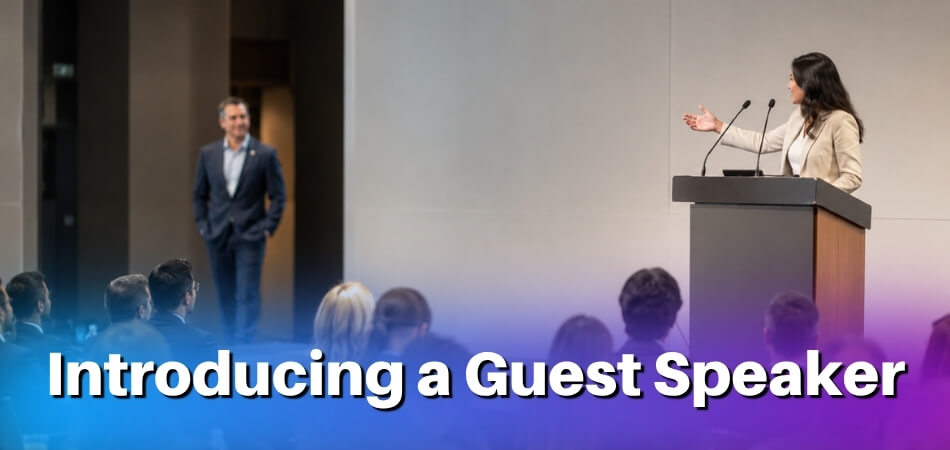
The table shows how the same structure bends to different settings. In a paper session, the chair often needs to read out only the paper title, the authors and their affiliations, and then the presenter.
| Setting | Lead with | Typical length |
|---|---|---|
| Class or school event | Why this guest matters to the course topic | 30 to 45 seconds |
| Seminar or invited talk | One credential tied to the session title | 30 to 60 seconds |
| Paper session at a conference | Paper title, author names and affiliations, then the name of the presenter | A few lines, shorter than the rest |
| Company event | A concrete role or result, not a job description | 30 to 60 seconds |
| Club or community meeting | The link between the guest and the group | 30 to 60 seconds |
| Church or faith event | Why this person was invited | 30 to 60 seconds |
| Podcast | A hook that earns the next 30 seconds | Under 45 seconds |
A Complete Guest Speaker Introduction Script (Ready to Use)
These scripts are ready to adapt. Swap in the speaker’s name, credentials and topic. Each one follows the same logic: set the context, build credibility, state the relevance, hand off cleanly.
General / Formal Event
This suits award ceremonies, civic gatherings, or any formal event where the audience may not know the speaker at all.
Good evening, everyone. Tonight we have the privilege of hearing from someone whose work has shaped [field or topic] in ways many of us feel directly.
[Speaker Name] has spent [X years] [brief description of their work: one or two concrete facts, not a full résumé]. Most recently, [he/she/they] [specific recent accomplishment: a book, a project, a position]. That background matters here because tonight’s topic, [topic], is something [Speaker Name] has lived from the inside, not just studied from the outside.
Please welcome [Speaker Name].
Academic / School or University Event
Academic audiences expect precision. They respond to institutional context and publication-level credentials. Skip the adjectives and name the work.
Good morning. Our speaker today is [Speaker Name], [title] at [Institution], where [he/she/they] leads research on [specific area].
[Speaker Name]’s work on [specific topic or study] was published in [journal or venue] and has since [real-world outcome or citation milestone, if known]. [He/She/They] holds [degrees], with a specialization in [narrow field]. Today [he/she/they] will speak on [title or topic], which connects directly to what many of us in this room are working through in our own research.
[Speaker Name], the floor is yours.
Business or Corporate Event
Corporate audiences want two answers quickly: who is this person, and what will I get from the next 30 minutes?
Thank you all for being here. Before we get into [conference theme or session topic], I want to introduce our next speaker.
[Speaker Name] is [title] at [Company], where [he/she/they] [specific function: a concrete role, not a job description]. Over the past [X years], [he/she/they] has [specific business outcome such as a market entered, a product launched or a team built]. [He/She/They] will share [what the talk covers], and given what we have all been dealing with in [relevant business challenge], the timing is good.
Please give a warm welcome to [Speaker Name].
Church or Faith-Based Event
The community element matters here, and so does humility, yours and the speaker’s. Avoid anything that sounds like a sales pitch.
We are grateful to have with us today [Speaker Name], who has served [community, ministry, or denomination] for [X years].
[He/She/They] leads [congregation or organization] in [location], and [his/her/their] teaching on [topic or theme] has reached [one concrete detail about the audience or ministry]. We invited [Speaker Name] because [specific reason tied to today’s theme or series]. We believe what [he/she/they] brings from [scripture, experience, or ministry] will speak to where many of us are right now.
Please welcome [Speaker Name].
Faith communities respond to authenticity and warmth. Saying why this particular person was invited, not only who they are, carries real weight in this setting.
Podcast or Interview Setting
Podcast introductions are looser, shorter and more personal. The listener already pressed play, so frame the conversation quickly instead of delivering a speech.
Today I’m sitting down with [Speaker Name], who [one-line descriptor: what they do or what they are known for].
[He/She/They] is the [title or role] of [company, publication, or project], and [one specific thing relevant to today’s conversation]. I wanted [Speaker Name] on the show because [genuine reason: a gap in the topic, a listener question, a recent event]. We will cover [two or three topics], and I think you will leave with [specific takeaway].
Let’s get into it. [Speaker Name], welcome.
Class, Club or Seminar
For a guest in a classroom, a club meeting or a small seminar, the audience usually knows each other and wants to know why this visitor is worth their hour. Say how the guest connects to what the group is already doing, and keep it informal.
This term we have been working on [course or club theme], and today’s guest has done it for a living. [Speaker Name] is [role] at [organization], and [he/she/they] has agreed to tell us what the day-to-day work looks like and where the textbook version falls short. Bring your questions, because there will be time for them at the end.
Let’s hear from [Speaker Name].
Short Version (Under 60 Seconds)
When the agenda is packed, the audience is restless, or the speaker asked you to keep it brief, use this.
[Speaker Name] is [one-line role or title]. [He/She/They] has [one compelling credential or achievement]. Today [he/she/they] will [specific topic or talk title].
Please welcome [Speaker Name].
Four sentences cover name, credibility, relevance and handoff. Any formal introduction can be stripped down to this when time is short, and the longer versions above add texture rather than a different framework.
How to Introduce a Keynote Speaker vs. a Panelist
A keynote introduction is a build; a panelist introduction is a quick orientation. Mixing them up is the usual error, and it usually runs in one direction: every panelist gets a mini-keynote build-up, which slows the event and drains the energy before the discussion starts.
| Role | Purpose of the introduction | Length and shape |
|---|---|---|
| Keynote speaker | Frame why this moment matters and transfer the room’s trust to one person | One credential chosen for this audience, then a clean handoff |
| Panelist | Tell the audience who is on stage so they can follow the conversation | Same short, parallel structure for each person: name, role, one relevant detail |
The Core Difference in Practice
With a keynote speaker, the introduction carries emotional weight and moves the audience’s trust onto one person. With panelists it is logistical: it tells people who is on stage so they can follow the conversation. Calibrate the length to the role and the rest tends to take care of itself.
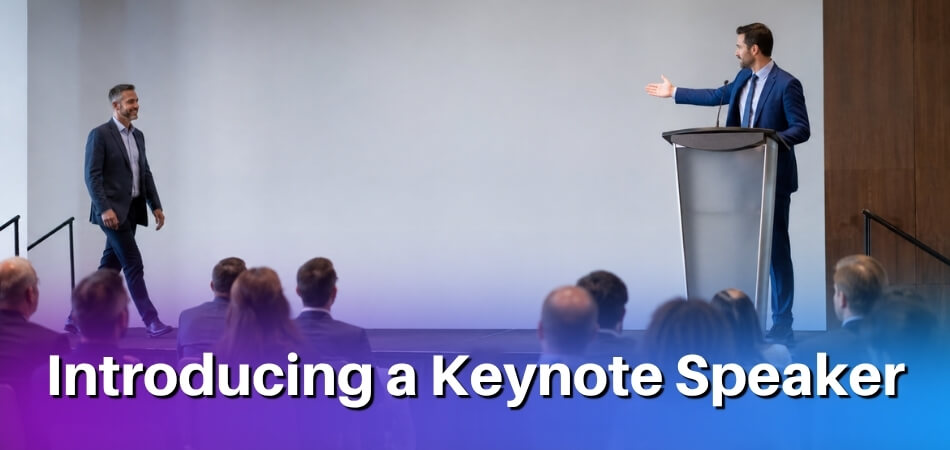
Introducing a Keynote Speaker
A keynote speaker is usually the headline name and the reason many people came. The introduction should reflect that weight without becoming a five-minute biography.
- Lead with the stakes. Before you name the speaker, give one sentence on why this moment matters: “We have spent the morning on the future of supply chain logistics. What you are about to hear reframes that conversation.” That builds more anticipation than listing three awards.
- Use the bio selectively. A bio may run 300 words or more. Use a small part of it: the one credential that speaks to this audience and proves the speaker has earned everyone’s time.
- End with one clean line. “Please welcome [Name]” or “[Name], the floor is yours” works. Do not trail off with “so, yeah, I’ll let her take it from here.”
Introducing a Panelist
You are often introducing three or four people in a row. If you give each one a full keynote-style build-up, the audience will have forgotten the first speaker by the time the panel starts talking. Give each roughly the same time and structure.
- Keep it tight and parallel. “Joining us is [Panelist Name], [Role] at [Organization], who has spent the last decade [one relevant detail].” Done. Move to the next.
- Read all the names before anyone speaks. Introduce every panelist up front rather than re-introducing each one at their first answer. It keeps the flow cleaner and lets the conversation start without interruption.
- Connect credentials to the topic. If the panel is about workforce development, say what each person has done in that space. “Industry expert” tells the audience nothing.
How to Introduce Yourself as a Guest Speaker
A clean self-introduction takes about 30 to 45 seconds: your name, your relevant experience, and one line linking both to the topic. Most advice focuses on introducing someone else, but sometimes you walk up cold, with no emcee, no host and no one reading your bio. Then you handle it yourself, and that brings a different set of decisions.
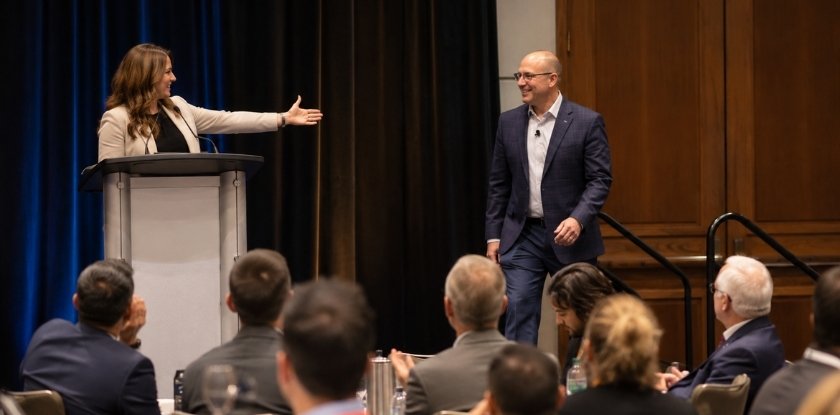
Self-introductions trip people up because the instinct is either to over-explain credentials or to rush past them out of awkwardness. Neither serves the audience.
What to Include (and What to Skip)
You are not reading your bio aloud. The audience does not need your career arc. They need to know who you are, why you can speak on this topic, and what they are about to hear.
- Your name and current role. Say it clearly and do not rush. “I’m [Your Name], and I lead product operations at a mid-sized logistics company” does more work than a long title read off a card.
- The credential that matters here. One line tied to the subject. The audience is deciding whether to trust your view on this topic, so give a reason specific to it. If you are speaking on managing remote teams, say how long you have done it and at what scale, not every other job you have held.
- A frame for what is coming. One sentence on what the talk covers. “Over the next 20 minutes I’ll walk you through three things we got badly wrong before we learned to hire remotely” beats a vague promise to “share some insights.”
A Sample Self-Introduction
Good morning. My name is [Your Name]. I’m a workplace psychologist based in [City], and for the past [X] years I’ve worked with organizations going through major structural change: mergers, layoffs, rapid growth. Today I want to talk about what the research shows about employee trust, and where change programs tend to go wrong.
When There Is a Host but They Got It Wrong
If an emcee gives outdated information, mispronounces your name, or reads a bio that does not match your talk, correct it briefly when it matters.
A simple fix: “Thank you. Just to clarify, I’m no longer at [Former Employer]. I moved to the nonprofit sector about two years ago, which is what brings me to this topic.” It is direct, gracious, and does not embarrass the host.
For a mispronounced name, keep it light: “It’s [correct pronunciation], close enough that I usually let it go, but I’d rather you all know.” Audiences appreciate that small moment of honesty.
How to Prepare When You Know Nothing About the Speaker
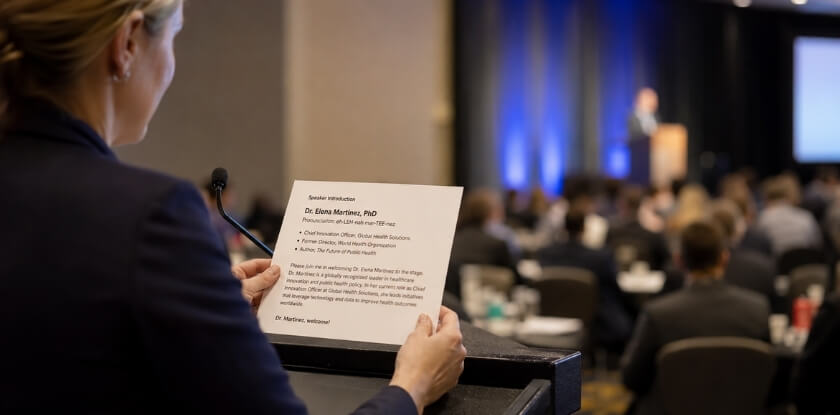
Ask the speaker for a short bio, the pronunciation of their name, and one line on what the talk covers. When you are handed only a name and a job title, that request is the fastest fix, and public sources fill the rest.
Start With a Direct Outreach to the Speaker
A speaker may already have a short bio and a pronunciation note ready. Keep your request short: “I’ll be introducing you on Thursday. Could you send a short bio and confirm how to pronounce your name? Two or three sentences about your session would also help me set it up properly.” It shows the emcee is paying attention.
If there is no reply before the event, ask the organizer who booked the speaker. Whoever arranged the booking should have a bio on file.
Use Public Sources Strategically
- LinkedIn is usually the most reliable public source for professional background. Look at the current title, employer and the “About” section. You need enough to establish credibility for this audience, not a life story.
- Their organization’s website often has a staff page. Academic speakers frequently have faculty profiles listing publications and research areas, and these are self-maintained.
- A search of their name plus the event topic can surface past talks, podcast appearances or press mentions. An earlier introduction someone else wrote gives you a credibility frame to adapt.
- Do not lean on one source. A single quote from an old news article, out of context, can misrepresent someone. Cross-check anything you are unsure about.
What to Do When Research Turns Up Almost Nothing
Sometimes the organizer forgot to loop in the emcee until the last minute. Some speakers are internal experts, first-time speakers, or people with no public profile. Build the introduction around the audience’s interest instead of the speaker’s résumé. Name, role or area of expertise, and a clear statement of why the topic matters to the room is enough. The bio exists to establish relevance, so if you can establish relevance another way, it becomes secondary.
For example: “Our next speaker has spent the past decade working on supply chain resilience from inside a mid-size manufacturer. She will walk us through what that looks like when a disruption hits.” That is credible without citing a single award.
Ask the Speaker to Write Their Own Introduction
Some speakers would rather supply the text. A Toastmasters International magazine article from July 2023 advises speakers to ask to write their own introduction and to send it to the person introducing them well before the event, so the host can practise and ask questions. As the host, you can offer this: a speaker-written draft gives you accurate details, and you can still trim it to fit your 30 to 60 seconds.
Questions to Ask Before Any Introduction
If you get a few minutes with the speaker or organizer before the event, ask:
- How do you prefer to be addressed: first name, Dr., another title, and which pronouns should I use?
- Is there anything in your background you would like me to highlight?
- Is there anything you would rather I leave out?
- How should I frame your session: preview the topic, or leave it open?
The last question matters more than people expect. Some speakers want to control the framing and would rather hear “please welcome” and nothing more. Others want a warm setup.
Build a Fallback Script
If you still have almost nothing, state the name and current role, name the topic, add one line connecting it to why the audience is here, and hand off.
Joining us now is [Name], [Title] at [Organization]. She will be speaking about [Topic], which I know this group has been wrestling with. Please give her a warm welcome.
A confident, clean introduction with little content beats a nervous, rambling one packed with filler. Audiences notice hesitation more than brevity.
Opening Lines You Can Steal
The first sentence out of your mouth sets the temperature for the whole room. A flat opener (“So, our next speaker is…”) signals that you are going through the motions, while a sharp one makes people sit up. The lines below are grouped by approach. Use them as written or adjust the details.
Lines That Open With a Problem or Question
These suit corporate events and conferences where the audience already cares about a specific challenge.
- Pose a question the audience is already asking. “How many of you have sat through a strategy meeting and thought there has to be a better way? That is the question our next speaker built a career around answering.”
- Open with a striking fact, then pivot. “[A specific, checkable fact about the topic.] [Speaker Name] has spent [X years] working out why, and what actually changes behavior at work.” Use only a figure you can source.
- Name the problem plainly. “Most of us in this room face the same pressure: doing more with smaller teams and tighter budgets. The person you are about to hear has been inside that problem from the ground up.”
Lines That Lead With the Speaker’s Credibility
These fit formal events and academic conferences, where the audience wants to know they are in good hands.
- Let the credentials work fast. “Dr. [Name] spent [X years] as a field researcher in [region] before writing the framework now used in [number] countries. She did not study this from a distance.”
- Connect a role to why it matters today. “When [organization] needed guidance on [issue], they called [Name]. That context matters for everything [he/she/they] shares with us.”
- Use a brief origin detail. “She started out as a [early job]. Twenty years later she directs [area] at [organization]. That path is not a digression. It is the whole point.”
Lines That Lead With Audience Benefit
These are the most versatile and the safest for any setting.
- Name a specific takeaway. “By the time [Name] is done, you will have something you can use on Monday morning. Not a concept, an actual process.”
- Tie the speaker to this audience. “She designed this talk for rooms like ours, people who are past the beginner stage and need something that meets them where they are.”
- Set an expectation honestly. “Some of what [Speaker Name] says may challenge assumptions you have held for years. That is the point. He is not here to confirm what you already know.”
Lines for Church and Community Events
Warmth comes first, shared mission runs underneath, and the introduction acknowledges both the speaker and the occasion.
“We have been praying for this conversation for months, and I believe [Name] was brought to us for exactly this moment in our community. She is no stranger to hard seasons, and she will tell you that herself.”
“[Name] has served alongside some of the most vulnerable communities in our region for over a decade. He brings that experience tonight not as a credential, but as a calling.”
Lines for Podcast and Virtual Introductions
A podcast intro has to pull listeners past the first 30 seconds, so skip the slow wind-up.
- Name and hook in one breath. “My guest today is [Name], and the reason I wanted her on is one thing she said in an interview that I have not been able to stop thinking about.”
- Establish relevance quickly. “[Name] runs a consulting firm that works with mid-sized businesses on pricing strategy. If you have ever felt you are undercharging and cannot fix it without losing clients, this episode is for you.”
A Few Lines to Avoid
“Please put your hands together for…” is stage filler that tells the audience nothing. “Our next speaker needs no introduction” is a stock line to skip: even a well-known speaker benefits from a reason the audience should listen today, and the line can make the introduction you then give sound unnecessary. Dictionary definitions as openers (“The dictionary defines leadership as…”) are a tired habit. And do not start by talking about yourself: “I’ve known [Name] for 15 years and let me tell you…” turns into a story about your relationship, not a reason for the audience to care.
Openers that work contain something concrete: a specific situation, a direct statement about what the audience is about to hear. Vague enthusiasm (“I am SO excited to introduce our next guest!”) is the weakest opener, however much you mean it.
Closing Lines and the Clean Handoff
End the introduction on the speaker’s name, then stop talking and step away from the microphone. A weak finish (trailing off, forgetting the name, leaving silence) undercuts the 60 seconds before it.
What a Good Closing Line Does
A closing line tells the audience to applaud and points their attention at the stage. The simplest structure is signal + name: a rising moment, then the name. Audiences treat a name like a musical cue: it tells them when to start clapping. Those are two separate jobs, and the last sentence has to do both without sounding like a checklist.
Compare:
Please join me in welcoming our next speaker, who will be talking about leadership in uncertain times, Dr. [Name].
Please join me in welcoming Dr. [Name].
The second lands. The first buries the name and loses the applause cue.
Handoff Lines That Actually Work
Standard: “Please join me in welcoming [Name].”
With energy: “I’ll hand it over. Please welcome [Name].”
Formal: “Ladies and gentlemen, [Name].”
Warm/conversational: “I’ll let [him/her/them] take it from here. Please welcome [Name].”
Academic: “It’s my pleasure to introduce [Full Name and Title].”
Panel/multi-speaker: “First up, please welcome [Name].”
None of these is clever, and they should not be. A handoff line is a traffic signal, and a traffic signal that tries to be interesting becomes a hazard.
Where the Emcee Steps Back
Once you have said the name, stop talking and move away from the microphone before the applause finishes. Do not hover, add a last thought while the speaker walks up, or start applauding and then lean back into the microphone. Say the name, pause one beat, then begin applauding as you step back. Starting to clap before you finish muddles the cue.
If you are handing off to a keynote speaker, your job is now invisible. Move to the side, stay out of the sightline, and let the room belong to them.
Adjusting for Specific Situations
- Podcasts have no applause moment, so the handoff is conversational: “I’ll let [Name] take it from there,” or go straight to your first question.
- Church events often end on an invitational tone: “Let’s receive [Name] with grateful hearts.” Match the register of your congregation.
- Corporate events that stress credibility benefit from a brief callback: “With that background in mind, please welcome [Name].” One sentence, then out.
- Virtual events need a slightly longer pause after the name because remote applause is silent or chaotic. Say the name, pause about two seconds, and stay brief. Brevity matters even more online than in a hall.
When You Are Introducing Yourself
A self-introduction needs no handoff line. Your last sentence bridges from credentials into the topic: “And today I want to talk about what that experience taught me.” End with forward motion, not a summary. “…so that’s a little about me” just stops, and gives the audience nowhere to go.
Delivery Tips (Body Language, Pacing, Tone)
You can write a perfect introduction and still lose the room by delivering it badly. The words matter, but so do your posture, your speed and the way you breathe before you speak. Plant your feet, slow down, and match your tone to the event.
Stand Still and Own the Space
It is easy to shift your weight, rock side to side or drift toward the wings. The audience reads that as nerves, and nerves are contagious.
Keep your hands visible. Clasped behind the back looks stiff and hands in pockets looks too casual. Hands loosely at your sides, or one hand on the lectern, signals control.
Make eye contact before you speak. Pause for about two seconds, scan the room, then begin. That pause commands attention better than any opening line.
Pace Yourself Differently Than You Think You Will
It is easy to deliver an introduction too fast. You know the words, so they feel slow to you, but the audience is hearing them fresh. If you are reading from a script, slow down noticeably from your natural speed.
Pause after the speaker’s name. Rushing from “please welcome Dr. [Name]” straight into applause means half the room missed who they are clapping for.
Vary your speed. Credentials can go at a steady, moderate pace. The final handoff sentence should come slightly slower and a little quieter. That drop signals finality and cues applause better than a louder voice.
Tone Matches the Event, Not Just Your Mood
A corporate introduction calls for warmth and measured enthusiasm. A church event carries reverence. A podcast is conversational, almost offhand. Read the room before you read your script.
Avoid the broadcaster voice. It belongs at sporting events, not in a conference hall or boardroom. Speak as you would to a respected colleague across a table, just projected to fill the space.
If you use humor, ease back to straight delivery before the handoff. You want people laughing, then settling, then fully attentive as the speaker walks up.
The Handoff Is a Physical Act
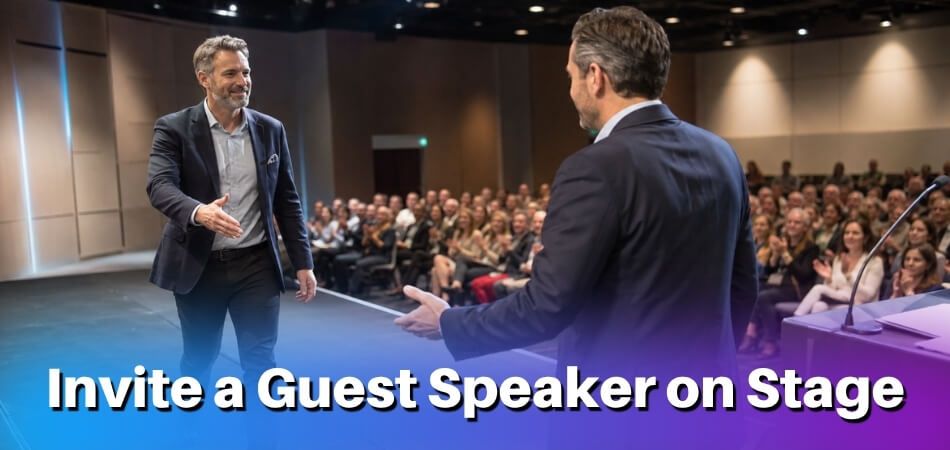
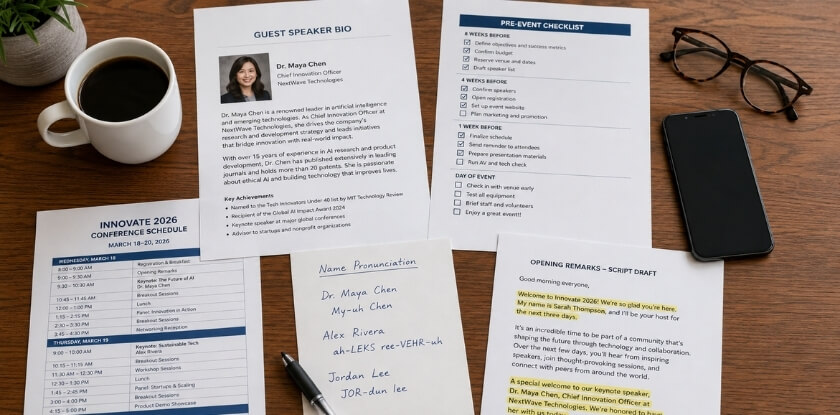
After the handoff line, turn toward the speaker, extend an arm in their direction and start clapping. Step back or aside so the path to the podium is visibly clear. Watch the speaker walk up instead of staring at the audience, which focuses the room on the right person.
If the speaker is coming from the audience or from offstage, give them time to reach the front before you leave. An emcee who disappears early creates an awkward gap. Hold your position, keep clapping, and make the transition look intentional.
A Note on Reading vs. Memorizing
Reading from a printed script is fine, because you are managing names, titles and details. What matters is looking up often, especially at the start and the end. If your eyes are buried in paper during the opening line and the handoff, the introduction feels impersonal.
Print in a large font, double-spaced, and highlight the speaker’s name so you never stumble on it. Rehearsing once out loud improves delivery noticeably compared with reading it cold.
Common Mistakes to Avoid
Introductions usually go wrong through small habits that undermine the speaker before they say a word. The habits below are worth checking against your own draft.
Reading directly from the bio. A bio is a source document, not a script. Read verbatim from a sheet held at chest height, it sounds like a résumé recitation and signals that you did not prepare. Pick the two or three details that matter for this audience and say them in your own words.
Going too long. Past about 90 seconds, an introduction starts to feel like a separate talk and attention drifts before the actual speaker has said anything. If you cannot land it in that time, cut something.
Making it about yourself. A personal anecdote, a tangent or a long joke shifts the spotlight to you at the wrong moment. A brief line of humor is fine. A story that needs setup and a punchline is not.
Telegraphing the speaker’s content. “She’s going to walk you through the five stages of…” steals the speaker’s own opening. Build anticipation; do not summarize the talk.
Mispronouncing the name. Ask and confirm before the event. A wrong name, especially one from a culture you know less well, signals carelessness and can embarrass both parties in front of an audience.
A weak handoff. “…so, yeah, please welcome him” or losing eye contact at the critical moment undercuts what came before. Deliver the last line cleanly, at full energy, pointed at the incoming speaker.
Leaning on an unrehearsed script. Notes are sensible, but word-for-word reading kills pacing and eye contact. Read it through enough times to deliver the key lines without looking down.
Overselling the speaker. Praise that makes the speaker sound superhuman raises expectations the talk may struggle to meet. It is better to under-promise in the introduction and let the speaker over-deliver.
Mentioning sensitive personal details. Health, family and other private matters from a web search are not yours to share. Stay with professional details the speaker would expect to hear.
Skipping the audience benefit. A list of credentials with no link to why this audience should care lands flat. “Dr. [Name] has published [X] papers on supply chain resilience” means more with “which is directly relevant to the distribution challenges you have faced this year.”
How to Use Humor in a Speaker Introduction
Humor can relax the room and show that the speaker is a real person, but used badly it embarrasses the speaker or makes you look like you are trying too hard. The goal is to serve the speaker, not to get your own laugh.

When Humor Actually Works
Not every event calls for it. A funeral service, a crisis briefing or a deeply serious ceremony probably does not need a punchline. Corporate events, podcasts, community gatherings and informal conference sessions often welcome one well-placed moment of levity.
Humor lands best when it comes from something true: a gentle observation about the topic, a shared experience, a detail from the bio. Generic jokes fall flat because the audience can tell they could apply to anyone.
Types of Humor That Work in Introductions
Self-deprecating (about you, not the speaker). The safest category. If you fumbled your notes or are visibly nervous, name it lightly. It disarms the room and puts no risk on the speaker.
Contextual humor. Something specific to this event, city, organization or date. “We were promised a 9 a.m. start and it’s 9:47, so [Speaker Name] has agreed to skip the part where she pretends to be modest.” It works because it is true and everyone knows it.
Bio-based light teasing. If the bio has a natural comic edge, such as a career pivot or an unusual hobby, mention it warmly. You are humanizing, not roasting.
Observational setups. A short, accurate remark about the topic that acknowledges what everyone in the room is thinking. It works especially well in corporate and conference settings, where audiences are tired of being treated as though they do not notice what is happening around them.
Lines That Use Light Humor
Keep it warm, not roast-style. These work best at networking events, company all-hands meetings and informal panels.
- Self-aware opener. “I was told I have 60 seconds to introduce [Name], which is cruel, because her CV alone is six pages. So here is the version that fits in this room.”
- A relatable moment. “I first heard [Name] speak at a conference a few years ago. I planned to slip out early to catch a flight. I missed the flight. Totally worth it.”
- Playful nod to the topic. “We are here to talk about organizational change, the polite term for what makes everyone’s calendar explode. [Name] is one of the few people who has made it work.”
What to Avoid
Humor at the speaker’s expense that they did not approve. If you found something funny in your research that the speaker did not share with you, leave it out. A roast requires consent.
Jokes that need explaining. If you find yourself thinking “what I mean is…” after the punchline, cut the joke.
Inside jokes. A joke between you and the speaker means nothing to two hundred people watching.
Forcing it. One optional light moment beats three attempts that miss. If you are not naturally funny at a podium, warmth and specificity are worth more.
A Note on Humor at the Close
The close is the wrong place for a joke, even if you used a light touch earlier. A joke at the handoff delays the applause cue, and if it fails the speaker walks into silence. Save the wit for the opening, where there is room to recover.
A Quick Example
Version 1: “It is my great pleasure to introduce our next speaker. She has over twenty years of experience in organizational leadership and has spoken at conferences worldwide.”
Version 2: “Our next speaker has spent twenty years studying why organizations fail, which means she has sat through a lot of conferences exactly like this one, and she is still here. Please welcome Dr. [Name].”
Version 2 earns a small laugh, positions the speaker as experienced, and brings the audience in on a shared reality. It does not diminish the credentials; it makes them feel earned. One line is usually all you need.
From our experience at MS International: At our in-person conferences in the Greater Toronto Area, the moderator introduces each speaker before their presentation. Speakers meet the session coordinator or moderator before their scheduled presentation, and presentation lengths may vary, so the speaker confirmation and the final programme are the official sources for each schedule. Keynote and invited-speaker roles are arranged separately with the organizing team. A certificate recognizing the contribution is given after the scheduled presentation. A short, accurate bio and the correct pronunciation of your name, shared with the moderator, make that introduction easier.
FAQ
A missing bio, a hard-to-pronounce name and the urge to say “needs no introduction” are where introducers trip up, along with nerves about presenting someone more famous.
How long should a guest speaker introduction be?
Aim for 30 to 60 seconds, roughly 70 to 150 words at a comfortable pace. A 2016 Toastmasters International magazine sidebar says 30 to 45 seconds, and past about 90 seconds you risk losing the audience before the speaker starts.
What if the speaker hasn’t sent me their bio?
Ask the speaker, or the organizer who booked them, for a short bio, the pronunciation of their name and one line on the topic. If nobody replies, use their organization’s profile page and build the introduction from name, role and topic.
Should I read the introduction word for word or memorize it?
Neither extreme works. Write the full script, rehearse it, and speak from notes you can glance at, with the speaker’s name highlighted. Read it word for word only if the speaker has asked for their own text to be used.
Can I add humor to a formal introduction?
Yes, but keep it brief and low-risk. One light observation tied to the topic or background is enough. Avoid jokes that depend on knowing the speaker, and never joke about their appearance or personal life.
What’s the difference between a speaker bio and an introduction?
A bio is a written document meant to be read silently; an introduction is a short spoken piece built for one room and one topic. A full bio can run several hundred words, and the spoken version should be a fraction of that: pick the few details that matter here.
How do I pronounce a speaker’s name correctly?
Ask the speaker or the organizer, ideally for a short voice recording of the name, and practise it before the event. Online pronunciation tools can give a head start, but the speaker’s own version wins. Add a phonetic note to your script (“Shan-TAY”).
Can I say “our speaker needs no introduction”?
It is better not to. Even a well-known speaker needs a reason for this audience to listen today, so give one or two relevant details and the topic, then hand off with the name.
Can the speaker write their own introduction?
Yes. Many hosts welcome a speaker-written draft because it gives accurate details. Ask for it well before the event, trim it to your 30 to 60 seconds, and rehearse it aloud.
What if the speaker is more famous than I am and I feel intimidated?
Your job is not to match their status. You are the bridge between the audience and the speaker, and a clean 30 to 60 second introduction does that. Focus on serving the room.
Do I need a different introduction for a podcast versus a live event?
Slightly. A podcast has no physical handoff and often includes brief show context (“Today’s guest joined us to talk about…”). You might also mention the speaker’s work aloud, since listeners cannot see a screen. The core structure of name, credibility and audience benefit stays the same.
What if the speaker asks me to “just say a few words” with no guidance?
That is still a real introduction. State their name, title or area of expertise, and why this audience should pay attention. Thirty seconds of that beats a vague “so, here’s our speaker.”
Is it okay to introduce a speaker I’ve never met?
Yes, it is completely normal. Research them online, review their recent work, and if possible exchange a short email beforehand. You need accurate information and a sense of what the audience cares about, not a personal relationship.
Final Thoughts
A strong guest speaker introduction is a small thing that carries real weight: it sets the room’s energy and tells the audience why to pay attention. Get the name right, connect the speaker’s background to what the audience needs, and hand off cleanly. That is the whole job, and a few minutes of preparation with the speaker’s own bio makes all three easier.