
A session can go sideways in small ways: a speaker who will not stop, a question nobody in the back row heard, a panel that drifts into a side issue. The person who catches these moments before the audience notices is the moderator.
Quick answer: A conference moderator guides a session from start to finish. Before it, they prepare questions and confirm the format and timing. During it, they introduce each speaker, keep time, balance airtime and run the Q&A. Afterward, they thank the speakers and pass notes to the organizer.
What Is a Conference Moderator?
A conference moderator is the neutral guide of a session, not just someone who reads speaker names from a program. They keep the discussion organized, timely, balanced and useful for the audience, and they support organizers in protecting the event schedule.
This matters most when a session has several speakers or competing viewpoints. Without someone guiding the flow, discussions become uneven, repetitive or hard to follow. A moderator turns separate comments into one conversation by connecting ideas, managing transitions and keeping the session aligned with its purpose. They do not take over; they make sure every part of the session has direction.
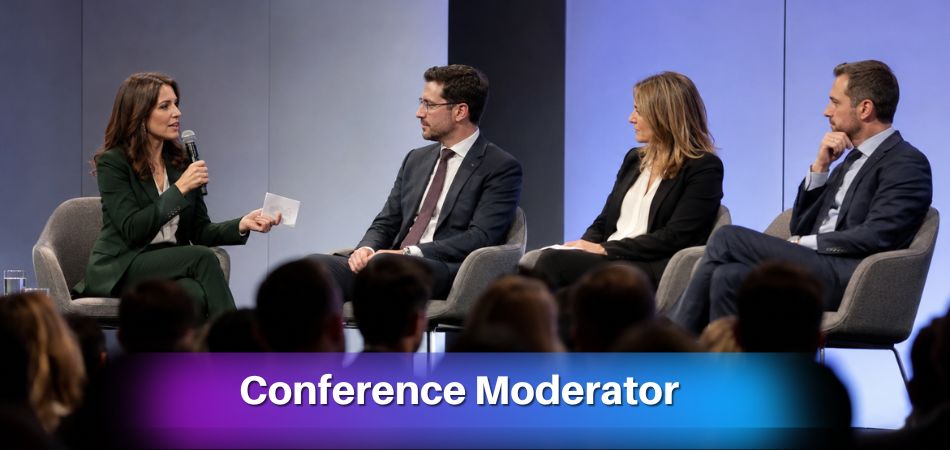
Moderators are common in:
- Panel discussions
- Academic conferences
- Business conferences
- Research presentations
- Industry forums
- Expert interviews
- Debates
- Roundtable sessions
- Virtual and hybrid events
The moderator connects three groups: organizers, speakers, and attendees. For organizers, they protect the format and timing. For speakers, they provide structure and support. For attendees, they make the content easier to understand and more valuable.
A good moderator guides the session without controlling every word. They know when to ask a follow-up question, when to move to the next speaker, when to open Q&A, and when to close the discussion. The best moderation feels smooth because the moderator helps the conversation flow without drawing attention to themselves.
Key Duties of a Moderator Before the Session
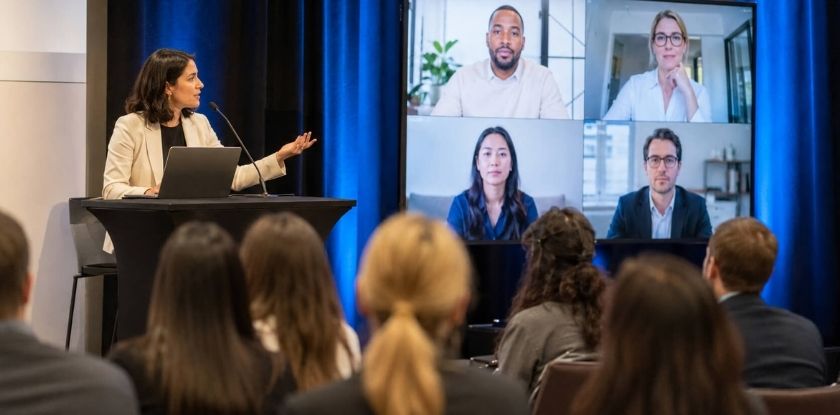
Before the session, a moderator learns the goal, agrees the format with the organizer, prepares introductions and questions, and checks the setup. Good preparation prevents awkward pauses, timing problems and unclear questions.
Understand the Session Goal
Start by working out what the session is meant to achieve. Is it designed to inform, debate, inspire, compare ideas, or solve a specific problem? Without a clear goal, the discussion can become too broad.
Before the event, clarify:
- What should the audience learn?
- Who will attend the session?
- What level of knowledge does the audience have?
- What topics should be avoided?
- What outcome does the organizer expect?
The answers shape your questions and keep the session purposeful.
Coordinate With the Organizer
Confirm the session format with the organizer. Some panels begin with short speaker remarks, others start directly with questions. Some include live Q&A throughout, while others save audience questions for the end.
Important details include:
- Total session length
- Speaker order
- Time limits
- Q&A format
- Slide use
- Seating arrangement
- Technical support
- Virtual or hybrid participation rules
Knowing these lets you make quick decisions during the session if the timing changes.
Contact the Speakers Early
Email the speakers before the day, or arrange a short call. Share the session plan, the speaking order, each person’s time limit and how Q&A will work, and invite them to say what they would like covered. Speakers who know the plan are easier to guide, and nobody is left without contact until minutes before the session. If you can, arrive early on the day to meet them in person, review the ground rules and check the equipment together.
Prepare Speaker Introductions
A speaker introduction should be short, relevant and useful. You do not need to read a full biography. Explain who the speaker is and why their perspective matters here.
A strong introduction includes:
- Name
- Role or affiliation
- Relevant expertise
- Connection to the session topic
Confirm how each name is pronounced before the session, and ask the speaker if you are unsure. A sample you can adapt:
Our next speaker is [Name], [role] at [organization]. [Name] works on [topic], which is why we asked for a view on [session question]. Please welcome [Name].
Build a Simple Run-of-Show
A run-of-show is a short plan for how the session will move from start to finish. It helps you manage time and avoid confusion. A basic structure may look like this:
| Session Part | Purpose |
| Opening | Welcome audience and explain the topic |
| Introductions | Present speakers briefly |
| First question round | Let each speaker share an initial view |
| Deeper discussion | Explore key ideas and differences |
| Audience Q&A | Bring attendees into the conversation |
| Closing | Summarize takeaways and thank participants |
The plan should be clear but flexible. Structure matters, but so does the freedom to adjust if the discussion develops in a useful direction.
Prepare Questions and Backup Prompts
Prepare more questions than you expect to use. This gives you options if the conversation moves quickly, the audience is quiet, or a speaker gives a short answer.
Good moderator questions are:
- Direct
- Relevant to the audience
- Open-ended
- Balanced across speakers
- Connected to the session goal
Order your questions from broad to specific. Start with a wide question that shows the audience why the topic matters, then move to narrower ones that ask for examples. Backup prompts also help. They let you fill silence, redirect the topic, or invite a quieter speaker into the discussion.
Check Technical and Accessibility Details
Before the session begins, check microphones, slides, timers, seating, audience microphones and online participation tools.
Accessibility also matters. Speak clearly, repeat audience questions, remind speakers to use microphones, and make sure remote participants are not ignored in hybrid sessions.
What Does a Moderator Do During a Conference Session?
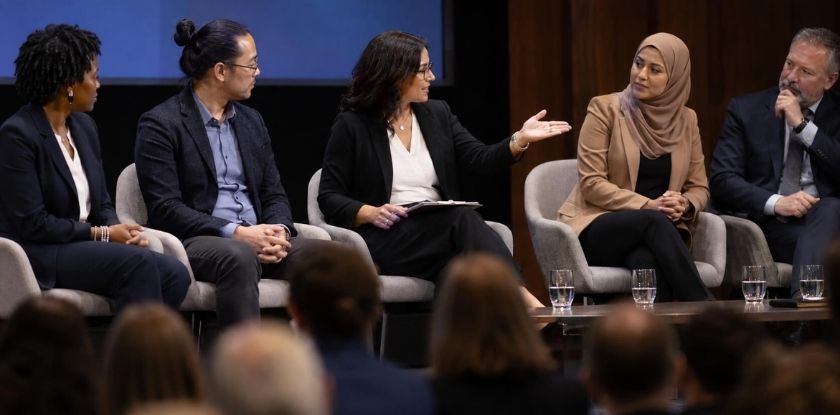
During the session, the moderator is the active guide: opening the discussion, introducing speakers, managing flow, keeping time, involving the audience and closing clearly.
Open the Session Clearly
The opening should quickly explain the topic, purpose, format and audience participation rules, so attendees know what to expect.
You may briefly cover:
- What the session is about
- Why the topic matters
- Who the speakers are
- How the discussion will flow
- When Q&A will happen
This does not need to be long. A clear opening of under a minute is often enough.
Introduce Speakers Briefly
Deliver the introduction you prepared, say each name correctly, and hand over. Long introductions slow the session before the main discussion begins, and a short one respects both the speaker and the audience’s time.
Keep the Discussion Focused
One of the moderator’s most important duties is keeping the session aligned with its topic. Speakers may drift into side issues, repeat earlier points, or give answers that are too broad.
You can gently refocus the discussion with lines like these:
Let’s tie that back to what brought us here today, [topic].
I want to return to the question [attendees] keep raising: [question].
Useful background. Now, what does it mean in practice?
The goal is not to interrupt harshly. The goal is to protect the value of the session.
Balance Speaker Airtime
In panel discussions, some speakers naturally talk more than others. Direct questions to specific speakers, invite quieter panelists to comment, and politely move on when one answer becomes too long. Balanced airtime gives attendees multiple perspectives instead of one dominant voice.
Ask Follow-Up Questions
Prepared questions are useful, but active listening is just as important. Ask a follow-up when a speaker says something that needs more detail.
Follow-up questions can ask speakers to:
- Give an example
- Clarify a term
- Explain a challenge
- Compare two ideas
- Share a practical recommendation
Good follow-ups make the session feel natural and help the audience understand the topic more deeply.
Connect Ideas Between Speakers
Instead of moving mechanically from one speaker to another, link related ideas. For example:
[Name A] raised audience engagement earlier, and that connects with what you just said, [Name B].
We have heard one view. Let’s test it from another angle.
You both mentioned timing, but meant different things. Can we unpack that?
These transitions help the audience follow the logic of the conversation.
Keep Changeovers Smooth
When one speaker finishes, the next should be ready to start. Check that the next set of slides is loaded and the microphone works before you hand over. If a changeover takes a moment, ask the speakers or audience a short transition question so the room is not left in silence.
Manage Session Time Effectively
Timekeeping is a core part of moderation. Protect the session schedule while giving speakers enough room to contribute.
Time management may include:
- Watching a timer or clock
- Using agreed time signals
- Giving a warning shortly before a speaker’s time is up
- Shortening later questions if needed
- Moving to Q&A on time
- Ending with enough space for a closing summary
A session that runs over affects the rest of the conference. A moderator helps prevent that.
Encourage Audience Participation
Audience engagement should be planned, not random. The moderator decides when and how attendees can participate.
Common engagement methods include:
- Live Q&A
- App-based questions
- Chat questions
- Quick polls
- A show of hands
- Short audience comments
Audience participation should support the topic. Too much unstructured input weakens the session, while too little leaves attendees feeling disconnected.
Close With Clear Takeaways
Instead of ending with only “thank you,” summarize the most important ideas so the session feels complete.
A good closing may include:
- Two or three key takeaways
- Any next steps or resources
- Thanks to speakers
- Thanks to the audience
- A handoff to the next program item
The closing helps attendees remember what they gained from the session, in the same way that closing remarks at the end of a conference recall which ideas mattered most.
How Moderators Manage Q&A Sessions
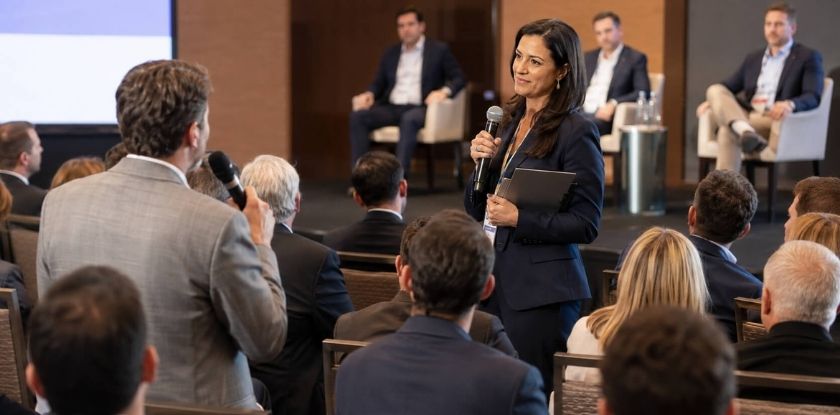
A moderator manages Q&A by setting clear rules, choosing relevant questions, keeping answers concise and making participation fair. Without structure, questions can be too long, off-topic, repeated or aimed unfairly at one speaker.
Set Q&A Rules
Before taking questions, explain how Q&A will work: through a microphone, a runner with a roving microphone, an event app, a chat box or written cards. Also set expectations for question length, for example:
Please keep your question short, one sentence if you can, so we reach as many people as possible.
Choose Relevant Questions
Not every question will serve the session. Prioritize questions that are clear, useful and relevant to the wider audience. A long or very specialized question can be taken after the session instead, so it does not use up the time of everyone else. If several attendees ask similar questions, combine them into one stronger question. This saves time and avoids repetition.
Repeat or Reframe Questions
In live sessions, not everyone hears the audience question. In virtual sessions, chat questions may need to be shortened. Repeat or reframe each question before passing it to a speaker. This helps the audience understand the question and gives the speaker a clear point to answer.
Handle Difficult Questions
Some questions are long, hostile, unclear or off-topic. Stay calm and reshape the question when needed. A hostile question can be reframed into neutral language, a long one reduced to its main point, and an off-topic one acknowledged and redirected.
Useful lines include:
Let me pull out the core of your question: [one-line version].
I’ll put that to the panel in a slightly different form: [reframed question].
That sits a little outside today’s scope, but a related issue is [related topic].
End Q&A Smoothly
Signal when Q&A is almost finished. A line such as “We have time for one final question” tells the audience the session is closing. After the last answer, move into a short summary instead of ending abruptly.
How Moderators Handle Common Conference Problems
A moderator handles problems by staying calm, using a short polite cue, and protecting the schedule while keeping the audience informed.
When a Speaker Talks Too Long
If a speaker runs over time, use a gentle cue, thank them and move to another speaker. Helpful lines include:
I’ll stop you there so we can hear a second view.
Let’s wrap this one up so Q&A gets its full time.
Good point. I’d like to bring in [Name] on it.
The goal is to protect the session without embarrassing the speaker.
When the Discussion Goes Off Topic
Acknowledge the point and reconnect it to the main topic. For example:
Interesting context. For this session, let’s return to the main question: [question].
When Technical Issues Interrupt the Session
Technical issues can include microphone problems, slide failures, livestream delays or poor audio. Avoid panic and keep the audience informed.
If slides fail, the speaker can summarize the key point verbally. If a microphone fails, repeat the questions. If a remote issue occurs, pause briefly or shift to another speaker while support resolves it.
When a Panelist Gives Very Short or Vague Answers
Ask a follow-up that invites detail, such as a request for an example, or rephrase the question in simpler words. If the answer stays thin, thank the speaker and move to the next panelist rather than pressing.
When the Session Runs Late
If the session starts late or runs over, you may need to shorten introductions, reduce Q&A, combine questions, or ask for shorter answers. Protect the larger conference schedule unless the organizer says otherwise.
When Accessibility Issues Appear
Notice whether people can hear, see and follow the session. Helpful actions include repeating audience questions, reminding speakers to use microphones, describing important visual points, and including online attendees in hybrid sessions. Small adjustments make the session more inclusive and professional.
What Does a Moderator Do After the Session?
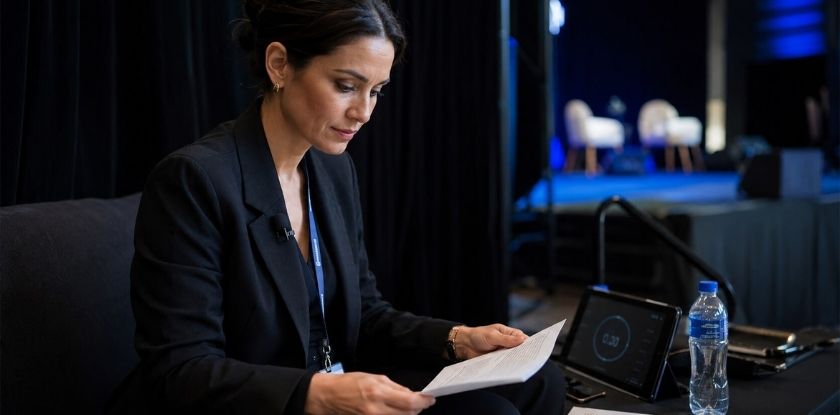
After the session, a moderator thanks the speakers, shares useful notes with the organizer, and reviews what worked. The role does not always end when the session closes, and follow-up helps organizers, speakers and attendees get more value from the event.
Thank Speakers and Organizers
Thank the speakers and confirm whether any materials need to be shared. These may include slides, links, research references, or answers to questions that were not covered.
Share Notes or Resources
Moderators often notice useful patterns during a session. Share audience questions, repeated themes, technical issues or suggested improvements with the organizer. These notes can help with event recaps, future planning or follow-up emails.
Review Session Performance
Briefly review what worked and what could improve. Useful questions include:
- Did the opening explain the purpose clearly?
- Did each speaker get enough time?
- Were the questions useful?
- Did Q&A stay focused?
- Was the closing strong?
- What should be changed next time?
This reflection helps moderators improve with every session.
Moderator vs Emcee vs Facilitator: Key Differences
A moderator guides a discussion, an emcee hosts the event program, and a facilitator leads group participation. These roles are related, but they are not the same.
| Role | Main Focus | Common Duties | Best For |
| Moderator | Discussion quality | Questions, speaker balance, Q&A, timekeeping | Panels, debates, expert sessions |
| Emcee | Event flow | Welcomes, announcements, transitions | Ceremonies, large events, full programs |
| Facilitator | Group participation | Activities, collaboration, problem-solving | Workshops, training, planning sessions |
A moderator protects the discussion. An emcee protects the event atmosphere. A facilitator protects the group process.
Moderator or Session Chair?
At academic conferences the same role is often called a session chair, the person who leads a conference session and keeps it organized. The session chair guidelines for the Digital Humanities 2016 conference, for example, ask chairs to introduce each presenter briefly by name and affiliation, keep speakers to their scheduled time, give time warnings, and be ready to ask a question if the audience does not. Those guidelines suggested a 5-minute and a 1-minute warning for 20-minute slots, but warning times and slot lengths are set by each conference, so check the instructions you are sent.
Important Skills Every Conference Moderator Needs
A strong conference moderator needs a mix of communication, listening, timing, neutrality and adaptability.
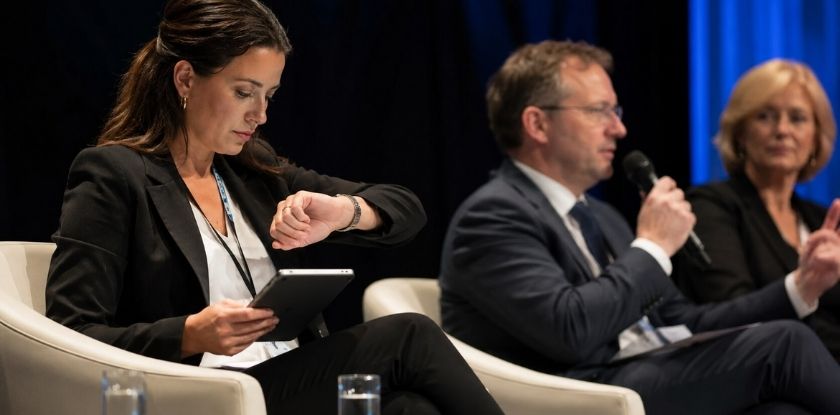
Clear Communication
Moderators explain the format, ask questions, introduce speakers and guide transitions in simple language. Clear communication helps everyone understand what is happening.
Active Listening
Active listening allows the moderator to respond to what speakers actually say. It leads to better follow-up questions and natural connections between ideas.
Time Management
Moderators watch the clock and keep the session moving. Good time management protects Q&A, closing remarks and the wider event schedule.
Neutrality
A moderator should not use the session to push personal opinions. Neutrality means giving fair attention to different speakers, using balanced language and keeping the focus on the topic.
Confidence Under Pressure
Unexpected issues are common in live events. A confident moderator can handle silence, technical problems, difficult questions and timing changes without making the room uncomfortable.
Topic Familiarity
Moderators do not always need to be experts, but they should understand the topic well enough to ask relevant questions and follow the discussion.
Audience Awareness
A moderator should notice whether the audience is engaged, confused, restless or ready to participate, and adjust the pace or ask clarifying questions when needed.
Adaptability
No session follows the plan perfectly. A good moderator can skip questions, change order, shorten segments, or move to Q&A early when the situation calls for it.
How to Prepare for Moderating a Conference Session for the First Time
A first-time moderator should focus on preparation, timing and confidence. The goal is not to sound perfect. It is to guide the session clearly and keep the discussion useful for speakers and attendees.
Start by reviewing the session topic, speaker list and audience profile, then speak with the organizer about the format, timing and Q&A process. Prepare a short opening, brief speaker introductions, focused questions and a simple closing summary.
Do not try to ask every prepared question. Listen carefully and choose the ones that best serve the audience. If the discussion is strong, it is fine to skip a planned question and follow the natural flow.
Also prepare a few transition lines for moving between speakers, shifting into Q&A, or closing a topic politely. Saying your opening and transitions aloud once beforehand reduces nervousness and makes the session feel smoother.
Virtual and Hybrid Conference Moderation
Virtual and hybrid sessions need extra attention to technology, timing and audience inclusion.
Virtual Moderation
In a virtual session, the moderator manages the discussion through an online platform. You may need to monitor chat, explain how questions work, remind speakers to unmute, and keep answers shorter to maintain attention.
Useful tools include:
- Chat
- Q&A features
- Polls
- Hand-raise tools
- Timers
- Shared links or documents
Online audiences can lose focus quickly, so use clear transitions, concise questions and regular prompts to keep participants involved.
Hybrid Moderation
A hybrid session includes both in-person and online participants. The main challenge is making sure remote attendees are not treated as secondary.
A hybrid moderator should:
- Repeat in-room questions for online attendees.
- Check chat or app questions.
- Remind speakers to use microphones.
- Look toward the camera at times.
- Alternate between room and online questions when possible.
- Summarize anything that happens off-camera.
The goal is to make both audiences feel part of the same session.
Common Moderator Mistakes and How to Avoid Them
The usual moderator mistakes are long introductions, one dominant voice, ignored time limits, skipped engagement, a weak closing and no plan for problems. Most are easy to avoid with preparation and awareness.
| Mistake | Better approach |
| Long introductions | Reading full biographies slows the session. Keep introductions short and focused on relevance. |
| Letting one voice dominate | Invite others in with direct questions and polite transitions. |
| Ignoring time limits | Use a timer, choose only the questions that fit the time, and leave room for closing remarks. |
| Skipping audience engagement | A session feels flat if attendees are never included. Add Q&A, quick polls or structured prompts where appropriate. |
| Weak closing | Ending with only “thank you” feels incomplete. Summarize key takeaways and close with purpose. |
| Poor preparation for problems | Be ready for technical issues, late starts, speaker changes and quiet audiences. Backup questions and a flexible run-of-show reduce stress. |
Benefits of Being a Conference Moderator
Moderating builds communication and leadership skills and widens your professional circle, as well as helping the event.
Stronger Communication Skills
Moderators practice public speaking, question framing, active listening and audience engagement. These skills are useful in meetings, presentations, interviews and leadership roles.
Leadership Experience
Moderators guide people, manage time and make decisions in real time. This builds practical leadership without requiring the moderator to dominate the conversation.
Networking Opportunities
Moderators interact with speakers, organizers and attendees before and after the session. This can lead to future collaborations, invitations and professional relationships.
Industry Visibility
A moderator is seen as a trusted person who can guide an important discussion. This can increase credibility in academic, professional or industry settings.
Personal Satisfaction
A well-moderated session helps speakers share better ideas and helps audiences leave with value. That sense of contribution can be rewarding.
Conference Moderator Checklist
Use this table as a quick check before you walk on stage.
| Stage | Check |
| Before the session | Goal and audience confirmed, format and timing agreed, introductions and name pronunciations ready, questions and backup prompts written, Q&A process confirmed, microphones, slides, seating and timers checked, opening and closing prepared. |
| During the session | Open clearly, introduce speakers briefly, ask focused questions, balance airtime, stay on topic, watch the time, connect speaker ideas, include the audience, adjust the flow when needed. |
| During Q&A | Explain the rules, select relevant questions, repeat or reframe them, rotate participation fairly, include online attendees, manage long or tense questions, signal the final question, leave time for a summary. |
| After the session | Thank speakers and organizers, share promised materials, note repeated audience questions, review what worked and what to improve. |
From our experience at MS International: At our in-person conferences in the Greater Toronto Area, the moderator introduces each speaker before their presentation. We advise speakers to arrive at the check-in time in their confirmation email, collect their badge, and meet the session coordinator or moderator before their slot to confirm the room, speaking time and presentation order. Presentation lengths vary by event, so the speaker confirmation and final programme are the official schedule.
FAQ: Conference Moderators
Stepping in as moderator brings worries about subject expertise, staying neutral, voicing your own opinion, nerves, humor and what to bring on stage.
Does a Conference Moderator Need to Be a Subject Expert?
No, a moderator does not always need to be a subject expert, but they should understand the topic enough to ask useful questions and follow the discussion. For technical or academic sessions, stronger preparation is important.
How Does a Moderator Stay Neutral?
A moderator stays neutral by giving speakers fair attention, avoiding personal opinions and using balanced language. They guide the discussion without favoring one side.
Can a Moderator Share Their Own Opinion?
Only briefly, and only if it helps the discussion. If you do share a view, say it is your own and return to the neutral role. The speakers and audience remain the focus.
What Should a Moderator Bring on Stage?
Bring the agenda, speaker names and titles, prepared questions, notes, a pen, a timer and key closing points. A few ready-made transition lines also help when the discussion stalls.
How Can a Moderator Handle Nervousness?
Preparation is the best remedy. Review the opening, know the speaker order, prepare questions, and remember that the job is to guide the session, not perform perfectly.
Is Humor Appropriate for a Moderator?
Yes, if it is brief, natural and respectful. Avoid jokes about speakers, audience members, cultures, identities or sensitive topics.
How Can a New Moderator Prepare?
Confirm the session goal, review speaker backgrounds, write short introductions and clear questions, plan the Q&A, and practice the opening and closing.
What Is a Moderator Called at an Academic Conference?
Often a session chair. The role is similar: introduce each presenter, keep to the schedule and manage questions. Conferences set their own names and rules, so follow the instructions you receive.
Who Introduces the Speakers at MS International Conferences?
The session moderator introduces each speaker before their presentation. Speakers are advised to meet the moderator or session coordinator beforehand and confirm their room, speaking time and presentation order.
Final Takeaway: The Moderator’s Role in a Successful Conference
When people ask what does a moderator do at a conference, the answer is simple: they help speakers, organizers and attendees get the best value from a session. They prepare, guide the discussion, manage Q&A, handle problems and close with useful takeaways.
A good moderator does not need to dominate the stage. Success shows in how smoothly the session runs, how well the speakers contribute and how clearly the audience understands the key ideas.