
LinkedIn is a natural place to promote a professional conference, because the people there already follow industry news, look for events and read about organizers. Still, a flyer on its own gives readers little reason to act. A good post is clear, complete and tells readers what to do next.
Quick answer: To post a conference on LinkedIn, create a LinkedIn Event for the full details, then share it in a regular post with the conference name, topic, date, time, location, registration link and a clear reason to attend. Add one clear image, tag only relevant speakers or partners, use a few focused hashtags, and keep posting before, during and after the event.
Last verified against official sources: October 2026.
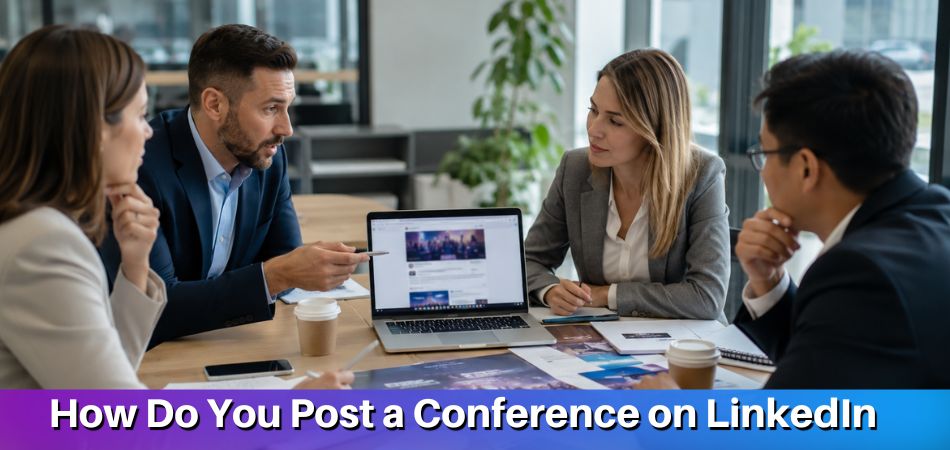
For the strongest result, follow this process:
- Create a LinkedIn Event with the full conference information.
- Publish a regular LinkedIn post announcing the event.
- Add the key details: topic, date, location, audience and registration link.
- Use a clear visual, such as a banner, flyer or speaker graphic.
- Tag speakers, sponsors, partners or the official organizer page.
- Add a few relevant hashtags.
- Share follow-up posts to keep the event visible.
A good conference post answers three questions: What is the conference about? Why should the reader care? What should they do next?
Why LinkedIn Works Well for Conference Promotion
LinkedIn works for conference promotion because it is built around careers, organizations and expertise, so the audience is already thinking about learning, research, business development and networking. It suits conferences, seminars, summits and workshops, whether academic or business.
One post can reach several groups at once: potential attendees, speakers who want to share expertise, sponsors looking for a relevant audience, and organizations open to partnerships. This makes LinkedIn useful for long-term visibility as well as registration.
LinkedIn also supports credibility. When a conference is shared from an official page and backed by tagged speakers or partners, people can check the organizer, follow the event page and see who else is engaging with it. The content keeps working after the first post too: speaker highlights, agenda updates, live quotes, recaps and attendee feedback extend the reach across several stages. For international conferences, this matters even more, because professional audiences are spread across countries, institutions and industries.
When Should You Use a LinkedIn Post vs. a LinkedIn Event?
Use a regular LinkedIn post for quick visibility in the feed. Use a LinkedIn Event when you need a dedicated page for event details, invitations and the registration link. For most conferences, using both gives better coverage.
A regular post reaches people while they browse. It suits announcements, reminders, speaker updates, agenda highlights and recaps, and it can be short, visual and easy to reshare. A LinkedIn Event is one organized place for the name, date, time, format, location, description, organizer, image and registration link. People can also mark that they are interested or attending, which helps the event look active.
| Promotion Goal | Best Format |
| Announce the conference quickly | Regular LinkedIn post |
| Share full event details | LinkedIn Event |
| Invite relevant connections | LinkedIn Event |
| Highlight a speaker or session | Regular LinkedIn post |
| Share a registration reminder | Regular LinkedIn post |
| Build an official event page | LinkedIn Event |
| Promote before, during, and after the event | Both |
Create the LinkedIn Event first, then use regular posts to send people to the event page or registration page. LinkedIn also advises sharing the event as a post, so people outside your network can find it.
What Information Should Every LinkedIn Conference Post Include?
Every LinkedIn conference post should include the event name, main topic, date, time, time zone, location or online format, registration link and a clear reason to attend. These details let readers decide quickly whether the conference is relevant.

Make the subject clear from the first line, for example business, healthcare, digital marketing, engineering, leadership, academic research or social science, rather than a general announcement. The time zone matters for international conferences, because people read the post from different regions. For an in-person event, give the city and venue when available. For an online or hybrid event, say so plainly.
Also name the target audience, such as researchers, entrepreneurs, executives, students, healthcare professionals, engineers, marketers or educators. When readers recognize themselves in the post, they keep reading.
| Detail | What to Add |
| Conference | Full event name |
| Topic | Main theme or subject |
| Audience | Who should attend |
| Date | Event date |
| Time | Start time and time zone |
| Format | Online, in person, or hybrid |
| Location | City, venue, or online access |
| Registration | Link or instruction |
Add these when they apply:
- Speaker or host details, if confirmed
- Organizer name or company page
- Main benefits of attending
- Important deadline, such as the abstract or registration deadline
- Professional visual, relevant hashtags and tags for speakers, partners, sponsors or organizers
Do not depend on the image alone. Text inside an image is hard to read on a small mobile screen and is not available to screen readers, so put the essential information in the post text as well. Keep the post, image, LinkedIn Event and registration page consistent, so readers see the same date, time, topic and registration details everywhere.
Simple Example of a LinkedIn Conference Post
Here is a simple structure you can adapt for your own announcement:
Professionals in [industry or field] are invited to join [Conference Name], a conference focused on [main topic or theme].
It is designed for [target audience] who want to hear expert discussions, explore current developments and meet others working in the field.
Date: [Event Date]
Time: [Event Time and Time Zone]
Location: [City, Venue, Online, or Hybrid]
Registration: [Registration Link]Sessions will cover [key topic one], [key topic two] and [key topic three].
If this topic is relevant to your work, research or organization, review the event details and register here: [Registration Link]
Hashtags: #Conference #[Industry] #[Topic] #ProfessionalEvents
This format works because it is direct: it introduces the event, names the audience, lists the essentials and ends with one action. Shorten it for a reminder or expand it slightly for a major announcement.
How to Post a Conference on LinkedIn as a Regular Post
To post a conference as a regular LinkedIn post, choose the right profile or page, write a clear announcement with the details above, add a registration link and a strong visual, tag relevant people and publish at a suitable time.
Start by deciding where the post should appear. A company page is best for official announcements because it ties the conference to the organizer’s brand. A personal profile works well when the poster is a speaker, organizer, sponsor or professional with a relevant network. For better reach, publish from the company page and ask speakers or team members to reshare it with their own comments.
Your opening line should give people a reason to stop scrolling. Lead with the value, meaning the topic, audience or professional benefit, rather than only the conference name. For example, present the event as a chance to explore current industry challenges, hear from expert speakers or meet professionals in a specific field.
After the opening, list the details in a clean format, then add a call to action that tells readers what to do next. Direct lines work best, such as “Register here,” “View the full agenda,” “Reserve your seat,” “Submit your abstract” or “Join the LinkedIn Event.”
Add a professional visual: a banner, flyer, speaker graphic, agenda preview, venue photo or short promo video. Make sure it is readable on mobile and not overloaded with small text.
Use a few hashtags that match the topic and audience. Three to five is a commonly suggested range, not a LinkedIn rule, covering the event type, industry, topic or location. Tag only people or pages directly connected to the conference, such as speakers, sponsors, partners, hosts and official organizer pages. To mention a person, type @ and their name, then pick them from the suggestions so they are notified. Some members turn mentions off, and LinkedIn may limit mentions of people you are not connected to. Avoid tagging unrelated people for attention.
After publishing, monitor the post. Reply to comments, answer questions, thank people who share it and encourage speakers or partners to reshare with a personal note.
How to Create a LinkedIn Event for a Conference
To create a LinkedIn Event, open Events from your LinkedIn home page, choose Create an Event, pick the organizer, event type and format, add the name, time zone, date, description and cover image, then post it. LinkedIn does not create the event until you finish the final Post step.
A LinkedIn Event works as the information hub for your conference. You do not have to fit every detail into one short post, and people can return to the page whenever they want to check the schedule, topic, organizer or registration details.
Before you start, decide which account hosts it. For an official conference, the organizer’s company page or institution page is usually the better choice, since it keeps promotion tied to the right brand. According to LinkedIn’s help pages, once the event is posted you cannot change the organizer, the event type (online or in person) or the format (LinkedIn Live or external event link). Get these right before you publish. LinkedIn also does not save event drafts, so have the name, description, cover image and registration link ready before you start.
| Event Field | What to Enter |
| Organizer | Your profile or the conference’s company page |
| Event type | Online or in person (an in-person event needs a venue and location) |
| Event format | External event link for your registration page; LinkedIn Live only if you have access |
| Name, time zone, date and time | Official conference name, then start time with the correct time zone |
| Description | Theme, audience, key sessions, speakers and deadlines |
| Cover image | 16:9 ratio, at least 480 pixels wide (for example 1280 x 720 pixels), with alt text |
| Registration form | Optional, and only for events hosted by a Page; LinkedIn asks for a link to your privacy policy |
Write the description in short paragraphs rather than one block. Explain what the conference is about, who should attend, what topics will be covered and why it is worth the time. A banner with the event name, date, topic and organizer logo works well, but avoid too much text because it is often viewed on small screens.
Posting the event also publishes a one-time announcement on your profile or Page, so write that promotional text carefully. Add the registration link and test it before you post, because a broken link reduces registrations and weakens trust. Speakers you add are invited automatically, but only if they are your LinkedIn connections. Once the event is live, you can invite your 1st-degree connections, up to 1,000 invitations a week across all your events. Then share the event again in a regular post when you want it seen beyond that first announcement, and ask speakers, sponsors and partners to share it with their networks. LinkedIn recommends setting up the event at least 2 to 4 weeks ahead so you have time to promote it.
LinkedIn Conference Promotion Timeline
A promotion timeline plans your posts before, during and after the event, so you are not posting just once. Each stage has its own goal.
| Stage | Goal | Content Ideas |
| Before the conference | Build awareness and registrations | Announcement, speaker posts, agenda updates, reminders |
| During the conference | Show activity and engagement | Photos, quotes, short clips, session highlights |
| After the conference | Build credibility | Recap, thank-you post, key takeaways, feedback |
Before the conference, start with a clear announcement, then share posts on speakers, topics, agenda tracks, sponsors, deadlines and networking opportunities. Each post should give the audience a new reason to care.
During the conference, share what is happening: speaker quotes, session photos, short clips, panel highlights, networking moments or sponsor mentions. Keep these short. A strong photo with one useful takeaway is easier to read than a long update.
Photos of people need care. Tell attendees at registration or on-site signage that photos may be shared, avoid close-ups of people who did not agree, and remove a photo promptly if someone asks. Privacy rules differ by place and venue, so follow your organizer’s photo policy.
After the conference, thank attendees, speakers, sponsors, partners and the organizing team. Share key takeaways, photos, short videos and attendee feedback. Post-event content shows the event had value and makes the next conference easier to promote.
Best Time to Post a Conference on LinkedIn
There is no single best time. Weekday working hours are a sensible starting point, and Tuesday to Thursday is a commonly suggested window, but the right schedule depends on your audience, industry and location, so test and check your own analytics.
Try Monday for major announcements and Friday for lighter updates such as recaps or behind-the-scenes content, then compare the results in your analytics.
Windows worth testing:
| Time Window | Why It Can Work |
| 8:00 AM to 10:00 AM | People may check LinkedIn before work becomes busy |
| 10:00 AM to 11:30 AM | Users may browse between tasks or meetings |
| 1:00 PM to 3:00 PM | Some audiences check updates after lunch |
Time zones matter. If most of your audience is in Canada, post during Canadian working hours. If your audience is global, test more than one window for the major regions, and always state the event time zone in important posts.
Use LinkedIn analytics to check impressions, clicks, reactions, comments, shares, saves and registration activity. If speaker posts do better in the morning and reminders do better in the afternoon, adjust your plan. Good timing helps, but it does not replace clear content.
You do not have to be online at the chosen time. In the post box, use the clock icon to schedule a regular post from 10 minutes to 3 months ahead. LinkedIn converts the time using your device’s time zone, so check your device settings first. LinkedIn lists Events posts among the types that cannot be scheduled, so publish the announcement that comes with your Event when you create it.
LinkedIn Conference Post Templates
These templates help you write faster while keeping the message complete. Adjust the wording for your topic, audience and brand voice.
Conference Announcement Post Template
We are bringing together professionals, researchers and industry voices for [Conference Name], focused on [main topic].
Expect conversations about [key theme or benefit], with time to meet others in the field.
When: [Event Date], [Event Time and Time Zone]
Where: [City, Venue, Online, or Hybrid]
Register: [Registration Link]Hashtags: #[Topic] #[Industry] #Conference #Networking
Speaker Spotlight Post Template
Meet [Speaker Name], who will join [Conference Name] to discuss [session topic].
[Speaker Name] brings experience in [field or organization area] and will share insights on [key subject] for [target audience].
Session: [Session Title]
Date: [Event Date]
Location: [City, Online, or Hybrid]
Registration: [Registration Link]Hashtags: #[Topic] #[Industry] #ConferenceSpeaker
Reminder Post Template
[Number] days left until [Conference Name].
The programme covers [main topic] with [speakers or experts] and a room full of [target audience].
Format: [Online, In-person, or Hybrid]
Seats and registration: [Registration Link]If this matters to your work or research, register before [Deadline].
Hashtags: #Conference #EventReminder #[Industry]
Live Event Update Template
Live from [Conference Name]: today’s session on [topic] is raising useful ideas for [audience or industry].
Key takeaway: [short insight or quote]
Thank you to [speaker, moderator, sponsor or attendees] for the discussion.
Follow [organizer page] for more updates.
Hashtags: #Conference #LiveEvent #[Topic]
Post-Conference Recap Template
Thank you to everyone who joined [Conference Name].
[Attendees, professionals, researchers, speakers, sponsors or partners] met to discuss [main topic].
Highlights included:
- [Key session or topic]
- [Speaker insight]
- [Networking or collaboration moment]
- [Important takeaway]
We appreciate everyone who helped make the conference possible.
Hashtags: #ConferenceHighlights #ProfessionalEvents #[Industry]
How to Get More Engagement on a LinkedIn Conference Post
To get more engagement, make the post useful, specific and easy to respond to. People comment, share, save or click when they understand the value and have a reason to act.
- Start with a clear value hook: The first line should say why the conference matters: the topic, an audience benefit, a speaker highlight or an industry challenge, not a vague announcement.
- Tag relevant speakers, sponsors and partners: They can add visibility when they comment, react or reshare with their own networks. LinkedIn notes that you can only invite speakers who are your connections, so connect with them first.
- Use focused hashtags: Choose three to five tied to the event type, industry or topic. Too many broad hashtags make the post look crowded.
- Ask one simple question: End with one question that is easy to answer, such as which session people most want to attend.
- Share a useful takeaway: Add one insight, trend or speaker idea connected to the theme, so the post feels helpful instead of purely promotional.
- Reply to comments quickly: Answer questions, thank people for sharing and guide interested readers to the event page or registration link.
- Encourage personal reshares: Ask speakers, organizers, sponsors and partners to reshare with their own short comment. Send them the post link, the image and a two or three line draft they can edit, so sharing takes them a minute.
Common Mistakes to Avoid When Posting a Conference on LinkedIn
The most common posting mistakes are missing details, a vague title, no call to action, poor visuals, bad timing and a single announcement. These make it harder for people to understand, trust or act on your post.
- Leaving out key details: Name, topic, date, time, time zone, format, organizer and registration link all belong in the post. Gaps create confusion.
- Using a vague event title: Readers should see at once whether the event is about business, healthcare, marketing, engineering, leadership or academic research.
- Posting without a clear call to action: Every post needs one next step, such as “Register here” or “View the agenda.”
- Using crowded or low-quality visuals: Avoid tiny text, too many logos and unclear design.
- Tagging unrelated people or pages: Random tagging looks spammy and weakens trust.
- Posting at the wrong time: Avoid publishing important posts when your audience is unlikely to be active. Test weekday working hours and adjust using LinkedIn analytics.
- Relying on one announcement only: One post is rarely enough. Vary the updates, as covered in the timeline above.
- Forgetting to track performance: Check impressions, clicks, comments, shares, saves and registrations to see which posts raise awareness and which drive action.
How to Promote a Conference After the First LinkedIn Post
To promote a conference after the first post, keep sharing updates that give people a new reason to notice and register. Follow-up posts reach people who missed the announcement and remind interested readers to act.

- Share reminder posts with fresh angles: Do not repeat the same announcement. One reminder can focus on the main topic, another on a speaker, another on the agenda and another on a registration deadline.
- Highlight speakers and sessions: Post about keynote speakers, panelists, moderators, workshops or featured sessions. Include the speaker’s name, role, topic and one reason the session is valuable.
- Post agenda or topic updates: Share main tracks, session themes, workshop topics and networking sessions in an easy-to-scan format, and send readers to the full agenda when available.
- Share behind-the-scenes preparation: Venue updates, team planning, speaker coordination, registration milestones or virtual event checks make the conference feel active and organized.
- Try a short video or a poll: A teaser clip from a speaker or a one-question poll about the programme gives followers a different way to react than another flyer.
- Consider Event Ads for Page-hosted events: LinkedIn lists Event Ads as a paid way to promote a Page-hosted event to a targeted audience before it starts. They are optional.
- Connect the recap to future promotion: A strong recap with attendee feedback shows the value of the event and supports the next announcement.
LinkedIn Conference Posting Checklist
Before publishing, run a final check on accuracy and links. Use it for regular posts, LinkedIn Events, speaker highlights and registration reminders.
- Every detail from the table above is in the post text, with the official conference name.
- The image is sharp, readable on mobile and matches the conference brand.
- The registration link opens correctly and leads to the right page.
- The post, image, LinkedIn Event and registration page show the same date and time.
- Tags are accurate, speaker and session details are confirmed, and the call to action is clear.
After publishing, save the post link so you can reuse it in reminders, emails or internal promotion. A checklist prevents small errors that reduce trust, and it keeps promotion consistent across different profiles and pages.
From our experience at MS International: Our conferences are in person at Greater Toronto Area venues. Presenting authors submit their work, pass double-blind review and register after acceptance, while listeners register to attend without presenting. If your post promotes a conference with both routes, say which one your call to action is for.
FAQs About Posting a Conference on LinkedIn
Promoting a conference on LinkedIn involves choosing a personal or company page, how often to post, hashtags, tagging speakers, using a LinkedIn Event and permission for attendee photos.
Can You Promote a Conference From a Personal LinkedIn Profile?
Yes, you can promote a conference from a personal LinkedIn profile, whether you are a speaker, organizer, sponsor or attendee. Personal posts can feel more authentic, but they should still include the event name, date, topic, location and registration link.
Should You Post From a Company Page or Personal Account?
Use both. A company page gives the conference an official presence, and personal accounts reach trusted networks. Publish the main announcement from the organizer page, then ask speakers and team members to reshare it with personal comments.
How Many Times Should You Post About the Same Conference?
Post several times, each with a different purpose. Start with an announcement, then share speaker highlights, agenda updates, registration reminders, live moments and a recap. There is no fixed number, so keep each post fresh instead of repeating one message.
How Many Hashtags Should a LinkedIn Conference Post Use?
Three to five relevant hashtags is a commonly suggested range, but it is a guideline, not a LinkedIn rule. Choose tags tied to the event type, topic, industry or location, and skip broad ones that make the post look crowded.
Should You Tag Speakers in a Conference Post?
Yes, tag speakers once they are confirmed and directly connected to the post. Tags can improve reach and credibility when speakers comment or reshare. For larger conferences, write separate speaker spotlight posts instead of tagging everyone at once.
What Type of Image Works Best for a LinkedIn Conference Post?
A clear, professional image works best: a banner, speaker graphic, agenda preview, venue photo or flyer. Keep the text readable on mobile. For a LinkedIn Event cover, LinkedIn asks for a 16:9 image, such as 1280 x 720 pixels.
Is a LinkedIn Event Better Than a Regular Post?
A LinkedIn Event is better for full details, and a regular post is better for feed visibility. Use both: create the Event as the information hub, then share regular posts that point people to it.
Do You Need Permission to Post Photos of Attendees?
Ask for consent from people who are clearly identifiable, and follow the event’s photo policy. Tell attendees photos may be posted and remove a photo if someone asks. Laws and venue rules vary, so this is general guidance, not legal advice.
Can You Change a LinkedIn Event After Posting It?
Only some details. LinkedIn does not let you change the organizer, the event type (online or in person) or the event format after you post. Check those three before you press Post, and keep the registration link tested.
Can You Schedule a LinkedIn Conference Post?
Yes for a regular post, no for an Events post. LinkedIn lets you schedule a post from 10 minutes to 3 months ahead using the clock icon, and it lists Events among the types that cannot be scheduled.
What Should You Post After the Conference Ends?
Post a recap that thanks attendees, speakers, sponsors and partners. Add key takeaways, photos, short clips or attendee feedback if available. This shows the value of the event and builds interest in future conferences. Attendees can also add their conference certificate of participation to a resume, usually under Professional Development.
Final Takeaway: The Best LinkedIn Posting Strategy for Conferences
Combine a clear regular post with a complete LinkedIn Event. The post gives your conference feed visibility, and the Event gives interested people one place to review details and register.
Put the topic, date, time, location, audience and registration link up front, add a professional visual, and tag only relevant people. Then keep posting before, during and after the conference so the event stays visible.