The person who introduces a session chair has about half a minute to set up the whole session. If the name is wrong or the introduction drags, the first speaker starts late and the room loses confidence in the program.
Quick answer: To introduce a session chair, say their full name, title and organization, name the session topic, add one line on why they are chairing it, and finish with a clear handover such as “Please welcome [Name].” The host, MC, moderator or track lead usually does this. Aim for about 30 seconds and confirm the name’s pronunciation beforehand.
Knowing how to introduce a session chair matters because this small moment shapes the audience’s first impression of the session. A weak or unclear introduction creates confusion and delays the program, while a prepared one lets the host, MC, moderator, speakers and audience move into the session smoothly.
A good introduction answers three questions fast: who the chair is, what role they will play, and which session they are about to lead. This guide covers who should introduce the chair, what to say, scripts for academic, corporate, panel and online sessions, and the mistakes to avoid. It also ends with a direct handover, such as inviting the chair to begin or take the stage.
What Is a Session Chair Introduction?
A session chair introduction is the short opening statement that presents the person responsible for leading a conference session. It tells the audience who the chair is, which session they are guiding, and why they are the right person to manage that part of the program.

In most conferences the chair keeps the session organized. Their role may include introducing speakers, managing time, guiding questions, handling discussion, and closing the session. The introduction gives them a clear starting point before they take control. At the end of the whole program, an event chair may also give the conference closing remarks.
It is not a speaker biography. It does not need every award, publication or career detail. It should focus on the chair’s connection to the session and their responsibility within the event. A strong one tells the audience:
- Who is leading the session
- Their professional role or affiliation
- The topic or theme they will guide
- What happens next
A simple version may contain only the chair’s name, designation, organization, session title and a polite invitation to begin. That gives the audience enough context without taking time from speakers or discussion.
The best introductions are short, accurate, and easy to follow, and they keep the focus on the program, not on the person speaking. They let the session begin with confidence.
Why a Session Chair Introduction Matters at a Conference
A session chair introduction matters because it gives the session a clear beginning and shows the audience who is in charge. Even a short opening affects how organized and professional the session feels.
When the chair is introduced properly, the audience knows where to look, and speakers know the session is formally underway. That reduces hesitation and makes the move from the previous segment smoother. In practice it:
- Builds audience confidence: people relax when they know who is guiding the session.
- Clarifies the session flow: it signals that the chair will manage speakers, timing and discussion.
- Protects the schedule: a brief, focused opening prevents delays.
- Shows respect for the chair: correct names, titles and roles look professional.
- Gets speakers ready: they can prepare for their turn once the chair takes control.
- Creates a polished handover: the event feels coordinated instead of improvised.
This matters most in academic conferences, business summits, panels and hybrid events where sessions run on a tight schedule. The purpose is not to impress anyone with detail. It is to establish authority, give context, and hand over control. A clear introduction lets everyone move into the session without uncertainty. Done well, it is almost invisible because the session just starts.
Who Should Introduce the Session Chair?
The session chair is usually introduced by whoever is already guiding the event at that moment: the conference host, master of ceremonies (MC), event moderator, or a program organizer or track lead. The choice depends on the format, the level of formality and the schedule.
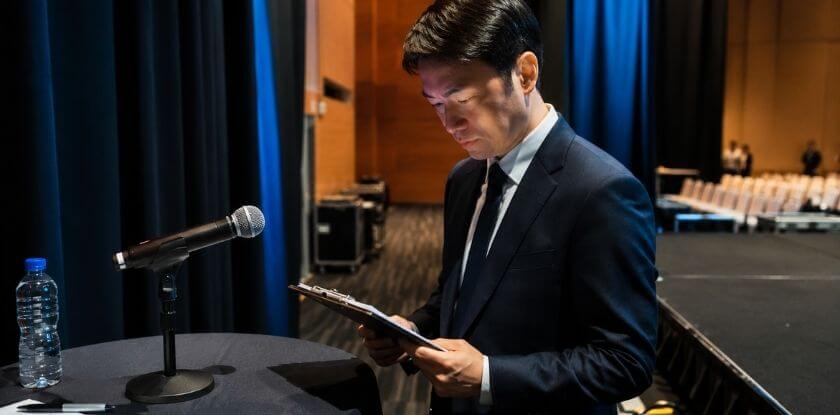
There is no single rule. In some conferences the MC introduces every chair before each session. In academic events a track lead or organizing committee member often does it. In smaller seminars the moderator or host may introduce the chair directly.
Conference Host
The conference host often introduces the chair during main sessions, opening programs, keynote segments or high-profile discussions. This works well when the host is already leading the audience through the schedule.
A host’s introduction is polite, brief and formal: the chair’s name, professional title, organization and the session topic. The host should not turn it into a speech while several speakers wait.
Master of Ceremonies
The master of ceremonies, or MC, usually handles introductions all through the conference. The MC keeps the program moving, announces transitions, introduces key participants and sets the tone of the event.
An MC may introduce many people in one day, so check each chair’s details in advance. Mixed-up titles, affiliations or session names are the usual slip.
Event Moderator
In panels, workshops, breakout rooms and smaller professional events, the event moderator often introduces the chair. Because the audience may already understand the format, this introduction can be more direct. The moderator should still name the chair and explain their role before handing over.
Program Organizer or Track Lead
A program organizer or track lead may do it when the event has several tracks, academic themes or parallel sessions, which is common at research conferences where each track has its own subject area.
This introduction should link the chair to the session theme, for example by naming their area of expertise or their role in the program. The aim is to show why this person leads this particular session, while keeping the opening short.
Whoever does it should know the session order, hold the correct details, pronounce the chair’s name properly, and be ready to hand over without delay.
At some conferences the chair introduces themselves, and some organizers send chairs written instructions. Check what the organizer has set before you plan the introduction, because those instructions come first.
What to Include in a Session Chair Introduction
Include only what the audience needs before the session begins: the chair’s correct identity, relevant role, session context and a clear handover. You do not need a full biography, because a long list of achievements slows the program and pulls attention away from the session.

Correct Name and Title
Start with the chair’s full name and correct title. It is the most important part because it shows respect and prevents confusion. Before the event, confirm:
- Spelling of the name and preferred pronunciation
- Professional title, such as Dr., Professor, Mr., Ms., or another form
- Current designation or role
- Organization, university or company
Never guess a title or pronunciation. If you are unsure, ask the chair, the event coordinator or the program team before going on stage.
Professional Role or Affiliation
After the name, give the chair’s professional role or institutional affiliation. It tells the audience who the chair is and why they are leading the session. You might say the chair is a professor, department head, researcher, director, industry expert or committee member. Keep it short and relevant, because one sentence is usually enough. Do not read a long resume, since the introduction should support the session rather than become a separate profile speech.
Session Topic or Theme
Connect the chair to the session topic so the audience knows what the session is about before the chair begins. You can mention:
- The session title
- The main theme or subject area
- The type of session: panel, keynote, workshop or paper presentation
For example, say the chair will guide a session on healthcare innovation, research methods, business leadership, technology trends or climate policy. That gives the audience a clear direction from the start.
Brief Reason for Their Role
In formal or academic settings, one short phrase on why this person chairs the session adds value. You may point to the chair’s:
- Relevant expertise or academic background
- Leadership role or industry experience
- Connection to the session topic
Instead of listing many achievements, say the chair has strong experience in the subject area or has worked closely with the theme. Keep the focus on relevance, not praise.
Clear Handover Line
End with a handover line that tells the audience your part is finished and the chair now has control. For example:
- “Please join me in welcoming [Name] to chair this session.”
- “I now invite [Name] to begin.”
- “Over to you, [Name].”
Say it directly and confidently. Then step aside, give the chair space, and add nothing more.
How to Introduce a Session Chair in a Conference: Step by Step
To introduce a session chair, prepare the correct details, greet the audience briefly, state the chair’s name and role, connect them to the session topic, and hand over clearly. The whole thing should take about 30 seconds. Preparation matters more than performance: when the details are correct and the handover is clear, the session begins with confidence.

Verify the Chair’s Name, Title, and Pronunciation
A wrong name or title makes the opening feel careless, so check the details against the conference program, with the event coordinator, or with the chair directly. Also ask whether they prefer a formal title such as Professor or Dr., how they would like to be introduced (including pronouns), and whether the session title in the program has changed.
Prepare a Brief Introduction Script
Write a short script before you go on stage. It needs the chair’s name, role, affiliation, the session title and one handover sentence. A useful order is:
- Greet the audience.
- Name the session title or topic.
- Introduce the chair by name and role.
- Add one line on their connection to the session.
- Invite the chair to begin.
Skip long biographies, personal stories and unnecessary praise. The script supports the program; it should not delay it.
Confirm the Session Timing and Format
Know the session’s start time, end time and format before you speak. That gives the chair a clean starting point. Check whether it is a keynote, academic paper session, workshop, panel or hybrid session. If there are speakers, panelists or Q&A segments, make sure the chair knows the order before the introduction begins.
Check the Microphone, Stage, and Seating
Arrive early enough to check the basics: the microphone or podium works, the chair knows where to sit or stand, and the stage area is clear. The speaker table, presentation screen and timer or cue system are listed in the checklist near the end. A few minutes here prevent awkward pauses after the introduction.
Open With a Clear Greeting
Begin with a short greeting that fits the event tone. A formal event suits a polished opening, while a smaller workshop only needs something friendly and direct. Short options include:
- “Good morning, everyone.”
- “Welcome to this afternoon’s session.”
- “Thank you for joining this panel discussion.”
- “Welcome back to our next session.”
Keep it brief, because the audience does not need a long opening before the chair appears.
Mention the Session Topic and the Chair’s Role
After the greeting, state the topic and say that the chair will guide the discussion. This gives the audience context and shows who is responsible for the session flow. For example:
“This morning’s session looks at digital transformation in healthcare. Our chair will guide the presentations and manage the discussion afterwards.”
Invite the Chair to Begin
End with a direct invitation. Say the chair’s name clearly, pause briefly, and invite them to take over:
“Please join me in welcoming [Title + Name] to chair this session.”
or
“I now invite [Title + Name] to begin the session.”
Once you have said the handover line, stop speaking and add no more details.
In a large room you can also describe the chair first and say the name last, for example “Our chair leads research on [Field] at [Institution]. Please welcome [Name].” The audience then applauds on the name, which also signals that the chair’s turn has started.
Step Aside and Stay Available for Support
Step aside and let the chair take control. If you are responsible for the room, stay nearby for a short time in case the chair needs help with the microphone, screen, timer or audience questions. Do not stay at the center of attention. Your part is done once the chair has started the session.
How to Introduce a Session Chair in a Virtual Conference
To introduce a session chair in a virtual conference, give a brief welcome, name the session, introduce the chair clearly, explain the participation rules, then give the chair control of the meeting. Keep it short, because online audiences lose focus quickly.
Virtual introductions need extra clarity. Attendees join from different places, audio can lag and visual cues are missed, so say clearly who is speaking, what the session covers and how to take part.

Start With a Short Welcome and Self-Introduction
Open the virtual session with a calm welcome and identify yourself, so attendees know who is managing the transition:
“Good afternoon, everyone, and welcome. I’m [Your Name], and I’ll open this session before handing over to our chair.”
Keep this part brief. The audience joined for the session, not for a long host introduction.
State the Session Title, Format, and Duration
Next give the session title, format and expected duration, so online attendees know what will happen and how long to stay engaged. Useful details are:
- Session name or number
- Topic or theme
- Number of speakers or panelists
- Q&A timing and approximate session length
“This session is titled [Session Title]. It has three presentations, followed by a moderated Q&A.”
Introduce the Session Chair Clearly
After setting the scene, introduce the chair with their correct name, title, role and affiliation. Speak slowly enough for online listeners to catch the details, and skip the long biography. A concise introduction is easier for remote attendees to follow.
“Our session chair is [Title + Name] of [Institution]. They will guide today’s presentations, manage the discussion and lead the Q&A.”
Explain Q&A and Chat Rules
Before handing over, say how people should take part. Online sessions get confusing when attendees do not know whether to use chat, the microphone, a hand raise or a Q&A box. Cover:
- Whether questions go in chat or the Q&A box
- Whether attendees may unmute themselves
- When questions will be answered
- Whether the chair selects the questions
“Please post questions in the Q&A box. The chair will pick several and bring them into the discussion after the presentations.”
That keeps participation organized and helps the chair run the session fairly.
Confirm Recording, Muting, and Technical Settings
This matters most for webinars, hybrid conferences and large virtual events. Briefly remind attendees to:
- Keep microphones muted unless invited to speak
- Use the correct chat or Q&A feature
- Report technical issues to the support team
- Turn cameras on only if the format requires it
- Note whether the session is being recorded
Do not spend long on technical instructions. Share only the rules that affect the session directly.
Hand Over Control to the Chair Smoothly
End with a clear handover so the chair knows exactly when to begin. Online, that may also mean making the chair a co-host, spotlighting their video, or stopping your screen share.
“I now invite [Title + Name] to take over as session chair and begin the session.”
or
“Over to you, [Title + Surname], to lead today’s discussion.”
After handing over, mute yourself and allow the chair to speak. If you manage the platform, stay available in the background for screen sharing, muting, recording and participant access.
Session Chair Introduction Scripts and Examples
A script lets you speak clearly without overthinking the moment. The best one is short, accurate and easy to adapt to the event format. Each one below is short enough to say in well under a minute at a normal speaking pace and includes the chair’s name, title, affiliation, session topic and a clear handover. Replace the placeholders with the details from your conference program.

Formal or Corporate Script
A formal introduction suits opening sessions, keynote programs, executive panels, award events and large professional conferences. The tone is respectful, polished and direct.
“Good morning, everyone, and welcome to [Session Title]. It is my pleasure to introduce our session chair, [Full Name], [Job Title] at [Company]. [Surname] has deep experience in [Field] and will guide today’s session. Please join me in welcoming [Full Name].”
Filled in, the middle of it might read: “Welcome to Leadership Strategies for Global Business Growth. Our chair is [Full Name], [Job Title] at [Company], with experience in organizational leadership and international collaboration.”
Short Script for a Tight Schedule
Use a short introduction when time is tight or the audience already has the chair’s details in the program. It works for breakout rooms, workshops and technical sessions.
“Hello everyone, and welcome to [Session Title]. Chairing this session is [Full Name] of [Organization]. Please welcome [Full Name].”
Filled in: “Hello everyone, and welcome to Current Trends in Digital Education. Chairing today is [Title + Name]. [Surname] will guide the session and the discussion. Please welcome [Surname].”
Academic Conference Script
An academic introduction should sound professional and stay relevant to the research theme. Mention the chair’s institution and area of expertise, but do not turn it into an academic biography.
“Good afternoon, and welcome to the session on [Research Topic]. Our chair is [Academic Title + Full Name] from [Institution], whose work focuses on [Relevant Field]. [Surname] will lead the paper presentations and the discussion that follows. I now invite [Full Name] to take the chair.”
Filled in: “Welcome to the session on Sustainable Urban Development and Public Policy. Our chair is Professor [Surname] of [Institution], whose work covers urban planning and policy research. Professor [Surname] will lead today’s papers and the discussion.”
Virtual Conference Script
A virtual introduction adds online participation instructions: how to ask questions, whether the session is recorded, and who runs the discussion.
“Welcome, everyone, to [Session Title]. I’m [Your Name], and I’ll hand over in a moment. Our session chair is [Full Name], [Role] at [Organization], who will guide the speakers and manage the Q&A. Please send questions through [Chat/Q&A Box]. Over to you, [Full Name].”
Filled in: “Welcome, everyone, to Innovation in Remote Healthcare Delivery. Our chair, Dr. [Surname] of [Organization], will guide the speakers and manage the Q&A. Please use the Q&A box for questions.”
Panel Discussion Script
A panel introduction should make clear that the chair will guide the conversation, manage the panelists and lead the audience Q&A, so the panel starts with structure.
“Good evening, everyone, and welcome to our panel on [Panel Topic]. Our chair tonight is [Full Name], [Role] at [Organization]. [Surname] will introduce the panelists, steer the conversation and take your questions. Please welcome [Full Name].”
Filled in: “Good evening, and welcome to our panel on The Future of Artificial Intelligence in Business Operations. Ms. [Surname], [Role] at [Organization], chairs tonight. She will introduce the panelists, guide the conversation and lead the audience discussion.”
Academic vs Corporate: What Changes
| Element | Academic conference | Corporate event |
| Title | Academic title and institution | Job title and company |
| Expertise line | Research area | Industry or leadership experience |
| Session wording | Track, paper session, discussion | Keynote, panel, workshop |
| Tone | Formal and neutral | Formal, with a little more warmth allowed |
A script should guide your delivery, not make you sound stiff. Read it once or twice beforehand, then deliver it with a calm pace and a clear voice.
Session Chair Introduction vs Speaker Introduction
A session chair introduction presents the person who will manage the session. A speaker introduction presents the person who will deliver a talk, paper, keynote or presentation. The chair introduction is about session control, while the speaker introduction is about presentation context.

Purpose of Each Introduction
The purpose of a chair introduction is to show who will guide the session. The chair may introduce speakers, manage time, lead questions and close the discussion, so the introduction should make their authority clear without much personal detail.
The purpose of a speaker introduction is to prepare the audience for one specific presentation. It highlights the speaker’s topic, role and relevant background so listeners understand why the speaker is qualified to address the subject.
Key Differences in Focus, Tone, and Timing
A chair introduction is shorter and more functional. It focuses on the chair’s role, the session theme and the handover, in a respectful, neutral and organized tone. A speaker introduction can say more about the speaker’s expertise, research, experience or connection to the topic, and it can be slightly more engaging because it builds interest in the talk.
Timing differs too. The chair is introduced once, at the start of the session. Speakers are usually introduced one by one during the session, often by the chair.
Comparison Table: Session Chair vs Speaker Introduction
| Point of Difference | Session Chair Introduction | Speaker Introduction |
| Main purpose | Presents the person who will lead and manage the session | Presents the person who will deliver a talk or presentation |
| Primary focus | Session flow, timing, discussion, and coordination | Topic, speaker background, and presentation relevance |
| Usual timing | At the start of the session | Before each talk, keynote, or paper presentation |
| Who is introduced | Session chair, moderator, or discussion leader | Speaker, presenter, panelist, or keynote guest |
| Length | Usually very brief | May be slightly longer depending on the event |
| Tone | Clear, respectful, and structured | Engaging, informative, and topic-focused |
| Key details included | Name, title, affiliation, session topic, chairing role | Name, title, affiliation, talk title, relevant expertise |
| Main responsibility after introduction | Chair manages the session and introduces others | Speaker presents their content |
| Best handover line | “Please welcome [Name] to chair this session.” | “Please welcome [Name] to deliver the presentation.” |
If the chair will introduce each speaker later, the host does not need to introduce every speaker at the start. The host should focus on the chair and let the chair run the rest of the session.
Common Mistakes to Avoid When Introducing a Session Chair
The usual mistakes are wrong details, too much talking and an unclear handover. Each one interrupts the session flow and makes the opening look unprepared. A chair introduction should be simple, accurate and easy to follow, so avoid anything that creates confusion, delays the program or pulls attention away from the session.
Mispronouncing the Chair’s Name
A mispronounced name makes the introduction feel careless and can make the start uncomfortable for the chair and the audience. Confirm the pronunciation before the session by asking the chair directly or checking with the organizing team, and write the name phonetically in your notes if needed. If you cannot reach them, a short audio clip of the name from the chair or the organizing team works well.
Giving a Long or Overloaded Introduction
A long introduction takes time from speakers, discussion and audience questions, and listeners lose focus before the session has begun. Mention only the name, title, affiliation, session topic and one relevant reason the person is chairing. Skip the full biography unless the event format specifically requires it.
Saying the Chair “Needs No Introduction”
This line skips the details the audience still needs and can sound dismissive of the chair. Even a well-known chair should be introduced by name, role and session topic, in one or two sentences.
Forgetting the Session Topic
If you introduce the chair without naming the session, the opening feels incomplete. Include the session title or theme in one clear sentence so attendees understand what happens next.
Using the Wrong Title or Affiliation
An outdated role, incorrect title or wrong organization causes embarrassment, especially at academic, medical, government or corporate events where titles matter. Check the latest program information and use the chair’s preferred title consistently. Old materials and informal knowledge are poor sources.
Speaking Too Fast or Too Softly
Even a well-written introduction fails if the audience cannot hear it. Fast speech blurs names and titles, and a soft voice makes the opening weak. Speak at a steady pace, pause slightly before and after the chair’s name, use the microphone properly and face the audience.
Making Informal Jokes in a Formal Setting
A joke may seem harmless, but it can feel out of place at a formal conference, distract from the introduction or make the chair uncomfortable. At academic, professional and international events use respectful, neutral wording. Warmth is fine, but avoid humor that depends on personal familiarity, cultural references or private context.
Poor Handover or Awkward Stage Exit
The chair is left unsure when to begin if the person introducing them keeps talking after the invitation or does not move aside. Close with a direct line such as “Please welcome [Name] to chair this session.” Then stop speaking, step away from the microphone and let the chair start.
Ignoring Online or Hybrid Attendees
At virtual and hybrid events, remote attendees feel left out when the introduction only addresses the room, and they may not know how to ask questions. Acknowledge both audiences, say how online attendees can take part, and name who manages the discussion.
Best Practices for a Professional Session Chair Introduction
A professional introduction is brief, respectful and fitted to the event. Even under a minute, how you speak, pause and hand over affects how organized the conference feels.
Keep It Short and Relevant
Include only what helps the audience understand the chair’s role: name, title, affiliation, session topic, chairing responsibility and handover line. Do not repeat the full profile already printed in the conference program.
Match the Tone of the Event
A research conference may need a formal academic tone, while a workshop or industry meetup allows a more conversational style. For formal events use titles carefully and keep the wording polished. For smaller sessions you can sound warmer and more direct, as long as you stay respectful. Use simple language and skip exaggerated praise.
Practice Before Going on Stage
Practice once or twice to catch difficult names, awkward wording and missing information. You do not need to memorize every word, only the order: greeting, topic, the chair’s name and role, one line of context, handover. Knowing it helps you stay calm even when you feel nervous.
Maintain Eye Contact and Calm Delivery
Stand or sit with good posture, speak at a steady pace and look at the audience instead of reading every word. Pause slightly before saying the chair’s name so the audience hears it clearly.
Respect the Conference Schedule
Time control starts before the chair begins. A long introduction cuts into the time for speakers, questions and discussion, so keep your remarks brief, especially with several speakers or a strict agenda. Ending on time starts with starting on time.
Quick Checklist Before Introducing the Session Chair
Use this checklist before the conference starts to avoid mistakes and keep the handover smooth. Most items take a minute to confirm with the program or the chair, and together they cover everything the introduction needs.
| Checklist Item | What to Confirm |
| Chair’s full name | Check spelling and preferred pronunciation. |
| Correct title | Confirm whether to use Dr., Professor, Mr., Ms., or another title. |
| Current role | Verify designation, department, company, university, or organization. |
| Session title | Match the title with the official conference program. |
| Session format | Know whether it is a keynote, panel, workshop, paper session, or virtual session. |
| Start and end time | Make sure the introduction does not delay the schedule. |
| Speaker order | Confirm whether the chair or host will introduce the speakers. |
| Microphone and stage setup | Test the microphone or podium, know where the chair sits or stands, and check the speaker table or panel arrangement, presentation screen and timer or cue system. |
| Virtual platform tools | For online sessions, check chat, Q&A, mute, recording, and screen sharing. |
| Handover line | Prepare one clear sentence to invite the chair to begin. |
A simple checklist keeps you calm and prepared. When the details are ready, the introduction becomes easier to deliver naturally.
From our experience at MS International: All our conferences are held in person at venues in the Greater Toronto Area. Presenters meet the session coordinator or moderator before their presentation, and the moderator introduces each speaker before the presentation. Our events are in person only, so the online advice in this guide reflects general practice rather than our own events.
FAQs About Introducing a Session Chair in Conference
Before you hand the floor to a session chair, settle how long to speak, which achievements to mention, whether to skip a script and how to recover from a mispronounced name.
How long should a session chair introduction be?
A session chair introduction should take about 30 seconds and ideally stay under a minute. That is enough for the name, title, affiliation, session topic and handover line. Short workshops or breakout sessions may need less. If the organizer sets a time limit in its chair instructions, follow that.
What should I say when introducing a session chair?
Say the chair’s full name, professional title, organization and the session they will lead, then invite them to begin. A simple format: “Welcome to [Session Title]. Our chair is [Title + Name] of [Organization], who will guide the session and discussion. Please welcome [Name].”
Can I introduce a session chair without a script?
Yes, but prepare the key details first. At minimum, write down the chair’s name, title, organization, session title and handover line. A few notes often sound more natural than a full script, though a short written script helps at formal events or with a difficult name. A chair’s name is the one detail you should never improvise.
Should I mention the chair’s achievements?
Mention at most one achievement or area of expertise, and only if it supports the session topic. Do not list awards, publications or past job roles. The introduction should explain why this person is chairing, and one short sentence does that.
What if I pronounce the chair’s name incorrectly?
Correct it once, briefly, and carry on. Say something like “Apologies, [Correct Name],” and do not over-apologize on stage. If it still bothers you, apologize to the chair in person afterwards. The best prevention is confirming the pronunciation before the session begins.
Is a virtual session chair introduction different from an in-person one?
Yes, a virtual introduction needs a few extra details. Explain how attendees ask questions, whether microphones stay muted and whether the session is recorded. Then make the handover clear: invite the chair to begin, mute yourself and let them take control of the virtual room.
Conclusion
Introducing a session chair is a small task with a big effect on the session’s flow. Confirm the correct name and title, give the role or affiliation, connect the chair to the session topic, and finish with a direct handover.
The same rules hold at academic, corporate, in-person and online events: accuracy, clarity and timing matter most. Keep the wording brief, respectful and easy to understand, and a short script with calm delivery is all anyone needs to start a session smoothly. Do your checks the day before, not at the microphone.