You just presented your conference paper — but when you search Google Scholar, your name is nowhere to be found. Nearly every researcher hits this wall at some point. Your work is done, the presentation went well, and yet the academic internet has no record of it. That gap matters more than it might seem. Citations build your h-index. Your h-index shapes how peers, grant committees, and hiring panels see your output. If your conference paper isn’t indexed and discoverable, it might as well not exist — at least as far as academic visibility is concerned.
The good news is that getting your paper onto Google Scholar is usually fixable. Sometimes it happens automatically when your work appears in indexed venues like IEEE Xplore, ACL Anthology, or arXiv. Other times — especially with smaller conferences or regional proceedings — you have to do it yourself. That’s where your Google Scholar Profile becomes the tool you actually need to understand.
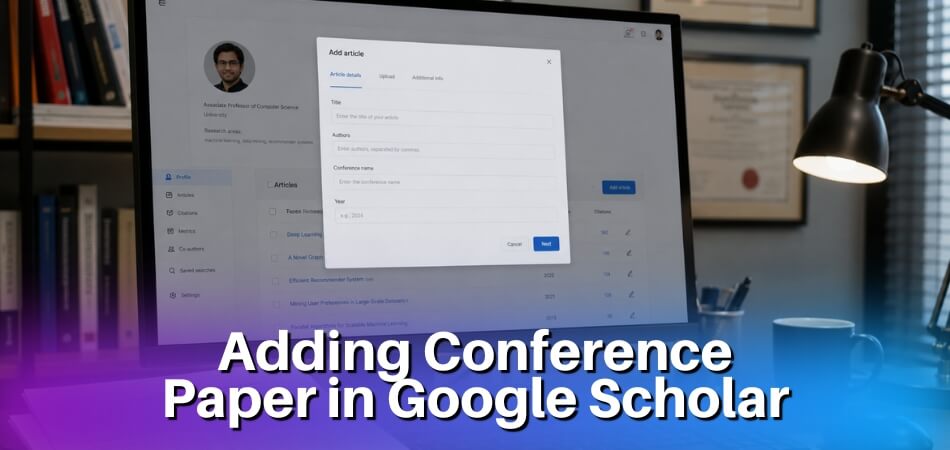
To manually add a conference paper to Google Scholar, log into your Google Scholar Profile, click the “+” button and select “Add Article,” then fill in the title, author names, conference venue, publication year, and a publicly accessible PDF link (such as a URL from your institutional repository, ResearchGate, Academia.edu, or a preprint server like arXiv). Make sure the metadata matches what appears on the paper itself — accurate title spelling, correct DOI if one exists, and the full conference proceedings name. Submit the entry and Google will review it before the record goes live. Once indexed, the paper becomes eligible to accumulate citation counts and appear in search results across Google Scholar and connected platforms like Semantic Scholar.
Most visibility problems come down to two things: the paper isn’t hosted anywhere Google can crawl, or the metadata is inconsistent across platforms. Both are solvable. This guide walks through every part of the process.
How to Add a Conference Paper to Google Scholar — Quick Answer
Google Scholar doesn’t have a direct submission portal where you upload a paper and it appears. That’s the part most researchers get confused about. The system works by crawling the web — it finds your paper automatically if it’s hosted somewhere publicly accessible with the right metadata.

Here’s the short version of how it works:
If your paper is already published, check whether it’s indexed in a major repository like IEEE Xplore, ACL Anthology, or your institution’s digital library. Google Scholar crawls these sources regularly. If the paper is there, it’ll likely show up on its own within a few weeks.
If it’s not indexed yet, your fastest move is to host a PDF somewhere Google can reach it — arXiv, your institutional repository, ResearchGate, or even a personal academic website. The PDF filename and the HTML metadata around it need to match the paper’s actual title and author names. Google Scholar reads that metadata to decide what it’s looking at.
To claim the paper on your profile, go to your Google Scholar Profile, click the “+” button, and search for your paper by title. If Scholar has already indexed it, you’ll find it there and can add it with one click. If it hasn’t been indexed yet, you can manually add it using the “Add article manually” option — fill in the title, authors, conference name, year, and DOI if you have one. This creates a profile entry, but it won’t have citation tracking until Scholar’s crawler finds the actual source document.
The Three Scenarios You’ll Run Into
- Scenario 1 — Paper is indexed, just not on your profile. Search your title in Scholar, find it, click “Cite,” and verify the metadata is correct. Then add it to your profile through the profile dashboard.
- Scenario 2 — Paper exists but Scholar hasn’t found it yet. Upload the PDF to arXiv, ResearchGate, or Academia.edu. Set up a Google Scholar Alert for your name so you know when it gets picked up.
- Scenario 3 — Conference proceedings aren’t indexed anywhere. This is common with smaller regional conferences. You’ll need to host the PDF yourself and wait for Scholar’s crawler, or reach out to the conference organizers to get the proceedings submitted to Semantic Scholar or a proper digital library.
One thing that matters more than most people realize: metadata accuracy. If the author name in the PDF header doesn’t match your Google Scholar Profile name exactly, Scholar may not link the citation to your profile. That directly affects your h-index and citation count. Fix typos early.
Adding a Conference Paper Manually from Your Google Scholar Profile
Logging Into Your Profile and Finding the ‘Add Article’ Button
Go to [scholar.google.com](https://scholar.google.com) and sign in with your Google account. If you don’t have a Google Scholar Profile yet, you’ll be prompted to create one — fill in your name, institution, and research interests before going further.
Once you’re on your profile page, look for the blue “+” button near the top of your publications list. Click it. You’ll see two options: Search articles and Add article manually. Since you’re adding a conference paper that Google Scholar hasn’t picked up on its own, choose Add article manually.
That’s the button most researchers miss. It’s not hidden, but it’s easy to overlook if you’re expecting a more prominent “submit” interface.
Filling In Metadata Correctly — Title, Authors, Venue, and Year
This part matters more than people realize. Errors here directly affect your citation count and h-index calculations, because Google Scholar uses metadata to match incoming citations to your papers.
Fill in the fields like this:
- Title — Use the exact title from the published proceedings. Don’t abbreviate or reword it.
- Authors — List all authors in the same order as the paper. Use the same name format you use everywhere else — inconsistency creates duplicate profiles.
- Publication type — Select Conference proceedings from the dropdown. Don’t leave it as generic “article.”
- Conference name — Write the full conference name, not just the acronym. For example: Proceedings of the 60th Annual Meeting of the Association for Computational Linguistics, not just ACL 2022. If your paper is indexed in ACL Anthology or IEEE Xplore, match their format exactly.
- Year — Use the year the proceedings were published, not when you presented the paper or submitted it.
- Pages, Volume, Publisher — Fill these in if available. Leaving them blank isn’t fatal, but complete metadata helps Google Scholar disambiguate your paper from similar titles.
One thing to be careful about: author name formatting. If your name appears as “J. Smith” in one paper and “John Smith” in another, Google Scholar may treat these as two different people. Keep it consistent across your profile.
Adding a Publicly Hosted PDF Link to Your Submission
There’s a field for a URL to the paper’s PDF. You don’t have to fill this in, but you absolutely should if you can.
Google Scholar can’t show a paper’s full text or improve its indexing weight without access to the actual document. A hosted PDF also means readers can access your work directly — which tends to increase citation rates over time.
Your options for hosting:
- Your institutional repository — Best for long-term stability. Most universities have one.
- arXiv — Ideal if you uploaded a preprint before the conference. Grab the direct PDF link from the abstract page (ends in
.pdf). - ResearchGate or Academia.edu — These work, but links occasionally break. Not the most reliable long-term option.
- Personal or lab website — Fine as long as the URL is stable and publicly accessible without login.
Don’t link to a paywalled version on IEEE Xplore or a similar publisher site. Google’s crawler can’t get past the paywall, and neither can most of your readers. If the paper has a DOI, add that in the DOI field separately — it’s not a substitute for a PDF link.
Make sure the PDF is accessible without logging in. Test it in an incognito browser window before submitting.
What Happens After You Submit — Understanding the Review Process
After you hit save, the paper shows up on your profile almost immediately. But “on your profile” and “indexed by Google Scholar” are two different things.
Your manually added paper is visible to anyone who visits your profile page right away. However, it won’t appear in general Google Scholar search results until Google’s crawler verifies and indexes it — and that can take anywhere from a few days to several weeks.
If you linked to a hosted PDF, the crawl tends to happen faster. Google’s bots follow that link, confirm the document is accessible, and fold the paper into the broader index. Without a PDF link, the process is slower and less certain.
A few things to know:
- Google Scholar may automatically merge your manually added entry with an existing record if it finds a match. This is usually fine — it consolidates citations rather than splitting them.
- If the paper gets merged incorrectly with a different paper, you can separate them from your profile by clicking the title and selecting the appropriate option.
- You won’t get an email confirmation. Nothing happens visually after you submit. Just check back after a week.
- Setting up a Google Scholar Alert for your paper title is a practical way to track when citations start appearing.
Manual submission isn’t a workaround — it’s a legitimate and frequently necessary tool, especially for papers from smaller regional conferences that Google hasn’t crawled yet.
How to Get Your Paper Indexed When Conference Proceedings Are Not Available
Not every conference publishes proceedings through a major indexer like IEEE Xplore or ACL Anthology. Smaller workshops, regional conferences, and newer venues often have no digital footprint that Google Scholar can crawl. In those cases, you have to create that footprint yourself.

How to Publicly Host Your Paper as a Preprint
The simplest path is uploading your paper as a preprint before or after the conference. arXiv is the most recognized option for computer science, physics, mathematics, and related fields. Create a free account at arxiv.org, submit your PDF, and within a day or two you’ll get a stable URL and a DOI-like identifier. Google Scholar typically indexes arXiv papers within a few weeks.
If your field skews toward social sciences or humanities, try SSRN or Zenodo instead. Zenodo is particularly useful because it assigns an actual DOI (Digital Object Identifier) automatically — free of charge. That DOI becomes a permanent anchor Google Scholar can track.
A few things that matter here:
- Use the final accepted version of your paper if you can. Google Scholar compares metadata across sources, and mismatches in title or author names fragment your citation count.
- Fill in the metadata completely on the preprint platform. Title, abstract, author list, conference name, year — all of it. Incomplete metadata is the main reason papers stay invisible.
- Make sure the PDF is accessible without a login. Google’s crawler won’t index papers behind a paywall or registration wall.
Once the preprint is live and indexed, you can add it to your Google Scholar Profile manually using the “Add article” option, which earlier sections cover. The preprint URL is what you paste in.
Using ResearchGate and Academia.edu to Trigger Google Scholar Indexing
ResearchGate and Academia.edu both have their papers crawled by Google Scholar. That’s the practical reason researchers use them — not just for the networking side.
On ResearchGate, go to your profile, click “Add research,” and upload your PDF directly. ResearchGate asks for the paper type, so select “Conference Paper” and fill in the conference name, year, and any DOI if you have one. Make the full text public. Google Scholar usually picks it up within two to six weeks.
Academia.edu works similarly. Upload the PDF, set visibility to public, and tag it accurately. The tags and title are what the crawler reads first.
One thing to keep in mind: ResearchGate’s own indexing is also tracked by Semantic Scholar, which means your paper can accumulate citation data across multiple systems before it even appears in your Google Scholar Profile. That’s actually useful for verifying your metadata is consistent across platforms.
Don’t rely on these platforms as your only hosting source. ResearchGate has changed its file-access policies before, and if a paper becomes restricted it can disappear from Google Scholar’s index too. Use them as supplementary visibility, not the primary anchor.
Using an Institutional Repository to Guarantee Indexing
If your university runs an institutional repository — DSpace, EPrints, Figshare for institutions, or a similar system — that’s the most reliable long-term option. These repositories are specifically built for persistent, open access hosting, and Google Scholar prioritizes them.
Talk to your library. Most research libraries have a submission process for conference papers, not just journal articles. You’ll typically upload the PDF, fill in a metadata form, and the library assigns a handle or DOI. Some institutions do this on your behalf if you just send them the file.
The indexing timeline is fast for established repositories. Google Scholar crawls well-known institutional domains regularly. A paper in your university’s repository often appears in Scholar within one to three weeks.
One practical tip: check whether your institution’s repository appears on Google Scholar’s list of supported repositories at scholar.google.com/intl/en/scholar/inclusion.html. If it does, you’re in good shape. If it doesn’t, contact your library — they can apply for inclusion.
Your citation count and h-index both benefit when Scholar finds a stable, open-access version of your paper. A paper that can’t be crawled is a paper that doesn’t get cited, at least not through discovery. Hosting it somewhere solid fixes that.
Automatic Indexing Through ACL Anthology, IEEE Xplore, and Other Academic Venues
If your paper was published through a recognized venue, there’s a good chance Google Scholar will find it on its own. You don’t need to do anything. But knowing which venues trigger automatic indexing — and what can go wrong — saves you weeks of wondering why your paper hasn’t shown up.

How Google Scholar’s Crawler Actually Works
Google Scholar runs its own web crawler, separate from the main Google search bot. It specifically targets academic content: conference proceedings, journal pages, institutional repositories, and preprint servers. When it finds a page that looks like a paper — structured metadata, a PDF link, proper title and author formatting — it pulls that content into the index.
The crawler doesn’t visit every site. It prioritizes sources it already trusts.
ACL Anthology
If you publish in any NLP or computational linguistics conference — ACL, EMNLP, NAACL, COLING, EACL — your paper goes into the ACL Anthology. That’s it. No action required from you.
ACL Anthology maintains clean, consistent metadata and publicly accessible PDFs. Google Scholar indexes it regularly. Most papers appear within a few weeks of the anthology page going live. You’ll also get automatic picks on Semantic Scholar, which cross-references with Google Scholar profiles.
One thing to check: make sure your name on the anthology page matches the name on your Google Scholar Profile exactly. If you published as “J. Smith” in one paper and “John Smith” in another, Scholar might not merge them into your profile automatically. You’d need to claim both manually.
IEEE Xplore
IEEE Xplore is indexed by Google Scholar, but there’s a catch. IEEE keeps most full-text PDFs behind a paywall. Google Scholar can still index the metadata — title, authors, abstract, DOI — but it can’t link to an open PDF.
This matters for visibility. Papers with an accessible PDF consistently get more clicks and citations than metadata-only entries.
If your paper is in IEEE Xplore, host a preprint version somewhere publicly accessible. arXiv works well for computer science and engineering. Your institutional repository works too. Once Scholar finds both the IEEE metadata and your hosted PDF, it typically links them together, showing “All versions” under the paper entry. Your citation count and h-index both benefit from that consolidation.
Other Venues Worth Knowing
- arXiv — Google Scholar indexes arXiv aggressively. If you post a preprint before the conference, Scholar often picks it up within days. The final proceedings version and the arXiv version usually get merged into one record, though you may need to manually check this in your profile.
- DBLP — For computer science conferences specifically, DBLP acts as a secondary signal. Google Scholar cross-references DBLP records. A clean DBLP entry strengthens the metadata accuracy of your Scholar record.
- ResearchGate and Academia.edu — Both get indexed by Google Scholar, but they’re inconsistent. ResearchGate sometimes creates duplicate records that inflate or fragment your citation count. Use these platforms for visibility, but don’t rely on them as your primary indexing path.
- Institutional repositories — If your university runs an open-access repository (many do, especially in Europe under Plan S requirements), uploading your accepted manuscript there gives Google Scholar a clean, stable PDF to index. Better than a personal website, which Scholar treats with lower trust.
What Can Delay or Block Automatic Indexing
A few specific things trip up the crawler:
- PDF is behind a login wall. If the conference site requires an account to access the PDF, Scholar can’t crawl it.
- No DOI assigned. Some smaller workshops skip DOI registration. Without a DOI (Digital Object Identifier), linking across sources gets messy and duplicate records are more likely.
- Metadata is in a non-standard format. The crawler relies on structured metadata — usually Dublin Core or Google Scholar meta tags in the HTML. Poorly built conference sites sometimes omit these entirely.
- Paper is in a proceedings PDF bundle. A few conferences publish everything as one giant PDF file. Scholar handles individual PDFs much better than bundled proceedings documents.
If your paper appeared in proceedings 2+ months ago and still isn’t showing up, add it manually from your Google Scholar Profile. That’s the fastest fix.
Setting Up a Google Scholar Alert for Your Paper
Once your paper is indexed, set up a Google Scholar Alert for your paper’s title (put it in quotes). You’ll get an email whenever someone cites it. This is also a useful diagnostic tool — if citations are appearing in Scholar but not showing on your profile, it usually means there’s a metadata mismatch or a duplicate record that needs merging.
How Long Does It Take for a Paper to Be Indexed on Google Scholar?
There’s no fixed answer here. Honestly, it depends on several factors — where your paper is hosted, how well-structured the metadata is, and whether Google’s crawler has already visited that domain recently.
Typical Timelines You Can Expect
For papers hosted on well-known platforms like IEEE Xplore, ACL Anthology, or arXiv, indexing usually happens within a few days to two weeks after publication. These domains get crawled frequently, so Google Scholar picks them up fast.
For papers on smaller conference websites or institutional repositories, it can take four to eight weeks. Sometimes longer. If the site isn’t crawled regularly, your paper might sit unnoticed for months.
Manual additions through your Google Scholar Profile are a bit different. You can add the paper immediately yourself, but that doesn’t mean Google Scholar has actually indexed it from the web. The entry will appear on your profile, but it might show limited metadata until Scholar finds a hosted version of the PDF.
What Slows Down Indexing
A few common culprits:
- No publicly accessible PDF. Google Scholar can’t index what it can’t read. If your paper is behind a paywall with no preprint anywhere, expect delays or no indexing at all.
- Poor metadata. If the conference proceedings page doesn’t have clean title, author, and DOI fields in its HTML, Scholar’s crawler struggles to parse it correctly.
- Brand-new or low-authority domains. A conference website that launched six months ago might not get crawled for a while.
- Missing DOI. Papers without a DOI (Digital Object Identifier) are harder for Scholar to link and deduplicate.
Posting your paper on arXiv or ResearchGate before or right after the conference significantly speeds things up. Both platforms are crawled aggressively.
How to Check If Your Paper Has Been Indexed
Go to Google Scholar and search for your exact paper title in quotes. If it shows up, it’s indexed. If not, try searching your name alongside a few keywords from the title.
You can also check your Google Scholar Profile directly. If you added the paper manually, it’ll appear there regardless — but look for a “Cited by” link or a linked PDF icon. Those indicate Scholar has found a live source for it.
Setting up a Google Scholar Alert for your paper title is useful. You’ll get an email notification the moment Scholar starts tracking citations — which only happens after proper indexing.
When to Stop Waiting and Take Action
If six to eight weeks have passed and your paper still isn’t showing up, here’s what to do:
- Make sure a PDF is publicly hosted somewhere — your personal site, Academia.edu, an institutional repository, or arXiv.
- Check that the hosting page has proper HTML metadata (title, author, publication year).
- Use Google Search Console on your own site to request indexing of the specific URL where the PDF is hosted.
- Look up your paper on Semantic Scholar. If it’s there, Google Scholar often follows.
One thing to keep in mind: your h-index and citation count on Google Scholar won’t update until the paper is fully indexed and another indexed paper cites it. Don’t expect those metrics to reflect a new conference paper right away — it can take several months even after indexing, depending on how quickly others cite your work.
Adding an Article to Google Scholar Using a DOI
A DOI (Digital Object Identifier) is one of the cleanest ways to help Google Scholar find and correctly attribute your conference paper. If your paper has a DOI — which most conference proceedings published through IEEE Xplore, ACM Digital Library, or similar venues will have — you can use it to verify indexing, troubleshoot missing entries, and add the paper to your Google Scholar Profile with accurate metadata.
Here’s how this actually works in practice.
Does Google Scholar Index Papers by DOI Automatically?
Sort of. Google Scholar doesn’t have a “submit a DOI” button. What it does is crawl publisher websites and academic repositories. When your paper’s DOI resolves to a publicly accessible page — say, an IEEE Xplore abstract page or an ACM landing page — Scholar will typically pick it up during its next crawl cycle.
The problem is timing and access. If the proceedings are behind a paywall with no open-access version available, Scholar may index just the metadata (title, authors, venue) without a full-text PDF. That’s still useful for your citation count and h-index, but it limits discoverability.
How to Use a DOI to Add or Fix a Paper on Your Profile
If your paper already exists in Google Scholar’s index but isn’t showing up on your profile, search for it using the DOI directly:
- Go to [scholar.google.com](https://scholar.google.com) and paste the DOI into the search bar — for example:
10.18653/v1/2023.acl-long.105 - If the paper appears in results, click the checkbox next to it.
- Select “Add to my profile” from the top of the results page.
That’s it. Scholar links the existing record to your profile. No duplication, no manual metadata entry required.
When the DOI Doesn’t Return a Result
This happens more than people expect — especially with smaller regional conferences or proceedings that haven’t been fully indexed yet.
Your move here is to create a publicly accessible version of the paper yourself. Upload the author’s accepted manuscript (not the final typeset version, unless your publisher allows it) to arXiv, your institutional repository, or your personal academic website. In the PDF metadata, make sure the title, author names, and conference name are accurate. Google Scholar reads embedded PDF metadata, and messy metadata causes misattribution or missed indexing entirely.
Once the PDF is live and crawlable, Scholar will usually connect it to the existing DOI record — or create a new entry that you can then merge or add to your profile manually.
Fixing Metadata Errors on DOI-Linked Papers
If Scholar indexed your paper but got the title wrong, dropped an author, or misidentified the venue, you can edit it directly on your profile:
- Open your Google Scholar Profile.
- Click the paper title.
- Hit the pencil/edit icon.
- Fix the fields — title, authors, publication year, conference name, volume, pages.
- Save.
Be careful with author names. If a co-author’s name doesn’t match their Scholar profile exactly, the citation won’t link to their profile automatically. Small discrepancies matter here.
DOI vs. No DOI — What It Means for Visibility
Papers with a DOI tend to get indexed faster and appear more reliably across academic databases like Semantic Scholar, ResearchGate, and Academia.edu. That cross-platform presence feeds back into Google Scholar’s confidence in the record — more sources pointing to the same paper means stronger indexing.
If your conference paper doesn’t have a DOI, get one if possible. Zenodo gives free DOIs for any uploaded research output. Upload your preprint there, grab the DOI, and use it when manually adding the paper to your Scholar profile. It won’t make the paper appear overnight, but it creates a stable, citable link that Scholar can track.
How to Merge Duplicate Papers on Your Google Scholar Profile
Duplicates happen. Google Scholar’s crawler picks up the same paper from multiple sources — maybe from IEEE Xplore, your institutional repository, and a preprint you uploaded to arXiv — and creates separate entries for each. Your citation count gets split across them, which directly hurts your h-index calculation.

Here’s how to fix it.
Finding Duplicate Entries
Go to your Google Scholar Profile and click the Articles tab. Look for papers listed more than once with slightly different titles, dates, or author formats. Sometimes the difference is subtle — a hyphen in the title, a missing middle initial, or one version showing the conference proceedings and another showing just a preprint.
If you have more than 20 papers, scan by year. Duplicates usually cluster around conference publication dates when the preprint and the final version both get indexed within a few months of each other.
Merging the Entries
- Select the checkbox next to one of the duplicate entries.
- Select the checkbox on the second duplicate while holding nothing special — just tick both.
- Click the Merge option that appears at the top of your article list.
- Google Scholar will ask you to confirm which version to keep as the primary record. Pick the one with the correct metadata — usually the published conference version with a DOI rather than the preprint.
- Click Save.
That’s it. Citations from both records combine into the merged entry.
Choosing the Right Primary Version
Don’t just pick the version with more citations. Pick the one with accurate metadata — correct year, correct conference name, correct author list. If the IEEE Xplore version has the right DOI and full conference proceedings title, use that even if your arXiv preprint currently has more citations. The citations will carry over after merging anyway.
A few things to double-check on the primary record before you confirm:
- Conference name matches the official proceedings (e.g., “Proceedings of the 60th Annual Meeting of the Association for Computational Linguistics” rather than just “ACL 2022”)
- Publication year reflects the conference date, not the preprint upload date
- All co-authors are listed correctly
When You Can’t Merge
Sometimes the merge option doesn’t appear even when you’ve selected two entries. This usually happens when Google Scholar treats one of them as a citation rather than a claimed article. In that case, you can try deleting the weaker duplicate by selecting it and clicking the trash icon, then manually editing the surviving entry to make sure its metadata is accurate.
If both versions are claimed articles and the merge button still won’t show up, try doing it from a desktop browser. The mobile version of Google Scholar Profile has historically been flaky with bulk actions.
After Merging
Check your citation count. It should reflect the combined total within a few hours, though occasionally it takes a day or two to update. If you’ve set up a Google Scholar Alert for your own name or paper titles, you’ll get notified if new citations come in going forward — which is a good way to catch if a new duplicate ever gets created.
Merging regularly keeps your profile clean and ensures citation tracking tools like Semantic Scholar and ResearchGate pull accurate data when they reference your Google Scholar record.
Keeping Your Paper Metadata Accurate — Title, Authors, and Year Best Practices
Bad metadata causes real problems. A misspelled author name means missed citations. A wrong year throws off your h-index calculations. And if your title doesn’t exactly match what appears in the conference proceedings, Google Scholar may treat it as a different paper entirely — or fail to merge citations correctly.
Here’s how to keep things clean.
Getting the Title Right
Copy the title exactly as it appears in the published proceedings. Not your draft version. Not how you shortened it in your CV. The exact published string.
This matters because Google Scholar’s citation matching is string-sensitive. If your paper appears in IEEE Xplore as “Attention-Based Neural Models for Low-Resource NLP” but your profile shows “Attention Based Neural Models for Low Resource NLP” (no hyphens), some citing papers may not get matched to your profile automatically.
Check for these common title errors:
- Capitalization inconsistencies (title case vs. sentence case)
- Missing or extra hyphens and colons
- Diacritics and special characters (especially if your title includes a non-English term)
- Trailing punctuation from copy-paste
If the title on your Google Scholar profile is wrong, click Edit on that paper, correct it, and save. Simple. But do it now, before citations start accumulating under the wrong version.
Author Names — The Mess Nobody Talks About
This is where most researchers lose citations without knowing it.
Google Scholar tries to match author strings across different papers. If your name appears as “J. Smith” in one paper, “John Smith” in another, and “John A. Smith” in a third, the system may not connect all of them to your profile. Over time, this creates orphaned citations that never show up in your count.
Pick one canonical form of your name and use it consistently everywhere — ACL Anthology submissions, IEEE Xplore author fields, arXiv preprints, your institutional repository, ResearchGate, Academia.edu, all of it. Doesn’t matter which form you pick. Just pick one and stick to it.
If you have a common name, add your middle initial or use your full middle name. This reduces the chance that Google Scholar conflates your work with someone else’s.
For papers already on your profile with the wrong author string, you can edit the author field manually. Go to the paper, click Edit, and fix the names in the “Authors” field. Use commas to separate authors, and write full names rather than initials if possible.
Year and Publication Venue
The year on your Google Scholar profile should reflect the year of publication in the proceedings — not the year you submitted, not the year you presented, and not the year the conference was held if that differs from when the proceedings were actually published.
This trips people up with late-published proceedings. Some conferences publish proceedings three to six months after the event. If the conference happened in December 2023 but the proceedings came out in March 2024, the correct year is 2024.
For the venue field, include the full conference name and abbreviation. Something like “Proceedings of the 2024 Annual Conference of the Association for Computational Linguistics (ACL 2024)” is more useful than just “ACL.” Semantic Scholar and other indexing tools parse this field to build conference-level citation graphs, and a vague venue entry makes your paper harder to discover.
Checking Metadata After Automatic Indexing
When Google Scholar pulls in a paper automatically — from a PDF it crawled or from a source like ACL Anthology — the metadata isn’t always perfect. PDFs with messy headers, two-column layouts, or non-standard fonts sometimes get parsed incorrectly.
After your paper appears on your profile, check:
- Title matches the published version exactly
- All authors are listed in the correct order
- Year is correct
- The venue string is sensible
- The citation count links back to papers that actually cite yours (not a different paper)
If anything’s off, edit it manually. Google Scholar usually accepts your corrections and applies them within a few days, though heavily crawled papers may revert — in that case, you may need to correct the source PDF or metadata at the hosting venue (your institutional repository, arXiv, etc.) and let the crawler pick up the update.
One More Thing on DOIs
If your paper has a DOI — and most conference proceedings from IEEE Xplore, ACM Digital Library, and Springer do — make sure it’s attached to your Google Scholar entry. A DOI helps Google Scholar resolve the canonical version of your paper and reduces duplicate entries. You can add or correct it in the same Edit panel. Paste the full DOI string (e.g., 10.1145/1234567.1234568), not a URL.
How Conference Papers Affect Your Citation Count and h-index
Your h-index only moves when papers get cited. That’s the whole game. So whether a conference paper lifts your h-index depends almost entirely on whether Google Scholar can actually find it, index it, and link incoming citations back to the correct record.
Here’s how it works in practice. Say you published a paper at ACL and it got indexed through the ACL Anthology. Other researchers cite it, and those citing papers are also indexed on Google Scholar. The system automatically connects the dots and increments your citation count. Your h-index recalculates whenever your profile syncs — usually within a few days of new citations appearing.
Conference papers can absolutely compete with journal articles for citations. In fields like computer science, natural language processing, and machine learning, top conference venues like NeurIPS, ICML, and ACL often attract far more citations than many journals. A single well-placed conference paper can push your h-index more than a handful of low-traffic journal articles.
What Breaks the Citation Link
The problem is broken citation chains. If someone cites your paper but Google Scholar has indexed two separate records for it — one from IEEE Xplore, one you added manually — those citations might split across both entries. Your profile shows 4 citations on one record and 3 on another, when the real count is 7. This directly suppresses your h-index.
Merging duplicates fixes this. Once merged, the citation counts combine and the h-index recalculates correctly.
Metadata errors cause the same problem. If a citing paper references your work with a slightly different title — common with conference proceedings that have preprint versions and final versions — Google Scholar may not recognize the connection. Accurate metadata on your Google Scholar Profile is not just cosmetic. It determines whether citations actually land.
Preprints and Double Counting
If you uploaded a preprint to arXiv before the conference, you may have two indexed versions: the arXiv preprint and the final proceedings version. Citations to either version might appear as separate records. Google Scholar tries to group these automatically, but it doesn’t always get it right.
The safest move is to check your profile manually. If the arXiv version and the proceedings version are listed separately, merge them. Keep the proceedings version as the primary record, since that’s the one Semantic Scholar, IEEE Xplore, and other databases will reference.
Citation Count vs. Actual h-index Impact
Not every citation bumps your h-index. Your h-index is the largest number h such that h of your papers each have at least h citations. So if you have 10 papers with 10+ citations, your h-index is 10 — and a paper sitting at 8 citations doesn’t move that number until it hits 11.
What this means practically: focus your visibility effort on papers that are close to crossing the threshold. If a conference paper has 9 citations and your h-index is 10, that paper is one citation away from potentially nudging your score. Making sure it’s correctly indexed, properly merged, and has a publicly accessible PDF on your institutional repository or ResearchGate gives it the best chance of picking up that next citation.
Setting up a Google Scholar Alert for your paper title is a simple way to track when new citations appear without manually checking your profile every week. You’ll get an email when Google indexes new work referencing that paper.
Does the Conference Venue Matter for Citation Accumulation?
Yes, significantly. Papers indexed through high-traffic sources like ACL Anthology or IEEE Xplore get crawled more frequently and surface more reliably in Google Scholar search results. A paper sitting only on a conference’s obscure personal website might take months to index and may never accumulate citations at the rate it deserves.
If your conference proceedings aren’t on a major indexing platform, hosting the PDF yourself through an institutional repository and linking it from your Google Scholar Profile is the practical fix. Academia.edu and ResearchGate also help surface papers to researchers who might not find them through direct search, which indirectly feeds citations over time.
Setting Up Google Scholar Alerts to Track Your Own Papers
Once your conference paper is indexed, you need to know when someone cites it. Google Scholar Alerts handle this automatically — and most researchers don’t set them up properly, so they miss citations for months.
Creating an Alert for Your Paper Title
Go to [scholar.google.com](https://scholar.google.com) and search for your paper’s exact title in quotes. Something like "Attention Is All You Need". On the results page, scroll down and click Create alert. You’ll enter your email address and hit Create Alert. That’s it.
Every time Google Scholar indexes a new document citing or mentioning your paper, you get an email. The alert fires for new citations, papers that quote your title, and sometimes related content — so expect a little noise.
A few things to set up correctly:
- Use the exact title in quotes. Without quotes, you’ll get alerts for individual words scattered across unrelated papers.
- Set alert frequency to “As it happens” if you want real-time tracking. Weekly digest works fine too if you don’t want inbox clutter.
- Check “All results” vs “Only the best results.” Best results filters aggressively. For a niche conference paper, choose All results or you’ll miss early citations.
Setting Up an Author Name Alert
Your paper title alert won’t catch everything. Sometimes a paper cites your work but misspells your title or cites a preprint version with a slightly different heading. An author name alert fills that gap.
Search for your name in quotes — "Sarah J. Mitchell" — and create a second alert. If your name is common, add your institution or a keyword: "J. Mitchell" machine learning. It’s imperfect, but it catches things the title alert misses.
Monitoring Through Your Google Scholar Profile
If you have a verified Google Scholar Profile, citation notifications work differently. You’ll get email updates automatically when someone cites any paper on your profile — no manual alert setup needed. Check Settings → Email alerts inside your profile to confirm this is turned on.
Your profile’s citation count updates within the profile dashboard, usually within a few days of indexing. That’s also where you’ll first notice if a new citation appeared but got attributed to the wrong paper version — worth checking monthly.
Tracking Visibility Beyond Google Scholar
Alerts only tell you about new citations Google has indexed. They don’t tell you whether your paper is being discussed, linked to, or downloaded elsewhere.
Set up a few parallel checks:
- ResearchGate notifies you when someone reads or downloads your paper there. If you’ve uploaded it, those notifications come through the platform’s own system.
- Semantic Scholar has a separate author page — search for yourself and claim it. It tracks citations independently of Google Scholar and sometimes catches things that Google misses or delays.
- arXiv doesn’t send citation alerts, but if your conference paper has a preprint there, you can monitor its abstract page views manually.
One Alert That’s Often Overlooked
Create a Google Scholar Alert for your paper’s DOI. Search the DOI string directly — something like 10.18653/v1/2023.acl-long.1 — and create an alert. Some papers cite by DOI in their reference lists, especially in proceedings formatted through ACL Anthology or IEEE Xplore. A title-only alert won’t catch those.
It sounds obsessive. But if your h-index is built partly on conference papers, tracking every citation accurately matters — especially when you’re approaching a tenure review or grant application where those numbers get scrutinized.
Why Your Paper Is Not Showing Up on Google Scholar — Common Causes and Fixes
You submitted your paper, waited a few weeks, and it still doesn’t appear when you search Google Scholar. This is frustrating, but it’s also common. The causes are usually specific and fixable.

Here are the most frequent reasons a conference paper goes missing — and what you can actually do about it.
The PDF Is Not Publicly Accessible
Google Scholar’s crawler needs to reach a publicly hosted PDF. If your paper is behind a paywall, locked inside a conference portal, or only available to logged-in users, the crawler can’t read it.
Fix: Host a version of the PDF yourself. Your personal academic website works well. So does arXiv, your institutional repository, or ResearchGate. The file needs to be directly downloadable — not hidden behind a login screen or a CAPTCHA wall.
The PDF Lacks Proper Metadata
Google Scholar doesn’t just find papers by URL. It reads metadata embedded in the page or document. If the HTML page hosting your PDF is missing basic tags like the paper title, author names, and publication year in standard formats (BibTeX, Dublin Core, or Highwire Press meta tags), the crawler may skip it entirely.
Check the page source of wherever your paper is hosted. You should see <meta name="citation_title">, <meta name="citation_author">, and <meta name="citation_pdf_url"> tags. If those aren’t there, ask your webmaster to add them — or switch to a host that handles this automatically, like arXiv or an institutional repository that follows Google Scholar’s inclusion guidelines.
The Conference Proceedings Haven’t Been Indexed Yet
Not every conference venue gets indexed quickly. A paper published through a smaller regional conference may not have its proceedings crawled for months. If the venue has never been indexed before, it might never be picked up automatically.
Check whether the proceedings appear at all on Google Scholar by searching the conference name. If nothing shows up, you need to self-host the paper. Don’t wait on the venue.
Your Author Profile Has a Name Mismatch
If you already have a Google Scholar Profile, your paper might be indexed — just not connected to you. This happens when the author name on the paper differs from the name on your profile. A middle initial, a hyphenated surname, or a name variation across publications can cause this disconnect.
Search directly for your paper title. If it appears in search results but not in your profile, use the “Add articles” feature inside Google Scholar Profile. You can search by title and manually claim it.
The Paper Was Published Too Recently
Google Scholar recrawls academic sources on its own schedule. There’s no public API you can ping to request faster indexing. If the paper was published in the last 4–6 weeks, sometimes the answer is just: wait. Newly indexed sources like ACL Anthology tend to appear faster; smaller conference websites may take much longer.
Duplicate Entries Are Splitting Your Visibility
If the same paper has been submitted in multiple places — a preprint on arXiv, a version on ResearchGate, and the final version in conference proceedings — Google Scholar may have created separate entries. This dilutes your citation count and can make the paper harder to find under a single search result.
Merge duplicates from your Google Scholar Profile. Go to “My Profile,” select both versions of the paper using the checkboxes, and click the merge icon. The combined entry will carry all citations from both records.
The File Is a Scanned Image, Not Searchable Text
A PDF made from a scanned image without OCR is essentially invisible to Google Scholar. The crawler can’t extract the title, abstract, or author names from an image file.
If this is your situation, run the PDF through an OCR tool (Adobe Acrobat’s built-in OCR works, as does free tools like OCRmyPDF) and re-upload the searchable version.
The Hosting Domain Has Been Blocked or Flagged
This one is rare but real. Certain domains have been removed from Google Scholar’s index due to content quality issues or policy violations. If you’re hosting your paper on a platform that Google Scholar has flagged, it won’t be crawled regardless of how well your metadata is set up.
Test this by hosting the same paper on a different platform — arXiv, Semantic Scholar’s author page, or your institutional repository — and see if that version gets picked up instead.
One Final Check Before You Do Anything Else
Search for your exact paper title in Google Scholar with quotation marks. If it appears in results but with a different author name, a wrong year, or a malformed title, that’s a metadata problem. If it doesn’t appear at all, that’s a crawling or hosting problem. Those two scenarios need different fixes, so identify which one you’re dealing with before you start making changes.
FAQ — Frequently Asked Questions About Google Scholar and Conference Papers
Can I add a conference paper to Google Scholar manually?
Yes, but only through your Google Scholar Profile. Go to your profile, click the “+” button, select “Add article manually,” and fill in the details. This doesn’t guarantee the paper gets indexed in the main Google Scholar search — it just attaches it to your profile page. For broader indexing, the paper needs a crawlable PDF or a listing in a venue like IEEE Xplore or ACL Anthology.
Does Google Scholar index all conference papers automatically?
No. Google Scholar crawls academic websites, conference proceedings, and repositories, but it doesn’t catch everything. Papers published through major venues like IEEE, ACM, or ACL Anthology tend to get picked up reliably. Smaller or regional conferences with no proper online proceedings often get missed entirely.
What if my conference paper has no DOI?
You can still get it indexed. Host the PDF on your institutional repository, arXiv, or your university faculty page. Google Scholar crawls these sources. A DOI helps with metadata accuracy, but it’s not a hard requirement for indexing.
Why is my paper showing on my profile but not in Google Scholar search?
These are two different things. Your profile is a personal list you control. The main search index is built by Google’s crawler independently. If the paper doesn’t have a publicly accessible PDF or a listing on a recognized academic platform, it won’t appear in search results even if it’s on your profile.
How long does it take for a conference paper to appear on Google Scholar?
Anywhere from a few days to several months. Papers on well-indexed venues like IEEE Xplore or arXiv tend to show up within weeks. A paper sitting on a personal website or an obscure conference page could take much longer — or never get indexed at all.
Will adding my paper to ResearchGate or Academia.edu help with Google Scholar indexing?
It can help. Google Scholar does crawl ResearchGate and Academia.edu in some cases, but it’s inconsistent. A better bet is hosting the PDF on your institutional repository or uploading a preprint to arXiv or Semantic Scholar, which have more reliable crawling relationships with Google Scholar.
Can I fix wrong metadata on a paper I didn’t manually add?
Yes. If the paper appears on your Google Scholar Profile, click on the title, then click the pencil icon to edit fields like title, authors, year, and venue. For papers you didn’t add yourself, you’ll need to claim them first by searching your profile’s “Add articles” section.
Does a conference paper count toward my h-index on Google Scholar?
Absolutely. Google Scholar doesn’t distinguish between journal articles and conference papers when calculating your h-index or citation count. If a conference paper gets cited, those citations count the same as any other publication type.
What’s the best way to make sure my conference paper gets cited?
Get the PDF indexed somewhere permanent and publicly accessible — arXiv, your institutional repository, or the official proceedings page. Set up a Google Scholar Alert for your paper title so you know when someone cites it. A complete, accurate metadata entry also matters because papers with garbled titles or missing author names are harder for other researchers to find and cite correctly.
Can I merge a conference paper with a journal version of the same work?
You can merge duplicates on your Google Scholar Profile, but merging a conference paper with a different journal version isn’t recommended — they’re separate publications with different citation counts. Keep them as separate entries. Only merge when Google Scholar has accidentally created two entries for the exact same paper.
My paper was presented at a workshop, not a main conference. Will it still be indexed?
It depends on whether the workshop proceedings were published somewhere crawlable. Workshops co-located with major conferences like ACL or NeurIPS often publish through established venues and get indexed. Standalone workshops with no formal proceedings page are hit or miss. Uploading a preprint to arXiv is the safest backup in that case.
Conclusion — Ensuring Your Conference Paper Gets the Visibility It Deserves
Getting your conference paper onto Google Scholar isn’t complicated, but it does require a bit of attention. The platform doesn’t always find your work on its own — especially if your proceedings aren’t indexed through a major venue like IEEE Xplore or ACL Anthology.
The single most reliable thing you can do is host a publicly accessible PDF. Whether that’s on arXiv, your institutional repository, ResearchGate, Academia.edu, or even a personal academic webpage — Google Scholar’s crawler needs somewhere to land. No accessible PDF, no indexing. It’s that simple.
Once your paper is live, add it manually to your Google Scholar Profile if it doesn’t show up within a few weeks. Use the “Add article manually” option, fill in the metadata carefully — title, authors, year, conference name, and DOI if you have one — and keep it consistent with how the paper appears in the actual proceedings. Mismatched author names or a wrong year are the fastest way to end up with duplicate entries and split citation counts.
Your h-index matters. Every citation that lands on a duplicate or orphaned record instead of your canonical entry is a citation that doesn’t count toward it. Merge duplicates as soon as you spot them.
Set up a Google Scholar Alert for your paper title. It takes two minutes and means you’ll know the moment someone cites your work, which also helps you catch indexing issues early.
A few things worth keeping in mind as you manage your profile over time:
- Metadata accuracy compounds. One paper with a wrong year is fine. Ten papers with inconsistent metadata creates a messy profile that’s harder for Semantic Scholar and other indexers to reconcile.
- Preprints help, but update the record. If you posted an arXiv preprint before the final paper was published, make sure the Google Scholar record eventually points to — or at least references — the published version with the correct DOI.
- Visibility takes time. A newly submitted paper can take anywhere from a few weeks to several months to appear. If it’s been longer than three months and the PDF is accessible, that’s when it’s worth investigating further.
Academic visibility isn’t a one-time task. It’s something you maintain as your career develops. A well-managed Google Scholar Profile, with accurate metadata and accessible full-text versions of your work, is one of the more practical investments you can make in your long-term research presence. Keep it clean, keep it current, and the indexing largely takes care of itself.