
Your paper is accepted, and now comes the camera-ready submission. If you have never done it before, the requirements can feel surprisingly demanding for what looks like a last formatting step.
Quick answer: A camera-ready paper is the final, publication-ready version of an accepted conference paper, formatted exactly to the conference template and ready for the proceedings with no further editing. It includes the revisions reviewers asked for, respects the page limit and font rules, embeds all fonts in the PDF, and usually comes with a signed copyright or license form.
Last verified against official sources: October 2026.
This guide covers what changes between your draft and the final version, how to prepare each element, a checklist you can print, what happens if you miss the deadline, and what a camera-ready presentation means.
Camera-Ready Paper
A camera-ready paper is the version of your work that goes into the official proceedings after your paper has been accepted. It incorporates the reviewer comments, meets the venue’s formatting rules exactly, and is cleared for publication.
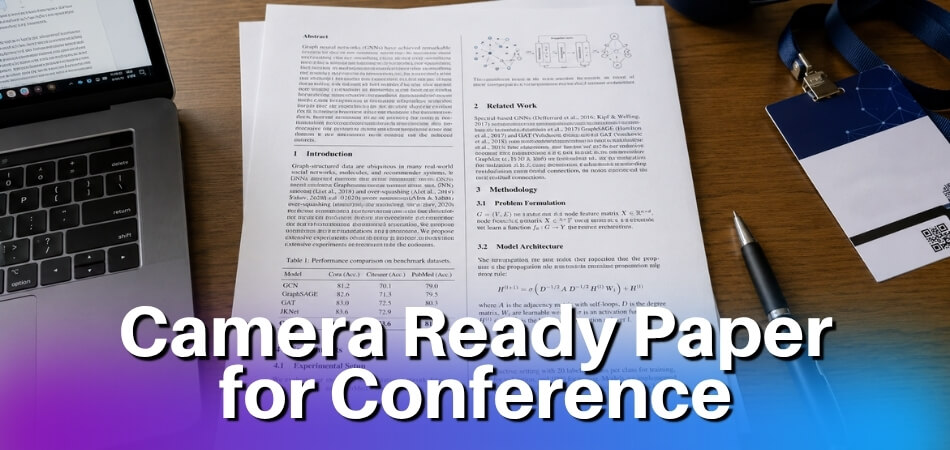
The version that was accepted is not the version that gets published. You are expected to revise it, move it into the conference template, and produce a clean final document before the camera-ready deadline. That file is your camera-ready copy.
Even though most proceedings are now digital, the term signals something precise: this document is frozen. Once you submit it, it normally goes into typesetting and production as it is, with little or no editing, so your typos stay in the published version. If you spot a serious error after uploading, write to the proceedings chairs straight away instead of waiting.
Where Did the Term ‘Camera-Ready’ Come From?
The phrase comes from offset printing, long before academic publishing went digital.
Before desktop publishing, page layout was physical. The final layout was assembled by hand into a “mechanical” or paste-up, a board built from pieces of artwork. A process camera photographed that board, and the printing plates were made from the camera’s negative. Artwork that needed no further additions or corrections was ready to be photographed, hence camera-ready.
Conference proceedings borrowed the word for the pages authors sent in. Because the publisher did not reformat anything, uneven margins, a blurry figure or the wrong font appeared in the printed volume exactly as submitted, so quality control sat with the author.
How the Term Moved to PDF Submission
Desktop publishing replaced paste-ups, and many printers now make plates straight from digital files without a camera, yet the term stayed in use. For conferences, the meaning stayed too and only the mechanism changed. You upload a PDF instead of a paste-up sheet, and the publisher still expects a file that needs no further typesetting.
The page limit, column widths and font rules in your template come from that printing logic: pages should reproduce cleanly and sit together in one uniform volume. One non-conforming file can mean manual work for the production team. When a conference sets a camera-ready deadline, the version you send by then is the version that will be printed or archived.
Camera-Ready Paper vs Draft/Submitted Paper: What Is the Difference?
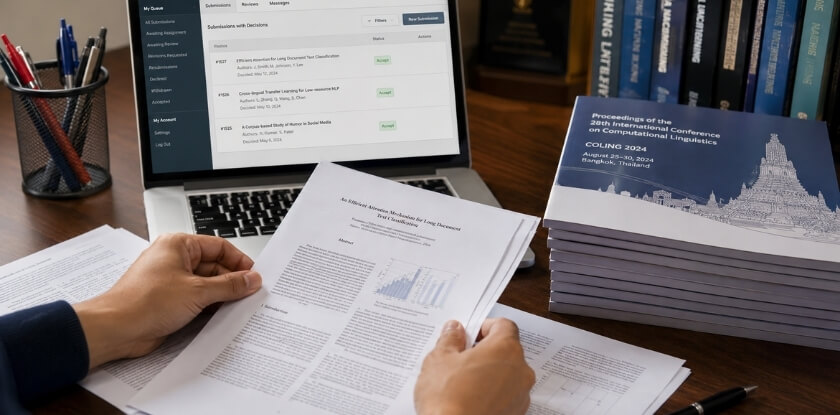
They are three different things: a draft paper is your working version, a submitted paper is what reviewers read, and a camera-ready paper is the final version that is published. Treating them as interchangeable causes real problems at submission time.
| Stage | Who sees it | What matters most | Formatting strictness |
|---|---|---|---|
| Draft paper | You and your team | Working out the argument | None. It may be incomplete, over length or missing a copyright statement. |
| Submitted paper | Reviewers (possibly anonymized) | Contribution, methodology, clarity, related work | Lighter. Many conferences ask for the template but focus on the science. |
| Camera-ready paper | Proceedings editors, then every reader | Exact compliance plus the revisions you committed to | Strict: page limit, margins, fonts, figures, metadata, PDF rules, signed form |
The Draft Paper
This is what you write and revise before any formal submission. You are still working out the argument, and no one outside your team is judging it on formatting.
The Submitted Paper (For Review)
Reviewers read your submitted paper and return comments on the contribution, the methodology, the clarity and the related work. Some conferences ask you to anonymize the submission for double-blind review, so the submitted version can look quite different from what ends up in the proceedings.
The Camera-Ready Paper
After acceptance you revise the paper based on the reviewer comments, then format it precisely to the publisher’s or proceedings editor’s standards. At this stage every detail counts:
- The page limit is enforced strictly, and a file over the limit can be sent back.
- Author names, affiliations and acknowledgements are restored if the review copy was anonymized.
- Margins, font specifications, line spacing and heading styles must match the template exactly.
- Figures and tables must meet resolution and layout requirements.
- A signed copyright or license form goes in with the file.
- PDF generation follows specific rules: fonts embedded, a possible file size cap, and sometimes a required PDF version. Some venues also require the PDF to be produced through a specific tool or portal that checks the technical standards.
Why the Gap Matters
Your submitted paper got you accepted. Your camera-ready paper is what gets published, and the proceedings are typeset from the files you send at this stage. In the offset era those files went straight to the press, and even now editors intervene very little. They expect a file that is already correct.
Reviewers may flag structure, length or claims that need supporting evidence. Addressing those comments is only part of the work. The formatting on top of that revision is what separates a camera-ready submission from a revised draft. A file that still looks like a working draft, with wrong fonts, figures that bleed into margins or no copyright form, can be returned for correction or removed from the program, and the deadline may not move to accommodate that.
The camera-ready deadline is often a few weeks after the acceptance notice, but it varies by venue, so read the date in your own notification email.
How Much Can You Change?
Treat the reviewed version as the base, and expect the conference’s own page to set the limits. ICDAR 2026, for example, states that substantial changes to the reviewed paper are not allowed, except those that address specific reviewers’ comments and improve the paper. It also says adding or removing authors is not permitted, and that the title and authors on the camera-ready document must exactly match the CMT submission form. If a name or title is wrong, write to the chairs before the deadline instead of editing it quietly.
How to Prepare a Camera-Ready Paper
Turning an accepted paper into a clean final file takes several steps. Each step below matches a point where files get sent back. Exact limits and file specs are in the checklist that follows.
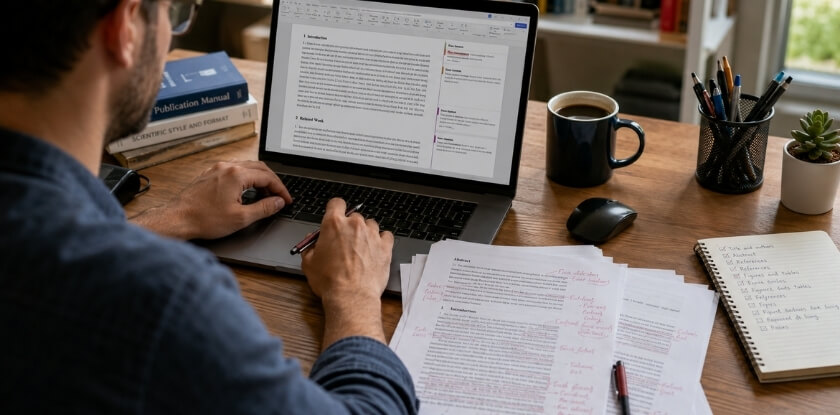
Step 1: Download and Set Up the Conference Template
Start here, before you touch anything else. Most conferences provide an official template in LaTeX or Microsoft Word, on the conference website or through the publisher (IEEE, ACM, Springer and others host their own).
Do not reuse the template from your review submission unless the conference says it is the same file. Some venues switch to a different camera-ready template, with adjusted column widths, header styles or copyright placeholders already built in. Copy your content into the new template and rebuild the formatting there. Carried-over formatting from the draft is a common source of margin and font errors.
Step 2: Address Reviewer Comments
Settle your content before you finalize formatting. Go through every reviewer comment and decide what you are changing. Reviewers may flag missing citations, unclear methodology or claims that need softening.
Some conferences ask for a short response document with the camera-ready file, so check your acceptance notification. Keep a simple checklist of comment, change made, and location in the paper. It stops you losing track mid-edit and gives you a record if a program chair follows up.
Reviewer 2, comment 3: “The sampling method is unclear.”
Response: We added a paragraph in Section 3.2 that explains how participants were selected and why. Changed text is on page 5.Reviewer 1, comment 5: “Please compare with earlier work.”
Response: We added two comparisons in Section 2 and a sentence in the Discussion. We did not add new experiments, as this was outside the accepted scope.
Step 3: Fix Figures and Tables
Low-resolution images, colour figures that reproduce badly in print, and captions that do not match the style can all lead to a camera-ready return. Many venues ask for raster images at 300 DPI or higher, so check your own guidelines, and prefer vector formats (PDF, EPS, SVG) for diagrams and charts. Export from the source application rather than taking screenshots. If the proceedings will be printed, check whether colour images are allowed, because a figure that is clear in colour can become unreadable in black and white.
For tables, label the column headers, specify units, and make sure the table fits inside the text area. Oversized tables can get a submission sent back. Every figure and table needs a caption in the template’s style.
If a figure or table comes from someone else’s work, get permission before you reuse it. Springer Nature proceedings, for example, ask for a permissions checklist with the final files and ask authors to write alt text for figures, illustrations and tables.
Step 4: Check Page Limit, Margins and Font
Check the call for papers for the limit that applies to your paper type, since full papers, short papers and posters often differ. Going over the limit, even slightly, can get a submission sent back. Margins are not negotiable: proceedings go through typesetting and sometimes printing, and anything outside the defined text area may be cut. Never adjust margins by hand to fit more content.
Font specifications are equally strict, with a set family, size and line spacing. Mixing fonts or reducing the size to fit more text is a violation, and the PDF checkers some publishers use can flag it. If the content does not fit, cut text.
Step 5: Sign the Copyright or License Form
The conference will usually require a signed copyright form or license form before it publishes your paper. It transfers or licenses the right to publish your work in the proceedings. The form depends on the publisher. IEEE uses an electronic copyright form (eCF), and IEEE says signing it transfers ownership of the article to IEEE. ACM sends its rights form (e-Rights) only to the corresponding author, so that person needs a working email address. Springer Nature asks the corresponding author to sign a publishing agreement for all co-authors and says modified agreements are not acceptable.
Many portals unlock the form only after acceptance, and its deadline can be the same as the camera-ready deadline, so do it early. With several authors, confirm who signs for the group. If a publisher form asks for the title, author names and affiliations, enter them exactly as they appear in the PDF, because a mismatch can delay publication. Missing the form means the paper may not appear in the proceedings however good the content is.
Step 6: Proofread, Generate the PDF and Upload
Do a full proofread of the near-final document before exporting. Read it on paper or aloud, because screen reading hides typos and broken references. Check that every “see Figure 3” points to a real Figure 3 and every citation has a matching reference entry.
For the PDF, follow the conference’s exact instructions. Some publishers specify a PDF profile such as PDF/A or PDF/X, require fully embedded fonts, and forbid security restrictions on the file. In LaTeX, pdflatex or xelatex with the right settings usually embeds fonts automatically. In Word, use “Save as PDF” and confirm the fonts in Adobe Acrobat or a free checker. If the venue provides a verification tool, run the file through it. For IEEE conferences, the IEEE Author Center says PDF eXpress checks a PDF against the Xplore requirements, and that not every conference uses it. If yours does, you get an invitation email with a link. If not, the IEEE PDF Checker can run the same checks. Upload the file that passes, not a re-exported copy.
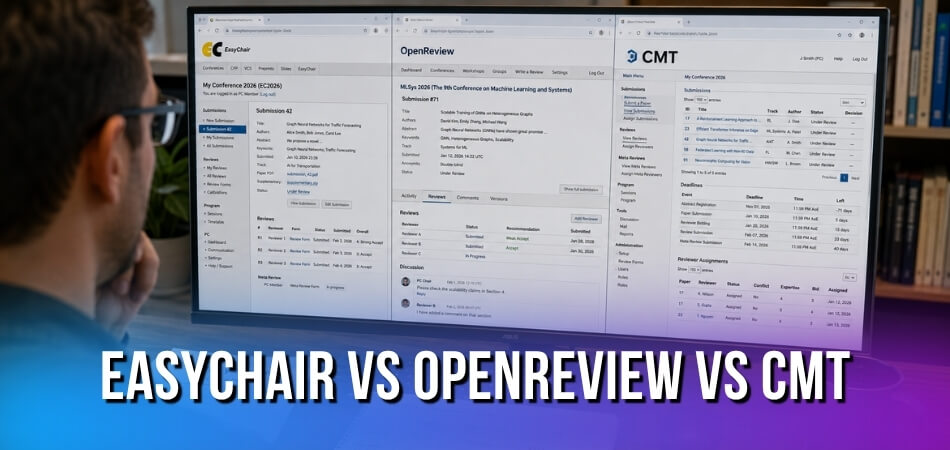
Upload before the deadline and keep a record of it. In Microsoft CMT, you start from the Author Console and click “Create Camera Ready Submission”, upload the file, answer the additional questions and submit (labels may change, so follow the conference’s own instructions). Before the deadline you can use “Edit Camera-Ready Submission” to replace the file. CMT does not send a confirmation, so being able to view the submission is your proof that it went through. Some conferences disable editing of the title or abstract, so ask the chairs if something is locked.
Camera-Ready Paper Checklist
Use this as a final pass before you submit. These are typical points, but always cross-check your venue’s author guidelines because details vary.
| Area | What to confirm | Typical requirement |
|---|---|---|
| Page size and margins | Match the template exactly | US Letter and A4 are not interchangeable, so check which one your template uses. |
| Fonts | Font, size and line spacing as prescribed | All fonts embedded in the PDF. In Adobe Acrobat Reader, open File, Properties, Fonts (labels may change) and look for “Embedded” or “Embedded Subset”. The pdffonts command also works. Non-embedded fonts can shift the layout when the publisher’s system substitutes them. |
| Page count | Count pages in the final PDF, not in your editor | Figures, tables, references and appendices usually count unless the guidelines say otherwise. |
| Columns | No figure, table or equation bleeds across columns | Use the correct float or full-width setting for wide figures. |
| Figure resolution | Sharp when printed | Many venues ask for at least 300 DPI for raster images. Vector is preferred for charts and diagrams. |
| Captions | Numbering is sequential and matches in-text references | Figure captions usually go below the figure, table captions above the table, but follow the template. |
| Tables | Same font family as the body text, minimum font size met | Avoid vertical lines if the venue style discourages them. |
| Colour | Figures still readable in grayscale | Matters when the printed volume is black and white. |
| PDF settings | No password or security settings | IEEE Xplore requirements, as listed by the IEEE Author Center: PDF 1.4 or later (not Acrobat 9, X or XI), made by a PDF distiller and not scanned, all fonts embedded or subset, no bookmarks or hyperlinks, no crop marks or date stamps, no attached files, not a merged PDF or PDF Package. Other publishers have their own technical page. |
| File size | Under the portal’s cap | Caps differ by system. Compress images without losing resolution. Some PDF tools apply security settings by default, so check the final file. |
| Metadata | Author names, affiliations, emails, paper title and paper ID | Errors become permanent in the published record. Some systems want the paper ID in the filename. |
| Forms | Copyright or license form submitted | Often separate from the paper file. Without it the paper may not appear. |
Reviewer Comments and Final Proofread
Compare the camera-ready paper side by side with the accepted version, to confirm that you did not delete text or break a citation while editing. Do not add new claims, experiments or conclusions at this stage, because the paper was accepted as it was.
By now you have read the paper dozens of times, which is exactly why you miss things. Spell-check the rendered PDF, not only the source file, since special characters pasted from other documents can introduce odd errors. Check that each reference is complete, consistently formatted and points to the source you meant to cite, since a wrong reference is awkward to correct after publication. Cross-references need the same care: “See Figure 4” must not point to Figure 3 because you renumbered during revision.
Camera-Ready Deadline
Submit before the deadline, not on it. Portals get heavy traffic in the last hours, and technical problems are yours to solve, not the committee’s. Build in at least a day of buffer.
Common Mistakes Made During Camera-Ready Submission
The window is short and the instructions are dense. These are the mistakes not already covered in the checklist.
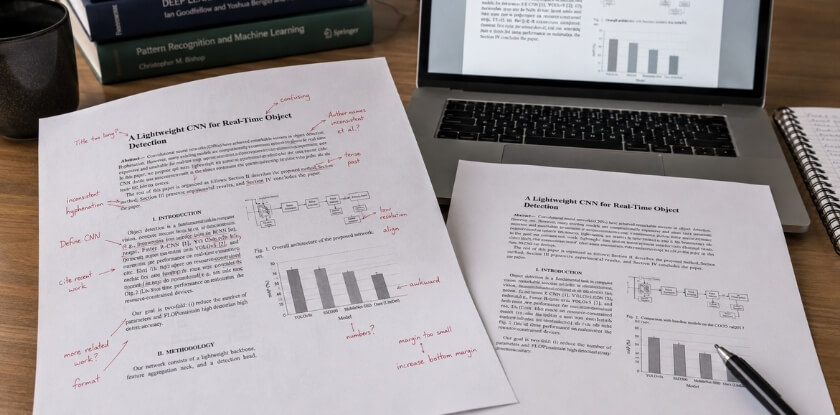
Ignoring the Conference Template
Using your own layout is a risky shortcut. Authors write in a generic layout and adjust fonts and margins by hand at the end, which usually leaves subtle errors in column widths, spacing or headers.
Using an outdated template also catches people out. Templates get revised, and last year’s file or a copy from an unofficial source may carry old copyright blocks or changed margins. Always take it from the current conference website.
Problems with Figures and Tables
Low-resolution figures look fine on screen at 72 dpi but print poorly. Many venues ask for 300 dpi or more, so export at the resolution your guidelines name instead of screenshotting.
Figures that bleed outside the text area or overlap column margins get flagged. Check every figure’s bounding box against the template’s column width.
Inconsistent tables with mixed font sizes, unaligned columns, or text smaller than the template’s minimum also get flagged. Some templates specify a minimum table font size.
Miscounting Pages After Revision
Papers can grow after reviewer comments. A new paragraph, a bigger table or an extra figure can put you half a page over. Some conferences allow one or two extra pages for a fee, and whether references count toward the limit depends on the venue. Read the guidelines so you know which rule applies.
Not Carrying the Reviewer Changes into the File
Uploading a paper that does not reflect the changes you promised is a serious mistake. Some conferences compare the final file with the review version, and a submission can be sent back if the revisions are missing.
PDF Errors
Fonts that are not embedded are a listed failure in IEEE’s Xplore checks. If a reader’s system lacks the font, the text can render wrongly. Adobe Preflight or the venue’s own tool can catch this before submission. A wrong PDF version can also be a problem, so check the system’s technical requirements.
Missing or Incorrectly Completed Forms
Authors focus on the paper and forget the paperwork. Some systems build the copyright form into the portal, while others want a separate upload, so read the camera-ready instructions in full and not only the part about the paper file.
Submitting at the Last Minute
Proceedings go to typesetting on a schedule, and a late file can miss the volume. PDF generation, forms and upload all take longer when many other authors are using the system at the same time.
Skipping the Final Check of Title and Author List
Typos in section headings, a caption that cites the wrong figure number, or an error in the title or author names in the submission fields will be visible to every reader permanently. Errors in metadata fields can be hard to correct once the deadline passes. Proofread the camera-ready version itself, not just your last draft.
What Happens If You Miss the Camera-Ready Deadline?
Your paper may be left out of the proceedings. Conferences handle this differently: some are strict, some offer a short grace period, and a few drop the paper with little warning.
Your Paper May Be Pulled from the Proceedings
This is the main risk. Organizers work with publishers that run on fixed production schedules, so if your file does not arrive in time the volume can go ahead without you. The paper would then not appear in the published volume. Some conferences state it plainly. The DSC 2025 instructions say that missing the IEEE copyright form deadline “will result in an automatic withdrawal of your paper for presentation and publication”.
Presentation Rights Can Be Revoked
Some conferences link your right to present to completing the camera-ready submission. Your talk or poster slot may be reassigned. You could still show up with a camera-ready presentation, but without a paper in the proceedings the academic value of attending drops sharply.
Extensions Are Not Guaranteed
Emailing the program chair may work, but it may not, especially where typesetting has already started. Be direct and specific. A concrete reason, such as a co-author who must sign the form and is travelling, carries more weight than a vague request.
Subject: Camera-ready extension request, Paper ID 112
Dear Program Chairs, our co-author who must sign the copyright form is travelling and cannot access the form until 14 November. The paper itself is final. Could we have a three-day extension to upload both together? Thank you for considering this.
Registration Fees May Not Be Refunded
Many conferences require at least one author to register before the camera-ready deadline. ICDAR 2026, for example, says papers not covered by a validated registration by its date will be withdrawn. If your paper is dropped, the fee may not be refundable, so check the registration terms.
If You Are Running Close
Generate the PDF early. Font embedding, figure size and page-count problems only show up when you build the final PDF, and finding them the day before leaves no room.
Upload an imperfect version first if you are truly out of time. Many systems let you replace the file until the deadline closes, so an early upload with a note to the chairs is better than none.
Reread the instructions. Working from memory instead of the actual submission page is an easy way to miss a rule. Margins, fonts and supplementary files such as the copyright form all need to be confirmed against the official guidelines, not what you remember from a previous conference.
Camera-Ready Paper in the Printing Context
“Print-ready” habits from the printing era still apply to your file, even when the conference never prints a volume.
What “Print-Ready” Means for Your File
Resolution matters more than it looks on screen. A figure that is sharp on a monitor can print soft or pixelated, which is why many venues ask for 300 dpi or more and prefer vectors such as EPS or PDF-embedded vector graphics.
Colour does not always survive. Some proceedings are printed in black and white even when the digital version shows colour. Check whether print copies exist, and make sure a graph that relies only on colour differences between its data series stays legible in monochrome.
Font embedding is a standard requirement. A font that is not embedded can be substituted incorrectly or fail on the printer’s machine. LaTeX workflows usually embed fonts automatically, but Word exports sometimes do not, so verify before submitting.
Crop marks and bleed are usually unwanted. Unlike commercial print design, academic papers rarely need either, because the template already sets safe margins. IEEE’s Xplore requirements even list crop marks, registration marks and date stamps as not allowed. Stick to the template dimensions instead of adding print-production features nobody asked for.
When you submit, the production team still looks for what a camera would have exposed: blurry figures, inconsistent fonts, text outside the safe print area, and pages that will not scale to the printed page size.
What Is a Camera-Ready PPT or Presentation?
A camera-ready PPT is your finalized slide deck, ready to be shown or shared without further editing. Camera-ready almost always means the written paper, and there is no formal standard for slides, but some conferences use the phrase for them too.
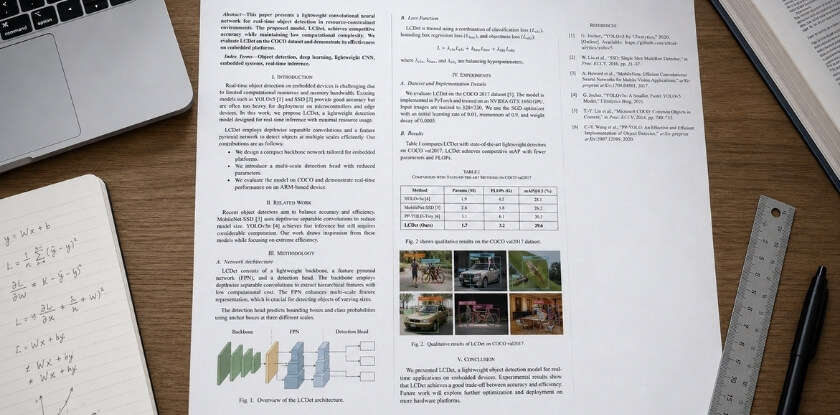
The slides are a different file from the paper. They are meant for the hall screen or a pre-conference slide repository and do not go into the proceedings. Many conferences have no rigid typesetting rules for slides, but they can expect polished, consistent slides that match the final paper, not an early draft that still shows a framing you dropped weeks ago.
What Organizers Usually Expect
Some conferences ask you to upload slides to a shared portal before the event, and others project them from a central laptop. Either way, the expectations fall into a few areas.
Visual consistency with your paper. If a figure changed after reviewer comments, the old version should not still be on slide 14.
Resolution. Images that looked fine at 25% zoom in PowerPoint can look blurry on a large screen. Check every figure at full size.
File format. Many conferences ask for PDF or a particular PowerPoint format. If they want a PDF, fonts should be embedded and no images missing.
Branding. Occasionally the conference provides a slide template with its logo and colours. If one exists, use it.
Keep the Slides and the Paper Aligned
A risk is that the paper is corrected after review and the slides are not. If your slides show different numbers or a different conclusion than the final paper, that is an awkward inconsistency in front of an audience that may have read the proceedings. Compare the slides against the camera-ready paper before you submit or walk into the room. Many conferences set no separate deadline for slides. In that case “camera-ready” is informal shorthand for having your presentation polished and accurate.
Camera-Ready Papers at MS International
MS International conferences are held in person in the Greater Toronto Area, and our peer review is double-blind, so your submitted paper may have been anonymized. For the final version, restore your names, affiliations and acknowledgements, and keep the APA format that our submission guidelines require.
From our experience at MS International: Our author guidelines say full papers should normally be between four and twelve pages, including tables, figures, references and appendices, and that work must not be previously published or under review elsewhere. After review, authors may receive an acceptance, revision request or rejection by email, and most review decisions are returned within about 10 working days. Accepted papers presented in person may be considered for conference proceedings where applicable. Follow the instructions in your acceptance email, and ask the organizers if anything is unclear.
FAQ
Before the camera-ready deadline, authors need clarity on reviewer comments, file format, page limits, the copyright form and whether the author list or title can still change.
What is a camera-ready paper?
A camera-ready paper is the final, publication-ready version of your work, submitted after acceptance. It includes the required revisions, follows the conference template exactly, and is meant to go into the proceedings without further editing by the publisher.
Is a camera-ready paper the same as the final paper?
Yes, in most conference instructions. Both terms mean the version you submit for official publication. “Camera-ready” comes from printing history, but today it marks the finished, formatted file.
What happens if I don’t submit the camera-ready version by the deadline?
Your paper is usually left out of the proceedings, even though it was accepted. Some conferences also withdraw it from the programme if registration or the copyright form is missing. Some allow a short extension if you ask before the deadline.
Do I need to address every reviewer comment in the camera-ready version?
Address every comment the program committee marked as required. Some conferences ask for a short response document explaining what changed. Optional comments are your judgment call, but do not ignore substantive ones. Some conferences also limit changes to what answers the reviewers.
What file format do I submit for camera-ready?
Almost always PDF, generated from LaTeX or Word following the venue’s instructions. Some organizers also ask for source files (LaTeX or Word, figures, bibliography), and ACM’s TAPS system takes source files after the rights form is done.
Is the page limit different for the camera-ready version?
Sometimes. The limit is set per conference, so check the call for papers or acceptance email. ICDAR 2026 sets 17 pages including figures and references, and the DSC 2025 instructions allow 8 pages for regular papers, or 9 with an overlength charge.
Do I have to submit a copyright or license form?
Usually yes. Most conferences that publish proceedings ask for a signed rights form for each accepted paper, and the form depends on the publisher, such as IEEE’s eCF, ACM e-Rights or a Springer Nature agreement. Without it, the paper may not be published.
What is a camera-ready PPT?
It is your final, polished slide deck, ready to present on the day. It is separate from the written paper and does not go into the proceedings, though some venues ask for it in advance for session management.
Can I change the content after submitting the camera-ready version?
Normally no after the deadline. Once the file goes to production, the paper is treated as final. Before the deadline, systems such as Microsoft CMT let you replace the file. If you find a serious error later, contact the proceedings chairs immediately.
What is the most common reason a camera-ready submission is rejected?
No official ranking exists, and it varies by venue. The problems that get files sent back are formatting or file problems: margins, fonts, figures outside the text area, a missing form, or a PDF that fails the publisher’s technical check. A final check against the official template and the venue’s PDF rules before uploading catches many of these.
Can I change the title or author list in the camera-ready version?
It depends on the conference. ICDAR 2026 does not allow adding or removing authors and requires the title and authors to match the CMT submission form exactly. If something is wrong, write to the program chairs before the deadline.
Conclusion
Getting a paper accepted is only half the work. Careless formatting, missed reviewer comments or a forgotten copyright form can still derail the paper before it reaches the proceedings.
Follow the template precisely, respect the page limit, and give the final proofread more time than you think it needs. Submit early enough that a PDF error does not catch you at the deadline, because this is the version that is archived permanently.