
You have spent weeks perfecting your research and aligning figures, and then the poster goes up under bright ceiling lights and turns into a mirror. Glossy paper looks stunning on a screen preview, but in a conference hall attendees tilt their heads, squint and sometimes just move on. A poster that spent a long trip in a tube can also arrive curled and creased, and no tape or foam board fully flattens that. The paper you choose decides both problems.
Quick answer: Use matte coated paper for most conference posters. It avoids glare under overhead lights, keeps text and charts easy to read, and rolls into a tube without much trouble. Choose satin if your poster is photo-heavy, fabric if you fly with it folded, and polypropylene if you will reuse it often. Always confirm the size (A0 or 36 x 48 inches) and the shop’s paper weight before ordering.
Last verified against official sources: October 2026.
This article covers the paper types, how to pick by lighting, colour and travel, standard sizes and weights, printing yourself versus using a print shop, mounting, and budget options.
The Best Paper for a Conference Poster
Matte coated paper is the best default for a conference poster. It does not throw overhead light back at your audience, it reproduces colour well enough for charts and microscopy images, and it travels without curling badly. Guides do not all agree: some prefer semi-gloss as a balance, so treat matte as the safer pick when you do not know the venue’s lighting.
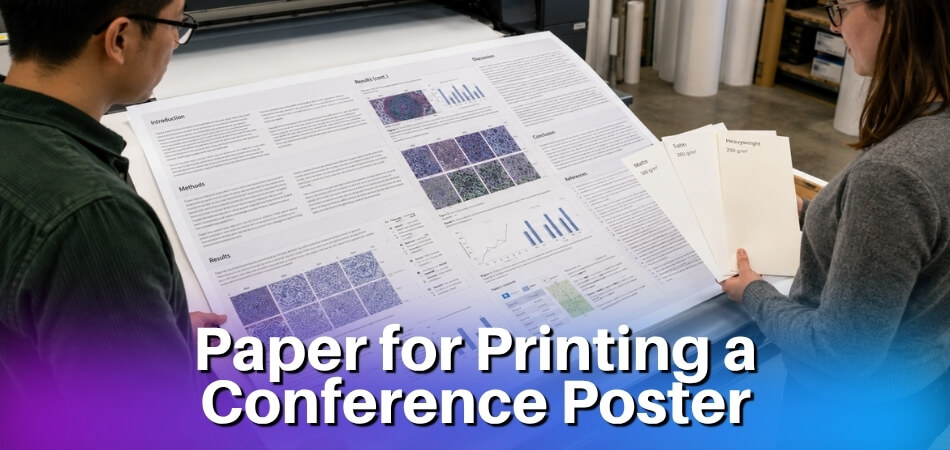
The right choice still shifts with how you print, where you present and how you travel. The options below cover the common situations.
Matte Coated Paper: The Default Choice
Convention centres and hotel ballrooms often use overhead fluorescent or LED lighting, which can create harsh reflections on shiny surfaces. A matte finish absorbs that light instead of bouncing it, so people can read your poster from an angle.
Matte also holds colour well when the file is sent in the profile the shop asks for. Weight matters at A0 or 36 x 48 inches: very light sheets tend to bow, and very heavy ones are awkward to roll into a tube. Shops quote weight in gsm or in pounds, so ask for the number the shop actually uses. The weight section below gives published examples.
When Satin or Semi-Gloss Makes Sense
Satin paper sits between matte and glossy. A slight sheen makes photographs and gradients look richer without the mirror effect of full gloss. If your poster has high-resolution photography or imaging data where colour depth matters, satin is worth considering.
Semi-gloss pushes a little further toward reflective. It works in venues with soft, diffused light but can be a problem under direct ceiling fixtures. If you do not know the lighting in advance, satin is the safer pick.
Glossy Paper: Usually the Wrong Call
Glossy paper prints vivid and looks polished, but it creates significant glare under typical conference lighting. Attendees end up repositioning themselves to read around reflections instead of engaging with your content. Glare is the usual reason guides steer people away from glossy for display boards.
Fabric and Synthetic Options for Travel
If you want to skip the rigid tube, fabric (textile) posters roll or fold without holding creases, which helps on long trips and connecting flights. Polypropylene and vinyl are synthetic options that resist tearing and water. The trade-off is that some synthetic media absorb ink less well than coated paper, so colour can suffer slightly depending on the printer and ink.
Paper Type Comparison: Matte, Glossy, Satin, Fabric and Synthetic
Each material has a different coating, weight and finish, which changes how the poster looks under conference lighting, how it travels and how colour prints. The table gives the short version, and the notes below add what the table cannot.
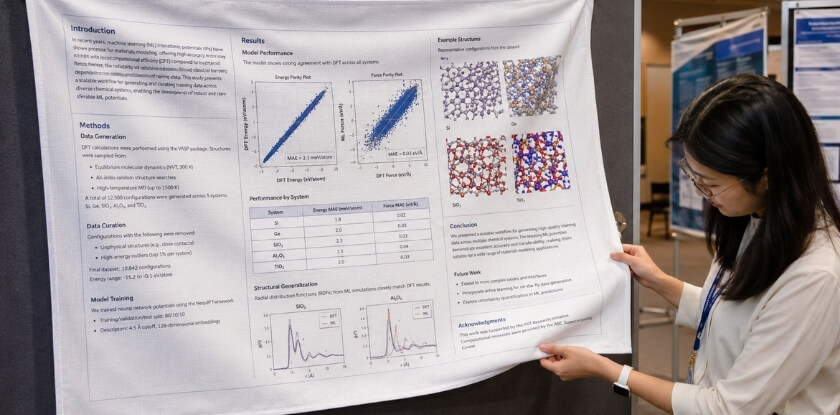
| Material | Glare | Colour | Travel | Relative cost | Best for |
|---|---|---|---|---|---|
| Matte coated paper | Very low | Good, slightly less vivid | Rolls in a tube | Low to mid | Text-heavy research posters |
| Satin / semi-gloss paper | Low to moderate | Richer, more saturated | Rolls in a tube | Mid | Photos, maps, gradients |
| Glossy paper | High | Most vivid | Rolls in a tube | Low | Controlled, dimmed displays only |
| Fabric (textile) | None (matte by nature) | Good, slightly softer | Folds into a bag | Higher | Frequent flyers |
| Polypropylene / vinyl | Low (polypropylene) | Good, varies by ink | Stiff, heavier roll | Mid to high | Reuse, humid or outdoor displays |
Matte Coated Paper
Text-heavy posters benefit most from this finish. Dense methods sections, data tables and small captions are easier to read on matte than on a shiny surface.
Colour is the one trade-off. Matte tends to look slightly less vivid than satin or glossy, so if your poster relies on high-contrast figures or vibrant photography, you may want to boost saturation a little before exporting. Following the shop’s colour profile advice and confirming its ICC profile helps minimise any shift. A mid-weight matte sheet balances rigidity against how easily it rolls.
Satin (Semi-Gloss) Paper
For posters with maps, microscopy images or charts with colour gradients, satin tends to reproduce those elements better than matte without the readability problems of gloss. It rolls and stores in a tube like matte paper.
Glossy Paper
Glossy gives the highest colour vibrancy and sharpest image detail of any paper option. The problem is overhead lighting: direct reflections can make whole sections unreadable from normal standing distance. Glossy also shows fingerprints immediately and can be harder to mount on foam board without air bubbles. If your venue has dimmed or diffused lighting, or you are displaying in a controlled exhibition space, glossy can work. Otherwise it suits photography prints better than research posters.
Fabric (Textile) Poster
A fabric poster is printed on woven polyester rather than paper. You can fold it into carry-on luggage, and it relaxes flat once hung instead of keeping a permanent crease. This makes fabric popular with researchers who fly often and want to avoid checking a tube.
The finish is matte by nature, so glare is not a concern. Colour is generally good on modern textile printers, though saturation can be slightly softer than satin paper. Fabric hangs well on hook-and-loop boards without tape or pins digging into it. It costs more than paper, but frequent travellers often find the convenience worth it. One caution: under bright light, fold lines can show if the fabric is not pulled taut on the board.
Synthetic Paper: Polypropylene and Vinyl
Polypropylene and vinyl are waterproof and tear-resistant. Polypropylene has a finish that resembles matte or semi-gloss coated paper, but the material resists tearing, humidity and moisture. Vinyl is heavier and usually used for large signage, though some budget services use vinyl-based media for oversized formats.
The main limitation is portability. Both are stiffer and heavier than poster paper, so the roll can be awkward and springs back if not secured. For most indoor academic sessions synthetic media is more than you need. It earns its price if you present the same poster at several events, display it outside, or reuse it in a permanent departmental display.
What to Look for When Choosing Paper for a Conference Poster
Pick the paper for the conditions your poster will face: bright overhead light, a crowded session and getting there by tube, bag or courier. Print quality on a sample card matters, but it should not be the only factor.
Avoiding Glare and Reflection Problems
Matte coated paper diffuses light, so text and graphs stay readable wherever the viewer stands. Satin gives slightly richer colour with only modest reflectivity, which is why it is often suggested as a balanced option. Semi-gloss can still work if the venue uses directional spotlights rather than flat overhead fluorescents, but matte remains the safest default for any hall you have not visited.
Ensuring Color Accuracy
Colour problems usually start before the file reaches the printer. Many researchers design in sRGB, while some print services work in CMYK, and an unplanned conversion can shift colours. The reliable fix is to ask the shop which profile it expects. If it supplies an ICC profile, assign it before exporting. If it works in CMYK, convert the file yourself so you can see and correct any shift. Follow the shop’s instruction rather than a general rule, because this matters more than the paper choice.
Paper surface also changes perceived colour. Glossy makes colours look more saturated, which can make data visualisations feel artificially punchy. Matte tends to look closer to what you designed and shows small drift less, which matters when colour coding carries scientific meaning. Satin is the middle ground, with good colour fidelity and without the flatness some matte stocks produce. For an A0 or 36 x 48 inch poster with detailed figures, order a small test print before committing to a full run, especially with a budget service you have not used before.
Travel-Friendliness: Roll, Tube or Carry-On
How you get to the conference matters. A fabric poster can be folded flat into carry-on luggage, avoiding checked-bag fees and the risk of a lost tube. Standard paper types need a tube. Whether a tube fits in the overhead bin depends on the airline and aircraft, so check the carrier’s rules before you travel, and keep in mind that if a checked tube is damaged, so is your poster.
Roll the poster loosely, cap both ends and expect it to unroll flat with little effort. Polypropylene handles moisture and light compression better than coated paper, though a tube with polypropylene inside is noticeably heavier. In general, synthetic media is more durable in transit and costs more per print.
Weight changes roll behaviour too. Lighter stock rolls and unrolls easily, while heavier stock tends to hold the curl longer, which is frustrating if you mount directly on a board without foam board backing. If you drive to the conference or ship the poster ahead, these constraints matter less and you can choose purely on print quality. If you fly internationally with tight luggage allowances, a fabric or lightweight synthetic poster is worth the extra cost.
Paper Weight and Size: What Are the Conference Standards
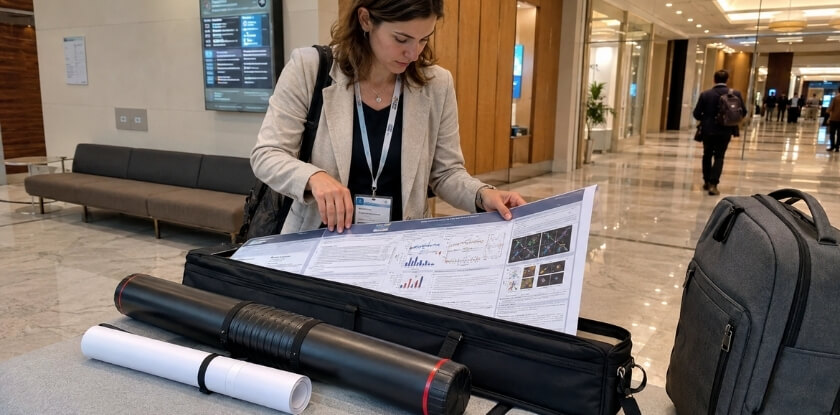
Most conferences give a poster size and leave the paper to you, which is where first-timers go wrong. Confirm the size in your instructions before you design anything.
Standard Poster Sizes
| Size | Metric | Inches | Where you see it |
|---|---|---|---|
| A0 | 841 x 1189 mm | 33.1 x 46.8 | Common outside North America |
| 36 x 48 in | 914 x 1219 mm | 36 x 48 | Common in North America |
| 24 x 36 in | 610 x 914 mm | 24 x 36 | Smaller boards or limited space |
A0 and 36 x 48 inches are not the same size, so check which one the organiser means. If nothing is specified, ask the organiser before you design. Some venues use 48 x 36 inches (wider than tall), so check the orientation too; it is usually in the submission guidelines. A 24 x 36 inch poster is tight for dense content but workable with a careful layout. Print shops also print on rolls of fixed width. University services list rolls from about 24 to 44 inches wide, with 36 and 42 inches appearing often, so one side of your poster has to fit the roll. Ask whether your chosen size fits.
Always check what your display board accommodates. A poster even an inch too wide will not hang correctly, and you cannot fix that on site.
Paper Weight: What the Numbers Actually Mean
Budget online services may default to a lighter weight than ideal for A0 or 36 x 48 inches, so read the spec sheet before ordering instead of assuming the default is adequate.
Weight decides how the poster feels, hangs and travels. Shops outside the US quote grams per square metre (gsm), while US shops often use pounds (lb). The two do not convert cleanly because pounds depend on the paper type. One commercial poster printer states that its posters are 192 gsm, which it lists as 71 lb cover stock, and compares that with ordinary printer paper at about 75 gsm, or 20 lb.
Published examples show the spread. The 2026 ISEMPH meeting in Kiel, Germany, offers presenters 75 gsm paper with no finish or 180 gsm paper with a satin finish. One university library service lists a 90 gsm matte standard and a 200 gsm semi-gloss photo paper. A conference-poster guide describes standard poster paper as roughly 180 to 200 gsm.
Around 75 to 90 gsm is the budget end. It handles basic colour work but creases more easily in a tube and feels flimsy without foam board support.
Around 180 to 200 gsm is the heavier poster-paper range. It is stiffer and tends to survive travel better, though it adds weight to your bag and raises the price. Coated stocks on a heavy base add ink depth and resist surface damage, but they cost more still.
Matching Weight to Your Print Method
DIY printing on a university or office wide-format printer usually means you use whatever roll is loaded, often a standard matte. Ask before you design, because colour settings can shift noticeably between paper types and machines.
Professional print services give you more choice: heavier coated stock, fabric, polypropylene or vinyl. These cost more but cope better with repeated mounting and repositioning. Polypropylene also handles humidity well, which helps in venues with aggressive air conditioning, and it resists creasing in a tube.
Size, Weight and Travel Together
Size and weight together decide how easy the tube is to carry. A 36 x 48 inch poster in a standard tube is manageable, but a heavy coated stock at that size makes the tube awkward. Fabric skips the tube entirely, although its colour can look slightly softer than matte or satin paper. For most academic posters, a mid-weight matte or satin paper at the size your conference sets balances quality, portability and reliability.
DIY Printing vs. Professional Print Service: Which Should You Choose and When
Both options are viable. The choice depends on your timeline, budget, the venue’s expectations and how much control you need over colour and paper.
| Factor | DIY (campus printer) | Professional print service |
|---|---|---|
| Paper choice | Often a standard matte or bond, sometimes satin or semi-gloss | Matte, satin, glossy, fabric, polypropylene, vinyl |
| Colour control | All on you | Calibrated machines, profile guidance |
| Speed | Fast, easy last-minute edits | Next day to several business days, rush costs more |
| Cost | Usually lowest | Higher, mounting is an add-on |
| Best for | Draft prints, low-stakes sessions | Major conferences, scientific imaging |
When DIY Printing Makes Sense
If your institution has a wide-format printer, DIY can save money and allow quick edits. Many university labs and library print centres can handle an A0 or 36 x 48 inch poster. The catch is choice: in-house printers often offer limited media, and some stock only one standard roll, so check which papers your service lists.
DIY also puts colour management entirely on you. If your file profile does not match the printer setup or the paper loaded, you will see colour shifts. Check the profile settings before you print, since this is where most DIY colour problems begin.
Good candidates for DIY printing:
- Posters for internal or low-stakes conferences where presentation standards are relaxed
- Situations where you have direct access to a calibrated wide-format printer with decent paper options
- Budget printing for graduate students with tight funding and flexible design expectations
When to Use a Professional Print Service
For any major academic conference, a print service is worth the cost. It stocks a full range of media and prints on calibrated machines, and it cuts large sizes accurately. A miscut or misaligned poster on a display board is obvious to everyone walking past your session.
Turnaround matters. Lead times vary: a conference-poster guide quotes 24 to 48 hours for professional services, one university library promises three business days, and another university service asks for requests at least 7 days before the meeting. Expedited options cost extra, and laminated or mounted work can take longer. Order early, especially if you are flying and need time to pack the poster properly.
Good candidates for professional printing:
- Any conference where your poster represents published or peer-reviewed academic work
- International conferences with high foot traffic at poster sessions
- Cases where colour accuracy is critical, such as scientific imaging, data visualisations or branded institutional materials
- Poster mounting onto foam board, which most professional services offer as an add-on
Preparing Your File Before You Order
Most print problems are file problems, not paper problems. Before you send anything, check these points with your shop’s upload instructions:
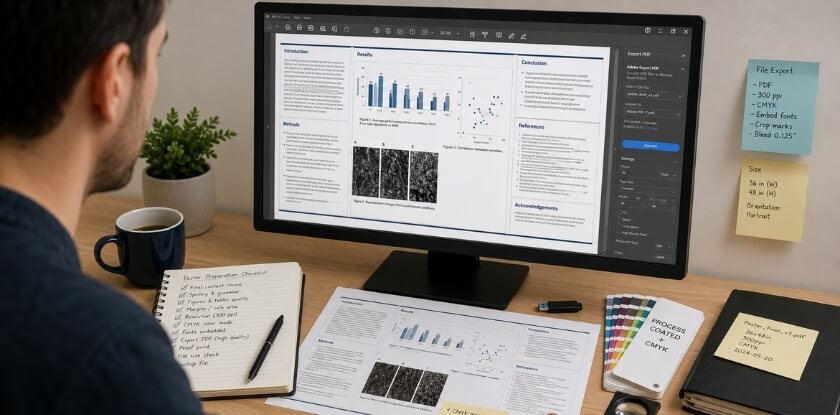
- Export a single-page PDF at the final poster size with fonts embedded, so text does not reflow or swap on the shop’s computer. Some services also accept PowerPoint, TIFF or JPEG, but each lists its accepted formats.
- Check image resolution at the final size. Services state their own minimum, and figures between 150 and 300 pixels per inch at print size appear in university and vendor guidance. A 1,920-pixel-wide photo stretched across 48 inches has only 40 pixels per inch, so it will look soft.
- Use the colour profile the shop names (sRGB or CMYK, or its ICC profile) and keep the orientation the organiser asked for.
- Leave a safe margin around text and logos, because cutting and mounting can trim the edges.
- Zoom to 100 percent and read the smallest caption. If you cannot read it on screen, nobody will read it on the wall.
- Ask whether the shop wants bleed or crop marks, since some do and others want the plain final-size page.
- Ask for a proof or test print if the shop offers one and your figures depend on colour.
Printing Timeline: Work Backwards from the Event
Print shops do not move for your conference date, so plan the steps in reverse. Lead times differ by shop, so confirm them with yours.
| Step | What to do | Timing |
|---|---|---|
| 1. Confirm format | Get size, orientation and board space from the organiser | Before design starts |
| 2. Draft check | Print a small or campus draft to check text size and layout | While the design is still editable |
| 3. Test print | Order a small colour test if your figures matter | Before the final order |
| 4. Final order | Send a PDF in the shop’s colour profile | Varies by shop |
| 5. Mounting or lamination | Only if you need it | May add time |
| 6. Travel buffer | Pack the poster, or ship it ahead | Leave spare days |
Check Whether the Conference Prints for You
Some conferences publish poster rules and a few arrange printing for presenters. The 2026 ISEMPH meeting in Kiel, Germany, asks for portrait posters at a maximum of A0 (841 x 1189 mm), notes that A0 is slightly smaller than the US 3 x 4 foot size, and lets presenters order local printing and collect the poster at the registration desk. Your conference may differ, so read its presenter page first and follow it over any general advice here.
The Hybrid Approach
Some researchers print a draft on a campus printer to check layout and text size, then send the final to a professional service. It adds a small cost but prevents discovering a layout error only after the poster is printed at full size. If you also have a paper submission deadline, that pressure can squeeze your timeline, so build the print shop’s lead time into your plan rather than treating it as an afterthought once you are accepted.
Poster Mounting and Display: How Your Paper Choice Affects Presentation
Your paper choice keeps mattering after the poster leaves the printer, because how you mount and hang it depends on what you printed on.
Mounting Methods and Which Papers Hold Up
Foam board mounting works well with matte coated and satin paper, which generally accept adhesive cleanly. Some papers and coatings do not adhere cleanly without professional lamination, so discuss mounting with the print service before they produce the final piece, especially if you need the poster to be self-supporting or reusable. If the shop offers dry-mount finishing, ask whether your chosen paper suits it. Foam board is sometimes offered at the venue itself.
Velcro and push-pin boards are the most common setup at academic conferences. The paper carries no tension here, so almost any stock works, including lighter poster paper. Fabric performs best because it drapes against the board and does not develop small buckles when pinned at the corners.
Hanging strips or binder clips put mild tension on the top edge, so heavier stock holds up better. Polypropylene and vinyl are particularly good where the poster hangs freely, because they do not sag or curl at the bottom.
A0 and 36×48 Poster Sizes: Paper Behavior at Scale
At full size, paper weight affects how the finished piece behaves on the board. Lighter paper can ripple slightly at large dimensions, especially in humid venues. Heavier matte or satin lies flatter. If you are printing a large poster on lighter stock, pin or tape all four edges rather than just the top corners to reduce rippling. Fabric is essentially immune to this at any size, which is one reason repeat presenters like it.
Budget-Friendly Paper Options for Conference Posters
Printing a poster does not have to be expensive, but cutting costs in the wrong place shows. These options hold up well in a real conference environment.
Standard Poster Paper and Budget Matte
Print services usually offer a basic poster paper as the entry-level option, and published examples sit around 75 to 90 gsm. For many academic posters it does the job. Colour is reasonable, it rolls in a tube, and the price is well below satin or fabric. The catch is durability: it creases more easily in travel and can show glare under direct overhead lighting.
If you are printing cheaply, choose matte over gloss. Budget matte still reduces glare better than inexpensive semi-gloss or glossy, so going matte is a simple fix even on cheap stock. It will not have the colour depth of premium satin, but text stays sharp, and for a research poster that is what counts.
DIY Printing on a Wide-Format Printer
Using your institution’s wide-format printer is often the cheapest route. The paper loaded varies, but it is typically a standard coated or matte option adequate for an A0 or 36 x 48 inch poster. Set the colour profile correctly before you print, because the colour management step, not the paper, is where DIY most often goes wrong. Check with whoever manages the printer which profile is loaded. A five-minute conversation can save you a reprint.
Budget Options at Online Print Services
Several online services offer low-cost academic poster printing for a modest price. The budget tier usually uses standard poster paper or entry-level matte, which is serviceable for a single-use poster that will be displayed for a day or two. Order a test print if colour accuracy matters to your data. Budget paper and ink combinations can look different from a screen preview.
Polypropylene and Synthetic Paper as a Mid-Range Upgrade
Polypropylene sits between standard paper and fabric on price. It is more durable, water-resistant and crease-resistant, which helps if you pack the poster in luggage or store it rolled for several conferences. For researchers who present several times a year and reuse the poster, synthetic media can work out cheaper over time than reprinting paper each time.
What to Skip
Glossy is widely available and cheap, but it performs poorly in conference halls, and semi-gloss is only a marginal improvement. If glossy is your only affordable option, matte lamination will cut the glare, but it adds cost and partly defeats the purpose of going budget. Vinyl is durable but heavy, awkward to roll and priced above the budget range. It suits trade shows better than academic poster sessions.
Conference Paper vs. Conference Poster: What Is the Difference
A conference paper is a written document submitted for review and, where the conference offers it, published in proceedings, while a conference poster is a large printed display shown during a session. The printing choices in this article apply only to the poster.
The Conference Paper
You submit the paper before the event as part of the formal review. It usually follows a journal-style structure of abstract, introduction, methodology, results, discussion and references, and its page limit depends on the venue. If accepted, it may be published in proceedings where the conference offers them, and that record is what gets cited.
The Conference Poster
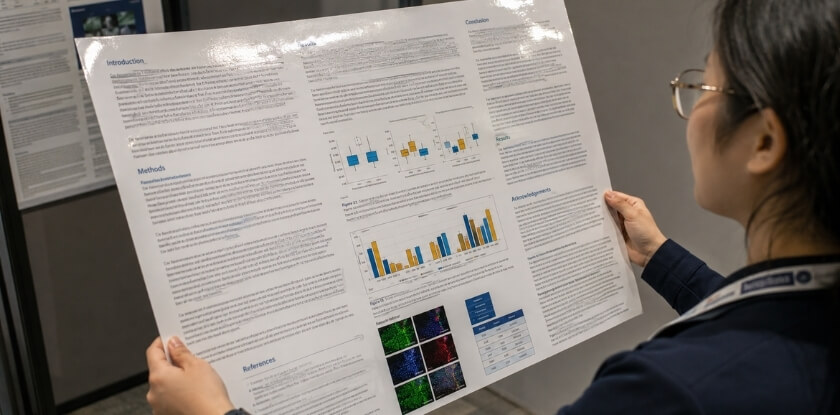
A poster is a visual display, usually printed at A0 or 36 x 48 inches and mounted on a board during a dedicated session. You stand beside it during the poster session and give interested people a short summary. Some conferences require only an abstract for poster acceptance. The goal is to start conversations, not to present a complete written argument.
Why the Confusion Exists
Many conferences accept both formats, and some ask for a paper alongside the poster. “Paper submission” means the written document going into proceedings, and “present a poster” means the physical display. The paper lives on a screen or in a PDF, while the poster lives on a wall under overhead lights, read from a short distance. If you have been asked to bring a poster, you are printing a display, not copies of your written research.
FAQ
Satin, semi-gloss, glossy or vinyl, the paper decision ties into weight, color shift from screen to print, mounting, flying with a rolled poster and whether 36 x 48 inches matches A0.
What paper is best for an academic conference poster?
Matte coated paper is the standard recommendation. It handles overhead lighting without glare, and colours read clearly even when people stand at an angle. Choose satin for photo-heavy posters.
Can I print a conference poster at home?
Usually not at full size. Standard home printers take letter or A4 sheets, and even wide models stop around 13 inches, far short of A0 or 36 x 48 inches. Tiling a poster across sheets is possible but the joins show, so use a wide-format printer or print service.
What’s the difference between satin and semi-gloss paper for posters?
Both sit between matte and glossy, and shops sometimes use the names interchangeably. Satin tends to have a softer finish and handles overhead glare better. Semi-gloss gives a bit more colour pop but can reflect in bright rooms.
How heavy should poster paper be?
Ask the shop for its poster paper weight. Published examples run from about 75 gsm for basic paper to 180 to 200 gsm for heavier stock, so avoid the lightest for a large poster. Light stock tends to ripple, especially in humid venues.
Will glossy paper look bad at a conference?
Often, yes. Glossy gives the most vibrant colours, but under typical fluorescent or LED ceiling lighting it creates glare that makes parts of the poster hard to read. Many presenters avoid it.
What file format should I use when sending files to a print service?
Send a PDF, usually a single page at the final poster size, with embedded fonts and the colour profile the shop specifies (sRGB or CMYK). Some shops also take PowerPoint or TIFF, so check its accepted formats.
Can I bring a rolled poster on a plane?
Usually yes, but rules depend on the airline and aircraft. Check the carrier’s carry-on policy for tubes before you travel, since a checked tube risks damage. A fabric poster folds flat into a bag and avoids the question.
Is synthetic or vinyl paper worth the extra cost?
Yes, if you will reuse the poster across several events. Polypropylene and vinyl resist tearing and moisture better than standard paper. For a single conference, the cost is harder to justify.
Why do my printed colors look different from my screen?
Screens display RGB, while many printers output CMYK, and the two do not map perfectly. Use the profile the print service asks for and soft-proof before sending the file to reduce the gap.
Does paper choice affect how I mount the poster?
Yes. Heavier synthetic papers and fabric often need no foam board because they hold their shape. Standard matte or satin on a large board benefits from foam board backing to prevent curling or sagging during a long session.
Is a 36 x 48 inch poster the same as A0?
No. A0 is 841 x 1189 mm (about 33.1 x 46.8 inches), while 36 x 48 inches (914 x 1219 mm) is a US size that is slightly wider and taller. A file made for one will not fit the other without scaling, so use whichever size the organiser specifies.
Final Thoughts
From our experience at MS International: our conferences are held in person in the Greater Toronto Area, and submissions go through double-blind peer review, with most decisions returned within about 10 working days. Authors are asked to follow the official format or template the conference team provides, and accepted authors complete author registration to confirm their participation. Whichever conference you present at, follow its own instructions, poster size and orientation included.
Matte coated paper covers most conference situations: no glare, reliable in a tube, and clear colour for academic figures. If you use a print service, ask about satin for richer colour without the reflectivity of glossy stock. Preparing the file properly matters as much as the paper, so use the shop’s colour profile and order a test print if you can, especially at A0 or 36 x 48 inches where colour shifts are harder to ignore. Then focus the rest of your energy on the research.