You’ve been checking your inbox every hour. The expected decision window has passed, IRCC processing times are showing your application should be done — and there’s nothing there. No email, no update, just silence. It’s one of the most frustrating moments in the Canada visa process, and it happens to thousands of applicants every year.
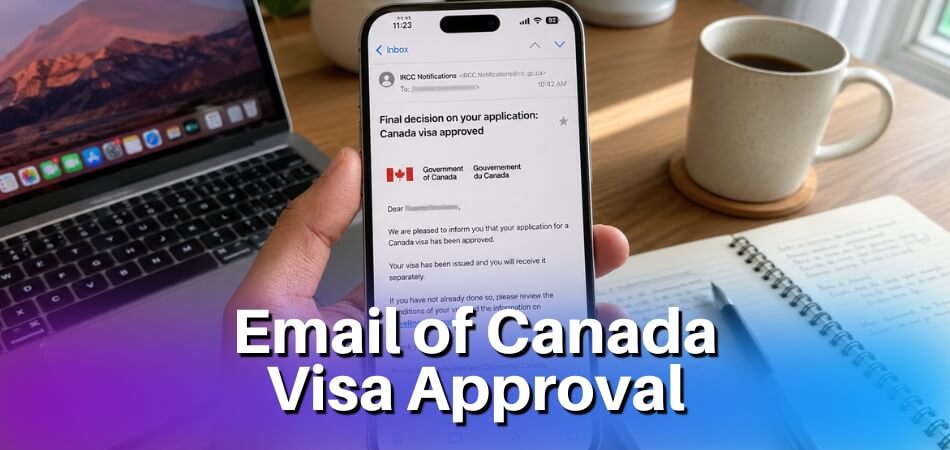
So, will you get an email if your Canada visa is approved? Yes — IRCC does send an email notification when a decision has been made on your application, but that email won’t actually tell you whether you were approved or refused. It’s a prompt to log into your GCKey or IRCC Online Account and check the result yourself. Depending on your visa type, an approval will trigger either a Passport Request Letter (PPR) — for a Temporary Resident Visa, Study Permit, or Work Permit — or a Letter of Introduction for certain permit holders. If no email has arrived at all, your decision may still be sitting in your online account already, or it may be buried in your spam folder right now.
The good news is that a quiet inbox doesn’t mean bad news. It means you need to know where to look.

Quick Answer: Yes, IRCC Sends an Email — But the Full Story Is More Complicated
IRCC does send an email when your Canada visa is approved. That part is true. But if you’re waiting for one dramatic “Congratulations, your visa is approved!” message to land in your inbox, you might be waiting a long time — because that’s not exactly how the process works.
Here’s what actually happens.
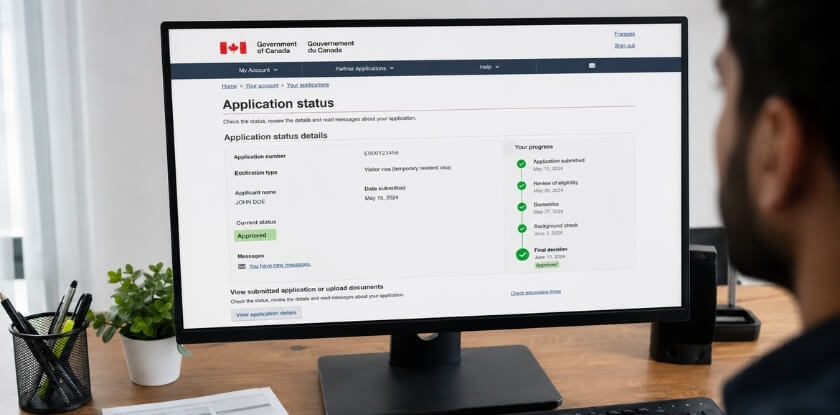
When IRCC makes a decision on your application, they update your IRCC Online Account (accessed through GCKey or a provincial partner login). The email you receive is essentially a notification telling you to log in and check your account — it’s not the approval document itself. The real confirmation lives inside the portal.
What the Email Actually Says
The notification is brief. It tells you a decision has been made and directs you to sign in to your account. It won’t say “approved” or “refused” in the email body. You have to log in to find that out.
For most visa types — including a Temporary Resident Visa (TRV), Study Permit, or Work Permit — the next thing you’ll see inside your account after an approval is a Passport Request Letter (PPR). That’s the real green light. It means IRCC wants your passport so they can stamp the visa in it.
Some applicants also receive a Letter of Introduction for permits that don’t require a physical stamp. Work Permits and Study Permits issued as single-entry documents, for example, sometimes come with a letter you print and present at the port of entry.
The eTA Is a Different Process Entirely
Worth separating out: if you applied for an eTA (Electronic Travel Authorization) rather than a full visa, the approval email is more direct. Most eTA approvals arrive within minutes and the email itself confirms the approval. You don’t need to log into a portal. That’s a different system from the full Canada visa application process through IRCC.
Paper-Based Applications Work Differently
If you submitted a paper-based application rather than applying online, you won’t have an IRCC Online Account to check. Your decision letter arrives by mail. There’s no email notification tied to paper applications in the same way. Paper-based application tracking is limited — you can check IRCC’s processing times tool and submit an IRCC web form if you’ve gone past the expected wait, but there’s no automatic ping to your inbox.
The Catch
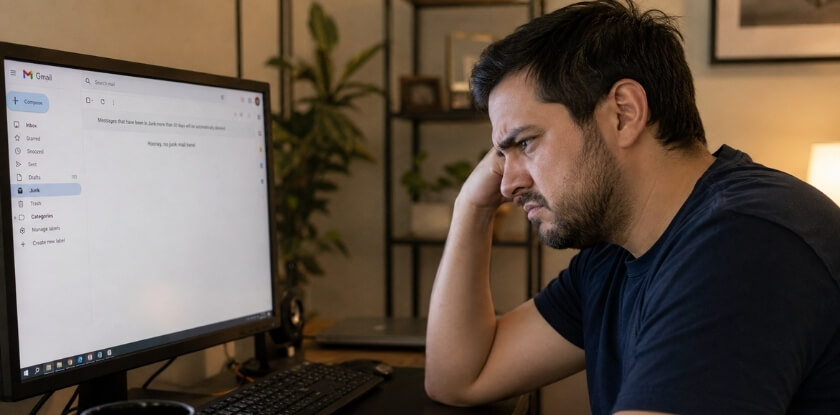
Not everyone gets the email. Notification emails from IRCC occasionally land in spam. The IRCC spam filter issue is real and common enough that IRCC’s own guidance tells applicants to check junk folders. Some people have logged into their account and found a PPR sitting there for days without ever receiving the notification email at all.
The safest habit: don’t rely on the email as your trigger. Log into your IRCC Online Account regularly once your application is within the expected processing window. Use your UCI number (Unique Client Identifier) and application number to track status directly. The email is a courtesy ping, not the official record.
What Kind of Email Does IRCC Actually Send When Your Canada Visa Is Approved?
Here’s where a lot of applicants get tripped up. The email IRCC sends isn’t a congratulations message with your visa attached. It’s more of a nudge.

What the Email Includes — and What It Does Not
When a decision has been made on your application, IRCC sends a notification email to the address you registered with. That email tells you to log into your account to check the update. That’s basically it.
It will not say “approved.” It will not include your visa, your Letter of Introduction, or your Passport Request Letter (PPR). Those documents sit inside your IRCC Online Account, waiting for you to retrieve them.
The subject line is usually something generic — along the lines of “We have an update about your application” or “Action required.” Nothing in the email itself confirms whether the outcome is positive or negative. IRCC keeps that information inside the portal deliberately.
For Temporary Resident Visa (TRV) and Visitor Visa applicants who applied online, a successful decision typically means you’ll find a PPR — the Passport Request Letter — inside your account. That’s your signal to submit your passport for visa stamping. Study Permit and Work Permit approvals work similarly, though instead of a PPR you may receive a Letter of Introduction, which you’ll present at the port of entry.
One thing that catches people off guard: if IRCC approved an eTA (Electronic Travel Authorization) instead of a full visa, you won’t get a portal document at all. The eTA confirmation goes directly to your email, and it includes your eTA number. That’s the complete process for eTA holders.
For paper-based application tracking, there’s no online portal to log into. If you applied on paper, IRCC mails physical documents to the address on your file. The email notification system only applies to online applications linked to a GCKey or IRCC Online Account.
How to Check Your Decision by Logging Into Your GCKey or IRCC Online Account
Go to the IRCC website and sign into your account — either through GCKey or your provincial identity partner, whichever you used when you originally created your application. Once you’re in, look for your application under “View my submitted applications or profiles.”
Click on the relevant application. If a decision has been made, you’ll see a status change. Approved applications will show something like “Decision made” and there will be a message or document waiting in your inbox inside the portal.
Open that message. If it’s a PPR, read it carefully — it will specify exactly which documents to send, where to send them, and the deadline. Missing that deadline is a real problem, so don’t sit on it.
Your UCI number (Unique Client Identifier) and application number are both visible in your account. Keep those handy any time you contact the IRCC Client Support Centre or submit an IRCC web form, because that’s the first thing they’ll ask for.
If you received the email notification but can’t see any new documents or status change after logging in, wait a few hours and try again. IRCC’s system sometimes sends the trigger email before the document has fully posted to the account. If it’s been 24–48 hours and still nothing, that’s when reaching out via the IRCC web form makes sense.
Approval Notifications Differ Depending on Your Visa Type
The approval process isn’t one-size-fits-all. What IRCC sends you — and when — depends heavily on what you applied for. A visitor visa approval looks nothing like a study permit approval in terms of the documents involved and what you’re expected to do next.

What Happens When a Visitor Visa (TRV) Is Approved?
When your Temporary Resident Visa gets approved, you won’t receive the actual visa stamp by email. What you’ll get is a notification — either by email or visible in your IRCC Online Account — telling you that a decision has been made. That’s it. No details. Just a nudge to log in.
Once you’re inside your account, you’ll find a Passport Request Letter (PPR). This is the real signal that your TRV has been approved. IRCC is asking you to send in your passport so they can physically stamp the visa into it.
Don’t celebrate too early without reading the PPR instructions carefully. It’ll specify exactly where to mail your passport, how to package it, and any deadlines. Miss those, and you’re starting over.
After IRCC receives and processes your passport, you’ll get it back with the visa sticker inside. Only then is your TRV actually usable. Even with the stamp, a visa officer at the port of entry still makes the final call on whether you’re allowed to enter Canada — the visa just gives you permission to show up and ask.
What Happens When a Study Permit Is Approved?
Study permit approvals follow a slightly different path, and it’s one that trips up a lot of applicants.
First, you’ll get a notification through your IRCC Online Account that a decision has been made. If you applied online, you’ll also typically receive a Passport Request Letter if your passport wasn’t already submitted digitally. Some applicants who upload their passport bio-data page don’t need to mail anything — IRCC can issue what’s called a Letter of Introduction instead.
The Letter of Introduction is not your study permit. Let that sink in. It’s a document you bring to the port of entry, and the actual study permit gets issued there by a border officer. You cannot study in Canada on the Letter of Introduction alone — you need to arrive, present it, and receive your permit at the border.
Your IRCC Online Account will show the status change to “approved,” and you’ll see both the approval letter and any conditions attached to it. Study permit approvals also often include a temporary resident visa or an eTA depending on your nationality, issued at the same time.
If you applied through a paper-based application, the timeline and document delivery work differently — you’ll get a physical letter mailed to the address on file, which is one reason paper applications are slower and harder to track.
What Happens When a Work Permit Is Approved?
Work permit approvals are structured similarly to study permits, but there’s an extra layer depending on whether your permit is employer-specific or open.
You’ll get the standard notification in your IRCC Online Account. Then comes either a PPR or, for applicants who’ve submitted passport copies digitally, a Port of Entry Letter of Introduction. Same idea as with study permits — you bring that letter to the border, and the physical work permit is issued to you there.
What’s different with work permits is that the approval letter will spell out specific conditions: the employer’s name (for closed permits), your job title, your work location, and the expiry date. Read every line of that letter. Errors in these details — wrong employer name, wrong NOC code — can cause real problems at the port of entry, and you’d need to contact the IRCC Client Support Centre or submit an IRCC web form to get corrections made before you travel.
Open work permit holders get a bit more flexibility in the conditions listed, but the delivery process is the same. If you’re outside Canada, you’ll enter with the Letter of Introduction. If you applied for an extension from inside Canada, the permit itself gets mailed to you directly — no border crossing required.
One thing consistent across all three visa types: your UCI number and application number are your tracking anchors throughout all of this. Keep them written down somewhere you can actually find them.
What Is a Passport Request Letter (PPR) and When Does It Arrive?
The PPR — Passport Request Letter — is basically IRCC’s way of saying your visa application has been approved and they now need your physical passport to stamp it. It’s not the visa itself. Think of it as a formal instruction letter telling you exactly where to send your passport, by what method, and within what timeframe.

You’ll receive it either in your IRCC Online Account (if you applied online through GCKey) or via email if you applied on paper. Either way, it shows up after IRCC has finished reviewing your application and made a positive decision — but before they’ve actually issued the visa sticker in your passport.
The timing varies. For visitor visas, some people get their PPR within weeks. Study permit and work permit applicants sometimes wait months before it lands. There’s no fixed rule. IRCC’s processing times tool gives you a rough benchmark, but individual files move at their own pace depending on complexity, biometrics completion, and document volume.
One thing that catches people off guard: the PPR usually has a deadline. You typically get around 30 days to submit your passport after receiving it. Miss that window and you may need to contact the IRCC Client Support Centre or submit an IRCC web form to ask for an extension. Don’t sit on it.
Step-by-Step — What to Do After You Receive Your PPR
1. Read the entire letter before doing anything. The PPR tells you which visa office is processing your application, the exact address to mail your passport, and which courier or delivery service they accept. Some offices won’t accept certain couriers. Read the instructions twice.
2. Check your passport’s expiry date. Your passport needs to be valid for the full duration of your intended stay — ideally with at least six months beyond your travel date. If it’s expiring soon, you may need to renew it before submitting. IRCC won’t stamp a visa into a nearly-expired passport.
3. Gather everything the PPR asks for. Usually this includes your passport, the PPR letter itself printed out, and a prepaid return envelope so they can send your passport back. Some visa offices also want passport photos, even at this stage. Don’t skip the return envelope — offices won’t pay for return shipping themselves.
4. Make photocopies of your passport bio page. Before you hand your passport over to anyone, photocopy the main identification page. Keep it somewhere safe. If your passport gets lost in transit (rare, but it happens), you’ll need that copy to deal with your country’s passport authority.
5. Send it by tracked, insured courier. Use a service like FedEx, DHL, or Canada Post Xpresspost — something with end-to-end tracking and a signature requirement. Keep the tracking number and receipt until your passport is back in your hands.
6. Monitor your application status. After submitting, check your IRCC Online Account regularly. The status will update once the office receives and processes your passport. You won’t always get an email notification for every status change, so log in yourself every few days.
7. Look for the Letter of Introduction once your passport arrives. When IRCC sends your passport back, it typically comes with a Letter of Introduction alongside the visa sticker. For a Temporary Resident Visa (TRV), the sticker is what lets you board a plane to Canada — but the Letter of Introduction is what you show at the port of entry to the border officer. Keep both documents together and don’t pack them in checked luggage.
8. Double-check the visa details before you travel. When you get your passport back, look at the visa sticker immediately. Confirm your name spelling, the visa category, entry type (single vs. multiple), and the validity dates. Errors happen occasionally. If something looks wrong, contact the IRCC Client Support Centre right away using your UCI number and application number as reference.
What Is a Letter of Introduction and When Do You Need It?
If your visa is approved and you applied online, you’ll get a Letter of Introduction (LOI) along with — or sometimes instead of — the stamp or sticker in your passport. A lot of people aren’t sure what this document actually is or what to do with it.
Here’s the simple version: the Letter of Introduction is IRCC’s way of telling the border officer at the port of entry that your visa application was approved. It’s not a visa itself. It doesn’t replace your Temporary Resident Visa sticker if one is required. But in some cases, like for Study Permits and Work Permits, it acts as your authorization document until you arrive in Canada.
Who Gets a Letter of Introduction?
Not everyone gets one. It depends on your visa type.
Study Permit and Work Permit holders almost always receive an LOI. When IRCC approves your application, they email you a link to download the letter from your IRCC Online Account. You print it, bring it with you, and present it at the border when you enter Canada. The officer at the port of entry then stamps your passport and issues the actual permit — the LOI just gets you through the door.
Visitor Visa (TRV) applicants typically don’t get an LOI in the same way. Instead, they go through the PPR process, submit their passport, and get a visa sticker. If you applied from inside Canada and hold a valid status, the situation can be different — but the LOI is mostly a study and work permit thing.
What the LOI Contains
The letter includes your UCI number (Unique Client Identifier), your application number, the type of permit approved, and the conditions attached to it — like whether you can work on or off campus, or the duration you’re authorized to stay. Check every detail. If something looks wrong, contact the IRCC Client Support Centre or submit an IRCC web form before you travel, not at the airport.
Do You Need to Print It?
Yes. Print it. Border officers at the port of entry want a physical copy. Don’t assume showing it on your phone screen is fine — some officers accept it, many don’t, and it’s not worth the stress of an 11-hour flight to find out. Print two copies if you want to be safe.
A Common Point of Confusion
Some applicants think receiving the LOI by email means their visa is fully issued and they can board a flight immediately. Not quite. You still need to make sure your passport validity aligns with your travel dates, your biometrics are on file if required, and — for certain nationalities — that you have an eTA (Electronic Travel Authorization) to board the flight to Canada even if your permit is approved. The LOI covers your permit approval. The eTA covers whether the airline lets you on the plane. These are separate things.
If you applied via a paper-based application and you’re expecting an LOI, IRCC will mail it to the address on file. Check your IRCC Online Account regardless — sometimes documents appear there even when you submitted a paper application, especially if you linked your account afterward.
How to Track Your Approval If You Applied by Mail or Paper Application
Paper applications are a different beast. You won’t get an IRCC Online Account linked to your file, which means most of the online tracking options simply don’t apply to you.

IRCC doesn’t automatically send email updates for paper-based applications. There’s no dashboard. No status bar. You’re largely waiting for physical mail to show up at the address you listed on your application.
What Actually Comes in the Mail
If IRCC approves your paper application, they’ll mail your physical visa document — the TRV sticker — directly to the address you provided, either after you’ve submitted your passport separately or alongside instructions for doing so. A Passport Request Letter, if required, also comes by post.
This is where things get frustrating. Canada Post and international courier timelines vary, and IRCC doesn’t typically send a “your documents are on the way” notification. The envelope just arrives.
How to Check Your Status Without an Online Account
You have a few options.
The most practical one is the IRCC web form. Go to ircc.canada.ca, find the web form tool, and submit an inquiry using your UCI number (Unique Client Identifier) and application number. IRCC typically responds within a few weeks, but it’s your main channel for asking directly about a paper file.
You can also call the IRCC Client Support Centre at 1-888-242-2100. Be prepared for wait times. Have your application number and UCI ready before you dial — they’ll ask for them immediately.
The IRCC processing times tool on the website gives you a general sense of where your application type sits in the queue. It won’t tell you your specific file status, but if processing times say 8 weeks and you’re at 14, that’s a signal to follow up.
One Important Thing About Your Address
If you moved after submitting a paper application, update IRCC immediately using the web form. A PPR or approval documents mailed to an old address is a real problem — IRCC isn’t obligated to resend, and chasing down a misdelivered passport is genuinely painful. Don’t assume they have your current address on file unless you’ve told them explicitly.
Can You Switch to an Online Account Mid-Application?
Sometimes, yes. IRCC has allowed some paper applicants to link their existing application to a GCKey-based IRCC Online Account. If you can do this, it gives you access to messages and status updates the same way an online applicant would see them. Check the IRCC website for current guidance on whether your application type is eligible — policies on this have shifted over time.
If you can’t link it, the web form and phone line are your tools. Not ideal, but they work.
How Long Does Canada Visa Processing Actually Take?
Processing times shift constantly. IRCC updates them regularly on their official processing times tool, so whatever number you read in a forum six months ago is probably outdated. Always check the current estimate directly on the IRCC website using your specific application type and country of residence.
Visitor Visa Processing Time (Including After Biometrics)
For a standard Temporary Resident Visa (Visitor Visa), IRCC currently quotes somewhere between a few days and several weeks depending on where you applied from. Some applicants in low-volume countries see decisions in under two weeks. Others wait two months or longer.
Biometrics adds time. If you haven’t given biometrics before — or your previous ones have expired — you’ll get a biometrics request letter after submitting your application. You then have 30 days to visit a collection point. IRCC won’t touch the rest of your file until that step is done. So if you’re wondering why nothing’s moving, that’s usually why.
Once biometrics are collected, the clock effectively restarts on officer review. Budget for that. If you’re applying with a hard travel date in mind, give yourself at least 8 to 12 weeks from submission, not from the biometrics appointment.
Your UCI number and application number let you check status through your GCKey or IRCC Online Account. The status doesn’t always update in real time, but it’s the most reliable thing you have. Sitting on “received” for weeks is completely normal — it doesn’t mean something’s wrong.
Study Permit and Work Permit Processing Times
These take longer on average. Study Permits are currently running anywhere from 4 to 16 weeks depending on volume and the country of application. Some programs — like Student Direct Stream (SDS) for eligible countries — target a faster 20-business-day processing window, but that’s not guaranteed.
Work Permits vary even more. An employer-specific work permit tied to an LMIA can take 2 to 5 months. Open Work Permits for certain categories move faster, sometimes under 8 weeks. It completely depends on the stream.
One thing people miss: the IRCC processing times tool asks you when you submitted your application, then shows you what percentage of similar applications have been completed. That percentage is more useful than the headline number. If it says 80% of applications submitted on your date are done, and yours isn’t, that’s when it makes sense to contact the IRCC Client Support Centre or submit an IRCC web form to ask for an update.
Don’t confuse processing time with the time you’ll actually spend waiting for the email or PPR letter. Processing time is how long IRCC takes to make a decision. After that, document delivery, passport mailing, and system updates all add more days on top.
No Email From IRCC? Here Is How to Troubleshoot
Waiting for an email that never comes is genuinely stressful. Before you assume something went wrong with your application, work through these steps — most missing notification issues have a simple fix.

How to Properly Check Your Spam and Junk Folders
IRCC sends emails from @cic.gc.ca and @ircc.gc.ca domains. Some email providers, especially Gmail and Outlook, occasionally flag these as promotional or spam. It happens more than you’d think.
Open your spam or junk folder and search specifically for those two domain names. Don’t just scroll — use the search bar. Also check your “Promotions” tab if you’re on Gmail. If you find an IRCC email buried there, mark it as “Not spam” so future messages land in your inbox.
One more thing to check: did you enter your email address correctly when you submitted your application? A single typo — a missing dot, a wrong letter — means every message IRCC sent went somewhere else entirely. You can verify the email on file by logging into your IRCC Online Account and checking your profile settings. If it’s wrong, submit an IRCC web form to request a correction.
Also worth confirming: if you used a representative or consultant to apply, they may have entered their own email as the contact address. That’s perfectly legal, but it means they received the approval notification, not you. Call them.
How to Check Your Application Status Directly in Your IRCC Online Account
Your IRCC Online Account shows your real-time application status regardless of whether you received an email. This is the most reliable place to look.
Log in through GCKey or your Sign-In Partner credentials at canada.ca/en/immigration-refugees-citizenship/services/application/account.html. Once inside, find your application using your application number or UCI number. The status will say something like “Decision Made,” “In Progress,” or “Action Required.”
If it says “Decision Made,” your visa has been processed. Check immediately for any uploaded documents — IRCC often posts the Passport Request Letter (PPR) or refusal letter directly into the portal without sending a separate email prompt. A lot of applicants miss approvals simply because they waited for an email instead of logging in.
If your status hasn’t updated in a while, cross-reference with the IRCC processing times tool at ircc.canada.ca/english/information/times/index.asp. Enter your application type and submission date. If you’re past the estimated processing time, that’s when it’s reasonable to follow up.
Paper-based applicants don’t have an online account tied to their file, so they need to either call IRCC directly or use the web form to request a status update.
When and How to Contact the IRCC Client Support Centre
Don’t contact IRCC the moment your inbox is empty. Wait until you’re actually past the current processing time shown on the IRCC processing times tool. Contacting them too early just clogs the queue and won’t get you a useful answer anyway.
When you’re genuinely past the processing window and your portal shows nothing useful, you have two options.
- Option 1 — IRCC Web Form: Go to ircc.canada.ca and submit a web form inquiry. You’ll need your application number and UCI number ready. Response times vary — it can take two to three weeks. Not fast, but there’s a written record of your inquiry.
- Option 2 — IRCC Client Support Centre by phone: The number is 1-888-242-2100, available Monday to Friday, 8 a.m. to 4 p.m. local time. Have your UCI number, application number, date of birth, and passport number ready before you call. The wait times can be long. Call right when they open.
One thing agents typically can’t do over the phone is expedite your file or provide detailed case notes. What they can confirm is whether IRCC has all your documents, whether biometrics were received, and whether any action is required from your side. That’s still useful.
If you applied on behalf of a family unit, check that all members’ applications are accounted for — sometimes one person’s file triggers a hold on the entire group’s approvals.
Frequently Asked Questions (FAQ)
Does IRCC send an email when my visa is approved?
Yes, but it’s not always a clear “congratulations” message. What you typically get is a notification telling you to log into your IRCC Online Account or GCKey portal to check your application status. The actual approval details — including any letters — live inside the portal, not in your inbox.
What if I never got any email at all?
Check your spam folder first. Seriously — IRCC emails get flagged constantly by Gmail, Outlook, and Yahoo. If it’s not there, log into your account directly and look at your application status. No email doesn’t mean no decision.
What is a PPR and does it mean I’m approved?
A Passport Request Letter (PPR) is one of the clearest signs your Temporary Resident Visa or Study Permit is approved. IRCC sends it when they’re ready to stamp your passport. You then mail your passport to the visa office or drop it at a designated Visa Application Centre. Don’t sit on it — PPRs aren’t open-ended.
I got a Letter of Introduction. Is that my visa?
It’s not a visa sticker. A Letter of Introduction is typically issued for Study Permits and Work Permits and confirms IRCC has approved your application. The actual permit gets issued at the port of entry when a border officer reviews your documents. Print it and carry it with you when you travel.
Can I travel to Canada with just the email notification?
No. An email telling you to check your portal is not a travel document. You need either your TRV stamped in your passport, your eTA linked to your passport, or your Letter of Introduction plus supporting documents — depending on your visa type.
How do I find my UCI number or application number?
Your UCI number (Unique Client Identifier) is on any previous correspondence from IRCC — approval letters, rejection notices, even your biometrics confirmation. Your application number is generated when you submit your application and shows up in your GCKey or IRCC Online Account dashboard.
My status says “decision made” but I haven’t received anything. What now?
Log into your account and look for new documents under the messages or correspondence section. If nothing is there after a couple of days, contact the IRCC Client Support Centre through the IRCC web form. Don’t call and expect a quick answer — the web form is the faster route for most people.
Does IRCC email update me at every stage of processing?
No. IRCC doesn’t send step-by-step progress emails. You might get one email at submission and one when a decision is made. Everything in between — background checks, biometrics processing, file review — happens without any notification to you. Use the IRCC processing times tool to set realistic expectations and check your portal periodically.
What if I applied on paper and I’m waiting for an email?
Paper-based applications don’t always generate portal notifications the same way online applications do. Your approval letter or PPR may arrive by physical mail to the address on your application. If you’ve moved, that’s a problem you need to fix with IRCC immediately using the IRCC web form.
Can my visa be approved without me knowing for days?
It happens. IRCC’s email system isn’t instant, and portal updates sometimes appear before any email goes out. Check your account regularly if you’re within or past the expected processing window — don’t rely solely on waiting for a message to land in your inbox.
Stop Waiting for the Email — Here Is What You Should Do Right Now
If you’ve been refreshing your inbox for days and nothing from IRCC has landed, sitting still is the worst thing you can do. There are concrete steps you can take right now to find out exactly where your application stands.
Log Into Your IRCC Online Account First
Seriously, do this before anything else. Your IRCC Online Account (accessed through GCKey or your provincial sign-in partner) updates before any email goes out. Open it, check your application status, and look at every message in your inbox inside the portal itself — not your personal email.
If the status says “Decision Made,” that’s your answer. An approval letter or PPR is almost certainly already sitting in that account inbox waiting for you.
Check Every Folder in Your Personal Email
IRCC emails get caught by spam filters more often than you’d expect. Check your spam, junk, promotions tab if you’re on Gmail, and any filters you’ve set up manually. Search for the sender domain @cic.gc.ca. That catches most IRCC correspondence that got misfiled.
Use the IRCC Processing Times Tool to Reality-Check Yourself
Go to the official IRCC processing times tool and plug in your application type and the date you submitted. If you’re still within the estimated processing window, you probably just need to wait. Checking obsessively before that window closes won’t speed anything up.
Have Your Application Number and UCI Ready
You’ll need both your application number and your UCI number (Unique Client Identifier) for any follow-up. These are on your original acknowledgment of receipt letter. Don’t contact IRCC without them — it wastes everyone’s time, including yours.
Submit an IRCC Web Form If Something Looks Wrong
If your processing time has clearly passed, your portal shows no update, and you’ve found nothing in spam, submit a web form through the IRCC website. Be specific: include your application number, UCI, the date you applied, and the type of visa (TRV, Study Permit, Work Permit — whatever applies). Vague messages get vague responses.
The IRCC Client Support Centre phone line is an option too, but wait times are long and agents can’t always see more than what your portal already shows you.
Don’t Book Non-Refundable Travel Yet
One practical note that catches a lot of people off guard — don’t lock in flights or accommodation until you have something official in hand. A status change to “Decision Made” is encouraging, but you need the actual PPR or Letter of Introduction before you make plans that cost money to cancel.
If You Applied on Paper, Check the Mail Literally
For paper-based applications, IRCC still sends physical correspondence. If your estimated processing time has passed, check that your mailing address on file was correct and watch for physical mail from IRCC. A decision letter sent to an old address is a common and fixable problem, but you need to catch it early.
The bottom line: your portal is the most reliable source of truth, not your email inbox. Check it first, check it regularly, and only escalate through the IRCC web form if you’re genuinely outside the posted processing window.