
You gave your fingerprints, the appointment notice is back in a drawer, and the online status has not moved. Before you worry, make sure you are looking in the right place, because two different U.S. agencies track two different kinds of cases.
Quick answer: To check your status after biometrics in the USA, enter your 13-character USCIS receipt number (for example, IOE0123456789) in USCIS Case Status Online at egov.uscis.gov, or sign in to myUSCIS. If a U.S. embassy, consulate, or the National Visa Center handles your visa, use the CEAC Visa Status Check at ceac.state.gov with your application ID or case number.
Fact-checked by the MS International Editorial Team. Last verified against official sources: October 2026.
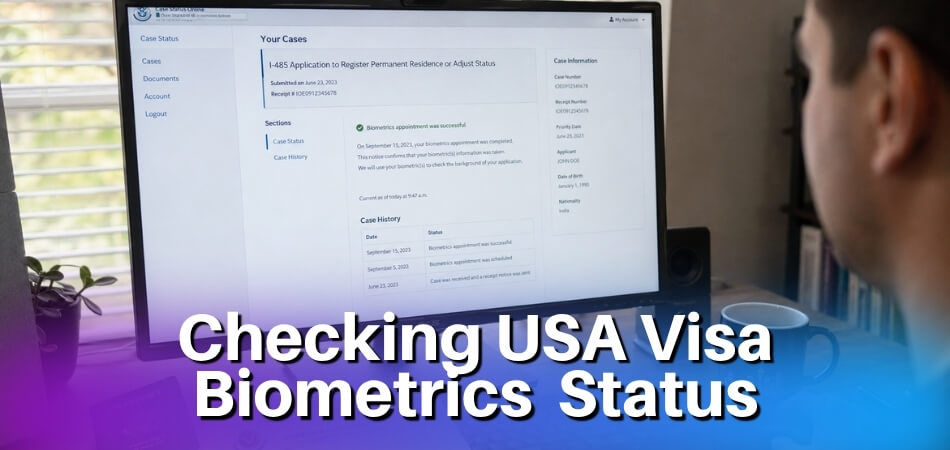
The right tool depends on which agency owns your case. Applications filed inside the United States (green card, work permit, naturalization, extension or change of status) are handled by U.S. Citizenship and Immigration Services (USCIS). Visa applications made at a U.S. embassy or consulate abroad are handled by the U.S. Department of State and tracked in the Consular Electronic Application Center (CEAC). If you are still waiting for your appointment date, USCIS cases get it in a mailed notice, and most of the U.S. biometrics appointment wait comes before that notice arrives.
What Biometrics Mean in the U.S. Visa and Immigration Process
Biometrics confirm your identity and start your background checks. They are not an approval. At a USCIS Application Support Center (ASC), you give your fingerprints, a photograph, and a digital signature. The signature, collected for certain forms, reaffirms under penalty of perjury that your application is true. Visa applicants abroad usually give fingerprints at the embassy, consulate, or a designated application center.
After the appointment, your online status may change within days, or it may stay the same for weeks while background checks and officer review take place. The section on what happens behind the scenes explains those steps.
What to Bring to the Appointment
USCIS asks you to bring your appointment notice (Form I-797C) and a valid photo ID, such as a passport, Green Card, or driver’s license. If you received more than one notice, bring all of them. Bring someone who can translate if you do not understand spoken English.
Go to the ASC listed on your notice. If you show up at a different one without rescheduling first, your appointment will not be processed. To reschedule, request it through your USCIS online account at least 12 hours before the appointment and show good cause. Within 12 hours, or after a missed appointment, call the USCIS Contact Center at 800-375-5283 or chat with Emma. Missing an appointment without rescheduling or good cause can lead USCIS to treat the application as abandoned and deny it.
USCIS vs CEAC: Which Status Portal Should You Use?
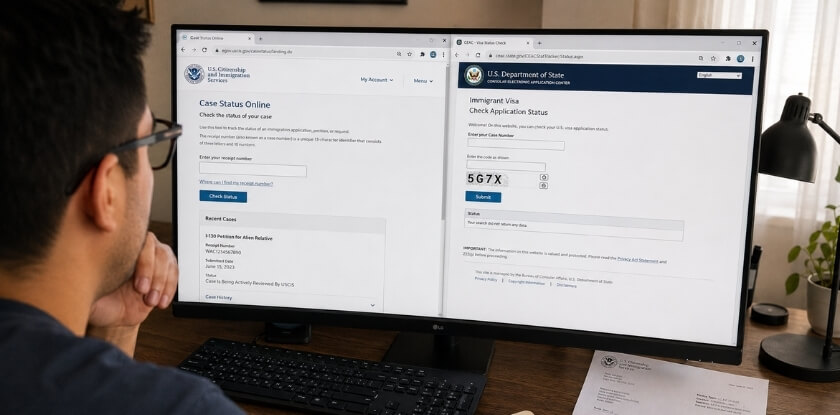
Use USCIS for immigration benefits you filed with USCIS. Use CEAC for visas processed by a U.S. embassy, consulate, or the National Visa Center (NVC). The quickest way to tell is to look at the number on your notice.
How to Identify the Right Portal From Your Number
A USCIS receipt number has 13 characters: three letters followed by 10 digits. The letters show which office received the case. Common prefixes are IOE (filed online), EAC (Vermont Service Center), WAC (California Service Center), LIN (Nebraska Service Center), SRC (Texas Service Center), MSC, NBC, and YSC. It is printed on your Form I-797 notices.
A CEAC application ID or case number comes from the Department of State. For most nonimmigrant visas it appears on your DS-160 confirmation page. For immigrant visas, NVC gives you a case number. If the number came from USCIS, check USCIS. If it came from a visa application or NVC, check CEAC.
USCIS and CEAC Comparison Table
| Case Type | Portal to Use | Number Needed |
| Adjustment of status (Form I-485) inside the U.S. | USCIS | USCIS receipt number |
| Work permit / EAD (Form I-765) | USCIS | USCIS receipt number |
| Green Card renewal or replacement (Form I-90) | USCIS | USCIS receipt number |
| Naturalization (Form N-400) | USCIS | USCIS receipt number |
| Change or extension of status, travel documents, family or employment petitions | USCIS | USCIS receipt number |
| Visitor, student, exchange, or temporary worker visa | CEAC (Nonimmigrant Visa) | DS-160 application ID or case number |
| Immigrant visa through NVC and an embassy | CEAC (Immigrant Visa) | NVC case number |
How to Check Status After Biometrics Through USCIS
Go to USCIS Case Status Online, enter your receipt number, and read the status message. You do not need an account for this check. If you filed online or linked your paper case, your myUSCIS account shows more, including copies of notices.
Step 1: Find Your Receipt Number
Your receipt number is on the Form I-797C, Notice of Action that USCIS sent after it received your application. The biometrics appointment notice shows it too.
Step 2: Enter It on the Official Case Status Page
Open USCIS Case Status Online. Type the full receipt number, including the three letters, with no dashes. USCIS says you may include asterisks (*) if they appear on your notice as part of the number. The page shows the last action taken on your case and any next step. Use only the official page. Unofficial trackers can show stale data or ask for personal details you do not need to share.
Step 3: Read the Full Message and Check Your Documents
Read the whole status message, not only the headline, because some updates need action from you. If you have a myUSCIS account, open the Documents section as well. Notices such as an RFE, interview notice, or approval notice can appear there before the paper copy arrives by mail.
How to Check Status After Biometrics Through CEAC
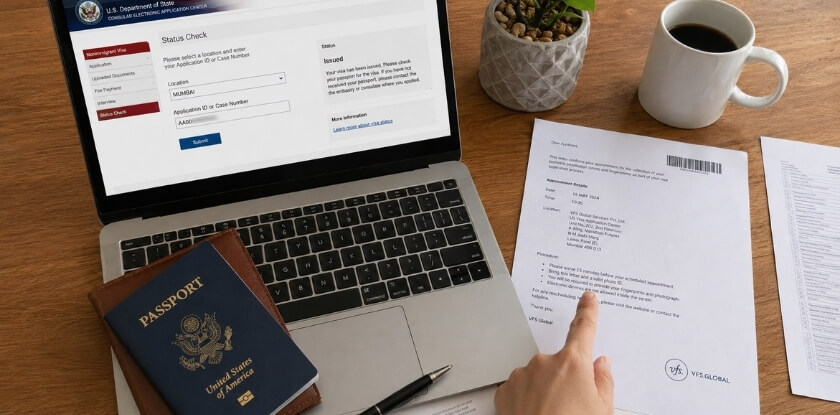
Open the CEAC Visa Status Check, choose Nonimmigrant or Immigrant Visa, enter your application ID or case number, and complete the security code. CEAC tracks visas handled by the Department of State. USCIS Case Status Online will not show a consular visa decision.
Step 1: Choose Immigrant or Nonimmigrant Visa
Choose Nonimmigrant Visa for temporary visas such as visitor (B-1/B-2), student, exchange, or temporary work visas. Choose Immigrant Visa for permanent residence through consular processing. The wrong category means CEAC will not find your case.
Step 2: Enter Your Application ID or Case Number
For a nonimmigrant visa, enter the application ID from your DS-160 confirmation page and select the location where you applied. For an immigrant visa, enter your NVC case number. Type it exactly as shown on your confirmation page or NVC notice.
Step 3: Complete the Security Code and Read the Result
Enter the code shown on the page and submit. CEAC messages are short, so also check your email, your visa appointment profile, and any courier or passport-return account for instructions.
Common USCIS Status Messages After Biometrics
Most USCIS messages after biometrics mean your case is moving normally. A few, such as an RFE, need a response from you. Wording varies by form type, so read the full message.
Case Was Updated To Show Fingerprints Were Taken
USCIS has recorded your biometrics on the case. No action is needed. The case continues to background checks and review. Some applicants see this message, others see no change at all, and the order of fingerprint messages is not always the same.
Fingerprint Review Was Completed
The fingerprint check linked to your biometrics is done. The case can now go to officer review, interview scheduling, or a decision. No action is needed unless USCIS sends another notice.
Case Is Being Actively Reviewed
An officer or system is working on your file. This message can stay for weeks or months and does not mean a decision is close. USCIS may still be checking evidence, background results, or whether an interview is needed.
Interview Was Scheduled
USCIS has set an interview. The notice gives the date, time, office, and the documents to bring.
Request for Evidence Was Sent
USCIS needs more information before it can decide. Read the RFE carefully, send exactly what it asks for, and respond before the deadline printed on the notice.
Case Was Approved
USCIS approved the application or petition. Depending on the form, an approval notice, card, or travel document follows by mail, and the physical document may take extra time to arrive.
Common CEAC Status Messages After Biometrics
CEAC shows only a few short statuses, and “Refused” does not always mean a final denial. Pair the status with the letter or email you received from the embassy or consulate.
Application Received
The application is in the system and waiting for the next consular action, such as the interview or review.
Ready
The case is available for the next step at the embassy or consulate, such as the interview or document submission. Follow the post’s instructions so you do not miss a step.
Administrative Processing
The case needs additional review before a final decision, for example security checks or document review. Since March 2020, the Department of State shows many of these cases in CEAC as Refused instead, because they were refused under section 221(g) of the Immigration and Nationality Act while processing continues.
Issued
The visa has been approved and printed. Watch for passport pickup or courier delivery instructions.
Refused
The visa was not issued under the law section applied to your case. A 221(g) letter means the case is still open: it can be overcome once the extra documents arrive or the review finishes. If you received a refusal under another section, such as 214(b), that decision is final for that application, and you would need to apply again. For a 221(g) case, the Department of State asks you to wait at least 180 days from the interview or from sending the requested documents, whichever is later, before asking about progress, unless you have an emergency.
How Long Does It Take to Get an Update After Biometrics?
There is no single official timeline after biometrics. It depends on the form, the office, background checks, and whether an interview or RFE is needed. Some applicants see an update within days. Others see no change for months while their case is still being processed normally.
Where to Find USCIS Processing Times
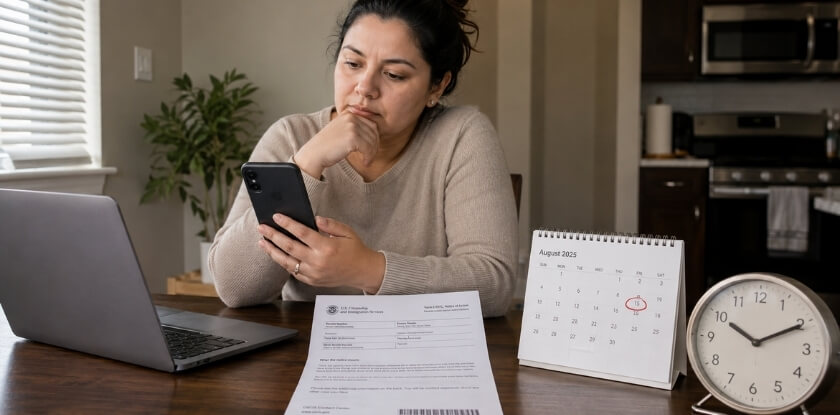
USCIS posts an estimate for each form and office on its Check Case Processing Times page. The estimate is a single time, usually updated monthly. Measure your wait from the receipt date on your I-797C, not from the biometrics date. If your receipt lists the National Benefits Center for a family or employment I-485, an N-400, or an N-600, USCIS says to check the time for your local field office.
Timing for CEAC Visa Cases
For consular visas, timing depends on the embassy or consulate. The Department of State publishes appointment wait times on travel.state.gov, but not a set time for a decision after fingerprints. Administrative processing has no fixed end date. Once a visa is approved at the interview, the time to get a U.S. visa after the interview depends mainly on the embassy and the pickup or courier delivery you chose.
Why Some Cases Move Faster or Slower
Speed depends on:
- The form or visa category
- The workload at the USCIS office or embassy
- How complex your background checks are
- Whether your documents were complete
- Whether an interview or RFE is needed
- Prior immigration or travel history
What Happens Behind the Scenes After Biometrics?
Your fingerprints, photo, and personal details are used for identity and background checks, and then an officer reviews the application. None of this has to show up as a new online status.
Fingerprint, Name, and Security Checks
USCIS collects biometrics as part of its background check process. Fingerprints are run against FBI criminal history records, and USCIS also runs name and security checks against government databases. A similar name or an old record can trigger extra review. That slows the case but does not mean it will be denied.
Identity Matching and Prior Records
Your photo and fingerprints confirm that the person at the appointment is the person named in the application. Officers may also look at earlier visa applications, entries and departures, overstays, and past refusals or approvals. A long or complex history can add time.
Officer Review
Once the checks are back, an officer reviews your forms, evidence, and eligibility. The officer may approve the case, schedule an interview, issue an RFE, or send another notice.
No Update After Biometrics: What Should You Do?
First confirm you are checking the correct portal, then compare your wait with the official processing time for your form. If you are still inside that time, no update is normal and you should keep waiting.
Before you assume nothing has happened, check for a notice you may have missed in your myUSCIS Documents section, your email, and your mail. For CEAC cases, check your email and the embassy’s instructions. Look for:
- Requests for Evidence
- Interview notices
- A second biometrics notice
- Document upload or passport instructions
- A 221(g) letter from the embassy
Sending the same inquiry again and again does not speed up a case.
What to Do If Your Case Is Outside Normal Processing Time
If the processing-times tool says your case is past the normal time, contact the agency that controls your case through its official inquiry channel. A delay does not mean a denial. It is often caused by workload, background checks, or missing documents.
USCIS Cases: e-Request, Contact Center, or Emma
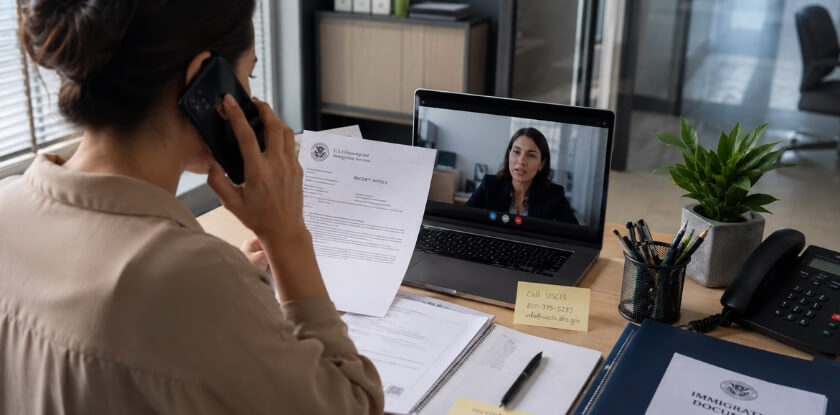
Enter your form, office, and receipt date in the processing-times tool. It either gives the date when you can ask about your case or links you to an inquiry. Then submit an e-Request for a case outside normal processing time, or call the USCIS Contact Center at 800-375-5283 (TTY 800-767-1833). Emma, the virtual assistant on uscis.gov, answers general questions and can connect you to a live agent. e-Request is also used for problems such as a missing notice, a card that was not delivered, or a typo on a notice. Save the confirmation of every inquiry.
USCIS can also expedite a case, but only in limited situations, such as severe financial loss, an urgent humanitarian reason, or a USCIS error, and only with supporting evidence. Make one request, because several can slow things down.
Visa Cases: Embassy, Consulate, or NVC
If your visa case is at an embassy or consulate, use that post’s official contact form. If your immigrant visa case has not yet moved from NVC to the embassy, contact the National Visa Center about document review, fees, or interview scheduling.
Information to Have Ready
- Full legal name and date of birth
- USCIS receipt number, CEAC application ID, or NVC case number
- Passport number, if relevant
- Form or visa type
- Biometrics and interview dates
- Your latest notice or email
Can You Use Mobile Apps to Track Status After Biometrics?
Yes, third-party apps can alert you to public status changes, but the official USCIS and CEAC portals are the only reliable source. Apps read the same public status you can check yourself. They cannot see your myUSCIS documents, embassy emails, or mailed notices. If an app shows something different from the official page, go by the official page.
Be careful what you enter in any app. A receipt number alone is enough for a public status check. Never share your passport number, date of birth, payment details, or login details for USCIS, CEAC, or your email.
How to Avoid Delays After Biometrics
Keep your details current, watch for notices, and respond quickly when asked. You cannot control background checks, but you can avoid the delays you cause yourself.
- Keep your numbers and notices safe: store your receipt number, CEAC application ID, NVC case number, notices, and payment receipts together.
- Update your address: if you move, update USCIS online within 10 days (non-U.S. citizens must report a change of address), and keep your email and phone current with NVC or the embassy.
- Answer RFEs on time: send exactly what is asked, before the deadline, and keep proof of submission.
- Check uploads: make sure documents are readable and that names, dates, and passport numbers match across your records.
- Do not inquire too early: wait until the processing-times tool says you can ask.
USCIS Photograph Reuse Rules and Repeat Biometrics Appointments
Under a USCIS policy update dated December 12, 2025 (PA-2025-29), USCIS may reuse your earlier photo only if it was taken no more than 36 months before you file. Forms I-485, N-400, N-600, and I-90 always require a new photo at a biometrics appointment.
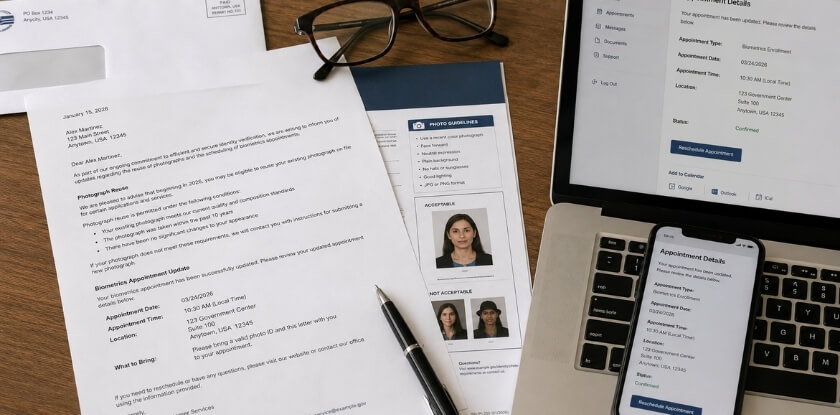
The old rule allowed reuse for much longer. USCIS shortened it because photos on cards could end up many years old by the time the card expired. Under the updated rule, USCIS can also choose to require a new photo even inside the 36-month window, and it does not reuse photos that applicants took themselves.
When USCIS May Reuse a Previous Photograph
If your photo was taken at a USCIS biometrics appointment within 36 months of your new filing, and the form is not one of the four listed above, USCIS may apply it to the new case. You may get a notice saying your earlier biometrics will be used. In that case, no appointment is needed unless another notice says otherwise.
What to Do If You Receive Another Biometrics Notice
Attend it, even if you gave biometrics recently for another case. The newest notice controls. Check the date, ASC address, name, and receipt number on the notice, and bring the notice and a valid photo ID. A second notice usually means USCIS needs current biometrics for this specific form. It does not mean something is wrong.
Frequently Asked Questions About Checking Status After Biometrics
Checking a US case after biometrics can be confusing when status sits on actively reviewed for months, CEAC shows Refused or Administrative Processing, the receipt number is lost or biometrics fail to appear online.
How soon does USCIS update status after biometrics?
There is no fixed time. Some cases show a fingerprint-related update within days, and others show no change for weeks or months. Compare your wait with the posted processing time for your form, counted from your receipt date.
Why is my case actively reviewed for months?
“Case Is Being Actively Reviewed” only means the case is pending with an officer or in checks. It does not signal approval or denial. If you are past the posted processing time, submit an e-Request.
Why does CEAC say Refused or Administrative Processing after my interview?
Since March 2020, many cases in administrative processing under section 221(g) show as Refused in CEAC. If you received a 221(g) letter, send any requested documents and wait for the embassy. The status can change to Issued later.
Does biometrics mean my visa or immigration case is approved?
No. Biometrics only confirm your identity so background checks can run. An approval comes later, as a notice or a status such as “Case Was Approved” or “Issued”.
Can I speed up my case after biometrics?
Only if you meet USCIS expedite criteria, such as severe financial loss, an urgent humanitarian reason, or a USCIS error, and can provide evidence. Completing biometrics is not a reason by itself. Make one request only.
What should I do if I lost my USCIS receipt number?
Look on any Form I-797C notice, in your myUSCIS account, in emails from USCIS, or in your attorney’s copies. If you still cannot find it, call the USCIS Contact Center at 800-375-5283 and be ready to verify your identity.
What if my biometrics do not appear online?
The public status often does not update right after an appointment. Keep the stamped appointment notice you received at the ASC as proof that you attended. If your case later goes past normal processing time, contact USCIS.
Key Takeaways
Use USCIS Case Status Online for applications filed with USCIS and CEAC for visas processed by an embassy, consulate, or NVC. Keep your numbers and notices in one place, check your online account and mail regularly, and measure delays against the official processing time, not against how quickly other people received updates.
From our experience at MS International: If you are traveling to present at or attend an academic event, MS International Conferences holds in-person conferences in the Greater Toronto Area and provides conference invitation letters for visa applications, including notarized invitation letters and visa expedite request letters. Our letter is issued within 3 to 5 business days after payment clears. It supports an application but does not guarantee a visa, so track each visa application with its own agency and its own number.
Disclaimer: This article is general information, not legal or immigration advice. Rules, fees, and processing times change. Confirm the current requirements with USCIS (uscis.gov) or the U.S. Department of State (travel.state.gov) before you act on your case.